
If you’ve ever struggled with a Craftsman garage door opener that won’t respond to your remote, or you’ve bought a new remote and don’t know how to sync it, you’re not alone. Many homeowners find the process confusing, especially when manuals are missing or the opener is an older model.
Reprogramming your Craftsman garage door opener is not as hard as it sounds. With some clear steps and practical tips, you can get your garage door working smoothly again, sometimes in just a few minutes. Whether you need to sync a new remote, erase codes for security, or reset the whole system, this guide has you covered.
Understanding Craftsman Garage Door Opener Systems
Before you start, it helps to know how a Craftsman garage door opener works. These openers use a small motor and a chain, belt, or screw drive to lift and lower your garage door. A radio signal from your remote tells the opener to move. For security, most Craftsman openers use rolling code technology, which changes the code each time you use the remote. This makes it harder for someone to copy your code and break in.
There are different Craftsman models, but most share similar programming steps. The biggest differences are in the location of the Learn button and the color of this button, which affects which remotes will work. Knowing your model number and the year it was made can help you find the right instructions if you get stuck.
Why You Might Need To Reprogram
Many situations require reprogramming your Craftsman garage door opener:
- Lost or stolen remote: You want to erase old codes so no one else can use your opener.
- Bought a new remote: The new remote must be synced to your opener.
- Security concerns: If you moved into a new home, it’s smart to reset codes.
- Malfunctioning opener: Sometimes reprogramming can fix odd behavior.
- Adding keypads or vehicles: New devices need to be programmed to work.
Ignoring these steps can lead to security risks or simple inconvenience. A lost remote, for example, could let someone into your garage. Reprogramming keeps your home safe.
Tools And Information You’ll Need
Before starting, gather the following:
- A ladder (if your opener is ceiling-mounted)
- New remote(s) or keypad (if adding devices)
- Owner’s manual (if available)
- Pen and paper (to note codes if needed)
- Model number and Learn button color (usually found on the opener unit)
If you don’t have your manual, most are available online on the Craftsman website. The model number is usually on the back or side of the opener, near the light cover.
Finding The Learn Button
The Learn button is the key to reprogramming. It’s usually located on the back or side of the opener’s main unit, under the light cover. The color of this button tells you what kind of remote is compatible.
Common Learn button colors:
- Yellow
- Red/Orange
- Green
- Purple
The color also affects how many remotes or keypads you can program (usually up to 5 or 8).
Example: Locating The Learn Button
- Unplug the opener for safety, then plug it back in.
- Use a ladder to safely reach the opener.
- Remove the light cover if needed.
- Look for a small button labeled “Learn” next to an LED light.
How Craftsman Garage Door Codes Work
Craftsman uses rolling code technology, where a new code is sent each time you use the remote. This is safer than fixed codes, which were easier to intercept. When you program a new remote, the Learn button stores the remote’s code in the opener’s memory. If you erase all codes, the opener “forgets” all remotes and keypads.
Key Terms
- Rolling code: A changing code for security.
- Fixed code: An old method, less secure.
- Remote memory: Where your opener stores codes.
Steps To Reprogram A Craftsman Garage Door Opener
Let’s get into the practical steps. These work for most models made after 1993 (when rolling code became common).
1. Prepare The Opener
- Make sure your garage door is closed.
- Disconnect power if you need to work closely on the unit.
- Have your new remote or keypad ready.
2. Clear Old Codes (if Needed)
This is important if you lost a remote, moved into a new house, or want to start fresh.
- Locate the Learn button.
- Press and hold the Learn button for 6-10 seconds (the LED will usually turn off or blink).
- Release the button. All old remotes and keypads are now erased.
- Test by pressing an old remote—nothing should happen.
3. Program A New Remote
- Press and release the Learn button (don’t hold it).
- The LED will light up (usually stays on for 30 seconds).
- Within 30 seconds, press and hold the button on your remote you want to program.
- Hold for about 3 seconds. The opener light will blink, or you’ll hear a click.
- Release the remote button.
4. Test The Remote
- Stand clear of the door.
- Press the programmed remote button.
- The door should move.
If not, repeat the programming steps or check battery in your remote.
5. Program A Keypad
Many Craftsman openers have a wireless keypad for entry.
- Press and release the Learn button.
- Within 30 seconds, enter your chosen 4-digit code on the keypad, then press the “Enter” button.
- The opener light will blink, confirming programming.
- Test the keypad by entering the code and pressing “Enter.”
6. Erase A Single Remote (not Always Possible)
Most Craftsman openers erase all remotes at once. If you want to remove only one, you usually have to erase all codes and reprogram the remaining remotes.
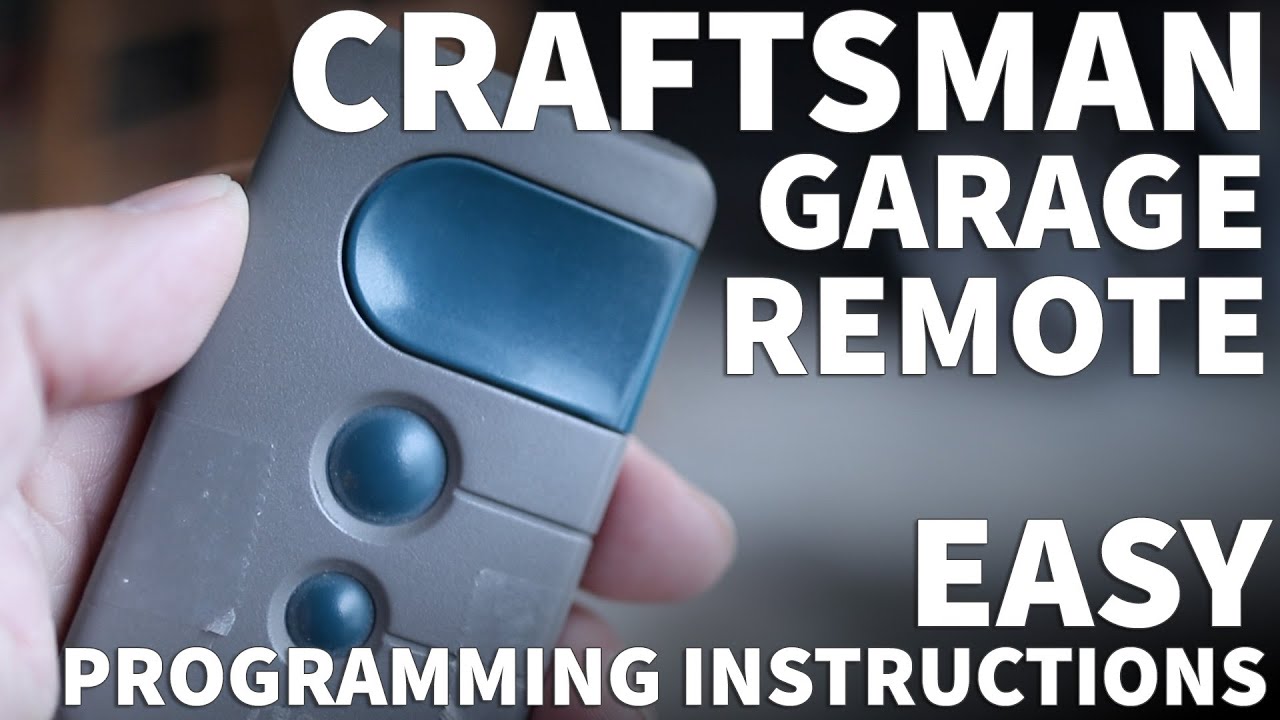
Table: Learn Button Color Compatibility
Here’s a quick reference for which remotes work with which Learn button colors:
| Learn Button Color | Compatible Remote Frequency | Typical Year Range |
|---|---|---|
| Yellow | 390 MHz Security+ 2.0 | 2011–present |
| Purple | 315 MHz Security+ | 2005–2011 |
| Red/Orange | 390 MHz Security+ | 1997–2005 |
| Green | 390 MHz Billion Code | 1993–1997 |
Common Problems And How To Fix Them
Even when you follow every step, issues can happen. Here are some common ones and how to solve them.
Remote Won’t Program
- Battery is weak: Replace with a fresh battery.
- Wrong remote type: Check remote and opener compatibility using the table above.
- Did not press Learn button correctly: Try again, making sure the LED lights up.
- Waited too long: You must program within 30 seconds of pressing Learn.
Opener Light Doesn’t Blink
- Some openers use a click sound or the movement of the door as confirmation instead of a blinking light. If unsure, try using the remote after programming.
Keypad Doesn’t Program
- Wrong sequence: Double-check steps. Some keypads need you to hold “Enter” a few seconds.
- Keypad battery is dead: Replace the battery.
- Not compatible: Check the model and Learn button color.
Door Opens But Won’t Close
- Safety sensors: Craftsman openers have sensors near the floor. If blocked or misaligned, the door won’t close. Clean or adjust them.
- Vacation lock: Some wall units have a lock button. Make sure it’s off.
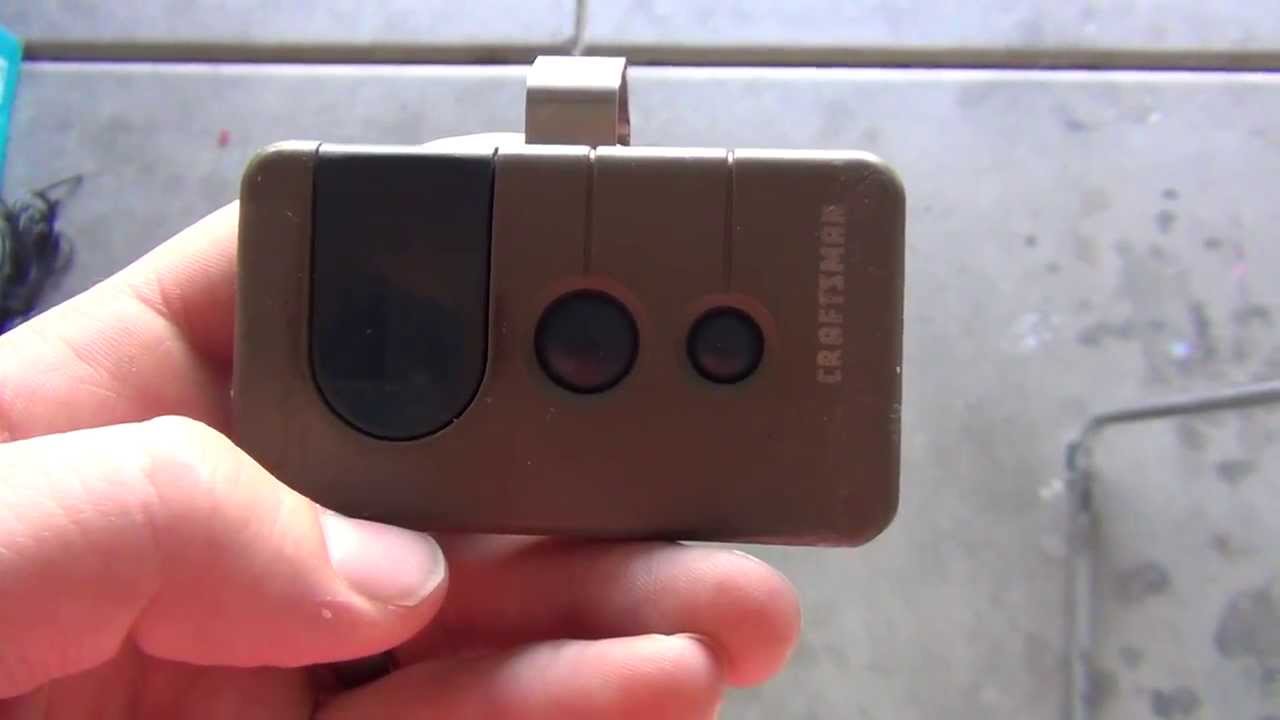
Table: Troubleshooting Quick Guide
Use this quick guide for common issues:
| Problem | Possible Cause | Solution |
|---|---|---|
| Remote won’t work | Dead battery, wrong remote, not programmed | Replace battery, check compatibility, reprogram |
| Keypad not working | Dead battery, wrong code, not programmed | Replace battery, re-enter code, reprogram |
| Door won’t close | Blocked sensors, vacation lock on | Check sensors, turn off vacation lock |
| Can’t erase single remote | Opener erases all codes at once | Erase all, reprogram desired remotes |
Adding A Craftsman Opener To A Vehicle (homelink)
Many newer cars have HomeLink or similar systems that can control garage doors without a separate remote. Here’s how to program your Craftsman opener to your car:
- Turn your car’s ignition to the “on” position (but do not start).
- Hold the two outer HomeLink buttons until the LED starts to flash (to clear old codes).
- Hold your Craftsman remote close to the HomeLink panel.
- Press and hold the HomeLink button you want to program, plus your remote button, at the same time.
- When the HomeLink light flashes rapidly, release both buttons.
- Go to your garage door opener, press the Learn button.
- Within 30 seconds, go back and press the HomeLink button you programmed, up to three times.
Non-obvious Insight
Some vehicles require the ignition to be on, while others require the engine to be off. Also, certain older Craftsman models may not be compatible with HomeLink without a special “bridge” device.
Programming Multiple Remotes
Most Craftsman openers can hold up to five remotes and one keypad in their memory. If you have a large family, you can program several remotes by repeating the programming process. Just remember:
- If you erase all codes, you must reprogram every remote and keypad.
- Some universal remotes work, but must be compatible with your Learn button color and frequency.
Table: Number Of Devices Supported
Here’s a look at how many remotes and keypads your opener may support, based on model:
| Opener Model Year | Max Remotes Supported | Max Keypads Supported |
|---|---|---|
| 1993–1997 (Green) | 5 | 1 |
| 1997–2005 (Red/Orange) | 5 | 1 |
| 2005–2011 (Purple) | 8 | 1 |
| 2011–present (Yellow) | 8 | 1 |
Safety Precautions
When working with garage door openers, safety is essential:
- Always stand clear of the door when testing.
- Use a sturdy ladder.
- Don’t allow children to play with remotes.
- Unplug the opener when working on wiring.
One overlooked tip: If your opener is more than 15 years old, consider a professional inspection. Older openers may lack modern safety features and could be a fire or injury risk.
Upgrading Or Replacing Your Craftsman Opener
If your opener is very old or doesn’t support rolling codes, upgrading may be wise. New models are quieter, more secure, and often have smartphone control. When choosing a replacement:
- Match the horsepower to your door size (1/2 HP for single, 3/4 HP for double doors).
- Decide if you want a chain, belt, or screw drive.
- Check for battery backup if you lose power often.
Don’t forget that new openers come with detailed instructions, and many have video guides on the Craftsman website.
Tips For Long-term Reliability
A well-maintained opener lasts longer and works better. Here’s how to keep yours in top shape:
- Change batteries in remotes and keypads every 1-2 years.
- Clean safety sensors with a soft cloth regularly.
- Lubricate chains or screws every 6 months (use a garage door lubricant, not WD-40).
- Test the auto-reverse feature by placing a block of wood in the door’s path—it should reverse when it touches the wood.
- Check for loose bolts and wires at least once a year.
When To Call A Professional
While reprogramming is usually simple, some problems need expert help:
- Opener motor runs but the door doesn’t move (could be a broken gear or chain).
- Door reverses for no reason (sensor or travel limit issue).
- Wall switch doesn’t work (wiring or circuit problem).
- Opener is very noisy (may need new rollers or a full tune-up).
If you’re not sure, or if you have an older opener with unfamiliar wiring, it’s safer to call a pro.
Non-obvious Insights Most Beginners Miss
- The Learn button erases ALL device codes—not just the last one programmed. If you want to remove only one remote, you must reprogram all others.
- Remote and keypad batteries can cause strange problems. Weak batteries sometimes let you program a remote but not actually operate the door reliably.
- LED light bulbs in your opener can interfere with remote signals. If your opener stopped working after you changed bulbs, try replacing them with a standard incandescent bulb or a “garage door opener safe” LED.
- Some universal remotes need to be set to a specific frequency or mode before programming. If your universal remote won’t work, check the instructions for a switch or button combination.
- Vacation lock on your wall console can block all remotes. If nothing works, check for a blinking light or lock symbol.
Where To Get More Help
If you’re stuck, Craftsman’s support site is full of manuals and troubleshooting guides. You can also find video tutorials online. For more in-depth technical details, the Wikipedia page on garage door openers covers history and safety standards.
Frequently Asked Questions
What Does The Learn Button Do On A Craftsman Garage Door Opener?
The Learn button lets you program new remotes or keypads and erase old codes. When you press and hold it, the opener deletes all stored devices. When you press and release it, it’s ready to learn a new remote or keypad within about 30 seconds.
Can I Program A Universal Remote To My Craftsman Opener?
Yes, but the universal remote must match your opener’s frequency and coding type (see Learn button color). Some universal remotes need to be switched to the right mode before programming. Always check the remote’s manual for compatibility.
How Many Remotes Can I Program To My Craftsman Opener?
Most Craftsman openers support five remotes and one keypad for older models, and up to eight remotes for newer models. If you try to add more, the oldest programmed device will be removed from memory.
Why Won’t My Remote Work After Programming?
Common reasons include a dead battery, wrong remote type, or waiting too long after pressing the Learn button. Also, check for interference from LED bulbs or nearby electronics.
How Do I Erase A Lost Or Stolen Remote From My Opener?
You must erase all codes by pressing and holding the Learn button for 6-10 seconds, then reprogram each remaining remote and keypad. There’s no way to erase just one remote for most Craftsman models.
Reprogramming your Craftsman garage door opener is a practical skill that saves time, money, and stress. By understanding your system, following clear steps, and knowing the common pitfalls, you can keep your garage secure and convenient for years to come.
If you ever feel stuck, there’s no shame in calling a professional or checking the official Craftsman support resources.