
The convenience of modern technology has dramatically reshaped how we interact with our homes, and the garage door is no exception. Gone are the days of solely relying on physical remotes or manual operation. The advent of smart home technology has introduced sophisticated solutions, with the myQ app emerging as a prominent player. This app, developed by Chamberlain Group, offers homeowners unprecedented control over their garage doors, allowing them to monitor, operate, and secure their garages from virtually anywhere.
But the question on many homeowners’ minds is straightforward: Can you open and close your garage door with the myQ app? The answer is a resounding yes, but understanding how this functionality works, its prerequisites, and its benefits is crucial for maximizing its potential. This article will explore the capabilities of the myQ app in managing your garage door, detailing the setup process, features, security considerations, and what to expect when integrating this technology into your daily life.
Key Takeaways
- The myQ app allows users to remotely open, close, and monitor their garage doors from a smartphone or tablet.
- To use the myQ app, you need a myQ-compatible garage door opener or a myQ Smart Garage Hub.
- Setup involves connecting the myQ device to your home Wi-Fi network and linking it to your garage door opener.
- Beyond basic operation, the app provides real-time alerts, activity logs, and scheduling capabilities.
- Security is a primary concern, and myQ employs encryption and secure protocols, but users should still practice good digital hygiene.
- The myQ app can integrate with other smart home platforms and voice assistants for enhanced convenience.
- Troubleshooting common issues often involves checking Wi-Fi connectivity, power supply, and opener compatibility.

Credit: allsecurityequipment.com
Understanding The Myq Ecosystem
The myQ app is the central nervous system of Chamberlain Group’s smart garage solutions. It’s designed to provide a unified platform for controlling and monitoring various garage door openers and gate operators. At its core, the myQ ecosystem relies on a device within your garage that can communicate with your Wi-Fi network and your garage door opener. This device is either built directly into newer garage door openers (often labeled as “Wi-Fi enabled” or “myQ enabled”) or can be added as a separate unit, the myQ Smart Garage Hub.
The Smart Garage Hub acts as a bridge, connecting older, non-smart garage door openers to the myQ app. It typically consists of a hub that plugs into a power outlet and a sensor that attaches to the garage door itself.
This sensor detects whether the door is open or closed, allowing the app to provide accurate status updates. Without this communication link, remote operation would be impossible. The entire system is built around ensuring that you, the homeowner, have a secure and reliable way to interact with your garage door from a distance.
Myq-compatible Garage Door Openers
Many modern garage door openers are manufactured with integrated myQ technology. These openers come equipped with built-in Wi-Fi capabilities, meaning they can connect directly to your home wireless network. This eliminates the need for an additional hub. Brands like LiftMaster and Chamberlain are prominent in this space, with many of their newer models offering seamless integration with the myQ app.
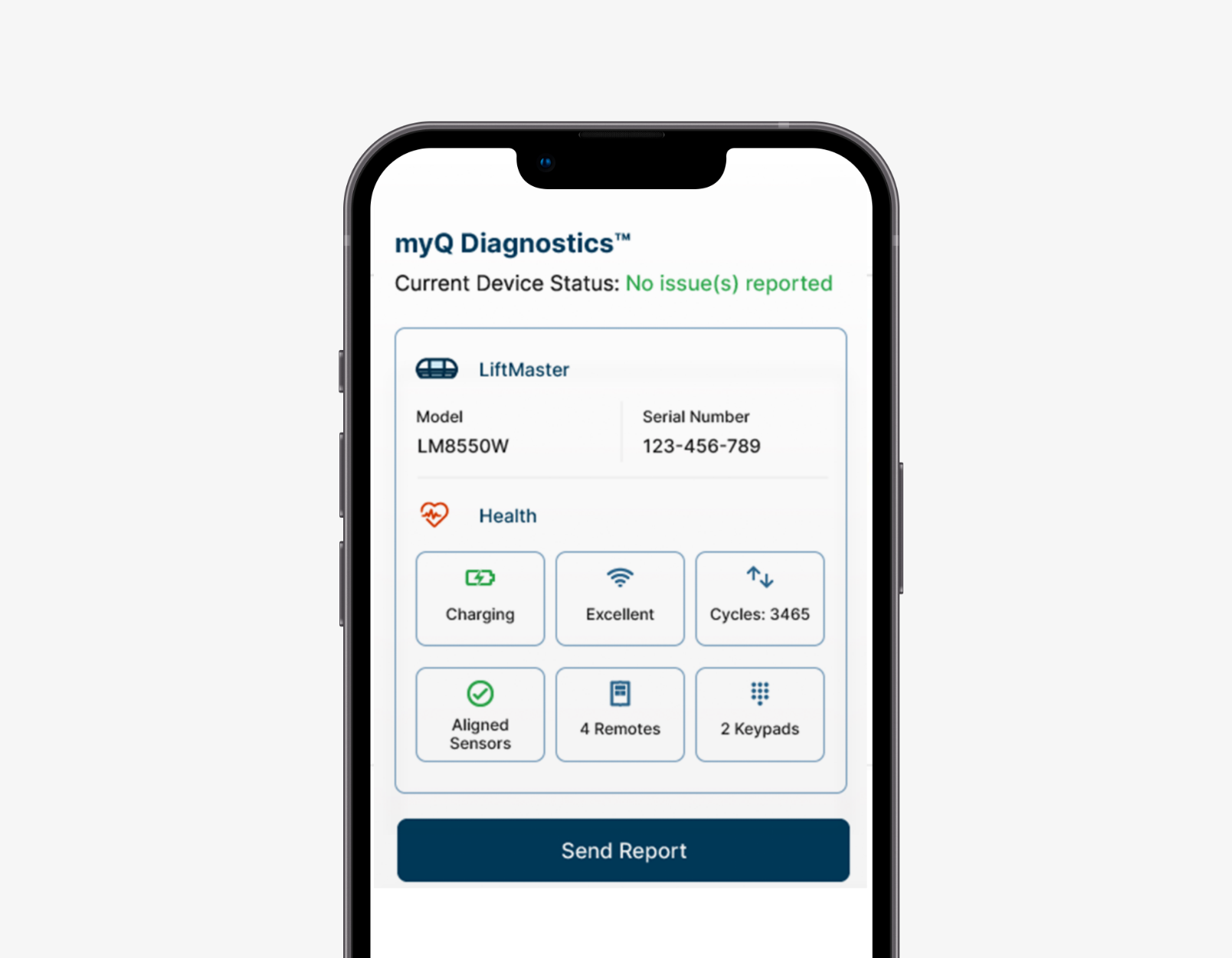
When purchasing a new garage door opener, checking for the “myQ enabled” logo or specification is the easiest way to ensure compatibility. These openers often come with advanced features beyond just app control, such as enhanced security protocols and diagnostic capabilities accessible through the app.
The Myq Smart Garage Hub
For homeowners with existing garage door openers that are not myQ-enabled, the myQ Smart Garage Hub provides an excellent retrofit solution. This device is designed to work with a wide range of garage door opener brands and models manufactured after 1993 (though specific compatibility should always be verified). The hub itself is a small, unobtrusive unit that plugs into a standard electrical outlet. It communicates wirelessly with a sensor that you attach to your garage door. When you use the myQ app to open or close the door, the hub sends a signal to your existing opener’s motor. The sensor, in turn, reports the door’s status back to the hub and then to the app. This makes older garage door systems “smart” without requiring a complete replacement of the opener unit.
Setting Up Your Myq Device
The initial setup is a critical step for enabling your garage door to be controlled by the myQ app. The process generally involves downloading the myQ app from your smartphone’s app store (available for both iOS and Android), creating an account, and then following the in-app instructions to connect your myQ-enabled opener or Smart Garage Hub to your home Wi-Fi network.
This typically involves selecting your Wi-Fi network, entering your password, and ensuring the myQ device is within range of your router.
Once the device is connected to Wi-Fi, you will then need to pair it with your garage door opener. For integrated openers, this often involves pressing a “learn” button on the opener motor unit. For the Smart Garage Hub, the app will guide you through linking the hub to your specific opener model. The final step is usually assigning a name to your garage door within the app (e.g., “Main Garage Door”) and configuring any desired alerts or notifications. The entire process is designed to be user-friendly, with the app providing step-by-step guidance.
Credit: www.myq.com
Core Functionality: Opening And Closing Your Garage Door
The primary function that most users are interested in is the ability to remotely open and close their garage door. With the myQ app and a properly configured system, this becomes a straightforward process. From your smartphone or tablet, you can access the myQ app, select your garage door, and tap the open or close button.
The app sends a command over the internet to your myQ device in the garage, which then signals your garage door opener to act.
This capability offers significant convenience. For instance, if you’re on your way home and want to let a family member in who has forgotten their opener, you can simply open the door remotely. Conversely, if you’ve left home and are unsure if you closed the garage door, a quick check of the app will tell you its status, and you can close it with a tap.
The app typically displays the current status of the door (open or closed) in real-time, providing immediate visual confirmation.
Real-time Status Monitoring
Beyond just issuing commands, the myQ app excels at providing real-time status updates. This is made possible by the sensor attached to the garage door (either integrated into the opener or part of the Smart Garage Hub). This sensor communicates the door’s position to the myQ device, which relays this information to the app. You can see at a glance whether your garage door is open, closed, or somewhere in between. This feature is invaluable for peace of mind, especially for busy households or when traveling. Knowing the exact status of your garage door eliminates the guesswork and potential worry.
Remote Operation And Control
The remote operation feature extends beyond simple open/close commands. Depending on your garage door opener model and the myQ app version, you might have additional control options. For example, some openers allow you to activate a strut light or open the opener’s internal light remotely through the app. This can be useful if you’re arriving home after dark and want to illuminate the garage before entering. The app’s interface is designed for intuitive navigation, ensuring that accessing these controls is quick and easy, even in low-light conditions or when you’re in a hurry.
Credit: www.myq.com
Advanced Features And Customization
While remote opening and closing are the headline features, the myQ app offers a suite of advanced functionalities that enhance security, convenience, and automation. These features transform your garage door from a simple entry point into an integrated part of your smart home.
Customizable Alerts And Notifications
One of the most powerful features of the myQ app is its ability to send customizable alerts and notifications. You can set up the app to notify you whenever your garage door is opened or closed. This is incredibly useful for monitoring household activity, ensuring children have arrived home safely from school, or being alerted if the door is opened unexpectedly. You can also set up notifications for when the door has been left open for a certain period, helping to prevent accidental security breaches or energy waste. These alerts are typically delivered via push notifications to your smartphone, ensuring you’re informed in real-time.
Activity Logs
The myQ app maintains a detailed activity log for your garage door. This log provides a historical record of all operations, including when the door was opened, closed, and by whom (if multiple users are set up). This historical data can be invaluable for security purposes, allowing you to review activity if you suspect any unauthorized access. It also helps in troubleshooting any issues by providing a timeline of events. The log is accessible directly within the app, making it easy to review past operations.
Scheduling And Automation
For added convenience, the myQ app allows for scheduling specific actions. For example, you can program your garage door to close automatically at a certain time each night, ensuring that your home is secured even if you forget. You can also set up schedules for opening the door at specific times, perhaps to allow for automated deliveries (though this requires careful consideration of security). These scheduling features leverage your home’s Wi-Fi connection and the myQ device’s internal clock to perform actions autonomously.
Security Considerations And Best Practices
Integrating smart technology into your home, especially for access points like your garage door, naturally raises security concerns. Chamberlain Group has invested heavily in ensuring the myQ system is secure, but user practices are equally important.
Encryption And Secure Protocols
The myQ system utilizes industry-standard encryption protocols to secure the communication between your smartphone, the myQ app, the cloud servers, and your myQ device in the garage. This means that commands and status updates are transmitted in an encoded format, making it difficult for unauthorized individuals to intercept and decipher them. Furthermore, the system employs secure authentication methods to ensure that only authorized users can access and control their garage doors. This multilayered security approach is designed to protect your home from cyber threats.
User Account Security
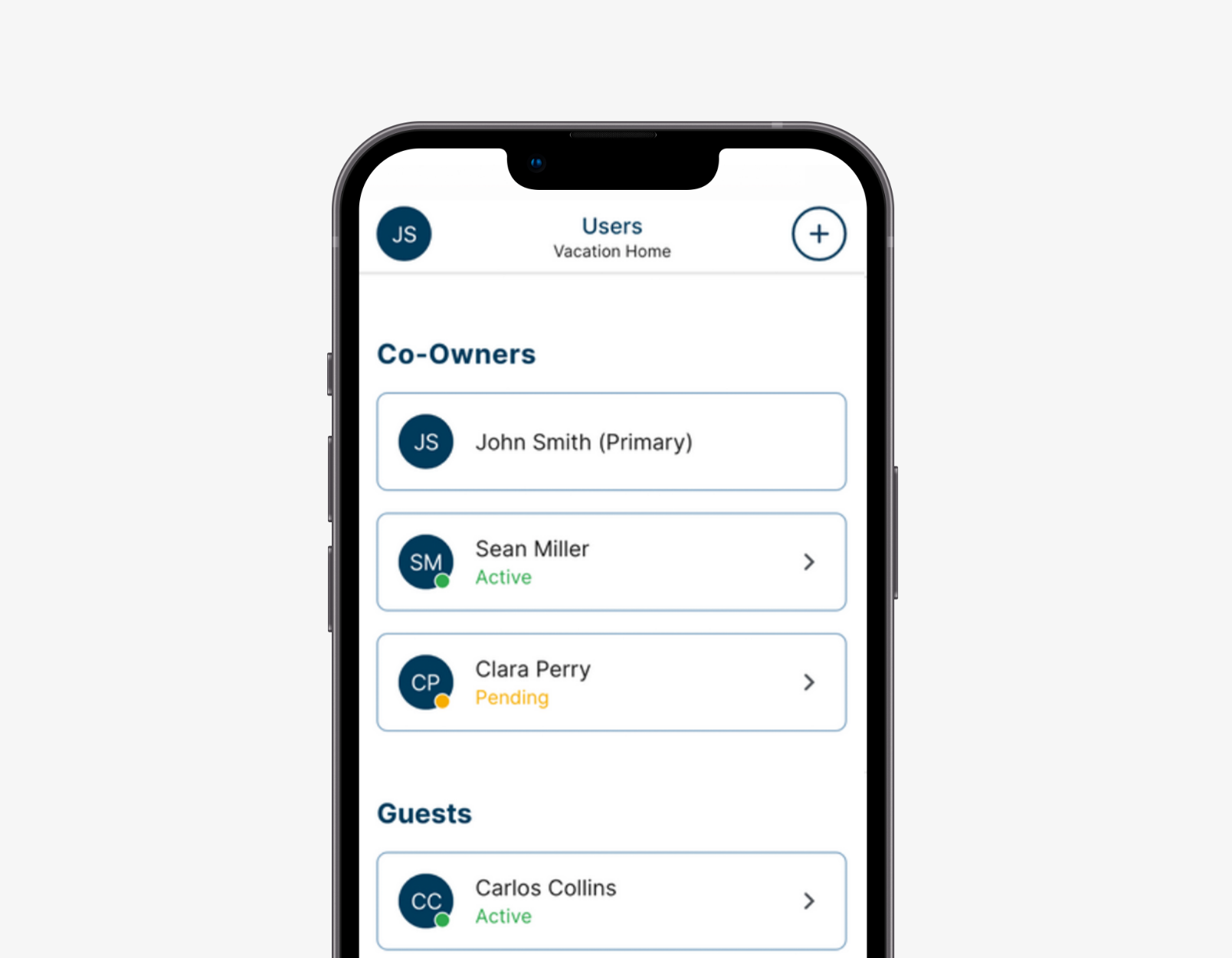
Maintaining the security of your myQ account is paramount. This begins with choosing a strong, unique password for your myQ account. Avoid using easily guessable passwords or reusing passwords from other online services. Enabling two-factor authentication (2FA), if offered by myQ, adds an extra layer of security by requiring a second form of verification (like a code sent to your phone) in addition to your password when logging in from a new device. Regularly reviewing who has access to your myQ account and removing any users who no longer require access is also a good practice.
Physical Security And Opener Maintenance
While the myQ app provides remote control, it’s essential not to overlook the physical security of your garage door and opener. Ensure your garage door itself is in good condition and that the locking mechanisms are functioning correctly. Regularly check and lubricate garage door rollers and tracks to ensure smooth operation, which also contributes to the longevity and security of the system. If you have an older opener, consider its security features; newer openers often have rolling code technology that changes the access code with each use, preventing code grabbing. For those with older systems, upgrading to a myQ-compatible opener or the Smart Garage Hub can enhance both convenience and security. Keeping your garage door opener’s firmware updated, if applicable, is also important for security.
Example: Preventing Accidental Openings
A common concern is accidentally leaving the garage door open. With myQ, you can set a rule: “If the garage door has been open for more than 30 minutes after sunset, send me a notification.” This proactive alert can save you from potential security risks or from leaving your garage exposed to the elements overnight. In my experience, receiving these timely alerts has prevented me from forgetting to close the garage door on multiple occasions.
Integration With Smart Home Platforms
The utility of the myQ app is further amplified by its integration capabilities with other popular smart home ecosystems and voice assistants. This allows for more seamless and automated control of your garage door as part of a larger smart home setup.
Voice Assistant Compatibility
myQ devices can often be linked with voice assistants such as Amazon Alexa and Google Assistant. This enables you to open or close your garage door using simple voice commands. For example, you could say, “Alexa, close the garage door,” or “Hey Google, is the garage door open?” This hands-free operation is incredibly convenient, especially when your hands are full. However, for security reasons, most voice assistants require a voice PIN or passcode to be spoken before executing the close command, preventing unauthorized voice access.
Ifttt And Other Smart Home Hubs
The myQ app also supports integration with IFTTT (If This Then That), a service that allows you to create custom applets to automate tasks between different applications and devices. This opens up a world of possibilities. For instance, you could create an applet that automatically closes your garage door when your phone’s location indicates you’ve left your home’s geofenced area. Similarly, you could link it with smart lighting systems so that your garage lights turn on when the door opens after dark. These integrations allow for sophisticated automation scenarios tailored to your lifestyle.
Troubleshooting Common Issues
Despite the reliability of the myQ system, occasional issues can arise. Most problems are related to connectivity or configuration and can often be resolved with a few simple troubleshooting steps.
Connectivity Problems
The most frequent issues users encounter are related to Wi-Fi connectivity. If your myQ app shows your garage door as offline or unresponsive, the first step is to check your home’s Wi-Fi network. Ensure your router is powered on and broadcasting a signal. Try restarting your router and your myQ device. If the problem persists, ensure the myQ device is within a reasonable range of your Wi-Fi router; weak signal strength can cause intermittent connectivity issues. You might consider a Wi-Fi extender if your garage is far from your router.
Opener Not Responding
If the app indicates the device is online but the opener isn’t responding to commands, several factors could be at play.
- Power Supply: Ensure the myQ device and the garage door opener itself are receiving adequate power. Check that the power cords are securely plugged in.
- Compatibility: Double-check that your garage door opener model is indeed compatible with the myQ system or Smart Garage Hub. Sometimes, specific jumper settings or wiring configurations are required for older openers.
- Sensor Issues: For systems using a separate door sensor, ensure it’s properly aligned and functioning. Check the battery in the sensor if it’s battery-powered.
- Opener Malfunction: In rare cases, the issue might be with the garage door opener itself, unrelated to the myQ system. If the opener doesn’t respond to its physical wall button either, it might require professional servicing.
Resetting And Re-pairing
If you’ve changed your Wi-Fi network name or password, or if you’re experiencing persistent issues, you may need to reset your myQ device and re-pair it with your network and opener. The process for resetting varies by device, but it typically involves pressing and holding a specific button on the device for a set duration. Consult your myQ device’s manual or the Chamberlain Group support website for specific instructions. After resetting, you will need to go through the initial setup process again within the myQ app, including reconnecting to your Wi-Fi network and re-linking to your garage door opener. This process is similar to a garage door opener reset and can often resolve complex connectivity glitches.
Comparison Of Myq Control Options
To better understand the options available for controlling your garage door with myQ, consider this comparison:
| Feature | myQ-Enabled Opener | myQ Smart Garage Hub | Standard Remote/Keypad |
|---|---|---|---|
| Remote Operation (App) | Yes | Yes | No |
| Real-time Status Monitoring | Yes | Yes | No |
| Activity Logs | Yes | Yes | No |
| Customizable Alerts | Yes | Yes | No |
| Voice Assistant Integration | Yes (via app) | Yes (via app) | No |
| Compatibility with Older Openers | No (requires new opener) | Yes (most models post-1993) | N/A |
| Installation Complexity | Integrated with opener install | Moderate (hub + sensor) | Simple |
| Cost | Higher (part of opener cost) | Moderate (add-on device) | Low |
This table highlights that while traditional remotes offer basic, in-range control, the myQ ecosystem provides a comprehensive suite of smart features for remote access, monitoring, and automation. The choice between a myQ-enabled opener and a Smart Garage Hub largely depends on whether you are purchasing a new opener or looking to upgrade an existing one.
Benefits Of Using The Myq App For Garage Door Control
The advantages of using the myQ app extend beyond mere convenience. They contribute to enhanced home security, efficiency, and integration with modern living.
- Enhanced Security: Real-time alerts and activity logs provide greater awareness and control over who is accessing your garage.
- Unmatched Convenience: Open, close, and monitor your garage door from anywhere with an internet connection, eliminating the need to be physically present.
- Peace of Mind: Know the status of your garage door at all times, reducing worry about whether it was left open.
- Smart Home Integration: Seamlessly connect your garage door with voice assistants and other smart home devices for automated routines.
- Energy Efficiency: Schedule your garage door to close automatically, preventing unnecessary heating or cooling loss from your home.
- Remote Access for Others: Grant temporary access to family members, friends, or service providers without needing to share physical keys or remotes.
Frequently Asked Questions
Can I Control Multiple Garage Doors With The Myq App?
Yes, the myQ app is designed to manage multiple garage door openers or gates. You can add each compatible device to your myQ account and control them individually from the app. This is particularly useful for homeowners with attached garages or multiple garage bays.
Is The Myq App Free To Use?
The myQ app itself is free to download and use for basic functionalities like remote control and status monitoring. However, some advanced features, such as extended monitoring history or specific integration services, may require a subscription. Chamberlain Group occasionally offers promotions or trials for these premium features.
How Does Myq Handle Power Outages?
During a power outage, your myQ-enabled opener or Smart Garage Hub will lose power and thus its internet connection. Consequently, you will not be able to control the garage door via the app. In such situations, you would need to operate the garage door manually. Most modern garage door openers have a manual release mechanism that allows you to disengage the opener from the door, enabling you to lift it by hand. You can find instructions on how to do this in your opener’s manual or on the Chamberlain Group support website. Remember to re-engage the opener once power is restored and the door is in the desired position. You can learn more about how to open a garage door manually.
What If I Forget My Myq Account Password?
If you forget your myQ account password, you can easily reset it through the app or the myQ website. Look for a “Forgot Password” link on the login screen. You will typically be prompted to enter your registered email address, and the system will send you instructions on how to create a new password. This is a standard security procedure for most online accounts. If you have trouble, you can refer to guides on how to reset various opener remotes, such as resetting a LiftMaster remote, as the principles of account recovery are often similar.
Can My Neighbors Use My Myq App To Open My Garage Door?
No, your neighbors cannot use your myQ app to open your garage door unless you explicitly share your account credentials with them. The myQ app requires a specific account login, and each user added to the account typically has their own login credentials.
This ensures that only authorized individuals can control your garage door, maintaining the security of your home.
The ability to open and close your garage door with the myQ app represents a significant leap in home automation and security. It offers a blend of convenience and control that was once the domain of science fiction. By understanding the system’s requirements, setup, features, and security best practices, homeowners can confidently integrate this technology to enhance their daily lives and secure their homes more effectively.
Whether you’re upgrading to a new myQ-enabled opener or retrofitting an existing one with a Smart Garage Hub, the myQ ecosystem provides a robust and user-friendly solution for modern garage management.