
The convenience of modern technology extends to even the most mundane tasks, and opening your garage door is no exception. For many homeowners, the familiar click of a remote opener is a daily occurrence. But what if you’re away from your car, or your remote is lost or malfunctioning? The question arises: Can I Open My Chamberlain Garage Door With My Phone? The answer is a resounding yes, and it opens up a world of possibilities for enhanced control, security, and convenience. Integrating your garage door opener with your smartphone transforms it from a simple access point into a smart home device, offering features far beyond just opening and closing.
Chamberlain, a well-known name in garage door openers, has embraced this technological shift. Through their MyQ technology, users can connect their compatible Chamberlain garage door openers to their home Wi-Fi network. This connection then allows for control via a smartphone app, providing real-time status updates, remote operation, and even integration with other smart home devices.
This capability is not just about convenience; it’s about bringing your home’s access points into the digital age, offering peace of mind and a more streamlined living experience.
Key Takeaways
- Yes, you can open your Chamberlain garage door with your phone, provided you have a compatible Chamberlain opener and the MyQ app.
- MyQ technology is the bridge between your Chamberlain opener and your smartphone, enabling remote control and monitoring.
- Remote operation allows you to open, close, and check the status of your garage door from anywhere with an internet connection.
- Smart notifications keep you informed about your garage door’s activity, enhancing security and preventing accidental openings.
- Integration with smart home ecosystems like Amazon Alexa and Google Assistant offers voice control and advanced automation possibilities.
- Installation and setup typically involve connecting the opener to your home Wi-Fi and downloading the MyQ app.
- Security considerations are paramount, requiring strong passwords and awareness of potential vulnerabilities.
- Troubleshooting common issues can often be resolved through simple steps like checking Wi-Fi connectivity or resetting the device.

Credit: support.chamberlaingroup.com
Understanding Chamberlain Myq Technology
Chamberlain’s MyQ technology is the core enabler for smartphone control of their garage door openers. It’s a system designed to bring smart functionality to your garage, allowing you to interact with your opener remotely. At its heart, MyQ is a wireless communication protocol that connects your garage door opener to your home’s Wi-Fi network. Once connected, this network acts as the conduit for commands sent from your smartphone via the MyQ mobile application. This means that whether you’re across town or across the country, as long as you have an internet connection, you can monitor and operate your garage door.
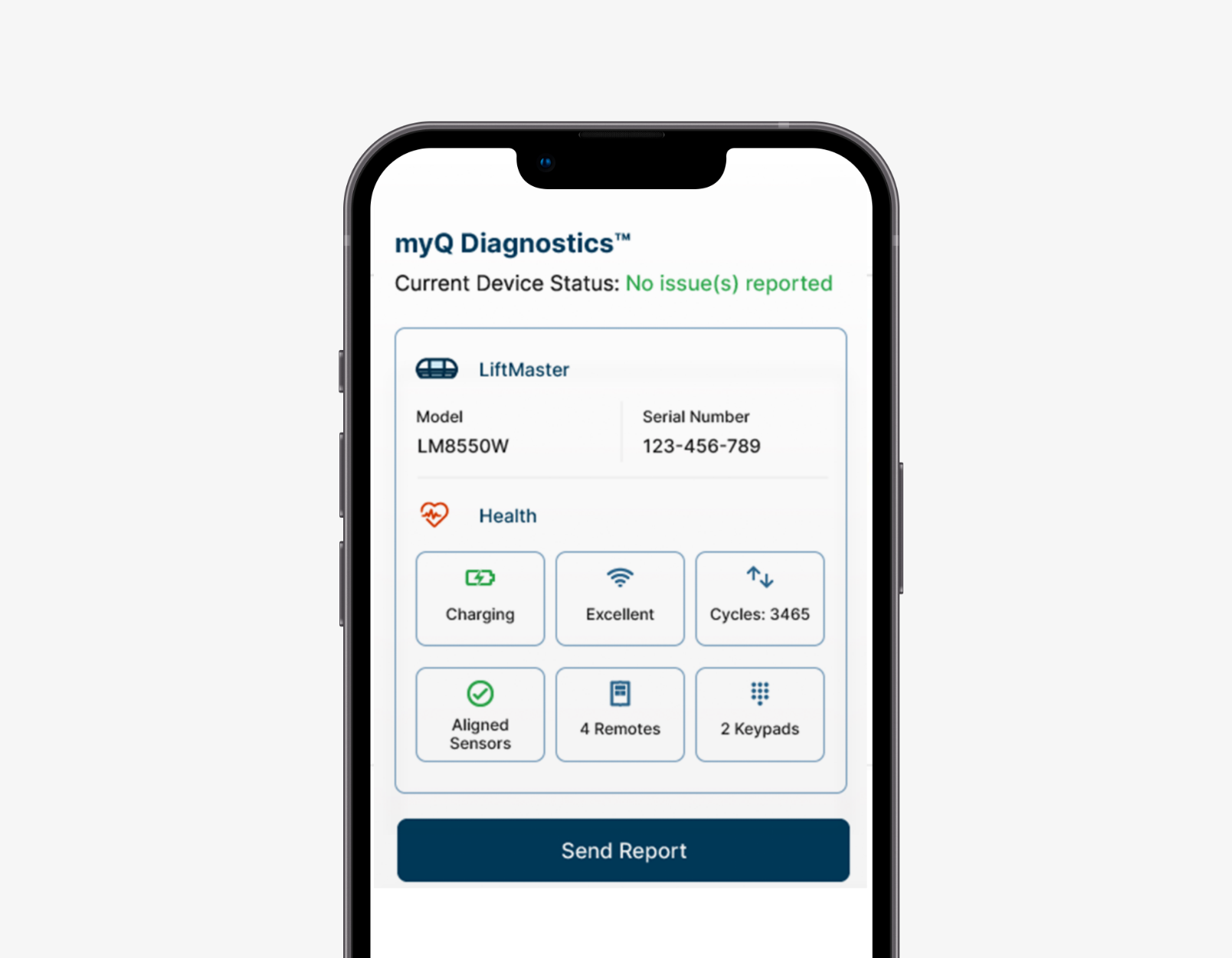
The MyQ system isn’t just about opening and closing; it’s a comprehensive platform for garage access management. It provides real-time updates on the status of your garage door, whether it’s open, closed, or in motion. This is crucial for security, as it eliminates the guesswork and worry about whether you remembered to close the door before leaving home. Furthermore, MyQ allows for the creation of customizable alerts and notifications. You can set up your app to inform you if the garage door has been left open for a certain period, if it has been opened or closed at specific times, or even if there’s unusual activity detected. This proactive approach to monitoring significantly enhances the security of your home and its contents.
How Myq Connects Your Opener To Your Phone
The connection process for Chamberlain MyQ technology is designed to be user-friendly. Most modern Chamberlain garage door openers that support MyQ have a built-in Wi-Fi module or can be retrofitted with one. The initial setup involves downloading the MyQ app onto your smartphone or tablet. Within the app, you’ll be guided through a process to connect your garage door opener to your home’s Wi-Fi network. This usually involves putting the opener into a pairing mode and then entering your Wi-Fi network name and password into the app. Once successfully connected, the opener can communicate with the MyQ cloud servers, which then relay commands from your app.
This cloud-based architecture is what allows for remote access. Your smartphone app doesn’t directly communicate with the opener when you’re away from home. Instead, it sends commands to the MyQ cloud. The cloud server then transmits these commands to your garage door opener via the internet. This ensures that even if your home Wi-Fi is temporarily down, you can still potentially access your opener through cellular data, provided the MyQ servers are operational. The security of this connection is handled through encryption protocols, ensuring that your commands and the status updates are transmitted securely.
Features And Benefits Of Using Myq
The benefits of using Chamberlain’s MyQ technology extend beyond simple remote operation. One of the most significant advantages is enhanced security. Imagine being at work and receiving a notification that your garage door has been left open. You can then use the app to close it immediately, preventing unauthorized access to your home and its contents. This feature alone provides immense peace of mind for many users. Beyond that, MyQ offers the ability to grant temporary access to trusted individuals, such as family members or service providers, without needing to share physical keys or remote controls.
Another key benefit is convenience. Forgetting your garage door remote is no longer a major inconvenience. As long as you have your smartphone, you have access to your garage. This is particularly useful if you frequently find yourself without your car keys, or if you want to let a delivery person into the garage to leave a package safely inside. Furthermore, MyQ integrates with popular smart home ecosystems, allowing for voice control through devices like Amazon Alexa or Google Assistant. You can simply say, “Alexa, open the garage door,” and with proper security protocols enabled, your door will respond. This level of integration makes managing your home more seamless and intuitive.
Setting Up Your Chamberlain Opener For Smartphone Control
Getting your Chamberlain garage door opener ready to be controlled by your phone involves a few straightforward steps. The primary requirement is a compatible Chamberlain garage door opener. Newer models often come with MyQ technology built-in. For older models, Chamberlain offers MyQ Smart Garage Hubs or Retrofit Kits that can add this functionality. Once you have confirmed compatibility, the next crucial step is to download the MyQ app, available for both iOS and Android devices. This app is your central control panel for all MyQ-enabled devices.
The installation process itself is generally designed for the average homeowner. It typically involves physically connecting any necessary hardware (like the Smart Garage Hub if you’re retrofitting) and then following the on-screen instructions within the MyQ app to connect the opener to your home’s Wi-Fi network. This usually includes putting the opener or hub into a pairing mode and then providing your Wi-Fi credentials. It’s important to ensure you have a strong Wi-Fi signal near your garage door opener for a stable connection. A weak signal can lead to connectivity issues and unreliable operation.
Downloading And Installing The Myq App
The first practical step is to visit your device’s app store (Apple App Store for iOS or Google Play Store for Android) and search for the “Chamberlain MyQ” app. Download and install it. Once installed, you’ll need to create a MyQ account. This account will be used to log in and manage your connected devices. The account creation process typically involves providing an email address and creating a secure password. It’s important to choose a strong, unique password to protect your account and, by extension, your garage access.
After creating your account, you’ll be prompted to add a new device. This is where you’ll begin the process of linking your garage door opener to the app. The app will guide you through identifying your specific opener model or the Smart Garage Hub you are using.
Following the prompts is key, as they are tailored to ensure a successful connection.
Connecting Your Opener To Your Home Wi-fi
This is often the most technical part of the setup, but Chamberlain aims to simplify it. If your opener has integrated Wi-Fi, you’ll typically press and hold a specific button on the motor unit to initiate the Wi-Fi pairing mode. The MyQ app will then detect the opener and guide you through selecting your home’s Wi-Fi network from a list and entering your network password. If you are using a MyQ Smart Garage Hub, the process is similar but involves pairing the hub to your Wi-Fi first, and then connecting the hub to your garage door opener using the provided sensors.
It’s vital to have your Wi-Fi network name (SSID) and password readily available. Ensure your router is functioning correctly and that the Wi-Fi signal reaches the location of your garage door opener or the Smart Garage Hub. If you encounter issues, double-checking your Wi-Fi password and ensuring you are connecting to a 2.4 GHz network (as many smart home devices, including MyQ, are not compatible with 5 GHz networks) can often resolve the problem. For those who are not tech-savvy, seeking assistance from a family member or friend, or even a professional installer, might be beneficial.
Initial Configuration And Security Settings
Once your opener is connected to your Wi-Fi and linked to your MyQ account, the app will likely prompt you to configure some basic settings. This includes naming your garage door (e.g., “Main Garage Door”) for easier identification if you have multiple devices. More importantly, you’ll need to set up security protocols. The MyQ app allows you to enable features like two-step verification for logging into your account, adding an extra layer of security.
You can also configure notifications. Decide what events you want to be alerted about, such as the door opening, closing, or being left open for an extended period. Setting up these alerts is crucial for leveraging the security benefits of the system. It’s also good practice to regularly review your account settings and update your Wi-Fi password if you change your home network password. In my experience, users who take the time to explore all the settings within the MyQ app are the ones who get the most value and security out of the system.
Controlling Your Chamberlain Garage Door Via Smartphone
With the MyQ app installed and your garage door opener successfully linked, you are ready to experience the convenience of smartphone control. The app interface is designed to be intuitive, providing clear options for managing your garage door. The primary functions are readily accessible, allowing for quick and easy operation even when you’re in a hurry.
The core capability is the ability to open and close the garage door remotely. From the main dashboard of the app, you’ll typically see an icon representing your garage door. Tapping this icon will initiate the open or close command. You’ll receive visual confirmation within the app as the door’s status changes, and you can often hear the opener working. This is incredibly useful if you’re already in bed and realize you might have left the door open, or if you’re expecting a delivery and want to grant access remotely.
Remote Operation: Opening And Closing
The remote open/close function is the most fundamental feature. Simply launch the MyQ app on your smartphone, log in if necessary, and tap the button associated with your garage door. The command is sent through the MyQ cloud to your opener, and the door will move accordingly. You can monitor the progress in real-time via the app. This eliminates the need to physically locate your remote or drive back home to check if the door is closed. It’s a significant step up in convenience and control.
To ensure security, Chamberlain implements certain safeguards. For instance, when using voice commands or initiating an open command remotely, the system might require an extra security step, such as entering a PIN or using biometric authentication (like fingerprint or facial recognition) on your phone.
This prevents accidental openings or unauthorized access if your phone is unlocked and accessible by others.
Checking Garage Door Status In Real-time
Beyond just operating the door, the MyQ app provides invaluable real-time status updates. You can see at a glance whether your garage door is open or closed. This is a major security feature. If you’ve ever driven away from home and had that nagging feeling, “Did I close the garage door?”, the MyQ app puts that worry to rest. A quick check of the app will confirm its status, and if it’s open, you can close it with a tap. This constant visibility provides a level of assurance that traditional openers cannot offer.
The app typically displays a clear visual indicator, often an icon that changes color or shape, to represent the current state of the garage door. This visual feedback is immediate and easy to understand, making it simple to confirm the door’s position without needing to be physically present.
Setting Up Alerts And Notifications
One of the most powerful aspects of MyQ is its customizable notification system. You can configure the app to send alerts to your smartphone based on specific triggers. Common notification settings include:
- Door Open/Close Alerts: Receive a notification every time the garage door is opened or closed.
- Door Left Open Alerts: Get an alert if the garage door remains open for a predetermined duration (e.g., 15 minutes, 30 minutes, or longer). This is excellent for preventing accidental long-term openings.
- Activity Alerts: Set up alerts for specific times of day, for example, to know if the garage door is opened outside of your usual operating hours.
- Maintenance Alerts: Some systems can even provide notifications related to opener maintenance, such as when the motor needs lubrication (though specific features vary by model).
These alerts can be tailored to your lifestyle, ensuring you are always informed about your garage’s activity, whether you’re at home or away. This proactive communication is a significant enhancement to home security and management.
Credit: www.myq.com
Advanced Features And Integrations
Chamberlain’s MyQ technology goes beyond basic remote control and notifications, offering advanced features and integrations that further enhance its utility and convenience within a smart home environment. These integrations allow your garage door opener to work in concert with other smart devices, creating automated routines and enabling new ways to interact with your home.
The most notable of these are integrations with popular smart home ecosystems, such as Amazon Alexa and Google Assistant. This means you can control your garage door using voice commands. Imagine pulling up to your house with your hands full; you can simply say, “Hey Google, open the garage door,” and it will respond (after potential security verification). This hands-free operation adds a significant layer of convenience.
Voice Control With Amazon Alexa And Google Assistant
To enable voice control, you’ll typically need to link your MyQ account to your Amazon Alexa or Google Home account through their respective apps. Once linked, you can use specific voice commands to operate your garage door. For example, you might say, “Alexa, ask MyQ if the garage door is closed,” or “Okay Google, tell MyQ to close the garage door.
” As mentioned earlier, for security reasons, opening the garage door via voice command often requires an additional PIN code that you set up within the MyQ app. This prevents unauthorized individuals who might be within earshot of your smart speaker from opening your garage.
This integration is not just about convenience; it can also be part of larger smart home routines. For instance, you could create a “Good Morning” routine that, when triggered, opens your garage door, turns on your kitchen lights, and starts your smart coffee maker.
The possibilities for automation are vast and can be customized to fit your daily life.
Integration With Other Smart Home Devices And Ifttt
MyQ can also integrate with other smart devices through platforms like IFTTT (If This Then That). IFTTT is a service that allows you to create applets, custom automations that connect different apps and devices. For example, you could set up an IFTTT applet that automatically closes your garage door when your smartphone’s location services indicate you have left a certain geographic area (geofencing). Another example could be triggering a notification light inside your house when the garage door opens.
These integrations allow for a more sophisticated and interconnected smart home experience. By linking your garage door opener to other devices, you can create automated workflows that enhance convenience, security, and efficiency. For instance, you could have your driveway lights turn on automatically whenever the garage door is opened after sunset.
The flexibility offered by IFTTT and similar platforms means you can tailor your smart home to your exact needs and preferences.
Geofencing And Location-based Automation
Geofencing is a powerful feature that leverages your smartphone’s GPS to create virtual boundaries. With MyQ, you can set up geofencing alerts or actions based on your proximity to your home. For example, you can configure the system to send you a reminder notification if you drive away from home and the garage door is still open.
Conversely, you could set up an automated action to close the garage door once your phone leaves the defined geofence around your home.
This location-based automation adds another layer of convenience and security. It means you don’t have to constantly remember to check the door’s status or manually close it. The system can intelligently manage this for you based on your physical location, providing peace of mind and saving you time.
It’s a subtle but highly effective way to enhance your smart home experience.
Security Considerations For Smartphone-controlled Garages
While the convenience of controlling your garage door with your phone is undeniable, it’s crucial to address the security implications. Anytime you connect a physical access point to the internet and a mobile device, you introduce potential vulnerabilities. Chamberlain, like other smart home manufacturers, invests in security measures, but user vigilance remains paramount.
The primary concern revolves around unauthorized access. If your smartphone is lost or stolen, or if your MyQ account credentials are compromised, someone could potentially gain control of your garage door. This could lead to unauthorized entry into your garage and, potentially, your home. Therefore, implementing robust security practices on both your smartphone and your MyQ account is essential.
Protecting Your Myq Account And Smartphone
The first line of defense is securing your MyQ account. This starts with creating a strong, unique password. Avoid using easily guessable information like birthdays or common words. Consider using a password manager to generate and store complex passwords. Two-factor authentication (2FA) is another critical security layer that Chamberlain offers. When enabled, 2FA requires a second form of verification (usually a code sent to your phone or email) in addition to your password when logging in from a new device or location. Always enable 2FA if it’s available.
Equally important is securing your smartphone. Ensure your phone is protected with a strong passcode, fingerprint lock, or facial recognition. Set your phone to lock automatically after a short period of inactivity. Be cautious about connecting to public Wi-Fi networks, as these can be less secure and potentially expose your data. If you lose your phone, immediately use another device to log into your MyQ account and change your password, and if possible, remotely log out your lost device.
Understanding Encryption And Secure Connections
Chamberlain utilizes encryption protocols to secure the communication between your MyQ app, the MyQ cloud servers, and your garage door opener. This means that the data transmitted, including your commands and status updates, is scrambled and unreadable to anyone trying to intercept it without the proper decryption key. This is a standard and necessary practice for any connected device handling sensitive information or control functions.
However, it’s important to understand that no encryption is absolutely foolproof against highly sophisticated and determined attackers. The security of the connection also depends on the security of your home Wi-Fi network. If your home Wi-Fi network is compromised (e.
g. , due to a weak password), it could potentially provide a pathway for attackers to access devices on your network, including your garage door opener. Therefore, securing your home Wi-Fi with a strong password and keeping your router’s firmware updated is also a critical part of overall security.
Best Practices For Safe Usage
To maximize security and minimize risk, adhere to these best practices:
- Regularly update the MyQ app and your smartphone’s operating system: Updates often include security patches that fix newly discovered vulnerabilities.
- Enable and use Two-Factor Authentication (2FA): This is one of the most effective ways to prevent unauthorized account access.
- Use strong, unique passwords for your MyQ account and Wi-Fi network: Never reuse passwords across different services.
- Be mindful of who has access to your smartphone: Limit sharing your phone and its unlock codes.
- Review your app activity regularly: Check your MyQ account for any unrecognized activity.
- Disable remote access if not needed: If you rarely use the remote features, consider temporarily disabling them or ensuring your account is highly secured.
- Secure your home Wi-Fi network: Use WPA2 or WPA3 encryption and a strong, unique password.
- Consider a separate Wi-Fi network for smart home devices: Some advanced users create a dedicated network for their IoT devices to isolate them from their main computers and sensitive data.
By taking these precautions, you can significantly enhance the security of your smartphone-controlled Chamberlain garage door opener.
Troubleshooting Common Issues
Even with advanced technology, occasional glitches or connectivity problems can arise with smart garage door openers. Fortunately, most common issues with Chamberlain MyQ systems are resolvable with a few troubleshooting steps. Understanding these common problems and their solutions can save you time and frustration.
One of the most frequent issues users encounter is connectivity problems. This can manifest as the app showing the garage door as “offline” or commands not being received by the opener. Often, this is related to your home Wi-Fi network. Another common problem is the app failing to update the door’s status, leaving you unsure if it’s open or closed.
Wi-fi Connectivity Problems
If your MyQ system is losing connection, the first thing to check is your home Wi-Fi network.
- Check your router: Ensure your internet service is active and your router is powered on and functioning correctly. Try restarting your router by unplugging it for 30 seconds and plugging it back in.