
Garage door keypads are a modern convenience that many homeowners rely on daily. When your garage door pad stops working, it can disrupt your routine and create frustration. Whether you use it to avoid carrying keys, to let kids in after school, or for deliveries, a broken keypad demands quick attention. But before you call a technician, it’s worth understanding why keypads fail and what you can do about it.
This guide explains everything you need to know if your garage door pad is not working. You’ll learn how these devices operate, common reasons for failure, practical troubleshooting steps, and when to seek professional help. We’ll also compare keypad types, highlight maintenance tips, and answer the most frequent questions homeowners ask.
Let’s get your garage access back on track—confidently and safely.
How Garage Door Keypads Work
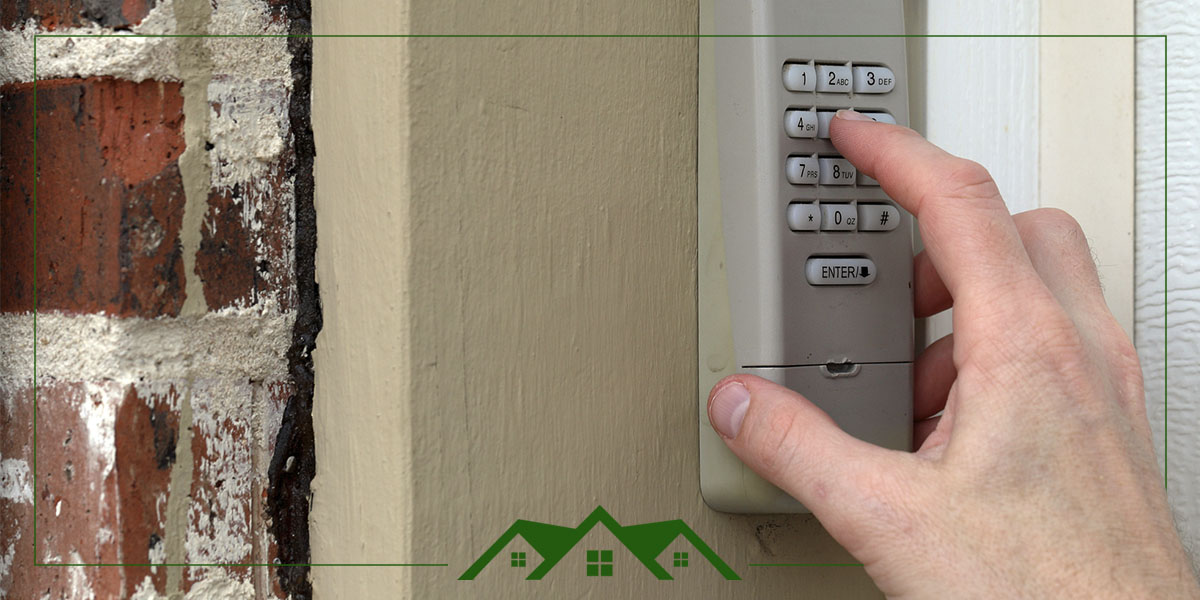
A garage door keypad is a small, wall-mounted device outside your garage. It lets you open or close your garage door by entering a numeric code. Most keypads use wireless signals to communicate with the garage door opener inside your garage.
When you enter your code, the keypad sends a radio frequency (RF) signal to the opener. If the code matches, the opener activates the motor and opens (or closes) the door. Older models use fixed codes, while newer ones use rolling codes for better security.
Key components of a garage door keypad:
- Numeric buttons (usually 0-9)
- Battery compartment (power source)
- Wireless transmitter
- Weatherproof casing
Understanding these basics will help you troubleshoot problems more effectively.
Common Reasons Why Your Garage Door Pad Is Not Working
Let’s explore the most frequent causes behind a non-working garage door keypad. Some are simple, while others need expert help.
1. Dead Or Weak Batteries
The most common reason is also the easiest to fix. Keypads usually run on AA, AAA, or 9V batteries. When the battery is weak or dead, the keypad cannot send a strong enough signal to the opener.
Symptoms:
- No lights or sounds when buttons are pressed.
- Sometimes the keypad lights up, but the door doesn’t respond.
2. Worn Out Or Stuck Buttons
After years of use, the numeric buttons can wear out or get stuck. Dirt, dust, or moisture can make buttons less responsive or cause them to stick.
Symptoms:
- Certain numbers don’t work.
- Code only works if you press extra hard.
3. Incorrect Or Erased Programming
If the keypad loses its programming, it will not communicate with the opener. This can happen after a power outage, battery change, or accidental reset.
Symptoms:
- The keypad lights up but does not open the door.
- Code suddenly stops working after years of use.
4. Damaged Or Corroded Wires (wired Keypads)
Older or some high-security keypads are wired directly to the opener. Over time, wires can break, loosen, or corrode—especially in damp climates.
Symptoms:
- Intermittent operation.
- Keypad works sometimes, not always.
5. Radio Signal Interference
Many devices around your home use radio frequencies: baby monitors, Wi-Fi routers, or even neighboring garage door openers. Interference can block or weaken your keypad’s signal.
Symptoms:
- Keypad works up close but not from usual distance.
- Multiple remotes or wireless devices show problems.
6. Physical Damage Or Exposure
Keypads live outdoors. Extreme temperatures, rain, snow, or direct sunlight can damage the casing or internal circuits. Insects can even get inside and cause issues.
Symptoms:
- Cracked, faded, or warped keypad.
- Buttons don’t move smoothly or are missing.
7. Lock Mode Or Vacation Mode Enabled
Many modern garage door openers have a lock or vacation mode feature. If activated, your keypad or remotes won’t work until the mode is turned off.
Symptoms:
- All remotes and keypads stop working at the same time.
- Wall button inside garage may still operate the door.
8. Faulty Garage Door Opener Logic Board
Sometimes, the problem is not the keypad. The logic board (the opener’s “brain”) can develop faults after years of use, making it unable to receive or process signals.
Symptoms:
- All wireless devices fail, but wall button works.
- Opener acts erratically or ignores commands.
9. Recent Power Surge Or Lightning Strike
A power surge can reset or damage the opener’s electronics, affecting keypad function.
Symptoms:
- Keypad and remotes stop working after a storm.
- Opener needs to be unplugged and reset.
10. Code Sharing Issues
Some keypads allow more than one code, or a code can be changed accidentally. If someone reprograms the code, others may not be aware.
Symptoms:
- Code was changed and not communicated to all users.
- Old code no longer works.
Step-by-step Troubleshooting Guide
If your garage door pad is not working, you can often fix it yourself. Follow these steps in order, and you may save time and money.
Step 1: Check The Battery
Open the keypad case. Replace the battery with a new one of the correct type. Even if the lights come on, a weak battery can cause signal problems.
- Use fresh, high-quality batteries.
- Clean any battery contacts if they look rusty or dirty.
Step 2: Test The Buttons
Press each number. Do they click or feel sticky? Try entering your code slowly and firmly.
- If some buttons don’t respond, clean the surface with a dry cloth.
- For stubborn buttons, use a can of compressed air to remove debris.
Step 3: Reprogram The Keypad
Look for the Learn or Program button on your garage door opener unit (usually on the ceiling inside the garage).
- Press the Learn button. An indicator light should turn on.
- Within 30 seconds, enter your code on the keypad and press “Enter.”
Check your owner’s manual for exact instructions, as steps can vary.
Step 4: Inspect For Physical Damage
Look for obvious signs of wear, cracks, or water inside the keypad. If the keypad is visibly damaged, it may need replacement.
- Dry out wet keypads gently with a towel. Do not use heat sources.
- Check for insect nests or spider webs inside the housing.
Step 5: Check For Lock Or Vacation Mode
If all wireless devices stopped at once, check the opener for a lock or vacation mode switch.
- Look for a padlock symbol on the wall button.
- Hold the lock button for 5-10 seconds to disable it.
Step 6: Test Other Remotes
If none of your remotes or keypads work, the opener may be the problem.
- Try opening the door with the wall button.
- If the wall button works but wireless devices do not, the logic board or antenna may need repair.
Step 7: Eliminate Interference
Move other wireless devices (Wi-Fi routers, cordless phones) away from the garage area. If you recently installed a new device, try turning it off and test the keypad again.
Step 8: Inspect Wiring (if Applicable)
For wired keypads, examine the wires for breaks, corrosion, or loose screws. Tighten any loose connections.
- Turn off power before touching wires to avoid shock.
Step 9: Reset After Power Surges
Unplug the opener for 1 minute, then reconnect. This can reset the electronics after a storm.
Step 10: Try A Second Code
If your keypad supports multiple codes, try programming a new code and test again.
When To Call A Professional
If you’ve tried all the above and your garage door pad is still not working, it’s time to call a technician. Some faults, like a bad logic board or severe physical damage, require special tools and expertise.
Comparing Wired And Wireless Keypads
Understanding the differences between wired and wireless keypads can help you diagnose and fix problems faster. Here’s a side-by-side comparison:
| Feature | Wired Keypad | Wireless Keypad |
|---|---|---|
| Power Source | Garage door opener unit | Batteries |
| Installation | Requires wiring | Mounts with screws or adhesive |
| Common Issues | Wire corrosion, physical damage | Dead batteries, signal interference |
| Reliability | High (less affected by weather) | Varies (weather can affect performance) |
| Security | Usually fixed code | Often rolling code |
Wireless keypads are more common today, but wired models are still found in older homes. Knowing which type you have makes troubleshooting much easier.
How To Prevent Garage Door Keypad Problems
Prevention is always better than repair. Here are proven ways to keep your garage door pad working reliably:
- Change batteries every 12-18 months, even if you think they’re still good.
- Clean keypad surface regularly with a dry cloth to remove dirt and moisture.
- Check for insects inside the keypad housing at least once a year.
- Avoid pressure washing or spraying water near the keypad.
- Teach all users how to enter the code correctly and gently.
- Protect from direct sunlight by mounting the keypad in a shaded spot if possible.
Many owners forget that keypads are exposed to harsh weather all year. A little attention can add years to their life.
Security Concerns With Garage Door Keypads
Garage door keypads add convenience, but they can also be a weak spot for home security if not used carefully.
- Never share your code with people you don’t trust.
- Change the code every 6-12 months, especially if you move into a new home.
- Use a code that is hard to guess—avoid birthdays or repeated numbers.
- If you lose control of your code, reprogram it immediately.
Some newer keypads have temporary guest codes. These allow you to grant access for a few hours or days, then automatically erase the code. This is ideal for cleaners, pet sitters, or delivery people.
Advanced Troubleshooting Tips
Some garage door pad problems are less obvious. Here are insights and solutions most beginners miss:
Check The Antenna On Your Garage Door Opener
The opener usually has a small hanging wire (antenna) to receive wireless signals. If this is broken, bent, or covered in cobwebs, the keypad may not work reliably.
- Gently straighten the antenna.
- Clean away any dirt or debris.
Watch For Temperature Effects
Very hot or cold weather can affect the keypad’s electronics or battery life. If your keypad works fine in spring but not winter, temperature may be a factor.
- Use lithium batteries in cold climates—they perform better than alkaline.
- Consider a keypad cover for weather protection.
Software Updates For Smart Openers
Some modern garage door openers connect to Wi-Fi and get software updates. If your keypad stopped working after an update, check the manufacturer’s website for compatibility information.
- Reset and reprogram the keypad after major updates.
Look For Hidden Reset Buttons
Some keypads have a reset button inside the battery compartment. Pressing this can clear old codes and fix glitches, but you’ll need to reprogram your code afterward.
When To Replace Your Garage Door Keypad
Keypads can last many years, but eventually, they wear out. Consider replacement if:
- The keypad is more than 10 years old and has frequent problems.
- Buttons are missing, badly worn, or unresponsive.
- Water damage is visible inside the case.
- You want new features, like rolling codes or smartphone compatibility.
Replacement keypads cost between $25 and $60 for standard models. Smart or app-connected versions can be $80 or more. Always match the replacement to your garage door opener’s brand and model.

Cost Comparison: Repair Vs. Replacement
Is it cheaper to fix or replace a faulty garage door pad? Here’s a quick cost breakdown:
| Action | Estimated Cost | When to Choose |
|---|---|---|
| Battery Replacement | $2 – $8 | First step, always try |
| Button Cleaning/Repair | $0 – $10 | If buttons are sticky or dirty |
| Professional Repair | $50 – $120 | For wiring, logic board, or major faults |
| Keypad Replacement | $25 – $80 | Old or physically damaged units |
In most cases, if a keypad is over five years old and gives regular trouble, replacement is a smart move. Repairs are best for newer or lightly used models.
Top Brands And Compatibility Issues
Not all garage door keypads work with every garage door opener. The most popular brands are:
- Chamberlain / LiftMaster (often interchangeable)
- Genie
- Craftsman
- Overhead Door
- Linear
Always check the compatibility list before buying a replacement. Some universal keypads work with many brands, but others require exact matches.
If you have a very old opener (before 1993), it may not support modern keypads. In that case, consider upgrading the entire opener for better reliability and safety.
Practical Examples: Real-world Scenarios
Scenario 1: Code Suddenly Stops Working
Maria enters her garage code after returning from vacation, but nothing happens. She tries again, but the keypad doesn’t respond. She notices the keypad lights are dim.
Solution: Maria replaces the battery, then reprograms her code following the owner’s manual. The keypad works again, saving her a service call.
Scenario 2: Only One Button Is Unresponsive
John’s keypad works, but the “2” button does not. His code contains two “2”s, so he cannot open the door.
Solution: John cleans the keypad with a dry cloth, then uses compressed air to clear dust under the button. The button starts to work again.
Scenario 3: Keypad Works, Remotes Don’t
The Smith family finds that none of their wireless devices (keypad, remote controls) can open the garage. The wall button inside still works.
Solution: The antenna on the opener was knocked loose. After reattaching and straightening it, all devices work again.
Garage Door Keypad Features To Consider
If you’re upgrading, look for these features:
- Backlit buttons: Easier to use at night.
- Rolling code technology: Improves security.
- Weather resistance: Protects against rain and sun.
- Multiple code support: Useful for guests or deliveries.
- Temporary codes: For limited-time access.
Smart keypads can connect to apps, letting you monitor and control access from your phone.
Maintenance Schedule For Long-term Reliability
A simple maintenance routine can double the life of your garage door keypad. Here’s a suggested schedule:
- Monthly: Wipe down the keypad surface, check for insects or spider webs.
- Every 6 Months: Replace the battery, even if working.
- Annually: Reprogram codes, inspect for physical damage, check wiring (if wired).
- After Storms: Check for water inside the case and reset opener if needed.
Most owners overlook these steps, leading to avoidable failures.
What To Avoid: Common Mistakes
- Ignoring the battery: Many people wait until the keypad fails completely before replacing batteries.
- Using water to clean: Moisture can damage the circuit board.
- Forcing stuck buttons: This can break the contacts inside.
- Not securing the code: Simple codes (like “1234”) are easy for intruders to guess.
- Skipping reprogramming after battery changes: Keypads sometimes lose codes after power loss.

Additional Resources
For detailed instructions and brand-specific guides, always refer to your garage door opener’s manual. You can also visit Wikipedia’s Garage Door Opener page for more technical details and history.
Frequently Asked Questions
Why Does My Garage Door Keypad Work Sometimes But Not Always?
Intermittent operation is often caused by weak batteries, signal interference, or weather effects. Try new batteries and check for nearby devices causing interference. If the problem persists, the keypad may be aging or need cleaning.
Can I Use A Universal Keypad With My Garage Door Opener?
Many universal keypads work with popular brands like Chamberlain, LiftMaster, and Genie. Always check the compatibility chart before buying. Very old openers may not support universal keypads.
How Long Should A Garage Door Keypad Last?
A quality keypad can last 7 to 10 years with regular maintenance. Outdoor exposure, heavy use, or poor weather protection can shorten its lifespan.
Is It Safe To Share My Garage Door Code With Others?
Only share your code with people you fully trust. For one-time access, use temporary codes if your keypad supports them. Change your code regularly to improve security.
What Should I Do If My Keypad Gets Wet?
Dry the keypad gently with a towel. Remove the battery and let the unit air dry before reinstalling. If the keypad stops working, you may need a replacement.
A non-working garage door pad is more than a small inconvenience—it’s a security and access issue. By understanding the causes, following clear troubleshooting steps, and maintaining your keypad, you can solve most problems yourself. When in doubt, don’t hesitate to call a professional, especially for wiring or logic board faults.
With a little effort, your garage door access will stay smooth, safe, and reliable for years to come.