
Garage doors are a vital part of many homes, and the Lincoln garage door opener is a trusted choice for reliable access and security. But what happens when your garage door button stops responding, or you want to change who can access your garage? Resetting your Lincoln garage door button is a practical solution. This process can solve many common issues, from lost remote controls to system glitches. If you’re unsure how to do it or feel overwhelmed by technical steps, don’t worry. This guide breaks down everything in easy English, helping you regain control of your garage with confidence.
You’ll learn why a reset is sometimes necessary, how the system works, and each step you need to follow. You’ll also get tips for troubleshooting, safety advice, and answers to common questions. Let’s make sure your garage door opener works smoothly and keeps your home safe.
Why Resetting Your Lincoln Garage Door Button Matters
Many homeowners only think about their garage door opener when something goes wrong. Resetting the garage door button is not just for emergencies—it’s a smart maintenance step. Here’s why:
- Regain Access: Lost or broken remotes can leave you locked out. A reset lets you reconnect or add a new remote.
- Improve Security: If you move to a new home or lose a remote, old devices could still open your garage. Resetting clears old codes.
- Fix Malfunctions: If your button stops working or the door moves on its own, a reset often solves the problem.
- Add New Devices: When you buy a new remote or keypad, resetting allows you to pair them easily.
Many people miss that a simple reset can stop signal interference that causes the door to open or close by itself. Also, some Lincoln openers can store several remotes—resetting wipes all, which is important if you suspect someone else has access.
Understanding Your Lincoln Garage Door Opener System
Before you reset, it helps to know the basics of how your system works. Lincoln garage door openers are electronic devices that use wireless codes to communicate with your remotes or wall buttons. Here are the main parts:
- Motor Unit: This is mounted on the ceiling. It contains the logic board and “Learn” button.
- Wall Control Panel: Usually a hardwired button inside the garage.
- Remote Controls: Handheld devices that send wireless signals.
- Keypad (optional): A numeric pad outside the garage for keyless entry.
The Learn button on the motor unit is the key to resetting or programming the system. Most Lincoln openers use a rolling code system, which means the code changes each time you use the remote for better security.
Common Features Of Lincoln Openers
| Feature | Description |
|---|---|
| Rolling code security | Prevents code theft and hacking |
| Multi-device support | Stores up to 5 remotes/keypads |
| Manual override | Allows door operation during power outage |
| Indicator lights | Show programming and error codes |
Knowing these basics makes it easier to understand the reset steps and avoid mistakes.
When Should You Reset Your Garage Door Button?
Resetting is not something you do every day. Here are common times when a reset is helpful:
- Lost Remote: If your remote is missing or stolen, reset immediately.
- Buying/Selling Home: Always reset to remove old access.
- Malfunction: Button or remote not working after battery change.
- New Device: Adding a remote or keypad.
- Security Concerns: If you suspect someone else has your code.
A detail many miss: If you notice your garage door opens randomly (even when you’re not nearby), there could be signal interference from nearby electronics or a neighbor’s remote. Resetting usually fixes this.
Tools And Information You Need Before You Start
Resetting a Lincoln garage door button is usually simple, but being prepared helps. Gather these items:
- Step ladder (to reach the opener)
- Flashlight (if your garage is dim)
- Your remotes and keypads (if you want to reprogram them)
- Owner’s manual (for your specific model, or find it online)
- Pen and paper (optional, to note codes if needed)
Safety tip: Unplug your opener or switch off power if you need to touch wires, but for most resets, power should stay on so you can see indicator lights.
Step-by-step Guide: How To Reset Your Lincoln Garage Door Button
Let’s walk through the process in clear steps. Most Lincoln openers follow a similar pattern, but check your manual if you’re unsure.
1. Locate The Learn Button
The Learn button is usually on the back or side of the opener’s motor unit, near the ceiling. It’s often under a light cover or next to the wiring. The button may be yellow, purple, red, or green, depending on the model. It’s sometimes labeled “Learn” or has a small LED beside it.
Tip: If you can’t find it, look for the antenna wire hanging from the opener—this often leads to the Learn button.
2. Clear All Remote Controls And Keypads
To reset, you need to erase all codes stored in the opener:
- Press and hold the Learn button for about 6-10 seconds.
- The LED light will turn on, then go off (or blink, depending on model).
- Release the button when the light goes off—this means all remotes and keypads are erased.
Important: This step removes all paired devices. You’ll need to reprogram any remotes or keypads you still want to use.
3. Reprogram The Garage Door Button
Now, add your wall button (if it’s wireless) or new remote:
- Press the Learn button again—this time, just once. The indicator light will come on.
- Within 30 seconds, press the button on your remote or wall unit you want to program.
- The opener light will blink or you’ll hear a click—this means the device is programmed.
- Test the button to make sure it works.
Note: For hardwired wall buttons, you usually don’t need to reprogram unless you changed wiring.
4. Program Additional Remotes Or Keypads
If you have more than one remote or a keypad:
- Repeat the above step for each device—press Learn, then the button on the device.
- For keypads, enter your desired code (usually 4 digits), then press the “Enter” or “Send” button within 30 seconds of pressing Learn.
Advanced tip: Some Lincoln keypads allow you to set temporary codes for guests. Check your manual for these extra features.
5. Test The System
After resetting and programming:
- Try each remote, keypad, and wall button.
- Make sure the door responds to each.
- Test from outside and inside the garage.
If any device doesn’t work, repeat the programming step. If nothing works, double-check the model’s instructions—some use different timing or require a double press.
What To Do If The Reset Doesn’t Work
Sometimes, the reset doesn’t solve your problem. Here’s what you can do next:
- Check Power Supply: Make sure the opener is plugged in and getting power.
- Replace Batteries: Weak remote batteries can stop the signal.
- Check Antenna: The hanging wire from the opener should be straight and not broken.
- Look for Damage: Inspect wires on wall buttons or the opener itself.
- Consult the Manual: Some models have special steps or extra security features.
- Try a Hard Reset: Unplug the opener for 1 minute, then plug back in and repeat the steps.
Non-obvious insight: If you have LED light bulbs near the opener, they can cause wireless signal problems. Try changing them to regular bulbs if you notice unreliable remote function.
If you still can’t reset the button, it may be a sign of a failed logic board or a deeper wiring issue. In that case, contact a qualified garage door technician.
Programming A Lincoln Keypad After Reset
Many homes use a keypad for keyless entry. After a reset, you need to reprogram it. Here’s how:
- Press the Learn button once (LED comes on).
- Within 30 seconds, enter your chosen 4-digit code on the keypad.
- Press and hold the “Enter” button.
- The opener light will blink or you’ll hear a click—release the button.
- Test by entering the code again—the door should open/close.
Tip: Choose a code that’s easy to remember but not obvious (don’t use 1234 or your house number). Some keypads allow you to set a temporary code for deliveries or guests.
Resetting Different Types Of Lincoln Garage Door Buttons
Not all Lincoln systems are the same. Here’s a comparison of the main types:
| Type | Reset Method | Common Issue | Special Steps |
|---|---|---|---|
| Wall Control Panel (wired) | No reset usually needed | Worn wires, stuck button | Check wiring if not working |
| Wireless Wall Button | Learn button reset | Signal loss, battery dead | Replace battery, reprogram |
| Remote Control | Learn button reset | Lost, stolen, interference | Erase all, reprogram remotes |
| Keypad Entry | Learn button reset | Forgot code, keypad error | Set new code after reset |
Insight: People often forget that not all wall buttons are wireless. If your wall button is hardwired, a reset won’t help if there’s a wiring issue. For wireless wall buttons and remotes, the reset process is the same.
Safety Tips During The Reset Process
Working with garage door openers is usually safe, but keep these tips in mind:
- Use a sturdy ladder: Don’t stand on boxes or unstable surfaces.
- Keep hands clear of moving parts: The door could move during testing.
- Watch children and pets: Make sure they’re away from the door during resets.
- Avoid water: Don’t reset if the area is wet or during a storm.
- Disconnect power for wiring: If you must touch wires, turn off the breaker first.
Extra tip: After you finish, test the door’s auto-reverse safety feature (place a block under the door and close it—the door should go back up when it touches the object).
How To Avoid Common Mistakes When Resetting
Many people make small mistakes that cause frustration. Here’s how to avoid them:
- Not holding the Learn button long enough: If you don’t wait 6-10 seconds, old codes may not erase.
- Programming too slowly: You have about 30 seconds after pressing Learn to program a device.
- Not checking batteries: Weak batteries cause failed programming.
- Overlooking the indicator light: Always watch for the blink or light signal.
- Forgetting to reprogram all remotes: After reset, every device must be paired again—even the main wall button if it’s wireless.
Real-world example: One homeowner spent hours trying to reprogram a remote, only to find the opener was in “lock” mode (child lock). Check your manual for special settings that might block new devices.

What To Do If You Lost Your Owner’s Manual
If you can’t find your Lincoln garage door opener manual, don’t worry. Most manuals are available online for free. Search using your opener’s model number (usually found on a sticker on the motor unit). Download the correct manual from the official Lincoln or manufacturer’s website.
Helpful resource: For many garage door systems, Family Handyman offers step-by-step guides and diagrams if you need extra help.
How To Tell If Your Reset Was Successful
You should see these signs after a successful reset:
- The opener light blinks or you hear a click when programming.
- Your old remotes and keypads no longer work.
- New remotes or keypads open and close the door.
- The door responds smoothly, without delays or glitches.
If the door moves on its own after a reset, repeat the process and check for stuck buttons or nearby electronics that might trigger the opener.
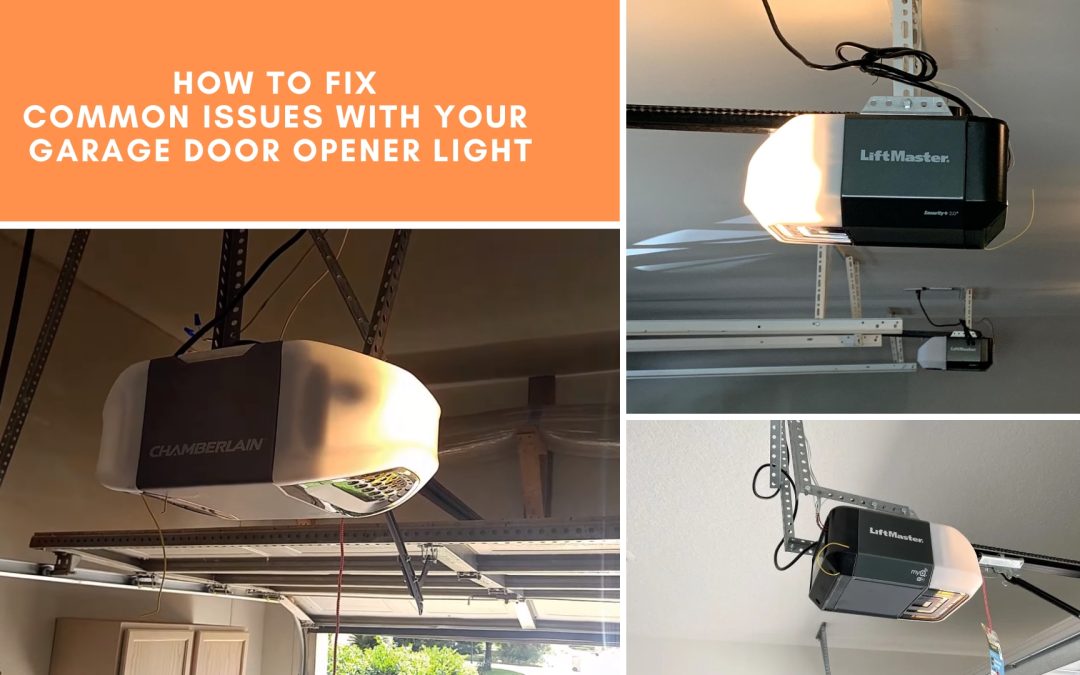
Comparing Lincoln Garage Door Button Reset To Other Brands
How does the Lincoln reset process compare with other popular brands?
| Brand | Learn Button Location | Code Erase Time | Max Devices Supported |
|---|---|---|---|
| Lincoln | Side or back of motor unit | 6-10 seconds | 5-7 |
| LiftMaster | Back of unit under cover | 6 seconds | 8 |
| Chamberlain | Side or rear (color-coded) | 5-7 seconds | 6 |
| Genie | Near light lens | 10 seconds | 7 |
Lincoln’s process is very similar to other major brands. The main differences are the number of devices supported and the location of the Learn button. Always check your model’s specific instructions.
When To Call A Professional
Most resets are easy, but sometimes you need expert help:
- If the Learn button is broken or missing
- If the opener has no power and outlets are working
- If wires are damaged or you see sparks
- If the door moves on its own after reset
- If you feel unsafe on a ladder or don’t want to risk a mistake
Garage door openers have strong springs and heavy parts. If you’re not comfortable, it’s smart to hire a professional technician.
Maintaining Your Lincoln Garage Door Opener After A Reset
A reset is a good time to do some simple maintenance:
- Lubricate moving parts: Use a garage door lubricant on rollers and hinges.
- Check safety sensors: Make sure nothing blocks them and they’re lined up.
- Test the auto-reverse: Place a block under the door to check the safety feature.
- Tighten loose screws: On the opener, rails, and door panels.
- Clean the opener lens: Dust can block indicator lights.
Regular checks help your opener last longer and reduce the need for future resets.
Lincoln Garage Door Button Reset: Real-life Scenarios
Let’s look at some examples:
Scenario 1: Lost Remote Control
You dropped your remote at the store and can’t find it. You worry someone could use it to enter your garage. Resetting the opener erases all old remotes. You then program your backup remote and are secure again.
Scenario 2: Random Door Movement
Your garage door opens at night, but you didn’t press any button. A neighbor’s remote or a faulty device could be the cause. After a reset, the problem stops.
Scenario 3: New Home Purchase
You buy a house with a Lincoln opener. You don’t know who has old remotes. Resetting gives you a fresh start, and you program your own devices for peace of mind.
These real-life examples show how a simple reset can solve big problems.
Frequently Asked Questions
How Do I Find The Learn Button On My Lincoln Garage Door Opener?
The Learn button is usually on the motor unit, near the ceiling of your garage. Look for a small colored button (yellow, red, green, or purple) on the back or side. Sometimes it’s under a light cover. If you can’t find it, check your owner’s manual or the manufacturer’s website.
Do I Have To Reset Every Time I Change The Batteries In My Remote?
No. Changing the batteries in your remote control does not require a full reset. If the remote doesn’t work after installing new batteries, try reprogramming it using the Learn button. Only reset if you have lost a remote or want to clear all codes.
Can Someone Else Open My Garage After I Reset The Button?
After a reset, all old remotes and keypads are erased from memory. Only devices you reprogram will work. This makes your garage more secure—nobody with an old remote can get in unless you add their device again.
What Should I Do If My Garage Door Still Won’t Respond After Resetting?
First, check that the opener has power and the antenna wire is not damaged. Replace batteries in all remotes and keypads. Make sure you followed the programming steps correctly. If the system still fails, the opener’s logic board might be broken, and you’ll need professional help.
How Often Should I Reset My Lincoln Garage Door Opener?
You do not need to reset regularly. Only reset when you have a security concern (lost remote, new home, etc.) or if the system is malfunctioning. Regular maintenance is more important for long-term performance.
Resetting your Lincoln garage door button is a simple way to keep your home safe and your system running smoothly. By following these steps, you can solve common problems and avoid bigger headaches later. With a little care, your garage door opener will give you years of reliable service.