Now Reading: Keypad Not Working on Garage Door? Quick Fixes and Solutions
- 01
Keypad Not Working on Garage Door? Quick Fixes and Solutions

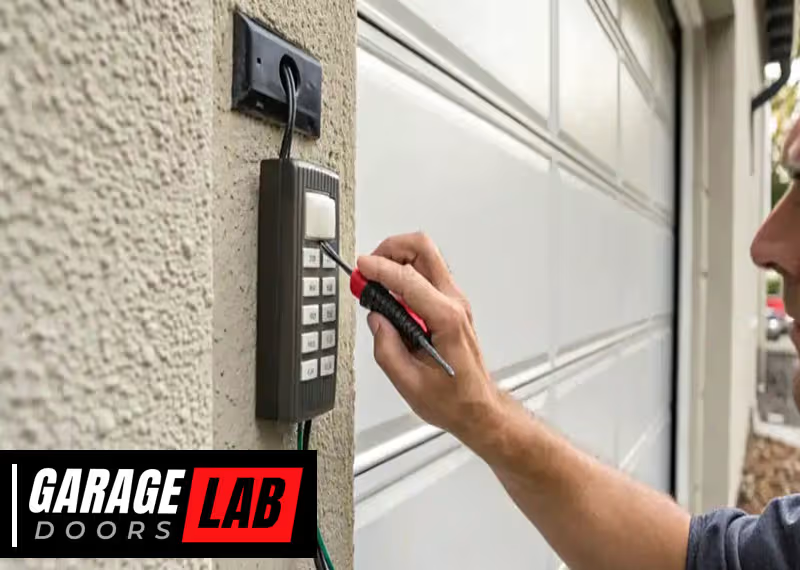
A garage door keypad is one of those small conveniences that makes daily life much easier. With just a few numbers, you can open or close your garage door without searching for a remote or carrying extra keys. But when the keypad stops working, that convenience quickly turns into frustration. Suddenly, you’re stuck outside in bad weather or late for work, all because a simple device won’t respond. If you’ve ever wondered why your garage door keypad isn’t working or how to fix it, this guide will help you understand the most common causes, effective troubleshooting steps, and when you should call a professional.
Understanding how your garage door keypad works is the first step. Then, knowing the right way to diagnose problems can save time and money. This article will walk you through everything: the basic mechanics, frequent problems, step-by-step troubleshooting, and best practices to keep your keypad reliable. Whether you own a modern wireless system or an older wired model, you’ll find practical advice and solutions here.
How A Garage Door Keypad Works
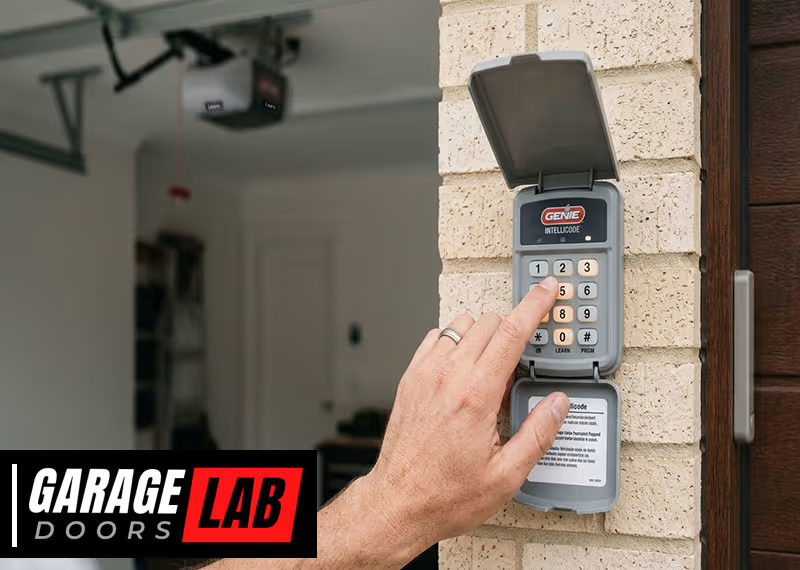
Most modern garage door keypads use either a wired or wireless connection to control the opener. When you enter your personal code, the keypad sends a signal to the garage door opener to open or close the door. This process relies on several parts working together:
- Keypad buttons: Used to enter your security code.
- Power source: Batteries or a direct electrical connection.
- Signal transmission: Wireless keypads use radio frequency; wired keypads use cables.
- Garage door opener receiver: Receives the signal and activates the motor.
Every part must function for the system to work. If one fails, the keypad might not respond or the door stays closed.
Common Causes Of Keypad Failure
When your garage door keypad stops working, the problem usually fits into a few categories. Understanding these causes will help you troubleshoot the issue faster.
1. Dead Batteries
Most wireless keypads use batteries. If the battery runs out, the keypad can’t send any signal. This is the most common and simplest problem.
2. Worn-out Keypad Buttons
Over time, the buttons on the keypad can wear out, especially the most used numbers. This leads to inconsistent or no response when pressing the code.
3. Faulty Wiring Or Loose Connections
For wired keypads, loose or broken wires can cut the connection to the opener. Even wireless keypads have internal wires that may come loose.
4. Signal Interference
Other electronic devices, metal objects, or even certain types of lighting can cause interference with the wireless signal.
5. Weather Damage
Keypads are usually installed outside, so they face rain, sun, snow, and temperature changes. Moisture can short-circuit components, and freezing can crack plastic or make buttons stick.
6. Incorrect Code Or Reprogramming Issues
If the code was recently changed, or if the keypad lost its programming (due to power loss or battery change), it might not recognize your code anymore.
7. Old Or Faulty Keypad
All devices have a lifespan. If your keypad is more than 10 years old, parts may wear out or stop working.
8. Locked Out Or Safety Mode
Some systems lock the keypad after too many wrong attempts. If you or someone else entered the wrong code several times, the keypad may temporarily stop working.
9. Opener Malfunction
Sometimes the problem isn’t with the keypad, but with the garage door opener itself. If the opener doesn’t respond to the remote either, the issue is likely with the opener.
10. Power Supply Issues
If your home has a power outage, or if the opener is unplugged, the keypad won’t work.
Troubleshooting Steps: Diagnosing The Problem
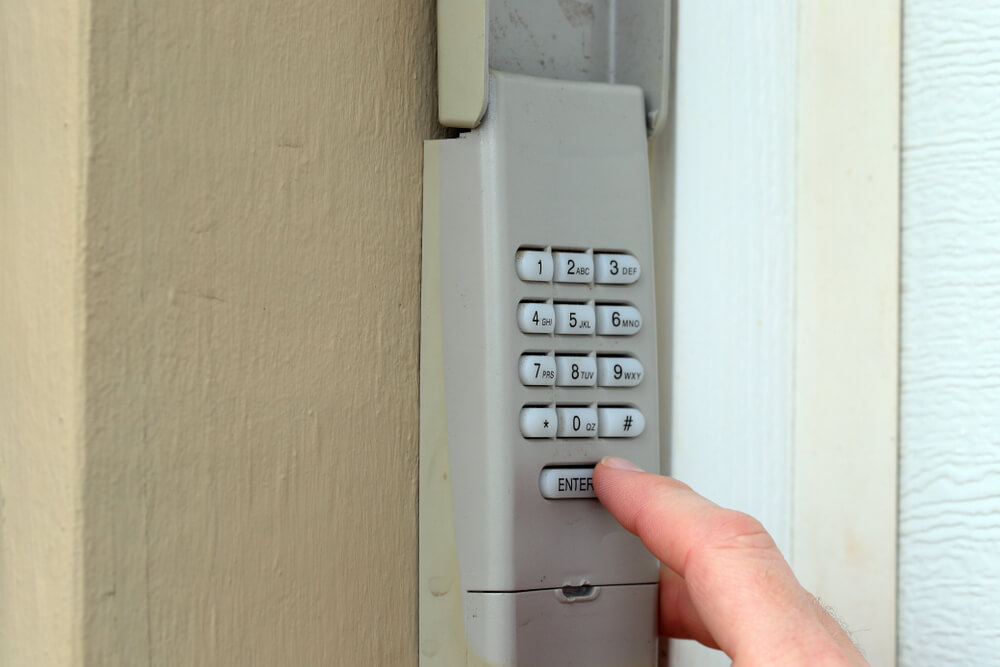
To find out why your garage door keypad isn’t working, follow these steps. Each step is designed to rule out common issues and get your keypad working again.
1. Test The Opener With Remote
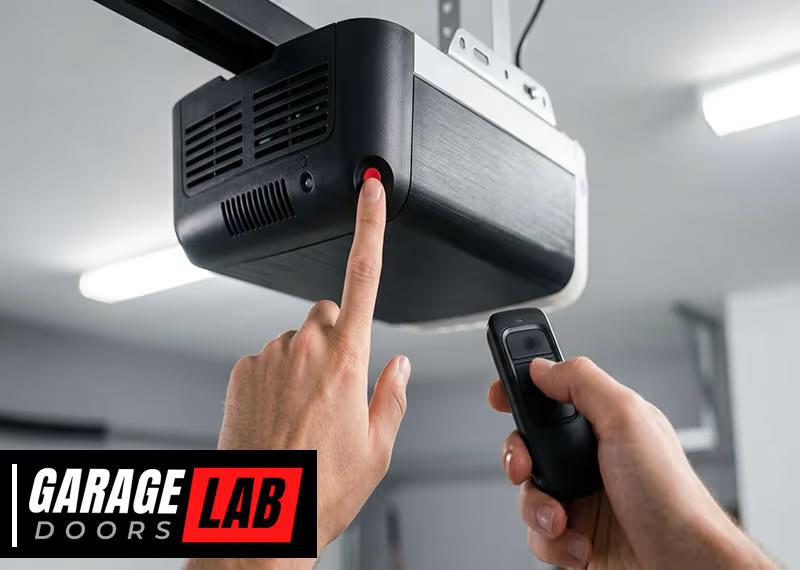
First, check if the problem is with the keypad or the opener. Try opening the garage door with the handheld remote or wall button. If the door opens, the problem is with the keypad. If not, the problem is with the opener or power supply.
2. Check The Keypad Battery
For wireless keypads, open the battery compartment and replace the old batteries with new ones. Make sure the batteries are installed with the correct polarity (+ and -). Weak batteries can sometimes give partial or unreliable function, so always use fresh batteries.
3. Inspect The Keypad For Physical Damage
Look for signs of wear, cracked plastic, stuck buttons, or moisture inside the keypad. If you see moisture, open the case and let it dry out completely before reassembling.
4. Clean The Keypad
Dirt and dust can get between the buttons and prevent proper contact. Use a soft cloth to wipe the keypad and gently clean between the buttons with a dry toothbrush or compressed air.
5. Confirm The Code
Try re-entering your code carefully. If you have recently changed the code, check your manual and reprogram the keypad according to the instructions. Some keypads require you to press and hold certain buttons to reset or program.
6. Check For Signal Interference
Move any new electronics, metal objects, or LED lights away from the keypad or opener. Sometimes even new light bulbs in the garage can cause interference.
7. Inspect Wiring (for Wired Keypads)
If your keypad has wires, check for loose, broken, or corroded connections at both the keypad and the opener terminals. Tighten any loose connections and replace damaged wires.
8. Test Each Button
Press each button one at a time. If some numbers don’t work, those buttons may be worn out. This is common with older keypads where the same code has been used for years.
9. Reset The Keypad
Many keypads have a reset button or a special sequence to restore factory settings. Check your manual for instructions. After resetting, reprogram your code.
10. Try A Different Code
Occasionally, your chosen code may stop working due to a memory glitch. Try programming a new code to see if the keypad responds.
11. Check The Power Supply
If the opener doesn’t respond to any device, check if it’s plugged in and if your home has power. If you see a tripped breaker or blown fuse, reset it.
12. Wait And Try Again
If you entered the wrong code too many times, the system might lock for a few minutes. Wait 10-15 minutes and then try again.
13. Replace The Keypad
If none of these steps work and the keypad is old or damaged, it may be time to replace it.
How To Replace Garage Door Keypad Batteries
Changing the batteries is often the simplest fix. Here’s how to do it for most wireless models:
- Locate the battery compartment: Usually on the bottom or back of the keypad.
- Open the compartment: Use a screwdriver or press a latch.
- Remove old batteries: Note the orientation.
- Insert new batteries: Use the correct size (often 9V or AA).
- Close the compartment: Make sure it snaps or screws shut.
- Test the keypad: Enter your code to check if it works.
Practical tip: Always keep spare batteries in your garage or car. Change batteries at least once a year, even if the keypad seems fine.
Cleaning And Maintaining Your Keypad
Regular care keeps your keypad working reliably. Here are easy steps:
- Wipe the surface with a dry or slightly damp cloth.
- Avoid harsh cleaners that can damage plastic or the waterproof seal.
- Use compressed air to blow out dirt between buttons.
- Check for insects: Spiders and bugs can sometimes nest inside the case.
- Inspect for cracks or sun damage. Replace the keypad if the plastic is brittle.
Non-obvious insight: In very humid climates, moisture buildup is common. Consider covering your keypad with a small plastic shield to protect it from rain and sun.
Reprogramming Your Garage Door Keypad
Sometimes, you need to reprogram the keypad, especially after battery changes, power outages, or code updates. Here’s a general guide (always check your model’s manual):
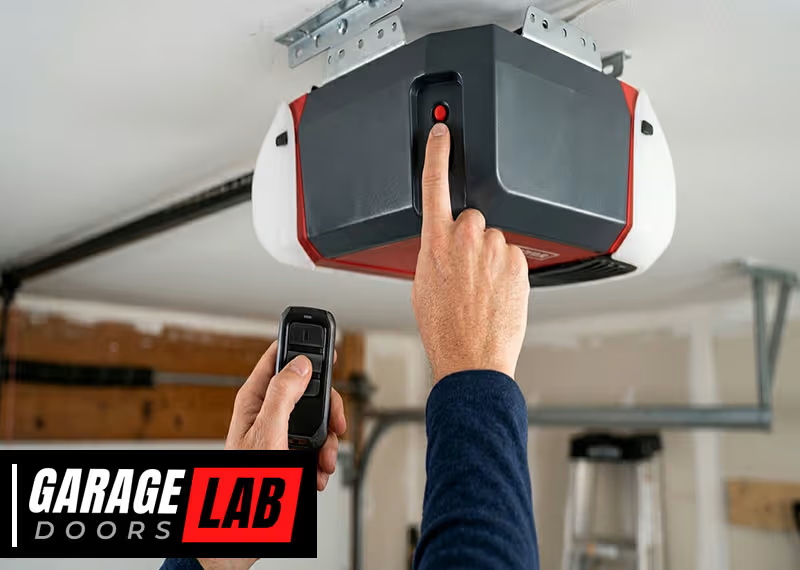
- Find the “Learn” or “Program” button: Usually on the garage door opener motor unit.
- Press and hold the button: The indicator light will turn on.
- Within 30 seconds, enter your new code on the keypad.
- Press “Enter” or “Send”: The opener light should blink to confirm.
- Test the new code: Make sure the door responds.
Some keypads use different sequences, so refer to your manual or the manufacturer’s website for specifics.
Pro tip: Write down your code and keep it in a secure place. Don’t choose an obvious code like 1234 or your house number.
When To Call A Professional
Not every problem can be fixed at home. Call a garage door technician if:
- The keypad is physically broken or water-damaged.
- The opener doesn’t respond to any device (remote, wall button, keypad).
- Wiring appears damaged or unsafe.
- You are unsure about electrical safety.
- Keypad replacement or opener reprogramming seems too complex.
A professional will have tools and experience to diagnose and fix complex issues quickly.
Common Mistakes To Avoid
Fixing a garage door keypad is usually simple, but some mistakes can make things worse:
- Using the wrong batteries: Always check the size and type.
- Forcing stuck buttons: This can break the keypad.
- Mixing old and new batteries: Can cause short circuits or weak signals.
- Ignoring worn-out buttons: If the same code stops working, try changing the code to use less-used buttons.
- Not securing the keypad case: Loose cases let in water or bugs.
- Skipping regular cleaning: Dirt buildup can cause problems over time.
Beginner insight: Many people think a broken keypad means a broken opener. Always test the opener with the remote first to avoid unnecessary repairs.

Comparing Wired Vs Wireless Garage Door Keypads
Understanding the difference between wired and wireless keypads can help with troubleshooting and upgrades.
| Feature | Wired Keypad | Wireless Keypad |
|---|---|---|
| Power Source | Hardwired to opener | Batteries |
| Installation | More complex (wires needed) | Easy (mount anywhere) |
| Reliability | Very reliable, less interference | Can have signal issues or dead batteries |
| Maintenance | Rarely needed | Battery changes |
| Cost | Usually lower | Usually higher |
Non-obvious tip: If you live in an area with frequent power outages, a wireless keypad (with fresh batteries) can still work even when your home’s power is out, as long as your opener has battery backup.
Popular Garage Door Keypad Brands And Compatibility
Not every keypad works with every opener. Here’s a comparison of popular brands and their compatibility.
| Brand | Common Models | Compatible Openers | Special Features |
|---|---|---|---|
| Chamberlain | 940EV, 940ESTD | Chamberlain, LiftMaster, Craftsman (after 1993) | Rolling code security, easy programming |
| Genie | GK-R, WKP | Most Genie models | Backlit keypad, weather-resistant |
| LiftMaster | 877MAX | LiftMaster, Chamberlain, Craftsman | Multiple code storage |
| Overhead Door | OKP-BX | Overhead Door, Genie | Low battery indicator |
| Linear | LPWKP | Linear, Multi-Code | Simple wiring, basic operation |
Before buying a replacement keypad, always check your opener brand and model. Some universal keypads are available, but not all features may work.
How Weather Impacts Keypad Performance
Weather is a hidden enemy for outdoor electronics. Here’s how different conditions can harm your garage door keypad:
- Rain and humidity: Can cause short circuits, corrosion, or sticky buttons.
- Freezing temperatures: Make plastic brittle and buttons harder to press.
- Heat and sunlight: Fade buttons, weaken plastic, and cause warping.
- Dust and wind: Clog the keypad or blow dirt inside.
Protection tips:
- Install the keypad under an eave or small awning.
- Choose weather-resistant models.
- Check the seal around the keypad case.
- In extreme climates, consider a protective cover.
Security Tips For Garage Door Keypads
A garage door keypad is a convenient access point, but also a potential security risk if not used wisely.
- Change your code regularly: Don’t use codes like 0000 or 1234.
- Don’t share your code with anyone you don’t trust.
- Choose a code that’s hard to guess but easy for your family to remember.
- Clear fingerprints from the buttons to avoid giving away your code.
- Upgrade to rolling code technology if possible, which changes the signal every use.
- Disable keypad access if you go on vacation for long periods.
Pro insight: Some advanced openers let you set temporary codes for guests or deliveries. Use these features if available.
Upgrading Your Garage Door Keypad
If your keypad is old, unreliable, or lacks features, it may be time to upgrade. Modern keypads offer:
- Backlit keys for easy night use.
- Weatherproof construction for outdoor durability.
- Multiple code memory for guests or service people.
- Smartphone compatibility in some advanced systems.
Choosing an upgrade:
Check your opener’s compatibility before buying. Look for keypads with good reviews, clear instructions, and weather protection. Avoid very cheap, no-brand keypads—they often fail quickly.
Professional Repair Vs. Diy: What’s Best?
Fixing a garage door keypad yourself saves money, but it’s not always the best choice. Here’s how to decide:
- DIY is best for battery changes, cleaning, code reprogramming, and replacing simple wireless keypads.
- Call a professional if there’s visible damage, wiring problems, or if you’re unsure about electrical safety.
Safety warning: Never work on garage door springs or opener motors unless you are trained. These parts can be dangerous.
Cost Of Keypad Repair And Replacement
Costs can vary depending on the problem and your location. Here’s a general idea:
- Battery replacement: $2–$10 (do it yourself)
- Cleaning and maintenance: Free, just your time
- New wireless keypad: $25–$60 (plus installation)
- Professional repair: $75–$150 (including parts and labor)
- New opener with keypad: $200–$500+
Money-saving tip: Many repairs are easy to do yourself, but if your keypad is over 10 years old or has frequent problems, replacement is usually more cost-effective.
Case Example: Real-world Troubleshooting
Imagine you come home, enter your code, and nothing happens. Here’s how a typical troubleshooting process works:
- You test the remote—door opens.
- You check the keypad—no lights.
- You open the battery cover, replace the old 9V battery.
- You close the cover, try the code—still no response.
- You inspect the keypad and see water inside (from last night’s storm).
- You let the keypad dry out overnight, clean the contacts with a Q-tip, and reassemble.
- The next day, the keypad works again.
This shows how multiple small issues—batteries, moisture, and cleaning—can combine to cause failure.
Where To Find Reliable Keypad Information
Manufacturer websites, user manuals, and professional garage door companies offer reliable info. For more details on keypad types, programming, and troubleshooting, visit the Wikipedia Garage Door Opener page.

Frequently Asked Questions
Why Does My Garage Door Keypad Only Work Sometimes?
This usually means the batteries are weak, the buttons are dirty, or there’s signal interference. Replace the batteries, clean the buttons, and check for nearby electronics that may cause problems.
How Do I Reset My Garage Door Keypad?
Most keypads have a “Learn” or “Program” button on the garage door opener. Press this button, enter your new code on the keypad, then confirm. Always check your user manual for exact steps.
My Keypad Lights Up But Won’t Open The Door. What’s Wrong?
If the keypad lights up but the door doesn’t open, the code may be wrong, the opener may be faulty, or the keypad may need to be reprogrammed. Test the opener with a remote to rule out other issues.
How Long Do Garage Door Keypads Last?
Most keypads last 8–12 years with regular use and proper maintenance. If your keypad is older or has frequent problems, consider replacing it.
Can I Install A New Keypad Myself?
Most wireless keypads are easy to install with basic tools and following the manual. Wired keypads or complex systems may need professional installation for safety and reliability.
A garage door keypad is a small device, but it plays a big role in daily life. With the right knowledge, you can solve most problems yourself and keep your garage secure and convenient for years to come.