Now Reading: How To Reset Genie Garage Door Opener Model 2028
- 01
How To Reset Genie Garage Door Opener Model 2028

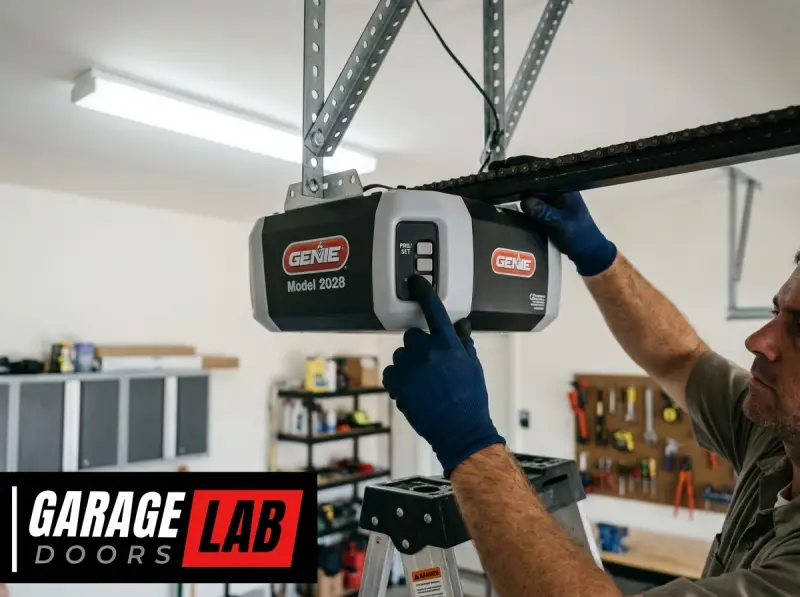
The Genie garage door opener, particularly the Model 2028, is a reliable workhorse for many homes. However, like any electronic device, it can sometimes encounter issues that require a reset. This process can resolve a variety of problems, from unresponsive remotes to erratic door movements.
Understanding how to perform a reset on your Genie Model 2028 is a valuable skill for any homeowner, saving you time and potentially the cost of a service call.
This guide will walk you through the essential steps to reset your Genie garage door opener Model 2028, covering different scenarios and providing clear, actionable instructions. We’ll explore why a reset might be necessary, the specific procedures for different types of resets, and what to do after the reset is complete.
Key Takeaways
- A reset can resolve many common Genie Model 2028 garage door opener issues, such as unresponsive remotes or erratic opener behavior.
- There are different types of resets: A simple power cycle, a remote control reset, and a full system reset (factory reset) of the opener unit itself.
- Power cycling involves unplugging the opener for 30 seconds to a minute.
- Resetting a remote typically involves pressing and holding specific buttons on the remote and the opener’s motor unit.
- A factory reset erases all programmed remotes and keypads, requiring you to reprogram them afterward.
- Always disconnect power before performing any internal maintenance or reset procedures on the motor unit.
- After a reset, reprogramming your remotes and keypads is essential for the opener to function.
- If problems persist after a reset, consult the Genie manual or contact Genie support.

Credit: support.geniecompany.com
Understanding When A Reset Is Necessary For Genie Model 2028
Garage door openers are complex systems, and occasional glitches can occur. For your Genie Model 2028, a reset is often the first and most effective troubleshooting step. Understanding the common symptoms that indicate a reset might be needed can help you quickly diagnose and fix issues.
Common Symptoms Requiring A Reset
Several indicators suggest that your Genie Model 2028 might benefit from a reset:
- Remote Control Malfunctions: Your remote suddenly stops working, or it only works intermittently. This could be due to a lost connection, a minor software glitch in the opener, or a conflict with other devices.
- Keypad Not Responding: Similar to remote issues, a programmed keypad may cease to function correctly. This can happen if the opener loses its memory of the keypad code.
- Opener Behaves Erratically: The garage door opens or closes partially, stops unexpectedly, or reverses without apparent obstruction. This behavior can sometimes stem from a temporary error in the opener’s logic board.
- System Unresponsiveness: The entire opener system seems “frozen” or unresponsive to any commands from remotes, keypads, or the wall console.
- After Power Outages or Surges: Electrical disturbances can sometimes cause electronic devices, including garage door openers, to malfunction. A reset can help recalibrate the system.
- Troubleshooting New Installations or Changes: After installing a new remote, keypad, or making other system adjustments, a reset might be needed to ensure proper communication.
In my experience, most minor electronic hiccups with garage door openers are resolved with a simple reset. It’s a non-invasive procedure that doesn’t require special tools and can save you a significant amount of hassle.
The Importance Of Disconnecting Power
Before attempting any reset procedure, especially those involving the motor unit itself, it is crucial to disconnect the power supply. This is a fundamental safety precaution. Working with an energized electrical appliance can lead to electric shock or damage to the unit. For the Genie Model 2028, this typically means unplugging the opener from the electrical outlet in your garage. If your opener is hardwired, you will need to turn off the corresponding circuit breaker. Always ensure the unit is completely de-energized before proceeding. For more information on general garage door opener troubleshooting, you can refer to this comprehensive guide on resetting garage door openers.
Types Of Resets For Genie Model 2028
Genie garage door openers, including the Model 2028, can undergo different levels of reset, each serving a distinct purpose. Understanding these distinctions is key to applying the correct procedure for your specific problem.
1. Power Cycle (soft Reset)
This is the simplest and most common type of reset. It’s akin to restarting a computer when it freezes. A power cycle essentially clears the opener’s temporary memory and can resolve minor electronic glitches.
How to Perform a Power Cycle:
- Locate the Power Cord: Find the power cord for your Genie Model 2028 opener, usually plugged into a ceiling outlet in your garage.
- Unplug the Opener: Carefully unplug the opener from the electrical outlet.
- Wait: Leave the opener unplugged for at least 30 seconds to a full minute. This duration is important to allow any residual power to dissipate from the internal components.
- Plug Back In: Reconnect the opener to the electrical outlet.
- Test: Try operating the garage door using your remote control or wall button.
A power cycle is often sufficient to fix issues like a temporarily unresponsive remote or a minor programming hiccup. It’s the least invasive method and should always be the first step you try.
2. Remote Control Reset (re-syncing)
Sometimes, the issue isn’t with the opener unit itself but with the remote’s connection to it. This often happens if the opener has been reset, or if the remote has been accidentally disconnected. This process re-establishes the communication link between the remote and the opener.
How to Reset/Re-sync a Genie Remote:
This procedure usually involves a “Learn” or “Program” button on the motor unit.
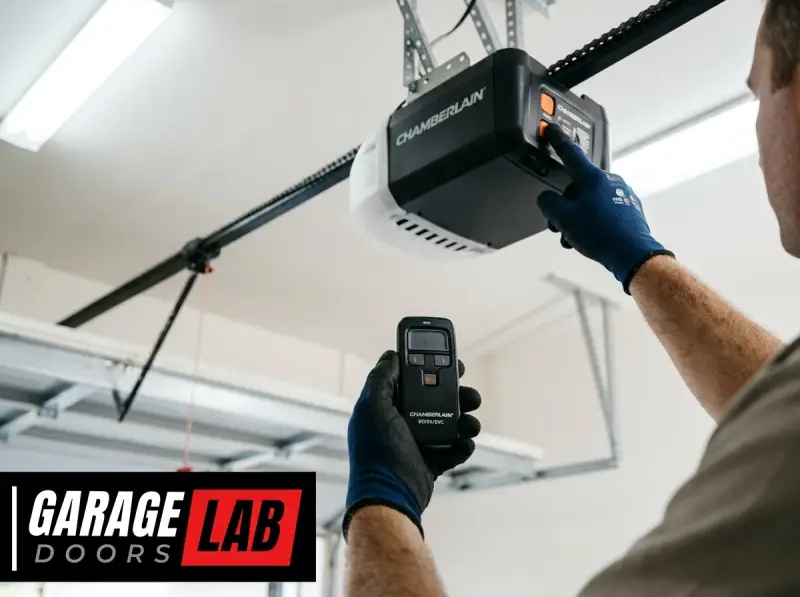
- Locate the Learn Button: On the Genie Model 2028 motor unit, find the Learn button. It’s typically a small, colored button (often red, black, or green) located near the antenna wire or on the back panel. You may need to remove a light cover to access it.
- Press and Release the Learn Button: Press and immediately release the Learn button. A nearby LED indicator light should illuminate or blink, indicating the opener is in programming mode. You usually have about 30 seconds to complete the next step.
- Press the Remote Button: Within the 30-second window, press and hold the desired button on your remote control that you want to use to operate the garage door.
- Observe the Opener: The LED indicator light on the motor unit will typically blink or turn off, and you might hear an audible click from the opener. This signifies that the remote has been successfully paired.
- Test the Remote: Press the remote button again to ensure it now controls the garage door.
If you have multiple remotes, you will need to repeat this process for each one. This is also the same procedure you would use to program a new remote. For more specific instructions on keypad programming, you can consult resources on how to reprogram a Genie garage door keypad.
3. Full System Reset (factory Reset)
This is the most comprehensive reset. A factory reset on your Genie Model 2028 will erase all programmed remotes, keypads, and any other accessories that have been paired with the opener. It essentially returns the opener’s logic board to its original, out-of-the-box state. This is a more drastic step, usually reserved for when other troubleshooting methods fail or when you want to clear all previous programming (e.g., if you’ve lost a remote or are selling your home).
How to Perform a Factory Reset:
- Disconnect Power: As with any procedure involving the motor unit’s internal settings, unplug the garage door opener from the electrical outlet or turn off the circuit breaker.
- Locate the Learn Button and Antenna: Find the Learn button on the motor unit, often near the antenna.
- Press and Hold the Learn Button: Press and continuously hold down the Learn button.
- Restore Power: While still holding the Learn button, plug the opener back into the electrical outlet or turn the circuit breaker back on.
- Continue Holding: Keep holding the Learn button. The LED indicator light near the button should start to blink.
- Release the Button: Continue holding the Learn button until the LED indicator light stops blinking and turns off (this usually takes about 10-30 seconds).
- Release the Learn Button: Once the light turns off, release the Learn button.
The opener is now reset to its factory default settings. All previously programmed remotes and keypads will no longer work. You will need to reprogram each remote and keypad individually using the procedure described in the “Remote Control Reset” section above.
Important Note: The exact location and appearance of the “Learn” button and indicator lights can vary slightly between Genie models, even within the same series. Always refer to your Genie Model 2028 owner’s manual for the most precise instructions. If you don’t have the manual, you can usually find a digital version on the Genie website.
Step-by-step Guide To Resetting The Genie Model 2028 Opener Unit
This section provides a detailed walkthrough for performing a full system reset (factory reset) on the Genie Model 2028 opener unit. This is the most common type of “reset” people refer to when troubleshooting the main opener unit itself.
Preparation And Safety First
Before you begin, ensure you have the following:
- Owner’s Manual: While this guide is comprehensive, your specific Model 2028 manual is the ultimate authority.
- Ladder: You’ll likely need a sturdy ladder to safely reach the motor unit.
- Flashlight: To help you see the buttons and indicators on the motor unit.
- Screwdriver (potentially): Some light covers may require a screwdriver for removal.
Safety is paramount. Always ensure the garage door opener is unplugged from the power source before you start touching components on the motor unit.
The Factory Reset Procedure
The factory reset process for the Genie Model 2028 involves clearing the opener’s memory of all previously programmed devices.
- Access the Motor Unit: Safely position your ladder and locate the Genie Model 2028 motor unit, typically mounted on the ceiling above the garage door.
- Locate the “Learn” Button and LED: On the motor unit’s housing, you will find a small button labeled “Learn” or “Program”. This button is often accompanied by a small LED indicator light. The exact location can vary, but it’s commonly found near the antenna wire or on the back panel. You might need to remove a plastic cover protecting the light bulbs to get a clear view.
- Disconnect Power: Crucially, unplug the garage door opener from the electrical outlet. This step is vital for safety. If your opener is hardwired, turn off the corresponding circuit breaker in your home’s electrical panel.
- Press and Hold the “Learn” Button: With the opener still disconnected from power, press and hold down the “Learn” button. Continue to hold it firmly.
- Reconnect Power: While still holding the “Learn” button, plug the garage door opener back into the electrical outlet or turn the circuit breaker back on.
- Observe the LED Light: Keep holding the “Learn” button. You should see the LED indicator light near the button begin to blink. This blinking indicates that the opener is receiving power and is in the process of resetting its memory.
- Release the “Learn” Button: Continue holding the button until the LED indicator light stops blinking and then turns off completely. This typically takes between 10 to 30 seconds of holding the button down after power is restored.
- Release the Button: Once the LED light is off, release the “Learn” button.
Congratulations! Your Genie Model 2028 garage door opener has now been reset to its factory default settings. All previously programmed remotes, keypads, and wireless accessories have been erased from its memory.
Post-reset Steps: Reprogramming
After performing a factory reset, your garage door opener will not respond to any of your existing remotes or keypads. You must reprogram them to regain functionality.
- Reprogram Remotes: Follow the “Remote Control Reset” procedure outlined earlier. For each remote you wish to use, you will need to press and release the Learn button on the motor unit, then press and hold the desired button on the remote until the opener’s LED indicator confirms the pairing. Repeat for all remotes. This is similar to the process for resetting garage door remotes in general.
- Reprogram Keypads: If you have a wireless keypad, you will also need to reprogram it. The process for Genie keypads typically involves entering your desired PIN code on the keypad and then pressing a specific sequence of buttons, often including the Enter key and a Program or Learn button sequence, similar to the remote programming. Refer to your keypad’s manual or the guide on how to reprogram a Genie garage door keypad for detailed steps.
- Test All Devices: Once reprogramming is complete, thoroughly test each remote and keypad to ensure they are functioning correctly and operating the garage door as expected.
Troubleshooting Common Issues After A Reset
While a reset is often the solution, sometimes issues can persist, or new problems might arise. Here are some common troubleshooting steps if your Genie Model 2028 isn’t behaving correctly after a reset.
Remote Still Not Working
- Battery: Ensure the battery in your remote is fresh. Low battery power is a frequent cause of remote malfunction.
- Distance: Try operating the remote closer to the motor unit. If it works at close range but not from further away, the issue might be with the remote’s antenna or the opener’s receiver.
- Interference: Other wireless devices operating on similar frequencies (like some wireless doorbells, security systems, or even neighbor’s openers) can cause interference. Try to identify and eliminate potential sources.
- Reprogramming: Double-check that you followed the reprogramming steps precisely. Even a minor error can prevent a successful pairing. You might need to try reprogramming again.
Opener Not Responding To Wall Console
- Wiring: The wired connection between the wall console and the motor unit could be loose or damaged. Check the connections at both the console and the opener unit.
- Power Cycle: Try a simple power cycle (unplugging for 30-60 seconds) again. Sometimes, a second power cycle can resolve persistent communication issues.
- Faulty Wall Button: The button on the wall console itself might be worn out or damaged.
Garage Door Stops Or Reverses Unexpectedly
- Safety Sensors: The photoelectric safety sensors located near the bottom of the garage door tracks are designed to prevent the door from closing on an obstruction. If these sensors are misaligned, dirty, or obstructed, they can cause the door to reverse. Check that they are clean, aligned (the indicator lights should be steady), and that nothing is blocking the beam.
- Travel Limits: The opener has settings for how far the door should travel up and down (travel limits). If these are set incorrectly, the door might stop or reverse prematurely. Refer to your manual for instructions on adjusting travel limits. This is distinct from a reset and involves specific adjustments.
- Obstructions: Thoroughly inspect the entire path of the garage door for any physical obstructions, even small ones like a misplaced tool or debris.
- Opener Force Settings: Similar to travel limits, the opener has force settings that determine how much resistance it will push against. If these are set too low, the opener might interpret normal resistance (like a stiff track) as an obstruction. Adjustments are usually found on the motor unit and require consulting your manual.
Example: A Persistent Remote Issue
Sarah’s Genie Model 2028 remote suddenly stopped working. She tried replacing the battery, but it still wouldn’t open the garage. She then performed a power cycle on the opener, but the remote remained unresponsive. Following the steps for a factory reset, she held the Learn button, reconnected power, and waited for the LED to turn off.
After the reset, she successfully reprogrammed her remote. The issue was likely a minor communication glitch that a simple power cycle couldn’t fix, but the full system reset cleared the issue.
Maintaining Your Genie Model 2028 After A Reset
Once you’ve successfully reset and reprogrammed your Genie Model 2028, it’s a good time to think about ongoing maintenance to prevent future issues. Regular upkeep can significantly prolong the life of your opener and reduce the need for resets.
Regular Inspections And Lubrication
- Check Tracks and Rollers: Ensure the garage door tracks are clear of debris and that the rollers are moving smoothly. Any binding in the door’s mechanism can put stress on the opener. You can learn more about keeping these components in top shape by understanding how to lube garage door rollers.
- Lubricate Moving Parts: Periodically lubricate the opener’s chain or screw drive mechanism, as well as the spring system (if applicable). Use a garage door lubricant specifically designed for these applications. Avoid using WD-40 on the chain or springs, as it can attract dust and grime.
- Inspect Cables and Springs: Regularly check the garage door cables and springs for any signs of wear, fraying, or damage. These are critical safety components, and if they fail, they can cause significant damage or injury. Do not attempt to adjust or repair springs or cables yourself; this is a job for a qualified professional due to the high tension involved.
Checking And Adjusting The Chain
The chain drive on some Genie openers, including potentially the Model 2028 depending on its specific configuration, can sometimes become loose or overly taut, affecting operation.
- Loose Chain: A loose chain can cause the opener to slip or make grinding noises. If you notice this, you might need to adjust the chain tension. This usually involves loosening nuts on a take-up mechanism and tightening the chain. Refer to your manual for specific instructions on how to adjust the chain on your garage door opener.
- Taut Chain: An overly tight chain can cause excessive wear on the chain, sprockets, and motor. Ensure there’s a slight amount of slack as recommended in your manual.
Understanding Opener Force And Travel Limits
As mentioned in the troubleshooting section, the opener’s force and travel limits are crucial for safe and efficient operation.
- Force Adjustment: The opener is designed to stop or reverse if it encounters a certain amount of resistance. If this setting is too sensitive, even slight resistance (like a sticky track) can cause the door to reverse. If it’s not sensitive enough, the door might not reverse when it should, posing a safety hazard.
- Travel Limit Adjustment: These settings dictate how far the door opens and closes. Incorrect limits can cause the door to slam shut or not close completely.
Both force and travel limit adjustments are typically made on the motor unit and require careful adherence to the instructions in your owner’s manual. Incorrect adjustments can compromise safety and damage your garage door system.
Battery Backup System (if Equipped)
Some Genie openers come with a battery backup system. If yours does, remember to:
- Test the Battery: Periodically test the battery backup system according to the manufacturer’s instructions.
- Replace the Battery: Batteries have a limited lifespan (typically 3-5 years). Replace the battery when it begins to fail or reaches the end of its expected life to ensure you have backup power during outages.
By performing these regular maintenance tasks, you can help ensure your Genie Model 2028 operates smoothly and reliably, minimizing the need for troubleshooting and resets.
Frequently Asked Questions
Why Did My Genie Model 2028 Stop Responding To My Remote After A Power Outage?
Power outages or surges can sometimes cause electronic devices, including garage door openers, to experience temporary glitches or lose their programmed settings. Performing a power cycle (unplugging the opener for 30-60 seconds) is the first step. If that doesn’t work, you may need to reprogram