Now Reading: How To Program Liftmaster Formula 1 Garage Door Opener
- 01
How To Program Liftmaster Formula 1 Garage Door Opener

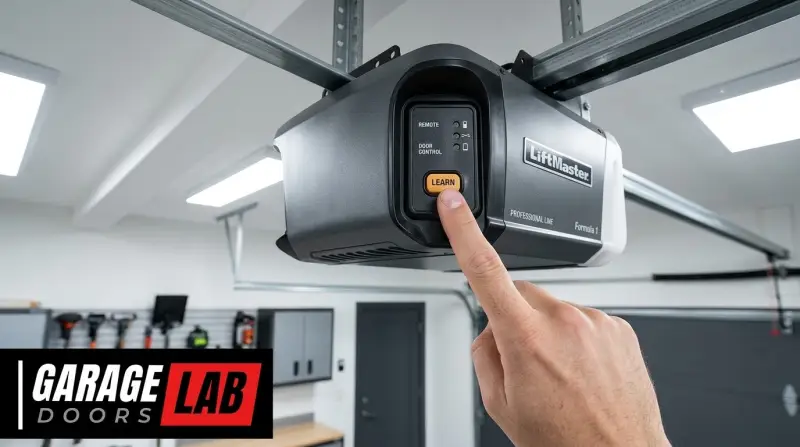
The Liftmaster Formula 1 garage door opener, a model known for its robust performance and reliable operation, is a popular choice for homeowners seeking a secure and convenient way to manage their garage access. While these units are designed for durability, understanding how to program them, especially when setting up new remotes or keypads, is crucial for maximizing their functionality and ensuring seamless operation.
This guide will walk you through the essential steps for programming your Liftmaster Formula 1 opener, covering common scenarios like adding a new remote, clearing existing codes, and troubleshooting potential issues.
Key Takeaways
- Locate the Learn Button: The programming process for Liftmaster Formula 1 openers hinges on finding the “Learn” button, typically located on the motor unit’s back panel.
- Remote Programming: To program a remote, press and release the Learn button, then press and hold the desired button on your remote until the opener’s lights flash or it beeps.
- Keypad Programming: For keypads, you’ll enter a 4-digit PIN, press the Learn button, and then re-enter the PIN followed by the Enter button to confirm.
- Clearing Codes: To erase all programmed remotes and keypads, press and hold the Learn button for about 30 seconds until the indicator light goes out.
- Troubleshooting: Common issues like interference, dead batteries, or incorrect button presses can prevent successful programming; always refer to your manual and follow steps precisely.
- Safety First: Always ensure the garage door is in a closed or partially open position to avoid accidental activation during programming.

Credit: www.youtube.com
Understanding Your Liftmaster Formula 1 Opener
The Liftmaster Formula 1 series represents a line of garage door openers that have been a staple in many households. These openers utilize rolling code technology, meaning the code transmitted between your remote and the opener changes with each use, enhancing security.
This sophistication, however, means that programming requires a specific sequence of actions. Before you begin, it’s essential to identify your specific model within the Formula 1 series, as minor variations might exist. Generally, these openers are characterized by their durable construction and a straightforward, albeit specific, programming interface.
Identifying Your Opener Model
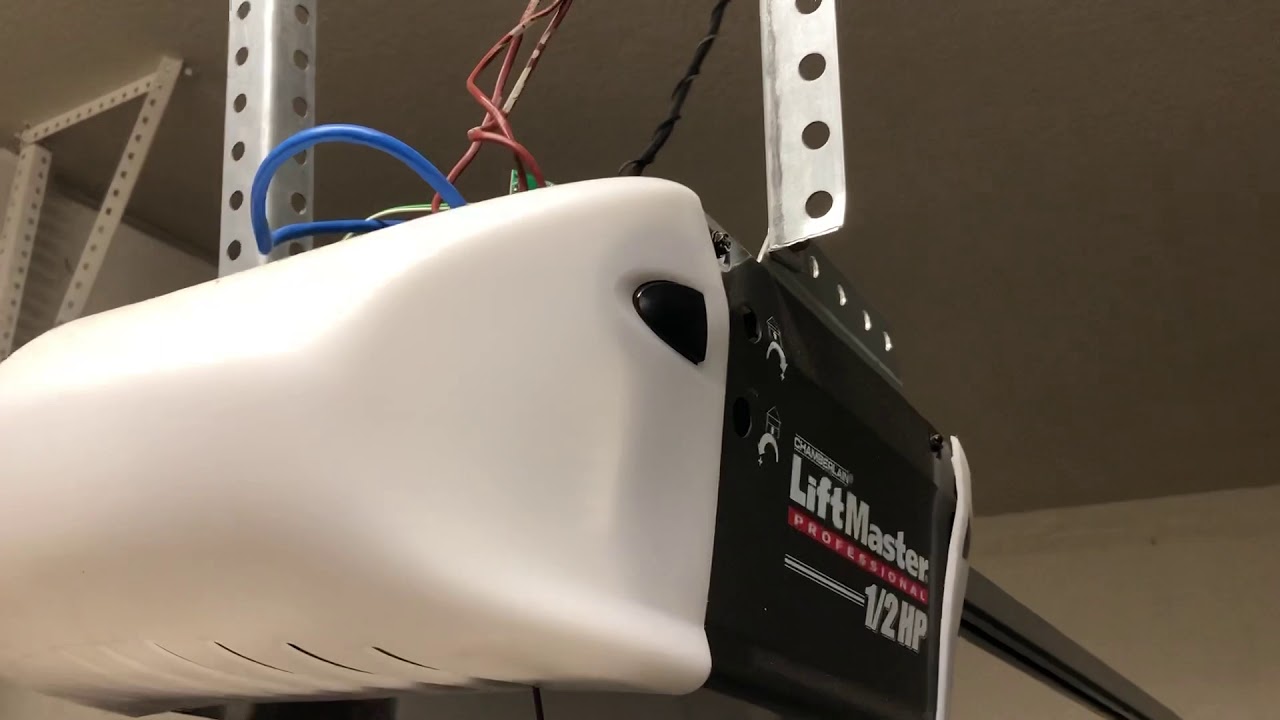
While the “Formula 1” designation covers a range of openers, identifying the exact model number is beneficial. This is typically found on a label affixed to the motor unit, often on the side or back. Knowing your model can help you find the most precise manual if needed, though the core programming steps for remotes and keypads are largely consistent across the series. The primary component you’ll interact with during programming is the Learn button on the motor unit.
The Importance Of The “learn” Button
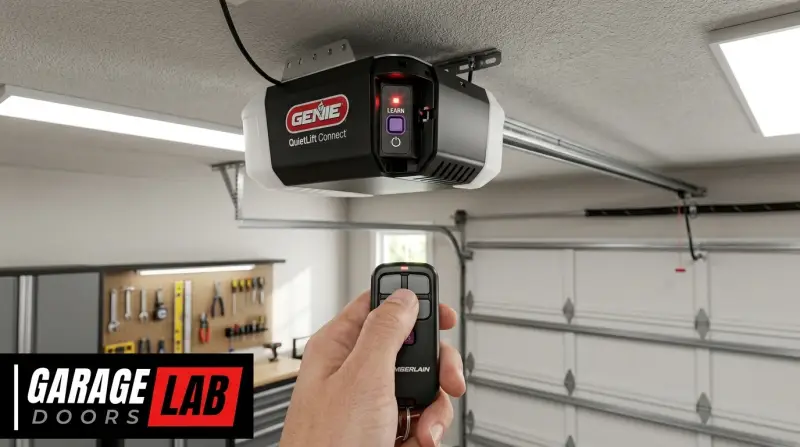
The Learn button is the central hub for all programming activities on your Liftmaster Formula 1 opener. It’s a small, often colored (red, orange, yellow, or green) button located on the motor unit, usually near the antenna wire or on the back panel. When you press this button, you are essentially putting the opener into a mode where it’s ready to receive and store the code from a new remote or keypad. The duration for which you press and hold this button is critical and can vary depending on whether you are programming a remote, a keypad, or clearing existing codes.
Safety Precautions Before Programming
Safety is paramount when working with garage door openers. Always ensure that the garage door is in a safe position, either fully closed or partially open, with no one or nothing in its path. It’s also advisable to have a stepladder available to safely reach the motor unit. If you are unsure about any step, consult your opener’s manual or a professional garage door technician. For instance, if you’re dealing with a malfunctioning opener that won’t move, you might need to understand how to open your garage door manually before proceeding with programming.

Credit: learngaragedoors.com
Programming A Liftmaster Formula 1 Remote
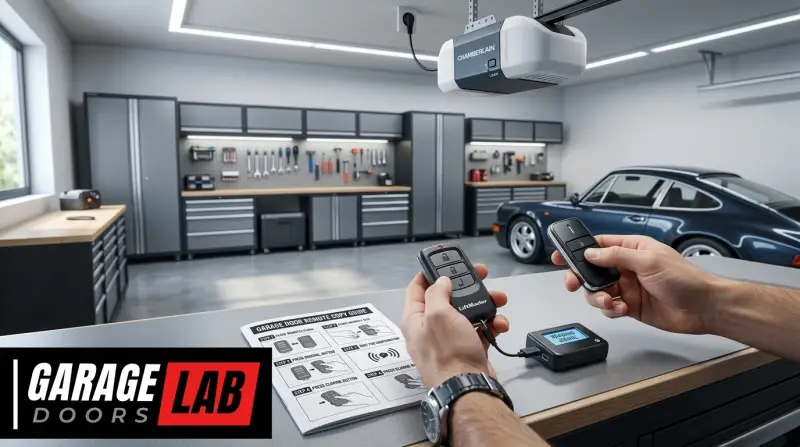
Adding a new remote to your Liftmaster Formula 1 opener is a common task, whether you’ve lost one, purchased a replacement, or simply want an extra. The process involves synchronizing the remote’s signal with the opener’s receiver.
Step-by-step Remote Programming
- Locate the Learn Button: As mentioned, find the Learn button on the motor unit of your Liftmaster Formula 1 opener. It’s usually accompanied by an LED indicator light.
- Press and Release the Learn Button: Using a stepladder, press and release the Learn button once. The LED indicator light next to it should illuminate, signifying that the opener is in programming mode. This mode typically lasts for about 30 seconds.
- Press the Remote Button: Immediately after releasing the Learn button, press and hold the button on your new remote that you wish to use to operate the garage door.
- Wait for Confirmation: Continue holding the remote button. The garage door opener’s lights should flash, or you should hear an audible beep, indicating that the remote has been successfully programmed. This usually takes a few seconds.
- Test the Remote: Release the remote button. Step away from the motor unit and press the programmed button on your remote again. The garage door should now operate.
Pro Tip: If the opener’s lights do not flash or you don’t hear a beep, the programming was unsuccessful. You may need to repeat the steps, ensuring you press the remote button within the 30-second window after pressing the Learn button.
Troubleshooting Remote Programming Issues
Several factors can prevent a remote from programming correctly.
- Battery: Ensure the battery in your new remote is fresh and correctly installed. A weak battery can interfere with the signal transmission.
- Distance: While typically not an issue for initial programming, ensure you are within a reasonable range of the motor unit when attempting to program.
- Interference: Other wireless devices operating on similar frequencies can sometimes cause interference. Try programming when other devices are off, if possible.
- Remote Compatibility: Verify that the remote you are using is compatible with the Liftmaster Formula 1 series. Older remotes or those from different manufacturers will not work.
- Opener Age: Very old openers might have limitations on the number of remotes they can store, or their receivers might be failing.
If you’ve tried these steps and are still experiencing difficulties, you might need to consider resetting your Liftmaster garage door opener remote settings or the opener itself, which we will discuss later.
Credit: www.youtube.com
Programming A Liftmaster Formula 1 Keypad
Keypads offer a convenient way to open your garage door without a remote, using a personal code. Programming a Liftmaster Formula 1 keypad follows a similar logic to remote programming but involves a PIN.
Step-by-step Keypad Programming
- Locate the Learn Button: As with remote programming, find the Learn button and its accompanying LED on the motor unit.
- Enter Your PIN: On the keypad itself, enter a 4-digit Personal Identification Number (PIN) that you wish to use to open your garage door. This PIN should be easy for you to remember but difficult for others to guess.
- Press and Release the Learn Button: Press and release the Learn button on the motor unit. The LED next to it will illuminate.
- Press the Enter Button on the Keypad: Immediately after releasing the Learn button, press and hold the Enter button on the keypad.
- Re-enter Your PIN: While still holding the Enter button, re-enter your chosen 4-digit PIN on the keypad.
- Press and Hold Enter Again: Continue holding the Enter button, and then press and hold the Enter button again.
- Wait for Confirmation: Release the Enter button when the garage door opener’s lights flash or you hear a beep. This confirms the keypad has been programmed.
- Test the Keypad: Step away and test your new keypad by entering your PIN followed by pressing the Enter button. The garage door should operate.
Example: Let’s say you choose the PIN `1234`. You would enter `1234` on the keypad, then press the Learn button on the motor unit. Then, you would press and hold the Enter button on the keypad, re-enter `1234`, and press and hold Enter again until the opener confirms.
Keypad Programming Considerations
- PIN Security: Choose a PIN that is not easily guessable, such as birthdates or sequential numbers.
- PIN Length: Liftmaster Formula 1 keypads typically require a 4-digit PIN.
- Keypad Battery: Ensure the keypad has fresh batteries. A low battery can prevent the keypad from transmitting the PIN correctly.
- Keypad Replacement: If you are replacing an old keypad, the programming process is the same as for a new one.
Clearing All Programmed Codes
For security reasons, you may need to erase all previously programmed remotes and keypads. This is a crucial step if you suspect a remote has been lost or stolen, or if you are selling your home. Clearing the codes effectively resets the opener’s memory.
How To Erase Existing Codes
- Locate the Learn Button: Find the Learn button on your Liftmaster Formula 1 motor unit.
- Press and Hold the Learn Button: Press and continuously hold the Learn button.
- Observe the Indicator Light: Keep holding the button. The LED indicator light next to it will illuminate, then it will turn off after approximately 30 seconds.
- Release the Learn Button: Release the Learn button as soon as the indicator light goes out.
Warning: This action will erase all programmed remotes and keypads, including any that you still wish to use. After clearing the codes, you will need to reprogram all your remotes and keypads using the steps outlined previously. This is a comprehensive reset and should be done with care.
Advanced Programming And Troubleshooting
While basic programming is straightforward, some advanced scenarios or persistent issues might require further attention.
Reprogramming After Power Outage
In most cases, a power outage will not erase programmed codes for Liftmaster Formula 1 openers. The memory is typically non-volatile. However, if you notice that your remotes or keypads are no longer working after a power interruption, it might be worth trying to reprogram them.
This is especially true if the opener itself experienced a surge or other electrical anomaly. If you are experiencing frequent power issues, consider a surge protector for your garage door opener.
Universal Remotes And Keypads
If you are using a universal remote or keypad, the programming process can be more complex. Universal devices are designed to mimic the signals of various brands, but they require an additional step of programming the universal device to “learn” the specific code of your Liftmaster Formula 1 opener. Often, this involves setting dip switches on the older remotes or following a specific sequence on the universal remote itself. Always consult the manual for your universal remote for specific instructions, as they can vary significantly.
Understanding Signal Frequencies
Liftmaster Formula 1 openers typically operate on specific radio frequencies, such as 315 MHz or 390 MHz, depending on the model. This is important for compatibility, especially when purchasing replacement remotes or keypads. Ensure that any new accessories you buy are designed to work with the frequency of your opener.
You can usually find this information on the motor unit or in your opener’s manual.
When To Seek Professional Help
If you have followed all the programming steps meticulously, ensured your batteries are fresh, checked for compatibility, and the opener still does not respond, it might indicate a more significant issue. This could include:
- A malfunctioning receiver board within the motor unit.
- Damage to the antenna.
- Internal wiring problems.
In such cases, it’s best to contact a qualified garage door technician. Attempting complex repairs without the necessary expertise could lead to further damage or safety hazards. You can explore local services or refer to resources that explain garage door opener costs to budget for potential repairs or replacements.
Maintenance Tips For Your Opener
Regular maintenance ensures your Liftmaster Formula 1 opener continues to function reliably and safely.
Lubrication And Adjustments
- Lubrication: Periodically lubricate the moving parts of your garage door system, including the rollers, hinges, and springs. This reduces friction and wear. Use a silicone-based spray lubricant designed for garage doors. For more detailed guidance, refer to articles on how to lubricate garage door rollers.
- Chain Adjustment: If your opener has a chain drive, it may require periodic adjustment to maintain proper tension. An overly loose or tight chain can cause noise and wear. You can learn how to adjust the chain on your garage door opener with simple steps.
- Balance Test: Regularly check if your garage door is balanced. With the opener disengaged (you can usually pull a red emergency release cord), the door should stay in place when you lift it halfway. If it slams shut or is too heavy to lift, it needs professional adjustment.
Checking Sensors And Alignment
The safety sensors at the bottom of your garage door track are crucial. Ensure they are clean, unobstructed, and properly aligned. Misaligned sensors are a common reason for a garage door refusing to close. The indicator lights on the sensors should be steady, not flashing, indicating a good connection.
Frequently Asked Questions
What If My Liftmaster Formula 1 Opener Doesn’t Beep Or Flash When Programming?
This usually indicates that the remote or keypad signal was not received within the programming window, or there’s a compatibility issue. Ensure you are pressing the remote/keypad button promptly after pressing the Learn button. Also, double-check that your remote/keypad is compatible with your specific Liftmaster Formula 1 model and its frequency.
Try replacing the battery in the remote or keypad. If the issue persists, you may need to clear all codes and try again.
How Do I Know Which Learn Button Color To Use?
Liftmaster uses different colored Learn buttons to indicate different manufacturing eras and technologies. For the Formula 1 series, the Learn button color (often red, orange, yellow, or green) is not critical for the basic programming of remotes and keypads. What matters is locating the Learn button on the motor unit. The color might be relevant for advanced features or specific troubleshooting, but for standard programming, just find the button and follow the press-and-release or press-and-hold sequences.
Can I Program A Garage Door Opener Remote From A Different Brand To My Liftmaster Formula 1?
Generally, no. Liftmaster Formula 1 openers are designed to work with Liftmaster-specific remotes and keypads that use their proprietary rolling code technology. While universal remotes exist that can be programmed to operate multiple brands, a remote designed for, say, a Genie or Chamberlain opener will not directly program to a Liftmaster. Always ensure your accessories are compatible with your Liftmaster opener.
My Garage Door Opener Is Old. Will It Still Support New Remotes?
Older Liftmaster Formula 1 models might support newer remotes, but compatibility can become an issue over time, especially if Liftmaster has updated its encryption technology. If you are purchasing a new remote, it’s crucial to match the remote’s specifications (frequency, technology type) with your opener’s capabilities. If your opener is very old, you might need to consider upgrading the entire unit to ensure robust security and compatibility with modern accessories. You can find information on when to replace your opener by looking at garage door opener costs and lifespan.
What Is The Difference Between Programming A Remote And A Keypad?
The fundamental process of putting the opener into a learnable state (pressing the Learn button) is the same. However, programming a remote typically involves pressing and holding a button on the remote itself until the opener acknowledges it. Programming a keypad requires you to first set a PIN on the keypad, then press the Learn button on the opener, and finally re-enter your PIN on the keypad to confirm.
Keypads add an extra layer of security with a PIN, while remotes offer direct access.
When you successfully program your Liftmaster Formula 1 garage door opener, you’re not just adding convenience; you’re ensuring the security and efficient operation of your home’s access point. By following these detailed steps, understanding the role of the Learn button, and knowing how to troubleshoot common issues, you can confidently manage your opener’s remotes and keypads.
Remember that regular maintenance, such as lubrication and checking sensor alignment, is key to prolonging the life of your opener and ensuring its continued reliability. If you encounter persistent problems, don’t hesitate to consult your owner’s manual or a professional.