
The convenience of a garage door opener is undeniable, especially when you’re juggling groceries, children, or simply seeking shelter from inclement weather. For Audi Q5 owners, integrating their garage door opener into the vehicle’s sophisticated interior adds another layer of seamless functionality.
Many modern vehicles, including the Audi Q5, come equipped with built-in HomeLink® or similar universal garage door opener systems, designed to eliminate the need for bulky individual remotes. This system allows drivers to program their car’s visor buttons to control their garage door, gate, or other compatible devices.
Learning how to program your garage door opener in your Audi Q5 is a straightforward process that can significantly enhance your daily routine, offering a streamlined and secure way to access your home.
Key Takeaways
- The Audi Q5 typically features a HomeLink® system integrated into the driver’s side visor or rearview mirror for programming garage door openers.
- You will need your original garage door remote and a working garage door opener motor for the programming process.
- The programming involves a two-step process: First, training the HomeLink® system to recognize the remote’s signal, and second, synchronizing the HomeLink® button with the garage door opener motor.
- Ensure you have clear line-of-sight between the remote, the vehicle, and the garage door opener motor during programming.
- If your garage door opener uses a rolling code security system, you will need to access the “Learn” or “Program” button on the opener motor unit itself.
- Always test the programmed button after completion to confirm it operates your garage door correctly.
- If you encounter issues, consult your Audi Q5 owner’s manual or the garage door opener manufacturer’s instructions.

Credit: www.youtube.com
Understanding The Audi Q5’s Garage Door Opener System
The Audi Q5, like many premium vehicles, often comes equipped with the HomeLink® Connect system. This integrated system replaces the need for multiple remote controls cluttering your car’s interior. Typically, you’ll find the HomeLink® buttons located on the visor, the rearview mirror, or sometimes on the overhead console. This system is designed to be universally compatible with most garage door openers, gate operators, and even some security lighting systems. The primary advantage of this built-in system is its convenience and security. It’s always with your vehicle, reducing the chance of forgetting your remote, and it often utilizes advanced encryption for added protection.
Locating The Homelink® Buttons
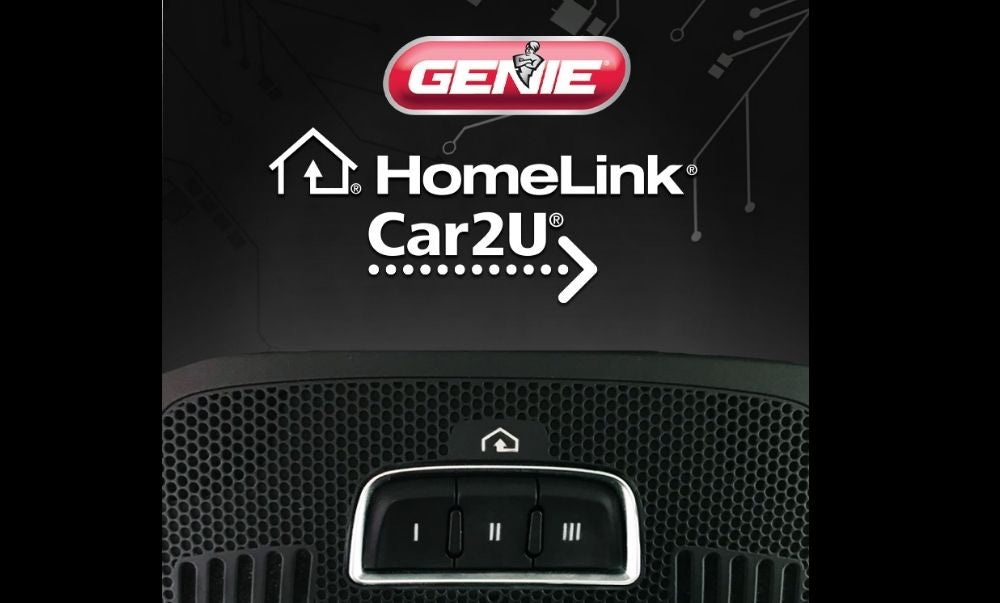
Before you begin programming, it’s crucial to identify the HomeLink® buttons in your Audi Q5. Most commonly, these buttons are found on the driver’s side sun visor. When the visor is in its down position, you’ll typically see three or four small, rectangular buttons. In some models, particularly those with an auto-dimming rearview mirror, the HomeLink® buttons might be integrated into the mirror housing itself, often appearing as small, subtly marked buttons on the bottom edge or side. Familiarize yourself with their exact location in your specific Q5 model by consulting your owner’s manual if you’re unsure.
How Homelink® Works
HomeLink® operates by learning and transmitting the radio frequency signals from your existing garage door remote. When you press and hold a HomeLink® button and then press your remote, the HomeLink® system captures the unique signal. The system then allows you to assign this learned signal to a specific HomeLink® button. For older, fixed-code openers, this is often sufficient. However, modern garage door openers use rolling code technology for enhanced security. This means the code changes each time the opener is used. To accommodate this, a second step is required where the HomeLink® system communicates with the garage door opener’s motor unit to synchronize its rolling code sequence.

Credit: www.youtube.com
Pre-programming Checklist And Preparation
Successful programming hinges on having the right tools and information readily available. Rushing through this process can lead to frustration and errors. Taking a few minutes to prepare will ensure a smoother and more efficient experience.
What You’ll Need
To program your garage door opener in your Audi Q5, you will typically require the following:
- Your original garage door remote: This is essential for the system to learn the correct signal. Ensure it has a fresh battery, as a weak battery can interfere with the programming process.
- Access to your garage door opener motor unit: You’ll need to be able to reach the “Learn” or “Program” button on the motor unit, which is usually located on the back or side of the unit, often near the hanging antenna wire.
- A stable ladder: To safely reach the motor unit if it’s mounted high on the garage ceiling.
- Your Audi Q5 owner’s manual: This is an invaluable resource for model-specific instructions and troubleshooting tips.
- Your garage door opener manufacturer’s manual (optional but recommended): This can provide specific details about your opener’s “Learn” button and any unique programming requirements.
Ensuring A Clear Line Of Sight
For the HomeLink® system to effectively learn and transmit signals, a clear line of sight is paramount. This means there should be unobstructed access between the following:
- The original remote and the HomeLink® buttons in your Audi Q5: When you’re holding the remote near the HomeLink® buttons, ensure there are no objects blocking the infrared signal.
- The HomeLink® antenna (located on your Q5’s exterior, often near the windshield or roofline) and the garage door opener motor unit: During the second phase of programming (especially for rolling codes), the vehicle’s transmitter needs to communicate directly with the opener. Park your Q5 so that the front of the vehicle is facing the garage door opener motor unit, with no obstructions like large trees or other vehicles in between.
Understanding Your Garage Door Opener Type
The programming procedure can vary slightly depending on whether your garage door opener uses a fixed code or a rolling code system.
- Fixed Code Openers: These are older systems where the remote sends the same unique code every time. Once HomeLink® learns this code, it’s usually sufficient.
- Rolling Code Openers: These are more secure systems (like Security+ 2.0™ from LiftMaster, Chamberlain, or Craftsman) where the code changes with each use. Programming these requires an extra step to synchronize the HomeLink® system with the opener’s motor unit. You can usually identify a rolling code opener by looking for a “Learn” or “Program” button on the motor unit that requires a press-and-release action, often accompanied by an LED indicator.
If you’re unsure about your opener’s type, consult your garage door opener’s manual or check the manufacturer’s website.
Programming The Homelink® System: Step-by-step Guide
The process of programming your Audi Q5’s HomeLink® system generally involves two main phases: training the HomeLink® buttons with your remote’s signal and then synchronizing with the garage door opener motor.
Phase 1: Training The Homelink® Buttons
This phase teaches the HomeLink® system the specific signal from your existing garage door remote.
- Turn off the ignition: Ensure your Audi Q5’s ignition is in the “Accessory” (ACC) or “On” position. Do not start the engine.
- Clear existing HomeLink® programming (if necessary): If you’re replacing an old remote or want to ensure a clean start, clear any previously programmed HomeLink® buttons. To do this, press and hold the two outer HomeLink® buttons (usually buttons 1 and 3) simultaneously for about 10 seconds. The indicator light will change from off to slow blinking, then to rapid blinking. Release the buttons.
- Select a HomeLink® button to program: Decide which of the three HomeLink® buttons you want to assign to your garage door opener.
- Position the remote and the Q5: Place your original garage door remote 1-3 inches away from the HomeLink® buttons on your Q5’s visor or rearview mirror. Ensure the front of your Q5 is facing the garage door opener motor unit.
- Press and hold the remote button: Press and hold the desired button on your original garage door remote.
- Press and hold the HomeLink® button: Simultaneously, press and hold the chosen HomeLink® button on your Q5.
- Observe the indicator light: Watch the HomeLink® indicator light (usually a small LED above the buttons).
- Initially, the light will blink slowly.
- Continue holding both the remote button and the HomeLink® button until the HomeLink® indicator light begins to blink rapidly. This rapid blinking signifies that the HomeLink® system has successfully learned the remote’s signal.
- Release the buttons: Once the light blinks rapidly, release both the remote button and the HomeLink® button.
- Test the button (optional at this stage): You can briefly press the programmed HomeLink® button. If your opener is a fixed code type, the garage door might operate at this point. If it doesn’t, or if you have a rolling code opener, proceed to Phase 2.
Phase 2: Synchronizing With The Garage Door Opener Motor (for Rolling Codes)
If your garage door opener uses a rolling code system, you must now synchronize the HomeLink® system with the opener motor.
- Locate the “Learn” or “Program” button on the opener motor: Go to your garage and find the “Learn” or “Program” button on the garage door opener motor unit mounted on the ceiling. This button is often square or round and may be labeled “Learn,” “Program,” or similar. It’s typically located near the antenna wire.
- Press and release the “Learn” button: Press and immediately release the “Learn” button on the motor unit. You will usually see an LED indicator light illuminate or flash, indicating that the opener is in programming mode. This mode typically lasts for about 30 seconds.
- Return to your Audi Q5: Quickly get back into your Q5.
- Press and hold the programmed HomeLink® button: Within the 30-second window, press and hold the HomeLink® button you just programmed in Phase 1.
- Observe the garage door: Your garage door should now activate, either opening or closing. The HomeLink® indicator light in your Q5 may flash rapidly and then go out, or turn solid.
- Release the HomeLink® button: Once the garage door responds, release the HomeLink® button.
- Test the functionality: Press the programmed HomeLink® button again to ensure it now reliably operates your garage door. You may need to press and release it a second time if the system requires it to cycle through its codes.
Troubleshooting Common Programming Issues
Despite following the steps, programming issues can arise. Here are some common problems and their solutions:
- HomeLink® light doesn’t blink rapidly:
- Cause: Weak remote battery, incorrect remote placement, or incompatible opener.
- Solution: Replace the remote battery with a fresh one. Ensure the remote is within 1-3 inches of the HomeLink® buttons. Verify your opener is compatible with HomeLink® (most are, but very old or proprietary systems might not be). Try a different HomeLink® button.
- Garage door doesn’t respond after Phase 2:
- Cause: Incorrect timing, obstructed signal, or rolling code synchronization failure.
- Solution: Ensure you returned to the vehicle and pressed the HomeLink® button within the 30-second window after pressing the “Learn” button. Check for any obstructions between the Q5’s antenna and the opener motor. Repeat Phase 2 carefully. Ensure you correctly identified your opener as a rolling code type.
- HomeLink® button only works sometimes:
- Cause: Inconsistent signal strength or interference.
- Solution: Try reprogramming, ensuring a clear line of sight. Park closer to the garage door opener motor unit during Phase 2. Check for potential sources of radio frequency interference in your area.
- Programming multiple devices:
- Solution: Each HomeLink® button can be programmed to a different device. Repeat the entire process for each additional device you wish to control, using a different HomeLink® button for each.
If problems persist, consult your Audi Q5 owner’s manual for specific troubleshooting steps related to the HomeLink® system in your vehicle. You may also need to consult the manual for your specific garage door opener model.
Credit: store.geniecompany.com
Advanced Features And Considerations
The HomeLink® system in your Audi Q5 offers more than just basic garage door control. Understanding these nuances can enhance your experience and security.
Programming Gate Operators And Other Devices
The HomeLink® system is not limited to garage doors. It can also be programmed to operate automatic gates, security lighting, or other radio-controlled devices that use a compatible frequency and coding system. The programming process remains largely the same: use the original remote to train the HomeLink® buttons, and if the device uses a rolling code, synchronize with the receiver unit for that device. Always refer to the manufacturer’s instructions for the specific device you wish to integrate.
Security Considerations With Homelink®
While HomeLink® offers significant convenience, it’s essential to be aware of security aspects.
- Rolling Codes: As mentioned, rolling code technology is a significant security enhancement. For Audi Q5 owners with rolling code openers, ensuring successful synchronization in Phase 2 is critical for security. If this step is missed, the system might not function correctly, or worse, could potentially be less secure if it defaults to a less secure mode.
- Fixed Codes: If you have an older fixed-code opener, anyone who can capture your remote’s signal while you’re operating it could potentially replicate it. This is less common now, but it’s a reason why upgrading to a rolling code system is advisable for enhanced security.
- Vehicle Security: In the unlikely event your Audi Q5 is stolen, a thief could potentially use the programmed HomeLink® buttons to gain access to your garage. Some advanced HomeLink® systems offer a “HomeLink® Lock” feature, which disables the buttons when the ignition is turned off. Check your Q5’s owner’s manual to see if this feature is available and how to enable it. This is a crucial step for maximizing security.
Maintaining Your Homelink® System
Like any electronic system, HomeLink® may require occasional maintenance or reprogramming.
- Battery Changes: When you replace the battery in your original garage door remote, it’s often a good idea to re-sync the HomeLink® button with the opener motor (Phase 2) afterwards. This ensures the rolling code sequence remains perfectly synchronized.
- Vehicle Battery Disconnect: If your Audi Q5’s battery is disconnected or goes dead, the HomeLink® system’s memory may be erased. You will need to reprogram all your HomeLink® buttons after the battery is reconnected.
- Opener Motor Replacement: If you replace your garage door opener motor unit, you will need to reprogram all your HomeLink® buttons for the new unit.
Alternatives And Additional Remote Options
While the integrated HomeLink® system is the primary method for controlling your garage door from your Audi Q5, there are alternative strategies and considerations if HomeLink® proves incompatible or if you prefer redundancy.
Using Your Original Remote In The Car
The simplest, albeit least elegant, solution is to keep your original garage door remote in your car. Many drivers attach it to their keychain, a visor clip, or a dedicated holder.
- Pros: Works with any garage door opener, no programming required for the car.
- Cons: Can be bulky, easy to lose, requires manual operation, less aesthetically pleasing.
Aftermarket Remote Transmitters
If your Audi Q5 doesn’t have HomeLink®, or if you prefer a dedicated button for your garage door, you can install an aftermarket remote transmitter. These are typically small units designed to be mounted discreetly within the vehicle, often near the driver’s seat or on the dashboard.
- Pros: Can be installed in vehicles without built-in systems, some offer multiple buttons for various devices.
- Cons: Requires installation, can still be an extra item to manage, may not be as integrated as HomeLink®.
Smartphone Control Apps
Many modern garage door opener systems now offer smartphone integration. Through Wi-Fi or Bluetooth modules, you can control your garage door using an app on your phone.
- Pros: Highly convenient, offers remote access from anywhere, often provides activity logs and notifications.
- Cons: Requires a compatible opener and a smartphone with an app, relies on cellular or Wi-Fi signal, may involve subscription fees for some advanced features. This is a strong alternative if you’re looking for the latest technology and don’t wish to use the car’s built-in system.
Frequently Asked Questions
Why Won’t My Homelink® Buttons Program?
Several factors can cause programming failures. Ensure your remote has a fresh battery and is held close enough to the HomeLink® buttons. Verify that your garage door opener is compatible with HomeLink® (most are). If you have a rolling code opener, make sure you are correctly performing the second synchronization step with the “Learn” button on the motor unit within the allotted time. Also, ensure there’s a clear line of sight between the remote, the car, and the opener motor.
How Do I Know If My Garage Door Opener Uses A Rolling Code?
Most modern garage door openers (manufactured after the mid-1990s) use rolling codes for increased security. You can typically identify a rolling code opener by the presence of a “Learn” or “Program” button on the motor unit that requires a press-and-release action, often accompanied by an LED indicator. Older, fixed-code openers usually have a series of DIP switches for setting codes. Consult your garage door opener’s manual for definitive confirmation.
Can I Program Homelink® To My Gate Opener?
Yes, the HomeLink® system can often be programmed to operate automatic gate openers, as well as other radio-controlled devices like security lights, provided they operate on a compatible radio frequency and use a fixed or rolling code system that HomeLink® can learn. The process mirrors that of programming a garage door opener: use the original gate remote to train the HomeLink® buttons, and then synchronize with the gate receiver if it uses a rolling code.
What Happens If I Disconnect My Audi Q5’s Battery?
If the battery in your Audi Q5 is disconnected for any reason (e.g., maintenance, replacement, or a dead battery), the HomeLink® system’s memory will likely be erased. This means you will need to reprogram all your previously programmed devices (garage door, gate, etc.) once the battery is reconnected and the vehicle’s electrical system is restored.
How Can I Secure My Homelink® System If My Car Is Stolen?
Some Audi Q5 models with HomeLink® offer a feature to disable the HomeLink® buttons when the ignition is turned off. This is often referred to as “HomeLink® Lock” or a similar term. Consult your Audi Q5 owner’s manual to determine if your vehicle has this feature and how to activate it. Enabling this security measure prevents unauthorized access to your garage or gate if your vehicle is stolen.
The integration of a garage door opener system into your Audi Q5, typically via the HomeLink® feature, offers a significant boost in daily convenience and vehicle sophistication. By following the outlined steps, preparing the necessary components, and understanding the distinction between fixed and rolling code systems, you can successfully program your Q5 to control your garage door, gate, or other compatible devices.
Always prioritize safety during the process, ensure clear communication between your remote, vehicle, and opener motor, and consult your owner’s manuals if you encounter any difficulties. This seamless integration transforms a routine task into an effortless action, embodying the advanced functionality expected from an Audi vehicle.