
Programming your garage door opener for your Volkswagen Atlas 2022 is a straightforward process that can significantly enhance your daily convenience and security. Having your garage door accessible with a simple button press from inside your vehicle eliminates the need to exit your car in inclement weather or late at night.
This guide will walk you through the entire process, from understanding the types of garage door openers compatible with your Atlas to troubleshooting common issues. By the end, you’ll be able to confidently program your vehicle to operate your garage door.
The 2022 Volkswagen Atlas, like many modern vehicles, comes equipped with an integrated HomeLink® system. HomeLink is a widely adopted in-car remote system that can be programmed to operate various radio-frequency devices, including garage door openers, gate openers, and home lighting.
This system replaces the multiple remotes you might otherwise carry, consolidating them into a discreet panel typically located on the driver’s side visor or overhead console. Understanding how this system works is the first step to seamless integration.
Key Takeaways
- The 2022 Volkswagen Atlas features an integrated HomeLink system for operating garage doors and other RF devices.
- Programming involves a two-step process: Synchronizing the vehicle’s HomeLink buttons with your existing garage door remote and then synchronizing the HomeLink system with the garage door opener motor unit.
- Ensure your garage door opener motor unit has a learn button, as this is crucial for the synchronization process.
- Always follow safety precautions, such as standing clear of the garage door’s path, to prevent accidents.
- Troubleshooting common issues may involve checking battery levels, ensuring proper remote signal strength, or performing a factory reset of the HomeLink system.
Understanding Your Volkswagen Atlas’s Homelink System
The HomeLink system in your 2022 Volkswagen Atlas is designed for ease of use and broad compatibility. It consists of three programmable buttons, usually found on the overhead console or visor. These buttons transmit specific radio frequencies that mimic your existing garage door remote.
The system is powered by your vehicle’s battery and utilizes a rolling code technology for enhanced security, meaning the code changes each time you operate the door.
How Homelink Works
HomeLink operates by learning the signal from your existing garage door remote. When you press and hold a HomeLink button and your original remote simultaneously, the HomeLink system captures the unique signal. This signal is then stored and can be transmitted by the HomeLink button whenever you press it.
The second part of the process involves confirming this programming with the garage door opener motor unit itself, ensuring that only your vehicle can operate your garage door.
Compatibility And Limitations
HomeLink is compatible with a vast majority of garage door opener brands and models. However, there are some exceptions. Older garage door openers that use a fixed code (non-rolling code) might have different programming procedures or may not be compatible with the latest HomeLink versions. Similarly, some specialized systems, like Cessagnal or Linear Delta-3 openers, may require specific adapters or might not be supported. Before you begin programming, it’s advisable to check the HomeLink compatibility website or your Atlas owner’s manual to confirm your garage door opener model is supported. You can typically find the manufacturing date and model number on the opener unit itself, usually located on the ceiling of your garage.
Locating The Homelink Buttons In Your Atlas
In the 2022 Volkswagen Atlas, the HomeLink buttons are typically integrated into the overhead console, situated above the rearview mirror. You’ll find three distinct buttons, often labeled with a small house icon or simply numbered 1, 2, and 3. Familiarize yourself with their location before starting the programming process. If you have trouble locating them, consult your owner’s manual for a precise diagram.

Credit: www.iemotorsdirect.com
Step-by-step Programming Guide
Programming your HomeLink system requires a methodical approach. It’s a two-phase process: first, teaching the HomeLink buttons to mimic your remote, and second, synchronizing them with the garage door opener motor.
Phase 1: Programming The Homelink Buttons
- Park Your Atlas: Position your Volkswagen Atlas within range of your garage door opener, usually about 5-15 feet away. Ensure the vehicle is in park and the ignition is on.
- Locate Your Original Remote: Find the remote control for your existing garage door opener. Ensure it has a fresh battery, as a weak battery can interfere with the signal transmission.
- Clear Existing HomeLink Codes (Optional but Recommended): To ensure a clean slate and avoid potential conflicts with previously programmed devices, it’s best to clear any existing HomeLink codes. To do this, press and hold the two outer HomeLink buttons (typically buttons 1 and 3) simultaneously for about 10 seconds. The indicator light above the buttons will flash rapidly, then turn solid, indicating the memory has been cleared.
- Select a HomeLink Button: Choose one of the three HomeLink buttons you wish to assign to your garage door opener.
- Begin Programming: Press and hold the chosen HomeLink button. Simultaneously, hold your original garage door remote about 1-3 inches away from the HomeLink buttons. Press and hold the button on your original remote.
- Observe the Indicator Light: Continue holding both the HomeLink button and the remote button. The indicator light on your HomeLink system will begin to flash slowly, then rapidly. This rapid flashing indicates that the HomeLink system has successfully learned the signal from your remote. Once the light flashes rapidly, release both the HomeLink button and the remote button.
- Test the Button: Briefly press the HomeLink button you just programmed. The indicator light should illuminate steadily or flash, indicating it’s attempting to send a signal. If your garage door opener is a fixed code type, the door might open or close immediately upon this step. If it is a rolling code type, you will need to proceed to Phase 2.
Phase 2: Synchronizing With The Garage Door Opener Motor
This phase is crucial for garage door openers that use rolling code technology, which is common for enhanced security.
- Locate the “Learn” or “Program” Button on the Motor Unit: Go to your garage and find the motor unit of your garage door opener, typically mounted on the ceiling. Look for a “Learn” or “Program” button. This button is often small, square, and colored (e.g., red, green, purple, or yellow), and may be located near the antenna wire or on the back panel of the unit. Refer to your garage door opener’s manual if you cannot find it.
- Press and Release the “Learn” Button: Press and immediately release the “Learn” button on the motor unit. A small LED light near the button should illuminate, indicating that the opener is in “learn mode” and is ready to receive a signal. You typically have about 30 seconds to complete the next step.
- Return to Your Atlas: Quickly go back to your Volkswagen Atlas.
- Press and Hold the Programmed HomeLink Button: Press and hold the HomeLink button you programmed in Phase 1. Hold it for approximately 2-3 seconds, then release.
- Observe the Motor Unit: Go back to your garage and observe the garage door opener motor unit. The LED light that illuminated in step 2 should now turn off, or the garage door itself might move slightly, indicating successful synchronization.
- Repeat if Necessary: If the door does not operate, repeat steps 4 and 5. Some systems may require you to press and hold the HomeLink button a second or third time.
- Test the System: Once the motor unit indicates synchronization (e.g., LED turns off, door jitters), press the programmed HomeLink button again. Your garage door should now open and close.
Programming Additional Remotes
If you wish to program the other two HomeLink buttons for additional garage doors or other RF devices, simply repeat the entire two-phase process for each button, using the corresponding remote for each device. It’s important to keep track of which HomeLink button is programmed for which device.
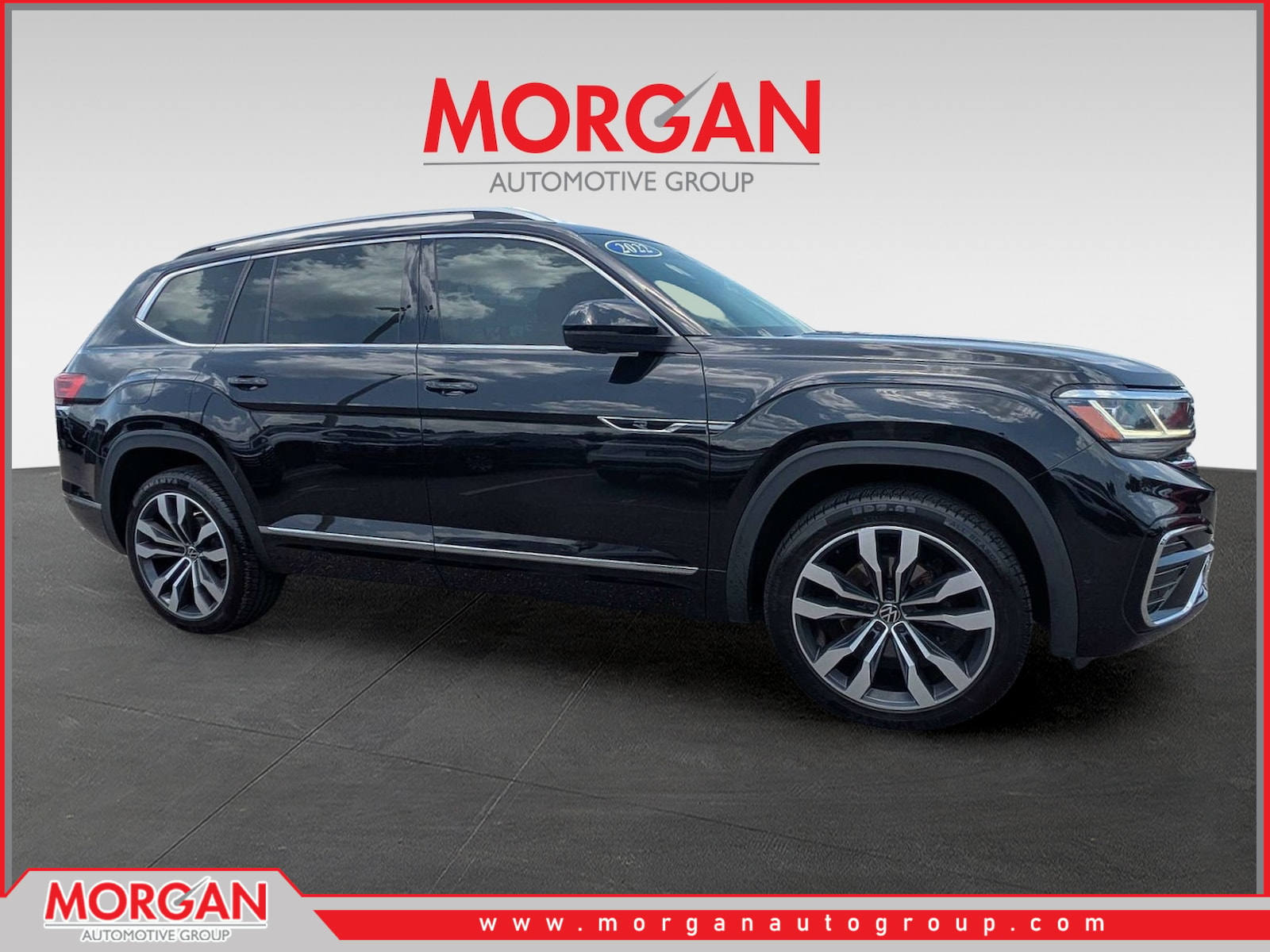
Credit: www.morganautogroup.com
Troubleshooting Common Programming Issues
While the HomeLink programming process is generally straightforward, you might encounter a few snags. Here are some common issues and their solutions:
Garage Door Opener Not Responding
- Weak Remote Battery: Ensure the battery in your original garage door remote is fresh. A low battery can prevent HomeLink from learning the signal.
- Incorrect Programming Sequence: Double-check that you followed the two-phase programming process correctly. Pay close attention to the timing required for the “learn” button and the HomeLink button presses.
- Distance Issues: Try repositioning your vehicle closer to or further from the garage door opener motor unit during Phase 1. For Phase 2, ensure you are close enough to the motor unit when pressing the “learn” button.
- Interference: Other radio frequency devices can sometimes interfere. Try programming during a time when there is less wireless activity.
- Compatibility: Verify that your garage door opener model is compatible with HomeLink. Visit the HomeLink compatibility website for a full list.
Rolling Code Opener Not Synchronizing
- Timing: The 30-second window after pressing the “learn” button on the motor unit is critical. If you take too long to return to your vehicle and press the HomeLink button, the opener will exit learn mode.
- Multiple Presses: For some rolling code systems, you may need to press and release the HomeLink button three times within a few seconds of each other after the opener enters learn mode.
- Opener Manual: Consult your specific garage door opener’s manual. Some manufacturers have unique instructions for programming rolling code systems with universal remotes or vehicle integration systems.
- Adapter Required: Certain older or specialized garage door openers might require a HomeLink compatibility bridge or adapter.
Homelink Buttons Not Clearing
- Hold Longer: Ensure you are holding the two outer HomeLink buttons for the full 10 seconds or until the indicator light flashes rapidly and then turns solid.
- Ignition On: Make sure the vehicle’s ignition is in the “ON” position, not just accessory mode.
Example Scenario: Programming A Liftmaster With Rolling Code
Let’s say you have a LiftMaster garage door opener with a green learn button (common for rolling code openers).
- Park your 2022 Atlas close to the garage door.
- Clear existing codes by holding the outer HomeLink buttons for 10 seconds until the light flashes rapidly.
- Choose a HomeLink button (e.g., button 1). Press and hold it.
- Hold your LiftMaster remote 1-3 inches away and press its button.
- Watch the HomeLink indicator light. When it flashes rapidly, release both buttons.
- Go to the LiftMaster motor unit. Press and release the green learn button. The indicator light on the unit will illuminate.
- Quickly return to your Atlas. Press and hold the programmed HomeLink button (button 1) for 2-3 seconds, then release.
- Observe the LiftMaster motor unit. The green light should go out, and the garage door might move.
- Test the HomeLink button. Your garage door should now operate. If not, repeat steps 7 and 8, potentially pressing the HomeLink button a second or third time.

Credit: www.ocmotorsdirect1.com
Advanced Tips And Maintenance
Once your HomeLink system is programmed, a few extra steps and considerations can ensure its continued functionality and security.
Vehicle Battery Replacement And Homelink
If you disconnect your Volkswagen Atlas’s battery for any reason (e. g. , during maintenance or replacement), the HomeLink memory will likely be erased. You will need to reprogram all your HomeLink buttons after the battery has been reconnected. It’s a good practice to have your garage door remote handy whenever you anticipate needing to disconnect the car battery.
Security Considerations
While HomeLink offers advanced security features like rolling codes, it’s still essential to be mindful of security.
- Never leave your original remote in plain sight in your vehicle. If your vehicle is stolen, the thief could potentially use the remote to gain access to your garage.
- Program only the necessary HomeLink buttons. If you only have one garage door, program only one button.
- Periodically clear and reprogram your HomeLink buttons, especially if you sell or trade in your vehicle. This ensures no old codes remain active. You can find instructions on how to reset your HomeLink system in your owner’s manual or by following the clearing procedure mentioned earlier. For more complex resets on other systems, you might find guides like how to reset a Liftmaster garage door opener remote useful, although the Atlas reset is simpler.
Maintaining Your Garage Door Opener
A well-maintained garage door opener is crucial for the longevity and proper functioning of your HomeLink system.
- Lubrication: Regularly lubricate the moving parts of your garage door system, such as rollers and hinges. This ensures smooth operation and reduces strain on the opener motor. Refer to guides like how to lubricate garage door rollers for detailed instructions.
- Chain Adjustment: If your opener uses a chain drive, periodically check and adjust the chain tension. An overtightened or loose chain can cause operational issues. You can learn more about this in guides on how to adjust a chain on a garage door opener.
- Sensor Alignment: Ensure the safety sensors at the bottom of your garage door tracks are clean and properly aligned. Misaligned sensors are a common cause of the door reversing and can prevent proper operation.
Understanding Different Opener Technologies
It’s helpful to understand the different types of garage door opener technologies and how they interact with HomeLink.
- Fixed Code: These openers use a single, unchanging code. They are generally easier to program but less secure. HomeLink can typically learn these signals in a single step without needing to sync with the motor unit.
- Rolling Code (Security+): These openers generate a new code each time they are used, significantly enhancing security. This is why the second phase of programming, synchronizing with the motor unit’s “learn” button, is necessary. Most modern openers use this technology.
Here’s a quick comparison of common opener technologies and their HomeLink programming implications:
| Opener Technology | Security Level | HomeLink Programming | Example Brands |
|---|---|---|---|
| Fixed Code | Low | Usually one-step programming (learn signal from remote). | Older Chamberlain, Genie, Stanley models. |
| Rolling Code (Security+) | High | Two-step programming: learn signal from remote, then sync with motor unit’s “learn” button. | LiftMaster, Chamberlain (newer models), Craftsman (newer models), Genie (Intellicode). |
| Specialized/Proprietary | Varies | May require specific adapters or may not be compatible. | Cessagnal, Linear Delta-3, some gate openers. |
In my experience, understanding the specific technology of your garage door opener is the most critical step before starting the programming process. It saves a lot of time and frustration.
When To Seek Professional Help
While programming your HomeLink system is designed to be a DIY task, there are instances where professional assistance might be beneficial.
Complex Opener Systems
If you have a particularly old, obscure, or complex garage door opener system that doesn’t seem to be compatible with the standard HomeLink programming procedures, a professional garage door technician can help identify the issue and potentially provide a solution or an alternative.
They have access to specialized tools and knowledge for various opener brands.
Persistent Programming Failures
If you’ve followed all the troubleshooting steps meticulously and are still unable to program your HomeLink system, it might indicate a fault with the HomeLink unit in your Atlas or the garage door opener itself. A qualified technician can diagnose these hardware issues.
Cost Of Professional Help
The cost for a professional to program your HomeLink system is typically minimal, often falling within a service call fee. However, this fee can vary depending on your location and the service provider. This is a small price to pay for convenience and security if you’re struggling with the process. The overall cost of garage door systems and their accessories can vary widely, with professional installation of a new garage door ranging from $1,000 to $4,000 or more, as detailed in resources discussing how much for a garage door.
Alternative Remote Options
If your garage door opener is simply not compatible with HomeLink, you still have options. You can purchase a compatible universal garage door remote that can be programmed to your opener and then potentially mounted in your vehicle in a way that’s convenient.
Alternatively, you can explore smart garage door openers that can be controlled via smartphone apps, offering even more advanced features.
Frequently Asked Questions
Can I Program My Homelink System If My Garage Door Opener Doesn’t Have A “learn” Button?
If your garage door opener does not have a visible “learn” or “program” button on the motor unit, it likely uses a fixed code system. In such cases, the programming process usually involves only the first phase: holding your original remote near the HomeLink buttons until the indicator light flashes rapidly. You typically do not need to interact with the motor unit itself. Consult your opener’s manual or the manufacturer to confirm.
How Do I Know If My Garage Door Opener Is A Rolling Code Or Fixed Code System?
Most garage door openers manufactured after the mid-1990s use rolling code technology for enhanced security. If your opener has a “learn” button (often colored) on the motor unit that you press to initiate programming, it’s almost certainly a rolling code system. Older openers with dip switches for setting codes are typically fixed code. If in doubt, check your opener’s manual or the manufacturer’s website.
What Should I Do If My Homelink System Stops Working After A Few Weeks?
If your HomeLink system stops working after a period of successful operation, the most common cause is a weak or dead battery in your original garage door remote. The HomeLink system relies on the initial signal from your remote, so if that signal degrades, the HomeLink programming may become unstable. Replace the battery in your original remote and then reprogram the HomeLink buttons. If the issue persists, it might indicate a problem with the HomeLink unit itself or interference.
Can I Program My Homelink Buttons To Control Multiple Garage Doors?
Yes, you can program each of the three HomeLink buttons to control different garage doors or other compatible radio-frequency devices. Simply repeat the entire two-phase programming process for each button, using the specific remote for each device you wish to control. Ensure you keep track of which button controls which device.
Is It Safe To Program Homelink While The Garage Door Is Open?
It is generally not recommended to program your HomeLink system while the garage door is fully open. It’s best to have the door in a neutral or closed position. The programming process involves transmitting signals that operate the opener, and it’s safer to do this when the door is not actively moving or in an extreme position. Always ensure the area around the garage door is clear of obstructions or people before testing the programmed HomeLink button. For any issues with manual operation, refer to guides on how to manually open a garage door.
Programming the HomeLink system in your 2022 Volkswagen Atlas is a valuable upgrade that brings convenience and modern technology to your daily routine. By following these detailed steps, understanding the nuances of your garage door opener, and performing occasional maintenance, you can ensure a reliable and secure connection between your vehicle and your garage for years to come.
Remember to always prioritize safety during the programming and operation of your garage door system.