
The 2023 Chevy Silverado offers a seamless integration of modern technology, and one of the most convenient features is the ability to program its built-in HomeLink system to operate your garage door opener. This eliminates the need for bulky visor remotes, consolidating your access control into a single, sleek interface within your truck.
Whether you’re a new Silverado owner or have recently purchased a compatible garage door opener, understanding the programming process is key to unlocking this convenience. This guide will walk you through the steps, offering clarity and actionable advice to ensure a smooth setup.
Key Takeaways
- The 2023 Chevy Silverado is equipped with the HomeLink system, allowing for direct programming of compatible garage door openers.
- Programming involves a rolling code or fixed code process, depending on your garage door opener’s security features.
- You’ll need your garage door opener’s remote and access to the motor unit’s “Learn” or “Program” button.
- The process typically involves synchronizing the truck’s buttons with the remote and then confirming the connection at the motor unit.
- Troubleshooting may involve resetting the HomeLink system or the garage door opener itself.
- Always consult your Silverado’s owner’s manual and your garage door opener’s manual for specific instructions.
Understanding Your 2023 Chevy Silverado’s Homelink System
The HomeLink Connect system in your 2023 Chevrolet Silverado is a universal transceiver, meaning it can learn the radio frequency signals from your existing garage door opener remote. This advanced system is designed to replace multiple remote controls with a set of three integrated buttons, typically located on the rearview mirror or overhead console.
Its primary function is to provide effortless access to your garage, gate, or even home lighting systems without the need for separate devices. The system operates on various radio frequencies and protocols, making it compatible with a vast majority of garage door openers manufactured since 1992.
The technology behind HomeLink relies on transmitting and receiving radio signals. When you press a programmed HomeLink button, it emits a specific radio frequency signal that your garage door opener’s motor unit recognizes. For security, most modern garage door openers utilize rolling codes. This means the code changes with each use, preventing unauthorized access. HomeLink is designed to learn and replicate these rolling codes, ensuring a secure connection. Older systems might use fixed codes, which are simpler but less secure. The programming procedure can vary slightly depending on whether your opener uses a rolling or fixed code system.
Locating The Homelink Buttons
In the 2023 Chevy Silverado, the HomeLink buttons are strategically placed for easy access. They are most commonly found on the underside of the rearview mirror. You’ll typically see three distinct buttons, sometimes with small indicator lights. These buttons are the interface through which you’ll train your truck to operate your garage door.
If your vehicle doesn’t have them integrated into the rearview mirror, they might be located in the overhead console near the dome lights. Refer to your Silverado’s owner’s manual for the precise location and any specific markings associated with the HomeLink buttons in your particular trim level.
Compatibility With Garage Door Openers
HomeLink is designed for broad compatibility, but it’s not universally compatible with every single garage door opener ever made. Generally, it works with openers manufactured after 1992. However, some specific brands or models, particularly those with very advanced security features or unusual frequencies, might require a compatibility bridge or may not be supported directly.
Chevrolet provides a compatibility checker on the HomeLink website, which is an excellent resource. You can input your garage door opener’s brand and model to confirm compatibility before you begin the programming process. This step can save considerable time and frustration.
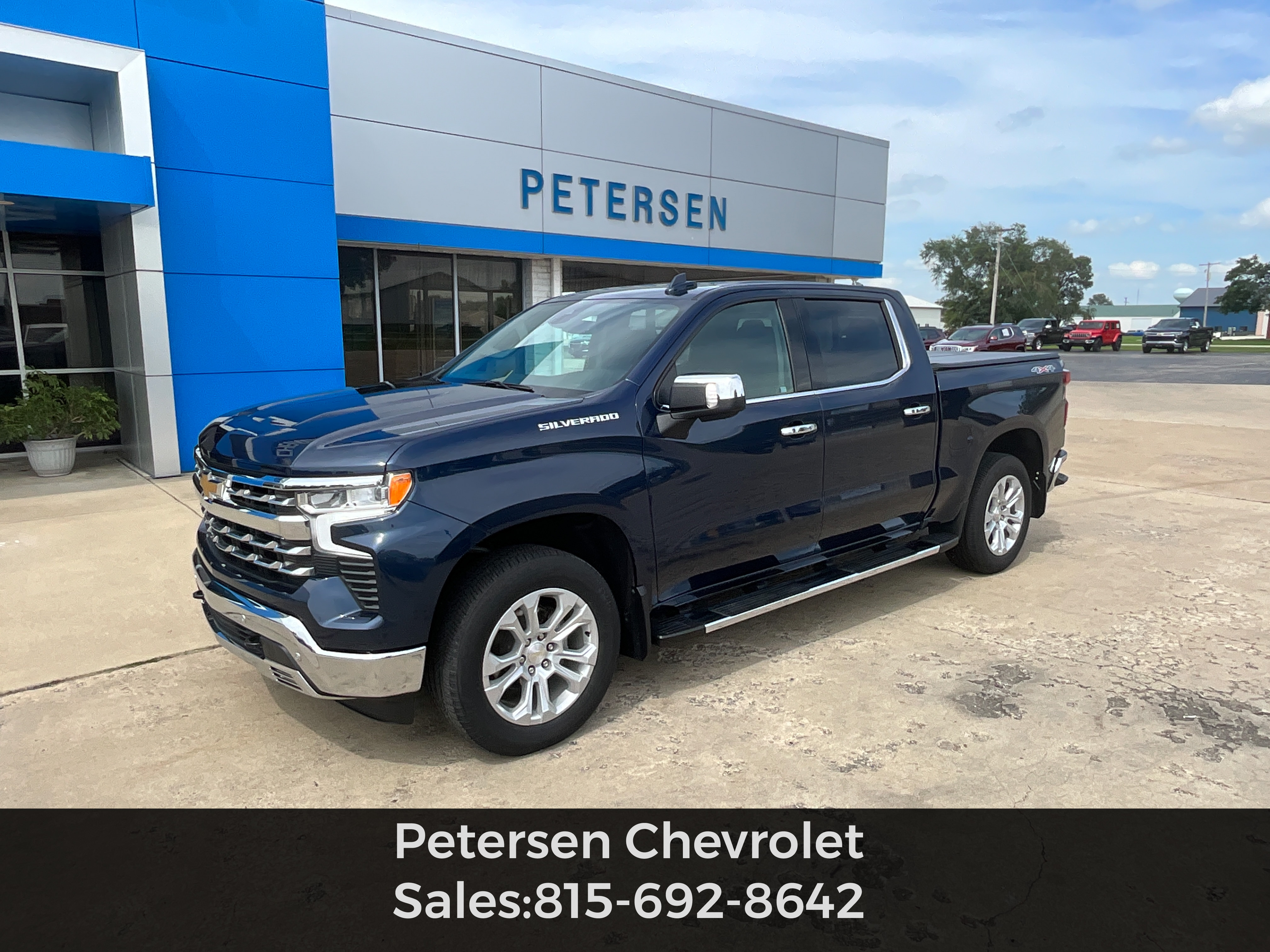
Credit: www.petersenchevy.com
Preparing For The Programming Process
Before you begin programming, it’s crucial to gather the necessary components and ensure a safe environment. This preparation will make the entire process smoother and more efficient.
Gather Your Tools And Information
You will need three primary items:
- Your 2023 Chevy Silverado: Ensure the vehicle is parked within range of your garage door opener.
- Your Existing Garage Door Opener Remote: This is essential for the HomeLink system to learn the correct signal. Make sure the battery in the remote is fresh, as a weak battery can cause programming failures.
- Access to Your Garage Door Opener’s Motor Unit: You will need to locate the “Learn” or “Program” button on the motor unit itself, which is typically mounted on the ceiling of your garage.
It’s also highly recommended to have your Silverado’s owner’s manual and your garage door opener’s manual readily available. These documents often contain specific details or troubleshooting tips relevant to your particular models.
Understanding Fixed Vs. Rolling Codes
The programming procedure differs significantly depending on whether your garage door opener uses a fixed code or a rolling code system.
- Fixed Code: These older systems transmit a single, unchanging code. Programming is usually straightforward, involving pressing and holding the HomeLink button and the remote button simultaneously until the HomeLink indicator light changes.
- Rolling Code: These modern systems generate a new, unique code each time the remote is used for enhanced security. Programming a rolling code system requires an extra step where you must press the “Learn” button on the garage door opener’s motor unit to synchronize the HomeLink system with the opener.
You can usually determine which type of code your opener uses by checking its manual or looking for labels on the motor unit. If your opener’s brand is listed on the HomeLink compatibility page, it will often specify whether it uses rolling codes and what the procedure entails.
Safety Precautions
Safety is paramount when working with garage door openers.
- Park Safely: Ensure your vehicle is parked a safe distance from the garage door, allowing it to open and close fully without obstruction.
- Disconnect Power (Optional but Recommended for Rolling Codes): For rolling code systems, some manufacturers recommend temporarily disconnecting the power to your garage door opener motor unit before pressing the “Learn” button. This prevents accidental activation of the opener during the programming phase. Remember to reconnect it afterward.
- Clear the Area: Make sure there are no people, pets, or objects in the path of the garage door when you are testing the programmed buttons.
- Use a Ladder Safely: If you need to access the motor unit on the ceiling, use a sturdy ladder and ensure it is placed on a stable surface. Have someone assist you if possible.

Credit: www.citychevrolet.com
Programming A Fixed Code Garage Door Opener
Programming a fixed code system is generally the simpler of the two main methods. It involves teaching the HomeLink buttons to mimic the signal of your existing remote.
Step-by-step Programming (fixed Code)
- Clear Existing HomeLink Programming (If Necessary): To start fresh, press and hold the two outer HomeLink buttons (usually buttons 1 and 3) simultaneously for about 10 seconds. The indicator light will flash rapidly, then turn solid. Release the buttons. This erases any previously programmed devices.
- Position the Remote: Take your existing garage door opener remote and place it within 1-3 inches of the HomeLink buttons on your Silverado’s rearview mirror or console.
- Press and Hold HomeLink and Remote Buttons: Press and hold the desired HomeLink button (1, 2, or 3) that you want to assign to your garage door opener. Simultaneously, press and hold the button on your existing remote that operates your garage door.
- Observe the Indicator Light: Continue holding both buttons. The HomeLink indicator light will begin to flash slowly, then rapidly. This rapid flashing indicates that HomeLink has learned the fixed code signal from your remote.
- Release Buttons: Once the HomeLink light flashes rapidly, release both the HomeLink button and the remote button.
- Test the Button: Briefly press the HomeLink button you just programmed. If the garage door operates, you have successfully programmed a fixed code opener. If it doesn’t, proceed to the next section for rolling code programming or troubleshooting.

Credit: www.youtube.com
Programming A Rolling Code Garage Door Opener
Rolling code systems require an additional step to ensure security and proper synchronization. This process involves a communication handshake between your truck, your remote, and the garage door opener’s motor unit.
Step-by-step Programming (rolling Code)
- Clear Existing HomeLink Programming (If Necessary): As with fixed code, it’s good practice to clear any existing programming. Press and hold the two outer HomeLink buttons (1 and 3) simultaneously for about 10 seconds until the indicator light flashes rapidly, then turns solid. Release the buttons.
- Position the Remote: Place your existing garage door opener remote 1-3 inches away from the HomeLink buttons.
- Press and Hold HomeLink and Remote Buttons: Press and hold the desired HomeLink button (1, 2, or 3) you wish to assign. Simultaneously, press and hold the button on your existing remote.
- Observe the Indicator Light: The HomeLink indicator light will flash slowly, then rapidly. This indicates that HomeLink has received the signal from your remote. Release both buttons.
- Locate the “Learn” Button on the Motor Unit: Go to your garage and locate the “Learn” or “Program” button on the garage door opener’s motor unit. This button is often a small, colored button (red, green, yellow, or purple) on the back or side of the unit, sometimes next to the antenna wire. Consult your opener’s manual if you cannot find it.
- Press the “Learn” Button: Press and immediately release the “Learn” button on the motor unit. You typically have about 30 seconds to complete the next step. The “Learn” indicator light on the motor unit should illuminate.
- Return to Your Vehicle: Go back to your 2023 Chevy Silverado.
- Press and Hold the Programmed HomeLink Button: Press and hold the HomeLink button you programmed in steps 3 and 4. Do not release it.
- Observe the Garage Door: Watch your garage door opener’s motor unit. The indicator light on the motor unit may flash, or you might hear a click. After a few seconds (typically 2-5 seconds), the garage door should activate (move slightly or open/close).
- Release the HomeLink Button: Once the garage door activates, release the HomeLink button.
- Test the Button: Briefly press the programmed HomeLink button again. Your garage door should now operate normally.
If the door doesn’t operate, you may need to repeat the process, ensuring you are within the 30-second window after pressing the “Learn” button. Some systems might require you to press and hold the HomeLink button for a slightly longer duration in step 8.
Troubleshooting Common Issues
Even with clear instructions, programming can sometimes hit snags. Here are some common issues and how to address them.
Garage Door Doesn’t Respond
- Incorrect Code Type: Double-check if you followed the correct procedure for fixed versus rolling codes. Most modern openers are rolling code.
- Weak Remote Battery: A low battery in your original remote can prevent HomeLink from learning the signal correctly. Replace the battery.
- Distance/Interference: Ensure the remote is close enough to the HomeLink buttons during the initial learning phase. Also, check for potential radio frequency interference from other devices.
- “Learn” Button Window: For rolling codes, you might be outside the 30-second window after pressing the “Learn” button. Try again, being quicker.
- Motor Unit Power: Ensure the garage door opener motor unit has power. Check the circuit breaker or unplugged cord.
- Compatibility Issues: Although rare, your opener might have a specific compatibility issue. Refer to the HomeLink compatibility website.
Homelink Indicator Light Behavior
- Solid Light: A solid light after initial programming often indicates success with fixed codes.
- Rapid Flashing: This usually means HomeLink has learned a signal or has been cleared.
- No Light: Ensure the vehicle is on or in accessory mode, and check the HomeLink fuse if specified in your owner’s manual.
- Slow Flashing: This can indicate an error or that the system is waiting for input.
Resetting Homelink
If you encounter persistent issues or want to reprogram all buttons, you can reset the entire HomeLink system.
- Press and Hold Outer Buttons: Press and hold the two outer HomeLink buttons (1 and 3) simultaneously.
- Wait for Light Change: Continue holding for about 10-20 seconds. The indicator light will change from off to flashing slowly, then to flashing rapidly.
- Release Buttons: Release the buttons once the light flashes rapidly. The system is now cleared and ready for new programming.
This reset function is crucial for clearing out old programming and starting fresh, especially if you’ve sold the vehicle or are experiencing conflicts. For more in-depth reset procedures, consult your 2023 Silverado owner’s manual.
Advanced Tips And Maintenance
Once your HomeLink system is programmed, a few extra considerations can enhance its usability and longevity.
Reprogramming A Single Button
If you only need to change the programming for one specific button, you don’t need to reset the entire system. Simply follow the initial programming steps (either fixed or rolling code, depending on your opener) but target the specific HomeLink button you wish to reprogram.
The system will overwrite the existing programming for that button only.
Adding New Remotes Or Openers
When you get a new garage door opener or add another opener (like a gate), you’ll follow the same programming procedure for each new device, assigning them to available HomeLink buttons. Remember that each HomeLink button can only be programmed to one device at a time.
Maintaining Your Garage Door Opener
While programming the HomeLink system is a one-time setup (unless you change openers), maintaining your garage door opener is an ongoing task. Regularly check the rollers and tracks for wear and tear, and lubricate them as needed to ensure smooth operation. A well-maintained opener will not only last longer but also respond more reliably to your HomeLink commands. You can find detailed guidance on this in our article on how to lube garage door rollers for smooth, quiet operation. Also, ensuring the chain tension on your opener is correct is vital for its performance, as discussed in how to adjust the chain on a garage door opener.
Understanding Signal Range
The range of your HomeLink system is generally comparable to your original remote, but it can be affected by factors like battery strength, antenna condition on the motor unit, and environmental interference. If you notice a reduced range, check the battery in your original remote and ensure the garage door opener’s antenna is hanging vertically and is not obstructed.
Programming Examples For Popular Brands
While the general process is outlined above, specific brands might have slight variations. Here are examples for common garage door opener brands.
Chamberlain And Liftmaster (often Use Rolling Codes)
Chamberlain and LiftMaster openers, which share much of the same technology, almost exclusively use rolling codes.
- Vehicle Preparation: Ensure HomeLink buttons are cleared.
- Remote Training: Hold your Chamberlain/LiftMaster remote near the desired HomeLink button and press both simultaneously until the HomeLink light flashes rapidly.
- Motor Unit Synchronization: Go to the garage, press and release the purple, red/orange, green, or yellow “Learn” button on the motor unit (the color depends on the model).
- Vehicle Confirmation: Return to your truck and press and hold the programmed HomeLink button for 2-5 seconds until the garage door activates. Release.
Genie (can Use Fixed Or Rolling Codes)
Genie offers a wide range of openers, some older models using fixed codes and newer ones using Intellicode (rolling code).
- For Intellicode (Rolling Code): Follow the same steps as Chamberlain/LiftMaster, noting that the “Learn” button on Genie openers is often red or green.
- For Fixed Code: The process is similar to the fixed code steps outlined earlier, often without needing to press the “Learn” button on the motor unit. Simply hold the remote and HomeLink button until the HomeLink light flashes rapidly.
Craftsman (varies By Model)
Craftsman openers have been manufactured by various companies over the years, leading to different technologies.
- Models with Security+ (Rolling Code): Similar procedure to Chamberlain/LiftMaster. The “Learn” button is often red/orange.
- Older Models (Fixed Code): Follow the fixed code procedure.
Pro Tip: Always consult the specific manual for your garage door opener model. Many manuals are available online if you’ve misplaced yours. If you’re having trouble with a specific brand, searching online for “[Brand Name] HomeLink programming” often yields helpful results or videos.
Frequently Asked Questions
What If My Garage Door Opener Is Not Listed On The Homelink Compatibility Website?
If your garage door opener model is not listed, it doesn’t automatically mean it’s incompatible. Many openers use standard frequencies. You can try the programming process for a rolling code opener. If it doesn’t work after a few attempts, you might need to purchase a HomeLink compatibility bridge, which can translate signals from non-compatible openers.
How Many Garage Door Openers Can I Program To My 2023 Silverado?
Your 2023 Chevy Silverado’s HomeLink system has three buttons. You can program up to three different garage door openers, gates, or other compatible devices. Each button can be programmed independently.
Do I Need To Have My Car Running To Program Homelink?
No, you do not need to have the engine running. However, your vehicle’s electrical system needs to be active. Turn the ignition key to the “Accessory” (ACC) position or start the engine. The HomeLink buttons require power to operate.
Can I Program My Homelink Buttons From Inside The Garage?
Yes, you can perform the entire programming process from inside your garage. Ensure your vehicle is parked close enough to the garage door opener motor unit for the signals to be transmitted and received effectively.
What Should I Do If I Accidentally Press The “learn” Button On My Garage Door Opener?
If you accidentally press the “Learn” button on your garage door opener’s motor unit, it will erase the existing codes from all previously programmed remotes and HomeLink buttons. You will need to reprogram all your remotes and HomeLink buttons using the standard procedures for your specific opener model.
This is why it’s crucial to be deliberate when interacting with the motor unit.
The integration of the HomeLink system into your 2023 Chevy Silverado represents a significant step in vehicle convenience. By carefully following the outlined steps, understanding the difference between fixed and rolling codes, and performing the necessary safety checks, you can successfully program your garage door opener.
This feature not only streamlines your daily routine but also enhances the modern, connected experience that Chevrolet vehicles offer. Remember to consult your owner’s manuals for the most precise instructions tailored to your specific vehicle and garage door opener model.