Now Reading: How To Program A Dodge Ram Garage Door Opener
- 01
How To Program A Dodge Ram Garage Door Opener

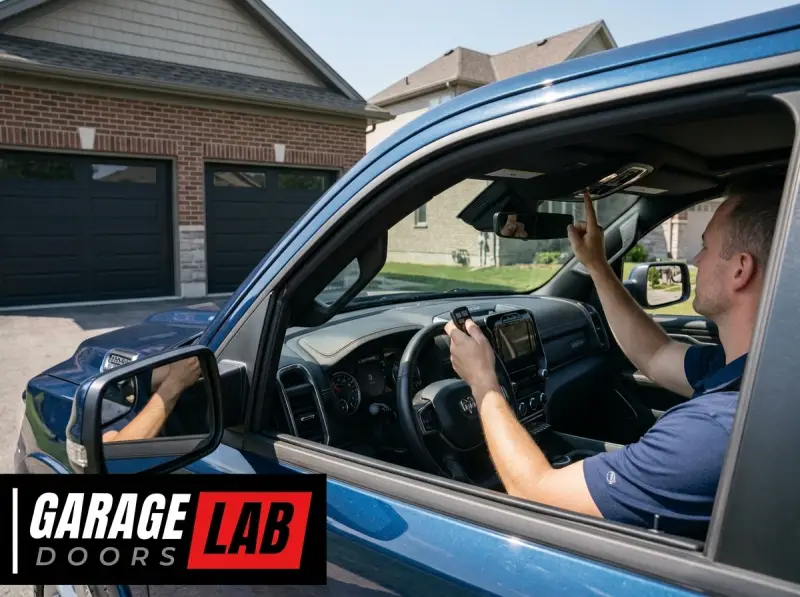
The convenience of a garage door opener is undeniable, transforming the daily routine of accessing your home. For Dodge Ram owners, this convenience can be further enhanced by integrating your garage door opener directly into your vehicle’s built-in keyless entry system. This feature, often referred to as the HomeLink system, allows you to program your garage door opener to buttons located on your vehicle’s visor or rearview mirror, eliminating the need for a separate, bulky remote. While the process is generally straightforward, understanding the specific steps for your Dodge Ram and your garage door opener model is crucial for a successful setup.
This guide will walk you through the entire process of programming a Dodge Ram garage door opener, covering everything from identifying your HomeLink system to troubleshooting common issues. Whether you have a new Ram truck or an older model, this comprehensive approach ensures you can enjoy the seamless integration of your garage door opener with your vehicle.
We’ll explore the different HomeLink versions, the compatibility considerations, and the step-by-step programming methods, ensuring you can get back to enjoying the simple luxury of pulling into your garage with just the press of a button.
Key Takeaways
- Identify Your HomeLink System: Dodge Rams typically use the HomeLink Connect system, usually found on the visor or rearview mirror.
- Check Compatibility: Ensure your garage door opener (manufactured after 1993) is compatible with HomeLink, as some rolling code systems may require an additional accessory.
- Clear Existing Codes: Before programming, clear any previously stored codes on your HomeLink system to avoid interference.
- Remote Training: The primary method involves training the HomeLink buttons using your existing garage door opener remote.
- Receiver/Learn Button: For rolling code openers, you’ll need to press the “Learn” or “Program” button on your garage door opener’s motor unit.
- Sequential Programming: If multiple buttons are used, program them sequentially to avoid overwriting.
- Troubleshooting: Common issues include signal interference, incorrect button presses, and compatibility problems.
- Professional Help: If you encounter persistent issues, consult your vehicle’s owner’s manual or a garage door professional.
Understanding Your Dodge Ram’s Homelink System
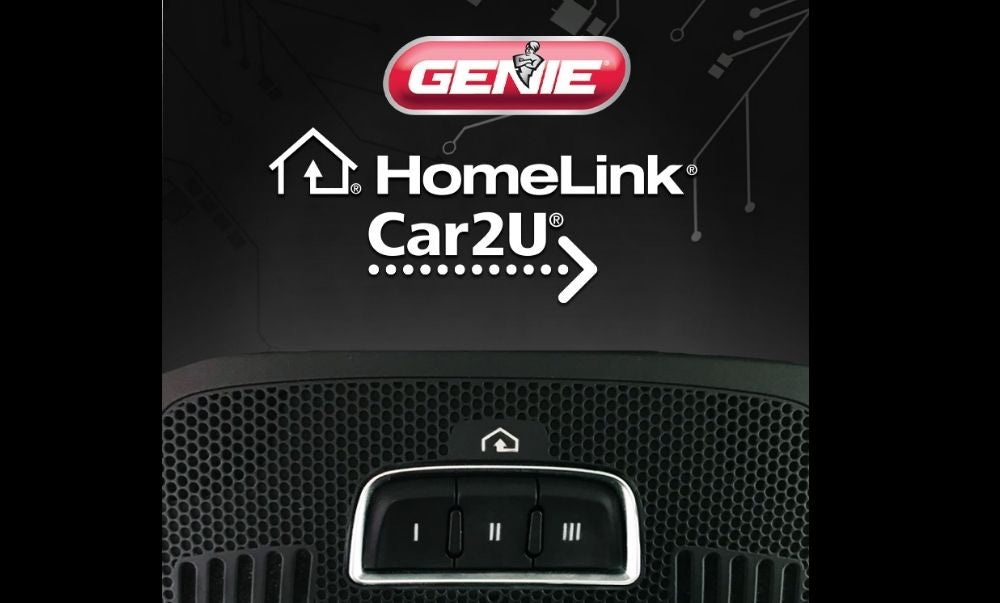
The HomeLink system is a universally recognized in-vehicle remote control system. In Dodge Ram trucks, this technology is typically integrated into the driver’s side visor or the rearview mirror assembly. It essentially acts as a multi-button universal garage door opener remote, but without the need to carry a separate device. The system consists of three or four programmable buttons that can learn the radio frequency signals from your existing garage door opener remote, gate opener, or even security system.
The HomeLink Connect system, commonly found in newer Dodge Ram models, offers enhanced features and a more streamlined interface compared to older iterations. It’s designed to be intuitive, but understanding its components and how it communicates with your garage door opener is the first step toward successful programming.
Locating The Homelink Buttons
Your first step is to physically locate the HomeLink buttons on your Dodge Ram.
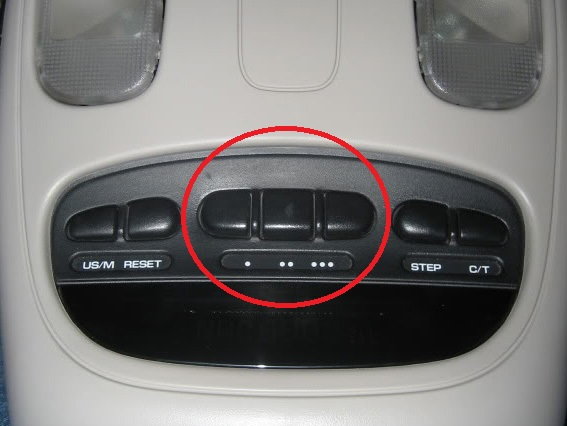
- Visor Mounted: In many Ram models, you’ll find a small panel with buttons integrated into the overhead console or the driver’s side sun visor. These buttons are usually subtly marked with a HomeLink logo or a simple dot.
- Rearview Mirror Mounted: Newer models might have the buttons located on the base of the rearview mirror, often on the side facing you or integrated into the mirror housing itself.
Take a moment to familiarize yourself with the number of buttons available. Most systems have three, but some may offer four. This will determine how many devices you can program.
How Homelink Works
HomeLink operates by mimicking the signal of your existing garage door opener remote. When you press a HomeLink button, it transmits a radio frequency signal. Initially, the system is in a “training mode” where it learns the specific signal from your remote.
Once programmed, it transmits that learned signal each time you press the button.
There are two primary types of garage door opener signals:
- Fixed Code: These openers use a single, unchanging radio frequency code. HomeLink can easily learn and replicate this code.
- Rolling Code: Most modern garage door openers use rolling codes for enhanced security. Each time you use the remote, the code changes according to a complex algorithm. HomeLink can learn the initial code, but to activate the opener, you often need to “pair” the HomeLink system with the opener’s motor unit using its “Learn” or “Program” button.
Understanding which type of code your garage door opener uses is crucial for the programming process. Most openers manufactured after 1993 will have this information in their manuals.

Credit: www.youtube.com
Preparing For Programming
Before you begin the actual programming, a few preparatory steps will ensure a smoother and more successful experience. This includes checking compatibility, gathering necessary components, and clearing any existing codes.
Compatibility Check
Not all garage door openers are directly compatible with HomeLink. While HomeLink supports a vast majority of openers, there are exceptions, particularly with very old systems or some specific rolling code technologies.
- Age of Opener: HomeLink is generally compatible with garage door openers manufactured after 1993.
- Rolling Code Systems: If you have a rolling code system, you will likely need to perform an additional step involving the “Learn” button on your garage door opener’s motor unit.
- Manufacturer Websites: The HomeLink website (HomeLink.com) provides a compatibility checker where you can input your vehicle’s make and model and your garage door opener’s brand and model to confirm compatibility and get specific instructions.
Gather Your Tools And Information
You’ll need a few things readily available:
- Your Dodge Ram Vehicle: Ensure it’s parked within range of your garage door opener.
- Your Existing Garage Door Opener Remote: This is essential for transmitting the code to your HomeLink system. Make sure it has a fresh battery.
- Your Garage Door Opener Motor Unit: You may need to access the “Learn” or “Program” button on this unit, typically located on the back or side.
- A Ladder: To safely reach the motor unit if it’s mounted high on the garage ceiling.
- Your Vehicle’s Owner’s Manual: This can provide specific details about your Ram’s HomeLink system.
Clearing Existing Homelink Codes
It’s a best practice to clear any previously programmed codes from your HomeLink system before programming a new opener. This prevents potential conflicts or interference from old signals.
- Ignition ON: Turn your vehicle’s ignition to the ON/RUN position (you don’t need to start the engine).
- Press and Hold: Press and hold the two outer HomeLink buttons (usually button 1 and button 3) simultaneously.
- Indicator Light: Continue holding until the HomeLink indicator light, typically located above the buttons, changes from solid to flashing rapidly. This usually takes about 10-20 seconds.
- Release Buttons: Release both buttons.
- Confirmation: The rapid flashing indicates that all previous codes have been erased.
If the indicator light turns solid again instead of flashing rapidly, or if it doesn’t flash at all, repeat the process.
Credit: dodgeforum.com
Programming Your Dodge Ram Garage Door Opener (fixed Code)
This method is for older garage door openers that use a fixed code. It’s generally the simpler of the two programming processes.
Step-by-step Programming
- Park Your Ram: Position your Dodge Ram truck within 5-15 feet of your garage door opener motor unit.
- Locate HomeLink Buttons: Identify the HomeLink buttons on your visor or rearview mirror.
- Select a Button: Choose an unused HomeLink button to program.
- Press and Hold Remote: Hold your existing garage door opener remote about 1-3 inches away from the HomeLink buttons.
- Press HomeLink Button: Simultaneously press and hold the chosen HomeLink button and the button on your garage door opener remote.
- Observe Indicator Light: Watch the HomeLink indicator light. It will likely turn solid for a moment, then begin to flash slowly. This indicates it has received and is attempting to learn the signal from your remote.
- Release Buttons: Once the HomeLink indicator light begins to flash slowly, release both the HomeLink button and the remote button.
- Test the Button: Press the programmed HomeLink button once. The indicator light should flash, and if the code was learned successfully, your garage door should activate.
If the garage door operates, you have successfully programmed your fixed-code opener. If not, proceed to the next section which covers rolling code systems, as you might have a fixed code opener that requires the “Learn” button step, or you might have a rolling code opener.
Credit: store.geniecompany.com
Programming Your Dodge Ram Garage Door Opener (rolling Code)
Most modern garage door openers utilize rolling code technology for enhanced security. This process requires an extra step to synchronize the HomeLink system with the garage door opener’s motor unit.
The “learn” Button Synchronization
This method involves training the HomeLink system and then “teaching” your garage door opener’s motor unit to recognize the signal from your HomeLink button.
- Park Your Ram: Position your Dodge Ram truck within 5-15 feet of your garage door opener motor unit.
- Initiate HomeLink Training: Follow steps 1-7 from the “Fixed Code” programming section above. This will get the HomeLink system into a state where it has learned the initial signal from your remote, and the indicator light is flashing slowly.
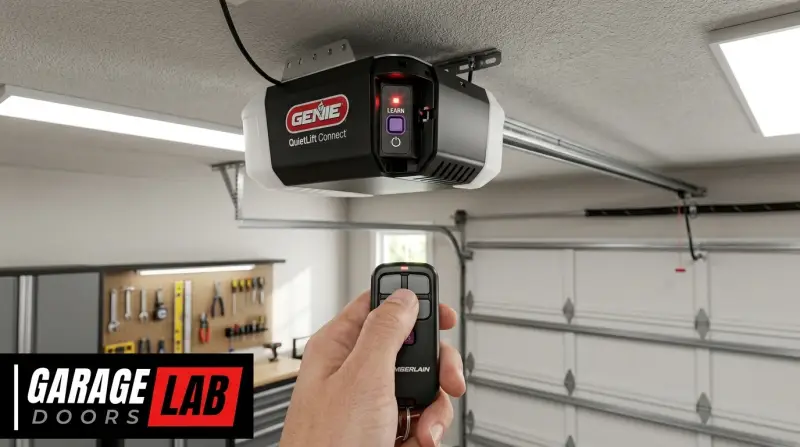
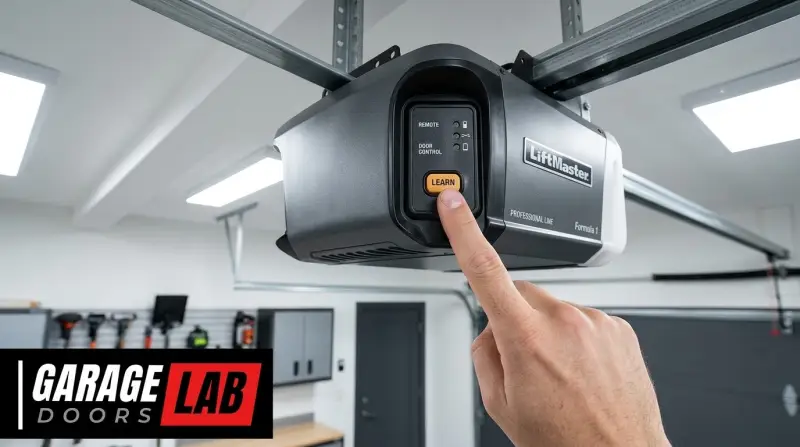
- Locate the “Learn” Button: Go to your garage door opener’s motor unit. Locate the “Learn” or “Program” button. This is often a small, colored button (red, green, purple, or yellow) on the back or side panel, usually near the antenna wire.
- Press the “Learn” Button: Press and release the “Learn” button on the motor unit. The indicator light on the motor unit should illuminate or blink, indicating it’s in programming mode for approximately 30 seconds.
- Return to Your Vehicle: Immediately return to your Dodge Ram.
- Press and Hold Programmed HomeLink Button: Press and hold the HomeLink button you just programmed in step 2.
- Observe Indicator Light: The HomeLink indicator light will likely flash rapidly, then turn solid. This signifies that the HomeLink system has successfully synchronized with your garage door opener motor unit.
- Release the HomeLink Button: Release the HomeLink button.
- Test the System: Press the programmed HomeLink button again. Your garage door should now operate.
Important Considerations for Rolling Codes:
- Timing is Crucial: You have a limited window (usually 30 seconds) after pressing the “Learn” button on the motor unit to return to your vehicle and press the HomeLink button.
- Multiple Attempts: It may take a few attempts to get the timing right. Don’t get discouraged if it doesn’t work on the first try.
- Consult Manuals: Refer to both your Dodge Ram owner’s manual and your garage door opener’s manual for specific instructions related to your models. Some manufacturers have slightly different procedures.
Programming Multiple Garage Door Openers Or Devices
If you have more than one garage door opener, or if you wish to program other compatible devices like a driveway gate or a security system, you can use the remaining HomeLink buttons.
Sequential Programming
It’s best to program each device sequentially, using a different HomeLink button for each.
- Repeat the Process: For each additional device, repeat the entire programming process (either the fixed code or rolling code method, depending on your opener type).
- Use a Different Button: Select a different, unprogrammed HomeLink button for each new device. For instance, if you programmed button 1 for your garage door, use button 2 for your driveway gate.
- Maintain Distance: Ensure you are within the recommended range of the respective opener motor unit or receiver for each device.
Example Scenario:
- HomeLink Button 1: Primary garage door opener.
- HomeLink Button 2: Second garage door opener (if applicable).
- HomeLink Button 3: Driveway gate opener.
By using a dedicated button for each device, you avoid accidental activation and simplify operation.
Troubleshooting Common Issues
Even with careful adherence to the steps, you might encounter a few hiccups. Here are some common problems and their solutions.
Garage Door Opener Not Responding
- Check Remote Battery: Ensure your original garage door opener remote has a working battery. A weak battery can transmit an insufficient signal.
- Distance: You might be too far from the motor unit during programming. Try moving your vehicle closer.
- Signal Interference: Other radio frequency devices can sometimes interfere. Try programming at a different time of day or ensure no other high-powered wireless devices are active nearby.
- Incorrect Code Type: Double-check if your opener is fixed code or rolling code and that you’re using the correct programming procedure.
- Faulty Remote: If your original remote is malfunctioning, HomeLink won’t be able to learn its signal.
Homelink Indicator Light Not Flashing Or Behaving Strangely
- Clear Codes Again: The most common fix is to re-clear the existing HomeLink codes and start the process from scratch. Ensure the light flashes rapidly after clearing.
- Ignition Position: Make sure your vehicle’s ignition is in the ON/RUN position. Some systems may not program if the ignition is off or in accessory mode.
- Button Hold Duration: Ensure you are holding the buttons down for the required duration, especially during the clearing process.
Rolling Code Programming Fails
- Timing: The most frequent issue here is timing. You must press the “Learn” button on the motor unit and then immediately return to the vehicle and press the HomeLink button within the 30-second window.
- Accessory Needed: Some very specific rolling code systems might require a HomeLink Compatibility Bridge or External Receiver Module. Check the HomeLink compatibility checker for details. You can find information on compatible accessories via the HomeLink website.
- Motor Unit Issue: Ensure the “Learn” button on the motor unit itself is functioning correctly.
Accidental Programming Of The Wrong Button
If you accidentally program the wrong HomeLink button, simply re-select the desired button and repeat the programming process for that specific button. You don’t need to clear all codes unless you’re experiencing significant issues.
Inability To Clear Codes
If you’re having trouble clearing the codes, ensure you are pressing the correct two outer buttons simultaneously and holding them until the indicator light flashes rapidly. If it persists, consult your owner’s manual or contact HomeLink support.
Maintaining Your Homelink System
Once programmed, the HomeLink system requires minimal maintenance. However, there are a few points to keep in mind.
Battery Replacement In Your Ram
Replacing the 12V battery in your Dodge Ram does not typically erase the HomeLink programming. The system is designed to retain these codes even without vehicle power. However, if you disconnect the battery for an extended period or for specific service, it’s wise to be prepared to reprogram your HomeLink buttons.
Garage Door Opener Motor Unit Replacement
If you replace your garage door opener motor unit, you will need to reprogram your HomeLink buttons to communicate with the new unit. The process will be the same as the initial programming, using the new opener’s remote and potentially its “Learn” button.
Vehicle Ownership Transfer
If you sell your Dodge Ram, it’s a good security practice to clear the HomeLink codes. This prevents the new owner from accessing your garage. Follow the steps outlined in the “Clearing Existing HomeLink Codes” section.
Advanced Tips And Considerations
To further enhance your experience and ensure optimal performance, consider these advanced tips.
Programming Gate Openers And Other Devices
HomeLink is not limited to garage door openers. It can be programmed to operate:
- Driveway Gate Openers: Similar to garage doors, you’ll use the existing remote and potentially the receiver’s programming button.
- Home Security Systems: Some systems have remote receivers that can be programmed.
- Entry Door Locks: Certain smart locks with radio frequency remotes can be integrated.
Always check the compatibility of these devices with HomeLink before attempting to program.
Using The Homelink App
Newer versions of HomeLink may integrate with smartphone apps that can assist with programming, provide status updates, and even offer remote control capabilities if paired with compatible smart home devices. Check if your Ram’s system supports such an app.
Professional Garage Door Maintenance
While programming is a DIY task, remember that the overall function of your garage door system relies on proper maintenance. Regularly inspect and lubricate moving parts, such as garage door rollers and tracks. Following a schedule for how to lube garage door rollers can prevent wear and tear, ensuring smooth operation that complements the convenience of your HomeLink system. Additionally, ensuring the chain on your garage door opener is properly adjusted can prevent noise and strain.
Comparison Of Programming Methods
To summarize the different approaches, here’s a quick comparison:
| Feature | Fixed Code Programming | Rolling Code Programming |
|---|---|---|
| Requires Original Remote? | Yes | Yes |
| Requires Motor Unit “Learn” Button? | No (typically) | Yes |
| Complexity | Simpler | More complex, requires precise timing |
| Common On | Older garage door openers (pre-1995) | Modern garage door openers (post-1995) |
| Security Level | Lower | Higher |
Frequently Asked Questions
Why Won’t My Homelink Buttons Program My Garage Door Opener?
There could be several reasons: your garage door opener might be too old or use a proprietary system incompatible with HomeLink. Ensure you’re using the correct programming method (fixed vs. rolling code). Also, verify the battery in your original remote is strong, and try clearing existing HomeLink codes before attempting to reprogram. Sometimes, a HomeLink Compatibility Bridge is necessary for certain rolling code systems.
How Do I Know If My Dodge Ram Has Homelink?
Look for buttons on your driver’s side sun visor, in the overhead console, or on the base of your rearview mirror. These buttons are usually marked with a HomeLink logo or simple dots. You can also consult your vehicle’s owner’s manual.
Can I Program Homelink Without My Original Remote?
No, for most programming methods, your original garage door opener remote is essential. It serves as the source signal that the HomeLink system learns. Some newer systems might offer app-based programming, but traditional HomeLink requires the physical remote.
How Many Devices Can I Program To Homelink?
Most HomeLink systems have three or four programmable buttons, allowing you to control up to three or four different devices, such as multiple garage doors, a driveway gate, or a security system.
What Should I Do If My Homelink System Stops Working After A Few Weeks?
If your HomeLink system suddenly stops working, the most common cause is interference from other radio frequency devices or a change in the garage door opener’s signal frequency (especially if the motor unit was recently replaced or reprogrammed). Try reprogramming the affected button.
If the issue persists, ensure your original remote is still functioning correctly and consider consulting your owner’s manual or a garage door professional.
The integration of your garage door opener with your Dodge Ram’s HomeLink system offers a significant boost in convenience and security. By understanding your vehicle’s system, the type of garage door opener you have, and following the correct programming steps, you can enjoy seamless access to your garage.
Remember to check compatibility, prepare adequately, and don’t hesitate to consult your manuals or a professional if you encounter difficulties. This simple technological integration can make a noticeable difference in your daily routine.