
Understanding and operating your garage door opener is essential for home security and convenience. When it comes to older models, like the LiftMaster 696CD, you might find yourself needing to program or reprogram its remote control. These older units, while reliable, often have a slightly different process than their modern counterparts. This guide will walk you through the steps to program your LiftMaster 696CD garage door opener remote, ensuring you can regain easy access to your garage. We’ll cover everything from identifying the necessary components to troubleshooting common issues, so you can get your remote working like new again.
Key Takeaways
- The LiftMaster 696CD uses a red or orange learn button on the motor unit to program remotes.
- Ensure you have the correct remote control model compatible with the 696CD.
- The programming process involves pressing the learn button and then the remote button within a specific timeframe.
- Always disconnect power to the unit before performing any internal maintenance or adjustments.
- If programming fails, check remote battery strength and unit compatibility.
- Consider upgrading older openers for enhanced security features and smart home integration.
Credit: www.youtube.com
Understanding Your Liftmaster 696cd Garage Door Opener
The LiftMaster 696CD, often referred to as a “Security+®” model, was a popular choice for homeowners seeking reliable garage access. These units typically operate on a rolling code technology, which enhances security by changing the code transmitted with each use.
This makes it significantly harder for unauthorized individuals to “capture” the code and gain entry. Knowing the basics of your opener’s design is the first step to successful programming.
Identifying The Motor Unit And Learn Button
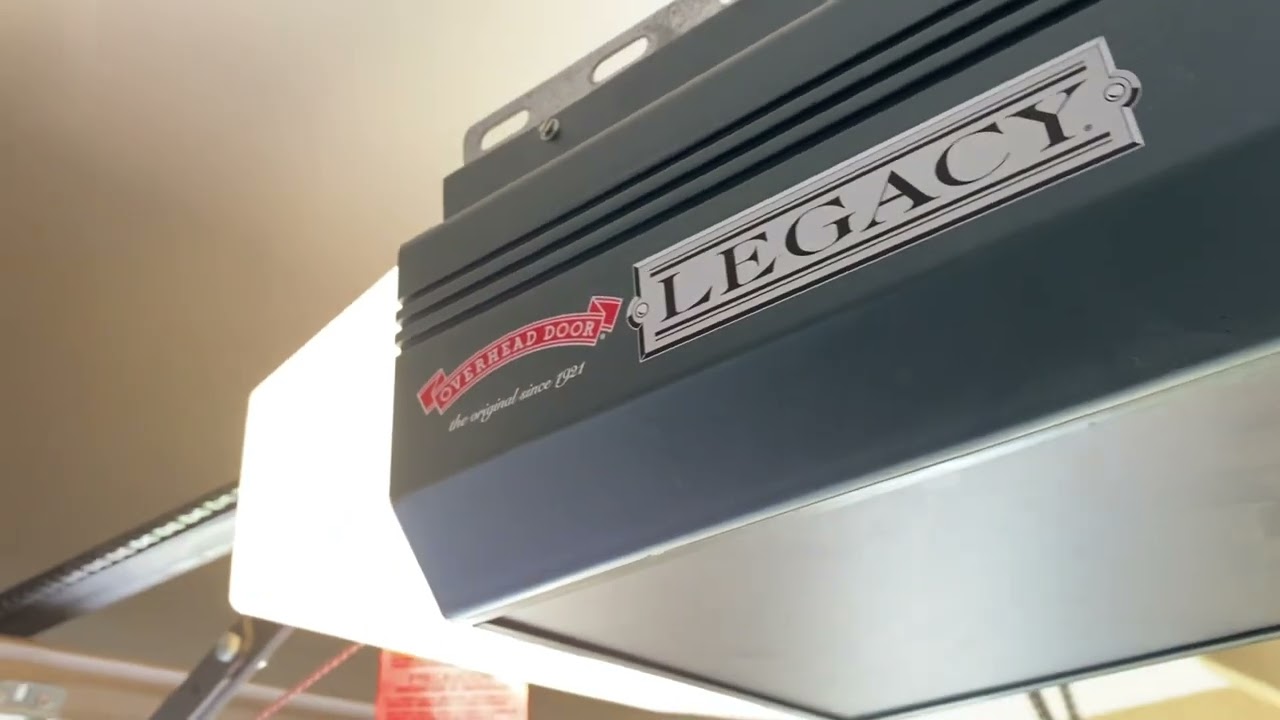
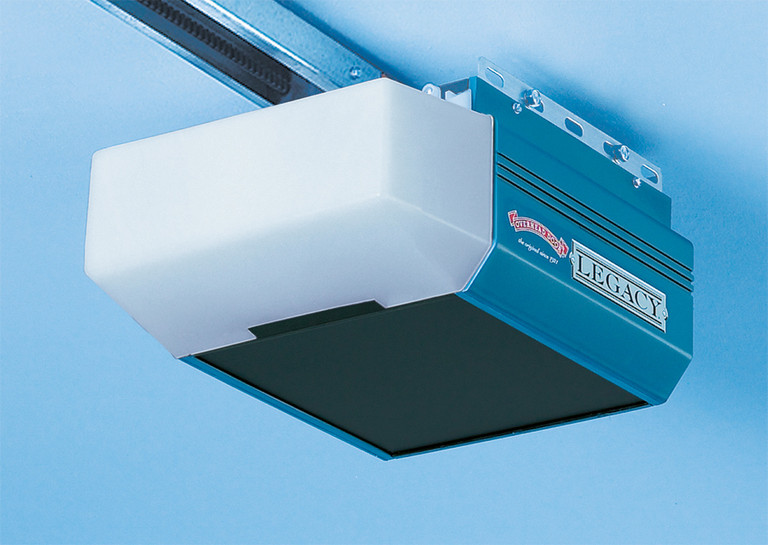
The motor unit is the main component of your garage door opener, usually mounted on the ceiling of your garage. It houses the motor, logic board, and other essential components. The most crucial element for remote programming on the 696CD is the learn button. This button is typically located on the back or side panel of the motor unit, often near the antenna wire. It’s usually a small, colored button, for the 696CD, it is commonly red or orange. Some models might have a different color, but the location is key. You’ll often find other buttons or indicators nearby, but the learn button is specifically used for pairing new remotes or keypads.
Remote Control Compatibility
Not all garage door remotes are compatible with every opener model. The LiftMaster 696CD is designed to work with specific LiftMaster remotes that utilize the Security+® system. Before you begin programming, it’s vital to ensure your remote is compatible. Look for markings on your remote, such as the LiftMaster logo or model number. If you’re unsure, consult your opener’s manual or the remote’s packaging. Using an incompatible remote will prevent the programming process from completing successfully. You can often find compatibility charts on the LiftMaster website or by contacting their customer support.
Safety Precautions Before Programming
Working with garage door openers involves moving parts and electrical components, so safety is paramount. Before you attempt to program your remote, ensure you follow these precautions:
- Disconnect Power: For safety, it’s often recommended to unplug the garage door opener from the electrical outlet before accessing the motor unit’s internal components. This prevents accidental activation while you’re working.
- Clear the Area: Make sure the garage door path is clear of any obstructions. You don’t want the door to operate unexpectedly and hit anything.
- Use a Stable Ladder: If you need to reach the motor unit, use a sturdy ladder and ensure it’s placed on a stable surface. Have someone spot you if possible.
- Read Your Manual: Always refer to your specific LiftMaster 696CD owner’s manual for detailed instructions and safety warnings.

Credit: overheaddoor7riversregion.com
Step-by-step Guide To Programming Your Liftmaster 696cd Remote
Programming a remote for your LiftMaster 696CD opener is a straightforward process once you know the steps. The core of the process involves synchronizing your remote with the opener’s receiver.
Step 1: Locate The Learn Button On The Motor Unit
As mentioned, the learn button is your primary target. For the 696CD, this is typically a red or orange button found on the back or side panel of the garage door opener’s motor unit. It might be located under a light cover or a small access panel. You may need to remove a protective cover to access it.
Step 2: Prepare Your Remote
Ensure your remote has a fresh battery. A weak battery is one of the most common reasons for programming failures. If you’ve recently replaced the battery, double-check that it’s inserted correctly.
Step 3: Initiate The Programming Sequence
- Press and release the learn button on the motor unit. A red LED indicator light next to the learn button should illuminate, indicating that the opener is in programming mode. You typically have about 30 seconds to complete the next step.
Step 4: Program The Remote Button
- Immediately after pressing the learn button, pick up your garage door remote.
- Press and hold the button on the remote that you want to use to open your garage door.
- Keep holding the remote button until the LED indicator light on the motor unit turns off, or the garage door opener light bulb flashes. This usually takes a few seconds.
Step 5: Test The Remote
- Release the button on the remote.
- Step away from the motor unit.
- Press the remote button again. The garage door should now operate.
If the door doesn’t open, repeat the steps. Sometimes it takes a couple of tries to get the timing right.
Troubleshooting Common Programming Issues
Even with clear instructions, you might encounter problems when programming your LiftMaster 696CD remote. Here are some common issues and their solutions.
Remote Not Responding After Programming
- Incorrect Learn Button: Ensure you pressed the correct learn button. Some openers have multiple buttons; only the designated learn button will initiate pairing.
- Timing Out: The programming window is short. If you took too long between pressing the learn button and the remote button, you’ll need to start over.
- Battery Issues: As mentioned, a dead or weak battery in the remote is a frequent culprit. Try a new battery.
- Incompatible Remote: Confirm that your remote is indeed compatible with the LiftMaster 696CD model. Older or different brands of remotes will not work.
- Motor Unit Interference: In rare cases, other devices operating on similar frequencies might interfere. Try programming at a different time of day or with other wireless devices in the vicinity turned off.
Garage Door Opener Light Flashes But Door Doesn’t Move
This usually indicates that the opener has registered the remote signal but is encountering a mechanical issue or a safety sensor problem.
- Safety Sensors: Check the safety sensors located near the bottom of the garage door tracks. Ensure they are aligned and unobstructed. If one sensor is blocked or misaligned, the opener will not close the door for safety reasons.
- Obstructions: Verify that there are no physical obstructions preventing the door from moving.
- Manual Operation: Try to open the door manually. If it’s difficult to move manually, there might be an issue with the door’s balance or tracks, which needs professional attention. You can learn more about how to open your garage door manually if needed.
Multiple Remotes Not Working
If you’re trying to program multiple remotes and only one works, or none of them work after programming, it could be an issue with the opener’s memory.
- Memory Overload: Some older openers have a limit to the number of remotes they can store. If you’ve reached this limit, you might need to clear the opener’s memory and start programming all remotes again. This process varies by model, but often involves pressing and holding the learn button for an extended period (e.g., 30 seconds) until the indicator light goes out. Consult your manual for specific instructions on clearing memory for the 696CD.
- Order of Programming: Ensure you are programming each remote sequentially. If you program one, then try to program a second without re-initiating the programming mode on the opener, the second remote might not be recognized.
Credit: overheaddoorpartsonline.com
Advanced Considerations And Maintenance
Beyond basic programming, understanding a few maintenance tips and advanced features can prolong the life of your LiftMaster 696CD and ensure its optimal performance.
Understanding Security+® Technology
The LiftMaster 696CD utilizes Security+® technology. This system generates a new code each time the remote is used, transmitting it to the opener. The opener’s receiver then “learns” this new code, ensuring that previous codes are no longer valid. This rolling code system is a significant security upgrade over older fixed-code systems.
When To Consider An Upgrade
While the LiftMaster 696CD is a robust opener, technology has advanced significantly. If your unit is very old, you might be missing out on features like:
- Smart Home Integration: Modern openers can often connect to Wi-Fi, allowing control via smartphone apps, voice assistants (like Alexa or Google Assistant), and integration with smart home systems.
- Enhanced Security: Newer Security+ 2.0™ and other advanced protocols offer even greater security against code interception.
- Battery Backup: Many newer models include battery backups, ensuring your garage door can still be operated during power outages.
- Quieter Operation: Newer motors and drive systems are often significantly quieter than older models.
The cost of a new garage door opener can range from a few hundred to over a thousand dollars, depending on features and installation. Understanding how much a garage door opener costs can help you budget for a potential upgrade.
Routine Maintenance For Your Opener
To keep your existing 696CD running smoothly, regular maintenance is key.
- Lubrication: Periodically lubricate the moving parts of the garage door itself, such as rollers and hinges. This is crucial for smooth operation and reduces strain on the opener motor. For detailed steps, refer to how to lubricate garage door rollers.
- Chain Adjustment: If your opener is chain-driven, the chain may need occasional adjustment to maintain proper tension. Learn how to adjust the chain if you notice sagging or excessive slack.
- Visual Inspection: Regularly inspect the opener, tracks, springs, and cables for any signs of wear, damage, or loose parts. Address any issues promptly.
Comparison Of Remote Programming Methods
While the LiftMaster 696CD primarily uses the motor unit’s learn button, other garage door opener brands or even different LiftMaster models might employ alternative programming methods. Understanding these differences can be helpful if you manage multiple garage door systems.
Here’s a general comparison:
| Method | Description | Typical Brands/Models | Ease of Use | Security Implications |
|---|---|---|---|---|
| Motor Unit Learn Button (696CD) | Press a physical button on the opener’s motor unit, then press the remote button. | LiftMaster (Security+®), Chamberlain, Craftsman (older models) | Moderate (requires physical access to motor unit) | Good (rolling code technology) |
| Dip Switch Programming | Manually set a series of small switches (dip switches) on both the opener and the remote to match a specific code. | Older Genie, Stanley, Linear models | Low (tedious, requires precise matching) | Poor (fixed code, vulnerable to code grabbing) |
| Keypad/Smart Button Programming | Often involves a sequence of button presses on a wall-mounted keypad or a smart button within the motor unit, followed by remote button presses. | Marantec, some newer LiftMaster/Chamberlain models | Moderate to High (varies by system) | Good to Excellent (often rolling code or encrypted) |
| App-Based Programming | Using a smartphone app connected to a smart garage door opener hub or integrated opener. | MyQ compatible LiftMaster/Chamberlain, other smart opener brands | Very High (intuitive app interface) | Excellent (advanced encryption, remote access) |
The LiftMaster 696CD’s method is quite common for its era, balancing security with a relatively accessible programming process.
Examples Of Successful Remote Programming
To illustrate the process, let’s consider a couple of scenarios:
Scenario 1: A Homeowner Replacing a Lost Remote
Sarah’s original remote for her LiftMaster 696CD stopped working after falling out of her car. She purchased a new, compatible LiftMaster remote. Following the steps:
- She unplugged the opener for safety.
- She located the red learn button on the motor unit.
- She plugged the opener back in.
- She pressed and released the learn button. The red LED illuminated.
- She immediately pressed and held the button on her new remote.
- After a few seconds, the opener’s light flashed, and the LED turned off.
- She released the remote button, unplugged the opener again, and then tested the remote. The garage door opened successfully.
Scenario 2: A Homeowner Adding a Second Remote
Mark wanted to give his spouse a dedicated remote for their LiftMaster 696CD. He already had one remote programmed.
- He went to the motor unit and pressed the orange learn button. The LED lit up.
- He took his new remote and pressed and held its desired button.
- The opener’s light flashed after about 5 seconds.
- He released the remote button.
- He then pressed the button on his original remote to ensure it was still recognized. The door moved.
- Finally, he tested the new remote, and it also worked.
This highlights that programming a new remote typically does not erase previously programmed remotes for the 696CD, unlike some other systems where adding a new one might require re-programming all existing ones.
Frequently Asked Questions
How Do I Know If My Liftmaster 696cd Remote Is Compatible?
You should look for remotes specifically designed for LiftMaster openers using the Security+® system with a red or orange learn button. On the remote itself, there might be markings indicating “Security+®” or a model number that you can cross-reference with LiftMaster’s compatibility information. If you have the original manual or remote, that’s the best guide.
What If The Red Led Light On The Motor Unit Doesn’t Turn On When I Press The Learn Button?
If the LED doesn’t illuminate, it could mean the opener is not receiving power, or the learn button itself is faulty. First, ensure the opener is plugged in and the circuit breaker hasn’t tripped. If power is confirmed, and the button still doesn’t respond, there might be an issue with the logic board, and you may need to consult a professional or consider replacing the opener.
Can I Program A Universal Garage Door Remote To My Liftmaster 696cd?
Yes, universal garage door remotes are often compatible with Security+® systems like the one used by the 696CD. However, you must ensure the universal remote you purchase explicitly states compatibility with LiftMaster Security+® openers and specifically mentions support for the red/orange learn button system. The programming process for universal remotes can sometimes be slightly different, so always follow the instructions provided with the universal remote.
My Liftmaster 696cd Remote Worked, But Now It Doesn’t. What Could Be Wrong?
Several factors could cause a previously programmed remote to stop working. The most common is a dead or low battery in the remote. Check and replace the battery if necessary. Other possibilities include:
- Interference: Strong radio frequency interference from new devices in your area.
- Opener Memory Reset: The opener’s memory might have been accidentally cleared, requiring you to reprogram all remotes.
- Remote Damage: The remote itself might be damaged internally.
- Opener Malfunction: Less commonly, the receiver in the motor unit could be failing.
How Do I Clear The Memory Of My Liftmaster 696cd Opener?
To clear the memory of your LiftMaster 696CD, you typically need to press and hold the learn button on the motor unit for an extended period, usually around 30 seconds. Watch the LED indicator light next to the learn button; it should turn off after about 30 seconds, indicating that all programmed remotes and keypads have been erased. You will then need to reprogram any remotes or keypads you wish to use. Always consult your owner’s manual for the exact procedure for your specific model. Clearing the memory is also a good troubleshooting step if you suspect an issue with too many remotes being programmed.
Ensuring your garage door opener remote is properly programmed is a fundamental aspect of garage security and convenience. For the LiftMaster 696CD model, the process centers around the accessible red or orange learn button on the motor unit. By carefully following the steps, ensuring remote compatibility, and being aware of potential troubleshooting steps, you can maintain reliable access to your garage. Regular maintenance of both the opener and the door itself will further contribute to its longevity and safe operation, giving you peace of mind.