
Integrating a garage door opener with your 2019 Ram 1500 offers a significant upgrade in convenience and security. Imagine pulling into your driveway after a long day, the rain pouring down, and with the simple press of a button, your garage door glides open, welcoming you home.
This seamless integration transforms a routine task into a moment of effortless comfort. The 2019 Ram 1500, known for its advanced technology and user-centric design, is well-equipped to accommodate such modern conveniences, making the process of setting up your garage door opener a straightforward yet rewarding DIY project.
This guide will walk you through the essential steps and considerations for setting up your garage door opener with your 2019 Ram 1500. We’ll cover everything from understanding the different types of openers and their compatibility with your truck to the actual programming process.
Whether you’re using a factory-integrated system or adding an aftermarket solution, the goal is to achieve reliable and secure operation, enhancing your daily routine and providing peace of mind.
Key Takeaways
- Compatibility is Key: Ensure your garage door opener system (e.g., Homelink, aftermarket remote) is compatible with your 2019 Ram 1500’s electrical system and receiver.
- Locate the Receiver: Identify the specific button or panel on your truck designed for garage door opener integration.
- Programming Steps: Follow the manufacturer’s instructions for your garage door opener and your truck’s system to pair them correctly. This typically involves a learn/program button on the opener and a button-pressing sequence on your truck.
- Safety First: Always prioritize safety by ensuring the garage door path is clear and by understanding how to manually operate your garage door in case of power outages or system malfunctions.
- Troubleshooting: Be prepared to troubleshoot common issues like signal interference, incorrect programming, or dead batteries.
- Consider Alternatives: If direct integration isn’t feasible, aftermarket solutions like visor clips or smart garage door controllers offer viable alternatives.
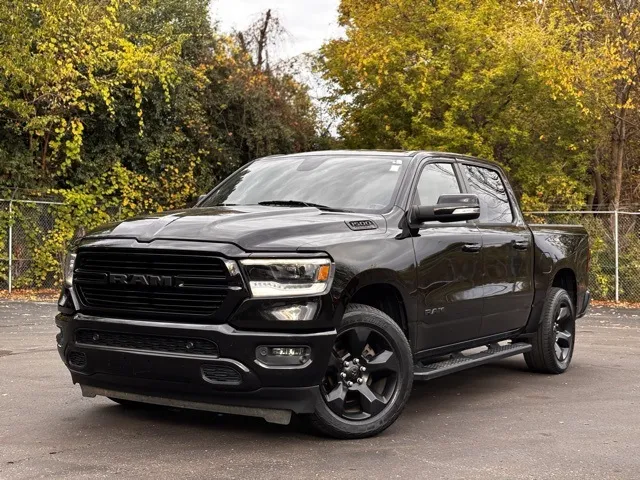
Credit: www.hankgraffdavison.com
Understanding Your 2019 Ram 1500’s Garage Door Opener Integration Options
The 2019 Ram 1500 offers a sophisticated platform for integrating garage door openers, primarily through its HomeLink Connect system. This built-in technology is designed to replace multiple remote controls with a single, integrated unit, typically located on the driver’s side visor or overhead console. Understanding how this system works is the first step in setting it up.
The Homelink Connect System
HomeLink Connect is a universal transceiver system powered by Lear Corporation. It’s designed to learn and replicate the radio frequency signals of up to four different garage door openers, remote-controlled gates, or other radio frequency devices. For the 2019 Ram 1500, the HomeLink buttons are usually integrated into the overhead console, providing easy access without needing to fumble for a separate remote.
The system works by detecting the unique signal emitted by your existing garage door opener remote. Once detected, it stores this signal in its memory, allowing you to operate your garage door by simply pressing one of the HomeLink buttons in your truck.
This eliminates the need to carry multiple remotes and streamlines your entry and exit process.
Aftermarket Solutions And Compatibility
While HomeLink is the primary integrated solution, some owners might opt for aftermarket garage door opener remotes that can be attached to a visor clip or key fob. It’s crucial to ensure that any aftermarket remote you choose is compatible with your specific garage door opener model.
Older or proprietary systems might not be recognized by newer universal remotes.
Compatibility Checks:
- Opener Frequency: Most modern garage door openers operate on frequencies like 315 MHz or 390 MHz. Older models might use different frequencies. Your Ram 1500’s HomeLink system is designed to work with a wide range of these frequencies, but it’s always good to check your opener’s manual.
- Rolling Code Technology: Many modern garage door openers use rolling code (or smart code) technology for enhanced security. This means the code changes with each use. HomeLink systems are designed to work with most rolling code openers, but the programming process might be slightly different and often requires accessing the “learn” button on the opener itself.
- Brand Specifics: While HomeLink is universal, some brands, like Chamberlain or LiftMaster, may have specific instructions or require an adapter for older models. Always refer to both your Ram 1500’s owner’s manual and your garage door opener’s manual.
Safety Features And Considerations
Before you begin programming, it’s essential to be aware of the safety features associated with both your truck and your garage door opener.
- Obstruction Sensors: Ensure your garage door opener has functioning obstruction sensors. These are critical safety devices that prevent the door from closing if an object or person is in its path. Regularly test these sensors to confirm they are working correctly.
- Manual Operation: Familiarize yourself with how to manually open your garage door. In the event of a power outage or a malfunction with the opener or your truck’s HomeLink system, you’ll need to be able to open the door. This typically involves pulling a red emergency release cord attached to the opener’s trolley. You can find detailed instructions in guides like How Can I Open My Garage Door Manually: Step-by-Step Guide.
- Clearance: Always ensure the path of the garage door is clear of any obstructions before operating it.

Credit: www.walser.com
Programming Your Garage Door Opener With Homelink Connect
The process of programming your 2019 Ram 1500’s HomeLink system involves synchronizing the truck’s buttons with your garage door opener. This generally requires two main phases: training the HomeLink system to recognize your opener’s signal and then, if necessary, synchronizing it with the opener’s rolling code.
Phase 1: Training The Homelink System
This initial phase teaches the HomeLink buttons in your Ram 1500 the specific signal from your existing garage door opener remote.
Steps:
- Park Your Ram 1500: Park your truck within range of your garage door opener. Ensure the vehicle’s ignition is in the ON or Accessory position. If your truck has a push-button start, you might need to press the start button twice without pressing the brake pedal.
- Obtain Your Garage Door Opener Remote: You will need the original remote that came with your garage door opener. Make sure it has a fresh battery.
- Locate HomeLink Buttons: Find the HomeLink buttons in your 2019 Ram 1500. These are typically located on the overhead console, above the rearview mirror.
- Clear Existing Codes (Optional but Recommended): To ensure a clean programming process and avoid conflicts, it’s often best to clear any previously programmed HomeLink codes. To do this, press and hold the two outer HomeLink buttons (usually buttons 1 and 3) simultaneously for about 10 seconds. The indicator light above the buttons will flash rapidly, then turn solid. Release the buttons.
- Select a HomeLink Button: Decide which of the three or four HomeLink buttons you want to assign to your garage door opener.
- Initiate Training: Press and hold the desired HomeLink button and the garage door opener remote simultaneously, holding them about 1-3 inches away from the HomeLink buttons.
- Observe the Indicator Light: Watch the HomeLink indicator light.
- Initially, it will flash slowly. This indicates it’s learning the signal.
- After a few seconds, it will begin to flash rapidly. This signifies that the HomeLink system has successfully learned the code from your remote.
- Release Buttons: Once the light flashes rapidly, release both the HomeLink button and the remote.
- Test the Button: Press the programmed HomeLink button briefly. The indicator light should illuminate or flash. If your garage door moves, you’ve successfully programmed it! If not, proceed to Phase 2, as your opener likely uses rolling code technology.
Pro Tip: If you’re reprogramming a remote for a garage door opener that is already programmed into HomeLink, you might need to press and hold the remote and the chosen HomeLink button for a longer period, until the indicator light flashes rapidly, before releasing.
Phase 2: Synchronizing With Rolling Code Technology
Many modern garage door openers use rolling codes for enhanced security. This means the code transmitted by the remote changes each time it’s used. HomeLink systems can be programmed to work with these openers, but it requires an extra step involving the garage door opener’s motor unit in the garage.
Steps:
- Locate the “Learn” or “Program” Button: Go to your garage and find the “Learn” or “Program” button on the garage door opener motor unit. This button is usually located on the back or side of the motor unit, often near the antenna wire. You might need to remove the light cover to access it.
- Press the “Learn” Button: Press and release the “Learn” button on the motor unit. A red or LED indicator light on the motor unit will typically illuminate, indicating it’s in programming mode. You usually have about 30 seconds to complete the next step.
- Return to Your Ram 1500: Immediately go back to your truck.
- Press and Hold the Programmed HomeLink Button: Press and hold the HomeLink button you just programmed in your truck.
- Observe the Garage Door:
- After holding the button for a few seconds, the garage door opener motor unit might click, or the indicator light on the motor unit might flash.
- The garage door may move slightly or activate its lights.
- Continue holding the HomeLink button until the garage door begins to move or the opener’s lights flash. This confirms synchronization.
- Release the Button: Once the door operates or the lights flash, release the HomeLink button.
- Test Operation: Press the programmed HomeLink button again. Your garage door should now open and close normally.
Example: If you have a LiftMaster garage door opener, the “Learn” button is often square and might be colored purple, red/orange, or green, depending on the model year. Consult your opener’s manual for its exact location and color.
Troubleshooting Common Programming Issues
If the programming process doesn’t work as expected, don’t worry. Here are some common issues and how to resolve them:
- Remote Not Recognized:
- Check Battery: Ensure your original remote has a strong battery.
- Distance: Try moving the remote closer to or further from the HomeLink buttons during training.
- Signal Interference: Other radio frequency devices can sometimes interfere. Try programming when fewer wireless devices are active.
- Opener Age/Type: Very old openers or those with unique frequencies might not be compatible. Check your opener’s manual or the manufacturer’s website.
- Rolling Code Sync Fails:
- Timing: The 30-second window between pressing the “Learn” button and programming the HomeLink button is critical. Ensure you move quickly.
- Second Person: Having someone else press the “Learn” button while you are at the truck can sometimes help with timing.
- Motor Unit Access: Make sure you are pressing the correct “Learn” button on the motor unit and not a “Lock” or other function button.
- HomeLink Button Doesn’t Respond:
- Ignition Position: Ensure your truck’s ignition is in the correct position (ON or Accessory).
- Clearing Codes: If you suspect old codes are interfering, try clearing all HomeLink codes again and start the process from scratch.
- Vehicle Reset: In rare cases, disconnecting the vehicle’s battery for a few minutes might reset the HomeLink module, but this is usually unnecessary.
- Intermittent Operation:
- Range: The range of the HomeLink system can be affected by external factors. Ensure you are within a reasonable distance.
- Signal Strength: If the original remote is failing, the HomeLink system might also have issues.
- Vehicle Battery: A weak vehicle battery can sometimes affect electronic systems.
If you continue to experience issues, consult your 2019 Ram 1500 owner’s manual for specific HomeLink instructions or contact a dealership. For garage door opener specific issues, refer to the opener manufacturer’s support resources. You might also find helpful information on resetting your garage door opener remote at How to Reset Garage Door Remote Easily in Minutes.
Alternative Garage Door Opener Integration Methods
While HomeLink is the most integrated solution for your 2019 Ram 1500, there are other methods to consider if HomeLink proves incompatible or if you prefer a different approach. These alternatives offer varying levels of convenience and functionality.
Visor Clip Remotes
The most traditional method is using a standard garage door opener remote that clips onto your vehicle’s sun visor.
Pros:
- Widely Available: Most garage door opener brands offer compatible remotes.
- Simple Programming: Programming is usually straightforward, following the opener manufacturer’s instructions.
- Cost-Effective: Generally less expensive than integrated systems.
Cons:
- Separate Device: You still have an extra item to keep track of, which can be misplaced or lost.
- Aesthetics: Can clutter the interior of your truck.
- Battery Dependent: Requires periodic battery replacement in the remote itself.
If you choose this route, ensure the remote is compatible with your specific garage door opener model. For brands like Craftsman, specific programming guides are available, such as How to Reset Garage Door Remote Craftsman: Easy Step-by-Step Guide.
Key Fob Style Remotes
Some manufacturers offer remotes that are integrated into a key fob, similar to your truck’s keyless entry fob.
Pros:
- Compact: Combines your opener remote with your key.
- Convenient: Always with your keys, reducing the chance of forgetting it.
Cons:
- Brand Specific: Usually only works with a specific brand of garage door opener.
- Cost: Can be more expensive than standard visor remotes.
- Battery: Still requires battery replacement.
Smart Garage Door Controllers
For the tech-savvy owner, a smart garage door controller offers advanced functionality beyond simple remote operation. These devices connect to your home’s Wi-Fi network and can be controlled via a smartphone app.
How they work:
These controllers typically attach to your existing garage door opener motor unit and use a sensor to detect the door’s open/closed status. You can then:
- Open or close the garage door from anywhere using your smartphone.
- Receive notifications when the door is opened or closed.
- Check the status of your garage door remotely.
- Integrate with smart home systems like Alexa, Google Assistant, or Apple HomeKit.
Pros:
- Remote Access: Control and monitor your garage door from anywhere.
- Enhanced Security: Get alerts and track activity.
- Integration: Works with modern smart home ecosystems.
Cons:
- Requires Wi-Fi: Needs a reliable internet connection in your garage.
- Installation: May require more technical setup than a simple remote.
- Cost: Can be more expensive than traditional remotes.
Popular brands include MyQ (Chamberlain/LiftMaster), Garadget, and Tailwind. Installation often involves connecting the controller to your opener’s terminals and a power source, then configuring it through the respective app.

Credit: infotainment.com
Comparing Garage Door Opener Integration Methods
Choosing the right method depends on your priorities: convenience, cost, security, and existing technology. Here’s a comparison to help you decide:
| Feature | HomeLink Connect (2019 Ram 1500) | Visor Clip Remote | Key Fob Remote | Smart Garage Controller |
|---|---|---|---|---|
| **Integration** | Built into vehicle | Separate device | Integrated with key | Separate device |
| **Convenience** | High | Medium | High | Very High (remote access) |
| **Cost** | Included with vehicle | Low to Medium | Medium to High | Medium to High |
| **Number of Devices** | Up to 4 | 1 per remote | 1 per fob | N/A (uses smartphone app) |
| **Remote Access** | No | No | No | Yes |
| **Smart Home Comp.** | No | No | No | Yes |
| **Programming** | Moderate (can involve 2 steps) | Simple | Simple | Moderate to Complex |
| **Security** | Depends on opener’s tech | Depends on opener’s tech | Depends on opener’s tech | High (app control, alerts) |
| **Potential Issues** | Compatibility, rolling code | Loss, battery | Compatibility, battery | Wi-Fi, app glitches |
Example: A family that frequently travels might find a smart garage door controller invaluable for checking if they accidentally left the garage open or for letting a trusted person in remotely. Conversely, someone who primarily needs a simple, reliable way to open their garage door upon arrival might find HomeLink or a basic visor remote perfectly adequate.
Maintaining Your Garage Door Opener System
Once your garage door opener is integrated with your 2019 Ram 1500, regular maintenance is key to ensuring its longevity and reliable operation. This applies to both the opener itself and the HomeLink system in your truck.
Garage Door Opener Maintenance
- Lubrication: Moving parts like springs, hinges, and rollers require periodic lubrication. Use a silicone-based spray lubricant or white lithium grease. Avoid using WD-40 on tracks, as it can attract dust and grime. Properly lubricating rollers can significantly improve operation, as detailed in guides like How Do You Lubricate Garage Door Rollers for Smooth Operation?.
- Check Balance: A properly balanced garage door should stay open partway when the emergency release is pulled. If it’s difficult to lift or slams shut, the springs may need adjustment by a professional.
- Inspect Hardware: Regularly check for loose bolts, screws, or worn-out parts on the door and opener mechanism.
- Clean Sensors: Keep the safety sensors at the bottom of the garage door tracks clean and unobstructed. Dust or debris can cause them to malfunction.
- Test Safety Features: Monthly, test the auto-reverse function by placing a 2×4 piece of wood flat on the ground in the door’s path. The door should reverse upon contact. Test the manual release as well.
Homelink System Maintenance
- Button Functionality: Occasionally test each programmed HomeLink button to ensure it still operates the intended device.
- Reprogramming: If you sell your truck or want to clear old codes for security reasons, follow the clearing procedure outlined earlier. You might also need to reprogram if you replace your garage door opener unit. Resetting your garage door opener remote is also a good practice if you suspect issues.
- Vehicle Battery: While not directly part of the HomeLink system, a healthy vehicle battery ensures all electronic components, including HomeLink, function correctly.
Adjusting And Tuning
Over time, you might find that the opener’s force settings or travel limits need adjustment.
- Force Adjustment: If the door struggles to open or close completely, the force settings might need adjustment. Refer to your garage door opener’s manual. Be cautious, as improper adjustment can damage the opener or the door.
- Travel Limits: The travel limits determine how far the door opens and closes. If the door doesn’t close fully or reverses prematurely, these limits may need adjustment. Again, consult your opener’s manual. For chain-driven openers, improper chain tension can also cause issues, requiring adjustments as described in How to Adjust Chain on Garage Door Opener for Smooth Operation.
Real-world Examples And Use Cases
The integration of garage door openers with vehicles like the 2019 Ram