
The 2021 Honda Pilot offers a blend of family-friendly utility and refined driving dynamics, making it a popular choice for many households. One of the convenient features it integrates is the ability to program your garage door opener directly into the vehicle’s built-in HomeLink system.
This eliminates the need for fumbling with separate remotes, streamlining your arrival and departure. Understanding how to set up this system ensures you can leverage this smart technology effectively, enhancing your daily routine and adding a layer of security and convenience to your garage access.
This guide will walk you through the entire process of programming your garage door opener into your 2021 Honda Pilot, from understanding the HomeLink system to troubleshooting common issues. We aim to provide clear, step-by-step instructions that will have your garage door opener integrated seamlessly with your vehicle in no time.
Key Takeaways
- The 2021 Honda Pilot features the HomeLink Connect system, allowing you to program up to three garage door openers or other compatible devices.
- Programming involves a two-step process: First, programming the HomeLink buttons with the remote signal, and second, synchronizing the system with the garage door opener motor.
- Ensure you have the original garage door opener remote and that the battery is fresh for successful programming.
- Clear any existing programming from both the HomeLink system and the garage door opener motor before starting to avoid conflicts.
- If your garage door opener uses a rolling code, you will need to access the “Learn” button on the motor unit to complete the synchronization.
- Troubleshooting often involves ensuring correct remote orientation, battery strength, and proper timing during the synchronization phase.
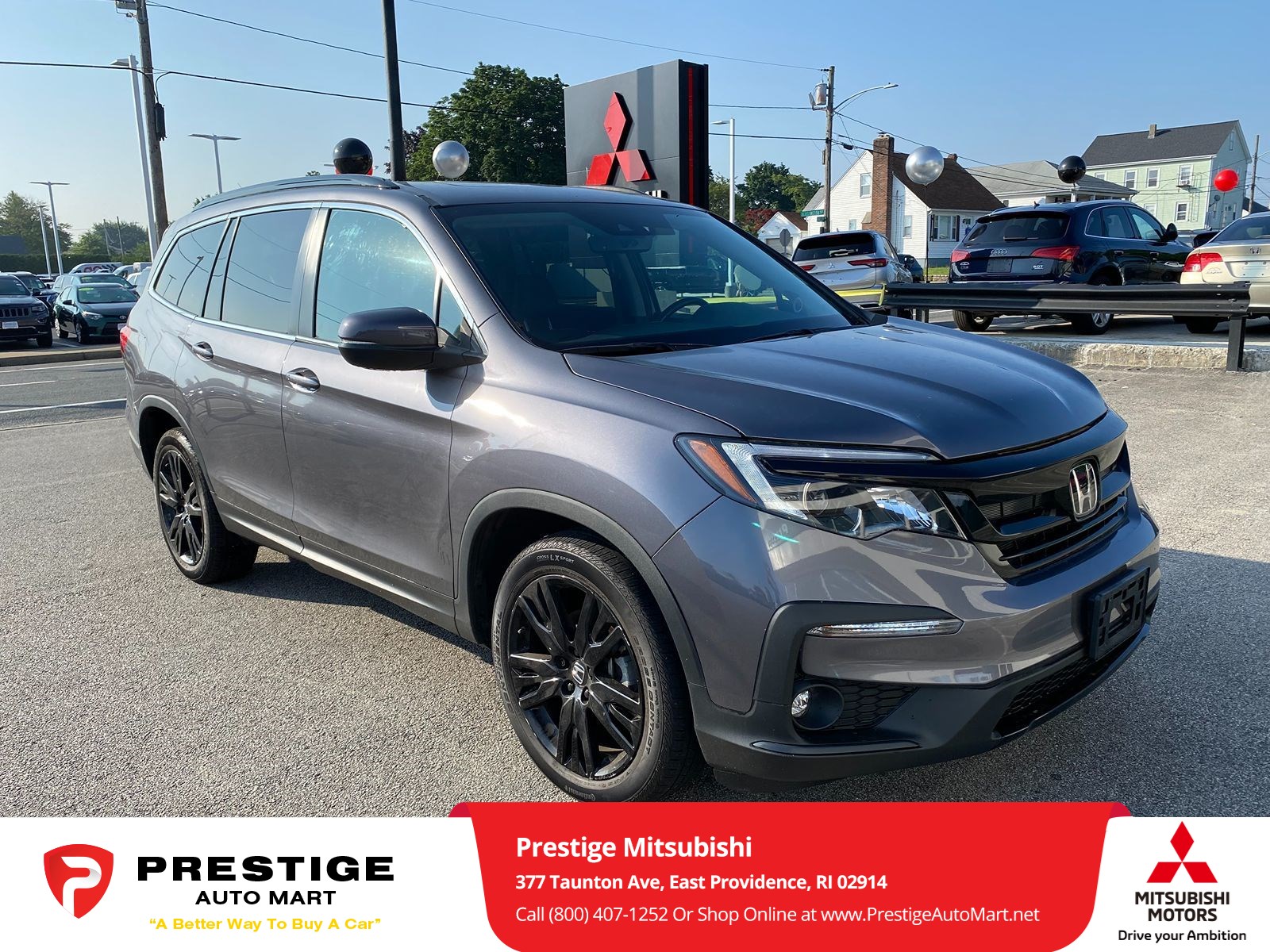
Credit: www.prestigeautomart.net
Understanding The Homelink System In Your 2021 Honda Pilot
The HomeLink system is a widely adopted in-vehicle remote control system that allows drivers to automatically open and close garage doors, gates, and even turn on home lighting systems. For the 2021 Honda Pilot, this technology is seamlessly integrated into the vehicle’s overhead console or rearview mirror, depending on the trim level.
The system utilizes radio frequency signals, similar to your original garage door remote, but consolidates up to three different devices into the car’s buttons. This means you can program your main garage door, a secondary garage door, or even a community gate, all accessible from your driver’s seat without carrying extra remotes.
The core functionality of HomeLink relies on capturing the radio signal from your existing remote control and then transmitting that same signal when you press one of the HomeLink buttons. The system is designed to be user-friendly, but it’s crucial to understand the basic principles before you begin.
For instance, the system typically has a learning phase where it needs to recognize the signal from your remote, and then a synchronization phase where it communicates with the garage door opener motor itself. This two-part process is essential for both fixed-code and rolling-code systems, though the latter requires an additional step.
How Homelink Works: Fixed Vs. Rolling Codes
HomeLink operates by transmitting specific radio frequencies. Understanding the difference between fixed code and rolling code systems is fundamental to successful programming.
- Fixed Code Systems: These are older and simpler systems where the remote transmits the exact same code every time it’s pressed. When HomeLink captures this code, it stores it and can replicate it indefinitely. Programming these is generally straightforward.
- Rolling Code Systems: Most modern garage door openers use rolling code technology (also known as Security+ or similar proprietary names). This is a significant security enhancement where the code changes every time the remote is used. This prevents code-grabbing devices from being able to open your garage door. For HomeLink to work with a rolling code system, after the HomeLink button is programmed with the remote’s signal, you must then press the “Learn” or “Program” button on the garage door opener motor unit itself. This puts the opener in a learning mode, allowing it to recognize and accept the signal from your Honda Pilot’s HomeLink system. This synchronization step is critical and often where users encounter difficulties if they skip it.
Locating The Homelink Buttons In Your 2021 Honda Pilot
The specific location of the HomeLink buttons can vary slightly depending on your 2021 Honda Pilot’s trim level. Most commonly, they are integrated into the overhead console, typically above the driver’s side visor or near the interior lights. In some configurations, they might be built into the rearview mirror housing. You’ll usually see three distinct buttons, often marked with the HomeLink symbol (a house icon with radiating waves). Familiarize yourself with their exact placement before you begin the programming process.

Credit: www.youtube.com
Preparing For Programming
Before you attempt to program your garage door opener into your 2021 Honda Pilot, a few preparatory steps will ensure a smoother and more successful experience. Skipping these can lead to frustration and repeated attempts.
Gather Necessary Equipment
You will need a few key items:
- Your Original Garage Door Opener Remote: This is the most crucial item. The HomeLink system needs to learn the signal from this remote. Ensure it has a fresh battery, as a weak battery is a common reason for programming failure.
- Your 2021 Honda Pilot: Make sure the vehicle is parked within range of your garage door opener, typically within 5-15 feet.
- Access to Your Garage Door Opener Motor Unit: This is particularly important if you have a rolling code system, as you will need to press the “Learn” button on the motor unit. Ensure you know where this unit is located (usually mounted on the ceiling in your garage) and that you can safely reach it.
- Owner’s Manuals: Keep both your Honda Pilot owner’s manual and your garage door opener manual handy. They can provide specific details for your models, especially regarding rolling code synchronization.
Clearing Existing Homelink Programming
To avoid potential conflicts with previously programmed devices or to start with a clean slate, it’s recommended to clear any existing programming from your Honda Pilot’s HomeLink system. This ensures that the new signal is learned correctly.
To clear the HomeLink buttons:
- Turn the ignition of your Honda Pilot to the ON position (engine does not need to be running).
- Press and hold the two outer HomeLink buttons (e.g., button 1 and button 3) simultaneously.
- Continue holding these buttons until the HomeLink indicator light (usually a small LED near the buttons) flashes rapidly or turns solid, indicating that all previous programming has been erased. This typically takes about 10-20 seconds.
Clearing Existing Garage Door Opener Programming (if Necessary)
If you’re experiencing issues or if you suspect the garage door opener motor unit has too many remotes programmed, it might be beneficial to clear its memory as well. Consult your garage door opener’s manual for specific instructions on how to do this. This process often involves pressing and holding a specific button (like the “Learn” button) on the motor unit for a set duration until an indicator light changes. Be aware that this will erase all previously programmed remotes and keypads, so you’ll need to reprogram them afterward.

Credit: www.lutherauto.com
Programming The Homelink Buttons With Your Remote Signal
This is the first major step in the programming process. Here, you’ll teach your Honda Pilot’s HomeLink buttons the specific signal emitted by your garage door opener remote.
Step-by-step Programming Procedure
- Park Your Pilot: Position your 2021 Honda Pilot within a few feet of your garage door opener motor unit, facing the door. Ensure the original garage door remote is accessible.
- Turn Ignition On: Insert your key into the ignition and turn it to the ON position (again, the engine doesn’t need to be running).
- Select a HomeLink Button: Decide which of the three HomeLink buttons you want to assign to your garage door opener.
- Position the Remote: Hold your original garage door opener remote about 1-3 inches away from the HomeLink buttons in your Pilot. Aim the front of the remote towards the HomeLink buttons. The proximity is important; too far and it won’t transmit effectively, too close and it might not be recognized properly.
- Press and Hold: Press and hold both the selected HomeLink button and the button on your original remote simultaneously.
- Observe the Indicator Light: Watch the HomeLink indicator light in your Pilot.
- Initially, it will likely flash slowly.
- After a few seconds, it will begin to flash rapidly. This indicates that the HomeLink system has successfully received and learned the signal from your remote.
- Release Buttons: Once the HomeLink indicator light flashes rapidly, release both the HomeLink button and the remote button.
- Test the Button (Optional but Recommended): Briefly press the HomeLink button you just programmed. The HomeLink indicator light should turn solid, and if your garage door opener is a fixed code system, the door might start to move. If it’s a rolling code system, nothing will happen yet, and the light might turn off after a few seconds. This test confirms the signal was captured.
Synchronizing With The Garage Door Opener Motor (rolling Codes)
If your garage door opener uses a rolling code system (which is most likely for a 2021 model year vehicle and modern openers), the first step only programs the signal; it doesn’t authorize it with the opener motor. You must now complete the synchronization process.
Locating And Using The “learn” Button
This step requires you to physically access the garage door opener motor unit mounted on your garage ceiling.
- Locate the “Learn” Button: On the motor unit, find the “Learn” button. This button is often square or round and may be accompanied by an LED indicator light. Its color and exact location vary by manufacturer (e.g., LiftMaster, Chamberlain, Genie). Refer to your garage door opener’s manual if you cannot find it.
- Press the “Learn” Button: Press and immediately release the “Learn” button on the motor unit. Do NOT hold it down, as this can erase all programmed remotes.
- Observe the Indicator Light: A “Learn” LED on the motor unit should illuminate or blink, indicating it’s in programming mode. This mode is typically active for only 30 seconds.
- Return to Your Pilot: Quickly return to your 2021 Honda Pilot. You have a limited window to complete the next step.
- Press and Hold the HomeLink Button: Press and hold the HomeLink button you just programmed in your Pilot.
- Observe the HomeLink Light:
- The HomeLink indicator light in your Pilot will likely flash rapidly again, then may turn solid.
- Simultaneously, listen for your garage door opener motor unit. It might make a clicking sound, and the garage door should begin to move.
- Release the HomeLink Button: Once the garage door begins to move or the motor unit clicks, release the HomeLink button.
- Test: Press the HomeLink button again. Your garage door should now open and close.
Example: For a LiftMaster opener manufactured after 1997, the “Learn” button is typically located under a light cover on the motor unit. Pressing it briefly activates a red or orange LED. You then have 30 seconds to return to your car and press the desired HomeLink button twice (holding it the second time until the opener responds) to synchronize.
Troubleshooting Common Programming Issues
Even with clear instructions, programming can sometimes be tricky. Here are common issues and their solutions for your 2021 Honda Pilot’s HomeLink system.
Remote Signal Not Recognized
- Weak Remote Battery: As mentioned, replace the battery in your original remote.
- Incorrect Remote Positioning: Try different distances and angles between the remote and the HomeLink buttons. Ensure the front of the remote is pointed towards the HomeLink buttons.
- Interference: Other electronic devices or even fluorescent lights can sometimes interfere with the signal transmission. Try programming at a different time or location if possible.
- Remote Compatibility: While HomeLink is widely compatible, very old or unusual remotes might pose issues. Check the HomeLink compatibility website for specific brands and models.
Garage Door Doesn’t Respond After Synchronization
- Incorrect “Learn” Button Procedure: Ensure you pressed and released the “Learn” button on the motor unit, not held it down. Also, confirm you pressed it within the last 30 seconds before returning to your Pilot.
- Rolling Code Synchronization Failure: If the door didn’t move, you might need to repeat the synchronization step. Some systems require pressing the HomeLink button a second time after the initial press and release.
- Motor Unit Memory Full: If your garage door opener has a limited number of remotes it can store, and it’s already at capacity, it won’t accept a new one. You may need to erase existing remotes from the motor unit’s memory (check your opener’s manual).
- Distance from Motor Unit: Ensure you are within reasonable range of the garage door opener motor unit during the synchronization step.
Homelink Indicator Light Behavior
- Solid Light: Indicates a successful signal capture (fixed code) or completion of a programming cycle.
- Slow Flashing: Often indicates the system is in programming mode, waiting for a remote signal.
- Rapid Flashing: Typically signifies that the HomeLink system has successfully learned a remote’s signal or is actively communicating during synchronization.
- No Light: Check the vehicle’s ignition position. If the ignition is off, the HomeLink system won’t function. Also, ensure the HomeLink buttons themselves aren’t damaged.
Advanced Troubleshooting
- Reprogramming: If issues persist, try clearing all HomeLink programming and starting the entire process again from scratch. You can find guides on how to reset HomeLink systems online, and for your Pilot, it involves holding the two outer buttons until the light flashes rapidly.
- Professional Help: If you’ve exhausted all troubleshooting steps, consult your Honda dealer or a qualified garage door technician. There might be an issue with the HomeLink module in the vehicle or the garage door opener itself.
Best Practices And Maintenance
To ensure your HomeLink system continues to function optimally, follow these best practices.
Regular Testing
Periodically test your HomeLink buttons to ensure they are still working correctly. This is especially important after any power outages or if you’ve recently replaced batteries in your garage door opener remote. A quick press of the button every few months can save you from discovering a problem when you’re in a rush.
Battery Replacement Schedule
As noted, a weak battery in your original remote can hinder the initial programming. For the HomeLink system itself, it draws power from the vehicle’s electrical system, so there’s no separate battery to replace. However, always use fresh, high-quality batteries in your handheld remote when programming or reprogramming.
Updating Your Garage Door Opener
If you upgrade your garage door opener system to a newer model, especially one with different security protocols (like Wi-Fi or Bluetooth enabled openers), your existing HomeLink programming may no longer be compatible. You will need to reprogram the HomeLink system with the new opener, following the steps outlined above. Many newer openers are compatible with HomeLink via a compatibility bridge or by supporting standard rolling code protocols. Always check the compatibility information provided by HomeLink and the garage door opener manufacturer.
Security Considerations
While HomeLink is convenient, it’s essential to be aware of security best practices.
- Clear Memory When Selling Vehicle: If you sell your Honda Pilot, always clear the HomeLink memory to prevent the new owner from accessing your garage.
- Rolling Codes are Key: For enhanced security, always opt for garage door openers that use rolling code technology. The HomeLink system is designed to work seamlessly with these.
- Secure Your Remote: Don’t leave your original garage door remote visible in your car if you’re not using HomeLink, as it could be stolen.
Homelink Compatibility And Alternatives
While HomeLink is designed for broad compatibility, it’s not universally compatible with every garage door opener system on the market.
Checking Homelink Compatibility
The HomeLink website (www.homelink.com) provides a comprehensive database where you can enter your vehicle’s year and make, along with your garage door opener’s brand and model, to verify compatibility. This is a crucial step if you have an older or less common garage door opener system. They also offer guidance on specific programming procedures for various brands.
Alternatives To Homelink
If your garage door opener is not compatible with HomeLink, or if you prefer not to use it, several alternatives exist:
- Original Remote: The most straightforward alternative is to continue using your original handheld garage door opener remote. Many drivers attach it to their keychain or visor clip.
- Aftermarket Keypad/Remote: You can purchase universal garage door keypads or remotes that are designed to be compatible with a wide range of opener brands. These can be programmed to your existing opener and then mounted outside your garage or kept in your vehicle.
- Smart Garage Door Openers: Modern smart garage door openers can be controlled via smartphone apps. Some of these systems offer integration with vehicle platforms like Apple CarPlay or Android Auto, allowing control through your car’s infotainment system, though this is different from the direct HomeLink integration. For example, systems like MyQ allow remote monitoring and control. For more information on smart home integration, you might find resources on smart home technology helpful. CNET’s guide to smart garage door openers offers a good overview.
Frequently Asked Questions
What If My Garage Door Opener Is Not A Rolling Code System?
If your garage door opener uses a fixed code system, the programming process is simpler. You will typically only need to complete the first phase: holding your original remote near the HomeLink buttons until the HomeLink indicator light flashes rapidly. Once released, the HomeLink button should directly operate your garage door. You do not need to perform the synchronization step involving the “Learn” button on the motor unit.
How Many Devices Can I Program Into The Homelink System?
The HomeLink system in your 2021 Honda Pilot is designed to store and operate up to three different devices. Each of the three HomeLink buttons can be programmed independently to control a separate garage door, gate, or other compatible device.
Can I Program A Garage Door Opener From A Different Location?
While the HomeLink system learns the signal from your remote, it’s best to perform the programming and synchronization steps when you are physically present at your garage door. This ensures accurate signal reception and allows you to easily access the “Learn” button on the motor unit if required for rolling code systems. Trying to program from a remote location using just the remote signal might work for fixed codes but is unlikely to succeed for rolling codes.
What Should I Do If The Homelink Button Stops Working After A Few Weeks?
If a previously programmed HomeLink button stops working, the most common cause is that the garage door opener motor unit’s memory has been cleared (e.g., due to a power outage or manual reset) or the HomeLink system needs to be reprogrammed. Try reprogramming the specific button. If the issue persists, check the battery in your original remote and ensure the garage door opener motor unit is functioning correctly on its own. Sometimes, a simple reset of the HomeLink system in your Pilot, followed by reprogramming, can resolve intermittent issues. You can find detailed instructions on how to reset your garage door opener remote and system on various online guides.
Is It Safe To Program My Garage Door Opener Into My Car?
Yes, programming your garage door opener into your car’s HomeLink system is generally safe, especially when using modern rolling code technology. Rolling codes change with each use, making it very difficult for unauthorized individuals to capture and reuse the signal. However, it’s crucial to follow the programming instructions carefully and to clear the HomeLink memory if you sell your vehicle. For older fixed-code systems, the security is less robust, and using HomeLink with such a system carries a slightly higher risk compared to rolling codes.
Effectively programming your garage door opener into your 2021 Honda Pilot’s HomeLink system can significantly enhance your daily convenience. By following these detailed steps, understanding the nuances of fixed versus rolling codes, and being prepared with the necessary components, you can ensure a smooth and successful setup.
Remember to consult your vehicle and garage door opener manuals for any specific details pertinent to your models. With a properly programmed HomeLink system, you gain a seamless gateway to your home, simplifying your arrival and departure routines.