
If you’ve ever lost your garage door remote, moved into a new home, or noticed your door opener behaving strangely, you’ve probably wondered: How do I reprogram my garage door opener? For many homeowners, this task can feel intimidating. Buttons, codes, and safety sensors may seem complex. But with the right guidance, reprogramming a garage door opener is a straightforward process. Understanding how your opener works, why you might need to reprogram it, and what steps to follow can give you control and peace of mind.
This guide will walk you through everything you need to know. We’ll cover different garage door opener types, their common features, and step-by-step instructions for reprogramming remotes, wall units, and keypads. You’ll learn about safety, troubleshooting, and even smart home integration.
Along the way, you’ll find practical tips, tables for quick reference, and answers to questions most people forget to ask.
Why Would You Need To Reprogram Your Garage Door Opener?
There are several situations where reprogramming is necessary. The most common reasons include:
- Lost or stolen remote: If someone finds your remote, they can access your garage. Reprogramming blocks unauthorized entry.
- Moving into a new home: Previous owners may still have remotes. Resetting the system ensures only your remotes work.
- Adding new remotes or keypads: When you buy a new remote or keypad, you must sync it to your opener.
- Malfunctioning remotes: If your opener responds inconsistently or not at all, reprogramming can often fix the issue.
- Upgrading security features: Newer openers use rolling codes for better protection. Reprogramming ensures you use the latest security.
- Power surges or electrical issues: Sometimes a power outage or surge can erase your opener’s memory. You’ll need to reprogram everything.
A surprising insight: Many homeowners don’t realize that reprogramming isn’t just about adding new remotes. It’s the main way to remove old or lost remotes from the system.
Understanding Your Garage Door Opener System
Before starting, it’s important to know what kind of system you have. There are three main types found in most homes:
1. Chain Drive Openers
These are the most common and affordable. They use a metal chain to lift and lower the door. You’ll usually find a learn button on the back or side of the opener unit.
2. Belt Drive Openers
Belt drives are quieter than chain drives and are popular in homes with attached garages. The programming process is similar to chain drive openers.
3. Screw Drive Openers
Screw drive models are less common but require less maintenance. They also have a learn button for reprogramming.
Key Components
- Garage door opener unit: Mounted on the ceiling, this controls the motor and receives signals from remotes.
- Remote control: Small handheld device for opening and closing the door.
- Wall control panel: Often found near the garage entry door.
- Keypad: Installed outside for code-based entry.
- Safety sensors: Prevent the door from closing if something is in the way.
Garage Door Opener Brands And Their Features
Different brands have slightly different procedures. Here’s a quick overview of the most popular ones:
| Brand | Main Features | Learn Button Location | Rolling Code |
|---|---|---|---|
| Chamberlain / LiftMaster | MyQ smart features, common in US homes | Back or side of opener, often near light | Yes (Security+) |
| Genie | Intellicode security, quiet operation | Near antenna wire or motor head | Yes (Intellicode) |
| Craftsman | Similar to Chamberlain, reliable | Back panel | Yes |
| Overhead Door | Durable, often with wireless keypads | Motor head, front or back | Yes |
| Marantec | European design, less common in US | Side panel | Yes |
Pro tip: If you’re unsure of your brand or model, check the label on the opener unit itself. It usually lists the model number, serial number, and manufacturer. This information is essential for finding the right instructions and replacement parts.
Safety First: Before You Begin
Garage doors are heavy and under tension. Mistakes can cause injury or property damage. Follow these safety tips:
- Unplug the opener if you need to touch any wiring.
- Keep children and pets away from the work area.
- Use a sturdy ladder if you need to reach the opener.
- Do not force the door if it’s stuck. Fix mechanical issues before reprogramming.
- Double-check the safety sensors after any changes.
Important: If your opener is more than 20 years old, consider upgrading to a new model with better safety and security features. Older openers may not have rolling codes, making them easier for thieves to hack.
Step-by-step: How To Reprogram Your Garage Door Opener Remote
Most people only need to reprogram the remote. Here’s a general process that works for nearly all modern openers. Always read your owner’s manual for specific steps.
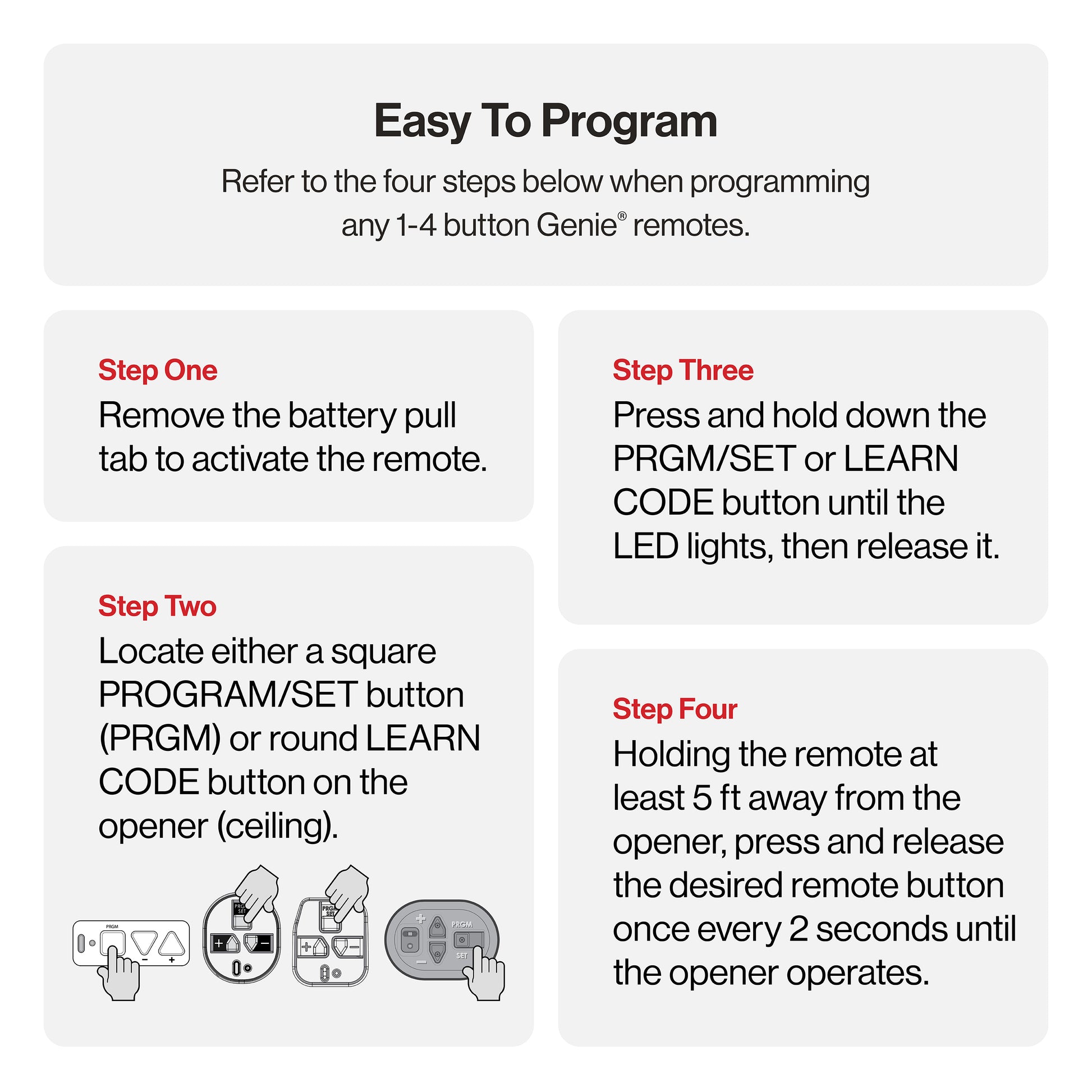
1. Find The Learn Button
The learn button is the heart of your opener’s programming system. It’s usually:
- A colored button (red, yellow, purple, or green)
- Located on the back or side of the main opener unit
- Sometimes under a light cover
Tip: The color of the learn button can affect which remotes and keypads are compatible.
2. Clear The Opener’s Memory (optional But Important)
If you’ve lost a remote or want to remove all old remotes, clear the memory before adding new ones.
- Press and hold the learn button for 6–10 seconds until the indicator light turns off.
- This erases all programmed remotes and keypads.
- For some models, you’ll hear a click or see a flashing light.
3. Program The Remote
- Press and release the learn button. An indicator light should turn on or blink.
- Within 30 seconds, press and hold the button on your remote that you want to use.
- Release the remote button when the opener’s light blinks or you hear a click. This means programming was successful.
- Test the remote by pressing it to open or close the door.
Watch out for: If you wait too long after pressing the learn button, you’ll have to start over. Some openers give you only 30 seconds to complete the pairing.
4. Repeat For Additional Remotes
You can add more than one remote. Just repeat the programming steps for each new device.
How To Reprogram A Garage Door Keypad
Keypads let you open your garage by entering a code. They’re especially useful for kids, guests, or if you forget your remote inside.
Step-by-step Keypad Programming
- Clear the memory (if needed): Hold the learn button on the opener until the light turns off.
- Initiate programming mode: Press and release the learn button. The indicator light will blink.
- Enter your desired code on the keypad, then press the “Enter” or “Send” button.
- The opener light should blink or you’ll hear a click, confirming the code was accepted.
- Test the keypad by entering your code and pressing “Enter” to open the door.
Advanced tip: Some newer keypads let you set temporary codes for guests or delivery people. Check your manual for this feature.
How To Reprogram A Wall Control Panel
Wall control panels (hardwired to the opener) usually don’t need reprogramming unless you’ve changed the main opener’s memory.
- If your opener uses rolling codes, reprogramming the remotes and keypads will automatically sync the wall control.
- For older systems, you may need to reset the panel by holding the “Lock” or “Program” button until the light flashes.
How To Add Or Remove A Garage Door Opener Remote
Adding a new remote:
- Press and release the learn button.
- Within 30 seconds, press and hold the remote button.
- Release when the opener light blinks.
Removing a single remote is trickier. Most openers only let you clear all remotes at once (by holding the learn button until the light goes out). Then, reprogram only the remotes you want to keep.
Non-obvious insight: If you buy a used remote online, make sure it matches your opener’s frequency and code system. Not all remotes work with every opener.
What To Do If Programming Fails
Sometimes, reprogramming doesn’t work the first time. Here’s how to troubleshoot:
- Check the remote’s battery: Weak batteries are the most common problem.
- Move closer to the opener: Some remotes only program within a few feet.
- Make sure the opener’s antenna wire is hanging down: This improves signal reception.
- Check for interference: LED lights or Wi-Fi routers near the opener can block signals.
- Reset the opener: Unplug it for 30 seconds, then try again.
- Read the manual: Each brand has small differences. Look up your model online if you’ve lost the manual.
Smart Garage Door Openers And Apps
Modern garage door openers often include smart features. You can control them with your phone, set schedules, or get alerts when your door is open.
| Feature | Benefits | Example Brands |
|---|---|---|
| Mobile App Control | Open/close door from anywhere | Chamberlain MyQ, Genie Aladdin Connect |
| Guest Access | Give temporary codes to friends or deliveries | MyQ, Nexx Garage |
| Activity Alerts | Notifications if the door is left open | MyQ, Tailwind |
To reprogram a smart opener:
- Open the app and find the “Add Device” or “Sync Remote” option.
- Follow in-app instructions (you’ll often press the learn button on your opener).
- Name your garage door and test from your phone.
Note: If you change your home Wi-Fi, you’ll need to re-pair your opener with the new network.
Security Tips When Reprogramming
Garage door openers are a frequent target for break-ins. Improve your safety with these tips:
- Always clear old codes when you move into a new home.
- Choose a strong keypad code (not “1234” or your address).
- Don’t leave remotes in your car if parked outside.
- Check your opener’s light blinks after programming. If it doesn’t, your code may not have been saved.
- Upgrade to rolling code technology if your opener is older. Rolling codes change with every use, making hacking much harder.
- Register your product with the manufacturer. You’ll get safety alerts and software updates.
A common mistake: Many people think unplugging the opener will erase all codes. It won’t. You must use the learn button to clear memory.
Programming Multiple Garage Doors
If you have two or more garage doors, you may want a remote that operates each door separately. Here’s how:
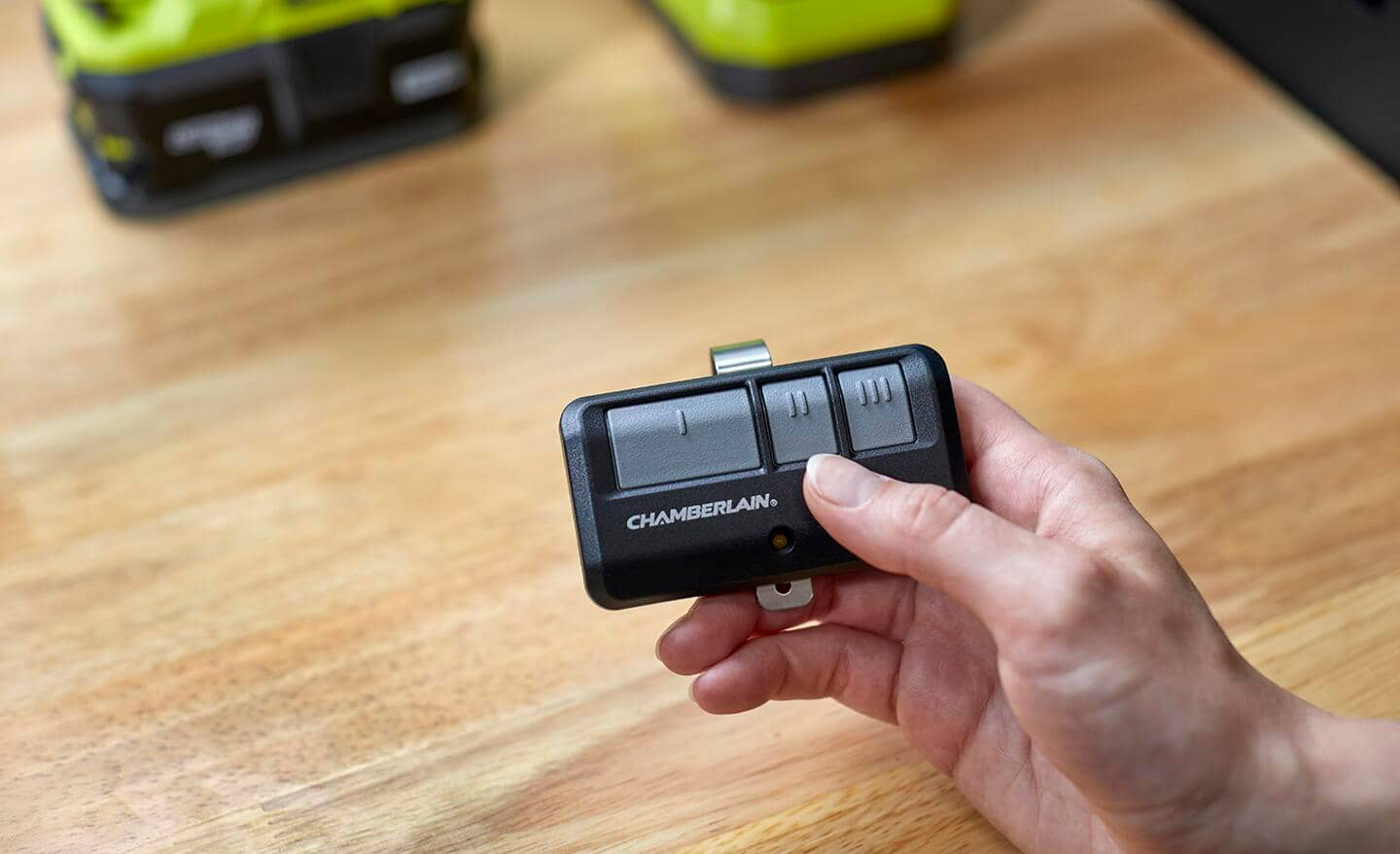
- Most remotes have 2–4 buttons. Assign one button to each door.
- For each opener, press its learn button, then press the desired remote button.
- Label your remotes with tape or a marker to avoid confusion.
Practical tip: If your garage doors are different brands, you may need a universal remote. Check compatibility before buying.
Universal Remotes And Compatibility
Universal remotes can control multiple brands and openers. When choosing one:
- Make sure it supports your opener’s frequency (usually 315 MHz or 390 MHz).
- Check if it works with your opener’s code system (fixed code or rolling code).
- Most universal remotes have a programming button and a setup process like this:
- Select the brand on the remote (using dip switches or buttons).
- Press the opener’s learn button.
- Press the remote button until the opener responds.
| Universal Remote | Supported Brands | Max Doors Controlled |
|---|---|---|
| Chamberlain KLIK3U | Chamberlain, LiftMaster, Genie, Craftsman, Overhead Door, more | 2 |
| Genie G3T-R | Genie, Overhead Door | 3 |
| Clicker KLIK1U | Most major brands | 2 |
Little-known fact: Some universal remotes also work with gate openers or community entrance systems. But always check the manual for compatibility.
Common Mistakes To Avoid
Even experienced homeowners make errors when reprogramming. Here are mistakes to watch for:
- Not clearing old remotes: If you skip this, lost or stolen remotes may still work.
- Programming during power interruptions: Wait until your power is stable.
- Forgetting to test after programming: Always check each remote and keypad before finishing.
- Mixing up remotes: Label each remote for the correct garage door.
- Ignoring safety sensors: If your door won’t close, sensors may need alignment.
- Buying the wrong remote: Check your opener’s model and frequency before purchasing.
- Assuming all openers are the same: Even models from the same brand can have different processes.
When To Call A Professional
While most programming is DIY-friendly, call a garage door pro if:
- Your opener doesn’t respond after several attempts.
- The door moves unexpectedly or unsafely.
- You have a very old or unusual opener.
- Wires are damaged or you see sparks.
- You want to upgrade to a new system or add smart features.
A skilled technician can diagnose tricky problems and ensure everything works safely.
Real-world Examples
- Lost remote after car theft: After a car break-in, a homeowner cleared all opener codes and reprogrammed new remotes. This prevented the thief from accessing the garage with the stolen remote.
- Adding a keypad for children: A busy family added a wireless keypad for kids who often lost remotes. Programming took five minutes and improved convenience.
- Smart upgrade after power surge: After lightning damaged an opener, a homeowner upgraded to a smart model. The new app-based system was easier to program and offered better security.
These situations show how reprogramming can solve real-life problems quickly and effectively.
Maintenance Tips After Reprogramming
Once your opener is programmed, keep it working smoothly with regular maintenance:
- Replace remote batteries every 1–2 years.
- Clean safety sensors with a soft cloth monthly.
- Test the door’s auto-reverse function every season.
- Lubricate moving parts (rollers, hinges) twice a year.
- Keep the opener manual in a safe place for future reference.
Unexpected insight: Many garage door problems are caused by weak batteries or dirty sensors—not the opener itself.
Resources For Further Help
If you need more information, check your opener brand’s website. Many have video tutorials and downloadable manuals. Forums like GarageJournal. com also have tips from other homeowners.
For official safety and product updates, the US Consumer Product Safety Commission offers trusted guidance.

Frequently Asked Questions
How Do I Know If My Garage Door Opener Uses Rolling Codes?
Most openers made after 1996 use rolling code technology. Check your opener’s manual or look for words like “Security+,” “Intellicode,” or “rolling code” on the label. Rolling codes are much safer because they change every time you press the remote.
Can I Program A New Remote Without The Old One?
Yes. You only need access to the learn button on your opener unit. Press the learn button, then press the button on your new remote. The opener and remote will pair, even if you don’t have the old remote.
What Should I Do If I Forget My Keypad Code?
You’ll need to reset the keypad by clearing the opener’s memory. Press and hold the learn button to erase all codes, then program a new code using the keypad. Always test the new code before relying on it.
Why Won’t My New Remote Work After Programming?
Common reasons include dead batteries, standing too far from the opener during setup, interference from other electronics, or choosing a remote that’s not compatible with your opener’s frequency or code system. Try moving closer, replacing the battery, or double-checking compatibility.
Is It Safe To Reprogram My Garage Door Opener Myself?
Yes, as long as you follow safety guidelines and your opener is in good condition. Always unplug the unit before touching wires, keep children away, and don’t force the door. If you’re unsure or notice damage, call a professional.
Getting to know your garage door opener and how to reprogram it gives you more control over your home’s security. With clear steps, careful attention to safety, and a bit of patience, you can handle nearly any garage door programming task.
The convenience and peace of mind are well worth the effort.