
If you’re like many homeowners, your garage door opener remote is something you barely think about—until it stops working, gets lost, or you move to a new house. Suddenly, the simple act of opening your garage feels complicated. Chamberlain is one of the most popular brands for garage door openers, and learning how to reprogram your Chamberlain remote is a skill that can save you time, money, and stress. Whether you want to add a new remote, change your code for security, or reset everything after moving in, this guide will walk you through the process. You’ll get step-by-step instructions, tips to avoid common mistakes, and answers to the questions most people forget to ask.
Understanding Your Chamberlain Garage Door Opener System
Before you start pressing buttons, it’s important to know what kind of system you’re working with. Most modern Chamberlain openers use rolling code technology for better security. This means the code changes every time you use the remote, making it harder for someone to copy. Older units may use a set code with DIP switches. Check your user manual or the label on your unit to confirm the type.
Chamberlain garage door openers usually have a Learn button. This is the key to programming and reprogramming your remote. The Learn button can be found on the main opener unit, often under a light cover. Its color (yellow, purple, red, or green) helps identify the technology and compatibility.
Understanding your model saves frustration. Some remotes work only with certain units. If you’re unsure, Chamberlain’s official website lists model compatibility, or you can check the product label on your opener.
Why You Might Need To Reprogram Your Remote
People reprogram their garage door remotes for several reasons:
- Lost or stolen remote: Anyone with your remote can open your garage. Reprogramming removes old remotes and adds new ones.
- Adding a new remote: If your family grows or you want a remote for each car, you’ll need to add another.
- Security concerns: After moving into a new house, it’s smart to reset all remotes.
- Remote stops working: Sometimes, a remote loses its code and needs to be reprogrammed.
- Compatibility upgrades: Adding a smart home system or new opener may require reprogramming.
Ignoring these situations can leave your home vulnerable, so it’s worth learning the process even if you don’t need it now.
Tools And Preparation
You don’t need special tools to reprogram a Chamberlain remote, but a little preparation makes things smoother:
- A ladder: Most garage door openers are mounted on the ceiling.
- Your remote(s): Have all remotes you want to program in hand.
- Good lighting: You may need to see small buttons and labels.
- Owner’s manual: If you have it, keep it nearby. If not, Chamberlain’s manuals are online.
Unplugging the opener isn’t usually needed, but for older units, some people do it for safety. Make sure children and pets are out of the way when working with the opener.
Step-by-step: How To Reprogram A Chamberlain Garage Door Opener Remote
Let’s get into the process. Most Chamberlain remotes use a similar method, but details can change based on your model. Here’s how to program a typical Chamberlain garage door opener remote.
1. Find The Learn Button
Look at the main garage door opener unit (usually on the ceiling). The Learn button is often near the light lens or under a small panel. Its color matters—yellow, purple, red, or green. The color tells you what remotes and keypads are compatible.
2. Press And Release The Learn Button
Press and quickly release the Learn button. A small LED light will come on (the color matches your button). You now have about 30 seconds to complete the next step.
- Don’t hold the button too long—holding for over 6 seconds may erase all programmed remotes.
3. Press The Remote Button
Within 30 seconds, press and hold the button on your remote you want to program. Hold it until the opener light blinks or you hear two clicks. This means the remote is now programmed.
4. Test The Remote
Stand clear of the door. Press the programmed remote button. The garage door should move. If it doesn’t, repeat the steps. Sometimes, it takes two attempts.
5. Repeat For Other Remotes
If you want to add more remotes, repeat steps 2–4 for each one. Chamberlain openers usually support 5–8 remotes.
What If You Need To Erase All Remotes?
If you lose a remote or move to a new house, you may want to remove all programmed remotes. Here’s how:
- Hold the Learn button down for about 6–10 seconds. The LED will turn off or blink, indicating all codes are erased.
- Now, you must reprogram any remotes you want to keep using.
Pro Tip: After erasing, test the remotes to make sure they no longer work, ensuring your opener is secure.
Programming A Keypad With Your Chamberlain Opener
Many homes have a keypad outside the garage. If you want to add or reprogram this keypad, the steps are a bit different. Here’s how:
1. Press And Release The Learn Button
Press and quickly release the Learn button on your opener unit. The LED light will turn on.
2. Enter Your Code
Within 30 seconds, go to the keypad and enter your chosen 4-digit PIN. Press the Enter button. The garage door opener lights will blink, or you’ll hear a click.
3. Test The Keypad
Enter your PIN and press Enter. The door should open or close. If not, repeat the process.
Tip: Change your keypad PIN regularly for extra security.
What To Do If Your Remote Doesn’t Program
Sometimes, things don’t work right away. Here are common problems and solutions:
- Remote battery is dead: Replace the battery and try again.
- Wrong remote type: Not all remotes work with all openers. Double-check compatibility.
- Interference: Electronic devices or metal objects nearby can block signals. Move remotes closer when programming.
- Opener memory full: Most openers limit the number of remotes. If you reach the limit, erase all and reprogram only the remotes you need.
If you follow the steps and still have problems, check the opener’s manual or Chamberlain’s support site.
How Chamberlain’s Rolling Code Security Works
Chamberlain uses Security+ or Security+ 2.0 rolling code technology. This means every time you use your remote, a new code is sent. The opener and remote both know the pattern, so only your remotes can open your garage.
Why does this matter? Thieves used to use code grabbers to copy fixed codes and break in. With rolling codes, that trick doesn’t work. Always program your remotes to use the latest technology your opener supports.
Comparing Chamberlain Remote Types
Chamberlain offers several remote types. Here’s a quick comparison to help you choose or identify yours:
| Remote Model | Buttons | Compatibility | Special Feature |
|---|---|---|---|
| 953EV | 3 | Security+ 2.0 / MyQ | Works with multiple doors |
| 950CB | 1 | Security+ (Red/Orange Learn) | Basic single door remote |
| 956EV | 3 | Security+ 2.0 / MyQ | Mini keychain size |
| 953D | 3 | Security+ (Green Learn) | Older units |
Insight: The number of buttons lets you control more than one opener (for example, home and vacation house).
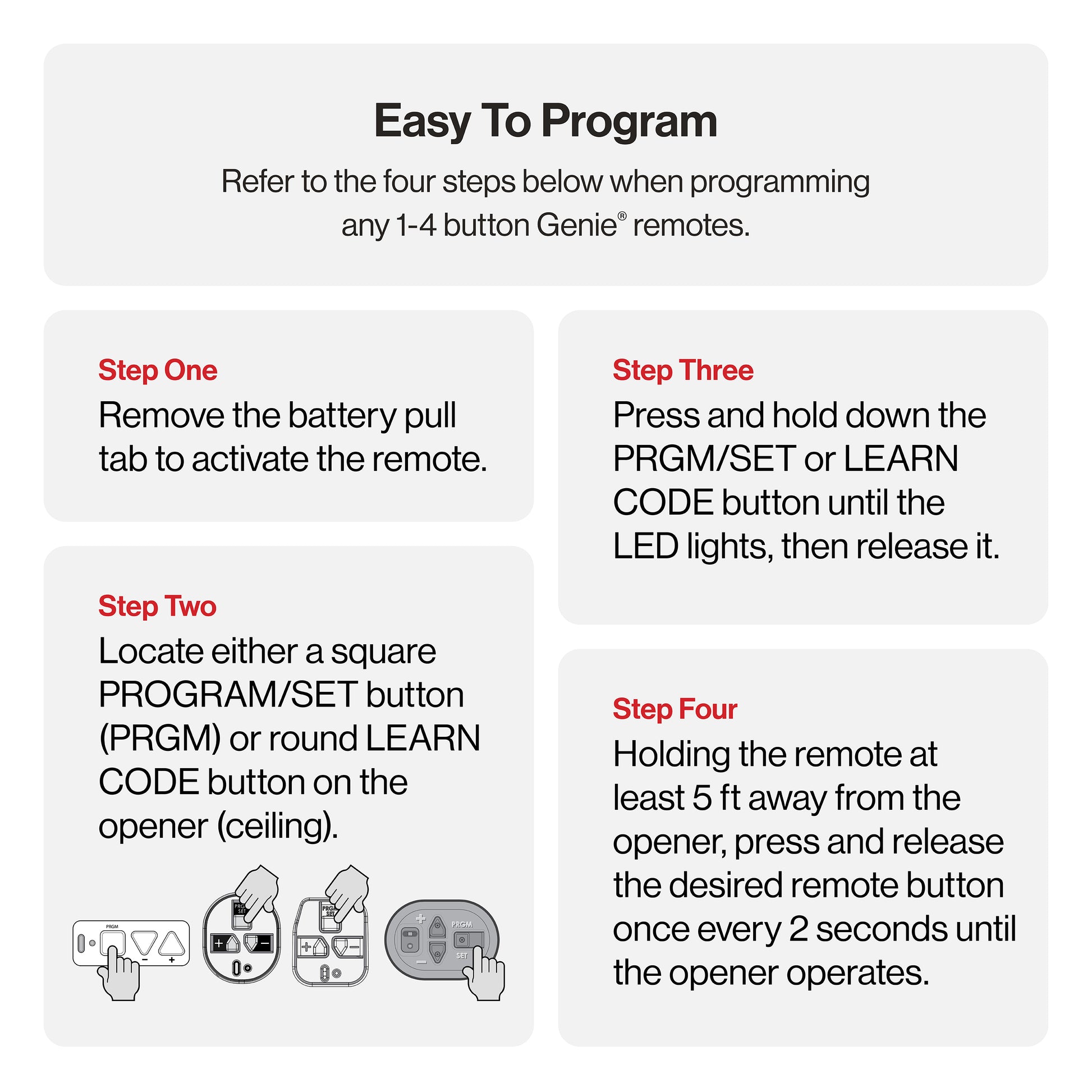
Adding A Myq Smart Garage Hub
Chamberlain’s MyQ system lets you open and close your garage from your phone. Adding a MyQ hub doesn’t replace your remote but gives you more control.
To link your MyQ system:
- Download the MyQ app and create an account.
- Follow the app’s instructions to connect the hub to your Wi-Fi.
- Press the Learn button on your opener when the app tells you.
- Test the system by opening the garage from your phone.
Extra Insight: MyQ can send alerts if your garage is left open and lets you open the door for deliveries.
Common Mistakes To Avoid
Programming remotes seems easy, but these mistakes are common:
- Holding the Learn button too long: This erases all remotes instead of programming a new one.
- Not acting fast enough: You have 30 seconds after pressing Learn to program the remote.
- Using the wrong remote: Not every Chamberlain remote works with every opener.
- Forgetting to test: Always check the remote before finishing.
- Ignoring safety: Make sure the area is clear when testing the door.
Knowing these mistakes helps you avoid confusion and repeat work.
Replacing Remote Batteries
If your remote stops working, try replacing the battery before reprogramming. Most Chamberlain remotes use a CR2032 or CR2016 coin cell battery.
How to replace:
- Open the remote case using a small screwdriver or coin.
- Remove the old battery and note its orientation (positive/negative).
- Insert the new battery the same way.
- Close the case and test.
Tip: Weak batteries can make programming fail even if the remote still works sometimes.
When To Call A Professional
Most people can program their own remotes, but some situations may need a pro:
- Wiring or mechanical problems: If the opener doesn’t respond, you may have an electrical issue.
- Very old units: Some older models don’t use Learn buttons.
- Integrated smart home systems: If you’re connecting to a complex smart home network, a technician can help.
If you’re not comfortable on a ladder or opening electrical panels, it’s safer to hire help.
Resetting After A Move Or Security Breach
Moving into a new home? Or did someone steal your remote? Resetting your opener is the smart move. Here’s how:
- Hold the Learn button for 6–10 seconds to erase all remotes.
- Program only the remotes you want to keep.
- Change your keypad code, if you have one.
This prevents old remotes from working, protecting your home from anyone who previously had access.
Programming Older Chamberlain Units (dip Switch)
Some Chamberlain openers (from the 1980s and 1990s) use DIP switches—tiny switches inside both the opener and remote. Here’s how to set them:
- Open the remote and the opener’s control panel.
- Set the DIP switches in the remote to match the opener (usually 8–12 switches).
- Close up the units and test.
Warning: DIP switch systems are less secure. Consider upgrading for better safety.
Comparing Chamberlain To Other Brands
Why choose Chamberlain? Here’s how it stacks up against competitors:
| Brand | Rolling Code Security | Smart Home Integration | Remote Range |
|---|---|---|---|
| Chamberlain | Yes (Security+) | Yes (MyQ) | ~1,500 ft |
| LiftMaster | Yes (Security+) | Yes (MyQ) | ~1,500 ft |
| Genie | Yes (Intellicode) | Limited | ~1,000 ft |
| Craftsman | Yes | Limited | ~1,000 ft |
Non-obvious insight: Chamberlain and LiftMaster are owned by the same company and often share technology.
Safety Tips When Programming Remotes
Reprogramming a remote is usually safe, but always:
- Stand clear of the garage door.
- Keep kids and pets away.
- Use a sturdy ladder.
- Don’t rush—most mistakes happen from hurrying.
If the door moves unexpectedly, stop and check for obstacles.

How Many Remotes Can You Program?
Most Chamberlain openers support up to 8 remotes plus a keypad. If you try to add more, the oldest will be deleted automatically. For large families, consider a smart hub for mobile control.
Upgrading Your Remote Or Opener
If your remote is lost, broken, or outdated, you can buy a new one online or at a hardware store. Make sure to match:
- The Learn button color
- The technology (Security+, Security+ 2.0, etc.)
- The number of buttons you need
Older openers might need a universal remote. Chamberlain’s website has a compatibility tool to help pick the right model.
Troubleshooting: Remote Works, Wall Switch Doesn’t
If your remote works but the wall switch does not, the problem is likely with the switch wiring or the switch itself—not the programming. Check for loose wires or a broken switch. If both stop working, check the opener’s power source.
Garage Door Opener Memory: How It Works
When you program a remote, the opener stores its code in memory. If you erase all codes, the memory is wiped and must be rebuilt by reprogramming each remote. Most openers store 5–8 remotes, and older codes are deleted first if you add too many.
Real-life Example: Step-by-step With A 953ev Remote
Let’s walk through a practical example using a Chamberlain 953EV 3-button remote:
- Climb a ladder to access the opener.
- Press and release the yellow Learn button. The LED turns on.
- Within 30 seconds, press the button you want to use on the remote.
- Wait for the opener light to blink.
- Test the remote. If it works, you’re done.
If you want to program more buttons (for other doors), repeat steps 2–4 for each one.
Important Security Updates
Modern Chamberlain openers may get software or firmware updates, especially if connected with MyQ. These updates can improve security or add features. Check for updates in the MyQ app or Chamberlain’s website.
If you want to learn more about rolling code security, the Wikipedia page on rolling codes explains the technical details.

Frequently Asked Questions
How Do I Know If My Chamberlain Opener Uses Rolling Code Technology?
Most Chamberlain openers made after 1996 use rolling code. If your opener has a colored Learn button (yellow, purple, red, or green), it uses rolling code. Older units with DIP switches use fixed codes.
Can I Program A Universal Remote To Work With Chamberlain?
Yes, but the universal remote must support your Learn button color and technology (Security+, Security+ 2.0, etc.). Always check compatibility before buying.
What Should I Do If My Remote Only Works Up Close?
Replace the battery first. If the problem continues, check for interference (LED lights, Wi-Fi routers, or metal objects near the opener). Move these items and retest.
How Can I Erase Just One Remote, Not All?
Most Chamberlain openers do not let you erase a single remote. To remove one, erase all remotes (hold Learn for 6–10 seconds) and reprogram the ones you want to keep.
Is It Safe To Program A Remote Myself?
Yes, programming a Chamberlain remote is safe for most people. Use a sturdy ladder, keep the area clear, and follow instructions. If you’re unsure, ask a professional for help.
Reprogramming your Chamberlain garage door opener remote is a simple skill that can make your home safer and your life easier. With a little time and attention, you can add, remove, or reset remotes to fit your needs. The process is straightforward, but understanding the details helps you avoid frustration and protect your security.
Whether you’re adding a new remote, updating your system, or moving into a new home, these steps will keep your garage—and your family—safe.