Now Reading: How To Program Genie Model 1055 Garage Door Opener
- 01
How To Program Genie Model 1055 Garage Door Opener

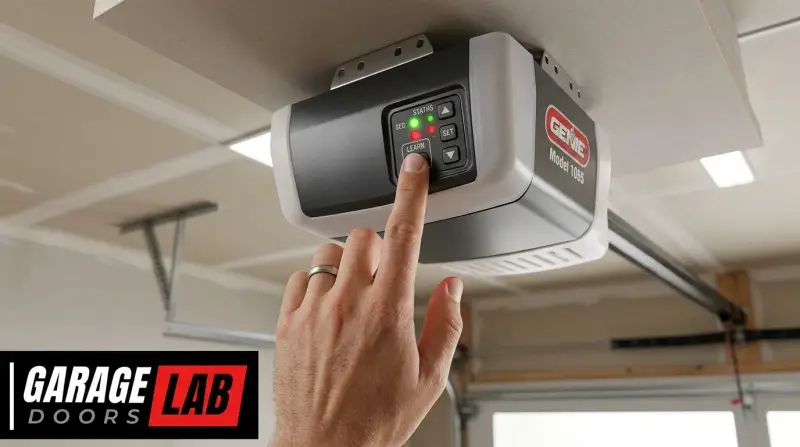
Understanding your Genie Model 1055 garage door opener is key to ensuring its smooth and reliable operation. This model, a popular choice for homeowners, offers a blend of functionality and ease of use. However, like any mechanical and electronic device, it requires occasional programming to maintain its performance and security.
Whether you’re setting up a new remote, replacing an old one, or troubleshooting an issue, knowing how to program your Genie Model 1055 is an essential skill for any owner.
This guide will walk you through the intricacies of programming your Genie Model 1055 garage door opener. We’ll cover everything from initial setup to advanced troubleshooting, ensuring you have the knowledge to confidently manage your opener. By understanding the different components and their functions, you can maximize the lifespan of your opener and enhance your home’s security.
Key Takeaways
- The Genie Model 1055 garage door opener typically uses a three-button remote and is often programmed using the red or green “Learn” button located on the motor unit.
- Programming involves a sequence of pressing buttons on the remote and the motor unit to establish a secure connection.
- Ensure you have the correct remote model compatible with your Genie opener, as older remotes may not work with newer systems.
- Safety precautions are paramount; always keep people and objects clear of the garage door’s path during programming.
- If you encounter issues, checking the power supply, remote battery, and “Learn” button functionality are crucial first steps.
- Regular maintenance, like lubricating moving parts, can prevent issues that might require reprogramming.

Credit: www.geniecompany.com
Understanding Your Genie Model 1055
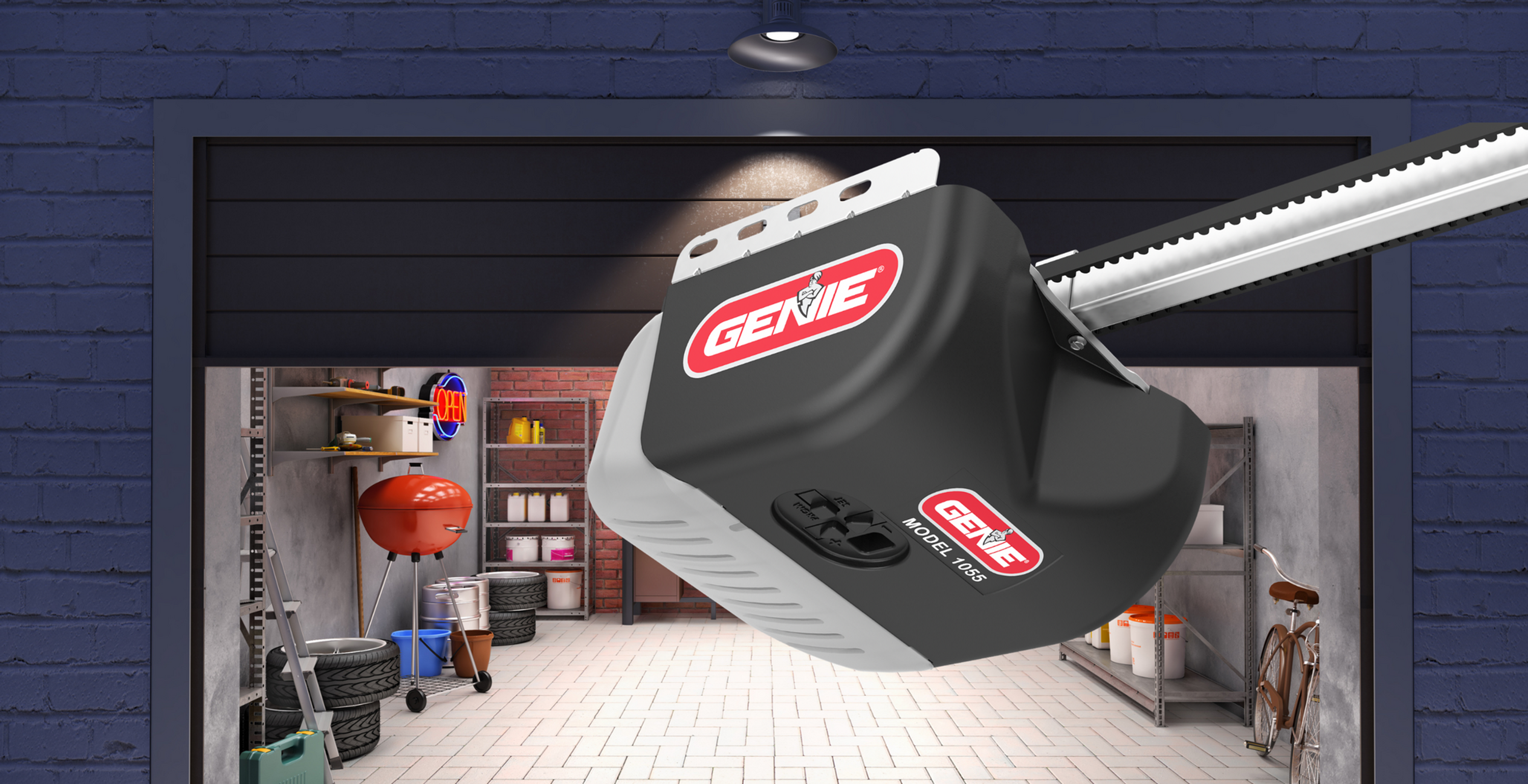
Before diving into the programming process, it’s beneficial to understand the core components of your Genie Model 1055 garage door opener system. This foundational knowledge will make the programming steps clearer and help you troubleshoot more effectively. The system typically consists of the motor unit (mounted on the ceiling), the garage door opener itself, and the remote control transmitter.
Some systems may also include a wall console and a keypad for access.
The motor unit is the “brain” of the operation, housing the electronics that control the door’s movement. Within this unit, you’ll find the receiver and, crucially for programming, the “Learn” button. This button, often red or green, is the gateway to pairing new remotes or keypads with your opener. The remote control, a handheld device, sends a radio signal that the motor unit’s receiver interprets. The frequency at which these devices communicate is a critical factor in compatibility. Genie openers often operate on specific radio frequencies, and ensuring your remote uses the same frequency is vital for successful programming.
The “learn” Button: Your Gateway To Programming
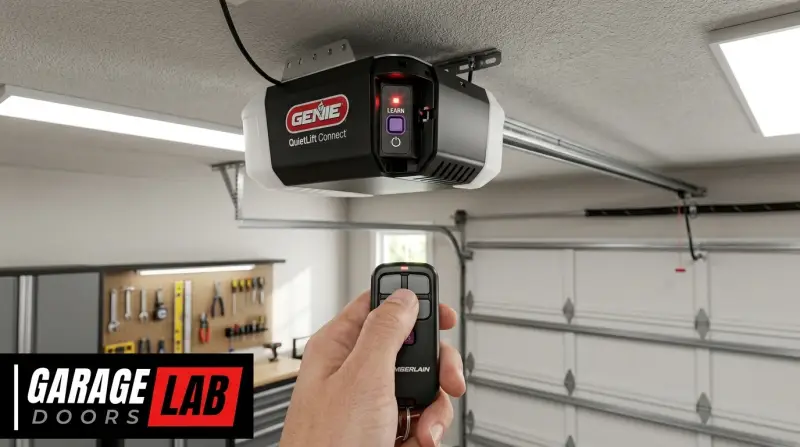
The “Learn” button on your Genie Model 1055 motor unit is the central component for initiating the programming sequence. Its location can vary slightly depending on the specific sub-model or manufacturing date, but it’s almost always found on the back or side panel of the motor unit, often near the indicator lights or terminal screws. It’s usually a small, colored button (typically red or green) that you press and release to signal the opener that you intend to add a new device.
When you press the “Learn” button, the opener enters a learning mode, typically for about 30 seconds. During this window, it’s ready to receive and store the unique code from a compatible remote or keypad. An indicator light, often an LED next to the button, will usually illuminate or blink to confirm that the opener is in learning mode.
Understanding this button’s function and location is the first step to successfully programming your Genie Model 1055.
Remote Control Compatibility
Not all Genie remotes are interchangeable with every Genie opener. The Genie Model 1055, like many garage door openers, relies on specific radio frequencies and coding technologies for secure operation. Older Genie openers might use a fixed code system, while newer ones employ rolling codes for enhanced security. It’s essential to ensure that the remote control you are trying to program is designed for your specific Genie Model 1055 or a compatible series.
Genie uses various remote models, often identified by their button color or model number (e. g. , Genie G3T-BX, Genie GITR-3). A common indicator of compatibility for older Genie systems is the color of the “Learn” button on the motor unit.
Red typically signifies a 9-dip switch system, while green often indicates a Genie Intellicode system. If you are unsure about your remote’s compatibility, consulting your Genie Model 1055 owner’s manual or checking the Genie website with your opener’s model number is highly recommended.
Attempting to program an incompatible remote will result in failure.
Safety First: Essential Precautions
Programming a garage door opener involves the movement of a heavy door, making safety a top priority. Before you begin any programming steps, ensure the garage door is fully closed and that no people, pets, or objects are in the path of the door. It’s also wise to disconnect the opener from the power source during initial setup or if you’re performing any physical adjustments to the mechanism, although for simple remote programming, power is usually required.
When testing the programmed remote, stand a safe distance away from the door. Be aware that the door might move unexpectedly during the programming process. If you have photo-electric eyes at the bottom of your garage door tracks, ensure they are clean and unobstructed, as they are safety devices that can prevent the door from closing if their beam is broken. Familiarize yourself with how to manually open your garage door in case of an emergency or power outage. You can often find this information in your owner’s manual.

Credit: www.youtube.com
Programming A Genie Model 1055 Remote Control
The most common programming task for a Genie Model 1055 is pairing a remote control. This process is generally straightforward, but requires precise steps to ensure success. The exact procedure can vary slightly based on whether your opener uses older dip switch technology or the more modern Intellicode system. However, the fundamental principle remains the same: establishing a communication link between the remote and the motor unit.
Method 1: Using The Red “learn” Button (older Systems)
Many Genie Model 1055 openers, particularly older ones, utilize a red “Learn” button and a system of 9 dip switches on the remote. This method is straightforward and relies on matching the switch patterns.
- Locate the “Learn” Button: Find the red “Learn” button on the back or side of your Genie Model 1055 motor unit. An LED indicator light next to it will also be present.
- Set the Dip Switches on the Remote: On your Genie remote control, you will find a row of nine small switches. These switches can be set in an “up” or “down” position. You need to set these switches to match a specific pattern. This pattern is often found in your remote’s manual or can be determined by looking at the dip switches on your original, working remote if you have one. Alternatively, you can set them to any combination you choose, but you must record this pattern.
- Press the “Learn” Button: Press and release the red “Learn” button on the motor unit. The LED indicator light next to it should illuminate, indicating the opener is in learn mode. You have approximately 30 seconds to complete the next step.
- Press the Remote Button: Within the 30-second window, press and hold the desired button on your Genie remote control that you want to use to operate the garage door.
- Observe the Opener: Listen for an audible click from the motor unit, or watch for the indicator light to flash or turn off. This signifies that the opener has recognized and stored the remote’s code.
- Test the Remote: Release the button on the remote. Press the same button on the remote again. The garage door should now operate. If it doesn’t, repeat the steps, ensuring the dip switch settings are correct and that you pressed the buttons within the allotted time.
Pro Tip: If you have lost your original remote, you can often find compatible replacement remotes by searching online using your Genie Model 1055 opener’s specific model number and checking for compatibility with 9-dip switch systems.
Method 2: Using The Green “learn” Button (intellicode Systems)
Genie’s Intellicode technology offers enhanced security by changing the access code with each use, preventing unauthorized access. If your Genie Model 1055 has a green “Learn” button, it likely uses Intellicode. Programming Intellicode remotes involves a slightly different sequence.
- Locate the “Learn” Button: Find the green “Learn” button on the back or side of your Genie Model 1055 motor unit. An LED indicator light is usually located nearby.
- Press and Hold the “Learn” Button: Press and hold the green “Learn” button on the motor unit for about 5-10 seconds. The LED indicator light will begin to blink, and then turn solid. Release the button.
- Press the Remote Button: Press and hold the desired button on your Genie Intellicode remote that you wish to program.
- Observe the Opener: After a few seconds, the LED indicator light on the motor unit will begin to flash rapidly, and you may hear an audible click. This indicates that the opener has accepted the remote’s code.
- Release the Remote Button: Release the button on your remote.
- Test the Remote: Press the programmed button on your remote again. The garage door should operate. If it doesn’t, it’s possible the opener timed out, or there was a slight misstep. You can try the process again. For Intellicode systems, it’s crucial to ensure you have an Intellicode-compatible remote, not an older dip-switch model.
Example: When I recently helped a neighbor program their Genie opener, it had a green “Learn” button. We followed the Intellicode steps, and the rapid blinking of the LED on the motor unit confirmed the remote was paired successfully on the first try. It’s a much simpler process than dip switches once you know the sequence.
Programming A Genie Keypad For Model 1055
If your Genie Model 1055 system includes an external keypad, programming it allows for keyless entry. The process is similar to programming a remote, as the keypad also needs to transmit a code that the opener recognizes.
- Locate the “Learn” Button: Find the “Learn” button on your Genie Model 1055 motor unit. The color (red or green) will determine the programming method, as described above.
- Enter Learn Mode: Press and release (for red button) or press and hold (for green button) the “Learn” button on the motor unit until the LED indicator light shows it’s in learn mode.
- Enter Your Desired Code on the Keypad: On the external keypad, enter a 3 to 4-digit PIN (Personal Identification Number) that you want to use for access. Choose a code that is easy for you to remember but not easily guessable by others.
- Confirm the Code: Press the “Enter” or “Program” button on the keypad. You may need to press it twice, or press it after entering your PIN. Consult your keypad’s manual if unsure.
- Observe the Opener: Similar to remote programming, watch for the LED indicator light on the motor unit to flash or turn off, or listen for a click, indicating the code has been accepted.
- Test the Keypad: From outside your garage, enter the PIN you just set on the keypad and press the “Enter” or “Program” button. The garage door should operate.
Warning: If you choose a common or easily guessable PIN, such as “1234” or your birth year, you significantly compromise your garage security. Always select a unique and personal code. If you need to reprogram your keypad, you can find instructions on how to reprogram a Genie garage door keypad.
Credit: www.geniecompany.com
Troubleshooting Common Programming Issues
Even with clear instructions, programming issues can arise. Understanding common problems and their solutions can save you time and frustration. The most frequent culprits are often simple to fix.
Remote Not Responding After Programming
If you’ve gone through the programming steps and the remote still doesn’t operate the door, several factors could be at play:
- Incorrect “Learn” Button Sequence: Double-check that you followed the exact sequence for your opener’s “Learn” button color (red vs. green). For Intellicode (green button), holding the button for too short or too long can prevent it from entering learn mode correctly.
- Wrong Remote Type: Ensure the remote is compatible with your Genie Model 1055. Older remotes might not work with newer Intellicode openers, and vice-versa. Check the model numbers and frequency.
- Remote Battery: A weak or dead battery in the remote is a common reason for it not working, even after programming. Try replacing the battery with a fresh one. Use the exact battery type specified by the remote manufacturer.
- Range Issues: While less common during initial programming, sometimes interference or distance can be a factor. Try programming and testing from closer to the motor unit.
- Opener Not in Learn Mode: Ensure the LED indicator light on the motor unit was illuminated when you pressed the remote button. If not, the opener wasn’t in learn mode, and the code wasn’t accepted.
Opener Responds To Multiple Remotes Incorrectly
Sometimes, programming one remote can inadvertently erase or interfere with other programmed remotes. This is particularly common with older dip-switch systems if the “Learn” button is pressed incorrectly.
- Reprogram All Remotes: The most effective solution is to reprogram all your remotes and keypads after programming a new one. This ensures that the opener’s memory is updated with all active devices. For Intellicode systems, this is usually less of an issue, but it’s still good practice if you notice problems.
- Check for Stuck Buttons: Ensure no buttons on any of your remotes are stuck in the depressed position, which could continuously send a signal and cause conflicts.
The “learn” Button Is Unresponsive
If you press the “Learn” button on the motor unit and nothing happens, no light, no click, there might be an issue with the opener itself or its power supply.
- Check Power: Ensure the garage door opener is plugged into a working electrical outlet and that the circuit breaker for the garage hasn’t tripped. Test the outlet with another device.
- Reset the Opener: Sometimes, a system reset can resolve minor electronic glitches. You can often reset the opener by unplugging it for a minute, then plugging it back in. For some Genie models, there might be a specific reset procedure involving holding down buttons on the motor unit. Consult your garage door opener reset guide.
- “Learn” Button Damage: In rare cases, the “Learn” button itself might be damaged or the associated electronics could have failed. If you’ve exhausted other troubleshooting steps, you may need to contact a professional garage door technician.
Advanced Genie Model 1055 Programming And Maintenance
Beyond basic remote and keypad programming, understanding how to manage your Genie Model 1055 involves occasional resets, code changes, and preventative maintenance. These steps ensure ongoing security and optimal performance.
Changing Your Garage Door Opener Code (intellicode)
For Genie Intellicode systems, changing the access code is a security measure you should perform periodically, or if you suspect your code has been compromised. This process is straightforward and involves reprogramming your existing remotes and keypads.
- Initiate Code Change: Press and hold the green “Learn” button on the motor unit for approximately 10 seconds until the LED indicator light turns off, then release. This action effectively erases the old codes.
- Reprogram Remotes/Keypads: Immediately after, you will need to reprogram each of your remotes and keypads using the steps outlined previously (Method 2 for remotes, keypad programming for keypads). The opener will only accept new codes now.
- Test All Devices: After reprogramming each item, test it to ensure it functions correctly.
This process ensures that any old, potentially compromised codes are no longer valid and that only your newly programmed devices can operate the opener.
Resetting The Genie Model 1055 Opener
A full reset can be useful if you’re experiencing persistent glitches or want to clear all previously programmed devices to start fresh. The exact procedure can vary, but often involves a combination of unplugging the unit and pressing specific buttons.
- Power Cycle and Button Press: Unplug the garage door opener from the power outlet. Locate the “Learn” button on the motor unit. Press and hold the “Learn” button, and while holding it, plug the garage door opener back into the power outlet. Continue to hold the “Learn” button until the LED indicator light on the motor unit turns on and then turns off. Release the button. This action typically clears all previously learned codes.
- Reprogramming Required: After a full reset, all remotes and keypads will need to be reprogrammed using their respective methods.
This is a drastic step, so ensure you have all your remotes and keypads ready for reprogramming. For instructions on resetting other brands, you might find helpful information on resetting garage door remotes.
Routine Maintenance For Longevity
Regular maintenance of your Genie Model 1055 opener can prevent issues that might necessitate reprogramming or lead to premature failure.
- Lubrication: Periodically lubricate the moving parts of your garage door system, including hinges, rollers, and the opener’s chain or screw drive. Use a silicone-based lubricant or a specialized garage door lubricant. Avoid using oil-based lubricants, which can attract dirt and dust. For guidance, refer to articles on lubricating garage door rollers.
- Check Hardware: Inspect the mounting hardware for the motor unit and the tracks for any loose bolts or connections. Tighten them as needed.
- Inspect the Door: Ensure the garage door itself is balanced and operates smoothly manually. If the door is stiff or unbalanced, it can put extra strain on the opener.
- Clean Sensors: Keep the photo-electric safety sensors at the bottom of the tracks clean and unobstructed. Dust or debris can cause them to malfunction, leading to the door reversing unexpectedly.
Frequently Asked Questions
How Do I Know If My Genie Model 1055 Is Intellicode Or A Dip-switch System?
The easiest way to tell is by the color of the “Learn” button on your motor unit. A green “Learn” button typically indicates an Intellicode system, which uses rolling codes for enhanced security. A red “Learn” button usually signifies an older system that uses a fixed code and 9 dip switches on the remote for programming. Always verify with your owner’s manual if possible.
What Happens If I Lose My Genie Remote?
If you lose a programmed Genie remote, it’s crucial to erase all codes from your garage door opener’s memory and then reprogram all your existing remotes and keypads. This ensures that the lost remote can no longer operate your garage door. For Intellicode systems, this involves pressing and holding the “Learn” button until the indicator light turns off. For dip-switch systems, you might need to reset the opener by unplugging it and pressing a specific button sequence.
Can I Program Any Genie Remote To My Model 1055?
No, you cannot program any Genie remote to your Model 1055. Compatibility is key. You must use a remote that is designed for your specific opener’s technology (Intellicode or dip-switch) and frequency. Using an incompatible remote will result in programming failure. Always check the remote’s specifications against your opener’s model number and features.
My Genie Remote Worked, But Now It Doesn’t. What Should I Do?
First, check the battery in the remote. A weak or dead battery is the most common reason for a previously working remote to stop functioning. If replacing the battery doesn’t help, try reprogramming the remote to the opener. If that still doesn’t work, the remote itself might be damaged, or there could be an issue with the opener’s receiver. Consider testing with another compatible remote if possible.
How Often Should I Change The Access Code For My Genie Opener?
For Genie Intellicode systems, while the code changes automatically with each use, it’s still a good security practice to **manually reset