
If your Genie garage door opener stops working, it can feel like your whole day is on hold. The garage door is often the main entrance for many homes. When it fails, it’s not just inconvenient—it can be a security risk, too. Luckily, most Genie garage door opener problems can be solved at home, without calling a technician. This article will walk you through practical troubleshooting steps, explain why these problems happen, and give you clear solutions. You’ll also learn tips that even seasoned DIYers sometimes miss, so you can get your Genie system working again with confidence.
Understanding Your Genie Garage Door Opener
Before you start fixing anything, it helps to understand how your Genie opener works. Most Genie models use a combination of:
- An electric motor to move the door
- Sensors for safety and alignment
- A remote control or wall button to operate the door
- Limit switches to stop the door at the right spot
If any one of these parts has a problem, your garage door may not open or close. Basic troubleshooting often starts with identifying which part isn’t behaving as expected.
A key detail many people miss: Genie openers also have a logic board (a small computer inside) that controls everything. If this board glitches, you might see strange behavior, like random opening or lights flashing with no clear reason. Another overlooked part is the travel module, which tells the opener how far the door should move. If it slips out of place, the opener may only move partway, or keep running after the door is closed.
Understanding that your opener is a system of connected parts—not just a motor—can help you diagnose problems faster.
Safety First: Essential Precautions
Working with garage door openers involves electricity and moving parts. Here’s what you should always do first:
- Disconnect power at the outlet before touching wires or the motor.
- Never remove safety sensors as a shortcut—they prevent accidents.
- Don’t try to repair springs or cables unless you’re trained. These can cause serious injury.
- Keep hands, tools, and pets clear of the door’s path during testing.
It’s easy to overlook these basics, but skipping them is a common source of accidents.
A detail that catches beginners off guard: Genie openers sometimes have a backup battery inside the housing. If you unplug the opener but the battery is still connected, there may still be power in the system. Always check for a battery and disconnect it as well.
Another often-missed safety tip is to use eye protection when working near springs or wires. Even a small piece of broken metal can cause injury if something snaps.
Common Genie Garage Door Opener Problems
Most issues fall into a few main categories. Let’s break down the symptoms and what they usually mean.
1. Door Won’t Open Or Close
If the door won’t move at all, check these areas:
- Power supply: Is the opener plugged in and the outlet working?
- Remote batteries: Are they fresh and installed correctly?
- Manual lock: Is the door’s manual lock engaged?
- Disengaged trolley: Has the opener been set to manual mode?
A surprising number of calls to repair services are solved by simply plugging in the opener or unlocking the door.
One less obvious cause: Sometimes, a power surge or outage can cause the opener’s circuit board to freeze. Try unplugging the unit for a minute and plugging it back in. If your area has frequent storms or surges, consider using a surge protector for your opener.
2. Remote Control Not Working
If the wall button works but the remote does not, consider:
- Dead batteries
- Remote needs reprogramming
- Range interference (neighbor’s opener, radio devices)
- Faulty remote unit
Try using the remote closer to the opener, and check if the LED light on the remote flashes.
A detail that’s easy to miss: Metal objects, like a car roof or nearby storage shelves, can sometimes block the signal from your remote to the opener. If the remote only works when you hold it at certain angles, this may be the cause. Try removing any large metal items between your car and the opener, or change the position you press the remote.
3. Wall Button Not Working
If pressing the wall switch does nothing:
- Check for loose wires at the wall button or opener terminals
- See if the wall button itself is broken (try the remote to confirm)
- Inspect for blown fuses or tripped circuit breakers
Wall buttons are simple, but wires can get knocked loose during cleaning or moving items.
Sometimes, the wall button uses a low-voltage wire that runs along the garage wall. Over time, these wires can get pinched by shelves or chewed by rodents. If you notice the wire looks damaged or frayed, replace it with new, similar-gauge wire.
4. Door Reverses Before Closing
This is a safety feature, but if it happens every time, the safety sensors are likely out of alignment or dirty.
- Wipe sensor lenses with a soft cloth
- Make sure both sensor lights are on (steady, not blinking)
- Adjust the sensors so they face each other directly
Most doors will not close if the sensors are blocked or misaligned.
Some Genie sensors are especially sensitive to vibration. If you bump the sensors with a broom or bike tire, even slightly, they can move enough to cause misalignment. After cleaning the garage, always double-check that both sensor lights are still on.
5. Door Only Opens A Few Inches
If the door moves a little and stops:
- Check for broken springs or cables (these need professional repair)
- Lubricate door tracks and rollers
- Adjust the force or limit settings
A door that’s too heavy for the opener usually has a spring issue.
One detail that’s often missed: Cold weather can make old grease stiff, causing the door to stick or move slowly. If your door works fine in summer but struggles in winter, clean and re-lubricate the tracks and rollers with a silicone-based garage door lubricant.
6. Opener Motor Runs But Door Doesn’t Move
This often means the door is disconnected from the trolley (manual mode), or the chain/belt is broken.
- Re-engage the trolley (pull the emergency release towards the opener)
- Inspect the chain or belt for damage
If the chain or belt is loose, tension may need adjusting.
If you hear the motor run much longer than usual, but nothing happens, check the opener’s sprocket (the gear that moves the chain or belt). Sometimes, the gear’s teeth wear out, causing the chain to slip. Worn gears need to be replaced, but the part is usually inexpensive.
7. Unusual Noises
Grinding, squeaking, or banging often means:
- Lack of lubrication on rollers or hinges
- Loose hardware
- Worn out motor gears
Apply garage door lubricant to moving parts and tighten any loose bolts.
Another sound to watch for: a repeated clicking or popping noise from the opener’s case. This can mean a relay or capacitor is failing. If you hear electrical noises, unplug the opener and get it checked—don’t keep running it.
8. Flashing Lights Or Error Codes
Many Genie models use blinking lights to show problems.
- Count the flashes and check your manual for the matching error
- Common codes include sensor problems, motor overload, or circuit board failure
If you see a pattern (for example, 2 flashes, pause, 2 flashes), write it down before resetting anything.
A detail even experienced users miss: If you clear an error code by unplugging the opener, and the same code returns as soon as you use the door again, it means the problem is ongoing—not just a glitch. Fix the root cause before trying to reset the system.
Quick Fixes: Step-by-step Troubleshooting
Here’s a simple process to follow when your Genie garage door opener stops working.
Step 1: Check Power And Connections
- Plug a lamp into the same outlet as your opener. If it doesn’t work, the problem is likely the outlet or breaker.
- Make sure the opener’s power cord is fully inserted.
- Reset any tripped circuit breakers.
Many garages have GFCI (ground-fault) outlets that can trip easily. If none of your outlets work, try pressing the “reset” button on each outlet in the garage. It’s a common, but easy-to-miss fix.
Step 2: Inspect Safety Sensors
- Look for solid lights on both sensors (usually green and red).
- If blinking or off, clean the lenses and ensure sensors are aligned.
- Remove any objects blocking the sensor path.
A practical tip: If your sensors are several years old, their wires can corrode at the connection. Disconnect and reconnect them to refresh the contact points. Also, check for spider webs or dust buildup, which can block the sensor beam.
Step 3: Test The Remote And Wall Button
- Replace remote batteries.
- Try operating the door with both the remote and the wall button.
- If only one works, the problem is isolated to that device.
Sometimes, the wall button or remote will work only intermittently. This often points to a loose wire or a weak battery. Don’t wait for total failure—fix or replace the part as soon as you notice trouble.
Step 4: Examine The Door Mechanism
- Check for visible damage to springs, cables, or tracks.
- Try lifting the door manually (with the opener disengaged). It should move smoothly and stay open about halfway.
- Lubricate moving parts if needed.
If the door is hard to lift or falls quickly, the springs have likely lost tension. This adds extra strain to your opener and can cause early motor failure. For heavy doors, always get spring repairs done professionally.
Step 5: Review Opener Settings
- Locate the force and limit adjustment screws on the opener.
- If the door stops too soon, increase the down force slightly.
- If the door won’t fully close, adjust the close limit screw.
Small adjustments (quarter-turn at a time) can solve most range and force problems.
One trick: If you’ve adjusted the limits many times and the problem keeps returning, the gear or travel module inside the opener may be slipping. Replacing this small part can restore full function.

Advanced Troubleshooting: When Basic Fixes Don’t Work
Some problems require a deeper look. Here’s how to handle trickier issues.
Genie Opener Error Codes And Meanings
Most Genie models use light flashes to signal errors. Here’s a handy reference:
| Number of Flashes | Possible Cause | What to Check |
|---|---|---|
| 1 Flash | Sensor Problem | Clean, realign, or replace sensors |
| 2 Flashes | Wiring Error | Check wires at opener and wall button |
| 3 Flashes | Door Obstruction | Clear tracks and check for jammed rollers |
| 4+ Flashes | Motor Overload | Let motor cool, inspect for heavy door |
Always consult your Genie model’s manual for model-specific codes.
Some newer Genie models also show codes on an LCD screen or use a phone app for diagnostics. If your opener supports this, you can get even more detailed error information—helpful for advanced troubleshooting.
Resetting The Genie Garage Door Opener
If you’ve tried everything and nothing works, a reset can sometimes help.
- Unplug the opener for 30 seconds.
- Plug it back in.
- Reprogram your remotes and wall buttons as needed.
This can clear minor software bugs.
Resetting also helps if your opener acts “confused”—for example, if it opens halfway, then closes by itself, or beeps for no reason. Always recheck all safety settings after a reset.
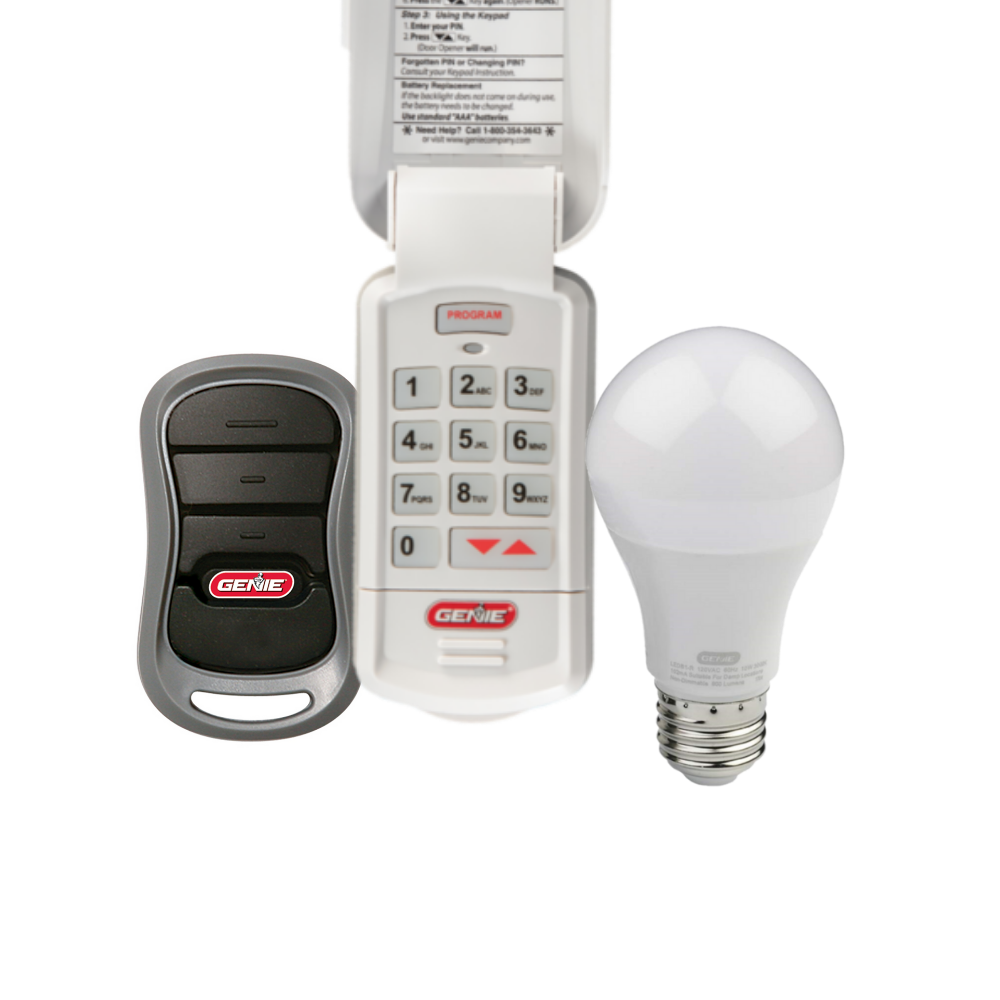
Reprogramming Remotes And Keypads
Remotes sometimes lose their connection to the opener. Here’s how to reprogram:
- Press and hold the “Learn” button on the opener until the LED blinks.
- Within 30 seconds, press the button on your remote.
- Wait for the opener’s light to flash, confirming the pairing.
For keypads, follow your model’s instructions. Most require entering a PIN, pressing “Learn,” then testing.
If your remote still won’t program, check for interference from nearby Wi-Fi routers or cordless phones, which can sometimes block the signal.
Diagnosing Motor And Circuit Board Problems
If the opener hums but doesn’t move, or works only sometimes, the motor or circuit board may be failing.
- Listen for clicking or humming sounds (a sign of electrical failure).
- Check for burned smells or visible damage on the board.
- If the opener is over 10 years old, parts may be worn out.
At this point, replacement is often more cost-effective than repair.
A practical tip: Sometimes, a failed capacitor (a small cylindrical part on the board) causes the motor to lose power. If you’re comfortable with electronics, you can replace just the capacitor for a low cost, but most homeowners choose to replace the board or the whole opener for safety.
Comparing Genie Garage Door Opener Models
Genie offers several types of openers. Here’s how they differ:
| Model Type | Drive System | Typical Issues | Best For |
|---|---|---|---|
| Chain Drive | Metal chain | Noise, chain stretch | Heavy doors, budget use |
| Belt Drive | Rubber belt | Belt wear, slippage | Quiet operation, attached garages |
| Screw Drive | Threaded rod | Needs regular lubrication | Extreme temperatures |
| Smart Opener | Wi-Fi enabled | Connectivity issues | Remote control via app |
Choosing the right model and understanding its weaknesses can help you prevent future problems.
A detail many overlook: If your garage is attached to your home, a belt drive is often worth the extra cost for quiet operation. But in a detached garage or workshop, a chain drive’s noise may not matter and can save money on repairs.
Key Maintenance Tips To Prevent Problems
Regular maintenance makes troubleshooting easier and extends the life of your opener.
- Lubricate rollers, hinges, and springs every 6 months with garage door lubricant.
- Tighten all bolts and screws yearly to prevent vibrations.
- Clean sensors monthly to keep them working properly.
- Replace batteries in remotes and keypads each year.
- Inspect wires for wear or chewing (especially if you have rodents).
Surprisingly, many owners skip these simple steps, leading to avoidable breakdowns.
One expert tip: After lubricating, always run the door up and down a few times to spread the lubricant evenly. Also, check the balance of your door by disconnecting the opener and lifting it halfway. If it moves on its own, the springs need adjustment.
Genie Garage Door Opener Vs. Other Brands
How does Genie compare to popular competitors like Chamberlain or LiftMaster? Here’s a side-by-side look:
| Feature | Genie | Chamberlain | LiftMaster |
|---|---|---|---|
| Ease of Troubleshooting | Simple codes, easy access | App-based, some complex | Professional installation |
| Cost | Mid-range | Mid to high | High |
| Smart Features | Available on newer models | Wide app support | Advanced, but costlier |
| DIY Friendliness | Very good | Good | Requires pro for some |
If you like DIY repairs and value clear error codes, Genie is a strong choice.
Another point to consider: Genie parts are widely available at hardware stores, making it easy to get replacements. Some LiftMaster and Chamberlain parts are only sold through dealers, which can slow down repairs.
When To Call A Professional
Not every problem should be fixed at home. Call a technician if:
- Springs or cables are broken
- The opener smokes or sparks
- You see burned or melted wires
- The door is off its tracks or won’t move manually
- You’ve tried all steps and the problem remains
Garage door spring repair is especially dangerous and should not be a DIY job.
Also, if your door is unusually heavy or makes loud banging noises when moving, call an expert. These can be signs of serious mechanical failure that can harm you or damage your garage.
Common Mistakes To Avoid
Even handy homeowners sometimes make these errors:
- Ignoring the manual: Each Genie model is a little different. The manual includes model-specific steps and codes.
- Using WD-40 on tracks: It attracts dust; use garage door lubricant instead.
- Forcing the door: Don’t push or pull a stuck door with the opener attached—this can damage both the door and the motor.
- Skipping sensor alignment: Most “door won’t close” problems are caused by sensors, not the opener itself.
- Failing to test after each step: Always test the door after making an adjustment. This helps you catch mistakes early.
Another mistake: Forgetting to check for loose mounting bolts on the opener unit. Over time, vibration can loosen the opener from the ceiling, causing noise or even dangerous falls. Check these bolts at least once a year.
Real-world Example: Genie Door Won’t Close At Night
Here’s a problem many owners face: the Genie door won’t close after sunset. The sensors work in daylight, but not at night. The cause? Some Genie sensors are sensitive to direct sunlight or nearby outdoor lights. At night, headlights or porch lights can confuse the sensors.
Solution:
- Adjust the sensors to reduce glare from outside lights.
- Add a small sun shield or shade over the sensor (even cardboard can work as a test).
- Clean the sensors regularly.
This issue is often missed by beginners and even some installers.
In some cases, the sensor wires act as antennas and pick up electrical noise from LED bulbs or motion sensor lights. Switching to “garage-rated” bulbs or moving the sensor wires away from other cables can reduce interference.
Upgrading Your Genie Garage Door Opener
If your Genie opener is over 10 years old, or repairs are costing more than half the price of a new unit, consider an upgrade. Modern Genie openers offer:
- Battery backup (works during power outages)
- Smartphone control from anywhere
- Quieter operation (especially with belt drive)
- Improved safety features
Upgrades can save you time and reduce future breakdowns. For new models, check the official Genie Company website for the latest features.
Some newer Genie models also have motion-sensor lights and vacation lockout features, which can add peace of mind. If you’re upgrading, look for these extras—they often cost little more but make daily life easier.
Frequently Asked Questions
Why Won’t My Genie Garage Door Opener Close All The Way?
This is usually caused by misaligned safety sensors or an object blocking the door’s path. Check for blinking sensor lights, clean the lenses, and make sure the sensors face each other directly. If the door still won’t close, adjust the down limit screw slightly.
Also, check for small objects like leaves, tools, or even spider webs near the sensor path. These can block the infrared beam, stopping the door from closing.
How Do I Reset My Genie Garage Door Opener?
Unplug the opener for 30 seconds, then plug it back in. To reset remotes or keypads, press and hold the “Learn” button on the opener until the LED blinks, then reprogram your remote as described in your manual.
After a reset, always test the wall button and remotes to make sure all devices work properly.
What Do I Do If My Genie Remote Stops Working?
First, replace the remote’s batteries. If that doesn’t help, reprogram the remote using the Learn button on your opener. If the remote still won’t work, try a new remote to rule out a hardware failure.
Remember, signal interference from LED bulbs, Wi-Fi routers, or metal shelves can also block remote signals. Move these items if you suspect interference.
Why Does My Genie Opener Make Noise But The Door Doesn’t Move?
This often means the trolley is disengaged, the chain/belt is broken, or the opener is in manual mode. Check the emergency release and re-engage the trolley. If the chain or belt is damaged, it may need replacement.
If you hear a loud grinding sound, the internal gear may be stripped and needs replacement.
Can I Fix A Broken Garage Door Spring Myself?
No. Garage door springs are under extreme tension and can cause serious injury. Always call a professional for spring or cable repairs.
Attempting this repair without proper tools and training can lead to severe injury or even death.
Fixing a Genie garage door opener is within reach for most homeowners. By following the steps in this guide, you can solve common problems, avoid expensive service calls, and keep your garage secure. Remember—regular maintenance and careful troubleshooting save time and money in the long run.
If you ever feel unsure, don’t hesitate to get expert help. Your safety, and your peace of mind, are always worth it.