
Resetting a Craftsman garage door opener can seem confusing if you have not done it before. Maybe your remote stopped working, or you moved into a new home and want to clear old codes. Sometimes, the garage door does not respond as it should, or you want to add new remotes. Whatever your reason, understanding how to reset your opener will save you time, money, and stress. The good news: you do not need to be a professional to do this. With a bit of guidance, anyone can reset a Craftsman garage door opener safely and quickly.
This guide will walk you through the complete process. You will learn why resets are important, the tools you may need, and step-by-step instructions for different models. We will cover what to do if things go wrong and how to avoid common mistakes.
If you want to feel confident about your garage door opener, you are in the right place.
Why Reset A Craftsman Garage Door Opener?
Many people wonder if they really need to reset their garage door opener. There are a few important reasons:
- Security: If you just moved into a new home, the previous owner’s remotes may still work. Resetting removes all old codes, so only your remotes can open the door.
- Lost or Stolen Remotes: If a remote goes missing, someone could use it to access your garage. Resetting blocks lost remotes.
- Malfunctioning System: Sometimes, the opener stops responding to commands. A reset can fix many technical issues.
- Adding or Removing Remotes: If you want to add a new remote or remove an old one, a reset is often needed.
Beginners often miss that just unplugging the opener or removing batteries does NOT reset the codes. You need to follow a special process using the Learn button.
Understanding The Craftsman Garage Door Opener System
Before you get started, it helps to know the basic parts of your Craftsman opener:
- Motor Unit: Mounted on the ceiling, this is the main box with the lights.
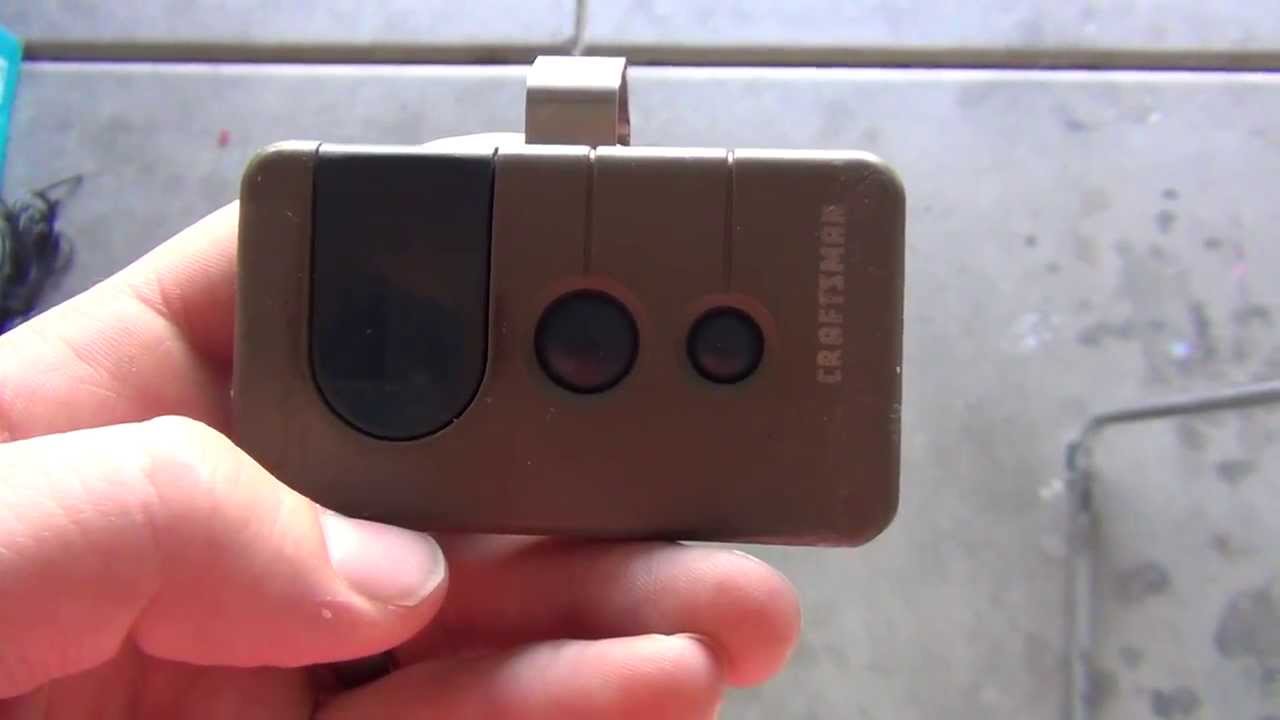
- Remote Controls: Handheld devices to open/close the door.
- Wall Control Panel: Usually inside the garage, lets you open/close without a remote.
- Sensors: Near the ground on each side of the door, these prevent the door from closing if something is in the way.
- Learn Button: Usually located near the back or side of the motor unit, often under a light cover. This button is the key to resetting.
Craftsman openers have used various technologies over the years—rolling code, fixed code, Security+—but the reset process is similar for most units made since the 1990s.
Tools And Preparation
You do not need special tools, but a few things help:
- Step ladder: The opener is usually mounted on the ceiling.
- Flashlight: Some garages are poorly lit.
- Pen and paper: To note down model numbers or steps.
- User manual (optional): If you have it, keep it nearby for reference.
Safety tip: Always make sure the ladder is stable, and do not stand on the very top step. If you have trouble reaching, ask for help.
Identifying Your Craftsman Opener Model
Not all Craftsman openers look the same. Some have a red, yellow, orange, or purple Learn button. The color often tells you about the technology and which remotes will work. Find the model number on the side or bottom of the opener. This helps if you need to look up more details or buy new remotes.
Here is a simple guide for identifying your opener:
| Learn Button Color | Technology | Years Used | Compatible Remotes |
|---|---|---|---|
| Red/Orange | Security+ | 1997–2005 | 390 MHz |
| Purple | Security+ 2.0 | 2005–2011 | 315 MHz |
| Yellow | Security+ 2.0 | 2011–present | MyQ (multiple MHz) |
| Green | Fixed Code | 1993–1996 | 390 MHz |
Step-by-step: How To Reset Your Craftsman Garage Door Opener
Resetting is not the same as unplugging the unit. The following steps apply to most Craftsman openers made after 1993. If your opener is older, you may need to contact support for specific instructions.
1. Locate The Learn Button
Climb your ladder and find the Learn button. It might be under a light cover. Press the tab or unscrew the cover if needed. The button is usually near a small LED light.
2. Clear All Remote Codes (factory Reset)
To erase all remote controls from the opener’s memory:
- Press and hold the Learn button for about 6–10 seconds.
- The small LED light next to the button will turn off. This means all codes are erased.
- Release the button.
Now, none of the old remotes will work. This is useful if you want to start fresh or remove lost/stolen remotes.
3. Reprogram Your Remotes
You must add your remotes back after a reset:
- Press and release the Learn button (do not hold).
- The small LED will light up and stay on for 30 seconds.
- Within this window, press the button on your remote that you want to program.
- The opener’s lights may flash, or you may hear a click. This means the remote is now linked.
- Repeat for each remote you want to add.
Insight: Some people think pressing and holding the remote button will add it. Actually, a quick press works best for most models.
4. Resetting Keypads And Wall Controls
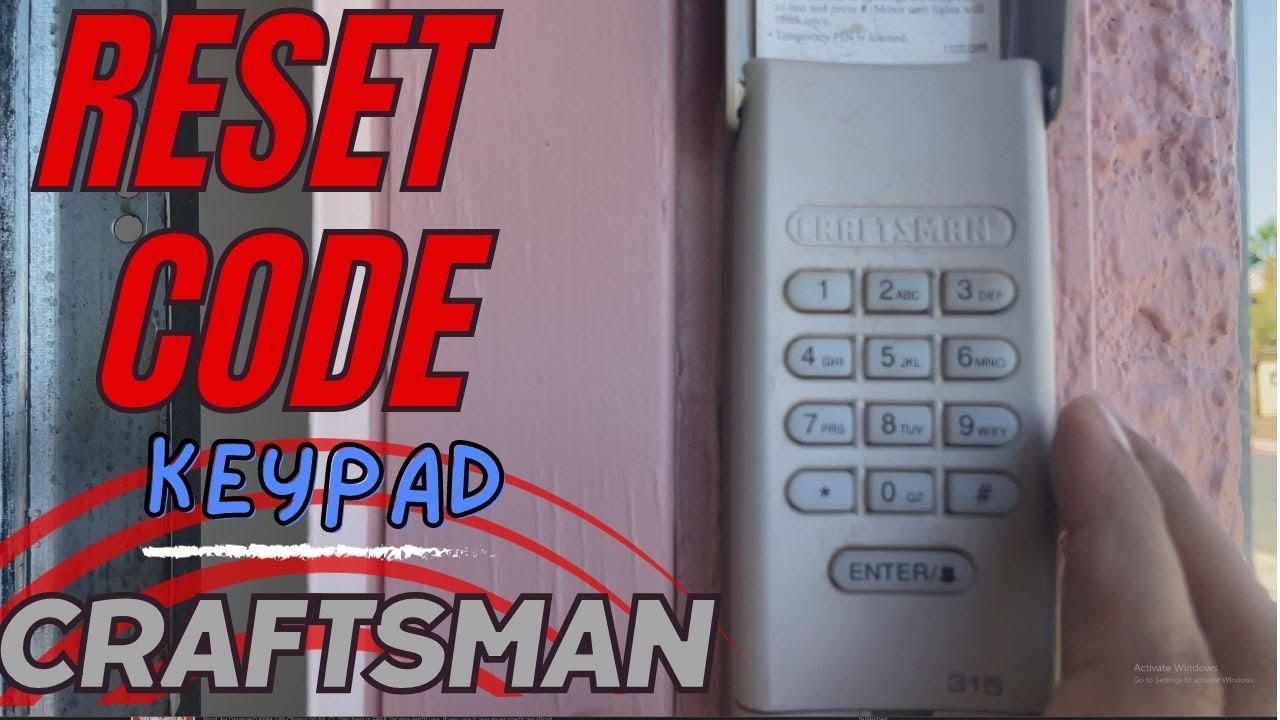
If you have a wireless keypad (mounted outside your garage), you need to reprogram it too:
- Press and release the Learn button.
- Within 30 seconds, enter your new 4-digit code on the keypad and press the Enter button.
- The lights on the opener will blink or you will hear a click.
For wall controls, most do not need reprogramming, but if yours is wireless, follow the same steps as for keypads.
5. Test The System
After resetting, check each remote and keypad. Stand a few feet away and press the button. If the door opens or closes, it works. Try from inside your car and from outside the garage. If something does not work, repeat the programming step.
Resetting Older Craftsman Openers
If your unit was made before 1993, it may not have a Learn button. Instead, you might see a row of switches (DIP switches) under the light cover.
- To reset, you must change the pattern of the switches on both the opener and the remote to a new, matching code.
- Use a small screwdriver or pen to flip the switches.
Extra tip: Do not use simple codes like all up or all down. Choose a random pattern for better security.
Common Problems When Resetting And How To Fix Them
Sometimes, things do not go as planned. Here are common issues and how to solve them:
The Remote Will Not Program
- Battery Dead: Replace the battery in your remote.
- Wrong Remote Type: Make sure your remote matches your opener’s frequency (see the table above).
- Programming Too Slowly: After pressing the Learn button, you have only 30 seconds to program the remote.
The Opener Does Not Respond
- Power Issue: Check if the opener’s light comes on. If not, plug it into another outlet.
- Obstructed Sensors: Make sure nothing blocks the safety sensors at the base of the door.
- Wiring Problem: Rare, but possible if wires are loose.
Keypad Not Working
- Wrong Code: Double-check the code you entered.
- Battery Low: Replace keypad battery.
- Too Far from Opener: Some keypads need to be closer during programming.
Light Bulb Flashes But Door Does Not Move
- Sensors Misaligned: Adjust the sensors so their lights are steady.
- Lock Feature On: Some wall panels have a “lock” button. If the opener is locked, remotes will not work.
What To Do If You Lose All Remotes
If you have reset your Craftsman opener and have no working remotes, do not panic. You can still program new remotes. Buy a compatible remote (check the Learn button color for frequency), then follow the programming steps above. For your security, always erase all old codes before adding new remotes.
Resetting A Craftsman Opener With Myq Technology
Many newer Craftsman models use MyQ for smart control via a smartphone app. Resetting is similar, but you will also need to disconnect and reconnect the opener in the app:
- Use the Learn button to erase remotes as above.
- In the MyQ app, remove the opener from your account.
- Re-add the opener in the app after resetting.
This keeps your app and opener working together securely.
Comparing Craftsman Opener Resets With Other Brands
You might wonder if Craftsman is different from Genie, Chamberlain, or LiftMaster. The process is similar, but the location of the Learn button and steps can change.
Here is a comparison of reset steps for top brands:
| Brand | Reset Method | Typical Learn Button Location | Notes |
|---|---|---|---|
| Craftsman | Hold Learn button (6–10 sec) | Back/side of motor unit | Color of button matters |
| Chamberlain | Hold Learn button (6 sec) | Back of motor unit | Similar to Craftsman |
| Genie | Press and hold “Program” | Front of motor | Use Genie-specific remotes |
| LiftMaster | Hold Learn button (6 sec) | Back/side of motor unit | Same as Craftsman (same parent company) |
Safety Tips When Resetting Your Opener
- Unplug before touching wiring: If you must open the motor unit for any reason, always unplug first.
- Use a sturdy ladder: Falls are a common cause of injury.
- Keep children and pets away: When testing the door, make sure the area is clear.
- Do not force the door: If the opener does not work, do not try to move the door manually unless you know how to disengage the opener safely.
Resetting The Opener’s Travel And Force Settings
Resetting the remotes does not change how far the door opens or closes. If your door stops halfway or does not close, you may need to reset the travel and force settings.
- Locate the two adjustment screws or dials on the side or back of the motor unit.
- Use a flathead screwdriver to gently adjust the up and down travel limits.
- Adjust the force if the door reverses unexpectedly.
Example: If your door closes and then opens again, the down travel may be too far. Turn the down limit screw slightly until the door closes fully without reversing.

How To Avoid Common Reset Mistakes
Even experienced users make errors. Here are two mistakes to avoid:
- Programming Old Remotes: Not all remotes are compatible. Always check the model and frequency.
- Forgetting to Erase Old Codes: Some people program new remotes but forget to erase the old ones, leaving their garage less secure.
Non-obvious tip: After a reset, wait one minute before testing remotes. Some openers need a few seconds to save the new settings.
Troubleshooting: When A Reset Does Not Fix Your Issue
If you have reset your opener and still have problems:
- Check for interference: Wireless routers or LED bulbs near the opener can block the remote signal.
- Inspect the antenna: A broken antenna on the motor unit will weaken the signal.
- Call for help: Sometimes, the logic board or receiver is faulty. You may need a technician if resets do not work.
How Often Should You Reset Your Garage Door Opener?
There is no set rule, but you should reset your opener when:
- You move into a new home
- A remote is lost or stolen
- You notice strange behavior (door opens/closes by itself)
- You want to add or remove remotes
Some people reset once a year as a security habit.
What To Do After Resetting
Once your opener is reset and working:
- Test each remote and keypad from different distances.
- Write down your keypad code and store it safely.
- Update your manual with the new remotes.
- Show other family members how to use the system.
When To Call A Professional
Most resets are easy, but call a pro if:
- The opener does not respond after following all steps
- You see sparks, burning smells, or hear strange noises
- The door moves unevenly or makes grinding sounds
A professional can check wiring, sensors, and the motor. They can also help if your opener is very old or discontinued.
Buying New Remotes Or Keypads After A Reset
If you need new remotes, match the model number and frequency to your opener. You can buy Craftsman-branded remotes or compatible ones from Sears, online retailers, or hardware stores.
Here is a quick reference for remotes:
| Learn Button Color | Remote Frequency | Model Example | Typical Price Range |
|---|---|---|---|
| Red/Orange | 390 MHz | 139.53753 | $20–$35 |
| Purple | 315 MHz | 139.53778 | $20–$35 |
| Yellow | Multiple | 139.53792 | $25–$40 |
| Green | 390 MHz (DIP) | 139.53681 | $18–$30 |
Always check the return policy before buying, as not all remotes are returnable.
What About Smart Home Integration?
Some modern Craftsman openers work with apps like MyQ or other smart home systems. After a reset, you must reconnect your opener to your Wi-Fi and app account. This ensures you have control from your phone and your system is secure. Check your manual for specific smart setup instructions.
Keeping Your System Secure After A Reset
Resetting is just one part of keeping your garage safe. Here are extra steps to protect your home:
- Change your keypad code regularly.
- Do not share your code with non-family members.
- Keep remotes out of sight in your car.
- If traveling, unplug the opener or use the vacation lock feature.
For more information on garage door security, you can visit the Consumer Reports Garage Door Opener Guide.
Frequently Asked Questions
How Do I Find The Learn Button On My Craftsman Opener?
The Learn button is usually on the back or side of the motor unit, sometimes under a light cover. It is often colored red, orange, yellow, or purple. If you cannot find it, check your user manual or look for a small button next to an LED light.
Can I Reset My Craftsman Opener Without A Ladder?
Most openers are mounted on the ceiling, so a ladder is usually needed. If your ceiling is low, you might reach it from a tall step stool. Always prioritize safety and never try to reach from an unstable surface.
What Should I Do If The Opener Still Doesn’t Work After A Reset?
If a reset does not fix the problem, check for power issues, misaligned sensors, or remote battery problems. If everything looks correct and it still does not work, your opener may have a faulty logic board or receiver. Consider calling a professional for help.
Is Resetting The Same As Unplugging The Opener?
No. Unplugging the opener only cuts power; it does not erase codes or reset remotes. To fully reset, you must use the Learn button or DIP switches as described above.
How Many Remotes Can I Program After A Reset?
Most modern Craftsman openers can store up to five remotes and one keypad. If you add more, the oldest remote may be removed from memory. Always check your model’s manual for the exact limit.
Resetting your Craftsman garage door opener may feel challenging, but with these steps, you can do it quickly and safely. Whether you want better security or need to solve a problem, these tips give you the confidence to handle your opener like a pro. Stay safe and enjoy the peace of mind that comes from a secure garage.