
When your garage door opener’s remote stops responding, it’s often a sign that the battery needs replacing. This is a common issue, and thankfully, one that most homeowners can tackle themselves with a few simple tools and a bit of guidance.
Understanding how to change the battery in your Access Master garage door opener can save you time and the expense of calling a technician for what is usually a minor fix. Access Master is a brand often associated with LiftMaster, sharing many of their design principles and component similarities, which can be helpful when troubleshooting.
This guide will walk you through the process step-by-step, covering everything from identifying the correct battery type to safely completing the replacement. We’ll also touch on common issues and troubleshooting tips to ensure your opener is back to full working order swiftly.
Key Takeaways
- Identify Your Remote: Access Master remotes vary; locate the model number or consult your opener’s manual to confirm the battery type.
- Gather Supplies: You’ll need a new battery (commonly CR2016 or CR2032), a small flathead screwdriver, and a clean cloth.
- Safety First: Disconnect power to the opener if working near electrical components.
- Open the Case: Gently pry open the remote’s casing using a flathead screwdriver.
- Remove Old Battery: Note the battery’s orientation before carefully removing it.
- Install New Battery: Insert the new battery, ensuring correct polarity (+/-).
- Test the Opener: Close the remote, test its functionality, and reprogram if necessary.
- Troubleshoot: If it still doesn’t work, check battery contact, consider remote damage, or consult the opener’s manual.
Understanding Your Access Master Remote And Battery Needs
Access Master garage door openers, often found in various residential settings, are designed for convenience and security. The remote control, or transmitter, is the key to this convenience, allowing you to operate your garage door from the comfort of your vehicle or home.
Like any electronic device, these remotes rely on batteries to function. Over time, these batteries deplete, leading to a loss of functionality. Recognizing the signs of a dying battery and knowing how to address it is crucial for maintaining seamless garage access.
Common Access Master Remote Models And Battery Types
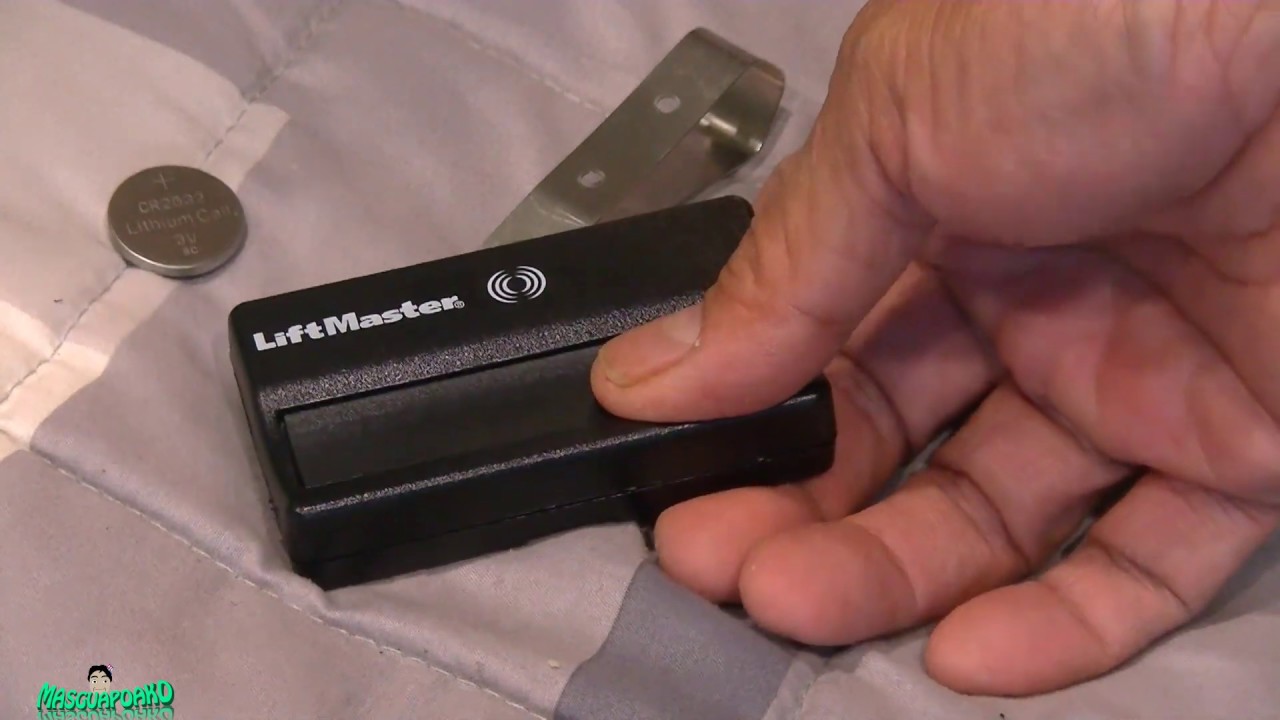
Access Master has produced several remote models over the years, and while they share similarities, the specific battery required can differ. The most common types of batteries used in these remotes are coin-cell lithium batteries, typically a CR2016 or CR2032. These batteries are chosen for their long life, compact size, and consistent power output.
- CR2016: A 3-volt lithium battery, measuring 20mm in diameter and 1.6mm thick.
- CR2032: A 3-volt lithium battery, also 20mm in diameter, but slightly thicker at 3.2mm.
To confirm the exact battery needed for your specific Access Master remote, you should:
- Check the Remote Casing: Many remotes have the battery type printed directly on the back or inside the battery compartment.
- Consult Your Opener’s Manual: The original owner’s manual for your Access Master garage door opener will specify the correct remote battery. If you no longer have it, you can often find digital versions online by searching for your opener’s model number.
- Examine the Old Battery: Once you open the remote, the old battery will clearly indicate its type (e.g., “CR2016” or “CR2032”).
Purchasing the correct battery is the first step. It’s advisable to buy batteries from reputable brands to ensure longevity and reliable performance. Cheap, unbranded batteries may not last as long or could even cause issues with the remote’s circuitry.
Signs Your Access Master Remote Battery Needs Replacing
Several indicators suggest your remote’s battery is running low or has completely died:
- Reduced Range: The most common symptom is that you need to be much closer to the garage door for the remote to work. The signal strength weakens significantly as the battery drains.
- Intermittent Operation: The remote might work sometimes but not others, or it may require multiple presses of the button to activate the opener.
- No Response: The remote simply stops working altogether, with no reaction from the garage door opener.
- Indicator Light Issues: Many remotes have a small LED light that illuminates when a button is pressed. If this light is dim, flickers, or doesn’t come on at all, it’s a strong sign the battery is weak.
- Older Remote: If you’ve had the same remote for several years (typically 2-5 years, depending on usage and battery quality), it’s likely due for a battery change as a preventative measure.

Credit: www.youtube.com
Step-by-step Guide To Changing The Access Master Garage Door Opener Battery
Replacing the battery in an Access Master garage door opener remote is a straightforward process. With the right tools and a careful approach, you can have your remote functioning like new in just a few minutes.
Tools And Materials You’ll Need
Before you begin, ensure you have the following items readily available:
- New Battery: The correct coin-cell lithium battery (e.g., CR2016 or CR2032) as identified for your remote model.
- Small Flathead Screwdriver: A small Phillips head screwdriver might also be needed for some models, though flatheads are more common for prying.
- Clean Cloth: To wipe down the remote’s interior and the new battery, ensuring good contact.
- Optional: Small Pliers: In rare cases, older batteries might be slightly stuck and require gentle persuasion with pliers.
Locating And Opening The Remote
Most Access Master remotes are designed to be user-serviceable. The battery compartment is typically accessed by carefully separating the two halves of the remote’s casing.
- Find the Seam: Examine the remote’s exterior for a seam where the front and back plastic casings meet.
- Insert the Screwdriver: Gently insert the tip of your small flathead screwdriver into this seam, usually starting at a corner or a designated notch if one is present.
- Pry Gently: Apply steady, gentle pressure to pry the two halves apart. You may hear a slight click as the internal clips disengage. Work your way around the seam if necessary, but avoid excessive force, which can break the plastic.
- Separate the Halves: Once the clips are released, carefully separate the front and back pieces of the remote. Be mindful of any internal circuit boards or buttons that might become dislodged.
Removing The Old Battery
Once the remote casing is open, you’ll see the coin-cell battery. It’s crucial to note its orientation before removal to ensure you install the new one correctly.
- Observe Polarity: The battery will have a positive (+) and negative (-) side. Typically, the flat side with markings (like “CR2032”) is the positive side, and the slightly rounded side is negative. Note which side is facing up.
- Gentle Removal: Most coin-cell batteries are held in place by a small metal clip or are simply nestled in a holder. Use your flathead screwdriver or a fingernail to gently lift the edge of the battery and remove it. Avoid using excessive force or sharp objects that could damage the battery holder or surrounding components.
- Clean the Compartment: Use a clean, dry cloth to wipe away any dust or debris from the battery compartment and the metal contacts that touch the battery.
Installing The New Battery
With the old battery removed and the compartment clean, it’s time to install the new one.
- Handle the New Battery: Hold the new battery by its edges. Avoid touching the flat surfaces, as oils from your fingers can leave residue that impedes electrical contact.
- Orient Correctly: Place the new battery into the compartment with the correct polarity facing up, matching how the old battery was installed. For most Access Master remotes, the positive (+) side (usually marked with “+”) should face upwards towards the circuit board or button.
- Secure the Battery: Gently press the new battery into place. It should sit snugly. If there’s a retaining clip, ensure it snaps over the edge of the battery.
- Test Contact (Optional): Some users briefly press the remote button while the casing is still open to see if the indicator light comes on, confirming battery contact.
Reassembling The Remote And Testing
After the new battery is installed, reassemble the remote and test its functionality.
- Align the Casings: Carefully align the two halves of the remote casing. Ensure no wires or small components are pinched between them.
- Snap Together: Gently press the two halves together, working around the edges, until they snap securely into place. You should feel and hear the clips engaging.
- Test the Remote: Point the remote at your garage door opener unit (or the door itself, depending on your system’s setup) and press the button. The garage door should activate.
- Check Range: Test the remote from a greater distance than usual to confirm the signal strength has improved.
Troubleshooting Common Issues
If the remote doesn’t work after changing the battery, don’t worry. Here are a few common troubleshooting steps:
- Incorrect Battery Orientation: Double-check that the battery is installed with the correct polarity (+/-). This is the most frequent mistake.
- Dead New Battery: While rare, it’s possible the new battery is faulty. Try a different new battery.
- Dirty Contacts: Ensure the metal contacts inside the remote that touch the battery are clean and free of corrosion or debris. Gently clean them with an eraser or a pencil eraser.
- Loose Battery: Make sure the battery is seated firmly and not loose in its compartment.
- Damaged Remote: Inspect the remote for any visible cracks or damage, especially around the button or antenna. Physical damage can render the remote inoperable.
- Opener Needs Reset/Reprogramming: In some cases, especially if the opener has been without power for a while or if you’ve recently replaced the opener unit, the remote might need to be reprogrammed to the opener. Refer to your garage door opener’s manual for specific instructions on how to reset or reprogram your garage door opener. You might also need to reset the Liftmaster garage door opener remote if it’s a compatible model.
Credit: www.youtube.com
When To Consider Professional Help
While changing a garage door opener remote battery is typically a DIY task, there are situations where seeking professional assistance is the best course of action. If you’ve followed all the troubleshooting steps and the remote still fails to operate, the issue might be more complex.
- Persistent Malfunction: If you’ve replaced the battery, checked connections, and even attempted reprogramming without success, the remote itself might be damaged beyond simple repair. This could be due to internal component failure or physical damage.
- Opener Unit Issues: Sometimes, the problem isn’t with the remote but with the garage door opener unit itself. If the opener doesn’t respond to any remote or wall button, it could indicate a problem with the opener’s receiver board, motor, or power supply.
- Complex Reprogramming: While many remotes are easy to reprogram, some older or more complex systems can be challenging. If you’re uncomfortable with the reprogramming process or if it fails repeatedly, a technician can handle it efficiently.
- Safety Concerns: If you’re dealing with an older garage door opener or are unsure about any part of the process, especially if it involves working near electrical components or the opener’s mechanism, it’s always safer to call a professional.
The cost of a replacement remote or a service call from a garage door technician should be weighed against the convenience and security a functioning garage door provides. For reference, the general cost of garage door services can vary widely, with factors like the type of repair and location influencing the price. You can find more information on garage door costs to get a general idea.
Credit: allsecurityequipment.com
Maintaining Your Access Master Remote For Longevity
Proper maintenance can extend the life of your Access Master garage door opener remote and ensure it functions reliably for years to come. Beyond just battery replacement, a few simple practices can make a difference.
Regular Cleaning
Dust, dirt, and grime can accumulate on and inside your remote, potentially affecting button responsiveness and battery contact.
- Exterior Cleaning: Periodically wipe down the remote’s exterior with a slightly damp cloth. Avoid using harsh chemicals or solvents, which can damage the plastic.
- Interior Cleaning: When you change the battery, take the opportunity to gently clean the battery contacts and the area around them with a dry cloth or a cotton swab. Ensure the remote is completely dry before reassembling.
Battery Replacement Schedule
While it’s best to replace the battery when you notice signs of weakness, consider adopting a proactive replacement schedule. If you use your garage door opener frequently, replacing the battery every 2-3 years, even if it seems to be working fine, can prevent unexpected failures.
This is particularly useful if you rely heavily on your garage for daily access or if you live in an area with extreme temperatures, which can affect battery performance.
Protecting The Remote
The remote is a small electronic device that can be susceptible to damage from drops, moisture, and extreme temperatures.
- Avoid Drops: Be mindful of where you place your remote. Keep it in a designated spot in your car or home, rather than leaving it loose where it might fall.
- Protect from Elements: Do not leave the remote exposed to direct sunlight for extended periods, as excessive heat can degrade the battery and internal components. Similarly, avoid exposing it to moisture or rain.
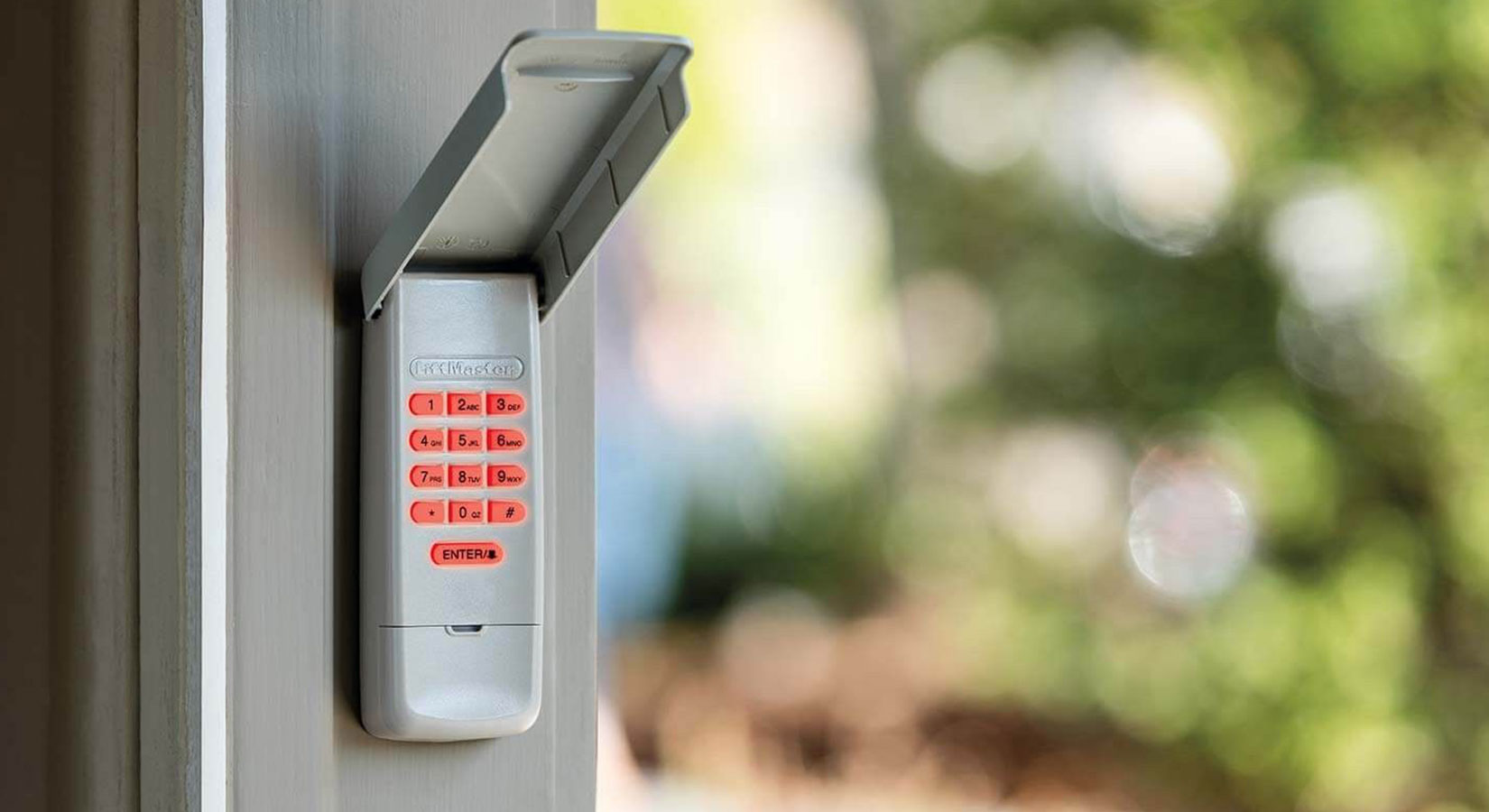
- Secure Storage: If you have multiple remotes or keypads, ensure they are stored securely and their functions are distinct to avoid accidental operation. You might need to reprogram a Genie garage door keypad if it’s been replaced or if you’re consolidating remotes.
Understanding Remote Lifespan
Most modern garage door opener remotes are designed to last between 2 to 5 years with regular use, assuming the battery is replaced as needed. However, factors like the quality of the remote’s construction, the environment it’s kept in, and the frequency of use can influence its actual lifespan.
If your remote is nearing the upper end of this range and you’re experiencing consistent issues, it might be time to consider purchasing a replacement.
Comparing Battery Types For Garage Door Remotes
When it comes to powering your garage door opener remote, the choice of battery is critical. While Access Master remotes typically use specific coin-cell lithium batteries, understanding the characteristics of these and other common battery types can be informative. The primary considerations are voltage, capacity (measured in mAh), size, and chemistry.
Common Battery Types And Their Characteristics
| Battery Type | Voltage (V) | Typical Capacity (mAh) | Common Sizes (Diameter x Thickness) | Chemistry | Pros | Cons |
|---|---|---|---|---|---|---|
| **CR2032** | 3V | 200-240 mAh | 20mm x 3.2mm | Lithium Metal | Long shelf life, high energy density | Can be expensive, sensitive to extreme temps |
| **CR2016** | 3V | 70-90 mAh | 20mm x 1.6mm | Lithium Metal | Slimmer profile, good for thin devices | Lower capacity than CR2032, shorter run time |
| **AAA Alkaline** | 1.5V | 800-1200 mAh | 10.5mm x 44.5mm | Alkaline | Widely available, inexpensive | Lower voltage (often requires multiple), leaks |
| **AA Alkaline** | 1.5V | 2000-2800 mAh | 14.5mm x 50.5mm | Alkaline | High capacity, common | Too large for most remotes, lower voltage |
*Note: Capacity figures are approximate and can vary by manufacturer.*
Why Lithium Coin Cells Are Preferred For Remotes
Lithium coin-cell batteries like the CR2016 and CR2032 are the industry standard for garage door remotes and many other small electronic devices for several compelling reasons:
- Consistent Voltage: They provide a stable 3-volt output, ensuring consistent performance for the sensitive electronics within the remote. Alkaline batteries, conversely, experience a voltage drop as they discharge, which can lead to intermittent operation.
- Long Shelf Life: Lithium batteries can retain their charge for many years (up to 10 years or more) when stored properly, making them reliable for devices that aren’t used constantly.
- Compact Size: Their small diameter and slim profile allow for the creation of compact, ergonomic remote controls that are easy to hold and operate.
- Temperature Tolerance: While extreme temperatures can affect any battery, lithium cells generally perform better in a wider temperature range compared to alkaline batteries.
Using the correct battery type is essential. Substituting an alkaline battery for a lithium coin cell, even if the voltage seems compatible (e. g. , using two 1. 5V AAs in series to achieve 3V), is generally not advisable due to differences in discharge characteristics, size, and potential for leakage.
Always adhere to the battery type specified by the manufacturer for your Access Master remote.
Frequently Asked Questions
What Is The Most Common Battery Type For Access Master Garage Door Remotes?
The most common batteries used in Access Master garage door opener remotes are 3-volt lithium coin cells, typically either the CR2016 or CR2032. Always check your specific remote model or manual to confirm the exact battery type required.
How Often Should I Replace The Battery In My Garage Door Opener Remote?
The lifespan of a garage door remote battery can vary depending on usage and battery quality, but it typically ranges from 2 to 5 years. It’s best to replace the battery when you notice a reduced range, intermittent operation, or if the indicator light is dim.
Proactive replacement every 2-3 years can prevent unexpected issues.
My Remote Stopped Working After Changing The Battery. What Should I Do?
First, double-check that the new battery is installed with the correct polarity (+/-). Ensure the battery is seated firmly and that the metal contacts inside the remote are clean. If it still doesn’t work, try a different new battery, as the first one might be faulty. If the issue persists, the remote may need reprogramming or could be damaged. You may need to reset your garage door remote.
Can I Use A Rechargeable Battery In My Garage Door Opener Remote?
Generally, it is not recommended to use rechargeable batteries in garage door opener remotes that are designed for non-rechargeable lithium coin cells. Rechargeable batteries often have different voltage outputs and discharge characteristics that can interfere with the remote’s electronics and may lead to inconsistent performance or damage. Always use the battery type specified by the manufacturer.
How Do I Know If The Problem Is The Remote Or The Garage Door Opener Unit Itself?
If your remote is not working after replacing the battery, test your garage door opener using the wall-mounted button inside the garage. If the wall button also fails to operate the opener, the problem likely lies with the opener unit itself (e.g., power supply, motor, or logic board). If the wall button works but the remote doesn’t, the issue is most likely with the remote or its programming. You might also need to adjust the chain on your garage door opener if you suspect mechanical issues affecting overall operation.
By following these guidelines, you can confidently maintain your Access Master garage door opener remote, ensuring reliable access to your garage for years to come. A simple battery change can restore functionality and save you the hassle of unexpected disruptions.