Now Reading: How To Program Chamberlain Clicker To Genie Garage Door Opener
- 01
How To Program Chamberlain Clicker To Genie Garage Door Opener

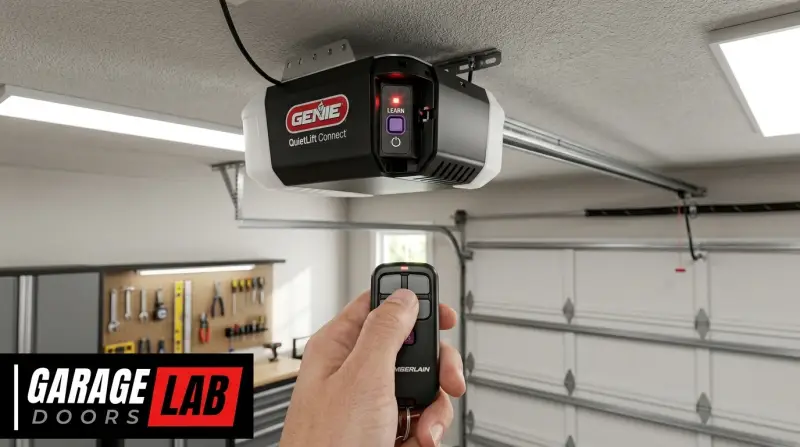
The desire for convenience often leads homeowners to seek ways to consolidate the number of remote controls cluttering their car or keychains. One common scenario is wanting to operate a Genie garage door opener using a Chamberlain remote, or vice versa.
While these brands are distinct, with different technologies and programming protocols, it is sometimes possible to achieve this compatibility, though it often requires specific conditions or additional accessories. Understanding the underlying technology and the limitations of each system is crucial before attempting to program one brand’s remote to another’s opener.
This guide will walk you through the potential methods and considerations when trying to program a Chamberlain remote to a Genie garage door opener, and explore the reverse scenario as well. We’ll cover the different technologies involved, identify compatible models, and discuss the steps required, including when universal remotes or smart controllers might be the best solution.
Key Takeaways
- Direct Compatibility is Rare: Chamberlain and Genie garage door openers typically use different rolling code technologies (e.g., Security+ for Chamberlain, Intellicode for Genie), making direct programming between brands highly unlikely without specific workarounds.
- Universal Remotes are the Most Common Solution: For cross-brand compatibility, a universal garage door remote capable of learning or being programmed to multiple brands is usually the most effective and straightforward approach.
- Check Your Opener’s Technology: Identifying the exact model and the “rolling code” technology your garage door opener uses is the first critical step. Look for labels on the motor unit or consult your owner’s manual.
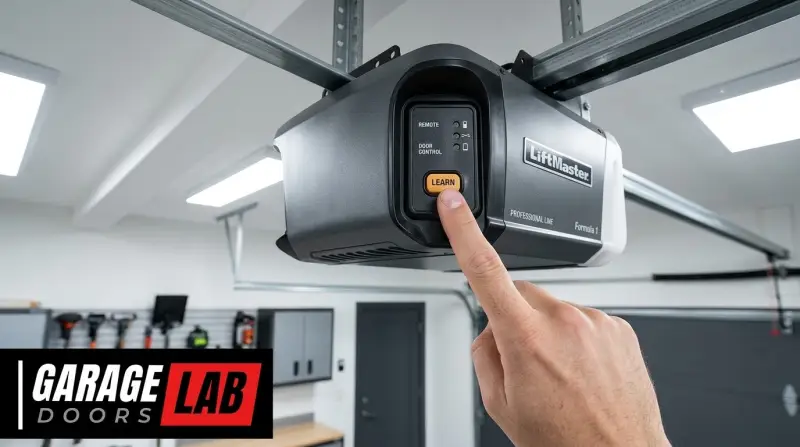
- Learn Button Location Varies: The “Learn” or “Program” button on garage door openers is essential for programming remotes. Its location and color can differ significantly by brand and model.
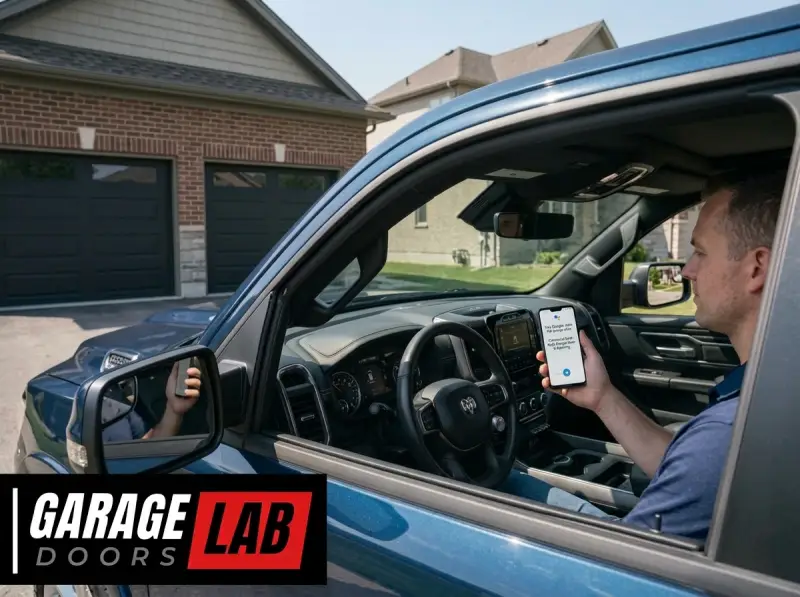
- Consider Smart Home Integration: For advanced control and broader compatibility, smart garage door openers or add-on modules that integrate with systems like MyQ, Alexa, or Google Home offer a modern alternative.
- Consult Manuals and Manufacturer Support: Always refer to your specific opener and remote manuals, and don’t hesitate to contact manufacturer support if you encounter difficulties.
Understanding Garage Door Remote Technologies
Garage door openers and their accompanying remotes communicate wirelessly. The technology behind this communication has evolved significantly over the years, primarily to enhance security. Early systems used fixed codes, meaning the remote sent the same signal every time, making them vulnerable to code grabbing. Modern systems, like those from Chamberlain and Genie, predominantly use rolling codes, also known as hopping codes.
Rolling Codes Explained
Rolling code technology works by changing the transmission code each time the remote is used. This is achieved through a complex algorithm that synchronizes a unique code generated by the remote with a corresponding algorithm in the garage door opener.
When you press the remote button, it sends a code. The opener, using its internal algorithm and a stored “seed” code, calculates what the next code should be. If the received code matches the expected code, the door operates. This constant change makes it extremely difficult for someone to “capture” your remote’s signal and use it to open your garage.
Chamberlain typically uses its Security+ and Security+ 2.0 technologies, while Genie commonly employs Intellicode and Intellicode 2. These systems, while both rolling codes, are proprietary and generally not directly compatible with each other. This means a Chamberlain remote programmed for Security+ 2.0 will not inherently understand the Intellicode signal from a Genie opener, and vice versa.
Common Technologies By Brand
To illustrate the differences, here’s a simplified look at some common technologies associated with these brands:
| Brand | Common Technology Series | Typical Frequency | Security Feature |
|---|---|---|---|
| **Chamberlain** | Security+ | 390 MHz | Rolling Code |
| Security+ 2.0 | 315 MHz / 390 MHz | Advanced Rolling Code | |
| **Genie** | Intellicode | 315 MHz / 390 MHz | Rolling Code |
| Intellicode 2 | 315 MHz | Advanced Rolling Code |
*Note: Frequencies and specific features can vary by model and year of manufacture. Always check your opener’s manual for precise details.*
The core issue is that even though both use rolling codes, the algorithms and signal structures are different. This is why you generally cannot program a standard Chamberlain remote to a standard Genie opener, or vice versa, without an intermediary device.
Why Direct Programming Is Usually Not Possible
The fundamental reason for the incompatibility lies in the proprietary nature of the rolling code systems. Manufacturers design their systems to work seamlessly within their own ecosystem. When you try to program a remote from one brand to an opener of another, the opener simply doesn’t recognize the signal format.
It’s akin to trying to play a Blu-ray disc in a standard DVD player; the hardware and software are not designed to communicate.
The “learn Button” And Its Role
The process of programming a remote to an opener usually involves pressing a “Learn” or “Program” button on the motor unit of the garage door opener itself. This button puts the opener into a temporary learning mode, where it’s ready to receive and store the unique code from a new remote.
When you press a button on the remote, it transmits its current code, and the opener registers this code.
However, for this to work between different brands, the opener’s learning protocol would need to be able to interpret the remote’s signal. Since Chamberlain’s Security+ 2. 0 and Genie’s Intellicode 2 use distinct encryption and transmission methods, the opener’s receiver simply won’t understand the signal sent by a foreign remote.
Exceptions And Older Models
There are a few scenarios where limited compatibility might exist, though these are becoming rarer:
- Older, Dip Switch Models: Very old garage door openers (pre-1990s) used fixed codes set by small switches called DIP switches. If both your Chamberlain and Genie openers are of this vintage, you could theoretically match the DIP switch settings on a universal remote or even directly on the remotes if they were compatible in form factor. However, these systems are highly insecure and largely obsolete.
- “Smart” or Multi-Brand Openers: Some manufacturers produce openers or remotes designed for broader compatibility. For instance, a Chamberlain opener might have a learn button that can accept signals from certain other brands, or vice versa. This is rare and usually specified in the product documentation.
- Specific Compatibility Lists: Occasionally, a manufacturer might release a remote or opener that is explicitly stated to be compatible with a limited range of competitor models. This is usually for specific frequency/technology matches and is not a general rule.
In most modern scenarios, attempting to directly program a Chamberlain remote to a Genie opener, or the reverse, will result in failure. The solution typically involves using a universal remote or a smart home integration device.
The Universal Remote Solution
For most homeowners looking to consolidate remotes or bridge the gap between Chamberlain and Genie, a universal garage door remote is the most practical and widely available solution. These devices are specifically designed to overcome the compatibility issues between different brands and technologies.
How Universal Remotes Work
Universal remotes function in a few primary ways:
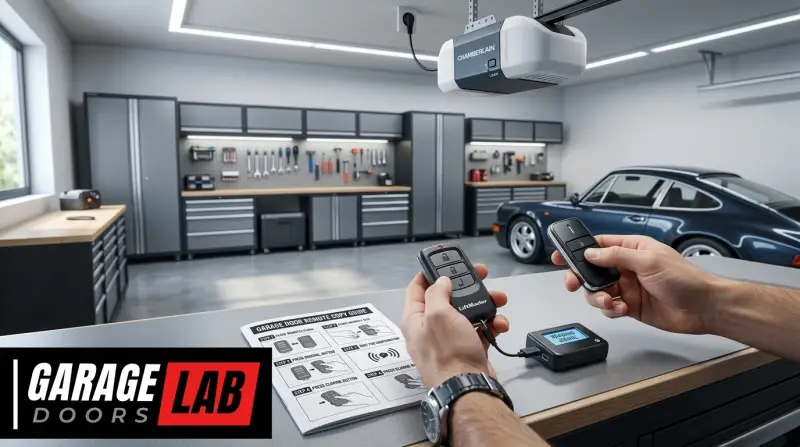
- Code Learning: Many universal remotes can “learn” the signal from your existing remotes. You typically hold the universal remote next to your original Chamberlain and Genie remotes and press the desired buttons on both. The universal remote “listens” for the signal and stores it. This method is often the most straightforward if your original remotes are working correctly.
- Pre-programmed Codes: Some universal remotes come with a vast library of codes pre-programmed. You select your garage door opener brand and model using buttons on the remote, and it then transmits the appropriate signal. This often involves a programming sequence guided by the universal remote’s manual.
- Multi-Frequency and Multi-Technology Support: High-end universal remotes are equipped to transmit on various frequencies (like 315 MHz and 390 MHz) and support multiple rolling code protocols (like Security+, Intellicode, etc.). This makes them versatile enough to handle a wide array of openers.
Choosing The Right Universal Remote
When selecting a universal remote, consider these factors:
- Compatibility List: Ensure the remote explicitly lists compatibility with both Chamberlain (mentioning Security+ or Security+ 2.0) and Genie (mentioning Intellicode or Intellicode 2) openers. Reputable brands often provide detailed compatibility charts on their websites or in their product manuals.
- Number of Buttons: Decide how many garage doors or other devices (like gates) you need to control. Universal remotes typically have 2, 3, or 4 buttons.
- Ease of Programming: Some universal remotes are simpler to program than others. Look for models with clear instructions or online video guides.
- Security Features: Ensure the universal remote supports the same level of security as your openers (i.e., rolling codes). Avoid older universal remotes that only support fixed codes.
- Durability and Range: Consider the build quality and the expected operating range.
Programming A Universal Remote
The programming process for a universal remote can vary significantly. Here’s a general outline:
- Consult the Manual: This is the most critical step. Every universal remote has its own unique programming instructions.
- Clear Existing Codes (Optional but Recommended): Many universal remotes have a function to erase all previously learned codes. This is a good first step to ensure a clean slate.
- Enter Programming Mode: This usually involves pressing and holding specific buttons on the universal remote until an LED indicator changes or flashes.
- Select Brand/Mode: You might be asked to cycle through brands or enter a specific mode for your opener’s technology.
- Learn the Signal:
- For Code Learning: Place the universal remote head-to-head with your original Chamberlain remote. Press and hold the button on the original remote you want to copy. Then, press and hold the desired button on the universal remote. The LED on the universal remote will typically flash rapidly, then turn solid, indicating the code has been learned. Repeat for other buttons/remotes.
- For Pre-programmed Codes: Follow the manual’s instructions to cycle through options until the universal remote is set to transmit the correct code for your Chamberlain or Genie opener.
- Test: Once programmed, take the universal remote to your garage and test the buttons to ensure they operate the correct door.
Example: A common universal remote brand is Chamberlain’s Universal Remote (KLIK3U-BL), which is designed to work with a wide range of Security+ and Intellicode openers. Programming it often involves holding the desired button on the universal remote, then pressing the garage door opener’s “Learn” button, and finally pressing the button on the universal remote again.
Programming A Chamberlain Remote To A Genie Opener (and Vice Versa) – The Advanced Scenario
While direct programming is rare, there are more advanced methods or specific scenarios where you might achieve some level of cross-brand control, often involving intermediary devices or specific opener capabilities.
Using A Smart Garage Door Controller
Smart garage door controllers offer a modern and versatile solution. These devices often act as a bridge between your existing opener and your smartphone or a universal remote system.
- How they work: A smart controller typically attaches to your existing garage door opener’s wiring (often mimicking the wall button) and connects to your home Wi-Fi network. You then control it via a smartphone app. Some smart controllers also offer compatibility with specific universal remotes or can be programmed to learn signals.
- Compatibility: Many smart controllers are designed to work with a vast array of openers, including both Chamberlain and Genie models, regardless of their specific rolling code technology. They essentially bypass the opener’s native remote receiver and control the opener’s motor directly.
- Examples: Devices like the MyQ Smart Garage Hub (by Chamberlain, but often compatible with other brands) or third-party options like Tailwind iQ allow you to open/close your garage door via your phone and can sometimes be integrated with other smart home systems.
Programming A Chamberlain Remote To A Genie Opener – Specific Cases
If you have a Chamberlain remote and want to control a Genie opener, or vice versa, and a universal remote isn’t your preferred route, consider these less common possibilities:
- Chamberlain openers with “Multi-Brand Compatibility”: Some Chamberlain models (like certain LiftMaster or Craftsman openers, which are essentially Chamberlain brands) have openers that can be programmed to accept signals from *some* Genie remotes. This is not standard and requires checking the specific opener model’s manual. The process usually involves a specific sequence of button presses on the opener’s motor unit.
- Genie openers with “Learn Remote Type” function: Similarly, some Genie openers might have a setting that allows them to recognize non-Genie remotes, particularly if they operate on the same frequency and use a compatible rolling code structure (though this is rare). Again, consult your Genie opener’s manual.
- External Radio Receiver: You can purchase a universal external radio receiver that wires into your existing garage door opener’s motor unit. This receiver is designed to be compatible with a wide range of remotes, including many Chamberlain and Genie models. You would then program your Chamberlain or Genie remote (or a universal remote) to this external receiver. This is a more complex installation but offers broad compatibility.
Programming A Genie Remote To A Chamberlain Opener – Specific Cases
The principles are the same when trying to use a Genie remote with a Chamberlain opener:
- Check Chamberlain Opener Compatibility: Review your Chamberlain opener’s manual to see if it lists compatibility with any Genie remote technologies or frequencies. This is uncommon for direct remote-to-opener programming.
- External Receiver: As mentioned above, installing a universal external receiver compatible with Genie remotes is a viable, though more involved, solution.
Important Note: When dealing with rolling codes, even if you find a way to make a remote “talk” to a different brand’s opener, you must ensure the security protocols align. A remote designed for a highly secure rolling code system should ideally be paired with an opener that supports a similar level of security.
When To Consider A New Opener Or Smart System
If your current garage door opener is very old, or if you’re facing persistent compatibility issues, it might be time to consider an upgrade. Modern garage door openers offer enhanced security, quieter operation, and better integration with smart home technology.
Upgrading Your Garage Door Opener
If you have an older Chamberlain or Genie opener that doesn’t support newer rolling codes or lacks compatibility features, replacing it with a new model from either brand can be a good long-term solution.
- Benefits of New Openers:
- Enhanced Security: Latest rolling code technology (e.g., Security+ 3.0, Intellicode 3) with improved encryption.
- Smart Home Integration: Many new openers come with built-in Wi-Fi or are compatible with smart hubs like MyQ, allowing app control, monitoring, and integration with Alexa, Google Assistant, etc.
- Quieter Operation: Newer DC motor-based openers are significantly quieter.
- Battery Backup: Essential feature for power outages.
- Features: Obstruction sensors, remote diagnostics, vacation lock, etc.
Smart Garage Door Controllers As An Alternative
Instead of replacing the entire opener, adding a smart garage door controller can bring your existing system up to date.
- Cost-Effective: Generally less expensive than a new opener.
- Easy Installation: Typically involves wiring to the existing wall button terminals and connecting to Wi-Fi.
- App Control: Monitor and control your garage door from anywhere via your smartphone.
- Notifications: Receive alerts when the garage door opens or closes.
Example: If you have an older Genie opener and a newer Chamberlain remote, and you want to use the remote, you might find it easier and more secure to install a smart controller that works with your Genie opener and then control it via your phone, rather than trying to force incompatible remotes to work. This offers a modern solution without needing to replace the opener itself. The cost for a smart controller typically ranges from $50 to $150, whereas a new garage door opener can cost anywhere from $200 to $600 or more, plus installation. This cost comparison highlights the significant difference.
Troubleshooting Common Issues
Even with the right equipment, programming can sometimes be tricky. Here are common issues and solutions:
Remote Not Responding
- Battery: The most common culprit. Ensure the battery in your remote (original or universal) is fresh and inserted correctly.
- Distance/Obstructions: Stand closer to the opener and ensure there are no large metal objects blocking the signal.
- Incorrect Programming: The code may not have been learned correctly. Try reprogramming the remote, carefully following the manual’s instructions.
- Opener Power: Check if the garage door opener is receiving power. Is the motor unit light on?
Opener Not Recognizing Remote After Programming
- Wrong Button Pressed: Ensure you pressed the correct “Learn” button on the opener motor unit. Its location and color can vary. For Chamberlain, it’s often a purple, red, green, or yellow button. For Genie, it’s typically a blue or green button.
- Timing: You usually have a short window (e.g., 30 seconds) after pressing the “Learn” button to press the remote button. If you take too long, the opener exits learning mode.
- Compatibility: Double-check that the remote (especially if universal) is indeed compatible with your specific opener model and its technology generation.
- Opener Limit: Some openers have a limit on the number of remotes they can store. If you have many remotes programmed, you might need to clear existing codes before adding a new one. Refer to how to reset your garage door opener for clearing codes.
Universal Remote Not Learning Signals
- Original Remote Issues: If the universal remote is supposed to learn from your original remote, ensure the original remote is functioning correctly and has a strong battery.
- Head-to-Head Alignment: Position the remotes very close to each other, usually nose-to-nose.
- Button Presses: Follow the universal remote’s manual precisely regarding which buttons to press and for how long.
- Frequency Mismatch: The universal remote might not transmit on the same frequency as your original remote, even if it claims broad compatibility.
Frequently Asked Questions
What Are The Main Differences Between Chamberlain And Genie Garage Door Opener Technologies?
The primary difference lies in their proprietary rolling code systems. Chamberlain primarily uses Security+ and Security+ 2.0, while Genie uses Intellicode and Intellicode 2. While both are rolling code technologies designed for security, the specific algorithms, frequencies, and signal structures are different, making them generally incompatible for direct remote programming.
Can I Use My Chamberlain Remote With A Genie Garage Door Opener If I Have An Older Model?
Direct compatibility is still unlikely, even with older models, unless both systems were based on very old, fixed-code DIP switch technology. Modern rolling code systems, even earlier generations, are proprietary. Your best bet for older systems would be a universal remote that supports both brands’ older protocols or DIP switch settings.
How Do I Find The “learn” Button On My Garage Door Opener?
The location and color of the “Learn” button vary by manufacturer and model. For Chamberlain openers, it’s often found on the back or side panel of the motor unit, near the antenna wire, and can be purple, red, green, yellow, or orange.
For Genie openers, it’s typically located on the motor unit’s powerhead, often a blue or green button, sometimes near the terminal screws for the wall button. Always consult your specific opener’s manual for the exact location.
Will A Universal Remote Work With All Chamberlain And Genie Openers?
Not necessarily *all*, but most reputable universal remotes are designed to work with the vast majority of Chamberlain (Security+, Security+ 2. 0) and Genie (Intellicode, Intellicode 2) openers manufactured within the last 15-20 years. Always check the universal remote’s compatibility list against your specific garage door opener model number or technology type before purchasing.
Older or highly specialized openers might be exceptions.
Is It Possible To Program A Genie Remote To A Chamberlain Opener Without A Universal Remote?
Direct programming is highly improbable due to the proprietary nature of their rolling code systems. The only potential ways without a universal remote would be if your specific Chamberlain opener model has a rare multi-brand compatibility feature that explicitly supports your Genie remote’s technology, or if you install an external radio receiver compatible with your Genie remote that wires into the Chamberlain opener.
Both scenarios require consulting your specific device manuals.
Successfully integrating a Chamberlain remote with a Genie garage door opener, or vice versa, often hinges on understanding the technological differences between the brands and opting for solutions designed for cross-compatibility. While direct programming between proprietary rolling code systems is rarely possible, the advent of sophisticated universal remotes and smart garage door controllers has made bridging this gap more achievable than ever.
By carefully identifying your opener’s technology, consulting manuals, and choosing the right universal remote or smart device,