
Losing your garage door opener remote can be a frustrating experience, leaving you stranded outside your home or unable to secure your property. Fortunately, most modern Ford vehicles come equipped with a built-in universal garage door opener system, often referred to as the HomeLink system.
This technology allows you to program your Ford’s buttons to operate your garage door opener, eliminating the need for a separate remote. Understanding how to program your Ford garage door opener without the remote is a valuable skill that can save you time and hassle.
This guide will walk you through the comprehensive process of programming your Ford’s HomeLink system, covering various scenarios, troubleshooting tips, and essential considerations. We’ll explore the general steps involved, specific instructions for different Ford models, and what to do if you encounter common issues.
Whether you’ve lost your remote, it’s malfunctioning, or you simply prefer the convenience of using your vehicle’s integrated system, this resource aims to provide all the information you need.
Key Takeaways
- HomeLink System: Most Ford vehicles are equipped with the HomeLink system, allowing integration with garage door openers.
- No Remote Needed: Programming can be done directly from your Ford’s built-in buttons, bypassing the need for the original remote in many cases.
- Programming Steps: The process generally involves syncing the HomeLink buttons with your garage door opener’s frequency and then training the opener to recognize the HomeLink signal.
- Rolling Codes: Newer garage door openers use rolling codes for enhanced security, requiring an additional step to pair the opener’s receiver with the HomeLink system.
- Troubleshooting: Common issues include incompatible frequencies, weak signals, and interference, all of which have potential solutions.
- Manual Override: In emergencies, understanding how to manually open your garage door is crucial.
Credit: www.youtube.com
Understanding The Ford Homelink System
The Ford HomeLink system is a wireless remote control system integrated into your vehicle’s sun visor, rearview mirror, or dashboard. It’s designed to operate various radio-controlled devices, most commonly garage door openers, but also gates, security systems, and even home lighting.
The system uses a set of programmable buttons that can learn and replicate the signals from your existing remote controls. This integration offers a streamlined and convenient way to manage access to your home and property directly from your driver’s seat.
The technology behind HomeLink has evolved over the years. Early versions primarily operated on fixed frequencies, which were simpler to program but less secure. Modern garage door openers, and therefore the HomeLink system designed to work with them, often utilize rolling code technology. This means the signal changes with each use, making it significantly harder for unauthorized individuals to capture and replicate the signal. Programming a HomeLink system for a rolling code opener involves a two-step process: first, the HomeLink system learns the unique signal from your remote (or the opener’s receiver directly), and second, the opener’s receiver needs to be put into a ‘learn’ mode to accept the new HomeLink signal.
How Homelink Works
At its core, HomeLink operates by learning the radio frequency and signal pattern of your existing remote control. When you press a HomeLink button, it transmits a radio signal that mimics the original remote. The garage door opener’s receiver then interprets this signal and activates the opener mechanism.
The system is designed to be compatible with a vast majority of garage door openers on the market, but it’s always wise to check compatibility, especially with older or less common models.
The programming process typically involves a sequence of button presses on both your vehicle’s HomeLink buttons and your garage door opener’s “Learn” or “Smart” button. The Learn button on the garage door opener’s motor unit is crucial for newer systems using rolling codes. This button is usually located near the antenna wire or on the back of the unit. Pressing it briefly puts the opener’s receiver into a learning mode, ready to accept a new remote signal.
Benefits Of Using Homelink
The primary benefit of using the Ford HomeLink system is convenience. Instead of fumbling for a separate remote, you can open and close your garage door with a simple press of a button already integrated into your car. This is particularly useful when your hands are full or when you’re arriving home in inclement weather.
Another significant advantage is security. When programmed correctly, especially with rolling code openers, HomeLink offers a secure way to access your garage. It reduces the risk of losing a physical remote that could be found and misused. Furthermore, by consolidating multiple remote controls into one system, you reduce clutter and the possibility of misplacing individual remotes.
General Steps To Program Ford Homelink Without A Remote
Programming your Ford HomeLink system without the original remote is often achievable by using the garage door opener’s receiver unit directly. This method bypasses the need for the remote itself, as the HomeLink system can learn the signal from the opener’s motor unit. The process generally involves two main phases: training the HomeLink buttons and then synchronizing with the garage door opener’s receiver.
It’s important to note that the exact button sequences and indicator light behaviors can vary slightly between different Ford models and model years, as well as different garage door opener manufacturers. However, the fundamental principles remain consistent.
Phase 1: Training The Homelink Buttons
This phase involves teaching your Ford’s HomeLink system the radio frequency and signal of your garage door opener.
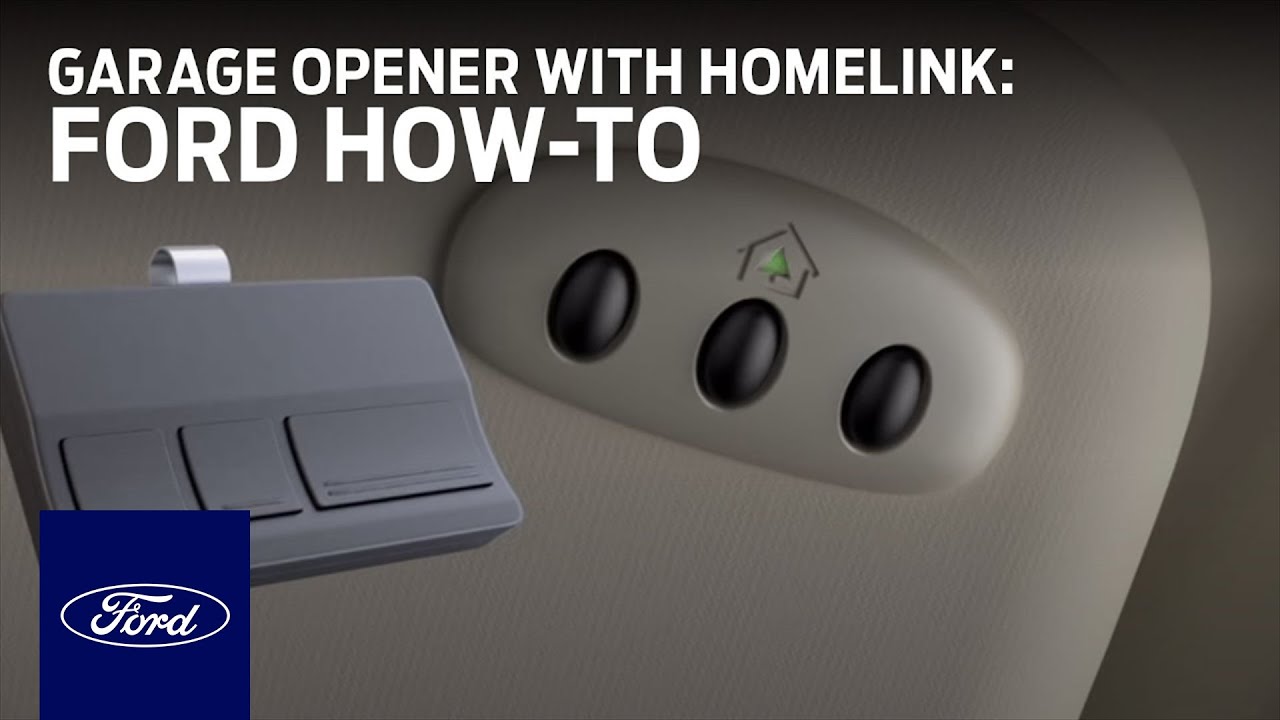
- Locate Your Ford’s HomeLink Buttons: These are typically found on the overhead console near the rearview mirror or on the visor. Most systems have three or four programmable buttons.
- Clear Existing Codes (Recommended): To ensure a clean slate and avoid conflicts with previously programmed devices, it’s advisable to clear any existing HomeLink programming. To do this, press and hold the two outer HomeLink buttons (usually buttons 1 and 3) simultaneously for about 10-15 seconds. The indicator light should flash rapidly, indicating that the memory has been cleared.
- Select a HomeLink Button: Choose one of the HomeLink buttons you wish to program for your garage door opener.
- Initiate Training: Press and hold the chosen HomeLink button. Simultaneously, position your original garage door opener remote (if you have it, even if it’s not working properly for some reason, it can still be used for initial programming if the receiver method fails) about 1-3 inches away from the HomeLink transceiver. The transceiver is usually located on the back of the rearview mirror or in the overhead console.
- Press and Hold: Press and hold both the chosen HomeLink button and the button on your garage door opener remote.
- Observe the Indicator Light: Watch the HomeLink indicator light. It will typically turn from a solid light to a rapidly flashing light, and then potentially to a solid light again. This progression indicates that the HomeLink system is receiving and learning the signal.
- Release Buttons: Once the HomeLink indicator light flashes rapidly, release both the HomeLink button and the remote button.
Phase 2: Synchronizing With The Garage Door Opener Receiver (for Rolling Codes)
If your garage door opener uses a rolling code system (most modern openers do), you will need to complete an additional step to train the opener’s receiver to recognize the HomeLink signal. If you skipped the remote training in Phase 1 and are going straight to the receiver, you will begin here.
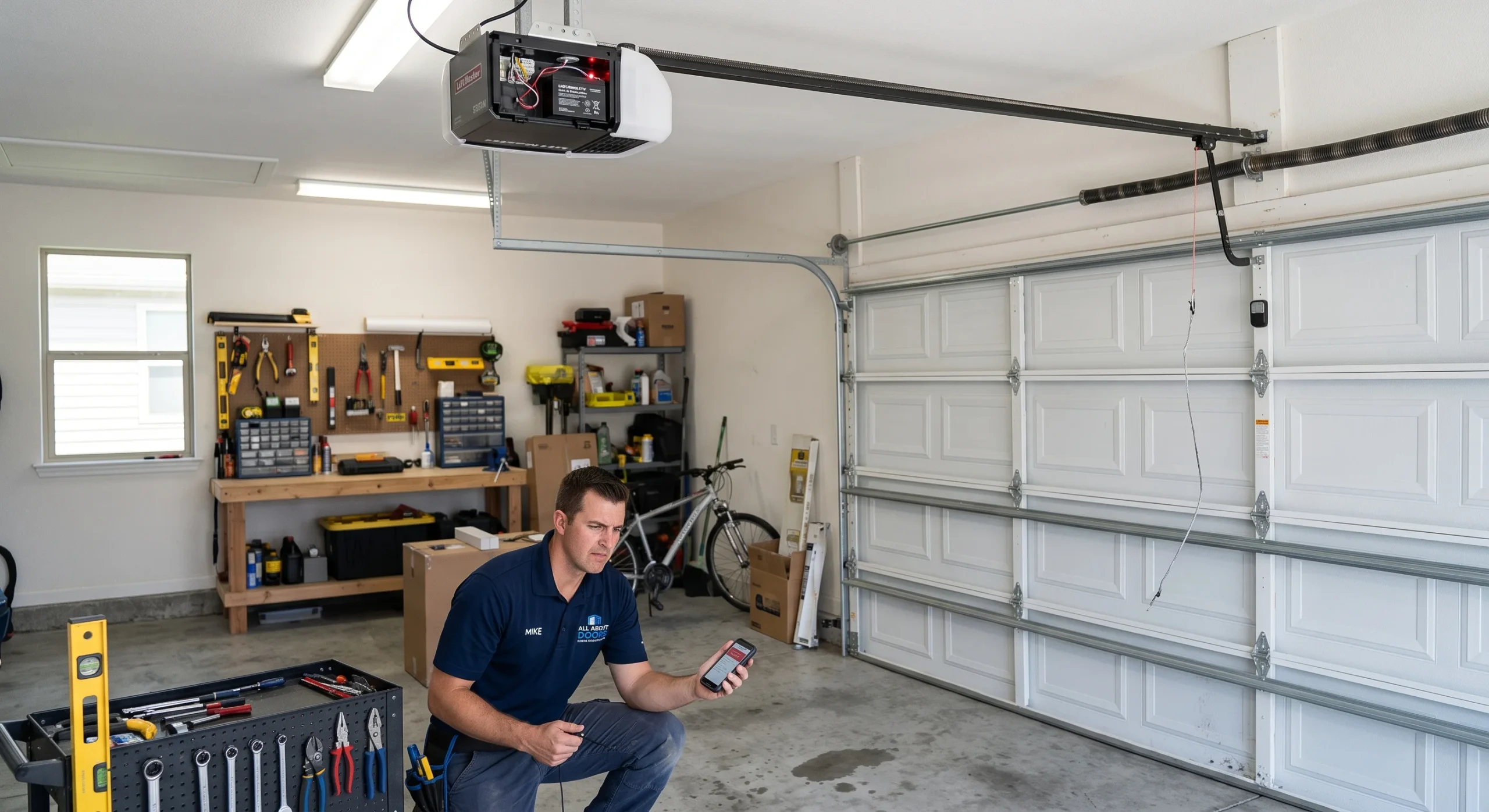
- Locate the “Learn” or “Smart” Button on the Garage Door Opener Motor Unit: This button is typically found on the back or side of the motor unit that hangs from your garage ceiling. It’s often near the antenna wire. The button might be labeled “Learn,” “Smart,” or similar.
- Press and Release the Learn Button: Briefly press and release the “Learn” or “Smart” button on the opener motor unit. You usually have about 30 seconds to complete the next step.
- Return to Your Vehicle: Immediately go back to your Ford vehicle.
- Press and Hold the Programmed HomeLink Button: Press and hold the HomeLink button you programmed in Phase 1. Hold it for at least two seconds, then release.
- Observe the Garage Door Opener: Your garage door opener’s lights may flash, or you might hear a click, indicating that it has accepted the HomeLink signal.
- Test the System: Press the programmed HomeLink button again. Your garage door should now open or close. If it doesn’t, repeat the process, paying close attention to the timing and proximity of the buttons.
What If You Don’t Have The Remote? Using The Receiver Directly
If you’ve completely lost your original remote, you can often program HomeLink directly using the garage door opener’s receiver unit. This is essentially the same as Phase 2 described above, but you’ll initiate the process by pressing the Learn button on the opener first.
- Locate the “Learn” or “Smart” Button on the Garage Door Opener Motor Unit: As described in Phase 2.
- Press and Release the Learn Button: Briefly press and release the “Learn” or “Smart” button on the opener motor unit.
- Return to Your Vehicle: Immediately go back to your Ford vehicle.
- Press and Hold the Desired HomeLink Button: Press and hold the HomeLink button you wish to program. Hold it for at least two seconds, then release.
- Observe the Garage Door Opener: Your garage door opener’s lights may flash, or you might hear a click, indicating that it has accepted the HomeLink signal.
- Test the System: Press the programmed HomeLink button again. Your garage door should now open or close.
Pro Tip: If your garage door opener is older and uses a fixed code, you might not need to press the “Learn” button on the motor unit. In such cases, Phase 1 alone might suffice. However, for most modern systems, the “Learn” button step is essential.
Credit: www.allaboutdoors.net
Specific Ford Models And Homelink Variations
While the general principles of HomeLink programming are consistent, Ford has implemented the system across various models and generations, leading to minor variations in button placement and specific programming sequences. Understanding these nuances can be helpful.
Homelink In Ford F-150, Escape, Explorer, And Edge
These popular Ford models typically feature the HomeLink system integrated into the rearview mirror or the overhead console. The programming process for these vehicles closely follows the general steps outlined previously.
- Rearview Mirror Integration: In models with the HomeLink buttons on the rearview mirror, you’ll find them usually on the bottom edge. The transceiver is often integrated into the mirror housing itself.
- Overhead Console Integration: In other models, the buttons might be part of the overhead console panel, near the dome lights or sunroof controls.
The process generally involves:
- Turning the vehicle’s ignition to the Accessory (ACC) or ON position.
- Clearing existing codes by holding the outer two HomeLink buttons.
- Pressing and holding the desired HomeLink button while holding your original remote (if available) or proceeding to the opener’s learn button.
- For rolling codes, pressing the opener’s learn button and then returning to the vehicle to press and hold the programmed HomeLink button.
For example, programming a 2026 Ford F-150 with HomeLink typically involves holding the HomeLink button and the remote button until the HomeLink indicator light flashes rapidly, then pressing the opener’s learn button, and finally pressing and holding the programmed HomeLink button in the truck.
Homelink In Ford Mustang And Other Sedans/coupes
Ford Mustangs and other sedans or coupes may also feature HomeLink, often in a similar fashion to the SUVs and trucks, integrated into the overhead console or rearview mirror. The core programming steps remain the same. The key is to identify the HomeLink buttons and the indicator light on your specific vehicle.
Older Ford Models And Potential Issues
Older Ford models might have slightly different HomeLink versions or may not be compatible with all modern rolling code openers. If you have an older vehicle, you might encounter more challenges.
- Fixed Code Systems: If your garage door opener is very old and uses a fixed code, programming might be simpler, potentially not requiring the “Learn” button step.
- Frequency Compatibility: Older HomeLink systems might operate on different frequencies than your garage door opener. HomeLink has historically supported frequencies like 315 MHz and 390 MHz, but variations exist. If direct programming fails, checking the compatibility of your opener with your vehicle’s HomeLink system is crucial. You can often find this information in your vehicle’s owner’s manual or on the HomeLink website.
For any Ford model, consulting the vehicle’s owner’s manual is the definitive resource for specific instructions and troubleshooting.

Credit: www.wendlefordsales.com
Troubleshooting Common Programming Problems
Even with clear instructions, programming a Ford HomeLink system can sometimes present challenges. Understanding common issues and their solutions can save you significant frustration. The most frequent problems relate to signal interference, compatibility, and incorrect sequencing.
Signal Interference
Radio frequency interference is a common culprit when programming HomeLink. Other electronic devices in your home or even nearby vehicles can disrupt the radio signals exchanged between your car and the garage door opener.
- Distance and Obstructions: Ensure you are performing the programming steps in close proximity to the garage door opener’s motor unit. Metal structures, such as the garage door itself, can weaken signals. Try moving your vehicle to different positions in the driveway or even directly in front of the garage door.
- Other Devices: Turn off or move away from other wireless devices that might be emitting radio frequencies, such as wireless doorbells, security sensors, or even certain types of lighting.
- Interference from Other Remotes: If you have multiple garage door openers or other RF-controlled devices in your vicinity, they could potentially interfere.
Compatibility Issues
Not all garage door openers are directly compatible with HomeLink. While HomeLink strives for universal compatibility, certain manufacturers or specific models might have unique requirements or proprietary technologies.
- Rolling Code Systems: As mentioned, rolling code systems require the two-step programming process involving the opener’s “Learn” button. If you only perform the first step (training the HomeLink buttons), it won’t work with a rolling code opener.
- Fixed Code Systems: Conversely, if you have an older fixed-code opener and you perform the rolling code procedure (pressing the learn button), it might not work.
- Manufacturer-Specific Protocols: Some manufacturers, like LiftMaster, Chamberlain, and Genie, have specific instructions or require special adapters for their openers to work with HomeLink, especially for their most advanced security features. Always check the HomeLink Compatible Devices database for your specific opener model.
- Frequency Mismatch: While less common with modern systems, an older HomeLink system might not operate on the same frequency as your opener.
Incorrect Programming Sequence
The order and duration of button presses are critical. A slight deviation can prevent the system from learning correctly.
- Timing: Pay close attention to the timing required for each step, especially after pressing the “Learn” button on the opener. You typically have a limited window (around 30 seconds) to return to your vehicle and press the HomeLink button.
- Button Press Duration: Ensure you are pressing and holding the buttons for the specified duration. Releasing too early or holding too long can disrupt the learning process.
- Clearing Codes: Always start by clearing existing codes. If you don’t, you might be trying to program a button that’s already assigned to another device, leading to conflicts.
Specific Troubleshooting Steps
- Consult Your Owner’s Manual: This is your primary resource for vehicle-specific instructions.
- Refer to the HomeLink Website: The official HomeLink website provides compatibility checkers and programming guides for various garage door opener brands.
- Reset the Garage Door Opener: Sometimes, resetting the garage door opener’s memory entirely can help. This process varies by manufacturer but usually involves holding down the “Learn” button for an extended period (e.g., 10-30 seconds) until the indicator light goes out. After resetting, you’ll need to reprogram all your remotes and HomeLink.
- Check the Garage Door Opener Receiver: Ensure the antenna on your garage door opener motor unit is hanging freely and not obstructed.
- Consider a Remote Signal Bridge: For some incompatible openers, a special adapter (like a HomeLink Signal Bridge) might be required. This device acts as an intermediary, translating signals between the HomeLink system and the opener.
Examples Of Ford Homelink Programming Scenarios
To illustrate the practical application of these steps, let’s look at a couple of common scenarios. These examples assume you have lost your original remote and need to program directly using the garage door opener’s receiver.
Scenario 1: Programming A 2026 Ford Explorer With A Genie Garage Door Opener (rolling Code)
- Vehicle: 2026 Ford Explorer with HomeLink buttons on the rearview mirror.
- Opener: Genie IntelliG 1000 (uses rolling code technology).
- Goal: Program the #1 HomeLink button to operate the Genie opener.
Steps:
- Ignition: Turn the Ford Explorer’s ignition to the Accessory (ACC) position.
- Clear Codes: Press and hold the two outer HomeLink buttons (1 and 3) on the rearview mirror until the indicator light flashes rapidly. Release both buttons.
- Locate Learn Button: Go to the Genie IntelliG 1000 motor unit in the garage. Locate the red “Learn” button on the back panel.
- Press Learn Button: Press and release the red “Learn” button. The red LED next to it will illuminate. You have 30 seconds.
- Return to Vehicle: Go back to the Ford Explorer.
- Press HomeLink Button: Press and hold the #1 HomeLink button on the rearview mirror. Hold for at least two seconds, then release. The Genie opener’s LED light should flash, and you might hear a click.
- Test: Press the #1 HomeLink button again. The garage door should now operate. If not, repeat the process, ensuring precise timing and button presses.
Scenario 2: Programming A 2020 Ford F-150 With A Liftmaster Garage Door Opener (rolling Code)
- Vehicle: 2020 Ford F-150 with HomeLink buttons on the overhead console.
- Opener: LiftMaster 8500 (uses Security+ 2.0 rolling code technology).
- Goal: Program the #2 HomeLink button to operate the LiftMaster opener.
Steps:
- Ignition: Turn the Ford F-150’s ignition to the Accessory (ACC) position.
- Clear Codes: Press and hold the two outer HomeLink buttons (typically buttons 1 and 3) on the overhead console until the indicator light flashes rapidly. Release both buttons.
- Locate Learn Button: Go to the LiftMaster 8500 motor unit. Locate the purple “Learn” button on the back panel.
- Press Learn Button: Press and release the purple “Learn” button. The LED next to it will illuminate. You have 30 seconds.
- Return to Vehicle: Go back to the Ford F-150.
- Press HomeLink Button: Press and hold the #2 HomeLink button on the overhead console. Hold for at least two seconds, then release. The LiftMaster opener’s LED light should flash, and you might hear a click.
- Test: Press the #2 HomeLink button again. The garage door should now operate. LiftMaster’s Security+ 2.0 system might require a second press and hold of the HomeLink button if the first attempt doesn’t fully sync.
These examples highlight the consistent methodology, emphasizing the critical steps of clearing codes, initiating the learn process on the opener, and then confirming with the vehicle’s HomeLink button.
Maintaining Your Homelink System And Garage Door Opener
Once your Ford HomeLink system is programmed, regular maintenance ensures its continued reliable operation. This involves both the vehicle’s system and the garage door opener itself.
Vehicle Maintenance
- Battery Replacement: If your Ford’s battery is disconnected or replaced, you may need to reprogram your HomeLink buttons. Keep a record of your programming steps or ensure you have access to your garage door opener’s learn button and your owner’s manual.
- System Updates: While less common for HomeLink itself, ensure your vehicle’s software is up-to-date, as some integrated systems can receive updates via the infotainment system.
- Cleaning: Keep the HomeLink buttons and surrounding area clean to ensure proper function.
Garage Door Opener Maintenance
Regular maintenance of your garage door opener and the door mechanism is crucial for safety and longevity.
- Lubrication: Properly lubricated rollers and hinges ensure smooth operation and reduce strain on the opener motor. Refer to guides on how to lube garage door rollers for best practices.
- Chain/Belt Adjustment: The chain or belt that connects the opener motor to the door needs to be properly tensioned. An overly slack or tight chain can cause noise and wear. You can learn