
Programming your garage door opener for your 2014 Honda Odyssey is a straightforward process that can significantly enhance your daily convenience and security. This feature, often overlooked, integrates your vehicle directly with your home’s garage door, eliminating the need for a separate remote.
Imagine arriving home on a rainy day and opening your garage with just the press of a button inside your car, it’s a small luxury that makes a big difference. This guide will walk you through the steps, ensuring you can seamlessly connect your Odyssey to your garage door opener.
The process involves syncing a built-in HomeLink® system, a universal transceiver found in many vehicles, including the 2014 Honda Odyssey, with your existing garage door opener. While the concept is simple, a few common pitfalls can arise, such as compatibility issues or confusion during the programming sequence.
Understanding these potential hurdles beforehand can save you time and frustration. We’ll cover everything from identifying the HomeLink buttons to troubleshooting common problems.
Key Takeaways
- The 2014 Honda Odyssey is equipped with the HomeLink® system, allowing you to program it to operate your garage door opener and other compatible devices.
- Programming typically involves a two-step process: Syncing the HomeLink button to the original remote and then syncing the HomeLink system to the garage door opener receiver.
- Ensure your garage door opener has a learn button (often red, orange, purple, or green) and that you have the original remote control for the opener.
- Compatibility is key; most modern garage door openers (manufactured after 1993) are HomeLink compatible, but older or specialized systems might require additional steps or accessories.
- Safety precautions are paramount, including clearing the area around the garage door and ensuring no one is in its path during testing.
- If you encounter issues, consulting your Odyssey’s owner’s manual or the garage door opener’s manual is recommended, and a reset procedure can often resolve programming conflicts.
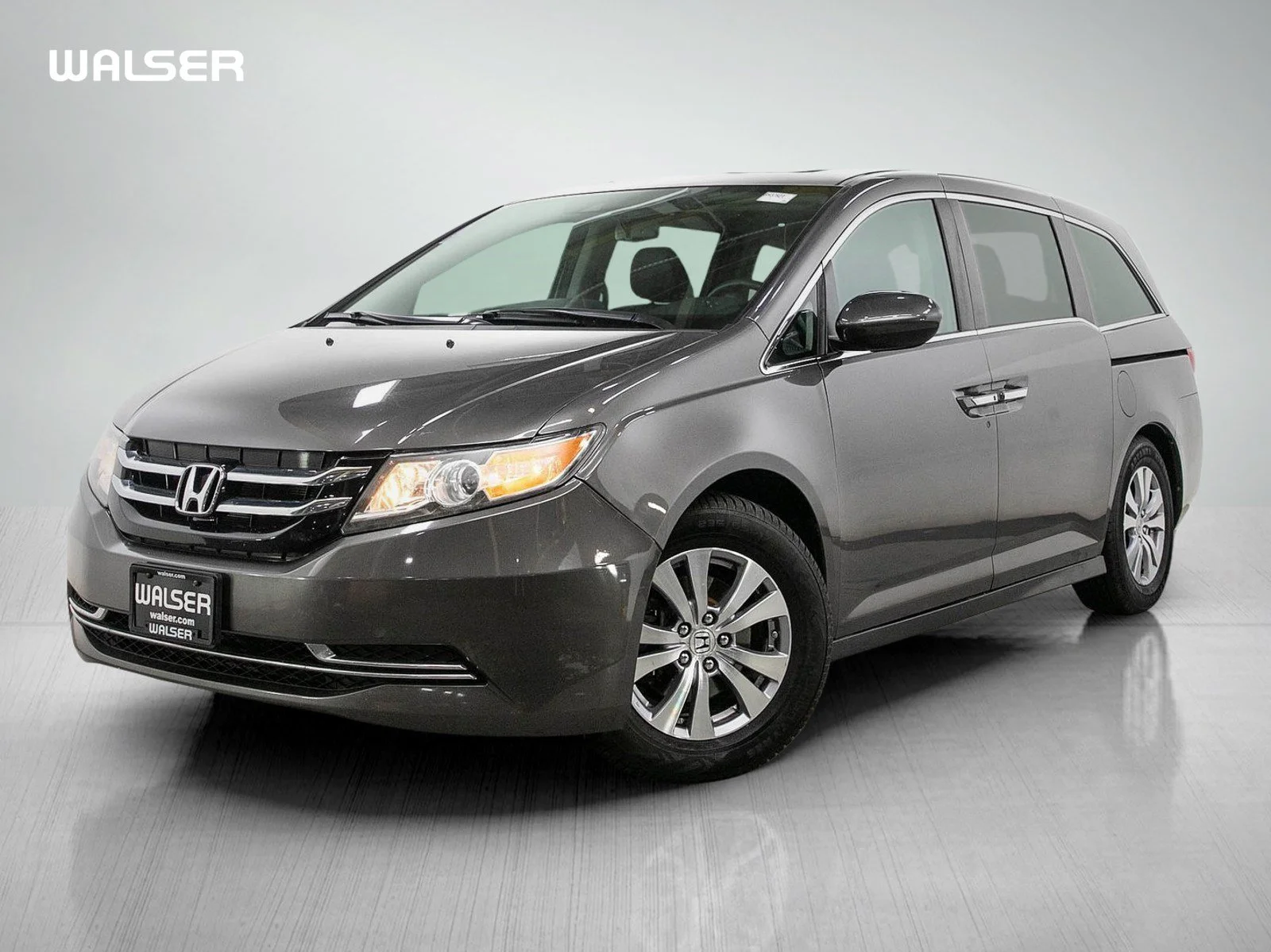
Credit: www.walserhonda.com
Understanding Your Honda Odyssey’s Homelink System
The 2014 Honda Odyssey features the HomeLink Connect system, a discreetly integrated technology designed to replace multiple remote controls with a single, convenient interface within your vehicle. Typically, you’ll find three or four HomeLink buttons located on the overhead console or rearview mirror. These buttons are designed to learn and transmit the radio frequency signals of your existing remote controls. This system operates on frequencies commonly used by garage door openers, remote gates, and even some home lighting systems.
The core functionality of HomeLink lies in its ability to mimic the signal of your original remote. When you program a HomeLink button, you’re essentially teaching it to replicate the specific radio wave pattern that your garage door opener recognizes. This is a secure process, especially when dealing with rolling code technology, which is standard on most modern garage door openers to enhance security by changing the code with each use. The HomeLink system is designed to communicate with these evolving codes, ensuring continued functionality and security. Understanding this underlying technology helps demystify the programming process and highlights its sophistication.
Locating The Homelink Buttons
In the 2014 Honda Odyssey, the HomeLink buttons are usually situated in a convenient location for easy access while driving. Most commonly, they are found on the overhead console, often integrated near the dome lights or sunroof controls. In some configurations, they might be part of the rearview mirror assembly. Take a moment to familiarize yourself with their exact placement in your specific Odyssey model. They are typically marked with the HomeLink logo (a stylized house with an arrow) or simply numbered 1, 2, and 3.
How Homelink Works With Garage Door Openers
HomeLink is essentially a universal garage door remote built into your car. It operates by learning the specific radio frequency and code emitted by your existing garage door remote. When you press a programmed HomeLink button, it sends out a signal that your garage door opener interprets as a command to open or close. For openers manufactured after 1993, most use a rolling code system (also known as a Security+ system). This means the code changes each time the remote is used, preventing unauthorized access. HomeLink is designed to work with these rolling codes through a specific training process involving both your car and the garage door opener’s receiver. Older, fixed code systems are generally easier to program but offer less security.
Preparing For The Programming Process
Before you begin programming your 2014 Honda Odyssey’s HomeLink system, a few preparatory steps are crucial for a smooth and successful experience. Gathering the necessary items and understanding the prerequisites will prevent interruptions and potential frustration. This stage is as important as the programming itself.
What You’ll Need
To program your HomeLink system, you will need a few key items:
- Your 2014 Honda Odyssey: Ensure it’s parked within range of your garage door opener (typically within 5-15 feet).
- Your Original Garage Door Remote: This is essential for the HomeLink system to learn the correct signal. Make sure it has a fresh battery; a weak battery can lead to programming failures.
- Your Garage Door Opener’s Manual: This will help you locate the “Learn” button on the opener unit itself, which is critical for the second phase of programming.
- A Sturdy Ladder: You’ll need this to safely reach the garage door opener motor unit to press the “Learn” button.
- Someone to Assist (Optional but Recommended): Having a second person can be helpful, especially when pressing the “Learn” button and then quickly returning to the car.
Safety Precautions
Safety is paramount when working with garage door openers. Garage doors are heavy and can cause serious injury if they malfunction or if safety precautions are not followed.
- Clear the Path: Ensure no people, pets, or objects are in the path of the garage door when you are testing the programmed HomeLink button.
- Disable the Opener Temporarily: Some manuals recommend disconnecting the power to your garage door opener unit during the initial programming phase to prevent accidental activation. Consult your opener’s manual for specific instructions.
- Secure the Ladder: Make sure the ladder is placed on a stable, level surface before ascending to reach the opener unit.
- Be Aware of Moving Parts: Keep hands and clothing away from moving parts of the garage door opener mechanism.
Checking Garage Door Opener Compatibility
Most garage door openers manufactured after 1993 are compatible with HomeLink. However, it’s wise to confirm. Look for a “Learn” button on your garage door opener’s motor unit. The color of this button (often red, orange, green, or purple) can indicate the frequency and type of code used by the opener. If your opener was manufactured before 1993 or uses a highly specialized radio frequency, it might not be directly compatible. In such cases, a HomeLink Compatibility Bridge might be required, though this is less common for recent models. You can also check the HomeLink compatibility website for a comprehensive list of compatible manufacturers and models.

Credit: www.youtube.com
Step-by-step Programming Guide
Programming your 2014 Honda Odyssey’s HomeLink system to your garage door opener involves a sequence of actions that sync your vehicle’s built-in system with your opener. This process generally consists of two main phases: training the HomeLink button with your existing remote and then synchronizing it with the garage door opener’s receiver.
Phase 1: Training The Homelink Button
This phase teaches the HomeLink system the signal from your original remote.
- Turn on the Ignition: Insert the key into the ignition and turn it to the Accessory (ACC) position or start the engine. The HomeLink buttons require power to operate.
- Clear Existing Codes (Optional but Recommended): To ensure no old programming interferes, it’s a good practice to clear any previously programmed HomeLink buttons. Press and hold the two outer HomeLink buttons (e.g., 1 and 3) simultaneously for about 10-20 seconds. The indicator light will flash rapidly, then turn solid, signaling that the memory has been cleared.
- Select and Prepare the HomeLink Button: Choose the HomeLink button you wish to program (e.g., button 1). Press and hold the desired HomeLink button with your finger.
- Position the Remotes: Take your original garage door remote and hold it approximately 1-3 inches away from the HomeLink buttons. Ensure the front of the remote (where the battery and emitter are located) is facing the HomeLink buttons.
- Simultaneously Press and Hold: While still holding the selected HomeLink button on your Odyssey, press and hold the button on your original remote that you use to operate your garage door.
- Observe the Indicator Light: Keep both buttons pressed. The HomeLink indicator light (usually a small LED above the buttons) will initially flash slowly, then change to rapidly flashing, and finally turn solid. This rapid flashing indicates that HomeLink has learned the code from your remote. This process may take anywhere from 10 to 30 seconds.
- Release the Buttons: Once the indicator light flashes rapidly or turns solid, release both the HomeLink button and the button on your original remote.
Pro Tip: If the HomeLink indicator light turns solid quickly without flashing rapidly, it might indicate that your garage door opener uses a fixed code system and may not be compatible with this direct training method, or the remote battery is weak. If it flashes rapidly and then turns solid, it’s likely a rolling code system, and you’ll proceed to Phase 2.
Phase 2: Synchronizing With The Garage Door Opener Receiver (for Rolling Codes)
If your garage door opener uses a rolling code system (most modern openers do), you’ll need to “train” the opener’s receiver to recognize the HomeLink signal.
- Locate the “Learn” Button: Go to your garage and locate the “Learn” or “Smart” button on the garage door opener motor unit. This button is usually found on the back or side panel of the unit, often near the hanging antenna wire. Note its color.
- Press and Release the “Learn” Button: Press and immediately release the “Learn” button on the garage door opener. The indicator light next to the button should illuminate or blink, indicating it’s in programming mode. You typically have about 30 seconds to complete the next step.
- Return to Your Odyssey: Quickly return to your 2014 Honda Odyssey.
- Press and Hold the Programmed HomeLink Button: Press and hold the same HomeLink button you programmed in Phase 1.
- Observe the Garage Door Opener: Your garage door opener unit should make a sound (like a click or beep), or the indicator light on the opener may turn off, signaling that it has accepted the HomeLink signal. The garage door itself might also move slightly.
- Release the HomeLink Button: Once you observe the signal from the opener, release the HomeLink button.
Important Note: If your garage door opener uses a fixed code system, you might not need to complete Phase 2. After successfully completing Phase 1, simply try pressing the programmed HomeLink button. If the garage door operates, you’re done.
Testing The Programmed Button
After completing both phases (or just Phase 1 for fixed code systems), it’s time to test your programmed HomeLink button.
- Ensure Safety: Make sure the garage door path is clear.
- Press the HomeLink Button: Press and release the HomeLink button you just programmed.
- Verify Operation: Your garage door should now open or close.
If the door operates, congratulations! You’ve successfully programmed your HomeLink system. If it doesn’t, don’t worry; proceed to the troubleshooting section.

Credit: www.jcofontario.com
Troubleshooting Common Programming Issues
Even with clear instructions, programming can sometimes hit snags. Fortunately, most issues with the HomeLink system in your 2014 Honda Odyssey are resolvable with a few troubleshooting steps. Understanding the common problems and their solutions can save you significant time and effort.
Garage Door Opener Not Responding
- Check Remote Battery: The most frequent culprit is a weak or dead battery in your original remote. Replace it with a fresh battery and try Phase 1 again.
- Reposition Remotes: Ensure you held the original remote close enough (1-3 inches) to the HomeLink buttons during Phase 1. Try slightly different distances.
- Clear and Reprogram: Erase all previous HomeLink programming by holding the two outer buttons, then attempt the entire process again from Phase 1.
- Rolling Code Sync Issues: If you have a rolling code opener and the door didn’t move after pressing the HomeLink button in Phase 2, you might have taken too long to return to the car after pressing the “Learn” button. Try again, moving more quickly. Some openers require the HomeLink button to be pressed and released multiple times in Phase 2. Consult your opener’s manual.
- Opener Unit Antenna: Ensure the antenna wire hanging from your garage door opener motor unit is not obstructed and is hanging freely. It needs to receive the signal from your car.
Homelink Indicator Light Behavior
- Flashes Rapidly, then Solid: This is the ideal behavior during Phase 1, indicating successful learning of a rolling code signal. Proceed to Phase 2.
- Turns Solid Quickly (No Rapid Flash): This often means the system learned a fixed code or encountered an error. If your opener is a rolling code type, this isn’t ideal. Try clearing and reprogramming.
- Flashes Rapidly Continuously: This usually indicates a failure to learn the remote’s signal. Check the remote’s battery and positioning.
- No Light or Slow Flash: Ensure the car’s ignition is in the ACC or ON position. If it still doesn’t light up, there might be an issue with the HomeLink system itself, requiring professional diagnosis.
Compatibility Concerns
- Pre-1993 Openers: Older openers may not be compatible. Check the HomeLink compatibility website.
- Specialty Systems: Some security systems or gate openers use non-standard frequencies or protocols. These might require additional adapters or may not be compatible at all.
- Repeated Cycling: If your garage door opener cycles (opens slightly, then closes) when you press the HomeLink button, it often indicates a rolling code sync issue. Ensure you followed Phase 2 precisely, pressing and holding the HomeLink button until the opener responds.
Resetting Homelink
If you’ve tried everything else, a complete reset of the HomeLink system can sometimes clear lingering issues. This is identical to the “Clear Existing Codes” step mentioned earlier:
- Turn the ignition to the Accessory (ACC) position.
- Press and hold the two outer HomeLink buttons (e.g., 1 and 3) simultaneously for approximately 10-20 seconds.
- Release the buttons when the indicator light flashes rapidly, then turns solid.
- You can now start the programming process from scratch.
If problems persist after these steps, it may be time to consult your 2014 Honda Odyssey owner’s manual for specific instructions related to the HomeLink system or contact a qualified automotive technician or garage door opener specialist. For information on related maintenance, you might find resources on how to lube garage door rollers helpful for overall system performance.
Advanced Features And Maintenance
Once your HomeLink system is programmed, you can enjoy the convenience it offers. However, understanding a few advanced aspects and performing basic maintenance can ensure its longevity and optimal performance. This includes managing multiple devices and keeping the system in good working order.
Programming Multiple Devices
Your 2014 Honda Odyssey’s HomeLink system typically supports up to three different devices. You can program each of the three HomeLink buttons to control a separate device, such as your garage door, a gate, or a remote-controlled light.
- Repeat the Process: To program a second or third device, simply repeat the entire programming process (Phase 1 and, if necessary, Phase 2) using a different, unassigned HomeLink button.
- Labeling Buttons: It’s a good practice to label the buttons once programmed. You can use a small piece of tape or a permanent marker (carefully!) To note which button controls which device, especially if you have multiple gates or openers.
Replacing Your Garage Door Opener Or Remote
If you replace your garage door opener unit or purchase a new remote for your existing opener, you will likely need to reprogram your HomeLink system. The new opener or remote will transmit a different code, and your HomeLink buttons will need to learn this new signal. Follow the standard programming guide again. Similarly, if your car’s battery is disconnected for an extended period, it might cause the HomeLink system to lose its programming, requiring you to reprogram it.
Maintaining The Homelink System
The HomeLink system itself requires minimal maintenance. The primary concern is usually the battery in the original remote used for programming. Ensure this battery is always in good condition. If your Odyssey’s battery is ever replaced or disconnected for a long duration, you may need to reprogram the HomeLink buttons. A properly programmed HomeLink system, when paired with well-maintained garage door hardware, contributes to a seamless home entry experience. For instance, ensuring your garage door opener chain is properly adjusted can prevent strain on the system and ensure smooth operation alongside your HomeLink.
Frequently Asked Questions
How Do I Know If My Garage Door Opener Is Compatible With Homelink?
Most garage door openers manufactured after 1993 are compatible with HomeLink. The easiest way to check is to locate the “Learn” or “Smart” button on your garage door opener’s motor unit. If you find one (often red, orange, green, or purple), it’s likely compatible. You can also consult the HomeLink compatibility website for a comprehensive list of compatible brands and models.
Can I Program Homelink If I Lost My Original Garage Door Remote?
No, you cannot program HomeLink without the original remote or access to the garage door opener’s learn button. The system needs to learn the specific radio frequency and code from either your existing remote or directly from the opener’s receiver. If you’ve lost your remote, you’ll need to obtain a replacement from the manufacturer or use the opener’s learn button directly.
My Homelink Button Is Programmed, But The Garage Door Only Opens Sometimes. What’s Wrong?
This often indicates an issue with the rolling code synchronization. Ensure you completed Phase 2 correctly and promptly after pressing the “Learn” button on the opener. Try reprogramming, paying close attention to the timing. Also, verify that the original remote’s battery is strong, as a weak signal during the initial learning phase can cause intermittent issues. Sometimes, holding the HomeLink button for a few seconds longer after the initial response from the opener can help solidify the connection.
How Do I Reset All Homelink Buttons On My 2014 Honda Odyssey?
To reset all programmed HomeLink buttons on your 2014 Honda Odyssey, turn the ignition to the Accessory (ACC) position. Then, press and hold the two outer HomeLink buttons (typically button 1 and button 3) simultaneously for about 10 to 20 seconds. The indicator light above the buttons will flash rapidly and then turn solid, confirming that all previous programming has been erased. You will then need to reprogram each desired device. This is a useful step if you’re experiencing persistent issues or selling the vehicle.
What Is The Difference Between Programming A Rolling Code Opener And A Fixed Code Opener?
Programming a fixed code opener usually only requires Phase 1, where you train the HomeLink button using your original remote. Once learned, the fixed code is transmitted each time. Programming a rolling code opener requires both Phase 1 (training the HomeLink button with the remote) and Phase 2 (synchronizing the HomeLink system with the garage door opener’s receiver using the “Learn” button). This extra step ensures the opener recognizes the unique, ever-changing code generated by the HomeLink system, enhancing security. Most modern openers use rolling codes. For more complex repairs or adjustments, understanding how to adjust a Chamberlain garage door opener might be relevant if you have that brand.
By following these steps and understanding the underlying technology, you can successfully program your 2014 Honda Odyssey’s HomeLink system, adding a layer of convenience and efficiency to your daily routine. This integrated feature transforms your vehicle into a powerful tool for managing access to your home, making arrivals and departures smoother than ever.
Remember to keep your