
Programming your garage door opener into your Lexus RX 350 is a fantastic convenience that allows you to open your garage door without fumbling for a separate remote. This integration streamlines your entry and exit, adding a touch of modern ease to your daily routine.
Many drivers find this feature incredibly useful, especially when their hands are full or they’re in a hurry. The process itself is designed to be straightforward, leveraging the built-in HomeLink® system found in many vehicles, including the RX 350.
The HomeLink® system is a universal transceiver that is programmable to operate various remote control devices such as garage doors, gates, home lighting, and other radio-controlled devices. It’s strategically placed within the vehicle, typically on the visor or near the rearview mirror, for easy access.
By syncing your existing garage door opener remote to your Lexus, you effectively consolidate your car’s functionality, reducing clutter and enhancing the overall driving experience. This article will guide you through the entire process, from understanding the prerequisites to troubleshooting common issues, ensuring you can successfully program your garage door opener into your Lexus RX 350.
Key Takeaways
- The Lexus RX 350 often comes equipped with the HomeLink® system, allowing for direct programming of garage door openers.
- Programming involves a two-step process: First, syncing your existing remote to the HomeLink® buttons, and second, training the HomeLink® receiver to recognize your garage door opener’s signal.
- Ensure you have a working original remote for your garage door opener and that the opener’s motor unit has a “learn” or “program” button.
- Battery strength in the original remote is crucial for successful programming.
- Always consult your Lexus RX 350 owner’s manual and your garage door opener’s manual for specific instructions.
- If direct programming fails, a gate or barrier bypass method may be necessary, often requiring a ladder to access the opener’s motor unit.
- Troubleshooting common issues involves checking batteries, repositioning the vehicle, and ensuring compatibility.
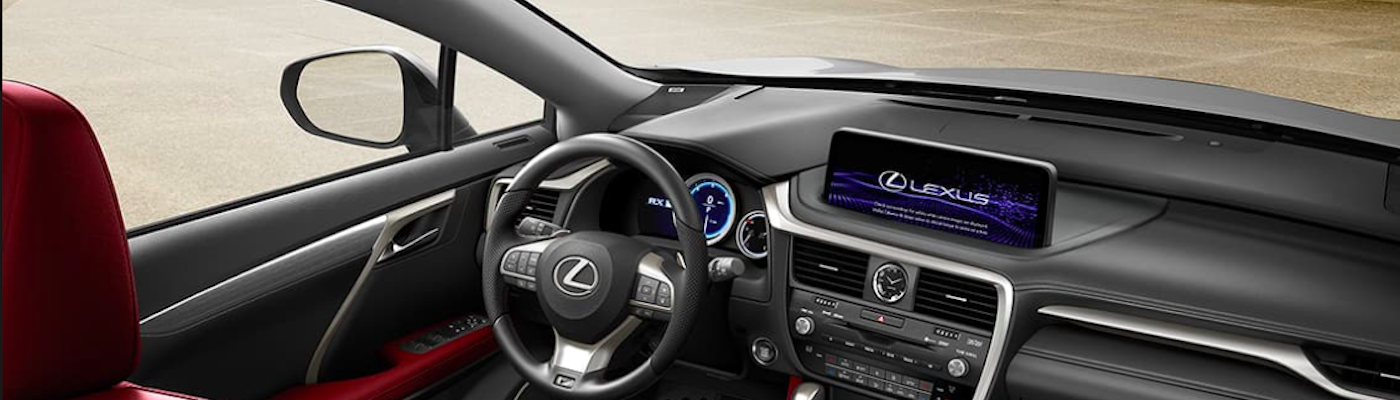
Credit: www.rallyelexus.com
Understanding Your Lexus Rx 350’s Homelink® System
The HomeLink® system in your Lexus RX 350 is a sophisticated piece of technology designed for ultimate convenience. It replaces multiple remote controls with a single, integrated system within your vehicle. This system is essentially a universal garage door opener transceiver built directly into your car. It operates on radio frequencies, much like your existing garage door remote, but it’s designed to learn and replicate the signals from your current remote. The typical placement for the HomeLink® buttons in a Lexus RX 350 is on the overhead console, near the rearview mirror, though this can vary slightly by model year.
How Homelink® Works
At its core, HomeLink® works by learning the radio frequency signal emitted by your existing garage door opener remote. When you press a HomeLink® button after programming, it transmits a signal that mimics your original remote. This signal is then received by your garage door opener’s motor unit, causing it to activate. The system is designed to be compatible with a vast majority of garage door openers and other radio-controlled devices. However, it’s important to note that older garage door openers, particularly those manufactured before 1995, might use fixed codes that are not compatible with newer HomeLink® systems. Modern openers often use rolling codes, which are more secure and require a specific programming sequence to ensure the HomeLink® system can communicate with the opener’s unique, ever-changing code.
Locating The Homelink® Buttons
In most Lexus RX 350 models, you’ll find the HomeLink® buttons located on the overhead console, typically just above the rearview mirror. There are usually three buttons, allowing you to program up to three different devices. These buttons are often marked with the HomeLink® logo (a stylized house with waves emanating from it). If you’re having trouble locating them, a quick glance at your owner’s manual will provide an exact diagram and description for your specific model year. Knowing their precise location is the first step in initiating the programming process.
Compatibility Considerations
While HomeLink® boasts wide compatibility, it’s not universally compatible with every single garage door opener on the market. The primary compatibility factors include the frequency of the remote and whether the opener uses fixed codes or rolling codes. Most modern garage door openers operate on frequencies like 315 MHz or 390 MHz, which HomeLink® systems are designed to recognize. The main hurdle can be with very old openers or those with proprietary systems that HomeLink® cannot emulate.
To check for compatibility, you can:
- Consult your Lexus RX 350 owner’s manual: It often includes a compatibility chart or a link to the official HomeLink® website.
- Visit the official HomeLink® website: They provide a comprehensive compatibility checker where you can input your garage door opener’s brand and model.
- Check your garage door opener’s manual: It may explicitly state compatibility with HomeLink® or similar vehicle-integrated systems.
If your opener is not directly compatible, there might still be a workaround, which we’ll discuss later in the article. It’s essential to confirm compatibility before you begin to avoid frustration. For instance, if you have an older opener that uses a fixed code, the process is generally simpler than with rolling code systems.

Credit: www.lexusstevenscreek.com
Preparing For Programming
Before you begin the actual programming steps, a bit of preparation can save you a significant amount of time and potential frustration. Ensuring you have the right tools and information at hand will make the process smoother and more efficient.
This stage is critical for a successful setup.
Gather Necessary Items
To program your garage door opener into your Lexus RX 350, you’ll need a few key items:
- Your original garage door opener remote: This is essential as the HomeLink® system needs to “learn” the signal from it. Make sure it has a fresh battery. A weak battery is one of the most common reasons for programming failure.
- Your Lexus RX 350: Parked within range of your garage door opener’s motor unit. The vehicle needs to be in accessory mode (ACC) or ignition on (ON) for the HomeLink® buttons to function.
- Your garage door opener’s motor unit: You’ll need access to the “learn” or “program” button on the motor unit itself, which is typically located on the back or side of the unit, often near the antenna wire.
- A sturdy ladder: To safely reach the garage door opener’s motor unit if it’s mounted high on the ceiling.
- Your Lexus RX 350 owner’s manual: For specific instructions related to your vehicle’s model year and HomeLink® system.
- Your garage door opener’s manual: To locate the “learn” button and understand its specific programming procedure.
Having all these items ready before you start will ensure you don’t have to stop midway through the process to search for something.
Understanding The Two-step Programming Process
The HomeLink® programming process is typically a two-step procedure. Understanding these steps beforehand will help you anticipate the flow and requirements.
- Training the HomeLink® Button: In this first step, you’ll train one of the HomeLink® buttons in your Lexus to mimic the signal of your original garage door opener remote. This involves holding the original remote near the HomeLink® buttons in your car and pressing both the desired HomeLink® button and the remote’s button simultaneously.
- Synchronizing with the Garage Door Opener: Once the HomeLink® button has learned the remote’s signal, you need to synchronize the HomeLink® system with your actual garage door opener motor unit. This step is particularly important for openers that use rolling codes. It involves pressing the “learn” button on the motor unit and then quickly returning to your car to press and hold the programmed HomeLink® button. This allows the opener to recognize and accept the signal from your car.
For openers that use fixed codes, the first step of training the HomeLink® button might be sufficient, and the second synchronization step may not be necessary. However, it’s always best to follow the full procedure as outlined by HomeLink® and your opener manufacturer.
Checking Garage Door Opener Compatibility
As mentioned earlier, compatibility is key. Before you begin, take a moment to confirm that your garage door opener is indeed compatible with the HomeLink® system.
- Check the Frequency: Most openers operate on 315 MHz or 390 MHz. HomeLink® is designed to work with these common frequencies.
- Identify Code Type:
- Fixed Code: Older systems use a single code. These are generally easier to program.
- Rolling Code: Newer, more secure systems use a different code each time the remote is used. These require the two-step programming process involving the “learn” button on the motor unit.
- Consult Resources: The official HomeLink® website has a detailed compatibility checker. You can also find information in your Lexus RX 350’s owner’s manual or your garage door opener’s manual.
If your opener is not listed as compatible, you might need to purchase a HomeLink® compatibility bridge or a newer garage door opener. The cost of a new garage door opener can range from $150 to $500, depending on features and brand, with professional installation adding an additional $100-$300. You can find more details on these costs in our guide on how much a garage door costs.

Credit: www.youtube.com
Step-by-step Programming Guide For Lexus Rx 350
Now that you’re prepared, let’s walk through the programming process. This guide assumes a standard rolling code system, which is the most common for modern vehicles and openers. If your system is a fixed code, the process might be slightly simpler, often completing after the first step.
Step 1: Prepare Your Vehicle And Remote
- Park Your Lexus RX 350: Position your vehicle directly in front of your garage door, approximately 2-10 feet away from the opener unit. This proximity is important for the signal to be read correctly.
- Turn on Ignition: Insert your Lexus key and turn the ignition to the ACCESSORY (ACC) or ON position. Do NOT start the engine. The HomeLink® buttons require power to operate.
- Clear Existing HomeLink® Programs (Optional but Recommended): To avoid conflicts, it’s a good practice to clear any previously programmed HomeLink® buttons. To do this, press and hold the two outer HomeLink® buttons (typically button 1 and button 3) simultaneously for about 10 seconds. The HomeLink® indicator light will flash rapidly, then turn solid, indicating that all previous programs have been erased.
- Prepare Your Original Remote: Take your existing garage door opener remote. Ensure it has a fresh battery. Remove the battery cover and, if necessary, hold the remote with the front of the remote facing the HomeLink® buttons on your Lexus.
Step 2: Train The Homelink® Button
- Select a HomeLink® Button: Choose one of the three HomeLink® buttons in your Lexus that you wish to assign to your garage door opener.
- Press and Hold: Press and hold both the chosen HomeLink® button in your Lexus and the button on your original garage door opener remote simultaneously.
- Observe the Indicator Light: Hold both buttons down. The HomeLink® indicator light in your Lexus will typically flash slowly at first, then change to rapidly flashing, and finally become a solid light. This rapid flashing or solid light indicates that the HomeLink® system has successfully learned and stored the code from your remote.
- Release Buttons: Once the light indicates success (rapid flashing or solid), release both the HomeLink® button and the remote button.
- Test (Partial): Briefly press the programmed HomeLink® button. If your garage door opener uses a fixed code, the door may start to open or close at this point. If it’s a rolling code system, the light will likely flash, indicating it needs to synchronize with the opener.
Step 3: Synchronize With The Garage Door Opener (for Rolling Codes)
This step is crucial for openers using rolling code technology, which is standard on most modern systems for enhanced security.
- Locate the “Learn” or “Program” Button: Go to your garage door opener’s motor unit. Look for a “Learn” or “Program” button. It’s often a small, colored button (red, orange, green, or purple) located on the back or side of the unit, usually near the antenna wire. Consult your opener’s manual if you can’t find it.
- Press and Release the “Learn” Button: Press and immediately release the “Learn” button on the motor unit. Do NOT hold it down, as this can erase all programmed remotes. The indicator light next to the “Learn” button should illuminate or blink, indicating it’s in programming mode. You typically have about 30 seconds to complete the next step.
- Return to Your Lexus: Quickly go back to your parked Lexus RX 350.
- Press and Hold the Programmed HomeLink® Button: Press and hold the HomeLink® button you just programmed in your Lexus. Keep holding it down for at least 2-3 seconds.
- Observe the Garage Door: Watch your garage door. It should now activate (open or close). If it doesn’t activate immediately, you may need to repeat Step 4 (pressing and holding the HomeLink® button) a few times. Sometimes, it takes multiple presses for the opener to recognize the signal.
- Test: Once the door has moved, release the HomeLink® button. Your garage door opener should now be programmed to your Lexus RX 350. Test it by pressing the button again to ensure it operates the door smoothly.
Troubleshooting Common Issues
If the programming process doesn’t work on the first try, don’t get discouraged. Several common issues can prevent successful programming.
- Weak Remote Battery: This is the most frequent culprit. Ensure your original remote has a fresh, fully charged battery. If unsure, replace it before starting.
- Incorrect Remote Position: When training the HomeLink® button, hold the original remote directly facing the HomeLink® buttons in your Lexus, usually no more than an inch or two away.
- Distance from Opener: During the synchronization step (Step 3), ensure you are close enough to the garage door opener’s motor unit when pressing the “Learn” button and then quickly return to your car. If your opener is mounted very high, consider using a ladder.
- Interference: Other electronic devices or even fluorescent lights can sometimes interfere with the radio signals. Try performing the programming steps when there is less electronic activity around.
- Opener Compatibility: Double-check that your garage door opener is compatible with HomeLink®. Older models (pre-1995) or certain proprietary systems might not work. You can verify this on the official HomeLink® compatibility page.
- Rolling Code Timing: For rolling code systems, the timing between pressing the “Learn” button on the opener and pressing the HomeLink® button in the car is critical. If it fails, try again, being as quick as possible.
- Erasing Previous Programs: If you’ve tried programming before, ensure you’ve cleared all previous HomeLink® programs (as described in Step 1.3) before starting anew. This prevents conflicts with old codes.
- Motor Unit Issues: In rare cases, the garage door opener’s receiver might be faulty. If you’ve tried everything and it still doesn’t work, you might need to consult a garage door professional.
If you are having persistent issues with programming your remote, you might find our guide on how to reset garage door remote easily helpful, as sometimes a reset of the remote itself can clear up signal issues.
Alternative Programming Methods And Advanced Tips
In some cases, the standard programming procedure might not work due to the specific technology of your garage door opener or its installation. Fortunately, HomeLink® and manufacturers often provide alternative methods to ensure compatibility.
The Gate Or Barrier Bypass Method
This method is specifically designed for garage door openers that use rolling codes and might not respond to the standard direct programming sequence. It involves using the original remote to “train” the HomeLink® system in a way that bypasses the direct synchronization with the motor unit.
- Prepare: Park your Lexus RX 350 in front of the garage door, about 2-6 feet away. Turn the ignition to ACC or ON. Ensure your original remote has a fresh battery.
- Clear HomeLink®: Press and hold the two outer HomeLink® buttons until the indicator light flashes rapidly to clear any previous programming.
- Program HomeLink® Button: Select a HomeLink® button. Press and hold the desired HomeLink® button and the button on your original remote simultaneously. Hold them until the HomeLink® indicator light flashes rapidly, then becomes solid. Release both buttons.
- Access the Opener’s “Learn” Button: Now, you need to access the “Learn” button on your garage door opener’s motor unit. This usually requires a ladder.
- Press and Hold the “Learn” Button: Press and hold down the “Learn” button on the motor unit. Do NOT release it immediately. Continue holding it down.
- Press the HomeLink® Button Repeatedly: While still holding the “Learn” button on the motor unit, press and hold the programmed HomeLink® button in your Lexus. You may need to press and release it multiple times (e.g., 3-4 times) in quick succession while still holding the opener’s “Learn” button.
- Release Both Buttons: Once the garage door begins to move or the opener’s lights flash, release both the “Learn” button on the motor unit and the programmed HomeLink® button in your car.
- Test: The garage door should now be programmed. Test the HomeLink® button to open and close the garage door.
This bypass method essentially forces the HomeLink® system to learn the opener’s code by mimicking the signal during the opener’s learning cycle.
Using The Gate Access System (gas) Button
Some manufacturers, like LiftMaster, Chamberlain, and Craftsman, have specific instructions for programming their openers with HomeLink® that might involve a slightly different sequence or interpretation of the “learn” button. Often, these are variations of the rolling code synchronization.
- LiftMaster/Chamberlain/Craftsman (with Green, Red, Orange, or Purple Learn Buttons): The procedure described above (Steps 3.1-3.8) is generally applicable. The key is the quick transition from pressing the opener’s learn button to pressing the HomeLink® button in the car.
- Genie Intellicode: Genie openers use rolling codes. The standard HomeLink® programming should work. If not, ensure you are using the correct remote and following the sequence precisely. For Genie keypads, you might need to refer to specific Genie programming guides, as detailed in our article on how to reprogram a Genie garage door keypad.
When To Seek Professional Help
If you’ve exhausted all troubleshooting steps and the HomeLink® system still won’t program your garage door opener, it might be time to consider professional assistance.
- Garage Door Technician: A professional can diagnose issues with your garage door opener’s receiver or motor unit. They can also confirm compatibility and perform the programming for you. The average cost for a garage door technician visit can range from $75 to $150.
- Dealership: While less common for this specific issue, if you suspect a problem with the HomeLink® system in your Lexus RX 350 itself, your dealership can diagnose and repair it.
Remember, a properly functioning garage door opener is crucial for security and convenience. Don’t hesitate to seek help if you’re struggling.
Maintaining Your Programmed System
Once your garage door opener is successfully programmed into your Lexus RX 350’s HomeLink® system, it’s important to maintain it to ensure continued functionality. Regular checks and awareness of potential issues can prevent unexpected problems.
Battery Replacement In Original Remote
Even though you’ve programmed the HomeLink® system, your original garage door opener remote is still essential. It’s needed if you ever need to reprogram the HomeLink® buttons, for example, if you sell your car or if the opener itself is reprogrammed. Always ensure the battery in your original remote is kept in good working condition. A dead battery in the original remote can render the HomeLink® system inoperable if reprogramming becomes necessary.
Reprogramming After Opener Replacement Or Reset
If you ever replace your garage door opener unit or perform a factory