
The Volkswagen Atlas, a spacious and versatile SUV, offers a convenient feature for many owners: the ability to program your garage door opener directly into the vehicle’s built-in HomeLink® system. This integration eliminates the need for bulky remote controls cluttering your visor or console, streamlining your entry and exit from the garage. Whether you’re a new Atlas owner or looking to reconfigure your existing setup, understanding the programming process is key to maximizing this smart automotive technology. This guide will walk you through the steps to set your garage door opener in your VW Atlas, ensuring a smooth and secure connection.
Key Takeaways
- The VW Atlas typically features a HomeLink® system integrated into the rearview mirror or overhead console.
- Programming involves a clear, sequential process of synchronizing the vehicle’s buttons with your existing garage door remote.
- Two primary programming methods exist: Direct train (for most systems) and rolling code programming (for enhanced security).
- A ladder and a second person can be helpful for accessing the garage door opener motor unit during rolling code programming.
- Troubleshooting common issues like signal interference or incompatible openers is crucial for successful setup.
- Regularly checking and maintaining your garage door opener system ensures the HomeLink® integration remains functional.
Understanding Your Vw Atlas Homelink® System
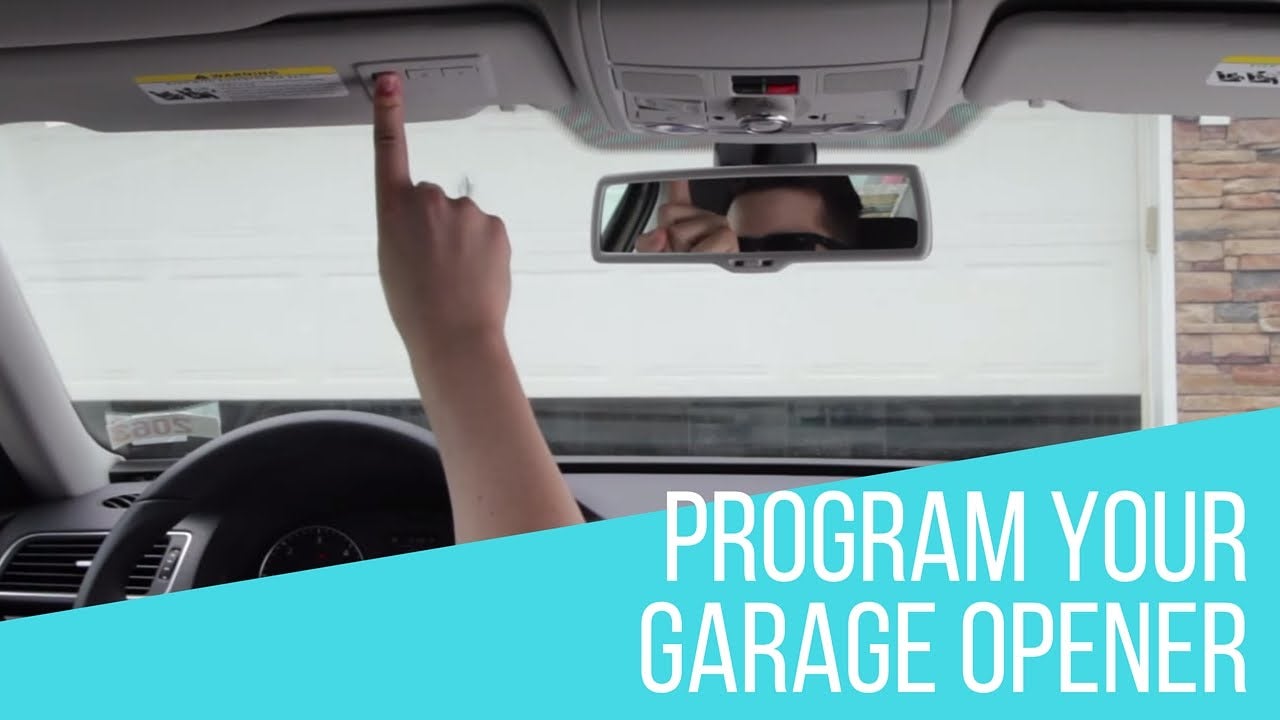
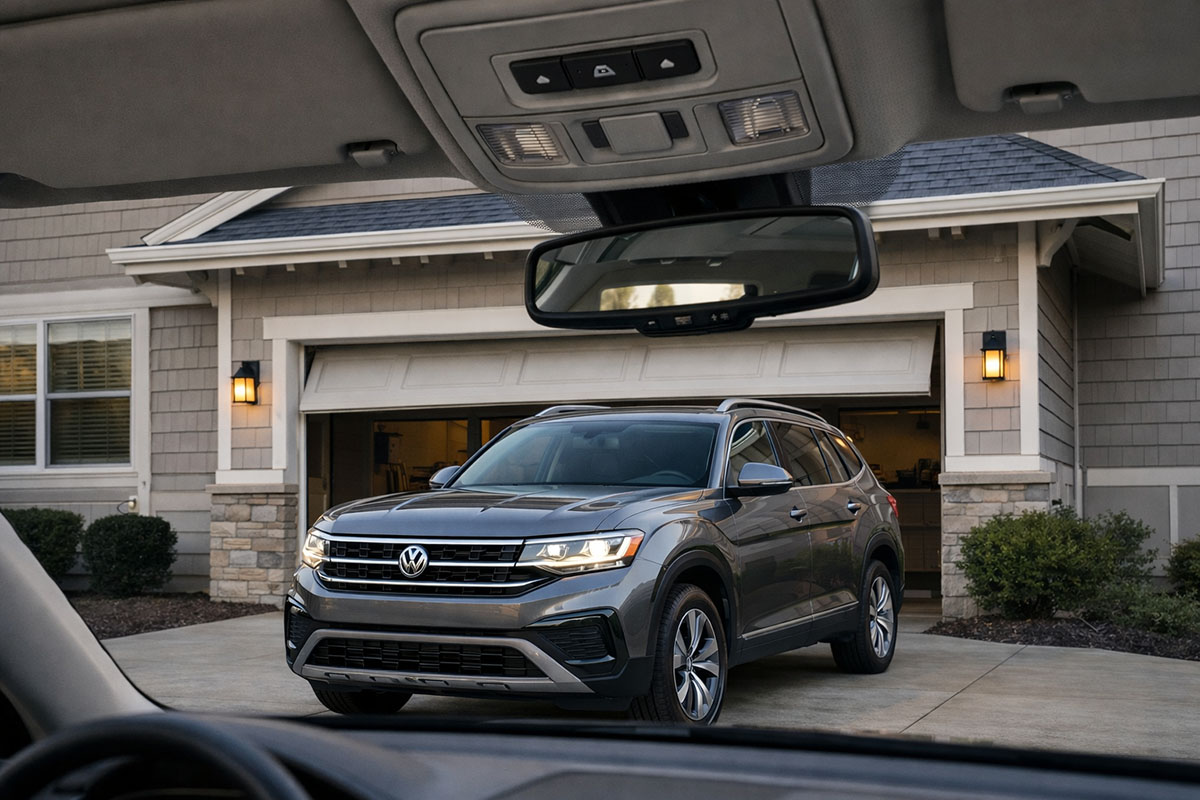
The HomeLink® system in your Volkswagen Atlas is a programmable garage door opener system that utilizes a set of dedicated buttons within the vehicle. These buttons are designed to learn and replicate the signals from your existing garage door remote control, as well as other radio-frequency-controlled devices like security gates or home lighting. Most commonly, the HomeLink® buttons are integrated into the rearview mirror assembly, often located on the bottom edge, or sometimes within the overhead console near the sunroof controls. The exact placement can vary slightly depending on the model year and trim level of your VW Atlas.
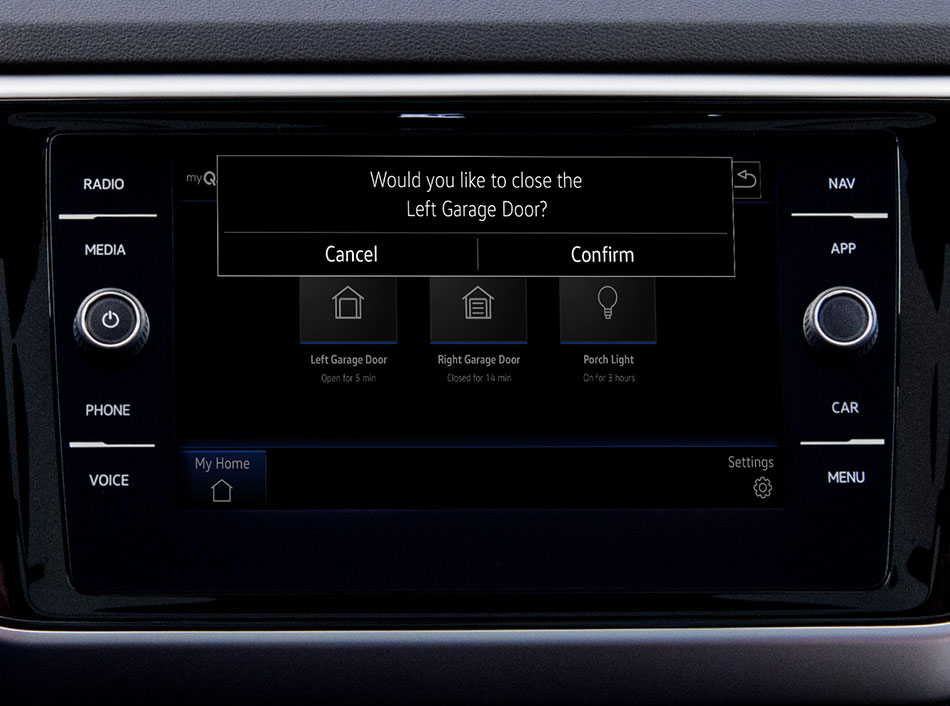
This integrated system offers significant convenience. Instead of fumbling for a separate remote, you can simply press a button on your dashboard or mirror to activate your garage door. This is particularly useful when your hands are full or when you need to quickly open the garage door upon arrival.
The system is designed to be compatible with a vast majority of garage door opener manufacturers and models, though exceptionally old or specialized systems might require a compatibility bridge. Learning how to program these buttons is a straightforward process, typically involving a few key steps that we will detail below.
Locating The Homelink® Buttons
Before you begin programming, it’s essential to identify the HomeLink® buttons in your VW Atlas.
- Rearview Mirror: Look at the bottom edge of your rearview mirror. You will typically find three or four buttons arranged horizontally or in a small cluster. These are your HomeLink® buttons.
- Overhead Console: In some configurations, particularly those with a sunroof, the HomeLink® buttons might be located in the overhead console panel, usually near the dome light controls.
Once located, familiarize yourself with which button you intend to program. It’s a good practice to decide which button will correspond to your garage door, another for a security gate, and so on, if you plan to program multiple devices.
How Homelink® Works
HomeLink® operates by wirelessly transmitting radio frequency (RF) signals. When you press a programmed HomeLink® button, the system sends a signal that is recognized by your garage door opener motor unit. This signal is essentially a digital “key” that tells the opener to activate.
Initially, the HomeLink® system needs to “learn” this key from your original remote.
The system has two main modes of operation for programming:
- Direct Train Mode: This is the simpler method and works for most garage door openers. You hold your original remote near the HomeLink® buttons and press both the remote button and the desired HomeLink® button simultaneously. The HomeLink® system captures the signal directly from your remote.
- Rolling Code Mode: For enhanced security, many modern garage door openers use “rolling codes.” This means the code transmitted changes with each use to prevent unauthorized access. When programming a rolling code system, you’ll need to perform an additional step at the garage door opener motor unit itself to synchronize the rolling code sequence.
Understanding these modes is crucial as the programming steps differ slightly between them. Most modern vehicles and openers will require the rolling code procedure.
Credit: www.vwofdaphne.com
Preparing For Programming
Before you begin the actual programming steps, a little preparation can make the process smoother and more efficient. Taking these precautionary steps ensures you have everything you need and avoid potential complications.
Gather Necessary Items
- Your Original Garage Door Remote: This is essential for transmitting the signal to the HomeLink® system. Ensure it has a fresh battery.
- Your VW Atlas Owner’s Manual: While this guide provides comprehensive steps, your owner’s manual has specific details for your model year and can be a valuable reference.
- A Sturdy Ladder (if needed): For rolling code programming, you’ll need to access the motor unit of your garage door opener, which is usually mounted on the ceiling. A ladder will be necessary to reach it safely.
- A Second Person (Recommended): Having an assistant can be extremely helpful, especially during the rolling code synchronization step. One person can operate the buttons in the car while the other is at the motor unit.
Resetting Existing Homelink® Programs (optional But Recommended)
If you are replacing an old remote or programming a new device, it’s often a good idea to reset the existing HomeLink® programs in your Atlas. This clears any old signals and prevents potential conflicts. To do this:
- Turn the ignition of your VW Atlas to the ON/OFF position (or ACC).
- Press and hold the two outer HomeLink® buttons (usually buttons 1 and 3) simultaneously.
- Continue holding them for about 10-20 seconds.
- You should see the HomeLink® indicator light (often a small LED near the buttons) flash rapidly or turn solid green/amber, indicating the system has been reset.
This action effectively erases all previously learned codes, ensuring a clean slate for your new programming.
Understanding Your Garage Door Opener Type
It’s important to know whether your garage door opener uses a fixed code or a rolling code system. Most openers manufactured after the mid-1990s use rolling codes for security.
- Fixed Code: These are older systems. The remote sends the same code every time. Direct train programming is usually sufficient.
- Rolling Code: These systems generate a new code each time the remote is used. You will need to perform the rolling code synchronization step at the opener motor unit.
If you’re unsure, try the direct train method first. If it doesn’t work, proceed with the rolling code method. You can often find information about your opener’s code type in its manual or by checking the manufacturer’s website.
Credit: www.speedwayvw.com
Programming Your Garage Door Opener: Direct Train Method
The direct train method is the simplest way to program your HomeLink® system. It’s ideal for older garage door openers that use a fixed code. This method involves synchronizing the HomeLink® button directly with your existing remote.
Step-by-step Guide For Direct Train Programming
- Ensure the Ignition is On: Turn your VW Atlas ignition to the ON/OFF position (or ACC). Do not start the engine.
- Locate Your Original Remote: Have your existing garage door opener remote ready. Make sure it has a functional battery.
- Select a HomeLink® Button: Choose which of the three HomeLink® buttons you want to assign to your garage door opener.
- Position the Remote: Hold your original garage door remote about 1-3 inches away from the HomeLink® buttons on your rearview mirror or overhead console. The remote should be aimed towards the HomeLink® buttons.
- Press and Hold Both Buttons: Simultaneously press and hold both the desired HomeLink® button and the button on your original remote.
- Observe the Indicator Light: Keep holding both buttons. The HomeLink® indicator light will typically flash slowly, then rapidly, or turn solid. The rapid flashing or solid light indicates that the HomeLink® system has successfully learned the code from your remote.
- Release the Buttons: Once the indicator light shows success (rapid flashing or solid light), release both buttons.
- Test the HomeLink® Button: Press the programmed HomeLink® button. Your garage door should open or close. If it does, congratulations! You have successfully programmed your garage door opener using the direct train method.
Troubleshooting Direct Train Method Issues
If your garage door does not operate after following these steps, consider the following:
- Remote Battery: Ensure the battery in your original remote is fresh. A weak battery may not transmit a strong enough signal.
- Distance and Angle: Experiment with the distance and angle between the remote and the HomeLink® buttons. Sometimes a slight adjustment is needed.
- Interference: Other electronic devices can sometimes interfere with the signal. Try performing the programming in a different location, away from potential sources of interference.
- Compatibility: While rare, some very old or specialized garage door openers might not be compatible with HomeLink® in this direct mode.
If the direct train method fails, it’s highly probable that your garage door opener uses a rolling code system, and you’ll need to proceed to the more involved rolling code programming method.
Credit: www.myq.com
Programming Your Garage Door Opener: Rolling Code Method
The rolling code method is the standard for most modern garage door openers. It requires an extra step to synchronize the HomeLink® system with the opener’s motor unit. This ensures that the security codes are properly matched.
Step-by-step Guide For Rolling Code Programming
- Perform Direct Train Programming First: Begin by following steps 1-7 of the Direct Train Method described above. Press and hold the desired HomeLink® button and the button on your original remote until the HomeLink® indicator light flashes rapidly or turns solid. Release both buttons.
- Locate the “Learn” or “Program” Button on the Motor Unit: Go to your garage and find the motor unit of your garage door opener (the box mounted on the ceiling). Look for a button labeled “Learn,” “Program,” “Smart,” or a similar designation. This button is often located near the antenna wire or on the back panel of the motor unit. It might be a small, colored button (often red, green, or purple).
- Press and Release the “Learn” Button: Press and immediately release the “Learn” or “Program” button on the motor unit. The indicator light on the motor unit should illuminate or flash, indicating it’s in programming mode. You typically have about 30 seconds to complete the next step.
- Return to Your VW Atlas: Quickly return to your vehicle.
- Press and Hold the HomeLink® Button: Within the 30-second window, press and hold the same HomeLink® button you just programmed in step 1.
- Observe the HomeLink® Indicator Light: Hold the HomeLink® button for about 2-5 seconds. The HomeLink® indicator light will likely flash rapidly or turn solid, indicating that the system has successfully learned and synchronized with the rolling code.
- Release the HomeLink® Button: Release the HomeLink® button.
- Test the HomeLink® Button: Press the HomeLink® button again. Your garage door should now operate.
Important Considerations For Rolling Code Programming
- Speed is Key: The 30-second window between pressing the “Learn” button on the motor unit and pressing the HomeLink® button in your vehicle is critical. Having a second person can make this much easier.
- Motor Unit Location: Ensure you can safely access the motor unit with your ladder.
- Button Identification: Some motor units have multiple buttons. Make sure you are pressing the correct “Learn” or “Program” button. Consult your garage door opener’s manual if you are unsure.
- Indicator Lights: Pay close attention to the indicator lights on both the motor unit and the HomeLink® system. They provide feedback on the programming process.
Frequently Asked Questions About Vw Atlas Homelink® Programming
What If My Garage Door Opener Is Not Listed As Compatible With Homelink®?
While HomeLink® is compatible with a vast majority of openers, some very old or specialized systems might not work directly. In such cases, you may need a HomeLink® Compatibility Bridge or a specific adapter from your garage door opener manufacturer. Check the official HomeLink® website or your Atlas owner’s manual for a compatibility chart.
How Many Devices Can I Program Into My Vw Atlas Homelink® System?
Your VW Atlas HomeLink® system typically has three programmable buttons. This allows you to control up to three different garage doors, gates, or other RF-controlled devices.
Can I Program A Rolling Code Opener Without A Second Person Or A Ladder?
It is extremely difficult and often impossible to program a rolling code opener without access to the motor unit. While some modern openers might have smartphone apps that can facilitate this, the traditional HomeLink® method requires you to be physically present at the motor unit to press the “Learn” button. The use of a ladder and potentially a second person is standard for this procedure.
My Homelink® Buttons Won’t Program. What Else Could Be Wrong?
Several factors can prevent programming:
- Expired Remote Battery: Always start with a fresh battery in your original remote.
- Interference: Strong radio frequency interference from nearby devices can disrupt the signal.
- Incorrect Procedure: Double-check that you are following the correct steps for either direct train or rolling code programming. Ensure you are using the correct “Learn” button on the motor unit.
- System Reset: Try resetting the HomeLink® system in your Atlas before attempting to program again.
- Incompatible Opener: As mentioned, some openers are not directly compatible.
If you continue to experience issues, consulting your VW Atlas owner’s manual or contacting HomeLink® customer support can provide further assistance. For specific advice on your garage door opener model, refer to its manufacturer’s documentation.
How Do I Clear The Homelink® Programs In My Vw Atlas?
To clear all programmed HomeLink® buttons in your VW Atlas, turn the ignition to the ON/OFF position (or ACC). Then, press and hold the two outer HomeLink® buttons (typically buttons 1 and 3) simultaneously for about 10-20 seconds. The HomeLink® indicator light will flash rapidly or turn solid, confirming that all programs have been erased. This is a useful step if you’re selling the vehicle or want to reprogram existing buttons.
Maintaining Your Homelink® System
Once your garage door opener is successfully programmed into your VW Atlas HomeLink® system, it’s important to ensure it continues to function reliably. Regular checks and proper maintenance can prevent unexpected issues and keep your integrated system working seamlessly.
Periodic Testing
It’s good practice to test your HomeLink® buttons periodically, perhaps once every few months. This ensures that the programming hasn’t been lost due to a power interruption, battery change in the vehicle, or other unforeseen circumstances. If a button doesn’t work, try reprogramming it. If it still fails, consider if the garage door opener itself or its remote might be experiencing issues.
Garage Door Opener Maintenance
The reliability of your HomeLink® system is directly tied to the health of your garage door opener. Ensure you follow the manufacturer’s recommendations for regular maintenance of your garage door opener unit. This can include:
- Lubrication: Periodically lubricating the garage door rollers and tracks can ensure smooth operation and reduce strain on the opener motor. You can find detailed instructions on how to do this in our guide on how to lube garage door rollers.
- Chain/Belt Tension: If you have a chain or belt-driven opener, ensure the tension is correctly adjusted. Improper tension can lead to noise and operational issues. Refer to our guide on how to adjust chain on garage door opener for more information.
- Inspections: Visually inspect the opener unit, sensors, and door mechanism for any signs of wear or damage.
Battery Replacement In Original Remote
While not directly used after programming, the battery in your original garage door remote is still crucial for the rolling code synchronization process. If you ever need to re-program your HomeLink® system (e.g., after a battery change in the car or if the programming is lost), a dead battery in the original remote will prevent you from completing the steps. Keep the original remote’s battery fresh or be prepared to replace it when needed.
Dealing With Signal Interference
Radio frequency interference can sometimes affect HomeLink® performance. Common sources include:
- LED Lighting: Some types of LED lights, especially those not designed for garage door opener compatibility, can emit RF noise.
- Wireless Devices: Other wireless devices operating on similar frequencies can cause interference.
- Proximity to Other Openers: If you live in a densely populated area, the signals from multiple garage door openers can sometimes overlap.
If you experience intermittent issues, try to identify potential sources of interference in your garage or driveway. Sometimes, simply moving the vehicle a few feet can improve signal reception. For persistent problems, consulting your garage door opener manual or a professional installer might be necessary.
The ability to integrate your garage door opener with your VW Atlas via the HomeLink® system offers a significant boost in convenience and modernizes your driving experience. By following the outlined steps for either direct train or rolling code programming, you can enjoy seamless access to your garage.
Remember to prepare adequately, pay attention to the indicator lights, and consult your owner’s manual or the manufacturer’s resources if you encounter difficulties. With a properly programmed HomeLink® system, you’re one step closer to a more streamlined daily routine.