Now Reading: Why is My Chamberlain Garage Door Opener Beeping? Troubleshoot Now
- 01
Why is My Chamberlain Garage Door Opener Beeping? Troubleshoot Now
Why is My Chamberlain Garage Door Opener Beeping? Troubleshoot Now

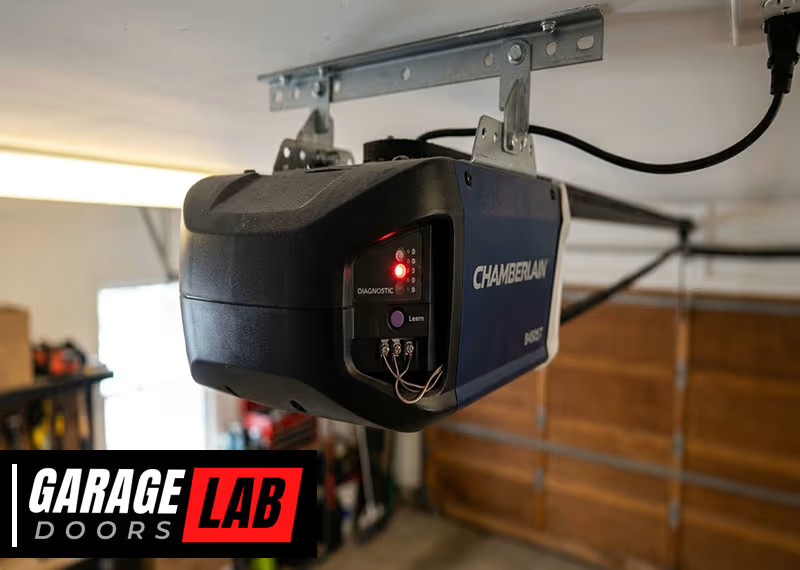
You come home after a long day, press your garage door remote, and suddenly hear a beeping noise from your Chamberlain garage door opener. Panic sets in. Is something broken? Is your garage door about to stop working? Many homeowners experience this and are left wondering what the beeping means and what to do next. The good news: a beeping Chamberlain garage door opener is often your device’s way of telling you something important, not a sign of immediate failure.
If you want peace of mind and a smoothly working garage door, it’s essential to understand why the beeping happens, how to troubleshoot it, and when to call for help. This article will guide you through every detail, from common reasons and step-by-step solutions to advanced troubleshooting and prevention tips.
Even if you’re not a tech expert, you’ll learn exactly what to check, how to fix common problems, and how to keep your Chamberlain opener quiet and reliable.
How Chamberlain Garage Door Openers Work
Before you can fix a beeping problem, it helps to know how your Chamberlain garage door opener works. These openers use a combination of mechanical and electronic parts. The main unit sits above your garage door and connects to the door with a rail and trolley system. When you press your remote or wall button, the motor moves the trolley, opening or closing the door.
Many Chamberlain models now include smart technology. They connect to your Wi-Fi, send alerts, and even allow you to control your door from your smartphone. This smart technology adds convenience but also introduces more reasons your opener might beep.
Beeping is a built-in feature designed to alert you to changes, warnings, or problems. The number of beeps, patterns, and timing can all mean different things. Understanding these signals is the first step to solving the problem.
The Most Common Reasons Your Chamberlain Garage Door Opener Is Beeping
If you hear beeping, don’t ignore it. Below are the most common causes, with explanations to help you identify what’s happening:
1. Backup Battery Is Low Or Failing
Many Chamberlain openers have a backup battery. This battery keeps your door working during a power outage. When the battery gets low or is about to fail, your opener will beep—usually every 2 seconds or so. This is a warning to replace the battery soon.
Signs: Beeping is steady and regular, even when the power is on. The opener might have a red LED light.
2. Battery Is Charging
If you recently lost power, the backup battery may be charging. During charging, some models emit a beep every 30 seconds or so.
Signs: Beeping is less frequent, and the LED may be amber or yellow.
3. Safety Sensor Problem
Safety sensors are located near the bottom of your garage door tracks. If these sensors are misaligned, dirty, or blocked, the opener may beep to warn you.
Signs: Door won’t close, and you might see blinking lights on the sensors.
4. Wi-fi Or Connectivity Issues
Smart Chamberlain openers beep if they lose their Wi-Fi connection or have trouble connecting to the myQ app.
Signs: Beeping often happens after setup or after changing your Wi-Fi network.
5. Programming Or Maintenance Alerts
Some models beep during programming (like setting travel limits or syncing remotes) or when the opener needs maintenance.
Signs: Beeping happens only during setup or when using certain features.
6. Door In Motion With Myq App
If you use the myQ app to open or close your door remotely, the opener will beep and flash lights to warn anyone nearby. This is a safety feature required by law.
Signs: Beeping only when you use the app to operate the door.
7. Power Loss Or Electrical Issues
Sudden power loss, surges, or wiring problems can cause the opener to beep as a warning.
Signs: Other electrical devices in your garage may also be affected.
8. System Errors Or Fault Codes
A beeping noise sometimes signals a system error or fault code. You might see specific LED blinking patterns on the opener.
Signs: Beeping with unusual lights or error messages.
9. Obstruction In The Door’s Path
If there’s something blocking the door, the opener may beep to alert you before stopping or reversing.
Signs: Door reverses when closing, and beeping is immediate.
10. End-of-life Battery
Batteries have a life span of about 1–2 years. If the battery is old, the system will beep to tell you it needs replacement.
Signs: Beeping doesn’t stop after power returns, even if the battery looks okay.
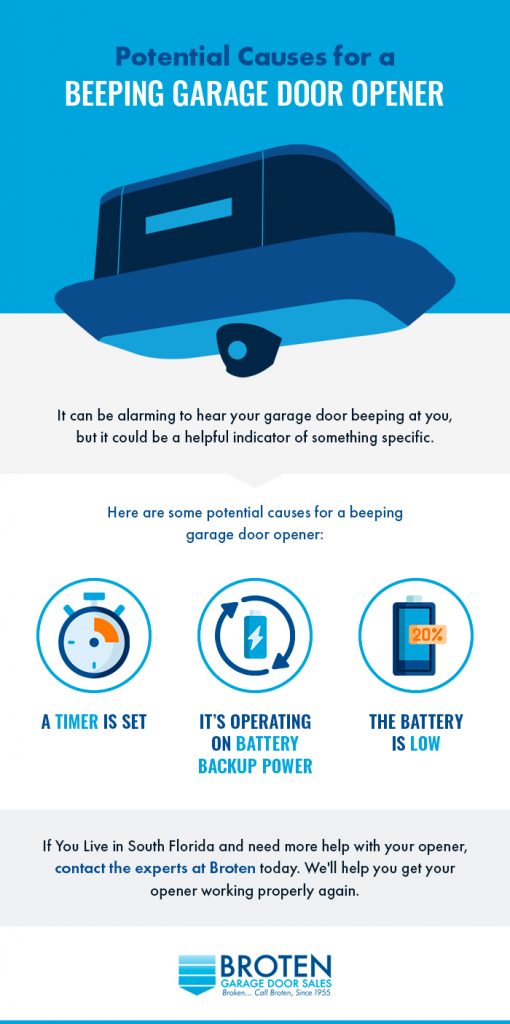
Decoding Beep Patterns: What Each Beep Means
Understanding beep patterns helps you quickly diagnose the issue. Different problems create different beep sounds. Here’s a breakdown:
| Beep Pattern | Possible Cause | What to Check |
|---|---|---|
| Beep every 2 seconds | Low or dead backup battery | Check battery status, replace if needed |
| Beep every 30 seconds | Battery charging | Wait for charging to complete |
| Beep + flashing lights during operation | Remote operation via myQ app | Normal; safety warning |
| Continuous or irregular beeping | Error or sensor issue | Check sensors, wiring, and error codes |
If you’re unsure, check your model’s manual or the Chamberlain website for beep codes specific to your opener.
How To Troubleshoot A Beeping Chamberlain Garage Door Opener
You don’t need to be a technician to solve most beeping problems. Follow these steps, and you’ll often fix the issue yourself.
Step 1: Identify When And How The Beeping Occurs
Pay attention to:
- When the beeping happens (all the time, only when opening, after power loss, etc.)
- How often the beeps occur (every few seconds, only once, etc.)
- Other signs, like blinking lights, error codes, or app alerts
Write these details down. They help you narrow down the cause.
Step 2: Check The Backup Battery
Most beeping is related to the backup battery. To check:
- Unplug your opener and look for the battery compartment (usually labeled).
- Check the LED indicator:
- Red: Low or dead battery.
- Yellow/Amber: Charging.
- Green: Good battery.
- If the battery is low or old (over 2 years), replace it. Use only Chamberlain-approved batteries to avoid damage.
Pro tip: After replacing the battery, give it a few hours to charge. The beeping will stop once fully charged.
Step 3: Inspect Safety Sensors
If your door won’t close and you hear beeping:
- Look at both safety sensors (at the bottom of the tracks).
- Make sure both lights are on and steady.
- Clean the sensor lenses with a soft cloth.
- Check for alignment—both sensors should “see” each other. Adjust until the lights stay solid.
If a sensor is damaged, you may need to replace it.
Step 4: Check For Obstructions
Even a small object or debris can trigger beeping. Check the door’s path for:
- Tools
- Toys
- Rocks or leaves
- Ice or snow
Clear any obstacles and try again.
Step 5: Review Wi-fi And App Settings
If your opener is a smart model:
- Open the myQ app and check for alerts.
- If you changed your Wi-Fi password or router, reconnect the opener.
- Reset the Wi-Fi by following the instructions in your manual.
Most connectivity beeping stops once the opener is reconnected.
Step 6: Read Error Codes And Warning Lights
Some Chamberlain openers show error codes with blinking LEDs. Count the number of flashes and check your manual for what they mean.
Example: 4 red flashes might mean a sensor problem. 5 yellow flashes could be a battery issue.
Step 7: Power Cycle The Opener
Unplug the opener for 30 seconds, then plug it back in. This simple reset can clear some temporary errors.
Step 8: Contact Chamberlain Support If Needed
If you’ve tried the above steps and the beeping continues, contact Chamberlain customer support. Have your model number, serial number, and a description of the beep pattern ready.
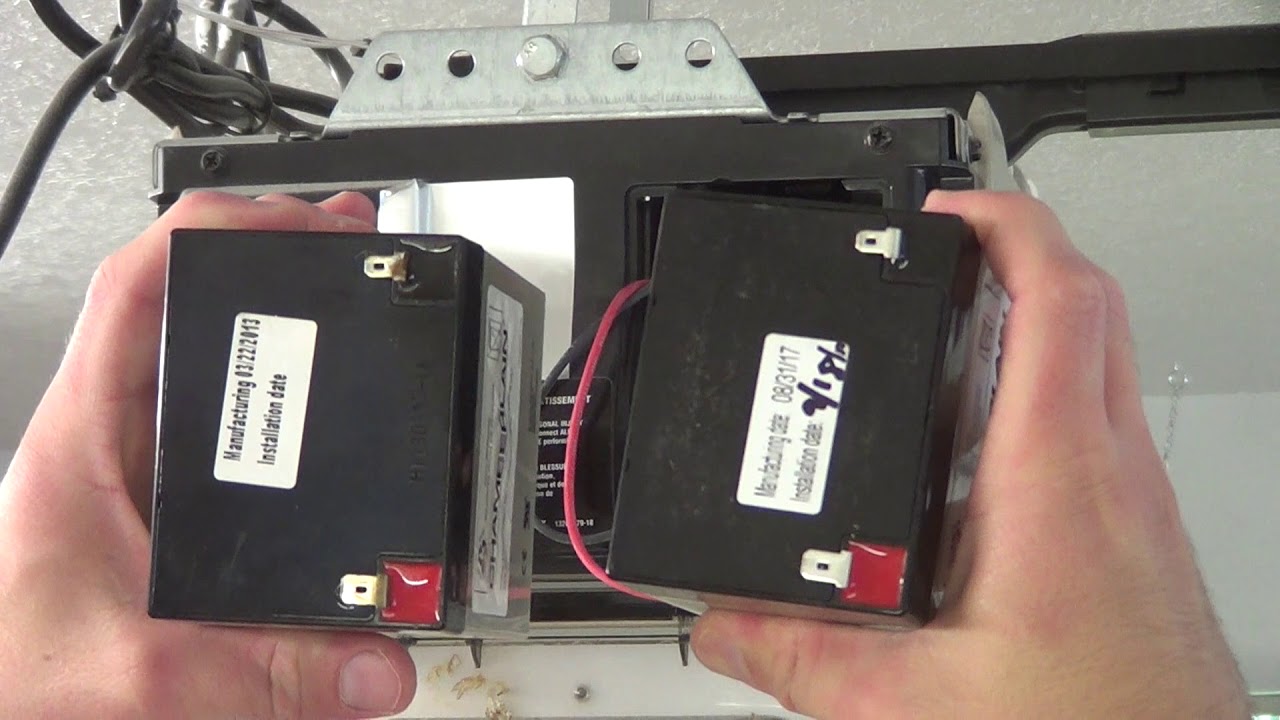
When Should You Replace The Battery?
A backup battery usually lasts 1–2 years, but heavy use or frequent power outages can shorten its life. Here’s how to know it’s time for a new one:
| Sign | Action Needed |
|---|---|
| Beeping every 2 seconds, even with power | Replace the battery |
| Battery over 2 years old | Replace the battery |
| Door works only with power, not during outage | Replace the battery |
Practical tip: Always use batteries made for your Chamberlain model. Generic batteries may not last as long or could even damage your opener.
Can You Use Your Opener Without A Battery?
Yes, but with limits. If your opener has a battery backup feature, it will still operate normally when plugged in. However, during a power outage, your garage door won’t work. Some local building codes now require battery backup for new openers, especially in areas prone to wildfires or storms.
Important: Never remove the battery just to stop the beeping. Replace it or get the opener serviced.
Advanced Troubleshooting: Unusual Beeping And Error Codes
Sometimes, the beeping is not caused by the most common issues. Here’s what to do if you’ve checked the basics:
Error Codes And Diagnostic Lights
Many Chamberlain models use a combination of LED lights and beeps to signal specific errors. For example:
- 3 blinks + beep: Motor issue or travel limits not set.
- 4 blinks + beep: Safety sensor malfunction.
- 5 beeps on startup: Circuit board problem.
Check your manual for a list of codes. If you don’t have the manual, visit the Chamberlain website or Chamberlain Support.
Wiring And Electrical Checks
Loose wires, corroded terminals, or power surges can all cause beeping. If you’re comfortable with basic electrical checks:
- Turn off power to the opener.
- Inspect all wires for damage or loose connections.
- Tighten any loose screws.
- Restore power and listen for changes.
If you’re not sure, hire a qualified electrician or garage door technician.
Circuit Board Failures
If everything else seems fine but the opener still beeps, the main circuit board might be failing. Symptoms include random beeping, loss of functions, or strange lights. Circuit board replacement is a job for professionals.
Software And Firmware Updates
Some newer Chamberlain openers can receive software updates through the myQ app or Wi-Fi. An outdated firmware version may cause beeping or connectivity issues. Check for updates in the app and install them if available.
Preventing Beeping Problems
The best way to avoid annoying beeping is with regular maintenance. Here’s how to keep your Chamberlain opener quiet and reliable:
- Replace the battery every 1–2 years or as soon as you hear low battery beeps.
- Clean safety sensors monthly and check alignment.
- Lubricate moving parts (chains, rails, rollers) every 6 months.
- Check for obstructions before every use.
- Update Wi-Fi settings when you change your network or password.
- Install software updates for smart openers via the app.
- Inspect wiring once a year for signs of wear or damage.
By following these steps, you’ll minimize the risk of unexpected beeping and extend the life of your garage door system.
Real-world Examples: What Homeowners Experience
Understanding real problems others face can help you solve yours faster. Here are two common scenarios:
Scenario 1: Beeping After A Storm
After a big storm, Jane noticed her Chamberlain opener beeped every 2 seconds. The LED was red. She realized the storm had caused a power outage. The battery was now low. She replaced the battery, waited a few hours, and the beeping stopped.
Lesson: Power outages drain the backup battery. Always check and replace batteries after storms.
Scenario 2: Beeping Only When Using The App
Mike heard beeping and saw flashing lights whenever he used the myQ app to close his garage door. He worried something was broken. After checking the manual, he learned this was a safety feature, not a problem.
Lesson: Not all beeping means trouble. Some is normal and for safety.
Chamberlain Vs. Other Brands: Beeping Differences
Not all garage door openers use beeping the same way. Here’s how Chamberlain compares to other brands:
| Brand | Beeping Alerts | Typical Causes |
|---|---|---|
| Chamberlain | Yes (battery, sensors, Wi-Fi) | Battery, sensors, app operation |
| LiftMaster (same company) | Yes (similar beeps) | Same as Chamberlain |
| Genie | Mostly lights, some beeps | Sensor or obstruction issues |
| Craftsman | Some models beep | Battery or error codes |
Insight: Chamberlain and LiftMaster use beeping more often than other brands, especially for smart features and battery alerts. If you switch brands, don’t expect the same sounds.
Two Non-obvious Insights Most People Miss
- Cold Weather Affects Batteries: In winter, backup batteries can lose power faster. If your beeping starts during cold months, check the battery even if it’s not very old. Cold weather reduces battery effectiveness, leading to early warnings.
- App-Based Features Can Trigger Beeping: If you set up “schedules” or “auto-close” in the myQ app, your opener may beep during these automated actions. Many users forget they set these features, then worry when beeping starts unexpectedly.
When To Call A Professional
Most beeping problems are easy to fix, but you should call a technician if:
- The opener beeps after battery replacement and a reset
- There are burned or melted parts inside the unit
- The opener shows error codes you can’t clear
- Wiring looks damaged or corroded
- You’re uncomfortable with electrical work
A professional can quickly diagnose rare problems and keep your garage safe.
Frequently Asked Questions
Why Does My Chamberlain Garage Door Opener Beep Every Few Seconds?
This usually means your backup battery is low or needs replacement. Check the battery compartment for the LED indicator. Replace the battery if it’s red or over 2 years old.
Is It Safe To Ignore The Beeping?
No, it’s not safe. Beeping is a warning that something needs your attention—most often a battery or safety sensor issue. Ignoring it could lead to your garage door not working during a power outage or failing to close properly.
Can I Replace The Backup Battery Myself?
Yes, most homeowners can replace the battery. Open the battery compartment, remove the old battery, and insert a new one of the correct type. Always check your manual for instructions.
Will The Beeping Stop After I Replace The Battery?
Usually, yes. The beeping may continue for a few hours as the new battery charges. If it doesn’t stop after 24 hours, check for other issues or contact support.
What If My Opener Keeps Beeping After All Troubleshooting?
If you’ve checked the battery, sensors, and app settings, and the beeping continues, there may be a deeper problem (like a circuit board failure). Contact Chamberlain support or a certified technician for further help.
A beeping Chamberlain garage door opener is almost always a helpful warning, not a sign of disaster. By understanding beep patterns, checking batteries and sensors, and following the steps above, you can quickly get your garage door back to quiet, reliable operation. Don’t ignore the beeps—they’re your opener’s way of keeping your home safe and secure. If you need more information, visit the official Chamberlain Group website for manuals and support.