
A Genie garage door opener keypad is a small device with big importance. It lets you open your garage door without a remote or key. Just enter your code, and you’re in. But what if the keypad stops working when you try to reset it? Suddenly, you’re locked out—or worse, your garage is no longer secure. This guide breaks down why the Genie garage door opener keypad reset might not work and gives you step-by-step solutions. You’ll learn what causes these issues, how to fix them, and how to avoid future trouble. By the end, you’ll feel confident handling any keypad reset problem, even if you’re not a tech expert.
Understanding Genie Garage Door Opener Keypads
Genie has made garage door openers for decades, and their keypads are popular for a reason. They’re wireless, easy to install, and let you access your garage without fumbling for a remote. Most Genie keypads use a simple numeric code.
Some newer models can handle multiple codes, temporary guest access, or even work with smart home systems.
But the convenience comes with a catch: if the keypad malfunctions or the reset process fails, you’re left frustrated and possibly insecure. Knowing how these keypads work helps you understand why resets can sometimes fail.
How Do Genie Keypads Work?
A typical Genie keypad uses a wireless radio signal to communicate with the garage door opener’s main motor unit. When you enter your code, the keypad sends a signal to the opener. If the code matches, the opener activates and the garage door moves.
Resetting the keypad usually means erasing the old code and programming a new one. This can be useful if you forget your code or want to make your home safer. However, sometimes the reset doesn’t go as planned, and the keypad remains stuck or unresponsive.
Common Reasons To Reset Your Keypad
- Forgotten code: You can’t remember your access code.
- Security concerns: Someone else knows your code, and you want to change it.
- Keypad malfunction: The device isn’t responding as it should.
- New homeowner: You move into a new house and want to set your own code.
- Battery replacement: Sometimes, replacing the battery requires a keypad reset.
If the reset process fails, it’s usually because of one or more hidden issues. Let’s dive into those now.
Why Genie Garage Door Opener Keypad Reset May Not Work
When your Genie keypad reset won’t work, the cause can be technical or surprisingly simple. Here are the most common reasons:
1. Weak Or Dead Batteries
It may sound obvious, but battery problems are the main reason for failed resets. If your keypad doesn’t get enough power, it won’t respond during the reset process. Even if some keys light up, weak batteries can cause random errors.
2. Incorrect Reset Procedure
Genie keypads have specific steps for resetting. If you miss a step or use instructions for the wrong model, the reset will fail. Many people accidentally follow instructions for a different Genie keypad, which can be confusing because the process is not the same for all models.
3. Faulty Keypad Buttons
Over time, the buttons on your keypad can wear out or stick. If even one button isn’t working, you might not be able to enter the reset code correctly, which stops the reset from completing.
4. Radio Interference
Wireless keypads use radio signals. If there’s interference from nearby devices (like Wi-Fi routers, cordless phones, or even LED lights), your keypad’s signal may not reach the opener. This can block the reset process.
5. Main Opener Unit Issues
Sometimes, the problem isn’t the keypad at all. The main opener unit might have a fault, bad wiring, or a memory error. If the opener can’t receive new codes, resetting the keypad won’t help.
6. Programming Lockout
Many Genie openers have a lock feature. If this is turned on, the opener ignores new codes from the keypad, which makes resets impossible until you unlock it.
7. Damaged Or Corroded Keypad
Keypads installed outdoors can suffer from weather damage or corrosion. Water, dust, or insects can get inside, causing short circuits or blocking the buttons.
8. Wrong Keypad Model
Some homeowners buy replacement keypads that look similar but aren’t compatible with their opener. If the model numbers don’t match, the reset process will never work.
9. Firmware Or Circuit Issues
Rarely, the keypad’s internal software (firmware) or circuits may fail. This is more common in older units or if the keypad was exposed to extreme conditions.
10. User Error
Simple mistakes—like entering the wrong code sequence or holding down the wrong button—are common. Even experienced users can slip up.
These problems can overlap, making it hard to know what’s wrong. That’s why careful troubleshooting is key.
Step-by-step Troubleshooting For Genie Keypad Reset Problems
Let’s walk through a clear, practical process to identify and solve your Genie keypad reset issue.
1. Check The Batteries
- Open the keypad cover and remove the batteries.
- Check for signs of corrosion or leaks.
- Replace with fresh, high-quality alkaline batteries (not rechargeable).
- Make sure the batteries are installed with the correct polarity.
Pro Tip: Even if the keypad lights up, weak batteries can still cause problems. Always use new ones for resets.
2. Find The Correct Model Number
Look for the model number on the back or inside of the keypad. Genie has several keypad models, such as GK-R, GK-BX, and Wireless Keypad (GWK). Using the right manual for your model is crucial.
3. Download The Right Instructions
Visit the official Genie website or trusted sources. Download the specific reset instructions for your model. Don’t use instructions from another model—they might be different.
4. Inspect The Keypad For Damage
- Check for cracks, water stains, or signs of insects.
- Press each button to make sure it moves and clicks.
- If buttons stick or feel loose, clean the keypad gently with a soft cloth and a little rubbing alcohol (make sure it’s dry before use).
5. Confirm The Main Opener Is Working
Try opening the garage door with the wall button or remote. If the opener doesn’t work, the problem isn’t the keypad—it’s the main unit. Check the power, wiring, and settings on the opener.
6. Remove Radio Interference
- Turn off nearby devices (Wi-Fi routers, baby monitors, cordless phones) during the reset.
- Move the keypad and opener antennas away from metal objects or large appliances.
7. Unlock The Opener (if Needed)
Some Genie openers have a “lock” or “vacation” button. If this is on, the opener ignores new codes. Check your opener for a lock indicator and switch it off before trying to reset the keypad.
8. Try The Reset Process Again
Follow each step slowly. Most Genie keypads require you to:
- Press and hold a specific button until the LED blinks.
- Enter a reset or programming code.
- Enter your new access code.
- Test the new code after programming.
If your keypad has a “learn” button on the main opener, you may need to press it during programming.
9. Test All Buttons
After resetting, test every button on the keypad. Enter your code slowly to make sure all digits work. If one or more buttons fail, you may need to replace the keypad.
10. Try A Factory Reset
Some Genie keypads allow a complete factory reset. This erases all codes and returns the keypad to its original settings. Look for this step in your manual. If a factory reset doesn’t work, the keypad may have a deeper fault.
11. Call Genie Support
If all else fails, contact Genie customer support. They can help with advanced troubleshooting or confirm if you need a replacement.
Comparing Genie Keypad Models: Compatibility And Reset Steps
To avoid confusion, here’s a comparison of popular Genie keypad models and their reset procedures:
| Keypad Model | Compatible Openers | Reset Method | Special Notes |
|---|---|---|---|
| GK-R | Intellicode Series II | Hold PROGRAM, enter new code, press UP/DOWN | Common in newer homes |
| GWK | Series I & II | Press LEARN on opener, enter code on keypad | May need opener access |
| GK-BX | Series II only | Hold PROGRAM, enter 357, then new code | Check for blinking LED |
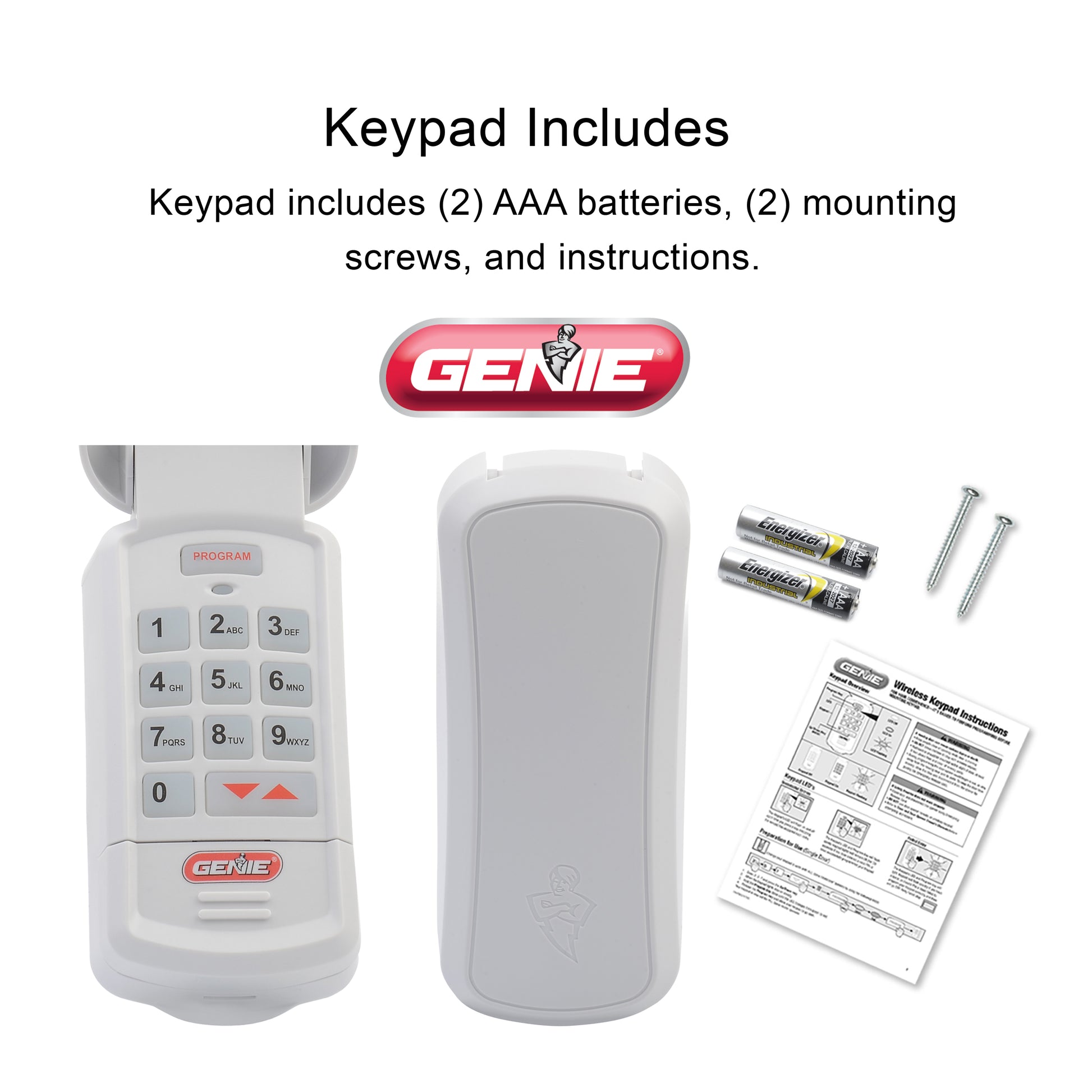
| Wireless Keypad (37224R) | All Intellicode models | Hold PROGRAM, enter new code, sync with opener | Battery cover underneath |
Important: Always match your keypad and opener model numbers for proper compatibility.
Common Mistakes When Resetting Genie Garage Door Opener Keypads
Even experienced homeowners make these mistakes, which can lead to failed resets or keypad damage:
- Skipping steps in the instructions or rushing the process.
- Using weak or old batteries during programming.
- Not clearing old codes before entering a new one.
- Holding the wrong button (e.g., pressing “Program” instead of “Learn”).
- Not waiting for the LED indicator to blink or light up.
- Trying to reset during a power outage or with unstable power.
- Ignoring the lock/vacation mode on the opener.
- Assuming all Genie keypads reset the same way (they don’t).
- Not testing every button after reset—some may not work even if the code is accepted.
- Forgetting to check the opener’s receiver—sometimes the problem is not the keypad.
Non-obvious insight: Many homeowners don’t realize that nearby metal objects (like a metal garage door frame or car) can block wireless signals during programming. Always stand clear when resetting.
What To Do If The Reset Still Fails
If your Genie keypad reset still isn’t working after all the above, don’t panic. There are still options to regain access and security.
Try A Hard Reset On The Opener
Some Genie openers have a memory reset option. This wipes all remote codes, including keypad codes. You’ll need to reprogram all remotes after this, but it can fix stubborn sync problems.
Replace The Keypad
If the keypad is old, damaged, or exposed to weather for years, internal circuits may be corroded or broken. In this case, replacement is the best solution. Look for a Genie-compatible wireless keypad. Always check the compatibility list before buying.
Use A Remote Or Wall Button
While sorting out the keypad issue, use your garage remote or the indoor wall button for access. This keeps your garage usable while you work on the fix.
Call A Professional Technician
If you’ve tried every step and the keypad (or opener) still won’t reset, a qualified garage door technician can help. They have tools to test the keypad, opener, and wiring for faults.
Update Your Security
If you’re worried someone may have your old code, disable keypad access (if possible) until you solve the problem. This keeps your home safe.
Preventing Future Genie Keypad Reset Problems
You can avoid most keypad reset headaches with some simple habits and preventive care.
1. Regular Battery Checks
Change the batteries every 6-12 months—even if the keypad seems fine. Use only alkaline batteries for best performance.
2. Weather Protection
If your keypad is outdoors, install a weatherproof cover. This protects it from rain, sun, and insects.
3. Clean Keypad Buttons
Wipe the keypad with a dry, soft cloth every few months. Avoid using water or harsh chemicals. If buttons stick, clean them gently with rubbing alcohol.
4. Keep Instructions Handy
Store your keypad’s manual or download a copy from the Genie website. Having the right reset instructions saves time later.
5. Test Your Code Monthly
Enter your code once a month to make sure all buttons and the wireless signal are working. If you notice slow response or missed buttons, replace batteries and check for damage.
6. Avoid Frequent Resets
Only reset your keypad when necessary. Frequent resets can wear out the buttons and memory circuits faster.
7. Use Secure Codes
Don’t use simple codes like 1234 or your house number. Choose a code that’s easy for you to remember but hard for others to guess.
8. Update Firmware (if Possible)
Some new Genie models let you update the opener’s firmware. This can fix bugs that affect keypad syncing and resets. Check your model’s compatibility and instructions on the Genie website.
9. Limit Guest Codes
If your keypad supports guest codes, delete them when guests no longer need access. This keeps your garage secure.
10. Watch For Product Recalls
Very rarely, Genie may issue a recall for a faulty keypad or opener model. Register your product and check for updates on the official site.
Genie Keypad Vs. Competitor Keypads: Reliability And Reset Process
How does a Genie keypad compare to others like Chamberlain, LiftMaster, or Craftsman when it comes to reliability and reset issues? Here’s a side-by-side look:
| Brand | Reset Difficulty | Common Problems | Average Lifespan |
|---|---|---|---|
| Genie | Easy to Moderate | Battery, compatibility, button wear | 5-8 years |
| Chamberlain | Moderate | Radio interference, memory errors | 6-10 years |
| LiftMaster | Moderate | Worn buttons, lock feature confusion | 6-9 years |
| Craftsman | Easy | Battery, programming steps | 5-8 years |
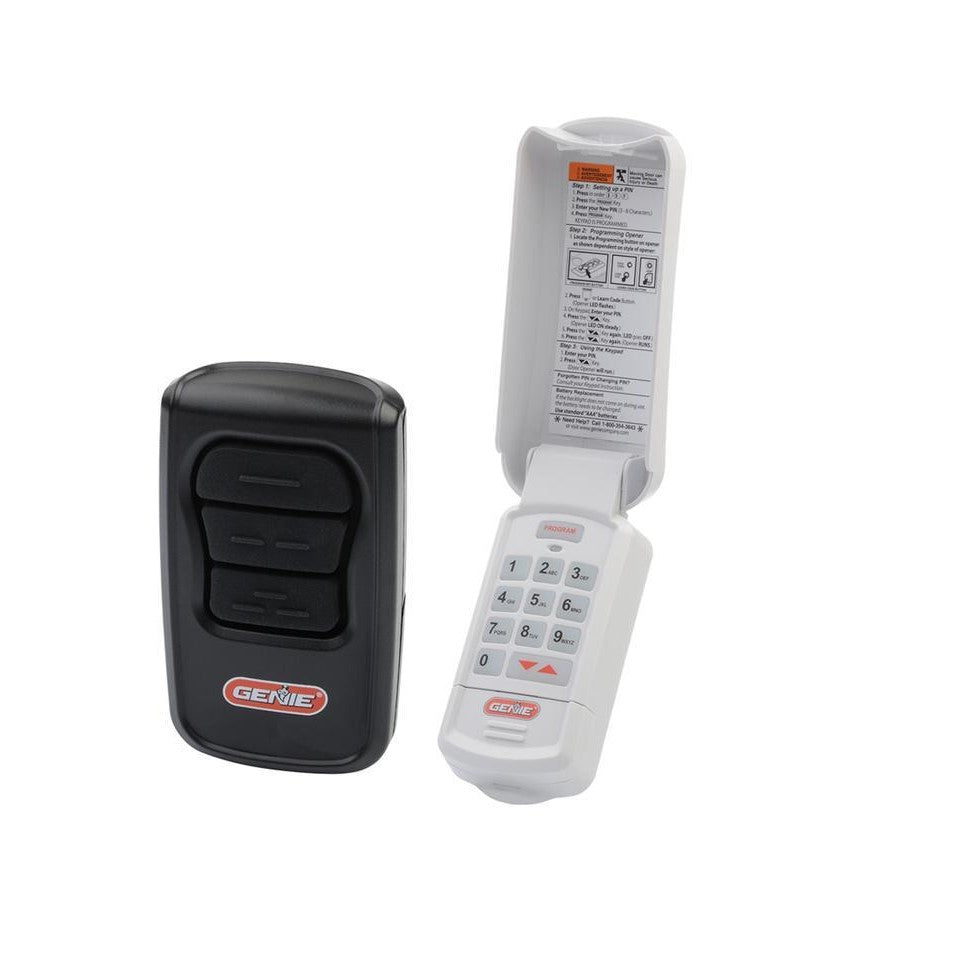
Genie keypads are reliable and easy to use, but like all brands, they’re sensitive to battery quality and button wear. Their reset process is usually straightforward if you follow the correct steps for your model.
When To Replace Vs. Repair Your Genie Keypad
Should you try to fix your keypad, or is it time for a new one? Here are some guidelines:
- Replace if: The keypad is cracked, corroded, or older than 8 years. Buttons don’t work even after cleaning, or the wireless signal is weak despite new batteries.
- Repair if: Only one or two buttons are sticky, or the battery contacts are dirty but intact.
- Professional repair: Usually not cost-effective for keypads. Replacement is almost always cheaper and more reliable.
Insight: Some users waste time and money trying to repair a keypad with internal circuit failure. If you’ve tried all reset and cleaning steps, a replacement is usually the fastest solution.
Genie Keypad Reset Not Working: Real-world Examples
Here are a few real situations that help illustrate the issues and solutions:
Example 1: Family Moves Into New Home
A family moves into a home with an existing Genie keypad. They try to reset the code using instructions they found online, but it won’t work. After checking, they discover they have a GWK model but were following steps for a GK-BX.
Switching to the correct instructions solves the problem immediately.
Example 2: Keypad Unresponsive After Battery Change
A homeowner replaces the batteries in their keypad, but the unit won’t reset or accept new codes. A closer look reveals battery corrosion on the contacts. After cleaning with a cotton swab and vinegar, the keypad works again.
Example 3: Multiple Failed Resets
A user tries to reset the keypad but keeps getting an error. The problem? The opener’s “lock” feature was on. Turning off the lock allows the keypad to accept new codes.
Example 4: Storm Damage
After a severe thunderstorm, the keypad stops responding. Water got inside the unit, damaging the circuit board. In this case, replacement was the only option.
Example 5: Interference From New Electronics
A homeowner installs a new Wi-Fi camera near the garage door. Suddenly, the keypad won’t reset. Moving the camera away from the opener restores normal function.

The Role Of Security In Genie Keypad Resets
It’s easy to focus only on convenience, but security should never be ignored. An unresponsive or incorrectly reset keypad can leave your garage—and home—at risk.
- Always reset the keypad if you move into a new home.
- Disable the keypad if you suspect someone else knows your code.
- Use complex codes and change them if you share them with guests.
- Check for firmware updates on new opener models to protect against hacking.
For more tips on garage security, check out this resource from the Consumer Reports.
Frequently Asked Questions
Why Won’t My Genie Garage Door Keypad Reset Even After Following The Instructions?
Often, the problem is due to incorrect batteries, missed steps, or using the wrong reset method for your model. Double-check your keypad’s model number and follow the exact steps in the correct manual. If the keypad is damaged or very old, it may need replacement.
Can Radio Interference Really Stop My Keypad From Resetting?
Yes. Devices like Wi-Fi routers, cordless phones, or even LED lights can interfere with the keypad’s signal. Try turning off nearby electronics or moving them away from the opener and keypad during the reset process.
What Should I Do If Only Some Keys On The Keypad Work?
If some buttons don’t respond, clean the keypad with a dry cloth and check for dirt or debris. If the problem continues, the keypad may be worn out or damaged. In most cases, replacing the keypad is the best solution.
How Often Should I Change My Genie Keypad Code For Security?
It’s smart to change your code at least once a year or any time you give it to someone else. Avoid simple codes and never use your address or birthday.
Is It Safe To Buy Third-party Keypads For Genie Openers?
Some third-party keypads can work, but compatibility issues are common. Always check the product’s compatibility list and reviews. Genie’s own keypads are recommended for best performance and security.
A Genie garage door opener keypad that won’t reset is frustrating, but not hopeless. By understanding the causes and following step-by-step troubleshooting, you can quickly restore access and security. Regular maintenance, using the right instructions, and protecting your keypad from weather and interference will prevent most future problems. Remember: a little care now saves a lot of trouble later.