
A Craftsman garage door opener is a reliable tool for everyday convenience, but like all electronic devices, it can sometimes act up. Maybe your remote isn’t working, the wall button is unresponsive, or you’ve moved into a new home and want to clear out old codes. Whatever the reason, knowing how to reset your opener is essential for both security and peace of mind.
Many homeowners worry that resetting their garage door opener will be complex or risky. In reality, it’s a safe process if you follow the right steps. This guide will walk you through everything you need to know to reset your Craftsman garage door opener confidently.
You’ll learn why resets are sometimes needed, how the process works for different models, what to do if things go wrong, and how to avoid common mistakes. This article is designed for beginners but includes insights even experienced users might miss.
Why Reset A Craftsman Garage Door Opener?
It’s important to first understand why a reset might be required. Resetting is not just for fixing technical problems. There are a few key situations when a reset is the best step:
- Lost or Stolen Remote: If someone finds your old remote, they could enter your garage. Resetting erases all codes and keeps your home safe.
- New House Move-In: You don’t know if the previous owners still have remotes. Resetting removes any old access.
- Malfunctioning Remotes or Keypads: Sometimes, remotes or keypads stop working due to a syncing issue. A reset can solve this.
- Adding or Removing Remotes: You may want to clear all devices and reprogram only the ones you trust.
- Glitches After Power Outages: Sometimes, a power surge can confuse the opener’s memory. Resetting can bring everything back to normal.
People sometimes ignore these risks, thinking they’re safe. But even one lost remote can be a security weakness. Resetting is a simple but effective way to take control.
Understanding How Craftsman Garage Door Openers Work
Before you reset, it helps to know what’s happening inside your garage door opener. Craftsman openers use a small computer called a logic board. This board stores the codes for all remotes and keypads. When you press your remote, it sends a signal with a special code. If the code matches, the door opens.
Modern Craftsman models use “rolling codes. ” Each time you use the remote, the code changes. This makes it almost impossible for someone to copy the code and break in. Older models use fixed codes, which are less secure but simpler to reset.
Most openers have a Learn button on the main unit. This button is your key to resetting and programming. Its color (yellow, purple, red/orange, or green) tells you which type of system you have. Knowing your system helps you follow the right instructions.
Types Of Craftsman Garage Door Openers
Craftsman has made many openers over the years. The basic reset process is similar, but there are small differences depending on the model and technology. Here are the main types:
- Chain Drive Openers: These are strong and good for heavy doors. They can be noisy but last a long time.
- Belt Drive Openers: These are quieter and need less maintenance.
- Screw Drive Openers: These are less common today but are simple and reliable.
- Smart/Wi-Fi Enabled Openers: These models connect to your phone or smart home system.
The steps below cover all these types, but always check your manual for special instructions. If you don’t have the manual, most are available on the Craftsman website or from Sears PartsDirect.
Preparing To Reset: Safety And Tools
Resetting your garage door opener is safe if you follow some basic steps:
- Unplug the Opener: For most tasks, you can keep the power on. But if you need to open the housing, always unplug first.
- Have a Sturdy Ladder: You’ll need to reach the main unit, usually mounted on the ceiling.
- Get a Flashlight: Garages can be dark, so extra light helps.
- Keep Remotes and Keypads Nearby: You’ll need them for testing and reprogramming.
Never stand on an unstable surface or try to reach the opener while on tiptoe. Falls are a common cause of injury in home repair.
The Main Steps To Reset A Craftsman Garage Door Opener
Let’s break down the reset process into clear steps. The details can vary, but these steps work for most Craftsman models made in the last 20 years.
1. Locate The Learn Button
The Learn button is the heart of the reset process. It’s usually found on the back or side of the main garage door opener unit (the motor housing near the ceiling). Sometimes, you need to remove a light cover to see it. The button is often red, yellow, purple, or green.
Tip: The color of your Learn button can tell you what technology your opener uses. For example, yellow buttons are common on newer Security+ 2.0 models, while red or orange are used on some older types.
2. Clear All Remote And Keypad Codes
To reset the opener, you must erase all existing codes from memory. This will disconnect all remotes, keypads, and even car HomeLink systems.
- Press and hold the Learn button for about 6-10 seconds.
- The indicator light will turn off or blink, showing that memory is cleared.
- Release the button.
Important: All previously programmed remotes and keypads will stop working. You must reprogram any you want to keep.
3. Re-program Remotes And Keypads
After resetting, your opener has no remotes connected. To use your opener, you need to add them back.
- Press and release the Learn button (don’t hold it).
- Within 30 seconds, press the button on your remote you wish to program.
- The opener light may blink or you may hear a click. This means the remote is now programmed.
- Repeat for each remote or keypad.
Some wall keypads require you to enter a PIN code and then press the Learn button. Check your keypad’s instructions.
4. Test The Opener
Try each remote and the wall keypad to make sure they all work. If something doesn’t work, repeat the programming process for that device.
Don’t forget: If your car has a built-in HomeLink or Car2U system, you must also reprogram it using the same steps as for a remote.
Special Reset Steps For Wi-fi And Smart Models
Smart Craftsman openers can connect to apps like myQ for remote control and alerts. Resetting these openers requires an extra step to remove Wi-Fi settings.
- Clear remotes and keypads as above.
- To clear Wi-Fi, press and hold the Learn button (usually yellow) for 6 seconds until the LED goes out.
- For some models, you must hold the Learn button a second time for 6 seconds to erase Wi-Fi settings.
- Reconnect to your home network using your app.
Note: Forgetting to clear Wi-Fi can cause problems later, such as old users still having app access.
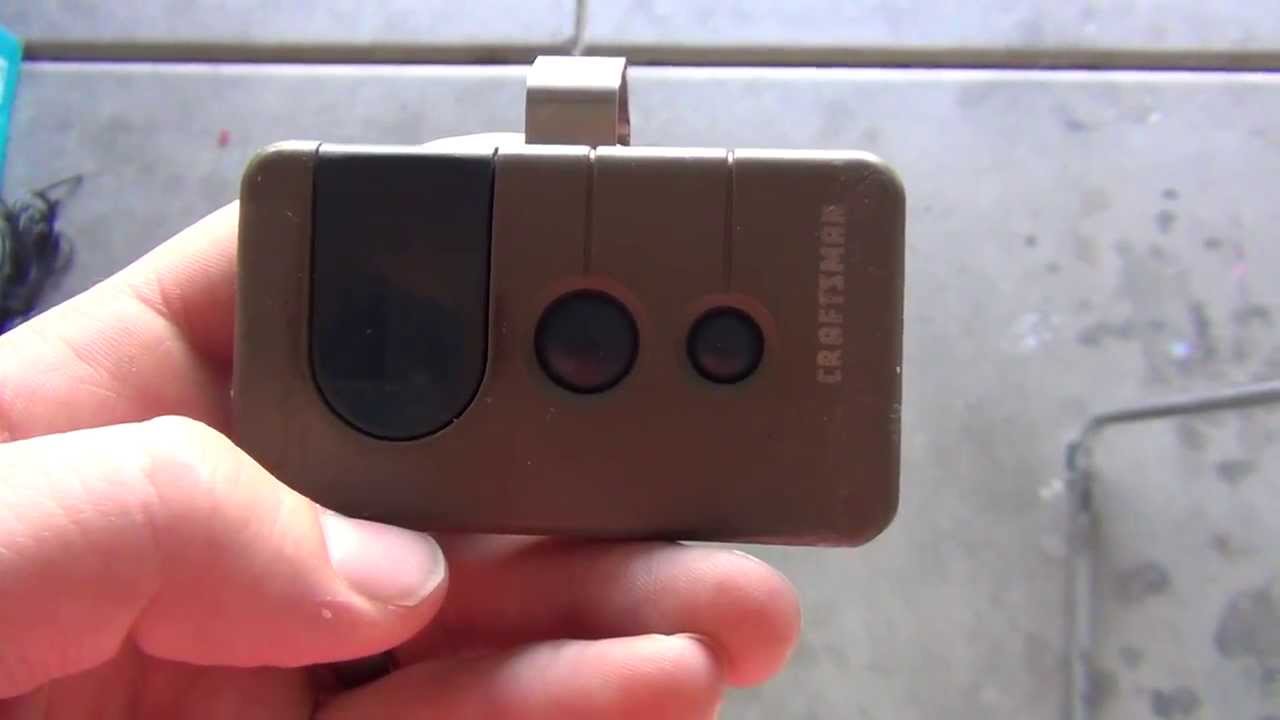
Resetting Keypad Pins And Wireless Keypads
Wireless keypads mounted outside the garage are common. If you forget your PIN or want to change it after a reset, follow these steps:
- Clear all codes using the Learn button method above.
- On the keypad, press the Learn button once (don’t hold).
- Within 30 seconds, enter your new 4-digit PIN on the keypad.
- Press and hold the Enter button until you see the opener lights blink.
Your new PIN is now active. Test it to be sure.
Non-obvious tip: Some older keypads need you to press the “#” or “*” button after the PIN. Read the sticker on the back of your keypad if unsure.
Troubleshooting Common Problems After Reset
Sometimes, things don’t work as expected after a reset. Here’s what to check:
Remote Won’t Program
- Battery Weak: Try a new battery in your remote.
- Wrong Learn Button Sequence: Make sure you’re pressing the Learn button for the correct amount of time.
- Distance: Stand within 3-5 feet of the opener when programming.
- Interference: Strong Wi-Fi or metal in the garage can block signals.
Keypad Not Syncing
- Old PIN Stuck: Try unplugging the opener for 30 seconds, then repeat the reset.
- Wrong Sequence: Some keypads need different button presses after entering the PIN.
Opener Not Responding
- Power Issue: Check the outlet and circuit breaker.
- Lock Feature On: Some wall buttons have a “lock” switch. Turn it off to allow remotes to work.
Table: Common Reset Problems And Solutions
| Problem | Likely Cause | Solution |
|---|---|---|
| Remote not working | Code not programmed | Repeat Learn button process |
| Keypad won’t accept PIN | Wrong programming steps | Follow keypad’s specific instructions |
| Wall button works, remote doesn’t | Memory not cleared | Hold Learn button for full 10 seconds |
| Opener makes a noise but doesn’t move | Mechanical jam | Check for door or rail blockage |
Special Tips For Older Craftsman Models
Older Craftsman openers (pre-1997) use a set of DIP switches inside the remote and opener. If you have this type:
- Open the remote and main unit cover.
- Set the DIP switches to match each other.
- No Learn button exists on these models.
While these openers still work, their fixed codes are less secure. If possible, consider upgrading for better security.
Non-obvious insight: Some universal remotes can mimic DIP switch patterns. This can be a way to add a new remote if the original is lost.
Comparing Craftsman Opener Technologies
Understanding your opener’s technology helps you troubleshoot and plan upgrades. Here is a comparison:
| Type | Learn Button Color | Security Level | Year Introduced |
|---|---|---|---|
| Fixed Code (DIP Switch) | N/A | Low | Before 1997 |
| Security+ Rolling Code | Red/Orange, Purple | Medium | 1997-2010 |
| Security+ 2.0 (Smart) | Yellow | High | 2011-Present |
If you’re not sure of your opener’s age, the Learn button color is a fast way to check.

When To Call A Professional
While most resets are simple, some problems require expert help:
- Opener won’t respond at all: Could be a failed circuit board.
- Repeated resets don’t work: There may be deeper electrical issues.
- Physical damage: Broken wires, burnt smell, or sparks mean it’s time for a technician.
Don’t try to repair the motor or circuit board yourself unless you have electrical experience. Incorrect repairs can be dangerous.
Experience-based tip: Many pro garage door companies offer a “reset and safety check” service for under $100. This may be worth it if you’re unsure or if the opener is very old.
Keeping Your Opener Secure After Reset
Resetting is only the first step to good garage security. Here are a few ways to keep your system safe:
- Change PINs Regularly: Especially if you give out codes to guests or workers.
- Erase Remotes Before Donating Cars: Many cars can be programmed to open your garage. Clear the code before selling.
- Enable Vacation Lock: Some wall buttons have a lock switch to disable remotes while you’re away.
- Check for Firmware Updates: Smart models sometimes get updates through the app for better security.
Non-obvious insight: If you use smart home features, always remove old users from your app after a reset. Many people forget this, leaving a security gap.
Table: Key Steps And Estimated Time For Reset
To help you plan, here’s an overview of how long each reset step usually takes:
| Step | Time Needed (Minutes) | Difficulty (1=Easy, 5=Hard) |
|---|---|---|
| Locate Learn button | 2 | 1 |
| Erase all codes | 2 | 2 |
| Reprogram remotes | 1 per remote | 2 |
| Reset keypad | 3 | 3 |
| Reconnect Wi-Fi (smart models) | 5 | 4 |
Most people can reset and reprogram their system in under 20 minutes.
Mistakes To Avoid When Resetting Your Opener
Many people make small errors that waste time or create problems. Here’s what to watch out for:
- Not clearing all codes: If you only remove some remotes, old ones may still work.
- Holding the Learn button too briefly: You must hold it long enough (6-10 seconds) to erase memory.
- Programming too slowly: After pressing Learn, you usually have 30 seconds to program a remote.
- Forgetting to reprogram HomeLink: Your car’s system needs to be re-added after every reset.
- Skipping Wi-Fi reset (smart models): Old users can still access the door if Wi-Fi is not reset.
- Standing on unstable surfaces: Always use a safe ladder.
Pro tip: If you have multiple openers (for two or three garage doors), reset and reprogram them one at a time. Mixing up remotes can cause confusion.
Practical Examples: Real-world Reset Scenarios
Let’s look at a few scenarios so you can see how these steps work in daily life.
Scenario 1: Lost Remote After House Party
You had friends over, and now one remote is missing. You’re worried someone could find it and access your garage.
- Solution: Press and hold the Learn button until memory is clear. Reprogram your remaining remotes and keypads. The lost remote will no longer work, even if found.
Scenario 2: Bought A Home With Old Craftsman Opener
You move into a house. The garage opener works, but you don’t know who else has access.
- Solution: Reset the opener as above. Set your own PIN on the keypad. Program new remotes for your family.
Scenario 3: Remote And Keypad Suddenly Stop Working
After a power surge, none of your devices work.
- Solution: Unplug the opener for one minute. Reset as above. If problems continue, check the circuit breaker or call a pro.
Lesson: In each situation, following the reset steps protects your security and keeps your garage working smoothly.
Frequently Asked Questions
How Do I Find The Learn Button On My Craftsman Garage Door Opener?
The Learn button is usually located on the back or side of the main opener unit, near the antenna wire. You may need to remove a light cover to see it. It is often yellow, red, orange, purple, or green.
Will Resetting My Craftsman Opener Erase All Remotes And Keypads?
Yes. When you hold the Learn button for 6-10 seconds, all stored codes are erased. You will need to reprogram every remote and keypad you want to use.
What Should I Do If My Remote Still Doesn’t Work After Resetting?
First, check the remote’s battery. Then repeat the programming steps, making sure you’re close to the opener and using the correct sequence. If it still fails, the remote may be broken or incompatible.
Is It Safe To Reset My Garage Door Opener Myself?
For most people, yes. Just use a safe ladder and avoid touching wires inside the opener. If you see signs of electrical damage (burn marks, sparks, strong smell), call a professional.
How Often Should I Reset My Craftsman Garage Door Opener?
Reset whenever you lose a remote, change PINs, buy a new house, or notice strange behavior. Regular resets (every few years) are a good habit for security.
Resetting your Craftsman garage door opener is a simple way to protect your home and restore full control. By following the steps above and avoiding common mistakes, you can handle almost any opener issue yourself. If you ever feel unsure, don’t hesitate to call a pro—your safety and security are always worth it.