Now Reading: How to Sync Genie Garage Door Opener With Remote Easily
- 01
How to Sync Genie Garage Door Opener With Remote Easily

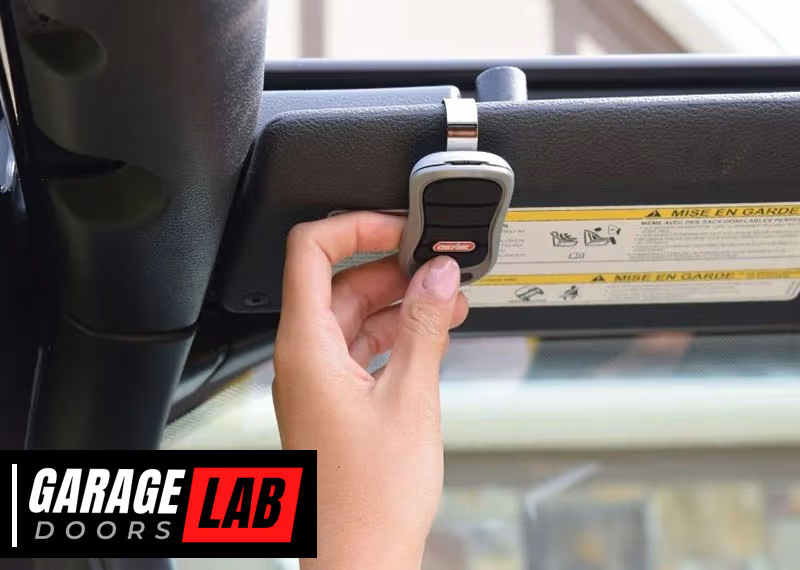
Syncing your Genie garage door opener with a remote can make your daily routine smoother and more secure. Many people find this task confusing, especially with different Genie models and remotes. But with the right guidance, anyone can do it safely and quickly.
This article will walk you through every step, explain the key concepts, and help you avoid mistakes. Whether you’re setting up a new system or adding a remote, you’ll find practical advice, clear instructions, and expert tips to help you succeed.
Understanding Genie Garage Door Opener Systems
Before you start, it’s important to know how Genie garage door openers work. Genie is a well-known brand in the US, famous for making reliable and advanced garage door openers. They use radio frequency signals to communicate between the opener and the remote. When you press the remote, it sends a signal at a specific frequency to the opener’s receiver, telling it to open or close the door.
Most modern Genie systems use rolling code technology. This means the code changes every time you use the remote, making it very hard for anyone to copy or hack the signal. Older Genie models may use fixed codes, which are less secure but easier to program.
There are several types of Genie remotes:
- Single-button remotes: Open or close one garage door.
- Multi-button remotes: Control two or three doors.
- Keychain remotes: Small and portable for carrying on your keys.
- Wireless keypads: Mounted outside, allow code entry for access.
It’s important to know your model before starting, as the syncing process can be different for each type.
What You Need Before You Start
To avoid frustration, gather these items first:
- Your Genie garage door opener (installed and working)
- The Genie remote you want to sync
- A sturdy ladder (if your opener is ceiling-mounted)
- Safety glasses and gloves (for protection)
- The user manual for your Genie opener and remote (optional but helpful)
Make sure you have good lighting in your garage and keep pets or children away while you work.
Pro Tip: If your remote is brand new, check if it already has batteries inside. Most Genie remotes come with batteries, but sometimes you need to install them.
Safety Precautions
Safety comes first. Garage door openers use electricity and move heavy doors, which can cause injuries if you’re not careful. Follow these safety tips:
- Unplug the garage door opener before working on wiring or inside the opener.
- Use a strong ladder and make sure it stands on a flat surface.
- Keep your hands away from moving parts and door tracks.
- Don’t let children play with remotes.
If you’re unsure about any step, consult a professional installer.
How To Identify Your Genie Opener And Remote Model
Not all Genie systems are the same. Newer models (like the Genie StealthDrive, ChainMax, and QuietLift) have different syncing methods than older screw-drive or chain-drive models. To identify your system:
- Look for the model number on the garage door opener motor unit (usually on a sticker or metal plate).
- Find the Learn button (sometimes called “Program” or “Set”)—this is often colored red, purple, yellow, or black.
- Check your remote for a model number—usually inside the battery compartment.
This information will help you follow the correct steps and avoid confusion.
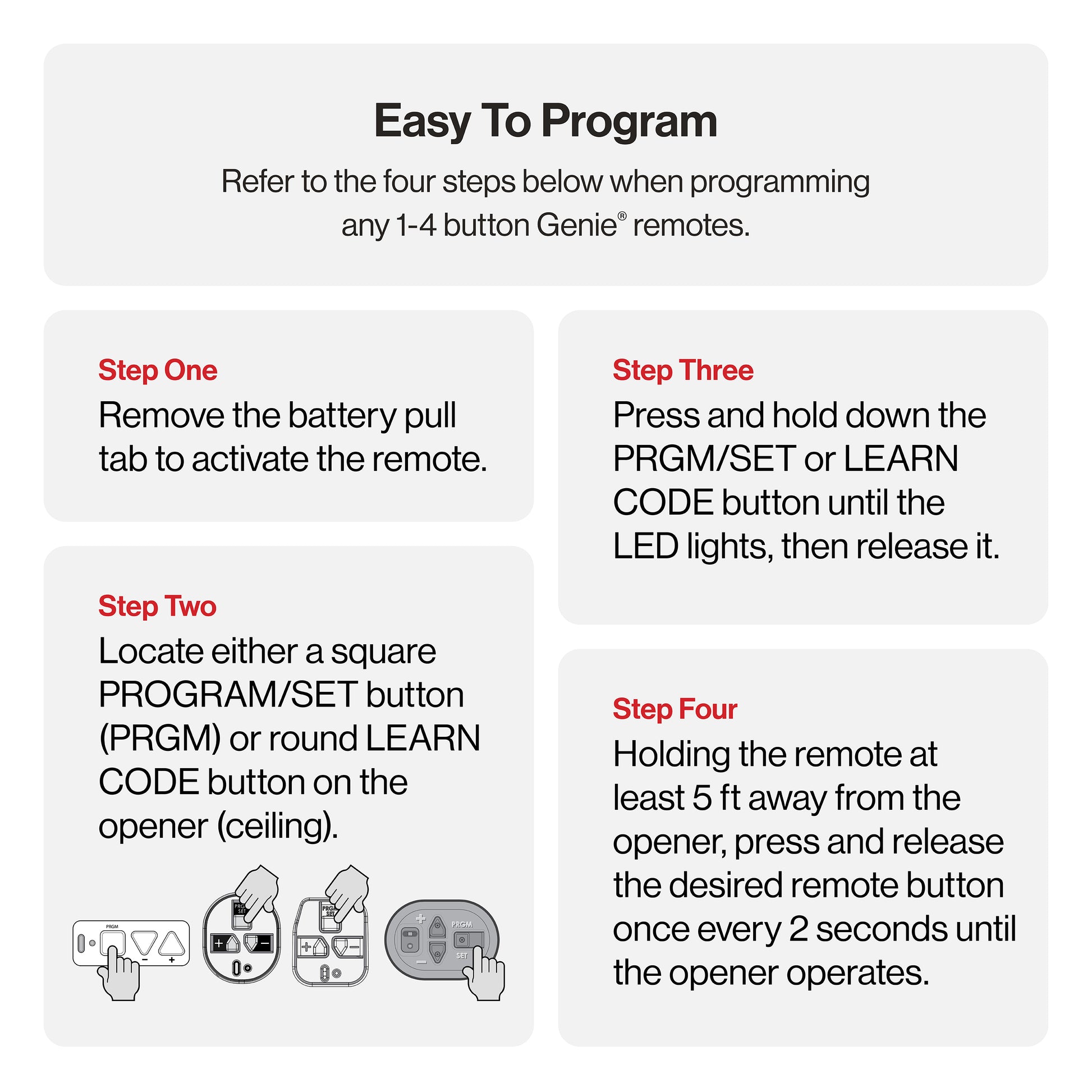
Step-by-step: Syncing Genie Garage Door Opener With Remote
Let’s get into the main process. Most Genie openers sync with remotes using a Learn button on the opener unit. The exact steps may differ slightly, but these instructions cover the majority of Genie models used in homes today.
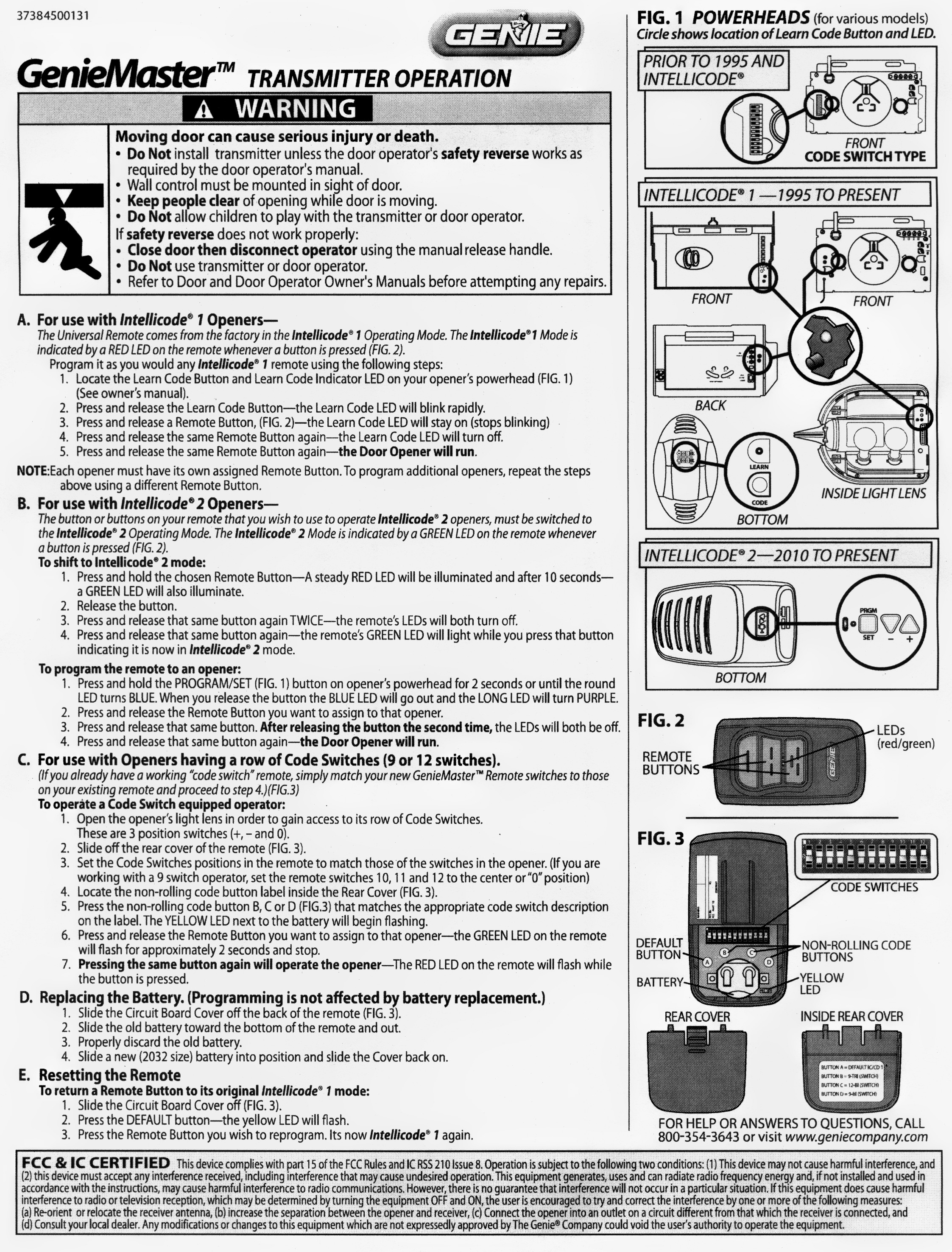
1. Prepare The Opener And Remote
Make sure your garage door opener is powered on and the door is closed. Have your remote ready in hand.
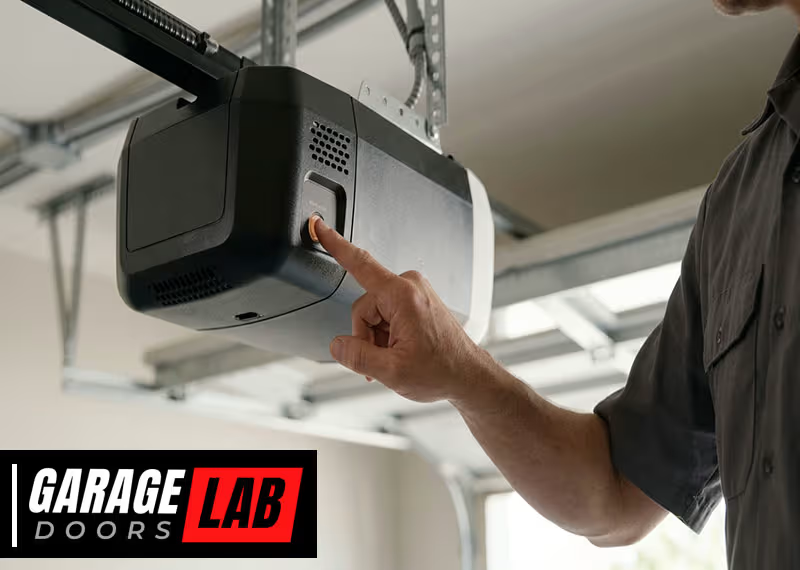
2. Locate The Learn (program) Button
On most Genie openers, the Learn button is located under the light cover or near the antenna wire. You may need a ladder to reach it. The button is often colored:
- Red/Orange
- Purple
- Yellow
- Black
Some Genie openers have the button labeled as “PRGM” or “Learn. “
3. Press The Learn Button
Press and release the Learn button. The indicator light next to the button should start blinking or stay solid (depending on the model). This means the opener is in programming mode. You usually have 30 seconds to complete the next step.
4. Sync The Remote
Within 30 seconds, press and hold the button on your Genie remote that you want to program. Hold it for about 2-5 seconds. You may see the opener’s lights flash or hear a click—this means the remote signal was received.
Release the remote button. On some models, you might need to press the remote button again to confirm.
5. Test The Remote
Stand a few feet away and press the programmed remote button. The garage door should open or close. If it works, you’ve successfully synced your remote.
If it doesn’t work:
- Repeat the steps carefully, making sure you press the remote button within 30 seconds of pressing Learn.
- Check the remote batteries.
- Try resetting the opener and starting over.
6. Programming More Than One Remote
You can sync multiple remotes to the same Genie opener. Just repeat the steps above for each remote, one at a time. Each remote must be programmed separately.
7. Erasing All Remotes (if Needed)
If you lose a remote or want to erase all programmed remotes for security, hold the Learn button for about 10 seconds until the indicator light goes out. This clears all remotes from the opener’s memory. You’ll need to reprogram any remotes you still want to use.
Syncing With Genie Wireless Keypad
Many Genie owners also use a wireless keypad for keyless entry. Syncing a keypad is a bit different:
- Press the Program button on the opener (as before).
- Within 30 seconds, enter your chosen PIN on the keypad, then press the “Up/Down” button.
- The opener should activate, confirming programming.
- Test by entering your PIN and pressing “Up/Down” to open the door.
Always set a unique PIN and never share it with strangers.
Troubleshooting Common Problems
Even with good instructions, issues can happen. Here’s how to solve the most common problems when syncing a Genie garage door opener with a remote.
Remote Not Working
If your remote doesn’t work after programming:
- Check the batteries. Old or weak batteries are the most common cause.
- Distance. Try standing closer to the opener.
- Obstructions. Metal objects or walls can block signals.
- Wrong button. Make sure you’re pressing the programmed button.
- Model mismatch. Some remotes only work with certain Genie models.
Opener Doesn’t Enter Programming Mode
- Make sure the opener is plugged in and has power.
- Try holding the Learn button for a full second before releasing.
- If the indicator light doesn’t blink, you may have a faulty button or circuit board.
Multiple Remotes Interfere
If two remotes control the same door but sometimes fail:
- Reprogram each remote, one after another.
- Avoid programming two remotes at the exact same time.
Door Opens Or Closes By Itself
This is rare, but if it happens:
- Erase all remotes from the opener’s memory (hold Learn for 10 seconds).
- Reprogram only your remotes.
- Check for neighbors using the same frequency (unlikely with rolling code models).
Opener Light Blinks But Door Doesn’t Move
- Check the safety sensors near the floor on both sides of the garage door. If they’re blocked or dirty, the door won’t move.
- Make sure the opener is not in “Lock” mode (see your manual).
Genie Remote And Opener Compatibility
Not every Genie remote works with every Genie opener. Here’s a quick reference for popular models:
| Genie Opener Model | Compatible Remotes | Learn Button Color |
|---|---|---|
| StealthDrive Connect | G3T, GM3T, G1T | Yellow |
| ChainMax | G3T, G1T, GM3T | Purple |
| QuietLift | G3T, G1T | Red/Orange |
| Blue Max (Older) | GT90, AT85 | Black |
If you’re unsure, check your opener’s manual or Genie’s official website.
Programming Genie Remotes With Dip Switches (older Models)
Some Genie remotes made before the year 2000 use DIP switches instead of rolling codes. Here’s how to program them:
- Open the remote and find the small row of switches (usually 9 or 12).
- Inside the opener’s housing, find the matching DIP switch panel.
- Set the switches in the remote to match the opener’s pattern exactly.
- Close the remote and test it.
DIP switch systems are less secure, but still common in older homes.
Non-obvious insight: If you buy a used house with an old Genie opener, always change the DIP switch pattern to your own unique code to prevent previous owners from having access.
Genie Remote Features And Customization
Modern Genie remotes offer extra features:
- Multiple buttons: Control up to 3 doors or gates.
- HomeLink/Car2U: Program Genie remotes into your car’s built-in buttons.
- LED indicators: Show signal strength or battery level.
- Lock feature: Temporarily disables the remote for extra security.
Check your remote’s manual for advanced options.
Using Homelink With Genie Openers
Many cars have HomeLink buttons that can replace your Genie remote. Here’s how to program them:
- Hold the HomeLink button in your car and your Genie remote button together until the car’s indicator blinks.
- Press the Genie Learn button on the opener.
- Within 30 seconds, press the HomeLink button in your car.
- The opener should respond, syncing the car’s button.
This allows you to open your garage without carrying a remote.
Pro Tip: Some older HomeLink systems may need a compatibility bridge. Check your car manual if you have trouble.
Comparing Genie Remotes: Features And Options
Choosing the right Genie remote depends on your needs. Here’s a comparison of popular models:
| Remote Model | Buttons | Battery Type | Special Features |
|---|---|---|---|
| G3T | 3 | CR2032 | Rolling code, compact size |
| GM3T | 3 | CR2032 | Works with older and new openers |
| G1T | 1 | CR2032 | Keychain style |
| GK-R Wireless Keypad | NA | AAA | PIN code entry |
Non-obvious insight: If your garage is attached to your house, consider a wireless keypad for backup entry in case you lose your remote.

Genie Garage Door Opener Security Tips
Keeping your garage secure is important for your home’s safety. Here’s how to make the most of your Genie system:
- Erase old remotes when you move into a new home.
- Update to rolling code remotes if possible—they’re much more secure than DIP switch types.
- Change your wireless keypad PIN every few months.
- Keep remotes out of sight in cars to prevent theft.
- Test your opener monthly to make sure it works correctly.
Genie Vs. Other Brands: A Quick Comparison
Genie is one of the leading garage door opener brands in the US, along with LiftMaster, Chamberlain, and Craftsman. Here’s how Genie compares:
| Brand | Programming Process | Security Features | Remote Options |
|---|---|---|---|
| Genie | Simple, Learn button | Rolling code, lockout | Keychain, multi-button, keypad |
| LiftMaster | Learn button, color-coded | Security+ 2.0, timer-to-close | Multi-button, car integration |
| Chamberlain | Similar to Genie | Rolling code, MyQ | Multi-button, wireless keypad |
Genie’s programming is known for being simple and user-friendly, especially for DIYers.
Common Mistakes To Avoid
Many people make the same errors when syncing Genie remotes. Here’s what to watch out for:
- Rushing the process: Not waiting for the indicator lights can cause failed programming.
- Programming in direct sunlight: Bright sunlight can interfere with wireless signals.
- Not clearing old remotes: If you buy a used opener, always erase previous remotes.
- Using the wrong remote model: Double-check compatibility before buying a new remote.
- Forgetting to test: Always test the remote from different spots in your garage.
Maintenance Tips For Reliable Operation
A well-maintained garage door opener lasts longer and works better. Here’s how to keep your Genie system in top shape:
- Replace batteries in remotes at least once a year.
- Clean the safety sensors with a soft cloth.
- Inspect the opener’s wiring for wear or damage.
- Lubricate the door tracks (not the opener) every 6 months.
- Check for firmware updates on smart models.
Pro Tip: If your remote stops working suddenly, try unplugging the opener for 30 seconds and plugging it back in. This can reset minor electronic glitches.
When To Call A Professional
While most people can sync a Genie remote themselves, some situations require expert help:
- The opener doesn’t enter programming mode.
- Remotes program but won’t operate the door.
- You suspect wiring or circuit board problems.
- The garage door is uneven, noisy, or jerky.
- You want to upgrade to a smart opener or integrate with smart home systems.
A certified Genie technician can diagnose and fix complex issues safely.
Where To Find Support And Resources
Genie offers excellent support for all their products. If you need extra help:
- Visit the official Genie website for manuals and troubleshooting: Genie Company
- Watch video tutorials on YouTube by searching for your opener and remote models.
- Contact Genie customer service by phone or email.
You can also find community advice and tips on home improvement forums.
Frequently Asked Questions
How Many Remotes Can I Sync With My Genie Garage Door Opener?
Most Genie openers can be programmed with up to seven remotes or wireless keypads. Some newer models support more. Check your opener’s manual for the exact number.
Can I Program A Genie Remote Without The Learn Button?
No, most Genie remotes require access to the Learn or Program button on the opener. If your opener doesn’t have one, it may be a very old DIP switch model, which programs differently.
What Should I Do If I Lost All My Remotes?
You can erase all remote codes from your Genie opener by holding the Learn button for 10 seconds. Then, buy new compatible remotes and program them as described above. For added security, change any keypad codes as well.
Why Does My Genie Remote Only Work From A Short Distance?
This usually means weak batteries in the remote, interference from metal objects, or a blocked antenna wire on the opener. Replace the battery, clear obstructions, and make sure the antenna is hanging down freely.
Can I Use A Universal Remote With My Genie Garage Door Opener?
Many universal remotes work with Genie openers, especially if they support rolling code technology and have compatible frequency ranges (usually 315 or 390 MHz). Always check the remote’s compatibility list before purchasing. For more information, visit the Wikipedia page on garage door openers.
Syncing your Genie garage door opener with a remote is a task that nearly anyone can accomplish with patience and the right guidance. By understanding your system, following each step carefully, and avoiding common mistakes, you’ll enjoy safe, reliable garage access for years to come.
If you ever face challenges, remember that expert help and resources are always available to support you.