
Programming a Chamberlain garage door opener 953CD can seem daunting, but it’s a straightforward process that can be accomplished in a few simple steps. This specific model, while perhaps older, is known for its reliability and ease of use once you understand the programming sequence.
Whether you’re adding a new remote, replacing an old one, or simply need to re-sync your existing devices, this guide will walk you through everything you need to know. Understanding the underlying technology and the specific buttons involved is key to a successful programming session, ensuring your garage door operates smoothly and securely.
Key Takeaways
- The Chamberlain 953CD remote uses Security+ rolling code technology for enhanced security.
- Programming involves pressing specific buttons on both the remote control and the garage door opener motor unit.
- The Learn button on the motor unit is the central component for initiating the programming process.
- Ensure you have the correct remote for your specific Chamberlain opener model.
- Safety precautions like disconnecting power and ensuring the garage door path is clear are crucial.
- Troubleshooting often involves restarting the process or checking battery levels.
Credit: dooropenersandmore.com
Understanding Your Chamberlain 953cd Remote And Opener
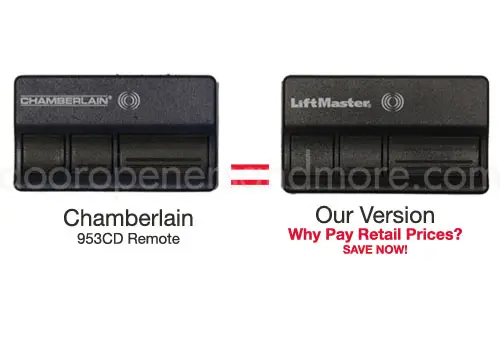
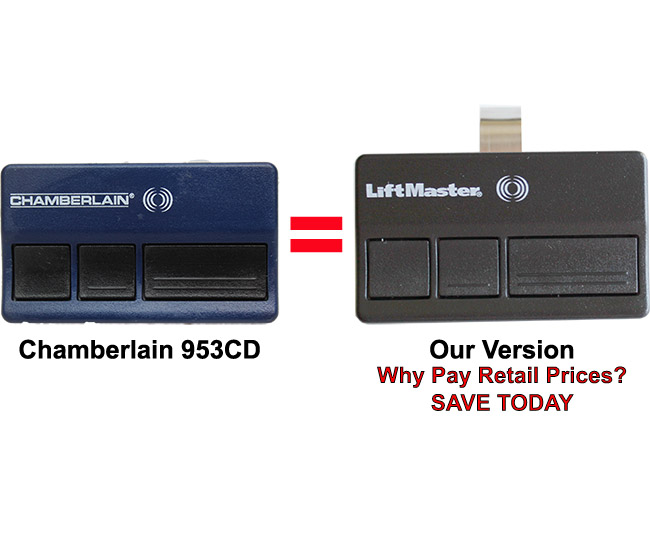
The Chamberlain 953CD is a popular remote control designed to operate Chamberlain garage door openers. It’s part of Chamberlain’s line of products that utilize rolling code technology, a significant security upgrade over older fixed-code systems. This means that each time you press the button, a new code is sent to the opener, making it much harder for unauthorized individuals to “capture” and reuse your code. This technology is often referred to as Security+.
The 953CD remote typically has three buttons, allowing it to control up to three different garage doors or gates, or to activate multiple functions like opening, closing, and a lighting feature if your opener supports it. Each button can be programmed independently. Before you begin programming, it’s essential to identify your garage door opener’s motor unit, as this is where you’ll find the crucial Learn button. This button is usually located on the back or side panel of the motor unit, often near the antenna wire. Its color can vary depending on the manufacturing date of your opener, but common colors include purple, red, orange, green, or yellow. Knowing your opener’s exact model and the color of its Learn button will help immensely during the programming process.
Identifying Your Garage Door Opener Model
Chamberlain offers a wide range of garage door openers, and while the 953CD remote is designed to be compatible with many of them, it’s always best to confirm. You can usually find the model number of your opener on a sticker located on the motor unit itself.
This sticker often contains other important information, such as the opener’s serial number and voltage. Once you have the model number, you can consult your opener’s manual or Chamberlain’s official website to verify compatibility with the 953CD remote. This step is vital because using an incompatible remote will result in programming failure.
The Importance Of Security+ Technology
The Security+ technology found in the Chamberlain 953CD and compatible openers is a critical security feature. Unlike older systems where a remote sent the same code every time, Security+ transmitters send a unique code each time the button is pressed. The garage door opener’s receiver then synchronizes with this code. This prevents “code grabbing” or “code hijacking,” where someone might record your remote’s signal and use it to open your garage. This advanced security measure provides peace of mind, knowing that your home is better protected. Understanding this technology helps appreciate why the programming sequence involves a specific handshake between the remote and the opener.
Locating The Learn Button On The Motor Unit
The Learn button is the gateway to programming new remotes, keypads, and even sensors to your garage door opener. It’s a small, often colored button, typically found on the back or side panel of the motor unit that hangs from your garage ceiling. You might need to remove a cover to access it. For many Chamberlain models, the Learn button is accompanied by an LED indicator light. This light will illuminate or blink when the Learn button is pressed, signaling that the opener is in programming mode. The color of this button is a key identifier for the radio frequency and type of Security+ system your opener uses, and it’s crucial for matching with the correct remote. For example, a purple Learn button typically indicates a Security+ 315 MHz system, while a green button might signify Security+ 390 MHz.
Credit: dooropenersandmore.com
Step-by-step Programming Guide For The Chamberlain 953cd Remote
Programming your Chamberlain 953CD remote is a process that requires precision and adherence to specific steps. The core of the programming lies in synchronizing the remote with your garage door opener’s motor unit. This involves putting the opener into a “learning” mode and then signaling it with the remote.
Safety is paramount throughout this process, so always ensure the garage door is clear of obstructions and that you’re aware of its path.
Preparation And Safety Precautions
Before you begin, gather the necessary items: your Chamberlain 953CD remote, your garage door opener’s motor unit, and a step stool or ladder to safely reach the motor unit. Ensure the remote has a fresh battery. A weak battery is a common cause of programming failures.
Safety First:
- Clear the Path: Make sure there are no vehicles, people, or pets in the path of the garage door. You don’t want the door to start moving unexpectedly during testing.
- Sturdy Support: Use a stable step stool or ladder to reach the motor unit. Do not overreach.
- Power Disconnection (Optional but Recommended): For added safety, especially if you are unsure about the opener’s behavior, you can temporarily disconnect the power to the opener by unplugging it from the ceiling outlet or flipping the corresponding circuit breaker. You will need to plug it back in before proceeding with the programming steps that require the opener to be active.
Programming A New Remote To The Opener
This is the most common programming task. You will be teaching your garage door opener to recognize the signal from your new 953CD remote.
- Locate the Learn Button: Go to your garage door opener’s motor unit. Find the Learn button and its associated LED indicator light. As mentioned, the color (purple, red, orange, green, yellow) is important.
- Press and Release the Learn Button: Press and immediately release the Learn button on the motor unit. The LED indicator light next to it should illuminate or start blinking, indicating that the opener is in programming mode. You typically have about 30 seconds to complete the next step.
- Press and Hold the Remote Button: Immediately after pressing the Learn button on the motor unit, press and hold the desired button on your Chamberlain 953CD remote that you want to use to operate your garage door.
- Observe the Opener: Watch the garage door opener motor unit. The indicator light on the motor unit may flash or go out, and you might hear an audible click. This signifies that the opener has successfully learned the remote’s code.
- Release the Remote Button: Once you observe the signal that the opener has recognized the remote, release the button on your 953CD remote.
- Test the Remote: Press the programmed button on your remote again. The garage door should now open or close. If it doesn’t, repeat the process, ensuring you are within the 30-second window after pressing the Learn button.
Programming Multiple Buttons On The 953cd Remote
The Chamberlain 953CD remote has three buttons, allowing you to control up to three different garage doors or openers, or to activate different functions. Each button is programmed independently using the same process described above.
For example, if you want to program the second button on your remote to control a second garage door (assuming you have a dual-door opener system or a separate opener), you would repeat the entire process:
- Press and release the Learn button on the motor unit controlling the *second* garage door.
- Immediately press and hold the second button on your 953CD remote**.
- Wait for the confirmation (light flash or click) from the motor unit.
- Release the remote button.
- Test the second button.
Repeat this for the third button if needed for a third door or function.
Clearing Existing Remote Codes (resetting The Opener)
Sometimes, you might need to erase all previously programmed remotes and keypads. This is useful if you’ve lost a remote, suspect unauthorized access, or are selling your home. Resetting the opener will require you to reprogram all your remotes and keypads afterward. This process varies slightly by opener model, but generally involves pressing and holding the Learn button for a specific duration.
- Locate the Learn Button: Find the Learn button on your garage door opener motor unit.
- Press and Hold the Learn Button: Press and hold the Learn button on the motor unit.
- Observe the Indicator Light: Keep holding the button. The LED indicator light next to it will typically blink, then turn solid, and then turn off after approximately 10-30 seconds (the exact time depends on your opener model). This indicates that all codes have been erased.
- Release the Learn Button: Once the light turns off, release the Learn button.
- Reprogram Remotes: All previously programmed remotes and keypads are now erased. You will need to reprogram each one using the steps outlined previously. This is a critical step; without it, your remotes will no longer work. For more detailed instructions specific to your model, consult your garage door opener’s manual.
Troubleshooting Common Programming Issues
Even with clear instructions, programming issues can arise. Most problems with the Chamberlain 953CD remote are related to simple oversights or minor technical glitches. Addressing these common issues can save you time and frustration.
Remote Not Responding After Programming
If you’ve followed the programming steps and the remote doesn’t operate the garage door, several factors could be at play:
- Battery: The most frequent culprit is a dead or weak battery in the remote. Replace the battery with a fresh one, ensuring it’s inserted correctly.
- Timing: You may not have pressed the remote button within the 30-second window after pressing the Learn button on the motor unit. Try the process again, being mindful of the timing.
- Incorrect Learn Button: Ensure you are pressing the Learn button on the motor unit itself, not another button on the opener.
- Compatibility: Double-check that your garage door opener model is indeed compatible with the 953CD remote. Older openers might use different technologies.
Opener Responds Erratically Or Not At All
If the opener seems to react but not correctly, or not at all, consider these points:
- Range Issues: You might be too far from the opener when trying to program or operate it. Try programming and testing from closer proximity.
- Interference: Strong radio frequency interference from other devices (like wireless doorbells, some security systems, or even neighboring garage door openers) can sometimes disrupt the signal. Try programming at a different time of day or from a different location within your garage.
- Motor Unit Issues: The issue might lie with the opener unit itself. Check if the opener is receiving power, if the antenna is properly positioned, and if there are any error codes displayed on the motor unit. Sometimes, a simple power cycle (unplugging the opener for 30 seconds and plugging it back in) can resolve temporary glitches.
Accidentally Erasing All Remotes
If you intended to program a new remote but accidentally initiated the code clearing process (by holding the Learn button too long), all your previously paired remotes will stop working.
- Action: Simply re-program each of your existing remotes, including any other 953CD remotes or keypads you use, by following the standard programming steps. This is why it’s essential to have all your remotes handy when you start the programming process. If you’ve lost a remote, resetting the codes is the most secure way to prevent unauthorized access.
Programming A Remote For A Different Garage Door
If you have multiple garage doors and are trying to program a single remote button for a different door than initially intended, you need to ensure you are aligning the remote button with the correct opener’s Learn button.
- Action: Identify which motor unit corresponds to which garage door. Then, repeat the programming steps, making sure to press the desired button on the 953CD remote while the Learn button of the *correct* motor unit is active.
Credit: dooropenersandmore.com
Advanced Considerations And Best Practices
Beyond the basic programming steps, there are several advanced considerations and best practices that can enhance the longevity and security of your garage door opener system. These include understanding the remote’s lifespan, considering battery maintenance, and knowing when to seek professional help.
Remote Lifespan And Battery Replacement
Chamberlain 953CD remotes, like all electronic devices, have a finite lifespan. The internal components can degrade over time, and batteries will eventually fail.
- Battery Life: The typical battery in a 953CD remote lasts between 1 to 3 years, depending on usage frequency and battery quality. Signs of a failing battery include a weaker signal range, intermittent operation, or the remote not working at all. When replacing the battery, always opt for a high-quality replacement, such as an Energizer or Duracell coin cell battery (usually a CR2032 or similar).
- Remote Longevity: The physical remote itself can last for many years, but it’s susceptible to damage from drops, moisture, or extreme temperatures. If your remote becomes unresponsive even after battery replacement, or if the buttons are worn out, it may be time to purchase a new Chamberlain 953CD remote or a compatible replacement. You can often find these online or at hardware stores.
Maintaining Opener Performance
A well-maintained garage door opener system ensures your remote programming remains effective and your door operates smoothly.
- Lubrication: Regularly lubricate your garage door’s moving parts, including rollers, hinges, and tracks. This reduces strain on the opener motor and ensures quieter operation. Using a silicone-based lubricant is generally recommended. For detailed guidance, refer to resources like how to lubricate garage door rollers.
- Chain Adjustment: If your opener uses a chain drive, periodic adjustment might be necessary to maintain proper tension. An overly loose or tight chain can cause noise and premature wear. Consult guides on how to adjust the chain on a garage door opener.
- Sensor Alignment: Ensure your safety sensors at the bottom of the garage door tracks are clean and properly aligned. If they are obstructed or misaligned, the opener will not close the door, regardless of remote programming.
When To Consider Professional Assistance
While programming a Chamberlain 953CD remote is a DIY task, there are instances when professional help is advisable.
- Complex Opener Issues: If you’ve tried all troubleshooting steps and the remote still doesn’t work, or if the opener itself is malfunctioning (e.g., making strange noises, not lifting the door properly), it might indicate a more significant mechanical or electrical problem. In such cases, contacting a qualified garage door technician is the safest course of action.
- Safety Concerns: If you are uncomfortable working with electrical components, heights, or heavy machinery, it’s best to leave the installation and programming of new openers or complex repairs to professionals. They have the expertise and tools to ensure the job is done correctly and safely.
- System Upgrades: If your current opener system is very old and lacks modern security features like Security+, it might be time to consider an upgrade. Professionals can advise on the latest models that offer enhanced security and features, such as smartphone control. The cost of a new garage door opener can range significantly, but the investment in modern security and convenience is often worthwhile.
Comparison Of Chamberlain Remote Technologies
Chamberlain has evolved its remote control technology over the years to enhance security and functionality. Understanding these differences can help you identify your system and ensure compatibility. The 953CD remote is part of the Security+ family, but within Security+, there have been different frequencies and generations.
Security+ (315 Mhz) Vs. Security+ 2.0
Chamberlain’s primary advancement in remote technology is Security+ 2.0. While the 953CD typically operates on the earlier Security+ 315 MHz frequency, newer systems utilize Security+ 2.0, which operates on multiple frequencies (310 MHz, 315 MHz, and 390 MHz) and employs a more advanced rolling code algorithm.
| Feature | Chamberlain Security+ (e.g., 953CD) | Chamberlain Security+ 2.0 |
|---|---|---|
| **Technology** | Rolling Code | Enhanced Rolling Code |
| **Frequency** | Typically 315 MHz | Multiple frequencies (310, 315, 390 MHz) |
| **Security Level** | High (for its time) | Very High |
| **Compatibility** | Older Chamberlain openers | Newer Chamberlain openers (often marked with “2.0”) |
| **Remote Type** | Specific model (e.g., 953CD) | Newer remote models (e.g., 890MAX, 950ESTD, 893MAX) |
| **Programming Method** | Similar (Learn button) | Similar (Learn button), may have slight variations |
| **Interference** | More susceptible to interference | Less susceptible due to multiple frequencies and encryption |
Example: If you have a very old Chamberlain opener with a purple Learn button, it’s likely a 315 MHz Security+ system, and your 953CD remote should be compatible. If you have a newer opener with a red Learn button and the “Security+ 2.0” logo, you might need a different remote model for optimal compatibility, although some overlap exists. Always check your opener’s manual for specific remote compatibility.
Compatibility With Other Brands
While the 953CD is a Chamberlain product, it’s generally not compatible with garage door openers from other brands like LiftMaster, Craftsman, or Genie, unless those brands are owned by Chamberlain and use the same proprietary system. LiftMaster and Craftsman openers are often made by Chamberlain and may share compatibility, but this is not universal. For instance, a Craftsman opener with a purple Learn button might work with a 953CD remote, but one with a green or yellow button might not. Always verify compatibility by checking the Learn button color and consulting the opener’s manual. If you need to program a remote for a different brand, you’ll likely need a remote specifically designed for that brand, such as a Genie keypad or a LiftMaster remote.
Frequently Asked Questions
How Do I Know If My Chamberlain 953cd Remote Is Compatible With My Garage Door Opener?
Compatibility is primarily determined by the Learn button color on your garage door opener motor unit and the specific Security+ technology it uses. The 953CD remote is generally compatible with Chamberlain openers that have a purple, red, orange, or green Learn button, indicating Security+ technology. However, it’s always best to consult your garage door opener’s manual or Chamberlain’s official website for definitive compatibility information. Using an incompatible remote will prevent successful programming.
Can I Program My Chamberlain 953cd Remote To A Liftmaster Or Craftsman Opener?
Chamberlain, LiftMaster, and Craftsman are all part of the same parent company, and there is often cross-compatibility, especially with older models. If your LiftMaster or Craftsman opener has a purple, red, orange, or green Learn button, your 953CD remote *may* work. However, this is not guaranteed. Always check the Learn button color and consult the specific opener’s manual for confirmed compatibility. For other brands like Genie, the 953CD remote is typically not compatible.
What Does It Mean If The Learn Button Light On My Opener Doesn’t Come On When I Press It?
If the Learn button light on your garage door opener motor unit does not illuminate when you press the button, it could indicate a few issues. First, ensure you are pressing the correct button, it’s a small, often colored button, not a large power button. Second, the opener might not be receiving power; check if the unit is plugged in and if the circuit breaker is on. If the opener has power and you’re pressing the correct button, but the light still doesn’t appear, there