
Pairing a garage door opener remote can feel confusing if you have never done it before. Maybe you just bought a new remote, replaced your garage door opener, or lost your old remote and need to add a new one. The good news is: you can do it yourself with a bit of patience and the right steps. In this guide, you will discover how to pair a garage door opener remote, why pairing is important, and how to troubleshoot common issues. You will also learn some insider tips that many beginners miss, so you can avoid frustration and get your garage door working smoothly again.
Understanding Garage Door Opener Remotes
Before you start pairing, it helps to know how garage door opener remotes work. Most modern garage door openers use rolling code technology, which means the code changes each time you use the remote. This keeps your home more secure. Older models may use fixed codes, which are less secure but still common in some homes.
Remotes must match the frequency and code system of your garage door opener unit. This is why you cannot use any random remote. Always check that your new remote is compatible with your opener brand and model. If you are unsure, look at the label on your opener or check the manual.
There are three main types of garage door opener remotes:
- Single-button remotes: Control one garage door.
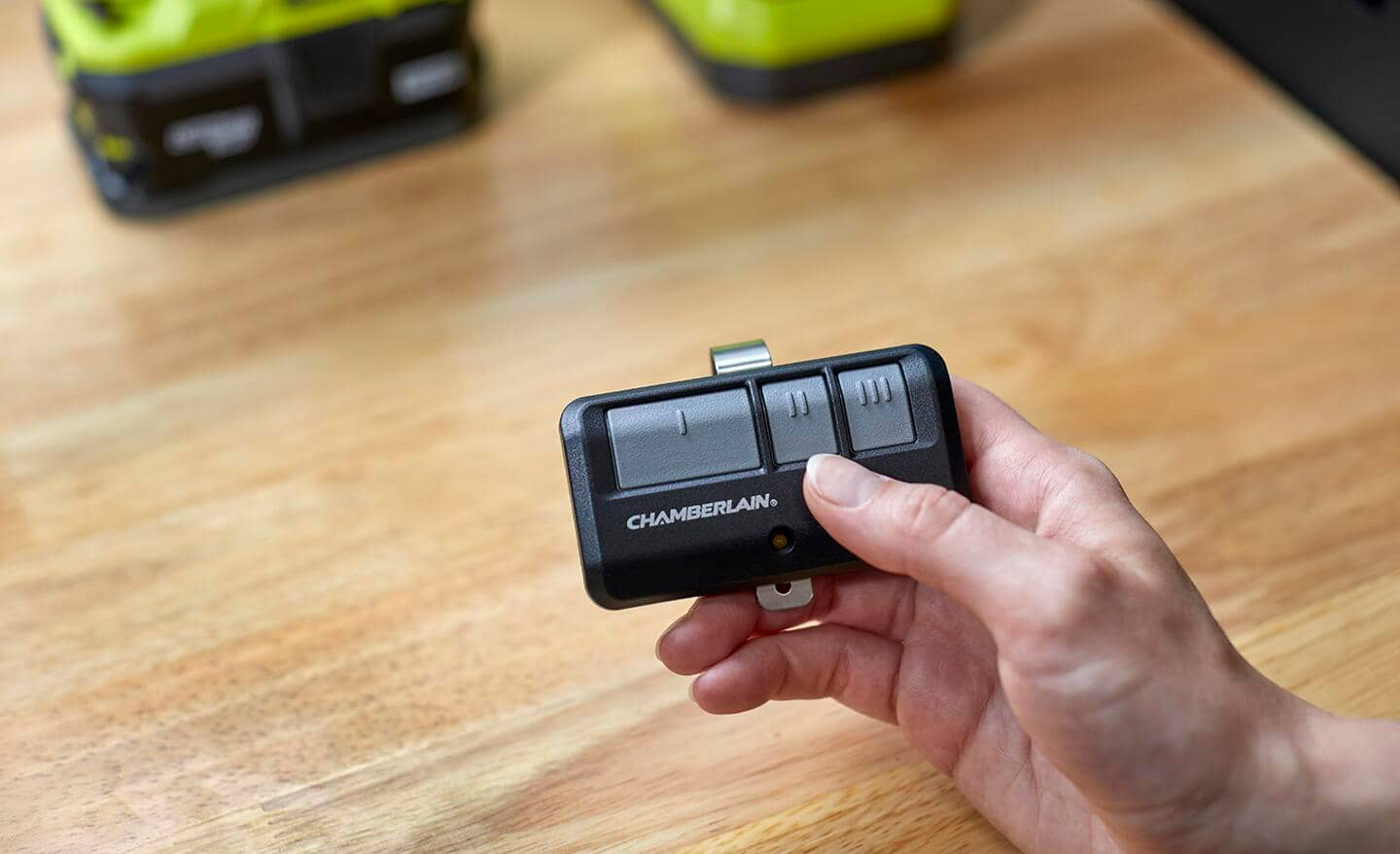
- Multi-button remotes: Can control two or three doors or gates.
- Universal remotes: Work with many brands and models.
You should also know about the “Learn” button on the opener unit, which is usually inside the garage, on the motor housing. This button is key to pairing your remote.
Why Pairing Is Necessary
Pairing is more than just connecting a remote. It ensures that only authorized remotes can open your garage door. When you pair, you are giving the opener and the remote a shared code so they “recognize” each other.
Some situations when you need to pair a new remote:
- You lost your old remote and bought a replacement.
- You want to add a remote for a new family member.
- You changed the garage door opener unit.
- The remote stopped working after a battery change or power outage.
- You want to delete old remotes for security.
Pairing can also help after a break-in attempt or if you suspect someone else has your remote code.
Tools And Materials Needed
You do not need special tools to pair a garage door opener remote, but having these items can help:
- New or compatible remote
- Step ladder (to reach the opener unit)
- Flashlight (if the garage is dark)
- Opener manual (optional but helpful)
- Pen and paper (to note down codes, if needed)
It is smart to check the battery in your new remote before you start. A weak battery can cause pairing to fail.
Safety Precautions
Safety is important when working with garage door openers. Here are some steps to keep yourself safe:
- Unplug the opener if you need to open its cover.
- Keep fingers and tools away from moving parts.
- Do not stand directly under the garage door.
- Use a sturdy ladder; do not overreach.
If your opener is very old or has exposed wiring, consider calling a professional.
Finding The Learn Button
The Learn button is the heart of the pairing process. Its location varies by brand, but it is almost always on the motor unit, close to where the antenna wire hangs down.
Common places to find the Learn button:
- Under a light cover you can remove or flip open.
- On the back or side of the opener unit.
- Near the wiring terminals or logic board.
The button is often colored (yellow, red, purple, or green). Some brands label it as “Learn,” “Set,” or “Program. ” If you cannot find it, check your opener’s manual or search online for your model.
Step-by-step Guide: Pairing A Garage Door Opener Remote
Pairing may look slightly different based on your opener’s brand and age. Here is a general process that works for most modern units:
1. Prepare The Remote And Opener
- Make sure the remote has a fresh battery.
- Park outside the garage, in case the door closes during pairing.
- Get your ladder ready if the opener is high up.
2. Access The Learn Button
- Use the ladder to reach the opener unit.
- Open or remove any cover to see the Learn button.
3. Press The Learn Button
- Press and release the Learn button. Do not hold it down unless the instructions say so.
- A light will usually blink, or an LED will turn on, showing the opener is in pairing mode.
- You now have 30 seconds (sometimes less) to finish pairing.
4. Press The Remote Button
- Within 30 seconds, press and hold the button on your remote you want to program.
- The opener light may flash, or you might hear a click. This means pairing succeeded.
- Release the remote button.
5. Test The Remote
- Step down and move away from the opener.
- Press the remote button. The garage door should move.
- If it does not, repeat the steps. Make sure you are pressing the correct button.
6. Program Additional Remotes (if Needed)
- For more remotes, repeat from Step 3 for each one.
7. Close Everything Up
- Replace any covers you removed.
- Put away your ladder and tools.
This process works for most Chamberlain, LiftMaster, Craftsman, and Genie openers. Some brands have small differences, so always check your manual if unsure.

Pairing Universal Remotes
Universal remotes are designed to work with multiple brands. Their pairing steps may be a bit different.
- Set the remote to match your opener’s brand (using DIP switches or programming buttons).
- Enter pairing mode on your garage door opener (press the Learn button).
- Press the remote button until the opener responds.
Some universal remotes require you to hold two buttons together to set the code. Read the instructions that come with your remote. A common mistake is not setting the right brand code before pairing.
Differences Between Popular Brands
Each opener brand has unique steps and features. Here is a comparison of how three common brands handle remote pairing:
| Brand | Learn Button Location | Pairing Steps | Time to Pair | Special Notes |
|---|---|---|---|---|
| Chamberlain/LiftMaster | Back panel, often under light cover | Press Learn, then remote button | 30 seconds | Color of Learn button decides remote type |
| Genie | Under light lens or on back of unit | Press Learn, then remote; sometimes use “Program” button | 30 seconds | Some models need DIP switch setting |
| Craftsman | Back of opener, near wiring | Same as Chamberlain | 30 seconds | Many are rebranded Chamberlain units |
Knowing your opener’s brand and model helps avoid mistakes.
Common Problems And Solutions
Pairing does not always work on the first try. Here are some common issues and how to fix them:
- Remote Not Responding
- Check the battery. Weak batteries often cause failures.
- Make sure the remote is compatible with the opener.
- Try pairing again, following the steps closely.
- Opener Light Does Not Blink
- You may have held the Learn button too long. Press and release quickly.
- Check if the opener has power.
- Door Opens Randomly or Does Not Close
- Clear all remotes from memory and pair again. Sometimes, old codes remain.
- Make sure no other remotes are stuck under buttons.
- Remote Works Only Close to Opener
- The battery could be weak, or the antenna wire on the opener may be damaged.
- Try pairing again with a fresh battery.
- Multiple Remotes Interfere
- Clear memory and add each remote one by one.
- Avoid pairing remotes too close together in time.
If you still have problems, consult your opener’s manual or contact the manufacturer.
Clearing Remotes From Memory
Sometimes, you want to erase all old remotes (for example, if you lost one or bought a house from someone else). Here’s how:
- Hold the Learn button for 6-10 seconds until the LED turns off.
- This wipes all paired remotes from the opener’s memory.
- Pair new remotes from scratch.
This is a smart security move if you are worried about lost or stolen remotes.
Adding A Keypad Or Wall Control
Many garage door openers let you add a wireless keypad or extra wall button. The pairing process is similar:
- Press the Learn button.
- Enter the keypad PIN and press Enter, or press the wall control button.
- The opener light should flash to confirm.
Some keypads need you to enter a brand code or PIN before pairing.
Upgrading To Newer Technology
Older garage door openers may not support modern remotes. If yours uses DIP switches or does not have a Learn button, you can upgrade in two ways:
- Add a universal receiver:
- This device plugs into your opener and lets you use new remotes.
- It is a cost-effective way to add security.
- Replace the opener:
- New openers are safer, quieter, and have better security.
- Look for models with rolling code technology.
Upgrading helps protect your home and makes adding remotes easier.
Troubleshooting Table
To make troubleshooting easier, here is a quick reference:
| Problem | Possible Cause | Solution |
|---|---|---|
| Remote does not work | Dead battery, wrong remote, out of range | Replace battery, check compatibility, move closer |
| Opener blinks but does not pair | Wrong pairing steps, memory full | Reset and follow steps, clear memory |
| Paired but works only sometimes | Interference, weak signal, bad antenna | Reposition antenna, check for metal obstructions |
| All remotes stopped working | Power loss, opener malfunction | Check power, reset opener |
Advanced Tips For Reliable Pairing
Many beginners miss a few key details that can make pairing much easier:
- Wait for the light: Always watch for the opener’s light to flash during pairing. If it does not, the process did not work.
- Keep remotes apart: Pair one remote at a time. Other remotes can send signals and confuse the opener if too close.
- Write down remote codes: If your remote uses a code system, record the setting for future reference.
- Update firmware: Some newer openers allow firmware updates that improve compatibility with new remotes.
- Pair during off-peak hours: In neighborhoods with many garage doors, interference is less likely in the early morning or late evening.

When To Call A Professional
Most people can pair a garage door opener remote themselves. However, you should call a professional if:
- The opener has exposed or damaged wiring.
- You cannot find the Learn button or manual.
- The opener does not respond after several tries.
- You want to add advanced features, like smart home integration.
A professional can help with tricky installations, especially in older homes.
Security Considerations
Pairing is not just about convenience; it is about safety. Here is what to keep in mind:
- Erase old remotes if you move into a new home.
- Avoid giving remotes to anyone you do not trust.
- Consider upgrading to openers with rolling codes for extra protection.
- Do not leave remotes in unlocked cars.
Modern openers are much more secure, but only if you use their features.
How Pairing Differs For Smart Garage Door Openers
Smart garage door openers let you control your door with a smartphone app. Pairing these is different:
- Download the app for your opener (like myQ for Chamberlain).
- Create an account and log in.
- Follow the app’s steps to add your opener to your Wi-Fi network.
- Pair remotes as usual, or control the door via the app.
Smart openers add features like alerts, remote access, and scheduling. They may need you to pair both the remote and the app.
Frequently Asked Questions
How Do I Know If My Remote Is Compatible With My Garage Door Opener?
Most remotes list compatible brands and models on the packaging or manual. Check your opener’s brand, model, and the color of the Learn button. Universal remotes cover many types, but always confirm before buying. If in doubt, visit the official website or look up your opener model.
What Should I Do If I Lost My Garage Door Remote?
If you lost your remote, erase all remotes from your opener’s memory for safety. Then, pair new remotes using the steps above. This stops anyone with the old remote from opening your door. You can buy a replacement remote from the opener’s manufacturer or a universal remote.
Can I Pair Multiple Remotes To One Garage Door Opener?
Yes, most openers support multiple remotes (often up to 5 or more). Pair each remote one at a time by following the pairing steps for each. If you reach the limit, you may need to clear all remotes and start again.
Why Does My Remote Only Work From Close To The Garage Door?
This usually means a weak remote battery, interference, or a damaged opener antenna. Replace the battery first. If the problem continues, check for metal objects near the antenna or move the opener for a clearer signal. In rare cases, a faulty remote needs replacing.
Are There Risks In Pairing A Used Remote From Someone Else?
Yes, used remotes can sometimes have old codes that may open other doors. Always clear the memory on your opener before pairing a used remote. Buy remotes from trusted sources and avoid remotes with unknown history.
Pairing a garage door opener remote is a straightforward process once you know where to start. With the right remote, a step ladder, and a bit of care, you can add, remove, or upgrade your remotes in less than 10 minutes. Remember to focus on security and keep track of your paired devices. If you ever get stuck, your opener’s manual and the manufacturer’s website are valuable resources—for example, the Wikipedia page on garage door openers covers opener types and technology in depth.
Taking a little time to do things right now means fewer surprises later. Enjoy the convenience and safety of a well-paired garage door remote!