
Programming a car garage door opener can seem confusing, especially if you have never done it before. Many people assume it is a job for professionals, but with the right guidance, you can do it yourself. Reprogramming your garage door opener is sometimes necessary when you get a new remote, change cars, or want to improve your home’s security.
This guide will walk you through every step, explain the essential terms, and highlight common mistakes to avoid. By the end, you’ll understand how to reprogram a car garage door opener, no matter your vehicle or opener brand.
Understanding How Garage Door Openers And Car Remotes Work
Before you start, it’s helpful to know how the system functions. Most modern garage door openers use a radio frequency signal. Your car’s built-in remote (often called HomeLink or Car2U) or a handheld remote sends this signal to the opener, telling it to open or close the door.
There are two main types of systems:
- Fixed code: Uses a set code, often with DIP switches. Less secure, but found on older openers.
- Rolling code: Changes the code each time you use it. Much more secure and common in openers built after 1996.
When you reprogram your opener, you are making the car’s remote and the garage opener “learn” each other’s code. This keeps your garage secure and lets you control it easily.
Why Reprogram Your Car Garage Door Opener?
There are several reasons you might need to reprogram your opener:
- New car purchase: Your new car’s remote is not set up for your garage.
- Replacing a lost or stolen remote: Prevents unauthorized access.
- Upgrading to a new opener: Requires syncing your car with the new system.
- Moving to a new home: Ensure only you have access.
- Security concerns: Regularly reprogramming helps prevent break-ins.
Many people overlook the security aspect. If you move into a new home, always reprogram the opener—even if the last owner says they wiped all remotes.
Preparation: What You Need Before Starting
Proper preparation makes the process smoother and faster. Here’s what you need:
- Your vehicle: Park it close to the garage door opener.
- Garage door remote: The handheld remote that came with your opener.
- Owner’s manuals: For both your car and your garage door opener. These contain specific instructions and diagrams.
- A ladder: Needed to reach the opener unit, usually on the garage ceiling.
- A helper (optional): Helpful if the “learn” button is out of reach, or timing is critical.
- Pen and paper: To jot down any codes or steps.
Pro tip: Always have fresh batteries in your remotes. Weak batteries can cause programming to fail, leading to unnecessary frustration.
Safety First: Important Precautions
Reprogramming a garage door opener is usually safe, but don’t ignore these key tips:
- Disconnect power only if you need to access electrical parts. For most cases, leave the opener powered so it can “learn” the new code.
- Keep children and pets away from the door area.
- Do not stand under the garage door while programming, in case it moves unexpectedly.
- Check the manual override in case you need to open or close the door manually.
Ignoring safety steps can lead to injury or damage. Even experienced DIYers sometimes forget these basics.
Finding The Learn Button On Your Garage Door Opener
The learn button (also called “program,” “smart,” or “set” button) is the key to reprogramming. Here’s how to locate it:
- Find the opener unit: Usually mounted on the garage ceiling.
- Remove the light cover: Sometimes the button is hidden under this cover.
- Look for a colored button: Common colors are yellow, red, green, or purple.
- Check for a label: It may say “Learn,” “Program,” or “Set.”
If you can’t find it, check your opener’s manual or look up the model online.
Common Learn Button Locations By Brand
Here’s a quick reference:
| Brand | Typical Learn Button Location | Button Color |
|---|---|---|
| Chamberlain/LiftMaster | Under light cover, back or side | Yellow, Purple, Red, Green |
| Genie | Near wire terminals | Black, Red |
| Craftsman | Back panel | Yellow, Purple |
| Linear | Side panel | Red |
| Overhead Door | Back or side | Varies |
Insight: The learn button’s color sometimes indicates the frequency. For example, a purple button often means 315 MHz.
Step-by-step: How To Reprogram Your Car Garage Door Opener
The following steps cover the most common systems, but always check your manuals for special instructions.
1. Clear Old Codes (if Needed)
If you want to erase all old remotes (for security), you should do this first.
- Press and hold the learn button for about 6-10 seconds.
- When the indicator light goes out, all remotes are erased.
- You’ll need to reprogram every remote and your car.
Tip: Some openers erase all remotes at once. Don’t do this if you only want to add a new remote.
2. Prepare Your Car’s Remote System
Most cars have a built-in system, such as HomeLink or Car2U.
- Switch the car to accessory or on (do not start the engine).
- Locate the garage buttons (usually on the sun visor, overhead console, or mirror).
- If programming for the first time, clear previous codes:
- Press and hold the first and third buttons until the indicator light blinks (usually 20 seconds).
3. Sync The Handheld Remote With Your Car
- Hold your handheld remote about 1-3 inches from the car’s button panel.
- Press and hold both the garage remote button and the chosen button in your car.
- Hold until the light on the car blinks rapidly (usually 10-30 seconds).
- If the light changes from slow to fast blinking, the code is stored.
4. Train The Car Remote With The Garage Opener
- Go to your garage door opener and press the learn button. You usually have 30 seconds before it times out.
- Within 30 seconds, return to your car and press the programmed button for 2 seconds, then release. Repeat up to three times.
- The garage door should move, showing that it’s paired.
5. Test The System
- Get in your car and press the programmed button.
- The garage door should open or close.
- If it doesn’t work, repeat the steps or check for mistakes.
6. Program Additional Cars Or Remotes
Repeat the process for any other vehicles or remotes.

Programming Specific Systems: Homelink, Car2u, And Others
Most cars use either HomeLink or Car2U. Here’s how to handle each:
Homelink
HomeLink is the most common built-in system, found in brands like Toyota, Ford, Honda, BMW, and more.
- Clear existing codes if needed (hold buttons 1 and 3).
- Hold the garage remote and the HomeLink button together until the light flashes.
- Press the opener’s learn button, then the HomeLink button in your car.
- The system may require you to repeat pressing the button 2-3 times.
Important: Some newer openers use “rolling code” technology. In this case, you must do the learn button step for the opener to recognize the HomeLink remote.
Car2u
Used in some older Ford, GM, and Chrysler vehicles.
- Press and hold the desired Car2U button until the light starts to flash.
- Press the learn button on the garage opener.
- Hold the Car2U button for up to 30 seconds until the door moves.
Watch out: Car2U is less common in new cars, but the process can be tricky. Check your car’s manual for details.
Aftermarket Systems
If your car doesn’t have a built-in system, you can use a universal remote. The process is similar:
- Hold the universal remote close to the opener.
- Press and hold the programming button until the LED blinks.
- Sync with the opener using the learn button.
Troubleshooting Common Problems
Even when you follow every step, things can go wrong. Here’s how to fix the most common issues:
The Door Doesn’t Move
- Check the batteries in your remotes.
- Repeat the programming process slowly and carefully.
- Make sure you pressed the learn button at the right time.
- Distance matters: If you are too far from the opener, the signal can fail.
The Light Just Flashes
- Some openers require you to press the car’s button several times after programming.
- Wait a few seconds between presses.
Opener Memory Is Full
- Some openers can only store 5-7 remotes.
- If you hit the limit, erase all remotes and reprogram them.
Older Cars Or Openers Don’t Sync
- Check if your opener is compatible with rolling code remotes.
- You may need a HomeLink Compatibility Bridge to connect old and new systems.
Door Opens Randomly
- Make sure only your remotes are programmed.
- Clear all codes and start over.
- Check for interference from nearby devices.
Hidden insight: Many people don’t realize that LED light bulbs near the opener can cause interference, blocking signals. Switch to a different bulb if you notice problems.
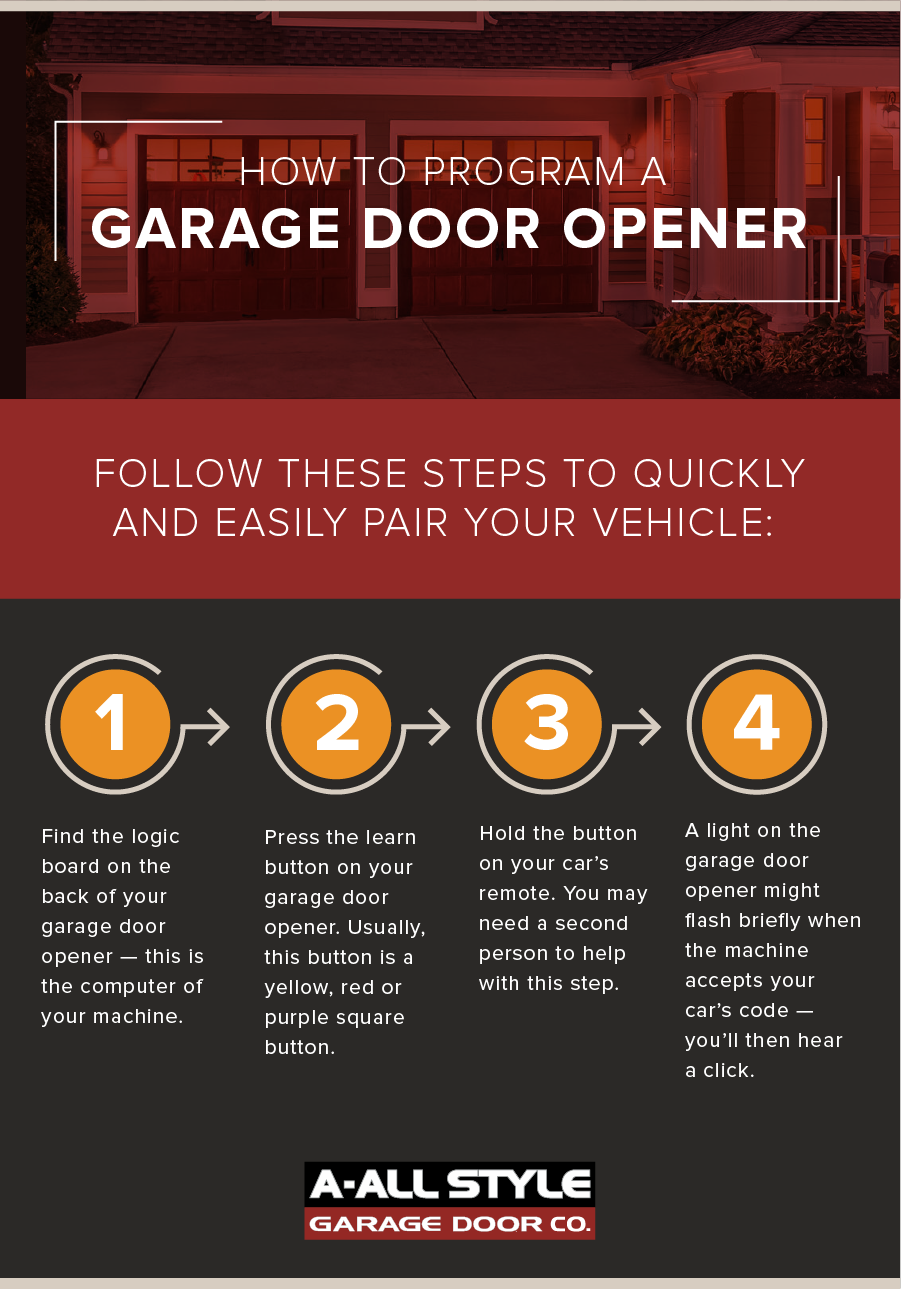
Comparing Garage Door Opener Technologies
Understanding your opener’s technology can help you avoid problems. Here’s a comparison:
| Type | Security | Typical in Cars | Programming Steps |
|---|---|---|---|
| Fixed Code | Low | Older vehicles | Simple, DIP switch matching |
| Rolling Code | High | 1996 and newer | Learn button required |
| Smart Openers (WiFi/Bluetooth) | Very High | Newest vehicles | App-based, sometimes needs bridge |
Pro insight: If your vehicle is older than 1996, you probably need a fixed code remote. For new cars, rolling code or smart openers are the standard.
Extra Security: What To Know
Many people don’t realize that garage doors are a common point of entry for burglars. Here’s how to keep your garage secure:
- Erase all remotes when you move in to a new house.
- Do not leave remotes in unlocked cars, especially parked outside.
- Upgrade old openers to rolling code technology.
- Use a keypad with a strong PIN for added protection.
- Check for firmware updates if you have a smart opener.
Real example: A 2022 survey found that 9% of break-ins started through a garage door, often because the opener was not reprogrammed after moving.
Advanced: Smart Garage Door Openers And App Integration
Newer systems let you control your garage door with a smartphone app, offering more convenience and security. Here’s how these work:
- WiFi or Bluetooth integration lets you open, close, and monitor your garage from anywhere.
- App setup: Usually involves scanning a QR code on the opener and connecting to your home WiFi.
- Programming your car: You still need to sync your car’s remote the traditional way, but you can also use your phone as a remote.
Smart System Features Comparison
| Feature | Basic Opener | Smart Opener |
|---|---|---|
| Remote control | Physical remote only | Remote + Smartphone app |
| Security alerts | No | Yes, via app |
| Voice assistant support | No | Yes (Alexa, Google) |
| Multiple users | Manual programming | App-based sharing |
Hidden insight: Some smart openers let you set temporary access for guests—useful for deliveries or house sitters.
Mistakes To Avoid When Reprogramming
Even careful people make errors during this process. Watch out for these:
- Not reading the manual: Each system has small differences that matter.
- Rushing the steps: Timing is important—wait for blinking lights and confirmation beeps.
- Skipping battery checks: Weak batteries are the number one cause of failed programming.
- Ignoring compatibility: Not all remotes and cars work with every opener.
- Forgetting to test: Always test every programmed button before you finish.
Practical tip: If you try to program several cars at once, do it one at a time. Mixing up remotes and buttons can erase the codes.
Frequently Asked Questions
How Do I Know If My Garage Door Opener Uses Rolling Code Technology?
Most openers built after 1996 use rolling code technology. Look for a “learn” or “smart” button on the opener. If your remote has DIP switches, it’s probably a fixed code system. You can also check your opener’s manual or search the model number online.
Can I Program My Garage Door Opener Without A Remote?
Yes, if your car has a built-in system like HomeLink, you can program it directly using the learn button on the opener. However, for older systems, you may need a handheld remote to transfer the code.
What Should I Do If My Garage Door Remote Is Lost Or Stolen?
Immediately erase all codes from your garage door opener by holding the learn button for 6-10 seconds. Then reprogram each remote and car. This prevents the lost remote from opening your garage.
Why Won’t My Car’s Built-in Remote Program To My Garage Door Opener?
The most common reasons are incompatibility between old and new systems, weak remote batteries, or not following the programming steps exactly. Check for rolling code compatibility, and consult both your car and opener manuals. Some older cars need a compatibility bridge to work with newer openers.
Is It Safe To Reprogram My Garage Door Opener Myself?
Yes, it’s safe if you follow the instructions and take basic precautions. Do not stand under the door while programming, and keep children and pets away. If you’re unsure, ask for help from a professional or check resources like Wikipedia: Garage Door Opener.
Takeaway
Reprogramming your car garage door opener is a skill that every homeowner and car owner should know. It’s not just about convenience—it’s about security. With clear steps, a little patience, and attention to detail, you can keep your garage safe and make life a bit easier.
Remember to double-check compatibility, read your manuals, and test your work. If you run into trouble, don’t hesitate to ask for help or consult official resources. The peace of mind is worth the effort.