
When your Liftmaster garage door opener begins to falter, or you’re performing routine maintenance, one of the most common questions that arises is about the battery it uses. This isn’t just about ensuring your opener works; it’s about safety, security, and convenience. A dead battery in your opener’s remote or even the opener unit itself can leave you stranded, unable to access your home or secure your property. Understanding the specific battery requirements for your Liftmaster model is crucial for timely replacement and to avoid the frustration of a malfunctioning system.
This comprehensive guide will demystify the battery landscape for Liftmaster garage door openers. We’ll explore the different types of batteries used, where they are located, how to identify the correct replacement, and offer tips for maintenance and longevity. Whether you have a remote control, a keypad, or a battery backup system, we’ve got you covered.
Key Takeaways
- Remote Controls: Most Liftmaster remote controls use small, coin-cell batteries, typically CR2032 or similar lithium coin cells.
- Keypads: Liftmaster keypads often employ AA or AAA alkaline batteries, though some older or specialized models might differ.
- Battery Backup Systems: For openers with a battery backup, the primary battery is usually a sealed lead-acid (SLA) battery, similar to those found in alarm systems or emergency lighting.
- Identification is Key: Always check the battery compartment of your specific Liftmaster remote, keypad, or opener unit for markings indicating the battery type and size.
- Quality Matters: Opt for reputable brands for replacement batteries to ensure reliability and longevity.
- Regular Checks: Periodically inspect and test your garage door opener’s batteries, especially the backup unit, to prevent unexpected failures.

Credit: www.youtube.com
Understanding Liftmaster Battery Types And Locations
Liftmaster, a prominent name in garage door openers, utilizes batteries in several key components to ensure continuous operation and user accessibility. The type and location of these batteries vary significantly depending on the specific part of the system. Primarily, you’ll encounter batteries in remote controls, keypads, and battery backup units integrated into the main opener motor. Understanding these distinctions is the first step to correctly identifying and replacing the necessary power source.
Batteries In Liftmaster Remote Controls
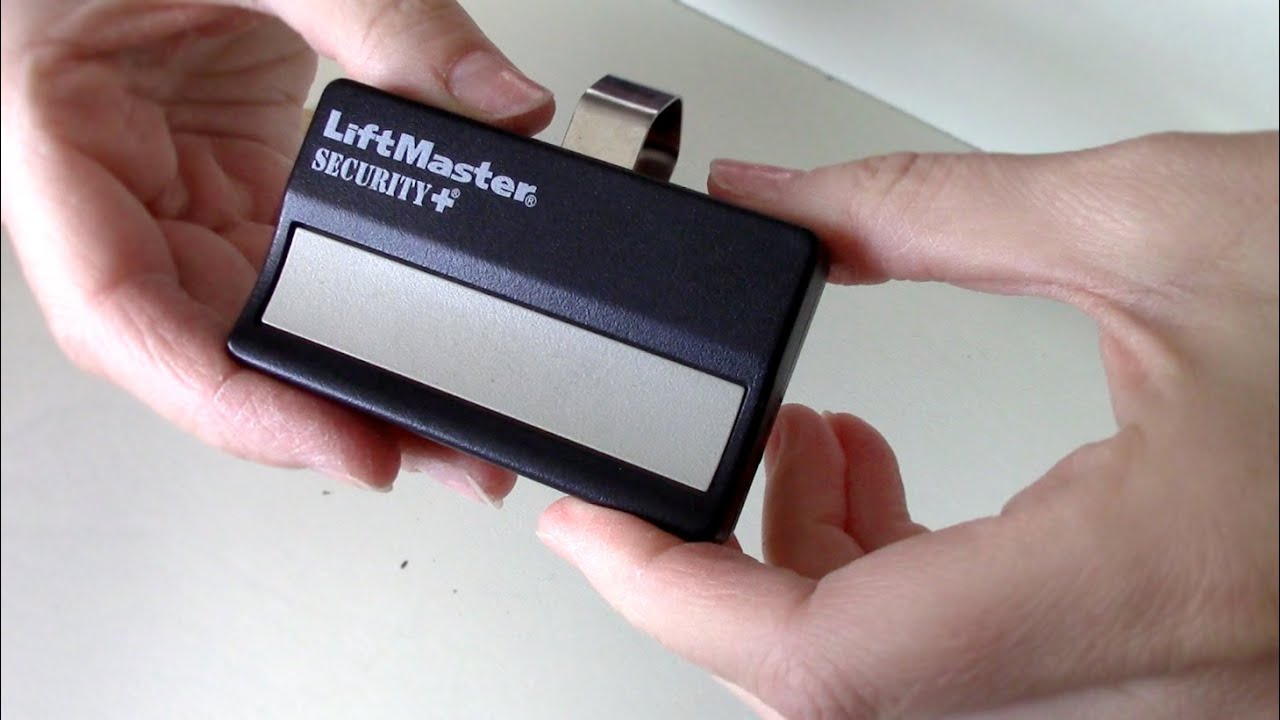
The most frequently replaced batteries in a Liftmaster system are those powering the remote controls. These are designed to be compact and easily accessible, allowing users to operate their garage door from the convenience of their vehicle or elsewhere.
- Common Battery Types: The vast majority of Liftmaster remotes use lithium coin cell batteries. The most prevalent type is the CR2032, a 3-volt lithium battery. You might also encounter other similar coin cell sizes, such as CR2016 or CR2026, though these are less common for Liftmaster remotes. These batteries are chosen for their long shelf life, high energy density, and compact size, which is ideal for the small form factor of remote controls.
- Location and Access: The battery compartment is typically located on the back of the remote. It’s usually secured by a small screw or a snap-fit cover. To access it, you’ll often need a small Phillips head screwdriver or sometimes just a fingernail to gently pry it open. Once open, the old battery can be removed, and the new one inserted, ensuring correct polarity (+/-).
- Signs of a Weak Battery: A failing remote battery will manifest in several ways. The most obvious is a reduced range, meaning you have to be closer to the garage door for the remote to work. You might also notice that the LED indicator light on the remote flashes weakly or doesn’t illuminate at all when a button is pressed. In some cases, the remote might stop working entirely.
Batteries In Liftmaster Keypads
Wireless keypads provide an alternative way to operate your garage door, often used when you don’t have a remote handy or for granting temporary access to others. These keypads also require batteries to function.
- Typical Battery Types: Unlike the remotes, Liftmaster keypads most commonly use standard alkaline batteries. The most frequent types are AA or AAA batteries. These are widely available and provide sufficient power for the keypad’s operation. Some older or specialized models might use different battery configurations, but AA and AAA are the predominant choices.
- Location and Replacement: The battery compartment for a Liftmaster keypad is usually found on the back of the unit, often concealed beneath a cover that slides or snaps off. The specific method for opening it will depend on the keypad model. Once opened, you’ll see the battery slots, and you should replace the batteries according to the polarity markings. It’s generally recommended to replace all batteries at once, even if only one appears depleted, to ensure consistent performance.
- Troubleshooting Keypad Issues: If your Liftmaster keypad is unresponsive, the first thing to check is the battery. Weak or dead batteries are the primary cause of keypad malfunction. Ensure the batteries are inserted correctly and are not corroded. If replacing the batteries doesn’t resolve the issue, there might be a problem with the keypad’s internal electronics or its connection to the opener.
Batteries In Liftmaster Battery Backup Systems
Many modern Liftmaster garage door openers come equipped with a battery backup system. This feature is invaluable, as it allows your garage door opener to function during power outages, ensuring you can still get in and out of your garage.
- The Primary Battery Type: The battery used in these backup systems is typically a sealed lead-acid (SLA) battery. These are rechargeable batteries designed for deep-cycle applications, meaning they can be repeatedly discharged and recharged without significant degradation. They are similar in construction and function to batteries found in emergency lighting systems, security alarms, or uninterruptible power supplies (UPS).
- Specifications and Voltage: These SLA batteries usually come in 12-volt configurations. The ampere-hour (Ah) rating will vary depending on the specific Liftmaster opener model and the capacity of its backup system. Higher Ah ratings generally indicate a longer runtime during a power outage. For example, you might find batteries rated at 5Ah, 7Ah, or even higher.
- Location and Maintenance: The battery backup unit is often integrated directly into the garage door opener motor housing itself, or it might be a separate, albeit connected, module. Accessing the battery usually involves removing a cover on the opener unit. These batteries require minimal maintenance, but they do have a finite lifespan. Over time, typically 3-5 years, their capacity diminishes, and they will need replacement. Signs of a failing backup battery include the opener not functioning during a power outage, or the opener constantly making a “chirping” sound indicating a battery issue. Regular testing of the backup system (often by unplugging the opener and observing its operation) is recommended.
Identifying The Correct Battery For Your Liftmaster Opener
With several potential battery locations and types, correctly identifying the specific battery needed for your Liftmaster garage door opener is paramount. Using the wrong battery can lead to malfunction, damage to the device, or a failure to operate when you need it most.
Fortunately, Liftmaster provides clear indicators to help you find the right match.
Checking The Battery Compartment And Device Markings
The most reliable method for identifying the correct battery is to physically inspect the battery compartment of the device in question, be it the remote, keypad, or main opener unit.
- Remotes and Keypads: Most Liftmaster remotes and keypads have clear markings directly within or on the battery compartment cover. These markings will typically state the battery type (e.g., CR2032, AA, AAA) and sometimes even the required voltage. Look for printed text or symbols indicating the battery model.
- Opener Units with Backup: For openers with battery backup systems, the battery itself will have labels indicating its specifications. You’ll see the voltage (e.g., 12V) and the ampere-hour rating (e.g., 5Ah). Sometimes, the opener unit’s manual or a label on the unit itself will specify the exact battery part number or compatible types.
Consulting Your Liftmaster Owner’s Manual
Every Liftmaster garage door opener comes with an owner’s manual that serves as an invaluable resource. This document details the specifications of your particular model, including the types of batteries used for its components.
- Locating Battery Information: Within the manual, look for sections related to maintenance, troubleshooting, or specifications. These sections will often list the battery requirements for remotes, keypads, and the backup system.
- Model Number is Key: To find the correct manual, you’ll need your Liftmaster opener’s model number. This is usually found on a label affixed to the motor unit itself. You can then search for the manual online on the Liftmaster website or through general search engines.
Using Online Resources And Liftmaster Support
If you’ve misplaced your manual or are having trouble deciphering the markings, the internet offers a wealth of information.
- Liftmaster Website: The official Liftmaster website provides product support, including access to manuals, FAQs, and sometimes even specific battery replacement guides for various models.
- Third-Party Retailers: Online retailers that sell batteries often have compatibility guides. By entering your Liftmaster model number, you can often find lists of compatible batteries. However, always cross-reference this information with the device itself or the official manual if possible.
- Customer Support: Don’t hesitate to contact Liftmaster customer support directly. They can provide precise information based on your opener’s model number.

Credit: www.youtube.com
Comparing Common Battery Types For Liftmaster Openers
To better understand the choices you have when replacing batteries, let’s look at a comparative overview of the most common types used in Liftmaster systems. This comparison focuses on their characteristics, typical applications within the Liftmaster ecosystem, and general lifespan.
| Battery Type | Chemistry | Voltage | Typical Use in Liftmaster | Lifespan (Typical) | Common Sizes/Models |
|---|---|---|---|---|---|
| **Lithium Coin Cell** | Lithium | 3V | Remote Controls | 2-5 years | CR2032, CR2016, CR2026 |
| **Alkaline AA/AAA** | Alkaline | 1.5V | Keypads | 1-3 years | AA, AAA |
| **Sealed Lead-Acid (SLA)** | Lead-Acid | 12V | Battery Backup Systems | 3-5 years | 7Ah, 5Ah, etc. |
Note: Lifespan figures are estimates and can vary significantly based on usage patterns, environmental conditions, and battery quality.
Understanding Battery Specifications
When selecting a replacement battery, pay attention to the specifications:
- Voltage (V): This is the electrical potential difference. Using a battery with the wrong voltage can damage the device.
- Ampere-Hour (Ah): Primarily relevant for SLA batteries, this indicates capacity, how long the battery can deliver a certain amount of current. A higher Ah rating means longer backup time.
- Chemistry: Different battery chemistries (Lithium, Alkaline, Lead-Acid) have distinct performance characteristics, energy density, and shelf lives.
Credit: www.youtube.com
Best Practices For Battery Maintenance And Replacement
Proper maintenance and timely replacement of batteries in your Liftmaster garage door opener system are crucial for ensuring reliable operation and preventing unexpected failures. Adhering to a few best practices can save you time, money, and frustration.
Regular Testing And Inspection
Don’t wait for a battery to die completely before addressing it. Regular checks can preemptively identify potential issues.
- Remote Controls & Keypads: Periodically test your remotes and keypads by observing the LED indicator (if present) and noting the range of operation. If you notice a decrease in range or a weak LED, it’s likely time for a battery change. For keypads, if they become unresponsive, the batteries are the first suspect.
- Battery Backup Systems: Most Liftmaster openers with battery backup have a self-diagnostic feature. Consult your manual for how to test the backup system. This often involves unplugging the opener from the wall outlet and attempting to operate the door with the remote. If the opener doesn’t work, or works only for a very short time, the backup battery needs attention. Many units also have indicator lights or audible signals (chirps) to denote a battery issue.
Choosing Quality Replacement Batteries
The market is flooded with batteries of varying quality. Opting for reputable brands is a wise investment.
- Reputable Brands: Stick to well-known battery manufacturers like Energizer, Duracell, Panasonic, or Maxell. These brands generally offer better performance consistency, longer shelf life, and are less prone to leakage than generic or unbranded options.
- Avoid Old Stock: Purchase batteries from retailers with good inventory turnover to ensure you’re not buying old stock, as batteries naturally lose charge over time, even when unused. Check for expiration dates if available.
- Correct Specifications: Always ensure the replacement battery matches the exact type, size, and voltage specified for your Liftmaster device. Using an incorrect battery can cause damage or malfunction.
Proper Battery Installation And Disposal
Correct installation and responsible disposal are essential for safety and environmental reasons.
- Observe Polarity: When installing batteries, always pay close attention to the positive (+) and negative (-) markings in the battery compartment and on the battery itself. Incorrect installation can prevent the device from working and may even damage it.
- Clean Contacts: Before inserting new batteries, inspect the battery contacts for any corrosion or debris. You can gently clean them with a pencil eraser or a cotton swab lightly dampened with isopropyl alcohol (ensure it dries completely before installing batteries).
- Environmental Disposal: Never throw used batteries in the regular trash, especially lead-acid batteries, which contain hazardous materials. Many retailers and local waste management facilities offer battery recycling programs. Look for designated drop-off points in your community. Lithium coin cells and alkaline batteries can often be recycled, though specific local regulations may apply.
Understanding Battery Lifespan Factors
Several factors influence how long your Liftmaster batteries will last:
- Usage Frequency: Remotes used multiple times a day will drain batteries faster than those used infrequently. Keypads that are frequently accessed will also see shorter battery life.
- Environmental Conditions: Extreme temperatures (both hot and cold) can negatively impact battery performance and lifespan. Avoid leaving remotes in hot cars or keypads exposed to direct, intense sunlight for prolonged periods.
- Battery Quality: As mentioned, higher-quality batteries tend to last longer and perform more reliably.
- Device Efficiency: Newer Liftmaster models may have more energy-efficient electronics, leading to longer battery life in their accessories.
Troubleshooting Common Battery-related Issues
Even with diligent maintenance, you might encounter issues related to batteries in your Liftmaster garage door opener system. Here are some common problems and how to address them.
Remote Not Working Or Having Limited Range
This is perhaps the most frequent battery-related complaint.
- Check the Remote Battery: The first and most obvious step is to replace the battery in the remote. Ensure you are using the correct type (usually a CR2032 coin cell).
- Verify Polarity: Double-check that the new battery is inserted with the correct polarity.
- Clean Contacts: Ensure the battery contacts are clean and making good contact with the battery terminals.
- Reprogramming: In some cases, after replacing the battery, the remote might need to be reprogrammed to the opener. Refer to your Liftmaster manual or our guide on how to reset Liftmaster garage door opener remote.
- Obstructions/Interference: While less common, other electronic devices or even physical obstructions could potentially interfere with the remote signal. Try operating the remote from different locations.
Keypad Unresponsive Or Malfunctioning
Keypads can become unreliable primarily due to battery issues.
- Replace Batteries: The most common fix is to replace the AA or AAA alkaline batteries. Ensure you use fresh batteries and install them with the correct polarity.
- Clean Keypad: Dirt or moisture can sometimes interfere with keypad operation. Gently clean the keypad surface.
- Reset and Reprogram: If replacing batteries doesn’t work, you may need to reset the keypad and reprogram it. This process varies by model, so consult your manual. For general guidance, see how to reset garage door keypad.
- Check Opener Compatibility: Ensure the keypad is compatible with your specific Liftmaster opener model.
Garage Door Opener Fails During Power Outage (battery Backup Issue)
This indicates a problem with the battery backup system.
- Check Backup Battery: The primary culprit is usually a dead or weak backup battery. These sealed lead-acid batteries have a limited lifespan (typically 3-5 years) and need periodic replacement.
- Battery Backup Unit Location: For openers with a separate battery backup unit, ensure it’s properly connected to the motor unit.
- Reset the Backup System: Sometimes, after replacing the backup battery, the system may need to be reset. Consult your Liftmaster manual for the specific reset procedure for your model. A general guide can be found on how do I reset my garage door opener.
- Check Power to the Opener: Ensure the main garage door opener unit is plugged into a working electrical outlet. The backup battery only functions when the primary power source is interrupted.
- Opener Unit Reset: If the opener is behaving erratically even with mains power, a system reset might be in order. See how to reset Liftmaster garage door opener remote, as the process can sometimes involve resetting the opener itself.
Opener Makes Beeping Or Chirping Sounds
These sounds often signal a problem, frequently related to the battery.
- Low Battery Backup: A common cause is a low or failing battery backup unit. The opener might be trying to signal that it needs a new backup battery.
- Battery Backup Not Connected: Ensure the backup battery is correctly installed and connected.
- Troubleshooting Guide: Refer to your Liftmaster manual. Many models use specific beep patterns or light flashes to indicate error codes, including battery-related issues.
When To Consider Replacing The Entire Opener Unit
While batteries are often a simple fix, there are times when battery issues might point to a larger problem, or the age of the opener itself becomes a factor.
- Frequent Battery Failures: If you find yourself constantly replacing batteries in remotes or keypads, it might indicate a fault in the opener’s receiver logic board that is draining them prematurely.
- Aging Battery Backup: If your opener’s battery backup unit consistently fails even after replacing the battery, and the opener unit itself is over 10-15 years old, the opener’s charging system or internal electronics might be failing.
- Overall Opener Performance: If the opener is showing signs of age, slow operation, excessive noise, frequent mechanical issues, or if it lacks modern safety features, it might be more cost-effective in the long run to replace the entire unit rather than chase intermittent battery-related problems. The average lifespan of a garage door opener is around 10-15 years. Replacing an opener can range from a few hundred to over a thousand dollars, depending on the model and features. See how much for a garage door for cost insights.
- Outdated Technology: Older openers might not support newer, more secure remote technologies or smart home integrations. If you’re looking to upgrade functionality, a new opener is necessary.
Frequently Asked Questions
What Is The Most Common Battery For Liftmaster Remotes?
The most common battery for Liftmaster remotes is the CR2032 3-volt lithium coin cell battery. This small, round battery is found in the majority of Liftmaster keyless entry remotes due to its compact size, long shelf life, and sufficient power output for remote operation. Always check the battery compartment of your specific remote model to confirm, as very rare exceptions might exist.
How Often Should I Replace The Battery In My Liftmaster Remote?
The battery in a Liftmaster remote typically lasts between 2 to 5 years, depending on usage frequency and battery quality. You should consider replacing it if you notice a significant decrease in the remote’s operating range, if the indicator light appears dim, or if the remote becomes unresponsive. It’s good practice to test your remotes periodically.
What Kind Of Battery Does The Liftmaster Battery Backup Use?
The battery backup system for Liftmaster garage door openers typically uses a 12-volt sealed lead-acid (SLA) battery. These are rechargeable batteries, similar to those found in emergency lighting or alarm systems. The ampere-hour (Ah) rating will vary by model, affecting the duration the opener can operate during a power outage. These batteries generally need replacement every 3 to 5 years.