
The convenience of a garage door opener is undeniable, transforming the daily routine of entering and exiting your home. Chamberlain, a leading brand in garage door technology, offers a wide array of openers and accessories designed to enhance security, ease of use, and overall home automation.
As homeowners increasingly integrate smart technology into their lives, the question of how many devices can be controlled by a single Chamberlain garage door opener system often arises. This isn’t just about programming multiple remotes to one door; it also extends to the broader ecosystem of Chamberlain products and how they can interact.
Understanding the capabilities and limitations of your Chamberlain garage door opener is crucial for maximizing its utility and ensuring your home security is not compromised. Whether you’re looking to equip every family car with a remote, add a wireless keypad for easy access, or integrate your opener with other smart home devices, the underlying question remains: what is the limit to the number of devices a Chamberlain system can handle? This comprehensive guide will explore the various aspects of programming Chamberlain garage door openers, detailing the capacity for remotes, keypads, and even integrated smart home functionalities, ensuring you can make informed decisions about your home access system.
Key Takeaways
- Chamberlain garage door openers can typically be programmed to multiple remote controls, often with a limit of around 4 to 7 remotes per opener, depending on the model.
- Most Chamberlain systems also support programming wireless keypads, usually allowing for one keypad per opener.
- The MyQ® technology integrated into many Chamberlain openers allows for smartphone control and integration with smart home ecosystems, effectively expanding the “devices” that can interact with your garage door.
- The specific model of your Chamberlain garage door opener is the primary determinant of programming capacity. Always consult your owner’s manual for precise limits.
- Troubleshooting and resetting are common steps when programming issues arise, and Chamberlain offers resources for these processes.

Credit: www.youtube.com
Understanding Chamberlain Garage Door Opener Programming Limits
The number of devices you can program to a single Chamberlain garage door opener is not a one-size-fits-all answer. It is primarily dictated by the specific model of the garage door opener unit installed in your garage. Chamberlain, like other manufacturers, designs its openers with varying capabilities to cater to different market segments and technological advancements. Generally, openers are designed to accommodate the most common needs of a household, which typically include a few remotes for family vehicles and possibly a keypad.
Remote Control Capacity
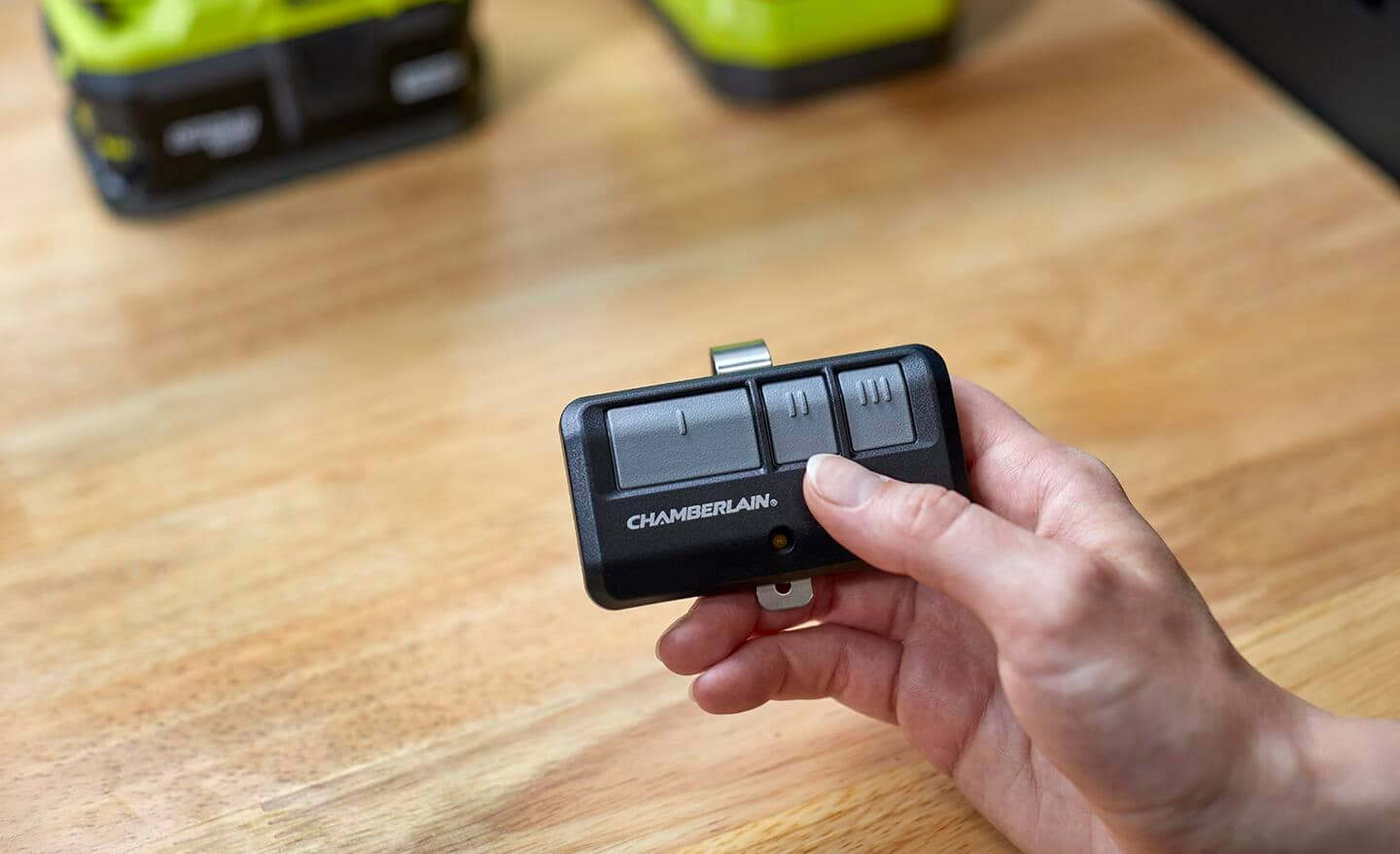
For traditional remote controls, most Chamberlain garage door openers are designed to store a certain number of unique codes. This limit is usually in the range of 4 to 7 remotes. This capacity is sufficient for multiple vehicles within a household, and sometimes even a spare remote for guests or a bicycle-mounted remote. The technology behind these remotes involves transmitting a rolling code to the opener, which changes with each use to enhance security. The opener’s memory stores the valid codes it recognizes.
Pro Tip: Always refer to your specific Chamberlain opener’s model number and consult its owner’s manual. You can often find the manual on the Chamberlain website by searching for your model. This will provide the exact number of remotes supported and the specific programming steps.
Wireless Keypad Capacity
Chamberlain also offers wireless keypads that allow access to your garage without a remote. These are typically mounted outside the garage door for convenient entry. In most cases, a Chamberlain garage door opener is designed to be programmed with one wireless keypad. While some advanced systems might theoretically support more, the standard setup and user interface are geared towards a single keypad. This is generally sufficient for most homeowners, providing a secure alternative entry method.
The Role Of Myq® Technology
Chamberlain’s MyQ® technology represents a significant evolution in garage door opener capabilities. Openers equipped with MyQ® can connect to your home’s Wi-Fi network, allowing for control and monitoring via a smartphone app. This opens up a new dimension of “programming” and device interaction. While MyQ® itself doesn’t increase the number of *physical remotes* or *keypads* you can program to the opener’s core receiver, it vastly expands the system’s connectivity.
Through the MyQ® app, you can:
- Control your garage door from anywhere using your smartphone.
- Receive alerts when your garage door is opened or closed.
- Integrate with smart home platforms like Amazon Alexa, Google Assistant, and Apple HomeKit (depending on the MyQ® hub or opener model).
This integration means that while you might only have a few physical remotes and one keypad programmed directly to the opener, your smartphone, voice assistants, and potentially other smart home devices can act as interfaces to control the garage door, effectively multiplying the ways you can interact with it.
Factors Influencing Programming Capacity
Several factors determine how many devices can be programmed to your Chamberlain garage door opener. Understanding these will help you troubleshoot or plan for future additions.
Opener Model And Age
Older models of Chamberlain openers may have more limited programming capacities compared to newer, technologically advanced units. For instance, very old openers might only support a handful of remotes and lack the ability to connect to Wi-Fi or MyQ® technology.
Conversely, newer models are often designed with greater memory and more robust features. The specific logic board within the opener is what holds the programmed codes, and its capacity is a hardware limitation.
Remote Control Type (fixed Vs. Rolling Code)
While most modern Chamberlain openers use rolling code technology for enhanced security, some very old systems might have used fixed codes. Rolling codes are more complex and require more sophisticated programming. The number of unique rolling codes an opener can store is a primary factor in its remote capacity.
Myq® Hub Vs. Built-in Myq®
Some Chamberlain openers have MyQ® technology built directly into the unit, while others require a separate MyQ® Hub (like the Chamberlain MYQ-G0401). The hub acts as a bridge between your opener and your home Wi-Fi. The number of devices that can be managed through the MyQ® app is generally not limited by the number of physical remotes but by the capabilities of the MyQ® service and its integrations.
Memory Limitations
Every electronic device has finite memory. The garage door opener’s logic board has a specific amount of memory allocated for storing programmed device codes. Once this memory is full, you cannot program additional devices without erasing existing ones. This is the most direct hardware limitation on the number of remotes and keypads.

Credit: www.youtube.com
Programming Multiple Remotes To A Chamberlain Opener
Programming additional remotes is a common task for homeowners. The process generally involves putting the opener into a “learn” mode and then activating the new remote.
The Learning Process Explained
- Locate the Learn Button: On the motor unit of your Chamberlain garage door opener, you will find a “Learn” button. This button is often colored (e.g., purple, red, orange, green, or yellow) and may be accompanied by an LED indicator light. The color can sometimes indicate the radio frequency or generation of the opener.
- Enter Learn Mode: Press and release the “Learn” button. A red or orange LED light next to it should illuminate, indicating that the opener is in learn mode for a specific period (usually 30 seconds).
- Program the Remote: Within that 30-second window, press and hold the desired button on your new remote control. The opener’s lights may flash, or the opener may click to confirm that the remote has been programmed.
- Test the Remote: Release the button on the remote and press it again to test if it operates the garage door.
If you need to program multiple remotes, you typically repeat steps 2 and 3 for each additional remote, ensuring you press a different button on the remote if it has multiple buttons, or using a different remote entirely if you are programming several.
Erasing Existing Remotes
If you need to free up memory slots or if you suspect a lost remote is still programmed, you can erase all previously programmed remotes. This is usually done by pressing and holding the “Learn” button on the motor unit for about 10-30 seconds, until the LED light turns off. This action wipes the opener’s memory, requiring you to reprogram all remotes and keypads. This is a crucial security step if a remote is lost or stolen. For guidance on erasing specific remotes without erasing all, consult your manual, as some systems offer partial erasure. If you’re looking to refresh your system, learning how to reset garage door remotes can be a useful skill.
Troubleshooting Common Programming Issues
- Remote Not Working: Ensure the battery in the remote is new and correctly installed. Verify that you are within range of the opener. Double-check that the remote is compatible with your specific Chamberlain opener model.
- Opener Not Responding to Learn Button: Make sure you are pressing and releasing the button, not holding it down continuously until the light goes out (which erases memory). Check the power supply to the opener.
- Too Many Remotes: If you’ve reached the maximum number of programmed remotes and need to add another, you will need to erase all existing remotes and then reprogram the ones you wish to keep, along with the new one.
Credit: www.homedepot.com
Programming A Chamberlain Wireless Keypad
Programming a wireless keypad follows a similar principle of using the opener’s learn button, but the sequence and confirmation might differ slightly.
Steps For Keypad Programming
- Locate the Learn Button: As with remotes, find the “Learn” button on the motor unit.
- Enter Learn Mode: Press and release the “Learn” button. The LED indicator will illuminate.
- Access Keypad Programming: On the wireless keypad itself, you will typically enter a temporary PIN or a specific button sequence to initiate programming. Consult your keypad’s manual for the exact procedure. For example, you might press “Program” and then a temporary PIN.
- Enter Your Desired Code: You will then be prompted to enter your new 4-digit PIN code for the keypad, followed by pressing the “Program” button again.
- Confirmation: The opener’s lights should flash, or you should hear a click, indicating successful programming.
- Test: Enter your new PIN on the keypad and press the enter button to test if it opens the garage door.
Important Note: Chamberlain keypads often require a temporary PIN to be entered during the programming process, which is then replaced by your chosen 4-digit code. Always use the instructions provided with your specific keypad model. If you are having trouble with a Chamberlain keypad, you might find helpful steps in how to reprogram a Chamberlain garage door keypad.
Keypad Security Considerations
- Choose a Strong PIN: Avoid easily guessable codes like “1234” or your birth year.
- Change PIN Periodically: For enhanced security, consider changing your keypad PIN every few months.
- Temporary PINs: Some keypads allow for temporary PINs that can be used a set number of times, which is useful for guests.
Leveraging Myq® For Expanded Control
The true power of modern Chamberlain systems lies in their connectivity, particularly through MyQ® technology. This allows for a virtually unlimited number of “virtual” devices to interact with your garage door, provided they are compatible.
Smartphone Control
The MyQ® app on your smartphone is your primary interface for connected garage door control. Once your opener or MyQ® Hub is connected to your Wi-Fi network and linked to your account, you can:
- Open, close, and check the status of your garage door from anywhere.
- Receive real-time notifications about garage door activity.
- Grant temporary access to family members or service providers by sharing access through the app.
Smart Home Integrations
Chamberlain has actively pursued integrations with major smart home ecosystems. This means your garage door opener can become part of a larger automated home.
- Amazon Alexa: You can link your MyQ® account to Alexa to control your garage door with voice commands. For security, Alexa requires a voice PIN to open the garage door.
- Google Assistant: Similar to Alexa, Google Assistant allows for voice control of your garage door after linking your MyQ® account. A voice code is also typically required for opening.
- Apple HomeKit: While direct integration with HomeKit has been more complex due to Apple’s security requirements, Chamberlain has offered solutions, often involving a specific MyQ® Home Bridge or compatible opener models. This allows for Siri commands and inclusion in HomeKit automations.
These integrations mean that your voice assistant, smart home hub, or even smart home routines (e. g. , “Goodnight” routine closing the garage door) can control your opener. The limit here is less about the opener’s physical programming capacity and more about the capabilities of the smart home platform and the MyQ® service.
Third-party Integrations And Ifttt
For users who want even more advanced automation, platforms like IFTTT (If This Then That) can be utilized. IFTTT allows you to create custom applets that connect various services and devices. For example, you could create an applet that triggers your garage door to open when your car’s GPS location enters a specific geofence.
The availability and functionality of such integrations depend on Chamberlain’s API and IFTTT’s supported services.
Maximum Device Capacity: A Summary Table
While specific numbers can vary by model, here’s a general overview of typical programming capacities for Chamberlain garage door openers.