Now Reading: How to Sync Garage Door Opener to Remote: Quick & Easy Guide
- 01
How to Sync Garage Door Opener to Remote: Quick & Easy Guide

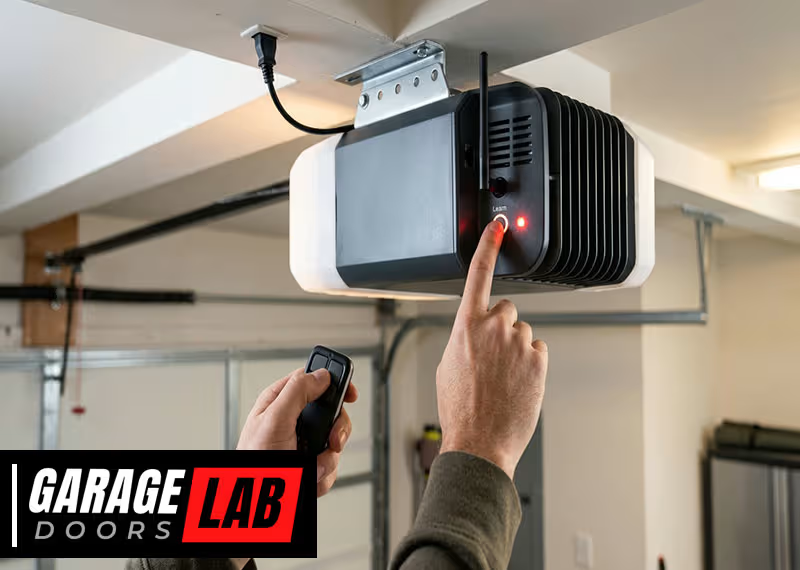
Syncing your garage door opener to a remote can feel confusing, especially if you’ve never done it before. You might worry about pressing the wrong button, or wonder if you need to buy special tools. Don’t worry. With the right steps, you can connect your garage door opener and remote quickly and safely. Learning how to do this also helps you understand your garage system better, so you can fix small problems without calling for help.
Many people change remotes after losing one, moving to a new house, or upgrading old devices. Others need to sync a new remote because the old one stopped working or was stolen. No matter the reason, this guide will walk you through every step and answer common questions.
You’ll also learn what to do if things don’t work right away, and how to keep your system secure from unwanted access.
You’ll find clear, simple instructions for different garage door opener brands, tips for troubleshooting, and advice for keeping your garage safe. By the end, you’ll know exactly how to sync your garage door opener with a remote—without stress or confusion.
How Garage Door Opener Remotes Work
Before you start syncing, it’s helpful to know how these systems communicate. A garage door opener remote sends a coded radio signal to your opener unit. When the unit recognizes the code, it activates the motor and opens or closes the door. Today’s remotes use rolling codes to keep your home safer. Rolling codes mean the signal changes every time you use the remote, making it harder for someone to copy.
Older models use fixed codes. These are easier to program but also less secure. Most newer openers, especially after 1993, use rolling code technology. If your remote or opener is very old, you might need a replacement for better security and compatibility.
Why Syncing Is Important
Proper syncing is not just about convenience. If your remote isn’t synced:
- The door won’t respond, causing frustration.
- The opener might pick up signals from other devices, causing random opening/closing.
- Security can be at risk, especially if you use an old or generic remote.
Syncing makes sure only your chosen remotes control your garage door. It also helps you keep track of who has access, especially if you give out remotes to family or tenants.
What You Need Before You Start
You don’t need many tools, but being prepared saves time:
- The garage door opener remote you want to program
- Access to the garage door opener unit (usually on the ceiling)
- A ladder if the opener is out of reach
- The owner’s manual (helpful for special instructions or model numbers)
- Fresh batteries for the remote
- A pen and notepad for writing down codes (if needed)
Never try to sync a remote from outside the garage. Always be inside with the door closed for safety.
Step-by-step Guide: How To Sync Garage Door Opener To Remote
Let’s break down the process into simple steps. Most brands follow a similar pattern, but it’s smart to check your manual for unique details.
1. Locate The Learn Or Program Button
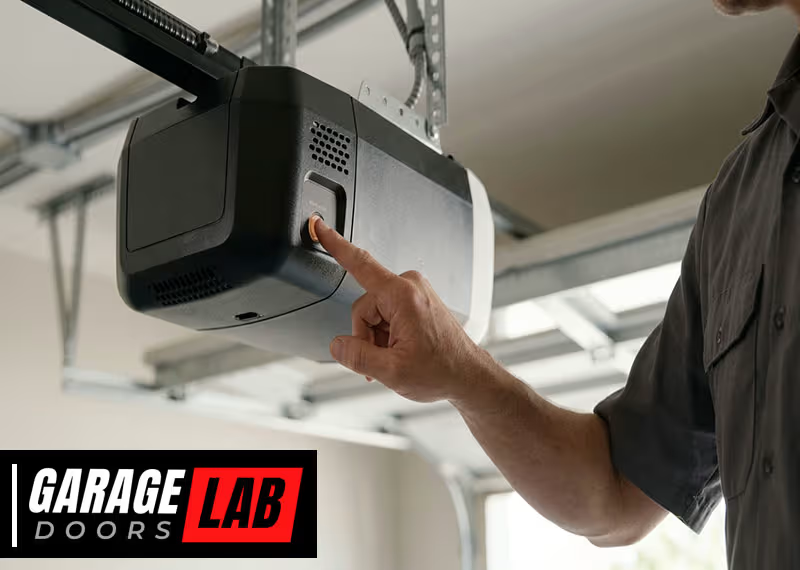
Almost every garage door opener has a Learn, Program, or Smart button. This button is often:
- On the back or side of the main opener unit
- Under a light cover or plastic panel
- Labeled in bright colors (yellow, red, purple, green, or orange)
You may need a ladder to reach it. Open the panel gently—never force anything.
2. Prepare The Remote
Hold the remote in your hand. Make sure it has a fresh battery. Weak batteries can cause syncing to fail, even if lights still blink on the remote.
3. Clear Old Codes (optional But Recommended)
If you’re adding a new remote or lost one, it’s wise to erase old codes. This ensures only your current remotes work.
To clear codes:
- Press and hold the Learn button for 6-10 seconds. The opener’s light will blink or turn off.
- Release the button. All existing remote codes are now erased.
- You’ll need to reprogram every remote you want to use.
This step prevents old, lost, or stolen remotes from working.
4. Enter Programming Mode
Press the Learn/Program button briefly. Do not hold it down unless you want to erase codes. A light on the unit will turn on or blink, showing it’s ready to program.
You usually have about 30 seconds to finish the next step.
5. Press The Remote Button
While the opener’s light is blinking:
- Press and hold the main button on your remote.
- Wait for the opener’s light to flash, click, or beep. This shows the signal was received.
- Release the button.
Some remotes need you to press the button more than once. If nothing happens, try again within the time window.
6. Test The Remote
Move a few feet away and press the remote button. The garage door should open or close. If not, repeat steps 4 and 5.
7. Program Additional Remotes
Repeat the process for each remote you want to add. Most openers support up to five remotes, but check your manual for the exact number.
8. Secure And Finish
Close any covers or panels on the opener. Store remotes safely. Write down which remote goes with which user for easy tracking.
Brand-specific Programming Tips
Different brands sometimes use unique steps or buttons. Here are details for the most popular ones.
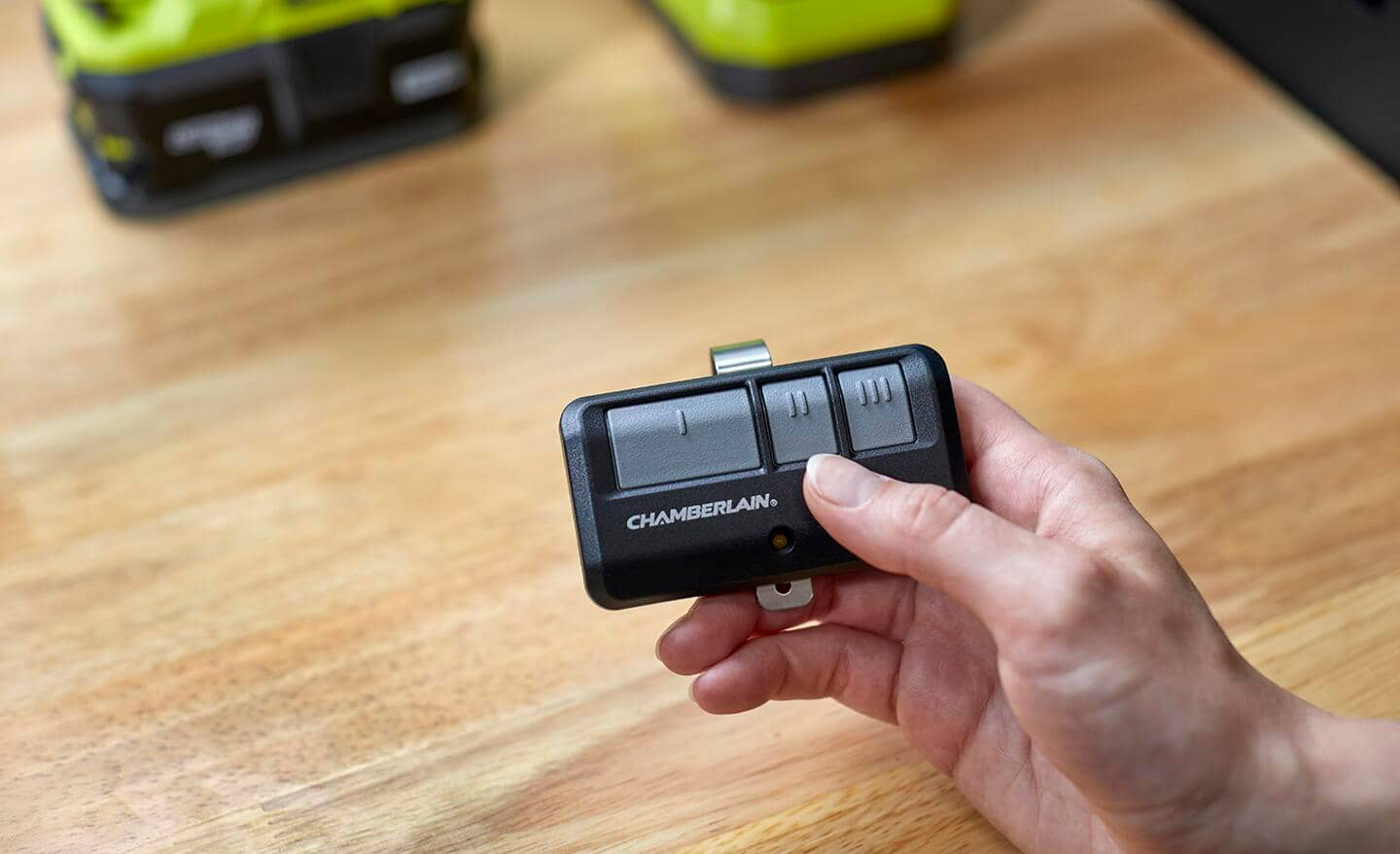
Chamberlain, Liftmaster, And Craftsman
These three brands often use the same technology, since they’re made by the same company.
- The Learn button is usually on the back of the opener.
- Colors may indicate the type of remote (yellow for Security+ 2.0, red/orange for Security+).
- Follow the basic steps above.
If your remote has multiple buttons, choose one to assign for your garage door.
Genie
Genie openers have a Learn Code button.
- Press and release the button; the indicator light will blink.
- Press the remote button once; the light will stay on.
- Press the remote again; the light will turn off, confirming programming.
Some Genie models need a special sequence. If it doesn’t work, check your model number online.
Overhead Door
Similar to Genie (they share technology):
- Use the Learn Code button on the opener.
- Follow the same process as for Genie.
Linear, Stanley, And Other Brands
Most use a Learn button or a series of switches.
- For rolling code models, follow the main instructions.
- For older models with DIP switches, match the switches on your remote to those inside the opener unit.
DIP switches are tiny toggles inside both the opener and the remote. Set them in the same pattern (up/down) to sync.
Universal Remotes
Universal remotes work with most brands, but you may need to:
- Enter a specific code (found in the remote’s manual)
- Use a combination of buttons to select the brand and model
Universal remotes are handy if you have more than one garage door or opener brand.
Common Problems And How To Fix Them
Even if you follow the steps, sometimes things go wrong. Here’s how to handle the most common issues.
The Remote Doesn’t Work After Programming
- Check the remote’s battery. Even new remotes can have dead batteries from storage.
- Make sure you pressed the Learn button correctly (not too long or too short).
- Try standing closer to the opener during programming.
- Interference from LED lights, Wi-Fi routers, or metal objects can block signals. Move these away if possible.
The Opener Works With Old Remotes, But Not New Ones
- You may need to erase all codes and start fresh.
- Some openers only accept a certain number of remotes (often 5). Delete an old one to add a new.
The Door Opens Randomly Or By Itself
- Someone nearby may have a remote with the same fixed code. Reset all codes and use a rolling code remote for better security.
- Faulty wiring or a stuck wall button can also cause this. Inspect your opener for stuck buttons or call a professional.
The Remote Only Works Close To The Opener
- Weak battery, radio interference, or a damaged antenna can cause this.
- Replace the battery, check for obstructions, and make sure the opener’s antenna hangs straight down.
Can’t Find The Learn Button
- Check your opener’s manual or look up your model number online.
- Some very old models use only DIP switches instead of Learn buttons.
Safety And Security Tips
Syncing your remote is only part of keeping your garage secure. Follow these tips for better safety:
- Always erase codes when moving into a new house.
- Don’t leave remotes in cars parked outside.
- Change your opener’s codes if a remote is lost or stolen.
- Install a keypad outside for backup access (many work the same way as remotes).
- For maximum security, choose a newer rolling code opener.
Data Table: Popular Garage Door Opener Brands And Features
Understanding the main differences can help if you’re buying a new remote or opener.
| Brand | Rolling Code | Max Remotes Supported | Learn Button Color |
|---|---|---|---|
| Chamberlain/LiftMaster | Yes (after 1993) | 5 | Yellow, Red, Purple, Orange |
| Genie | Yes | 7 | Black, Red |
| Overhead Door | Yes | 7 | Black, Red |
| Linear | Yes | 8 | Green |
| Stanley | Yes/No | Varies | Blue |

Upgrading Old Garage Door Openers
If your opener is more than 20 years old, consider upgrading. Old models may lack rolling code security and might not work with modern remotes. Some older units are also less safe, missing safety sensors.
Signs you need an upgrade:
- The opener only uses DIP switches
- No “Learn” or “Program” button
- Door reverses poorly or not at all if blocked
- Opener makes loud noises or jerks
Modern openers add smart features, like app control, automatic lighting, and better safety. Replacing an old opener can also increase your home’s value.
Table: Fixed Code Vs. Rolling Code Garage Door Openers
Here’s a quick comparison to help you understand the difference:
| Feature | Fixed Code | Rolling Code |
|---|---|---|
| Security Level | Low | High |
| Programming Method | DIP Switches | Learn Button |
| Risk of Code Hacking | High | Very Low |
| Year Introduced | Before 1993 | After 1993 |
| Recommended For | Rarely | All users |
How To Sync A Keypad Entry System
Many homes use a wireless keypad outside the garage for easy access. Syncing a keypad works much like syncing a remote:
- Press the Learn button on the opener.
- Within 30 seconds, enter your chosen PIN on the keypad, then press the “Enter” button.
- The opener’s light will blink, confirming the code.
Some keypads need you to enter a manufacturer’s code or press extra keys. Always check the keypad’s manual for details.
Tips For Keeping Track Of Remotes
It’s easy to lose track of who has a remote, especially in a large family or shared property.
- Use a label maker or write names on each remote.
- Keep a list of remote serial numbers or colors.
- Store unused remotes in a safe place.
- Remove remotes from cars before selling or trading them.
If you lose a remote, erase all codes and resync only the remotes you still have.

Real-world Example
After moving into a new house, Sarah found three garage remotes. She didn’t know who had used them before. To protect her family, she erased all codes from the opener and synced only her own remotes. She also added a new keypad outside for easy access.
Now, she’s sure only her family can open the garage.
Professional Help Vs. Diy
Most people can sync a remote themselves in 5-15 minutes. But if you have a complex system, lost all remotes, or your opener is very old, you might need a professional.
Professionals can:
- Upgrade old systems to modern rolling code technology
- Replace faulty wiring or antennas
- Install smart openers with Wi-Fi and app control
DIY saves money, but don’t hesitate to call for help if you feel unsure.
Table: Diy Vs. Professional Syncing
Here’s a quick look at when to do it yourself and when to call an expert.
| Task | DIY | Professional |
|---|---|---|
| Programming new remote | Easy | Not needed |
| Replacing lost remotes | Easy | Not needed |
| Upgrading opener to rolling code | Hard | Recommended |
| Troubleshooting wiring issues | Hard | Recommended |
| Adding smart features | Medium | Optional |
Two Non-obvious Insights For Beginners
- Opener light bulbs can cause interference. If your garage door remote works only sometimes, check if you’re using LED or CFL bulbs in the opener. Some cheap bulbs create radio interference. Try swapping to a different brand or use bulbs labeled “garage door opener safe.”
- You can usually add a Wi-Fi hub to older openers. Even if your opener isn’t “smart,” some companies sell Wi-Fi hubs that work with most brands. This lets you control your garage from your phone without replacing the entire opener.
When To Replace Your Remote
Remotes last 5-10 years with good care. Replace your remote if:
- Buttons stick or don’t respond
- The casing is cracked or water-damaged
- The range drops, even with a new battery
- The remote is lost or stolen
Always buy a remote that matches your opener’s brand and frequency for best results.
Where To Find Official Help
If you get stuck, check your opener’s manual or the official website. Most brands have PDF guides and videos.
One reliable resource for garage door opener manuals and safety info is the Wikipedia page about garage door openers.
Frequently Asked Questions
How Do I Know If My Garage Door Opener Uses A Rolling Code?
Most openers made after 1993 use rolling codes for better security. If your opener has a “Learn” or “Smart” button, it likely uses rolling codes. Check your manual or search your model number online to confirm.
Can I Program A Universal Remote To Any Garage Door Opener?
Universal remotes work with most brands made after 1993. You’ll usually need to enter a code or follow a special button sequence. Some very old openers (pre-1993 or DIP switch models) may not work with universal remotes.
What Should I Do If I Lose My Garage Door Remote?
If you lose a remote, immediately erase all codes from your opener using the Learn button. Then, sync only the remotes you still have. This prevents anyone who finds the lost remote from getting into your garage.
Why Won’t My Remote Work From Far Away?
A weak battery, radio interference, or a damaged antenna can limit your remote’s range. Try replacing the battery, removing interference (like LED bulbs), or checking the antenna wire on your opener.
How Many Remotes Can I Program To My Garage Door Opener?
Most openers allow 5-8 remotes. Check your opener’s manual for the exact number. If you reach the limit, you may need to erase old remotes before adding new ones.
Syncing your garage door opener to a remote doesn’t have to be stressful. With these steps, you’ll have a safe, working system for years to come. If you ever feel stuck, don’t hesitate to ask for help or check online resources. Remember: taking a few extra minutes to sync remotes correctly keeps your home more secure and your life more convenient.