Now Reading: How to Reprogram Garage Door Opener Keypad Easily and Fast
- 01
How to Reprogram Garage Door Opener Keypad Easily and Fast

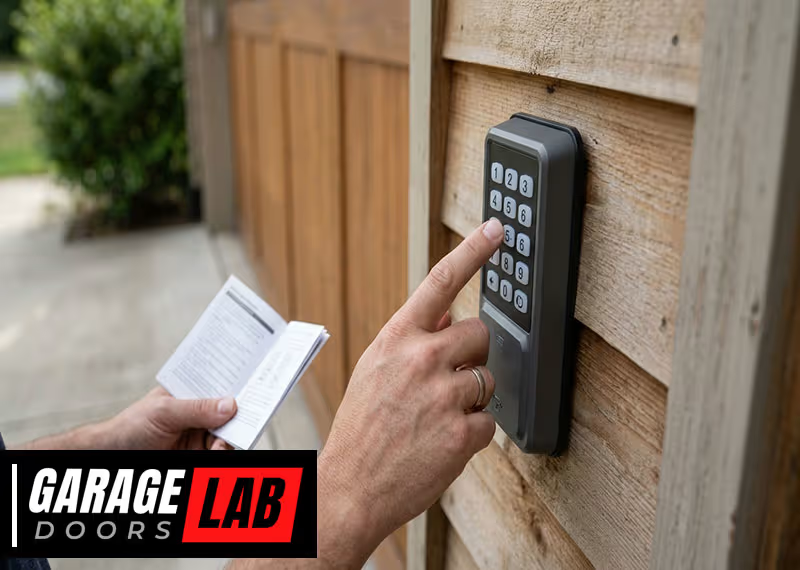
Reprogramming your garage door opener keypad is a skill that can save time, money, and frustration. Maybe you lost your old code, bought a new house, or want to improve home security. Whatever your reason, learning to reset and program your keypad is practical and empowering.
You don’t need to be a tech expert—just a little patience and the right steps will do. This guide will walk you through every stage, answer common questions, and help you understand the logic behind each action. Along the way, you’ll see how to avoid mistakes and solve problems that often confuse beginners.
Understanding Garage Door Opener Keypads
A garage door opener keypad is a small device, usually wireless, mounted near your garage door. It lets you open or close your garage by entering a code, no remote needed. Most keypads work with a garage door opener unit installed inside your garage. The keypad sends a radio signal to the opener, and if the code matches, the door moves.
There are a few main types of keypads:
- Fixed code keypads: Use a set, unchanging code. Older models often use these.
- Rolling code keypads: Change their code each time you use them, making them more secure.
Knowing your keypad’s type is important because steps for reprogramming can be different.
Why Reprogram Your Keypad?
People reprogram keypads for many reasons:
- Security: If you gave your code to someone who shouldn’t have access anymore.
- Moving in: A new home means you should set your own code.
- Forgotten code: You simply can’t remember the old code.
- Malfunction: Sometimes, the keypad doesn’t respond, and a reset can fix it.
You should also update your code every year as a security habit.
Tools And Information You Need Before Starting
Before you begin, gather these items:
- Step ladder (if the opener is high up)
- Your garage door opener manual (if possible)
- New code: Choose a 4-digit code that’s easy for you, but hard for others to guess.
- Screwdriver (sometimes needed to access the opener or keypad battery)
- Phone or flashlight for better visibility
Tip: Write your new code down in a safe place. Avoid using birthdays or simple number patterns.
Identifying Your Garage Door Opener Brand And Model
Not all keypads are the same. Most US homes use brands like Chamberlain, LiftMaster, Genie, Craftsman, or Overhead Door. Each has its own programming method. Look at your opener motor (usually on the ceiling), keypad, or owner’s manual to find the brand and model number.
If you can’t find the manual, search online for your model using the brand and model number. Manuals are often available on the manufacturer’s website.
| Brand | Common Keypad Model | Programming Method |
|---|---|---|
| Chamberlain/LiftMaster | 877MAX, 877LM | Learn button, rolling code |
| Genie | GK-R, GWK | Learn button, fixed or rolling code |
| Craftsman | 139.53776 | Learn button, rolling code |
| Overhead Door | OKP-BX | Learn button, rolling code |
Knowing your opener brand helps you follow the correct steps and avoid confusion.
How To Reprogram A Garage Door Opener Keypad: Step-by-step
While there are differences between brands, most modern keypads use a Learn button process. Here’s a clear, step-by-step guide. Adjust as needed for your brand or model.
Step 1: Locate The Learn Button
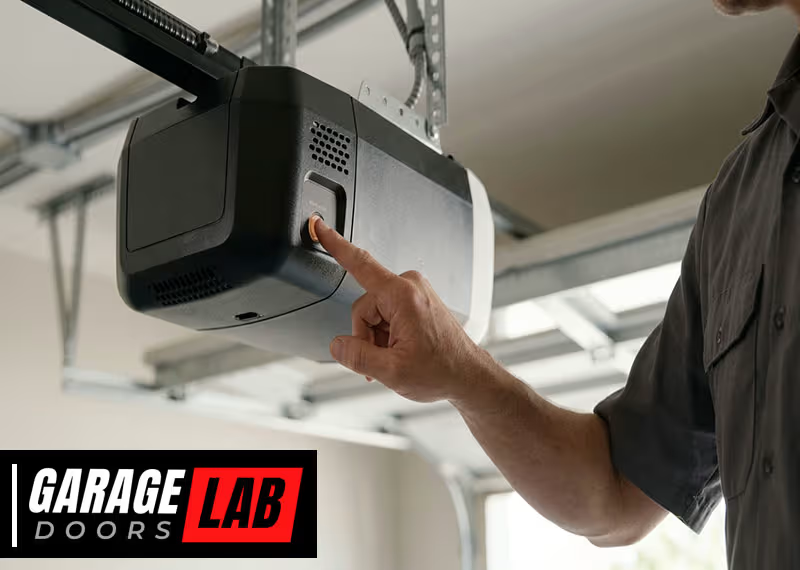
Find the Learn button on your garage door opener unit inside your garage. This button is usually on the back or side of the motor housing. You might need to remove a light cover to see it.
Common Learn button colors:
- Yellow
- Purple
- Red/Orange
- Green
The color sometimes tells you the opener’s generation and what kind of remote/keypad it supports.
Non-obvious tip: Take a photo of the opener with your phone. This helps you remember button positions and wiring if you need help later.
Step 2: Clear The Old Code (if Needed)
Some openers require you to clear the old code before adding a new one. Here’s how:
- Press and hold the Learn button for 6–10 seconds until the indicator light turns off. This erases all remote and keypad codes.
- Release the button. Now, none of your remotes or keypads will work until reprogrammed.
Warning: Clearing the code will disconnect all remotes. You must reprogram them after the keypad.
Step 3: Enter Programming Mode On The Keypad
For most keypads:
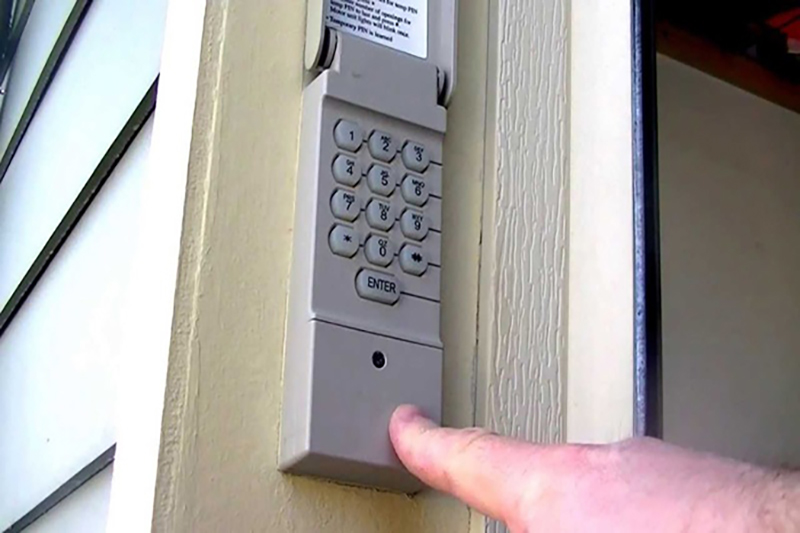
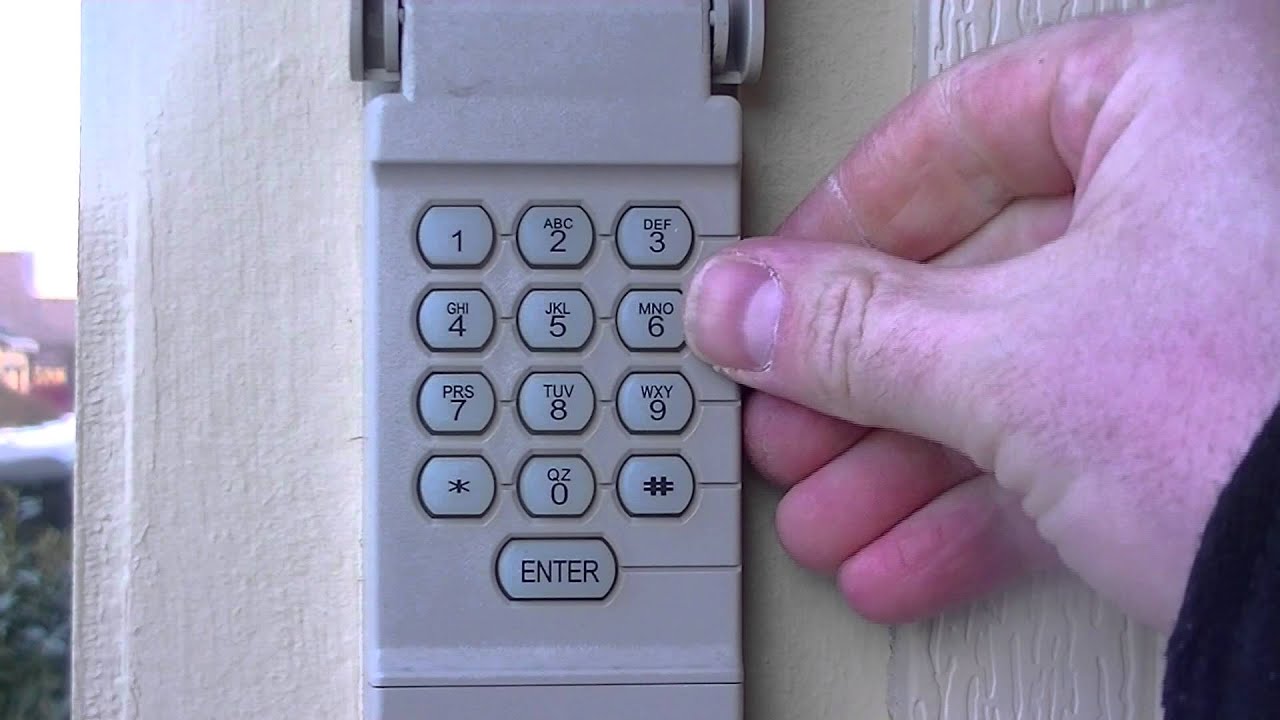
- Press and hold the (star)* and # (pound) keys together until the keypad stops blinking (about 5–10 seconds).
- Release both keys. The keypad is now ready for programming.
Some keypads may ask you to enter your current code and then press the # key. Check your manual if unsure.
Step 4: Set Your New Code
Now, you’re ready to set a new code. The steps vary slightly, but here’s a common sequence:
- On the keypad, enter your new 4-digit code.
- Press and hold the Enter button.
- While holding Enter, press the opener’s Learn button one time. An indicator light should blink.
- Release the Enter button on the keypad.
- Wait a few seconds. The opener light may blink or click to confirm the code is accepted.
If your opener has a different process (like pressing Learn, then entering the code on the keypad), follow your brand’s instructions.
Step 5: Test The New Code
After programming, walk to your keypad, enter the new code, and press Enter. The door should move. If it doesn’t, repeat the process slowly and double-check each step.
Insight: Some openers need 30 seconds or less between pressing the Learn button and entering the code, or the programming will time out.
Step 6: Program Additional Keypads Or Remotes (if Needed)
If you have more than one keypad or remote, repeat the programming steps for each device. Some openers allow multiple codes, while others only allow one active keypad code.
Practical tip: Always test each keypad and remote after programming. It’s common for one device to work while others don’t, due to timing or signal issues.
Special Instructions For Popular Brands
Each brand has small but important differences. Here’s what you need to know for the most common brands.
Chamberlain And Liftmaster Keypads
These brands often use yellow, purple, red, or green Learn buttons.
Steps:
- Press and release the Learn button (don’t hold).
- You have 30 seconds to enter your new code on the keypad.
- Enter the code, press Enter. The opener light should flash.
Extra insight: For yellow Learn buttons, you may need to press the keypad’s Enter button several times or hold for a few seconds.
Genie Keypads
Genie keypads sometimes use a different button sequence.
Steps:
- Press and hold the Program button until the indicator blinks.
- Enter your new code, then press Program again.
- On the opener, press Learn Code; the LED blinks.
- Enter your code on the keypad, then press Up/Down three times.
Non-obvious tip: Genie openers are picky about timing. If the code doesn’t work, unplug the unit for 30 seconds and try again.
Craftsman Keypads
Craftsman often shares technology with Chamberlain.
Steps:
- Press and release the Learn button.
- Enter your new code on the keypad, press Enter.
- The opener light flashes.
Practical note: If your keypad is older, you may need to enter a 3-digit code, not 4.
Overhead Door Keypads
These models have a unique programming button on the keypad itself.
Steps:
- Open the keypad cover, press Program.
- Enter your new code, then press Program again.
- Press the opener’s Learn button.
- Enter the code on the keypad, then press Up/Down.
Troubleshooting Common Problems
Even with the right steps, things can go wrong. Here’s how to solve the most frequent issues.
The Keypad Doesn’t Light Up
- Check the keypad batteries. Most use a 9-volt battery—replace if old.
- Clean the keypad with a dry cloth; dust can block contacts.
- If still dead, the keypad may need replacing.
The Code Isn’t Accepted
- Make sure you are entering the code within the opener’s 30-second learning window.
- Some keypads only accept numbers, not letters.
- If you have multiple openers, ensure you’re programming the right one.
The Door Opens But Won’t Close
- Check for safety sensor issues—sensors near the ground must be clean and aligned.
- Reset the opener by unplugging it for 30 seconds.
- Some models need a final “confirmation” press of Enter to close.
Other Remotes Stopped Working
- If you cleared the codes, all remotes must be reprogrammed.
- Follow the same Learn button steps for each remote.
Pro tip: If your keypad or remotes still don’t work, check for radio interference from nearby devices, like Wi-Fi routers or LED lights.

Security Tips For Garage Door Keypads
Don’t overlook security. A keypad is convenient, but it’s also a target if not used wisely.
- Change your code regularly—every 6–12 months.
- Don’t use simple codes like 1234 or your address.
- Cover the keypad with your hand when entering the code.
- Install the keypad out of direct street view if possible.
- Erase codes before moving out or selling your home.
Little-known tip: Some keypads support temporary codes you can give to guests or workers, which expire after use. Check your model’s manual for this feature.
How To Reset A Keypad Without The Old Code
If you can’t remember your old code, don’t worry. You can still reset most keypads.
- Go to the opener unit and press the Learn button until the indicator turns off. This erases all codes, including the forgotten one.
- Follow the programming steps above to set a new code.
For some keypads, you may need to remove batteries or press a reset button inside the keypad. If so, use a screwdriver to open the keypad’s back panel.
Comparing Keypad Features: What Matters
Not all garage door keypads are equal. If you’re thinking of upgrading, here’s what to look for.
| Feature | Basic Keypad | Advanced Keypad |
|---|---|---|
| Backlit keys | No | Yes |
| Temporary codes | No | Yes |
| Weatherproofing | Basic | Full |
| Rolling code security | Sometimes | Always |
| Battery life indicator | No | Yes |
Insight: Backlit keypads are much easier to use at night, and weatherproofing is essential for outdoor models.
When To Replace Your Keypad
Sometimes, reprogramming isn’t enough. Signs you need a new keypad include:
- Buttons stick or don’t respond
- The keypad is cracked or water-damaged
- Batteries drain quickly
- The code resets itself randomly
Most keypads last 5–10 years. If yours is older or unreliable, a new unit can improve both convenience and security.
Comparing Diy Vs. Professional Programming
Should you reprogram yourself or call a pro? Here’s a quick comparison.
| Factor | DIY | Professional |
|---|---|---|
| Cost | Free (your time) | $75–$150 per visit |
| Time | 10–20 minutes | Flexible, but may wait for appointment |
| Learning | High—you’ll understand your system | Low |
| Complexity | Easy–moderate | Handled by expert |
| Security | Direct control | Trust needed |
Tip: Most people can reprogram their keypad in less than 30 minutes. Only call a pro if your system is very old or non-standard.
Extra Tips For Smooth Reprogramming
- Read the manual first. Even if you’re confident, small steps vary by model.
- Keep remotes away during programming. Accidental button presses can confuse the system.
- Don’t rush. Wait for lights to blink or beep before moving to the next step.
- Test from a distance. Make sure the keypad works from the driveway, not just up close.
- Label the opener. Write the date you reprogrammed and the code (in a secret spot) for future reference.
Common beginner mistake: Forgetting to press the Enter or Up/Down button after entering the code. Always finish the sequence as required.
Maintenance Tips For Long-lasting Keypads
- Change the battery every year, even if it isn’t dead.
- Clean the keypad with a soft, dry cloth; avoid water.
- Check for loose wires or screws if the keypad is wired.
- Spray a little electronics cleaner if keys stick (never use oil).
- If the cover is cracked, replace it to prevent water damage.
Insight: Most keypad failures are due to weather or battery neglect, not electronic problems.
Safety Reminders
- Never give your code to people you don’t trust.
- Teach children not to play with the keypad.
- If you use a temporary code, delete it as soon as it’s no longer needed.
- Test your garage door safety sensors monthly.
Extra: If your keypad is stolen, immediately erase all codes using the Learn button and reprogram.
When To Call For Help
While reprogramming is usually simple, call for help if:
- You see sparks or smell burning—stop and call a technician.
- The opener is very old and you can’t find the Learn button.
- The keypad is physically broken or missing parts.
- You’ve tried several times and nothing works—there could be a deeper electrical issue.
Garage door professionals can quickly spot problems and may have tools or parts you don’t.
Additional Resources
For detailed brand manuals and troubleshooting, visit the manufacturer’s official website or check the Garage Door Opener Wikipedia page for more history and technical details.
Frequently Asked Questions
How Do I Find The Learn Button On My Garage Door Opener?
The Learn button is usually on the back or side of your garage door opener motor, often near a small LED light. You may need to remove a light cover to see it. The button is often yellow, purple, red, or green. If you can’t find it, check your opener’s manual or search for your model online.
What Should I Do If My Keypad Won’t Program?
First, replace the battery in your keypad and try again. Make sure you’re pressing the Learn button for the correct amount of time and entering your code within 30 seconds. If it still won’t program, check for radio interference or try unplugging the opener for 30 seconds before repeating the steps.
Can I Set Multiple Codes For The Same Keypad?
Some newer keypads support temporary or secondary codes for guests or workers. Check your keypad’s manual to see if this feature is available. If not, only one main code can be active at a time.
How Often Should I Change My Keypad Code?
Change your code at least once a year, or any time you think the code may have been shared or discovered by someone you don’t trust. Regular updates keep your garage more secure.
Is It Safe To Use A Wireless Keypad For My Garage Door?
Yes, wireless keypads are safe if used correctly. Choose a keypad with rolling code technology, change your code regularly, and don’t use easy-to-guess codes. Always erase codes before selling your home or moving out.
Reprogramming your garage door opener keypad is a straightforward way to improve home security and convenience. With the right information and a little patience, you can handle this task yourself—and avoid a costly service call. Remember, every minute spent understanding your system makes your home a little safer and your life a bit easier.