Now Reading: Why Is My Garage Door Beeping? Troubleshooting Tips
- 01
Why Is My Garage Door Beeping? Troubleshooting Tips

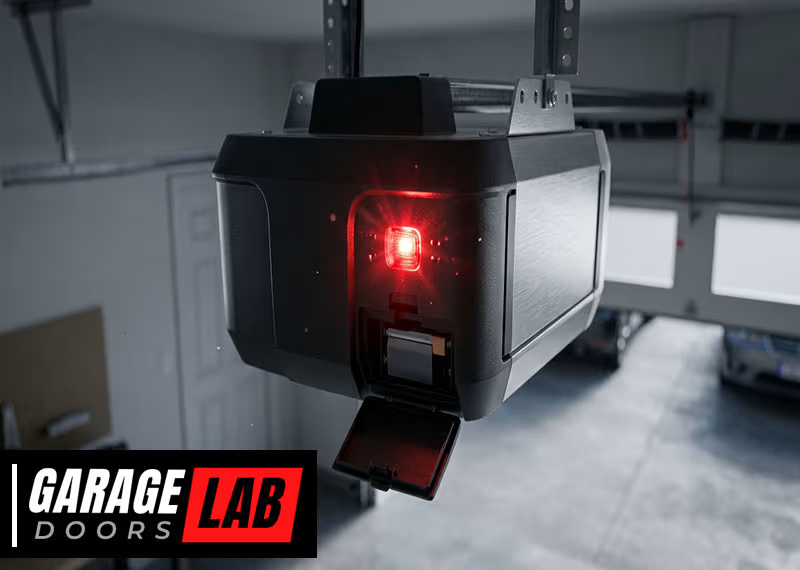
A beeping garage door can be annoying, especially when you don’t know why it’s happening. You hear the sound, but there’s no clear sign of danger or problem. Many people ignore the beeping at first, but it’s important to know that this sound is not just random.
Your garage door is trying to tell you something. Understanding why your garage door is beeping can help you fix problems early, stay safe, and avoid expensive repairs in the future.
Modern garage doors have more technology than you might think. They use sensors, batteries, control panels, and smart openers. If something goes wrong, the system will warn you—often with a beep. These warnings are helpful if you know what they mean, but confusing if you don’t.
In this article, you’ll learn the main reasons for garage door beeping, what each beep means, and how to fix the issue.
Let’s look at the common causes, how to troubleshoot, and what you can do right now to stop the beeping in your garage. You’ll also learn how to prevent future problems and when it’s best to call a professional.
Common Reasons Your Garage Door Is Beeping
If you want to fix the beeping, you need to know what’s causing it. Here are the most common reasons garage doors beep:
1. Backup Battery Issues
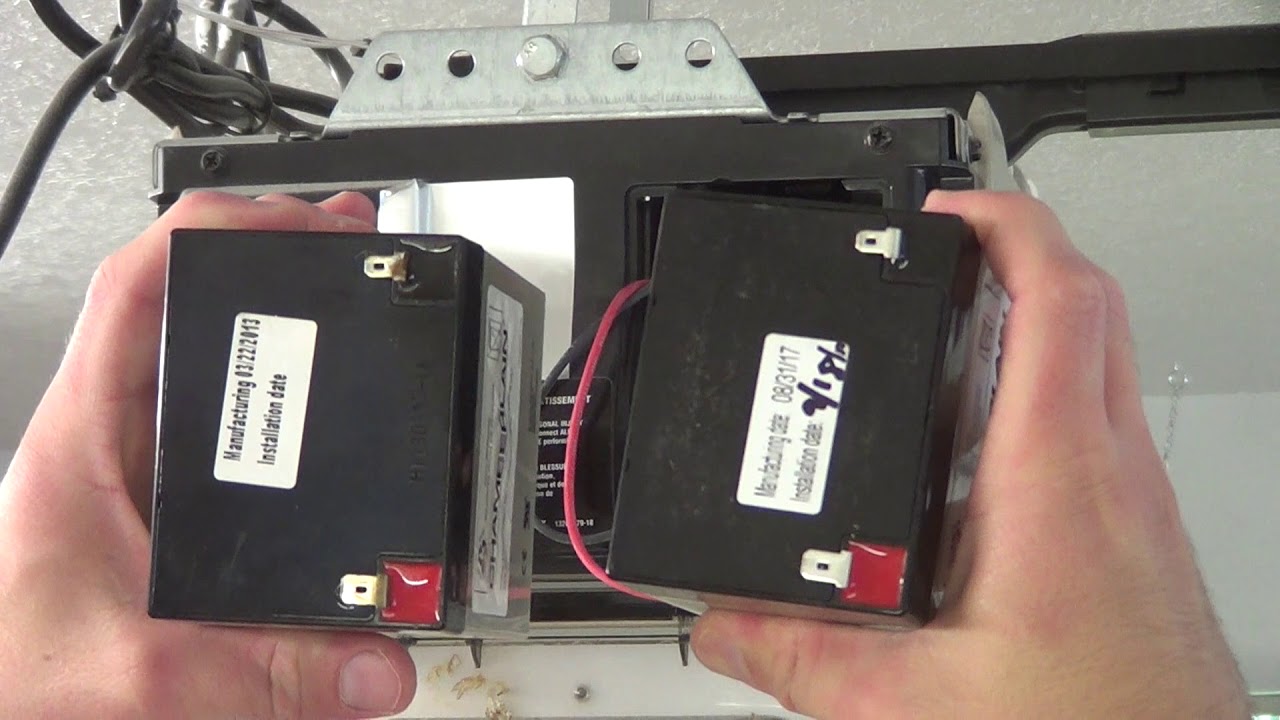
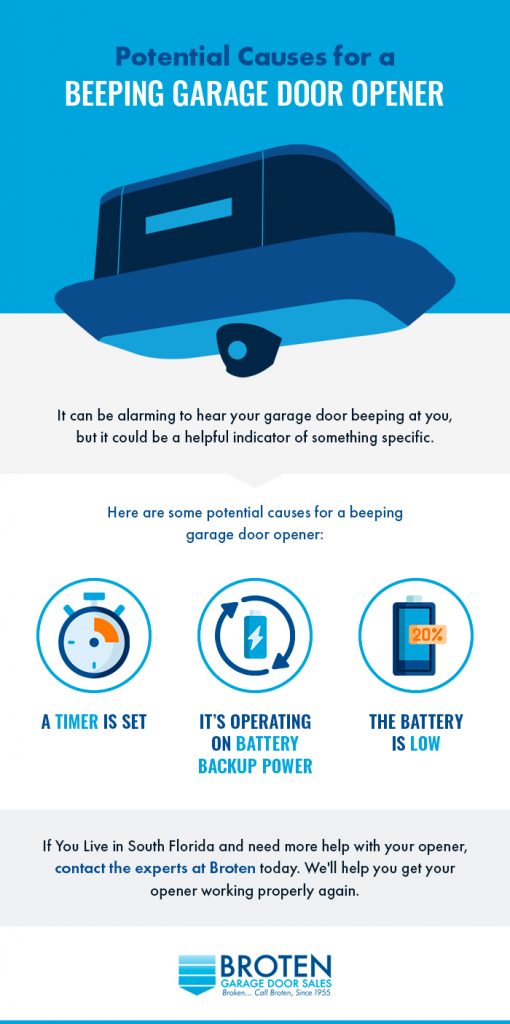
Many new garage door openers come with a backup battery. This battery keeps your garage door working during a power outage. The system will beep when the battery is low or needs to be replaced.
Signs that your backup battery is the problem:
- The beeping is regular, maybe every 30 seconds or 1 minute.
- Your wall control panel or opener has a red or yellow light.
- The garage door works, but there was a recent power outage.
How to fix it: Check the battery compartment on your opener (often near the ceiling). Replace the battery if it’s old or not holding a charge. Most batteries last 1-2 years. If you’re unsure which battery to buy, check your owner’s manual or the opener’s model number.
Non-obvious tip: Sometimes, the backup battery is hidden inside the opener’s main case. You might need a screwdriver to access it.
2. Power Outages Or Power Surges
If your area had a recent power outage or surge, your garage door may beep to let you know it’s running on battery power. This is common with openers from brands like LiftMaster, Chamberlain, or Craftsman.
You’ll notice:
- The garage door still opens, but the motor is slower.
- The beeping started right after a storm or blackout.
What to do: Wait for power to return. The beeping should stop once the opener switches back to regular power. If it doesn’t, check for a tripped circuit breaker in your home or reset the opener.
Insight: If the beeping continues even with normal power, the battery may be damaged from the outage and need replacement.
3. Obstructed Or Misaligned Safety Sensors
Garage doors have safety sensors near the floor on each side. If something blocks these sensors, or if they’re not lined up, the opener will beep.
Look for these signs:
- The garage door won’t close all the way.
- You see blinking lights on the sensors.
- The beeping starts only when you try to close the door.
How to fix: Check for items or dirt blocking the sensor. Clean the sensor lenses with a soft cloth. Make sure both sensors face each other and their lights are steady (not blinking).
Beginner mistake: Many people forget to clean the sensor lenses. Dust and spiderwebs can cause false alerts.
4. Maintenance Reminders
Some smart openers have maintenance reminders. They beep every few months to remind you to check the door’s balance, lubricate moving parts, or call for service. This is common with newer, WiFi-enabled models.
You’ll notice:
- The beeping happens on a schedule (e.g., every 6 months).
- The door works fine, but you get a message on your wall panel or smartphone app.
Action: Follow the maintenance steps in your manual. Lubricate hinges, check the springs, and test the door’s safety reversal. Reset the maintenance reminder using your opener’s controls.
5. Programming Or Setup Mode
If you recently installed or reprogrammed your opener, it may be in setup mode. The system beeps to show it’s learning new settings, such as remote controls or travel limits.
Signs:
- The beeping is temporary and stops when setup is complete.
- You see flashing lights or numbers on the wall control.
How to fix: Finish the programming steps as shown in your owner’s manual. If you’re stuck, unplug the opener for 30 seconds to reset it.
Non-obvious insight: Some openers beep if you press buttons in the wrong order during setup. Always follow the instructions exactly.
6. Wifi Or Smart Connectivity Alerts
Today’s garage doors are often connected to your home WiFi. If the connection fails or needs to be reset, the opener may beep.
You might notice:
- The beeping started after changing your WiFi password or router.
- The opener’s “WiFi” light blinks or turns red.
- Your smartphone app can’t control the door.
How to solve: Reconnect the opener to your WiFi network. This usually involves pressing a “learn” or “setup” button on the opener and following app instructions.
Practical tip: If your internet is unstable, the opener may beep often. Consider moving your router closer or using a WiFi extender.
7. Lock Or Vacation Mode
Some wall panels have a lock button (sometimes called “vacation mode”). If it’s activated, the opener may beep to remind you that remotes won’t work until you turn off the lock.
Typical signs:
- The wall panel lights up or flashes.
- Remotes and keypads don’t open the door, but the wall button works.
- The beeping is steady until you turn off the lock.
Solution: Press and hold the lock button for 3-5 seconds to turn off vacation mode.
8. Faulty Wall Control Or Circuit Board
If the wall control panel or the opener’s circuit board is damaged, it may beep randomly. This can be due to age, power surges, or water damage.
Look for:
- Irregular beeping (not on a schedule)
- Wall panel buttons not working
- Door opens or closes by itself
How to fix: Try unplugging the opener for a minute. If the problem returns, you may need a new wall control or main circuit board. Call a professional if you’re unsure.
9. Low Remote Battery Warning
Some advanced openers beep when your remote control battery is low. This helps prevent you from getting locked out.
Signs:
- The opener beeps when you use the remote, but not when you use the wall button.
- The remote feels weaker or works only when close to the opener.
Action: Replace the remote’s battery. Most use a standard coin battery (CR2032 or similar).
Non-obvious insight: Weak remote batteries can cause the opener to beep even if the remote is not in use, especially if the system “pings” the remote to check status.
10. Error Codes And Diagnostic Alerts
Openers sometimes beep to signal error codes. These codes help technicians find the problem. The opener may beep a certain number of times, pause, then beep again.
You’ll notice:
- Beeps in a pattern (e.g., three beeps, pause, two beeps)
- A red or orange LED flashes in sync
What to do: Check your opener’s manual for the meaning of the beep pattern. Each brand is different. Common codes signal problems with the motor, limits, or sensors.
11. Tamper Or Forced Entry Alerts
Some security-focused garage doors beep if they sense forced entry or tampering. This feature is common in premium smart openers.
Signs:
- The beeping started after someone tried to open the door manually.
- You get a warning in your smartphone app.
- The opener locks itself for safety.
What to do: Check for signs of forced entry. Reset the security system using your app or wall panel. If you’re unsure, contact the manufacturer.
Insight: Strong winds or animals can sometimes trigger false tamper alerts if the sensors are sensitive.
12. Scheduled Opening Or Closing
If you use a smart garage door opener, it may beep before opening or closing automatically on a schedule. This is a safety feature to warn anyone nearby.
You’ll notice:
- The beeping starts a few seconds before the door moves.
- The opener is connected to a smart home system (like Google Home or Alexa).
No action needed: This is normal. The beeping is required by safety laws to prevent accidents.
13. Firmware Or Software Updates
Some WiFi-enabled openers beep during firmware updates. The beeping shows the system is updating and should not be unplugged.
Signs:
- The beeping happens after connecting to WiFi.
- The door won’t open or close during the update.
- The opener’s lights flash in a pattern.
What to do: Wait for the update to finish (usually 5-10 minutes). Do not unplug the opener.
Practical tip: Schedule updates during the day, not at night, to avoid confusion.
14. Temperature Or Environmental Warnings
Some openers have temperature sensors. If your garage is too hot, cold, or humid, the system may beep as a warning.
You’ll notice:
- The beeping happens only during extreme weather.
- The wall control shows a temperature or humidity icon.
How to fix: Improve garage ventilation. Extreme heat or cold can damage electronics and batteries.
15. Interference From Other Devices
Rarely, interference from other wireless devices (baby monitors, cordless phones, etc.) can cause your opener to beep or act strangely.
Signs:
- The beeping started after installing a new device.
- The door opens or closes on its own.
What to do: Move new electronics away from the garage. Change the frequency or channel on your opener if possible (see your manual).
How To Identify The Beeping Pattern
Not all beeps mean the same thing. Pay attention to:
- Frequency: How often does it beep? (Every few seconds, every minute, once per hour?)
- Duration: Is it a short chirp or a long beep?
- Pattern: Is there a series of beeps, or just one?
Most garage door openers use beeping patterns to show specific problems. For example, three quick beeps might mean a sensor error, while a steady beep could signal low battery.
Tip: Write down the pattern before calling for help. This information speeds up troubleshooting.
What To Do When Your Garage Door Is Beeping
Here’s a step-by-step plan to stop the beeping and keep your garage door working:
- Stay calm—most beeping is not an emergency.
- Check the wall control panel for warning lights or messages.
- Look at the opener unit (the box on the ceiling) for flashing lights or error codes.
- Inspect the backup battery if your opener has one.
- Check the safety sensors for dirt or misalignment.
- Review your owner’s manual for beep codes.
- Test the remote control to see if the battery is low.
- Reset the opener by unplugging it for 30 seconds if nothing else works.
- Contact a professional if the beeping continues or you see signs of damage.
Comparing Common Garage Door Opener Brands And Their Beeping Alerts
Different brands use different beeping patterns. Here’s a quick comparison of how popular brands use beeps:
| Brand | Common Beeping Causes | Special Features |
|---|---|---|
| LiftMaster | Low battery, sensor error, WiFi alert | Maintenance reminders, smart home integration |
| Chamberlain | Power loss, programming mode, error codes | WiFi beeps, firmware update alerts |
| Craftsman | Battery alert, sensor misalignment | Diagnostic beep codes, lock mode alerts |
| Genie | Obstructed sensors, remote battery low | Scheduled operation beeps, tamper alerts |
| Marantec | Programming, safety sensor warning | Simple beep codes, less common WiFi features |
Credit: www.youtube.com
How To Replace Your Garage Door Opener Battery
Replacing the backup battery is the most common fix for beeping. Here’s how to do it safely:
Step 1: Unplug The Opener
Always unplug the garage door opener before opening the battery compartment.
Step 2: Find The Battery Compartment
It’s usually on the side or back of the opener. Some models require you to remove a plastic cover with a screwdriver.
Step 3: Remove The Old Battery
Slide or unclip the battery out. Note the battery type and size.
Step 4: Install The New Battery
Insert the new battery, making sure the contacts match. Most openers use a 12V 5Ah sealed lead-acid battery, but check your manual.
Step 5: Plug The Opener Back In
Restore power. The beeping should stop within a minute.
Step 6: Test The Door
Open and close the door to make sure everything works.
Tip: Dispose of the old battery at a recycling center. Don’t throw it in the trash.
How To Realign Garage Door Safety Sensors
If the beeping comes from sensor problems, follow these steps:
- Check both sensors (located near the bottom of the door tracks).
- Clean the lenses with a soft, dry cloth.
- Make sure both sensors are pointed at each other. There should be a solid green or red light on both.
- Tighten the brackets if a sensor is loose.
- Test the door by closing it. The beeping should stop if the sensors are aligned.
Advanced tip: If the sensor wires are damaged, you may need to replace them. Always turn off power before touching wires.
When To Call A Professional
Some problems are best handled by an expert. Call a garage door technician if:
- The beeping won’t stop after you try basic fixes.
- The opener shows error codes you don’t understand.
- The door moves on its own or gets stuck.
- There’s a burning smell or signs of electrical damage.
- You suspect forced entry or tampering.
Data point: According to the International Door Association, about 30% of garage door repairs in the US are due to electrical issues that need professional attention.
How To Prevent Future Beeping
Regular maintenance keeps your garage door quiet and reliable. Here’s what you can do:
- Test the backup battery every 6 months.
- Clean safety sensors monthly.
- Lubricate moving parts (rollers, hinges, springs) with garage door lubricant.
- Check for loose wires or water damage.
- Update your opener’s firmware if it’s WiFi-enabled.
- Keep remotes and wall controls dry and away from children.
Non-obvious insight: Replace your backup battery every 18-24 months, even if it seems fine. Old batteries can leak and damage the opener.
Garage Door Beeping: What Most Homeowners Miss
Many people think the beeping will go away on its own. This is rarely true. Ignoring the beeping can lead to bigger problems, such as:
- Getting locked out of the garage during a power outage
- Sensor failure, causing the door to close on objects or people
- Costly repairs due to battery leaks or electrical shorts
Pro tip: If you’re not sure why your garage door is beeping, write down the pattern and take a photo of the lights or display. This evidence helps both support teams and technicians.
Data Table: Common Beep Patterns And Their Meanings
Understanding beep patterns can save you time and stress. Here’s a guide to typical beep codes:
| Beep Pattern | Likely Cause | What to Do |
|---|---|---|
| 1 short beep every minute | Backup battery low | Replace battery |
| Continuous beeping | Obstructed sensor | Clear sensor path |
| 3 beeps, pause, repeat | Sensor misalignment | Realign sensors |
| Beep before opening/closing | Scheduled operation | Normal (no action needed) |
| Random beeping, no pattern | Faulty circuit board | Call technician |
How Much Does It Cost To Fix A Beeping Garage Door?
The cost depends on the cause:
- Backup battery: $25–$50 for a new battery
- Sensor realignment: Usually free if you DIY; $75–$150 for a technician
- Wall control or circuit board: $50–$300 plus labor
- Professional service call: $100–$250 depending on location and issue
Saving tip: Most beeping problems can be fixed at home with basic tools. Only rare electrical or motor issues need professional help.
Smart Garage Doors: What’s Different?
If you have a smart garage door opener, expect more beeping. These models warn you about:
- Scheduled door movements
- Firmware updates
- WiFi problems
- Tamper alerts
Real-life example: The myQ smart opener from Chamberlain beeps before closing, after firmware updates, and if WiFi is lost. This is normal and required by safety regulations.
Insight: Smart openers often use beeping and app alerts together. Always check both for the full picture.
Credit: www.broten.com
The Role Of Beeping In Garage Door Safety
Beeping is more than a warning—it’s a safety feature. It can prevent accidents by:
- Warning people before the door moves
- Alerting you to blocked sensors
- Reminding you to change batteries before they fail
Legal note: In the US, the law requires smart openers to beep before closing automatically. This helps avoid injuries, especially for children and pets.
How To Silence A Garage Door Beep Temporarily
If you need quiet (for example, at night), you can often silence the beep:
- Backup battery beep: Unplug the opener (but the door won’t work during a power outage).
- Sensor or error beep: Fix the cause; muting is not recommended.
- Smart opener beep: Use the app to schedule quiet hours or disable scheduled closing (if allowed).
Warning: Never remove the speaker or disable beeping permanently. You might miss important alerts.

Credit: www.youtube.com
How To Read Your Garage Door Manual
Every opener is different. Your owner’s manual explains beep codes and fixes for your model.
Tips for reading the manual:
- Look for the troubleshooting or “alerts” section.
- Search for your beep pattern or error code.
- Download a digital copy from the manufacturer’s website if you lost the paper version.
External resource: For more details on garage door safety and standards, visit the Wikipedia page on garage door openers.
Table: Quick Reference Guide For Homeowners
Here’s a summary for fast troubleshooting:
| Beeping Start | Likely Issue | First Step |
|---|---|---|
| After power outage | Backup battery in use | Wait for power, check battery |
| After cleaning garage | Blocked or dirty sensor | Clean and realign sensors |
| After changing WiFi | Smart opener offline | Reconnect to WiFi |
| Random, at night | Firmware update or error | Check app or manual |
| When pressing remote | Low remote battery | Replace remote battery |
Frequently Asked Questions
Why Does My Garage Door Beep When I Try To Close It?
This usually means the safety sensors are blocked or misaligned. The door will not close if the sensors can’t “see” each other, and the opener beeps to warn you. Clean the sensors and make sure nothing is in the way.
Can I Stop The Beeping Without Fixing The Problem?
You can sometimes mute the beeping by unplugging the opener, but this is not a real fix. It’s important to solve the actual problem (such as a low battery or sensor issue) so your garage door stays safe and reliable.
How Do I Know If The Beeping Is A Security Issue?
If the beeping started after someone tried to open your door by force, or if you get a tamper alert on your smart opener app, it could be a security issue. Check for signs of damage and reset your opener’s security settings.
My Garage Door Is Still Beeping After Replacing The Battery. What Should I Do?
If the beeping continues, check the sensor alignment, wall control panel, and look for error codes. If you’ve tried all basic steps, contact a professional, as the main circuit board or wiring could be the problem.
Are All Garage Door Beeps The Same?
No, different brands and models use different beep patterns and meanings. Always check your owner’s manual or the manufacturer’s website for the exact meaning of your garage door’s beep.
A beeping garage door is rarely a mystery once you know what to look for. By understanding the possible causes, following simple troubleshooting steps, and staying up to date with maintenance, you can keep your garage door quiet, safe, and reliable for years to come.