Now Reading: Why Is My Genie Garage Door Opener Flashing Red: Fix It Fast!
- 01
Why Is My Genie Garage Door Opener Flashing Red: Fix It Fast!

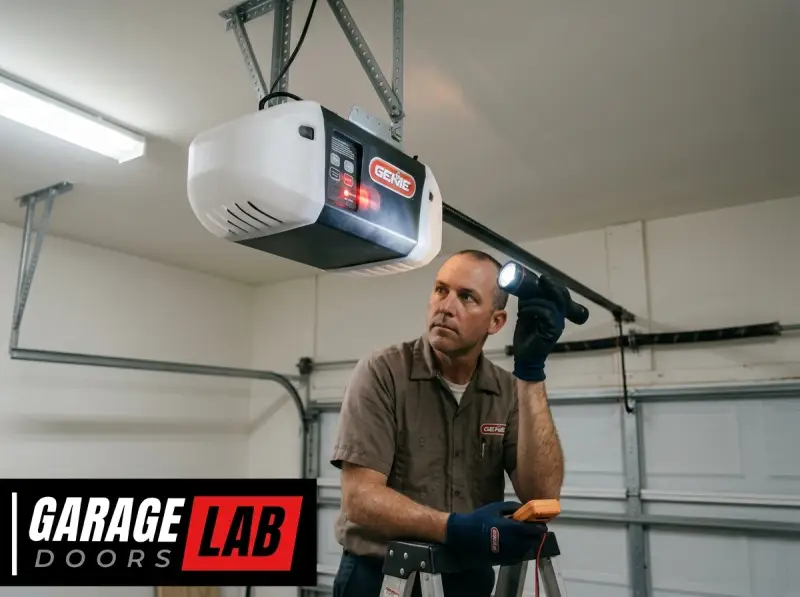
A flashing red light on your Genie garage door opener isn’t just a minor annoyance; it’s a signal that something requires your attention. While the immediate thought might be a serious malfunction, this blinking indicator often points to a straightforward issue that you can resolve yourself, saving you time and the expense of a service call.
Understanding what the flashing red light signifies on your specific Genie model is the first step toward restoring your garage door opener to its normal, silent operation. This guide will walk you through the common reasons behind a flashing red light on Genie openers, offering clear diagnostic steps and solutions to get your garage door working smoothly again.
Key Takeaways
- A flashing red light on a Genie garage door opener typically indicates a safety sensor obstruction, a misaligned sensor, or a problem with the opener’s internal logic.
- The most common culprit is an obstruction or misalignment of the safety sensors located near the bottom of the garage door tracks.
- Troubleshooting involves checking for physical blockages, cleaning the sensors, ensuring proper alignment, and verifying power to the sensors.
- Other potential causes include loose wiring, a malfunctioning remote or keypad, or an issue with the opener’s internal programming that may require a reset.
- Regular maintenance, including cleaning and checking sensor alignment, can prevent many common issues.
- If simple troubleshooting steps don’t resolve the flashing red light, it may be necessary to consult the Genie opener’s manual or contact a professional garage door technician.
Understanding The Genie Garage Door Opener’s Warning Lights
Genie garage door openers are designed with built-in diagnostic systems to alert homeowners to potential problems. The red flashing light is a primary indicator that the opener has detected an issue preventing it from operating safely or correctly. Unlike a steady red light, which might indicate a specific status, a flashing red light usually signifies an active fault condition. This blinking pattern is a deliberate design choice by manufacturers to draw attention to an immediate problem that needs addressing.
Most modern Genie garage door openers employ a system of safety sensors, also known as photo eyes, located near the bottom of the garage door tracks. These sensors are crucial for preventing the door from closing on an obstruction, such as a car, a pet, or a person. They work by emitting an infrared beam; if this beam is broken or misaligned, the opener will stop the door’s closing cycle and often trigger a warning light. The flashing red light is the opener’s way of telling you that this critical safety system is not functioning as intended.
The Role Of Safety Sensors
The safety sensors are arguably the most critical component for preventing accidents. They are designed to be a fail-safe mechanism. When the garage door is closing, and an object breaks the invisible infrared beam between the two sensors, the opener immediately reverses the door’s direction. This feature is mandated by safety regulations in many regions to reduce the risk of injury or property damage.
These sensors consist of two parts: an emitter and a receiver. The emitter sends out a low-level infrared beam, and the receiver detects it. If the beam is interrupted, whether by a physical object, dirt on the lens, or misalignment, the receiver cannot detect the beam, and the opener interprets this as a signal to stop or reverse. The flashing red light on the motor unit is often directly linked to the status of these sensors.
Differentiating Red Light Signals
It’s important to note that Genie openers can use different light patterns to communicate various issues. A steady red light might indicate that the opener is in programming mode or has a specific operational status, whereas a flashing red light almost universally points to a fault or safety concern. Always refer to your specific Genie model’s manual, as light behaviors can vary slightly between different series and generations of openers. However, the flashing red light is a consistent indicator of a problem that needs immediate attention before attempting to operate the door.
Credit: garagedoorflorida.com
Common Causes For A Flashing Red Light
When your Genie garage door opener’s red light is flashing, it’s usually pointing to one of a few common culprits. By systematically checking these areas, you can often pinpoint the problem and implement a solution without needing professional assistance.
Obstructions Or Misalignment Of Safety Sensors
This is by far the most frequent cause of a flashing red light. The safety sensors are positioned very close to the ground, making them susceptible to being bumped, blocked, or dirtied.
- Physical Obstructions: Anything placed in the path of the infrared beam can trigger the fault. This includes garden tools, bicycles, trash cans, or even a stray leaf. Check both sides of the garage door tracks for any objects that might be interrupting the beam.
- Misalignment: The two sensors must be perfectly aligned to “see” each other. If one sensor is knocked out of position, even slightly, the beam is broken. This can happen if the sensors are bumped by the garage door itself, or if the mounting brackets become loose. The receiver sensor typically has an indicator light (often green or amber) that will be off or dim if it’s not receiving the beam.
- Dirt and Debris: Dust, cobwebs, or grime on the sensor lenses can scatter the infrared beam, preventing it from reaching the receiver.
Wiring Issues
Faulty wiring can disrupt the power supply or the signal communication between the motor unit and the safety sensors.
- Loose Connections: The wires connecting the sensors to the motor unit might have become loose at either end. Check the terminals on the back of the motor unit and where the wires connect to the sensors themselves.
- Damaged Wires: Wires can become frayed or damaged over time, especially if they are exposed to the elements or are repeatedly pinched by the garage door’s movement. Inspect the entire length of the wire for any signs of wear and tear.
- Power Supply to Sensors: Ensure that the sensors are receiving adequate power from the opener. If the opener itself has an issue with its power supply, this can cascade to the sensors.
Internal Opener Problems
Less commonly, the flashing red light could indicate an issue within the opener’s internal logic board or motor.
- Logic Board Malfunction: Electronic components can fail. If all other potential causes have been ruled out, the logic board within the motor unit might be faulty.
- Motor Issues: While less likely to present solely as a flashing red light without other symptoms, motor problems can sometimes trigger diagnostic warnings.
- Overheating: In some cases, an opener that has been used excessively or is struggling with a heavy door might overheat, causing it to shut down and display a fault light.
Remote Control Or Keypad Malfunctions
While less direct, issues with your remote control or keypad can sometimes manifest as a flashing red light, especially if the opener is trying to interpret an invalid signal.
- Dead Remote Battery: A weak or dead battery in your remote might send a weak or incomplete signal.
- Incorrect Code: If a keypad code has been entered incorrectly multiple times, some systems might engage a lockout or diagnostic mode.
- Remote/Keypad Not Paired: If the remote or keypad has lost its connection to the opener, the opener might not recognize valid commands.
Credit: garagedoorflorida.com
Troubleshooting Steps: A Practical Guide
When faced with a flashing red light on your Genie garage door opener, it’s time to put on your troubleshooting hat. Start with the simplest and most common causes and work your way through the more complex possibilities.
Step 1: Inspect The Safety Sensors
This is where you’ll spend most of your diagnostic time.
- Locate the Sensors: You’ll find two small units, typically mounted a few inches off the ground on either side of the garage door tracks.
- Check for Obstructions: Visually scan the path between the two sensors. Remove anything that might be blocking the infrared beam. This includes dust, spiderwebs, or any stored items.
- Clean the Lenses: Use a soft, dry cloth or a slightly damp paper towel to gently wipe the lenses of both sensors. Avoid using harsh chemicals, as they can damage the plastic.
- Verify Alignment: Look at the sensors. Do they appear to be pointing directly at each other? The emitter sensor usually has a steady light, while the receiver sensor has a light that is steady when it’s receiving the beam and off or dim when it’s not. If the receiver light is off or flickering erratically, the sensors are misaligned.
- Manually Align: Gently adjust the position of the sensor that seems out of alignment. Try to get it to point directly at the other sensor. Many sensors have a small adjustable bracket that allows for fine-tuning. Once you think you have them aligned, press your garage door remote to test. If the light stays steady red or goes off, you’ve likely found the issue. If it still flashes, try making minute adjustments.
Step 2: Check The Wiring And Connections
If sensor alignment and cleanliness don’t solve the problem, examine the wiring.
- Inspect the Wires: Trace the wires from the sensors back to the motor unit. Look for any visible damage, kinks, or cuts. Pay close attention to areas where the wires might be pinched by the door’s movement.
- Secure Connections: At the motor unit, there are usually screw terminals where the sensor wires connect. Open the powerhead cover (ensure the opener is unplugged first!) And check if these wires are securely fastened. If they are loose, tighten them. If the wires are frayed, you may need to strip a small amount of insulation and re-secure them, or replace the wire entirely.
- Sensor Connections: Some sensors have small plug-in connectors. Ensure these are firmly seated.
Step 3: Test The Remote Control And Keypad
While less likely to cause a persistent flashing red light, it’s worth checking your remotes and keypads.
- Replace Remote Batteries: If your remote is acting sluggish or not working reliably, try replacing the battery.
- Test Keypad Entry: If you have a keypad, try entering your code. If it fails, consider that the keypad might need reprogramming. You can learn how to reprogram a Genie garage door keypad.
- Try Another Remote: If you have multiple remotes, try using a different one to rule out a faulty remote.
Step 4: Reset The Garage Door Opener
A system reset can sometimes clear temporary glitches or logic errors within the opener.
- Unplug the Opener: The safest way to reset is to disconnect the opener from its power source. Unplug it from the wall outlet.
- Wait: Leave it unplugged for at least 30 seconds to a minute. This allows any residual power to dissipate.
- Plug Back In: Plug the opener back into the outlet.
- Test Operation: Try operating the garage door with your remote.
For many Genie models, you can find specific reset instructions in your Genie garage door opener manual. If you’ve lost yours, you can usually download a PDF version from the Genie website. A general guide on how to reset your garage door opener might also be helpful.
Step 5: Check For Other Indicators
Listen to your opener. Are there any unusual noises? Sometimes, a flashing red light might be accompanied by grinding sounds or a complete lack of motor activity. This could point to a more significant mechanical issue.
Credit: creativedoor.com
Understanding Specific Genie Model Light Codes
While the flashing red light is a general indicator, different Genie models might have specific nuances or additional light patterns that provide more detailed diagnostics. It’s always best to consult your owner’s manual for model-specific information. However, understanding common patterns can be helpful.
Common Flashing Patterns And Their Meanings
- Rapid Flashing Red Light: This often signifies a critical safety sensor fault. The opener is detecting a persistent break in the infrared beam, preventing operation. This is the most common scenario for a flashing red light.
- Slow Flashing Red Light: In some models, a slower flash might indicate a different type of error, such as a limit setting issue or a problem with the drive mechanism. However, for most Genie systems, any flashing red light points to a safety sensor or power issue.
- Flashing Red and Green Lights: Some Genie openers use a combination of lights to indicate specific faults. For instance, a flashing red light along with a flashing green light could point to a communication error between the motor unit and its internal components.
The Importance Of Your Owner’s Manual
Your Genie garage door opener’s owner’s manual is the definitive guide to its operation and troubleshooting. It will detail the specific meaning of any flashing lights, error codes, and provide model-specific instructions for resetting and maintenance. If you’ve misplaced your manual, you can almost always find a digital copy on the official Genie Company website by entering your model number. Searching for your specific model number (e.g., Genie ProMax, Genie Stealth, Genie PowerLift) is key to getting accurate information.
When To Call A Professional
If you’ve gone through the troubleshooting steps and the flashing red light persists, it’s time to consider calling a professional garage door technician. While many issues are DIY-friendly, some problems require specialized knowledge and tools.
Signs You Need Professional Help
- Persistent Flashing Light After All Steps: If you’ve cleaned, aligned, checked wiring, and reset the opener multiple times without success, the issue might be more complex.
- Damaged Components: If you discover broken plastic on the sensors, frayed wires that you’re not comfortable repairing, or damage to the motor unit casing, a professional can assess and replace the necessary parts.
- Unusual Noises: Grinding, clicking, or straining noises from the motor unit, especially when it attempts to move the door, can indicate mechanical problems that require expert attention.
- Intermittent Operation: If the opener works sometimes but not others, or if the flashing light comes and goes, it can be a sign of an intermittent electrical fault that is difficult for a novice to diagnose.
- Lack of Confidence: If you’re not comfortable working with electrical components or climbing ladders, it’s always safer to call a professional.
What A Professional Can Do
A qualified garage door technician will have the tools and expertise to:
- Accurately Diagnose: They can quickly identify the root cause of the flashing light, whether it’s a faulty sensor, wiring issue, or internal motor/logic board problem.
- Replace Parts: They carry common replacement parts like safety sensors, wiring, and sometimes even logic boards.
- Perform Complex Repairs: They can safely handle electrical repairs and mechanical adjustments that might be beyond the scope of a typical homeowner.
- Ensure Safety Compliance: They are up-to-date on safety regulations and will ensure your opener is functioning correctly and safely.
The cost of a service call can vary, but it’s often a worthwhile investment to ensure your garage door operates reliably and safely. For context on potential costs, you might find information on how much a garage door repair might cost helpful.
Preventative Maintenance For Your Genie Opener
The best way to avoid the frustration of a flashing red light is through regular preventative maintenance. By keeping your garage door opener and its components in good condition, you can significantly reduce the likelihood of encountering such issues.
Regular Cleaning And Inspection
- Safety Sensors: Make it a habit to clean your safety sensors monthly. A quick wipe-down with a dry cloth can prevent dust buildup from interfering with the beam. Periodically check their alignment, especially after any significant bumps or vibrations.
- Tracks and Rollers: While not directly related to the red light, ensuring your garage door tracks and rollers are clean and properly lubricated contributes to the overall smooth operation of the system. You can learn more about how to lube garage door rollers for optimal performance.
- Motor Unit: Keep the motor unit clean and free of cobwebs or debris.
Checking Wiring And Connections
- Visual Inspection: Every few months, take a quick look at the wiring leading to your safety sensors and where they connect to the motor unit. Look for any signs of wear or damage.
- Tighten Connections: If you’re comfortable doing so, and after unplugging the opener, periodically check that the sensor wires are securely fastened to the terminals on the motor unit.
Testing Safety Features
- Sensor Beam Test: Regularly test your safety sensors. Place an object (like a broomstick or a piece of cardboard) in the path of the beam while the door is closing. The door should immediately reverse. If it doesn’t, there’s a problem with the sensors that needs immediate attention.
- Force Adjustment: Most openers have a force setting that determines how much effort the motor exerts before stopping. Ensure this is set correctly according to your manual. An improperly set force can cause the door to stop prematurely, which might be misinterpreted by the system.
Battery Replacement
- Remotes and Keypads: Replace batteries in your remotes and keypads proactively, perhaps once a year, or whenever you notice them becoming less responsive. This prevents signal issues.
By incorporating these simple maintenance tasks into your routine, you can ensure your Genie garage door opener functions reliably and safely for years to come, minimizing unexpected disruptions.
Frequently Asked Questions
Why Is My Genie Garage Door Opener Flashing Red And Green?
A flashing red and green light pattern on a Genie garage door opener typically indicates a communication error or a problem with the unit’s internal logic. This often means the opener is not receiving a proper signal from its safety sensors or that there’s an issue with the motor unit itself.
You should first try the troubleshooting steps for the safety sensors, including checking for obstructions, cleaning, and realignment. If that doesn’t resolve the issue, a system reset or consulting your manual for specific error codes is recommended.
Can A Power Surge Cause My Genie Opener To Flash Red?
Yes, a power surge can potentially damage the sensitive electronic components within your Genie garage door opener, including the logic board. This damage can manifest as various error codes, including a flashing red light. If you suspect a power surge may have occurred (e.
g. , after a thunderstorm), unplugging the opener for a minute and then plugging it back in to perform a reset is a good first step. If the flashing light persists, the surge may have caused permanent damage requiring professional repair or replacement of the logic board.
How Do I Know If My Genie Safety Sensors Are Bad?
You can usually tell if your Genie safety sensors are bad or malfunctioning in a few ways. First, check the indicator lights on the sensors themselves. One sensor (the emitter) usually has a steady light, while the other (the receiver) should have a steady light when it’s properly aligned and receiving the beam.
If the receiver light is off, dim, or flickering erratically, it’s a strong indicator of a problem. Secondly, if you’ve cleaned and perfectly aligned the sensors, checked the wiring, and the red light on the motor unit continues to flash, the sensors themselves might be faulty and need replacement.
Is It Safe To Operate My Garage Door With A Flashing Red Light?
No, it is generally not safe to operate your garage door with a flashing red light. The flashing red light is an indication that the opener’s safety system, most commonly the safety sensors, is not functioning correctly. Attempting to force operation could bypass crucial safety features, potentially leading to the door closing on an obstruction, causing damage or injury. It’s best to resolve the underlying issue before attempting to use the opener. You can manually open your garage door to access your vehicle if needed, following the steps in how to open your garage door manually.
What Does It Mean If The Red Light On My Genie Opener Is Steady, Not Flashing?
A steady red light on a Genie garage door opener can mean different things depending on the specific model and its current state. Often, a steady red light indicates that the opener is in programming mode (e.g., when you’re trying to pair a remote or keypad) or that it has encountered a specific error that requires a manual reset to clear. It might also indicate that the opener has been manually locked or is in a diagnostic mode. Consult your owner’s manual to understand the specific meaning of a steady red light for your Genie model, as it’s different from the warning signal of a flashing red light.
When your Genie garage door opener displays a flashing red light, it’s a clear signal that a safety feature or operational component requires your attention. While this can be concerning, most often, the cause is a simple, resolvable issue like obstructed or misaligned safety sensors.
By systematically working through the troubleshooting steps, from cleaning and alignment to checking wiring and performing a system reset, homeowners can often restore their opener’s functionality. However, if these steps prove insufficient, or if you