Now Reading: How To Program 2023 Jeep Grand Cherokee Garage Door Opener
- 01
How To Program 2023 Jeep Grand Cherokee Garage Door Opener

The 2023 Jeep Grand Cherokee offers a seamless integration of modern convenience, and one of its most appreciated features is the built-in HomeLink® garage door opener system. This technology allows you to program your vehicle to operate your existing garage door opener, eliminating the need for a separate remote.
Gone are the days of fumbling for a small plastic device; instead, your Jeep Grand Cherokee becomes the key to your garage. This guide will walk you through the straightforward process of programming your 2023 Jeep Grand Cherokee’s HomeLink system, ensuring you can get back to enjoying the convenience of an automated garage.
Key Takeaways
- The HomeLink system in your 2023 Jeep Grand Cherokee can be programmed to operate up to three different garage doors or other compatible devices.
- Programming involves a sequence of button presses on both the vehicle’s HomeLink buttons and your existing garage door opener’s remote.
- For most modern garage door openers, a “rolling code” learning process is required, which involves pressing a “Learn” button on the opener’s motor unit.
- Always ensure your garage door opener has a compatible frequency and type (e.g., rolling code vs. fixed code).
- Refer to your 2023 Jeep Grand Cherokee owner’s manual for specific button locations and any model-specific variations.
- If you encounter issues, clearing the existing HomeLink programming and starting over is often the most effective solution.

Credit: www.youtube.com
Understanding Your 2023 Jeep Grand Cherokee’s Homelink System
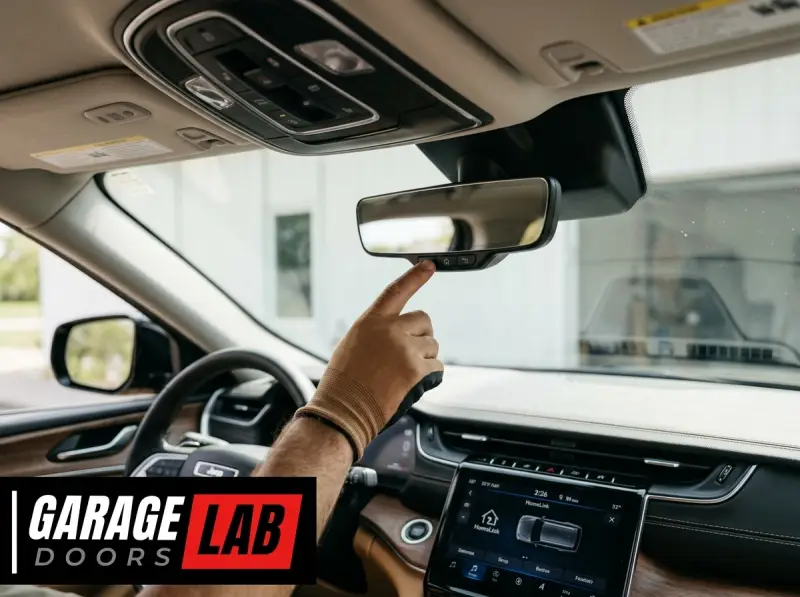
The HomeLink system integrated into the 2023 Jeep Grand Cherokee is a sophisticated and user-friendly garage door control solution. It utilizes radio frequency technology to communicate with your garage door opener’s motor unit. Typically, the HomeLink buttons are conveniently located on the rearview mirror or overhead console, making them easily accessible without diverting your attention from the road.
This system is designed to replace up to three individual garage door remotes, consolidating your access control into a single, integrated unit within your vehicle.
The technology behind HomeLink is designed for broad compatibility, supporting a wide range of garage door opener manufacturers. However, it’s crucial to understand that different types of garage door openers exist, and the programming process can vary slightly depending on whether your opener uses a fixed code or a rolling code system. Fixed code openers transmit a static signal, making them simpler to program. Rolling code openers, common in newer installations for enhanced security, transmit a unique, changing code each time they are activated. This rolling code functionality requires an additional step during programming to ensure your Jeep Grand Cherokee’s HomeLink system learns the correct, active code.
Types Of Garage Door Opener Codes
Understanding the distinction between fixed and rolling codes is fundamental to successful programming.
- Fixed Code Openers: These systems transmit a single, unchanging radio frequency signal. Once programmed, the HomeLink system simply needs to mimic this signal. Programming is generally straightforward, involving a direct learning process from the remote to the vehicle.
- Rolling Code Openers: These are more advanced and secure. Each time the remote is pressed, a new code is generated from a sophisticated algorithm. This prevents “code grabbing” by unauthorized individuals. Programming a rolling code opener with HomeLink requires a two-step process: first, training the HomeLink system to recognize the remote’s signal, and second, synchronizing the HomeLink system with the garage door opener’s motor unit by pressing the “Learn” or “Program” button on the motor unit itself. This step teaches the opener to accept the new rolling code transmitted by the vehicle.

Credit: www.youtube.com
Pre-programming Checklist For Your 2023 Jeep Grand Cherokee
Before you begin the programming process for your 2023 Jeep Grand Cherokee’s HomeLink system, a few preparatory steps will ensure a smooth and successful experience. Gathering the necessary components and understanding potential compatibility issues beforehand can save you time and frustration.
Ensure Opener Compatibility
The first and most critical step is to verify that your garage door opener is compatible with the HomeLink system. Most modern garage door openers manufactured after 1993 are compatible, especially those with rolling code technology. However, some older or specialized openers might not be.
- Check Your Opener Manual: The most reliable source of information is your garage door opener’s owner’s manual. It will typically state if the unit is HomeLink compatible and may provide specific instructions.
- Look for the HomeLink Logo: Some openers have a HomeLink logo on the unit or the original remote.
- Frequency Check: HomeLink systems operate on frequencies commonly used by garage door openers (e.g., 288-390 MHz). While rare, extremely old or unusual systems might operate on different frequencies.
- Consult HomeLink’s Website: The official HomeLink website offers a compatibility checker where you can input your garage door opener’s brand and model to confirm compatibility.
Gather Necessary Tools And Information
You won’t need specialized tools, but having a few items handy will streamline the process.
- Original Garage Door Remote: You will absolutely need the original remote that came with your garage door opener. Ensure it has a fresh battery, as a weak battery can interfere with the programming signal.
- Step Ladder: You’ll likely need a step ladder to safely reach the “Learn” button on your garage door opener’s motor unit, especially if it’s mounted on the ceiling.
- Owner’s Manuals: Keep both your 2023 Jeep Grand Cherokee owner’s manual and your garage door opener’s manual accessible. The Jeep manual will show you the exact location and function of the HomeLink buttons, while the opener manual will guide you on locating and using the “Learn” button.
Location Of Homelink Buttons In Your 2023 Jeep Grand Cherokee
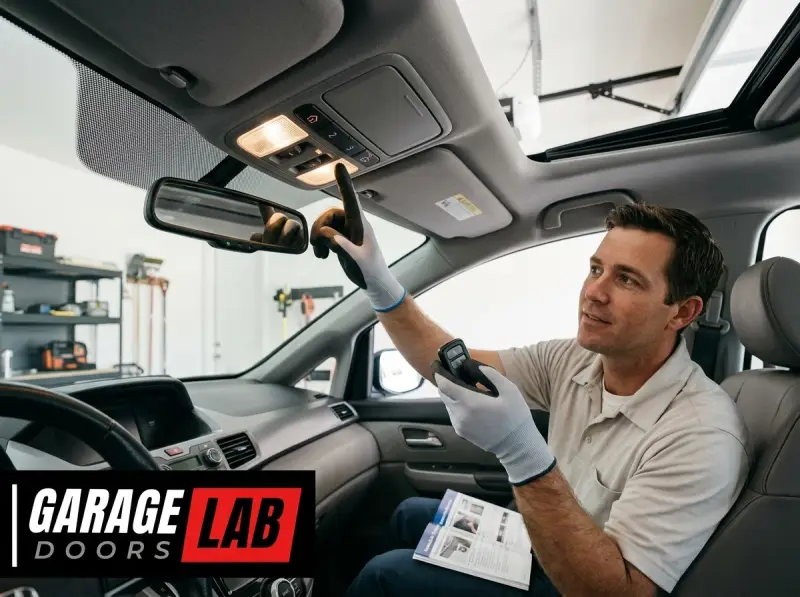
In the 2023 Jeep Grand Cherokee, the HomeLink buttons are typically integrated into the rearview mirror. You’ll usually find three buttons arranged in a row, often accompanied by indicator lights. Familiarize yourself with their exact placement before you begin. If your model has them in a different location, consult your owner’s manual.
Programming Your 2023 Jeep Grand Cherokee Homelink: Step-by-step Guide
Programming the HomeLink system in your 2023 Jeep Grand Cherokee is a multi-step process that requires coordination between your vehicle and your garage door opener. This guide breaks down the procedure into manageable steps.
Step 1: Clear Existing Homelink Programming
It’s always best to start with a clean slate to avoid potential conflicts with previously programmed devices. This ensures that only the new device you’re adding is stored.
- Locate HomeLink Buttons: Find the HomeLink buttons, usually on the rearview mirror of your 2023 Grand Cherokee.
- Press and Hold: Press and hold the two outer HomeLink buttons (usually button 1 and button 3) simultaneously.
- Observe Indicator Light: Continue holding these buttons until the HomeLink indicator light, often located above the buttons, begins to flash rapidly or turns solid red (depending on the system). This process typically takes about 10-20 seconds.
- Release Buttons: Once the light indicates a successful clear, release both buttons. All previously programmed channels are now erased.
Step 2: Train The Homelink Button With Your Remote
This step involves teaching the HomeLink system the signal from your existing garage door opener remote.
- Position Remotes: Park your 2023 Jeep Grand Cherokee within a few feet of your garage door opener’s motor unit. You’ll need to be close enough for the signals to communicate effectively.
- Select HomeLink Button: Choose which of the three HomeLink buttons you want to program for your garage door opener.
- Press and Hold Remote and HomeLink Button: Simultaneously press and hold the remote control button you wish to program and the selected HomeLink button on your Jeep Grand Cherokee’s rearview mirror.
- Observe Indicator Light: Hold both buttons down. The HomeLink indicator light will initially flash slowly, then will change to rapidly flashing or turn solid. This rapid flashing indicates that the HomeLink system has learned the remote’s signal. This usually takes 10-20 seconds.
- Release Buttons: Once the light changes, release both the remote button and the HomeLink button.
Step 3: Program The Rolling Code (if Applicable)
If your garage door opener uses a rolling code system (most modern openers do), you’ll need to complete this crucial step to synchronize the HomeLink system with your opener’s motor unit.
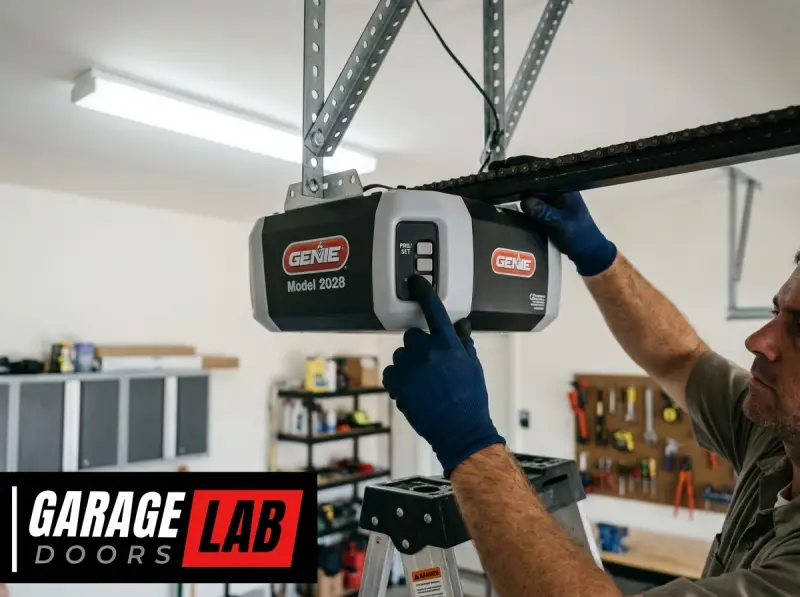
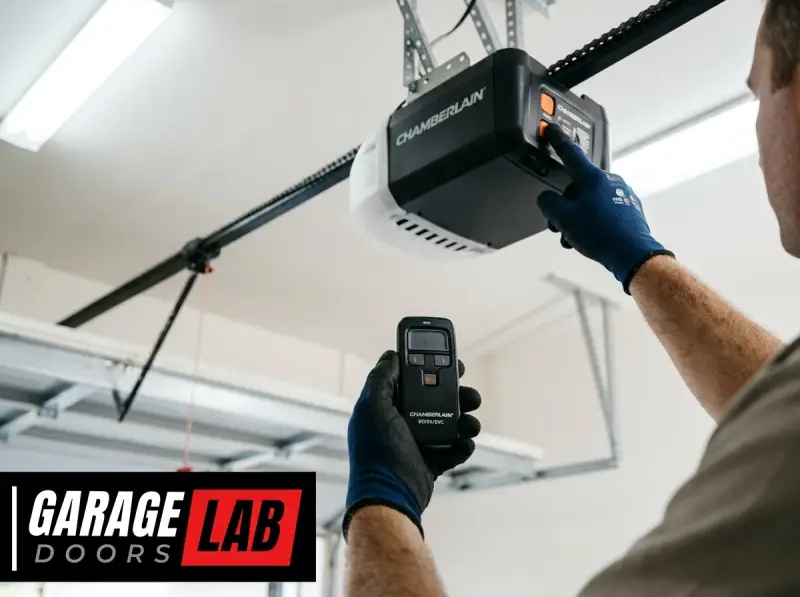
- Locate the “Learn” Button: Go to your garage door opener’s motor unit (the unit mounted on the ceiling). Locate the “Learn” button or “Program” button. This button is often small, colored (e.g., red, green, yellow, purple), and may be located near the antenna wire or on the back panel. Consult your opener’s manual if you can’t find it.
- Press and Release “Learn” Button: Within 30 seconds of pressing the “Learn” button, return to your 2023 Jeep Grand Cherokee.
- Press and Hold HomeLink Button: Press and hold the HomeLink button you just programmed in Step 2.
- Observe Garage Door Opener: Your garage door opener’s work light (the light that illuminates when the opener is activated) should flash, or the opener unit may click. This indicates that the HomeLink system has successfully synchronized with the opener.
- Release HomeLink Button: Once you observe the confirmation (flashing light or click), release the HomeLink button.
Step 4: Test The Programmed Homelink Button
Now it’s time to test if the programming was successful.
- Test Operation: Press the programmed HomeLink button briefly.
- Confirm Function: Your garage door should now open or close.
If the door operates, congratulations! You have successfully programmed your 2023 Jeep Grand Cherokee’s HomeLink system. If it doesn’t work, do not worry; the next section addresses common troubleshooting steps.
Troubleshooting Common Homelink Programming Issues
Occasionally, the HomeLink programming process doesn’t go as smoothly as expected. Several factors can cause issues, but most are resolvable with a systematic approach.
Opener Not Responding After Rolling Code Programming
This is the most common issue and almost always relates to the rolling code synchronization step.
- Timing: The most frequent culprit is not pressing the HomeLink button within the 30-second window after pressing the “Learn” button on the opener. Try the process again, being mindful of the timing.
- Incorrect “Learn” Button: Ensure you are pressing the correct “Learn” button on the motor unit. Some openers have multiple buttons; consult your manual.
- Too Far from Opener: While you train the HomeLink with the remote from inside the car, the rolling code synchronization (Step 3) requires you to be near the motor unit. Ensure you are close enough.
- Opener Battery: A weak or dead battery in the original remote can prevent the HomeLink system from learning the initial signal correctly. Replace the battery in your original remote and try again.
Homelink Indicator Light Doesn’t Flash Rapidly
If the HomeLink indicator light doesn’t flash rapidly during Step 2 (training the remote signal), it suggests the HomeLink system isn’t receiving or recognizing the signal from your remote.
- Remote Battery: Again, a weak remote battery is a prime suspect.
- Remote Functionality: Test your original remote to ensure it’s working correctly by pressing it while standing near the garage door.
- Distance: Try moving the remote closer to the HomeLink buttons in your Jeep.
- Interference: Other electronic devices or radio signals can sometimes cause interference. Try programming at a different time or in a different location if possible.
Only One Button Works, Or Multiple Doors Are Activated
If you’re trying to program multiple devices or if one programmed button activates multiple openers, it usually means the initial clearing step (Step 1) was not performed correctly, or the wrong buttons were pressed during programming.
- Re-Clear Programming: Perform the clearing process (Step 1) again, ensuring you hold the outer buttons until the rapid flash or solid light appears.
- Individual Programming: Program each HomeLink button individually for each of your devices, following Steps 2 and 3 for each button. Do not try to program multiple remotes to a single HomeLink button.
Compatibility Concerns
If you’ve exhausted troubleshooting and still face issues, the problem might be with the opener’s compatibility.
- Check HomeLink Website: Re-verify compatibility on the HomeLink website.
- Opener Model: Some very old or very new, specialized openers might require a HomeLink Compatibility Bridge or might not be compatible at all. This is rare but possible. Consult your opener manufacturer.
Pro Tip: If you’re struggling, consider watching a video tutorial specific to your Jeep Grand Cherokee model and garage door opener brand. Visual aids can often clarify tricky steps. You might also find it helpful to review guides on how to reset your garage door remote if you suspect it’s causing issues.
Advanced Tips And Maintenance For Homelink
Once your HomeLink system is programmed and functioning correctly, there are a few additional tips and maintenance considerations to keep in mind for your 2023 Jeep Grand Cherokee.
Programming Additional Devices
Your 2023 Jeep Grand Cherokee’s HomeLink system has three buttons, allowing you to program up to three different devices. To program a second or third device, simply repeat the entire programming process (Steps 1-4) for a different, unused HomeLink button.
Remember to clear the system if you encounter issues or if you want to ensure a clean programming sequence for each new device.
Replacing Your Garage Door Opener Or Remote
If you replace your garage door opener unit or your original remote, you will need to reprogram your HomeLink buttons. The new opener or remote will likely use different codes, rendering the old programming obsolete. Follow the standard programming steps to re-sync your HomeLink system with the new equipment. If you are replacing a remote, ensure the new one is compatible with your opener and HomeLink. You might need to reset your garage door opener remote before attempting to program it to HomeLink.
Battery Replacement In Your Jeep Grand Cherokee
The HomeLink system in your 2023 Jeep Grand Cherokee is powered by the vehicle’s electrical system. Unlike a standalone remote, you don’t need to worry about replacing batteries for the HomeLink buttons themselves. However, if you disconnect your vehicle’s battery for any reason (e.
g. , during maintenance), it’s possible that the HomeLink programming might be erased. In such cases, you would need to re-program the buttons as outlined in this guide.
Security Considerations With Homelink
While HomeLink offers immense convenience, it’s essential to be aware of security implications, especially with older fixed-code systems.
- Fixed Code Vulnerability: If you have a fixed code opener, there’s a theoretical risk of someone capturing your remote’s signal. While rare, it’s a reason why rolling codes are now standard.
- Clear When Selling Vehicle: Crucially, always clear the HomeLink programming before selling or trading in your 2023 Jeep Grand Cherokee. This prevents the new owner from accessing your garage. Perform Step 1 (Clear Existing HomeLink Programming) before handing over the keys.
- Rolling Code Benefits: Rolling code systems significantly enhance security by changing the access code with each use, making it much harder for unauthorized access.
Integrating Other Smart Home Devices
HomeLink isn’t limited to just garage doors. It can also be programmed to operate:
- Estate gates
- Home lighting
- Home security systems
- Other radio frequency-controlled devices
As long as the device uses a compatible radio frequency and has a learn button for programming, it can likely be controlled by your HomeLink system. Always check the device’s manual for HomeLink compatibility.
Comparison: Homelink Vs. Traditional Remotes
The integrated HomeLink system in your 2023 Jeep Grand Cherokee offers distinct advantages over traditional, standalone garage door remotes. Understanding these differences can highlight why the in-vehicle system is a preferred solution for many drivers.
| Feature | HomeLink System (2023 Jeep Grand Cherokee) | Traditional Garage Door Remote |
|---|---|---|
| **Integration** | Built directly into the vehicle (rearview mirror/overhead console). | Separate, handheld device that can be lost or misplaced. |
| **Convenience** | Always available when you’re in the vehicle; no need to search for it. | Requires carrying it separately; can be forgotten or left behind. |
| **Number of Devices** | Can program up to three different devices (garage doors, gates, etc.). | Typically designed for one device, though some multi-button remotes exist. |
| **Power Source** | Vehicle’s electrical system; no separate battery to replace. | Requires periodic battery replacement, which can be inconvenient. |
| **Security** | Supports modern rolling code technology for enhanced security. | Varies by opener; older fixed-code remotes can be less secure than rolling code systems. |
| **Aesthetics** | Seamlessly integrated into the vehicle’s interior design. | Can clutter keychains or dashboards. |
| **Programming** | Requires a specific sequence involving the vehicle and opener motor unit. | Varies by manufacturer; often simpler, but may require specific remote-to-remote cloning. |
| **Cost** | Included as a factory feature in the vehicle. | Purchased separately; cost varies by brand and features. |
| **Replacement** | If vehicle is sold, programming must be cleared. | If lost or broken, a new remote must be purchased and programmed. |
Example Scenario: The Busy Parent
Consider a busy parent with two cars and a garage door opener.
- Without HomeLink: Each parent needs their own remote. This means keeping track of two remotes, potentially one in each car and one inside the house, increasing the chances of misplacing one. If a remote is left at the office or lost, it can be a significant inconvenience.
- With HomeLink: Both parents can program their respective vehicles to open the garage door. The need for separate remotes is eliminated, reducing clutter and the risk of being locked out. This simplifies daily routines, especially when juggling children and groceries.
Frequently Asked Questions
How Do I Know If My Garage Door Opener Is Compatible With Homelink?
You can determine compatibility by checking your garage door opener’s owner’s manual, looking for the HomeLink logo on the opener or remote, or visiting the official HomeLink website and using their online compatibility checker. Most openers manufactured after 1993 are compatible, especially those with rolling code technology.
What Should I Do If My Garage Door Opener Has A Purple “learn” Button?
A purple “Learn” button typically indicates a Genie Intellicode opener. These openers use a rolling code system. The programming process for these is standard: you will need to press the “Learn” button on the opener’s motor unit and then return to your 2023 Jeep Grand Cherokee to press and hold the programmed HomeLink button. Refer to Step 3 of the programming guide for details.
Can I Program My Homelink To Open My Neighbor’s Garage Door?
While technically possible if your neighbor’s garage door opener uses a compatible frequency and you have their remote to initiate the programming, it is highly discouraged for security and privacy reasons. HomeLink is intended for your personal use. Always ensure you are only programming devices for which you have legitimate access and authorization.
How Do I Reset My Homelink System If I Forget Which Button Controls Which Device?
The best approach is to perform a complete system reset. Press and hold the two outer HomeLink buttons (usually buttons 1 and 3) simultaneously until the indicator light flashes rapidly or turns solid. This erases all previously programmed devices. You will then need to re-program each device individually to the desired HomeLink button.
This process is detailed in Step 1 of the programming guide.
Is It Safe To Program My Homelink System If I Live In An Apartment Complex With A Shared Garage?
Programming HomeLink for shared garages can be complex and may not be supported by your building management or opener manufacturer. Often, shared garage systems use unique protocols or require specific access cards rather than standard remotes. It’s best to consult your property manager or homeowner’s association before attempting to program HomeLink for a shared facility.
You may need a specific remote provided by management, or HomeLink may not be compatible with the system.