Now Reading: How To Program Garage Door Opener Honda Odyssey 2012
- 01
How To Program Garage Door Opener Honda Odyssey 2012

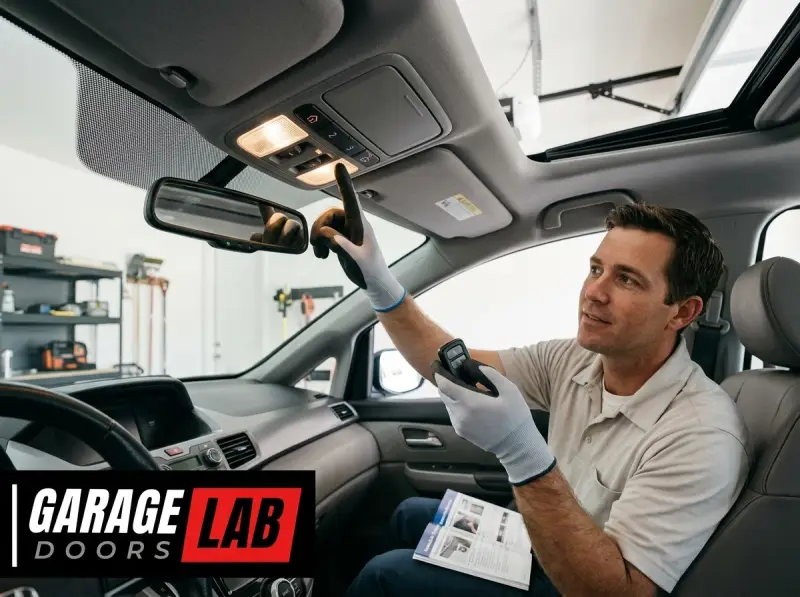
Programming your garage door opener for your 2012 Honda Odyssey is a straightforward process that can save you time and add convenience to your daily routine. This feature, often overlooked, allows you to control your garage door directly from your vehicle without needing a separate remote.
This integration is typically handled by the HomeLink® system, a universal transceiver built into the vehicle’s visor or rearview mirror. Understanding how to set this up ensures you can seamlessly enter and exit your garage, especially during inclement weather or when your hands are full.
The HomeLink system is designed to be compatible with a vast majority of garage door openers and other radio-controlled devices. The programming process itself involves a simple sequence of button presses, both on your Honda Odyssey’s visor and on your existing garage door opener remote.
While the exact steps can vary slightly depending on the brand and model of your garage door opener, the fundamental procedure remains consistent. This guide will walk you through the entire process, from identifying the HomeLink buttons to troubleshooting common issues, ensuring you can successfully program your 2012 Honda Odyssey to operate your garage door.
Key Takeaways
- The HomeLink system in your 2012 Honda Odyssey allows you to program up to three garage door openers or other radio-controlled devices.
- You will need your original garage door opener remote and access to your garage door opener’s motor unit.
- The programming process involves synchronizing the HomeLink transmitter in your car with the receiver in your garage door opener.
- For most modern garage door openers, a “learn” or “program” button on the motor unit is required.
- If your garage door opener uses a rolling code system, an additional step involving the learn button on the motor unit is necessary.
- Always refer to your Honda Odyssey owner’s manual and your garage door opener manual for specific instructions.
- Troubleshooting may involve re-programming, checking battery levels, or ensuring compatibility.

Credit: www.youtube.com
Understanding The Homelink System In Your 2012 Honda Odyssey
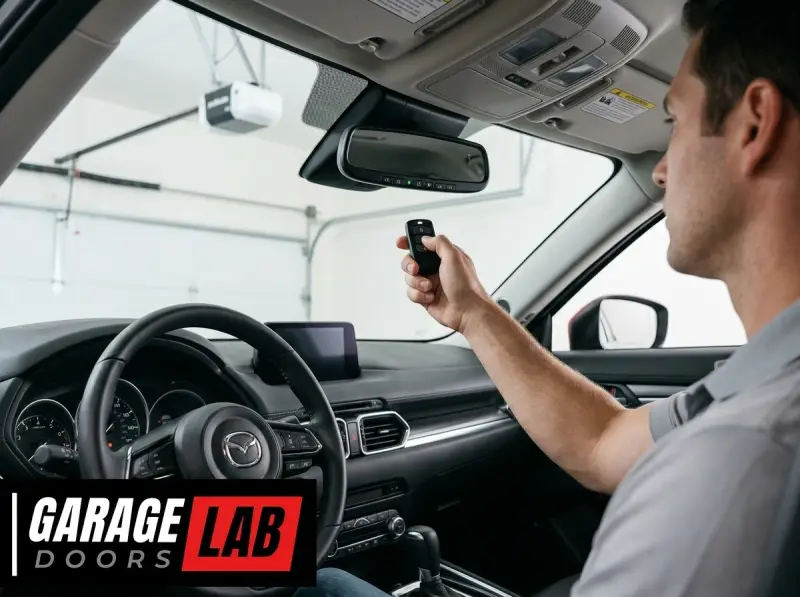
The HomeLink system is an in-vehicle remote control system that replaces multiple handheld remotes with a single, integrated unit. For your 2012 Honda Odyssey, these buttons are typically located on the driver’s side visor. The system works by learning the radio frequency and code of your existing garage door opener remote.
Once programmed, the HomeLink transmitter in your car sends out the same signal that your original remote would, activating your garage door. The system is designed to be highly versatile, capable of learning the signals from a wide array of devices, including garage door openers, gate openers, remote lighting, and even security system controls.
Locating The Homelink Buttons
In most 2012 Honda Odyssey models, the HomeLink buttons are integrated into the overhead console or the driver’s side visor. You’ll usually find three distinct buttons, often marked with symbols that resemble a triangle or a simple dot. These buttons are designed to be easily accessible while you are in the driver’s seat.
Familiarize yourself with their location before you begin the programming process. It’s also a good idea to have your owner’s manual handy, as it will provide a diagram specific to your vehicle’s configuration.
Compatibility With Garage Door Openers
HomeLink is compatible with the vast majority of garage door openers manufactured since 1982. However, there are a few exceptions, particularly with very old or very new systems that use highly advanced security protocols. For a 2012 Honda Odyssey, compatibility is generally excellent.
The system can learn both fixed (non-rolling) codes and rolling codes. Rolling codes are a security feature that changes the transmission code each time the opener is used, making it more difficult for unauthorized access. If your garage door opener uses rolling codes, the programming process will require an extra step involving the “learn” button on the opener’s motor unit.
To confirm compatibility, you can visit the official HomeLink compatibility website. This resource allows you to select your vehicle’s make and model and your garage door opener’s brand to verify if any special programming steps are needed. Most modern openers from brands like LiftMaster, Chamberlain, Genie, and Overhead Door are compatible.

Credit: www.sheehyfordgaithersburg.com
Step-by-step Programming Guide For Your 2012 Honda Odyssey
Programming your garage door opener into your 2012 Honda Odyssey’s HomeLink system involves a series of button presses and confirmations. It’s crucial to follow these steps carefully to ensure successful programming.
Preparation Steps
Before you begin the programming sequence, ensure you have the following:
- Your Original Garage Door Opener Remote: This is essential for the HomeLink system to learn the correct signal. Make sure it has a fresh battery.
- Access to Your Garage Door Opener Motor Unit: You will need to locate the “learn” or “program” button on the motor unit, which is typically mounted on the ceiling of your garage.
- Your Honda Odyssey: Park your vehicle within range of your garage door opener, ideally facing the opener, with the ignition in the “ON” or “Accessory” position.
- Owner’s Manuals: Keep both your 2012 Honda Odyssey owner’s manual and your garage door opener’s manual accessible.
Programming A Fixed Code Opener (simpler Process)
If your garage door opener uses a fixed code system, the programming is generally more straightforward.
- Clear Existing HomeLink Codes: Press and hold the two outer HomeLink buttons (typically buttons 1 and 3) simultaneously for about 10 seconds. The indicator light on the HomeLink system will flash rapidly, then turn solid, indicating that all previous codes have been erased. This step is crucial to avoid conflicts with old programming.
- Select a HomeLink Button: Decide which of the three HomeLink buttons you want to assign to your garage door opener.
- Initiate Programming: Press and hold the chosen HomeLink button.
- Mimic the Remote Signal: Take your original garage door opener remote and hold it approximately 1-3 inches away from the HomeLink buttons. Press and hold the button on your original remote that you use to open your garage door.
- Observe the Indicator Light: Continue holding both the HomeLink button and the remote button. The HomeLink indicator light will begin to flash slowly, then rapidly. This indicates that the HomeLink system is receiving and learning the signal from your remote.
- Release Buttons: Once the HomeLink indicator light flashes rapidly or turns solid, release both the HomeLink button and the remote button.
- Test the HomeLink Button: Press the programmed HomeLink button. If your garage door operates, you have successfully programmed a fixed code opener. If it doesn’t, proceed to the rolling code programming steps.
Programming A Rolling Code Opener (requires Motor Unit Access)
Rolling code openers require an additional step to synchronize the HomeLink system with the opener’s motor unit.
- Clear Existing HomeLink Codes: As described above, press and hold the two outer HomeLink buttons for about 10 seconds until the indicator light flashes rapidly and then turns solid.
- Select a HomeLink Button and Initiate Programming: Press and hold the desired HomeLink button.
- Mimic the Remote Signal: Hold your original garage door opener remote 1-3 inches away from the HomeLink buttons. Press and hold the button on your original remote.
- Observe the Indicator Light: Wait for the HomeLink indicator light to flash rapidly or turn solid, indicating it has learned the signal from your remote. Release both buttons.
- Program the Motor Unit: This is the critical step for rolling codes. You now have approximately 30 seconds to get to your garage door opener’s motor unit.
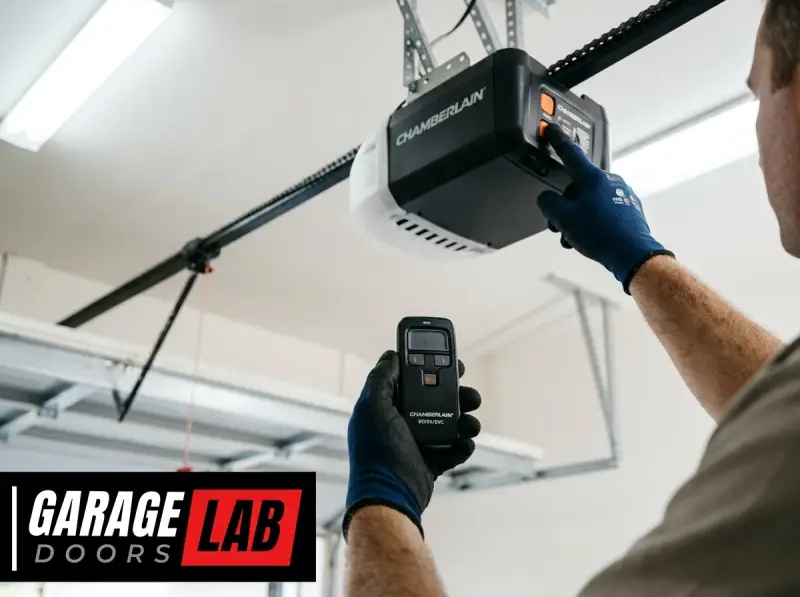
- Locate the “Learn” or “Program” button on the motor unit. This button is usually a small, colored button (often red, orange, green, or purple) on the back or side of the motor unit, sometimes under a light cover.
- Press and release the “Learn” or “Program” button on the motor unit. The indicator light on the motor unit should illuminate or blink, signaling that it’s ready to receive a signal from the car.
- Synchronize from the Vehicle: Return to your Honda Odyssey. Press and hold the HomeLink button you just programmed. Release the button after about 2 seconds. Repeat this press-and-release action 2-3 times.
- Observe Garage Door Operation: On the third press (or sometimes the second), your garage door should activate or move. The HomeLink indicator light in your car may turn solid or go out.
- Test the HomeLink Button: Once the garage door has responded, press the programmed HomeLink button once more to ensure it operates the door smoothly.
Troubleshooting Common Programming Issues
If the programming doesn’t work on the first try, don’t worry. Several common issues can prevent successful programming.
- Remote Signal Too Weak or Too Strong: Adjust the distance between your original remote and the HomeLink buttons. Try moving closer or further away.
- Battery in Original Remote: A weak battery in your original remote can prevent the HomeLink system from learning the signal. Replace the battery with a fresh one.
- Incorrect “Learn” Button: Ensure you are pressing the correct “Learn” or “Program” button on the motor unit for rolling code openers. Consult your garage door opener’s manual if unsure.
- Timing for Rolling Codes: The 30-second window to get to the motor unit and press the learn button can be tight. If you miss the window, you’ll need to restart the entire process from step 1.
- Conflicting Signals: Ensure no other remote controls are being pressed or are active in the vicinity during the programming process.
- Incompatible Opener: While rare for a 2012 model, some very old or specialized openers might not be compatible. Check the HomeLink compatibility website.
- Reprogramming: If a button was previously programmed, it might need to be cleared first. Always start by clearing existing codes. You might also need to clear and reprogram if you’re switching to a new opener. For guidance on clearing codes, you can refer to general procedures like how to reset your garage door opener.
Advanced Features And Maintenance Of Homelink
Beyond basic programming, the HomeLink system offers some advanced functionalities and requires minimal maintenance. Understanding these aspects can enhance your user experience and ensure long-term reliability.
Programming Additional Devices
Your 2012 Honda Odyssey’s HomeLink system can typically store up to three different devices. To program a second or third device, simply repeat the entire programming process outlined above, but choose a different, unassigned HomeLink button for each new device.
For example, if you programmed your garage door opener to button 1, you can program your gate opener to button 2 and perhaps a remote-controlled light to button 3.
Replacing Your Garage Door Opener
If you replace your garage door opener unit, you will need to reprogram your HomeLink system. The new opener will operate on a different frequency or with a new code, making the old programming obsolete. Follow the standard programming steps using the remote for your new garage door opener. If you’re unsure how to reset or reprogram your old remote for a new system, you might need to consult the manufacturer’s instructions or look into general remote reset guides, such as how to reset a garage door remote.
Maintaining Your Homelink System
The HomeLink system itself requires very little maintenance. The primary components are electronic and integrated into your vehicle’s wiring.
- Battery: While the HomeLink system draws power from your car’s battery, the original remote used for programming relies on its own battery. Ensure this battery is replaced periodically to maintain a strong signal.
- Cleanliness: Keep the HomeLink buttons clean and free of debris. A soft, dry cloth is usually sufficient for cleaning. Avoid using harsh chemicals that could damage the buttons or surrounding trim.
- Electrical System: In rare cases, issues with your vehicle’s electrical system could affect HomeLink functionality. If you experience persistent problems that troubleshooting doesn’t resolve, consult a qualified mechanic or your Honda dealership.
Understanding Rolling Code Technology
Rolling code technology, also known as Security+ or similar proprietary names, is a significant security enhancement for garage door openers. When you press your original remote, it sends a unique code. When you press it again, it sends a different, algorithmically generated code.
The garage door opener’s motor unit has the same algorithm and can predict the next code in the sequence. This prevents “code grabbing” devices from recording your signal and using it later to open your garage.
The programming process for rolling codes requires this synchronization because the HomeLink system initially learns a specific code. The subsequent step of pressing the “learn” button on the motor unit tells the opener to recognize the HomeLink transmitter as a valid device and to synchronize its rolling code sequence with the car’s transmitter.
This ensures that every time you press the HomeLink button, the car sends the correct, expected code in the sequence.

Credit: www.jcofontario.com
Troubleshooting And Advanced Scenarios
Even with careful adherence to the steps, you might encounter issues. Understanding common problems and their solutions can save you frustration.
Opener Not Responding At All
If pressing the programmed HomeLink button does nothing, the most common culprits are:
- Incorrect Programming Sequence: Double-check that you followed all steps precisely, especially the timing for rolling code openers.
- Opener Motor Unit Power: Ensure your garage door opener is plugged in and has power. Check your circuit breaker.
- Range Issues: While less common for the car’s integrated system, ensure you are within a reasonable distance of the opener.
- Compatibility: Although rare for a 2012 Odyssey, verify compatibility on the HomeLink website.
Opener Partially Responds Or Activates Other Devices
Sometimes, the HomeLink system might seem to learn a signal but doesn’t operate the intended device correctly, or it might trigger another nearby radio-controlled device.
- Interference: Other radio frequencies can interfere. Try programming at a different time of day or in a slightly different location to minimize potential interference.
- Mixed Codes: If you have multiple openers or devices, ensure you are not accidentally programming the wrong button or trying to program a device that isn’t compatible.
- Weak Signal from Opener Remote: As mentioned, a weak battery in the original remote can lead to an incomplete signal learning process.
Specific Brand Considerations
While the general process is universal, some brands have specific nuances:
- LiftMaster/Chamberlain: These brands often use Security+ 2.0 technology, which might require a specific sequence or a compatibility bridge if your HomeLink version is older. However, for a 2012 Honda Odyssey, direct programming should work for most models.
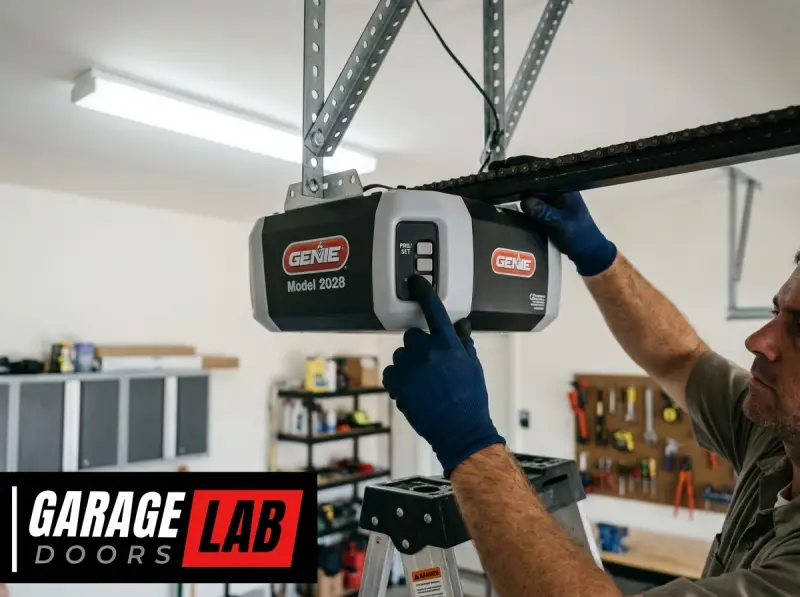
- Genie: Genie openers often have a red or green “Learn Code” button. The process is generally standard.
- Marantec: Some Marantec openers may require a specific programming adapter if your HomeLink system is not compatible with their rolling code technology.
If you are experiencing persistent issues, it may be beneficial to consult resources such as how to reset a Liftmaster garage door opener remote or how to reprogram a Genie garage door keypad, as these often involve similar underlying principles of signal learning and synchronization.
Comparison Of Homelink Programming Methods
The programming method for HomeLink in your 2012 Honda Odyssey primarily differs based on whether your garage door opener uses a fixed code or a rolling code system. Understanding these differences is key to successful programming.
| Feature | Fixed Code System | Rolling Code System |
|---|---|---|
| **Complexity** | Simpler, fewer steps. | More complex, requires motor unit access. |
| **Motor Unit Access** | Not required. | Required to press the “Learn” or “Program” button. |
| **Security** | Less secure; code can be easily duplicated. | More secure; code changes with each use, preventing replay attacks. |
| **Programming Steps** | Car remote sync. | Car remote sync, then motor unit sync. |
| **Indicator Light** | Flashes rapidly, then solid on successful learn. | Flashes rapidly, then solid; motor unit light confirms sync. |
| **Troubleshooting** | Less prone to issues if signal is learned. | Timing and correct button press on motor unit are critical. |
| **Example Scenario** | Older garage door openers (pre-mid-1990s). | Most modern garage door openers (post-mid-1990s). |
Example: Imagine you have an older Genie opener from the late 1990s. You’d likely follow the fixed code procedure. You’d press and hold the HomeLink button, then the remote button, and once the light flashes rapidly, it’s done. Now, consider a newer LiftMaster opener. You’d perform the same initial steps, but then you’d have to rush to the garage ceiling, press the “Learn” button on the motor unit, and quickly return to your car to press the HomeLink button a few times until the garage door moves.
Alternative Remote Control Options
While HomeLink is convenient, it’s not the only way to control your garage door. You might consider:
- Smartphone Apps: Many modern garage door openers can be controlled via smartphone apps, offering features like remote access and activity logs.
- Keypad Entry: Exterior keypads offer another way to enter your garage without a remote. You can find guides on how to program various keypads, such as how to reprogram a Chamberlain garage door keypad.
- Dedicated Remotes: Always keep your original garage door opener remote in a safe place as a backup.
Frequently Asked Questions
What If My Garage Door Opener Is Not Compatible With Homelink?
If you’ve confirmed through the HomeLink compatibility website or by attempting the programming that your opener is not compatible, you have a few options. You can purchase a HomeLink-compatible garage door opener, or you can buy a separate universal remote that is compatible with your opener and attach it to your visor or elsewhere in your car.
Some vehicles also offer aftermarket solutions or adapters to bridge compatibility gaps, though these are less common for integrated systems like HomeLink.
How Many Times Do I Need To Press The “learn” Button On The Motor Unit For A Rolling Code Opener?
You typically only need to press and release the “Learn” or “Program” button on the motor unit once. The button’s light will illuminate or blink to indicate it’s in learn mode. After pressing it, you have about 30 seconds to return to your vehicle and press the programmed HomeLink button. Pressing it multiple times on the motor unit usually resets the process or doesn’t achieve synchronization.
Can I Program Multiple Garage Doors Using Homelink?
Yes, the HomeLink system in your 2012 Honda Odyssey is designed to program up to three different devices. You can assign each of your three HomeLink buttons to a different garage door opener, gate opener, or other compatible radio-controlled device.
Simply repeat the programming process for each device, assigning it to a different HomeLink button.
What Should I Do If The Homelink Indicator Light Doesn’t Flash Rapidly During Programming?
If the HomeLink indicator light doesn’t flash rapidly, it usually means the system hasn’t successfully learned the signal from your original remote. Double-check that:
- Your original remote has a fresh battery.
- You are holding the remote close enough (1-3 inches) to the HomeLink buttons.
- You are pressing and holding both the HomeLink button and the remote button simultaneously until the light changes.
- You have cleared any previous codes from the HomeLink system. If the problem persists, try again, potentially with a different HomeLink button.
Is It Safe To Program My Garage Door Opener Into My Car?
Yes, programming your garage door opener into your car’s HomeLink system is generally safe, especially when using modern rolling code technology. Rolling codes change with each use, making it very difficult for unauthorized individuals to capture and reuse your garage door signal. For older fixed code systems, while less secure, the risk is mitigated by the fact that you must be within close proximity to perform the initial programming. Always ensure your garage door opener itself is in good working order and consider consulting guides on garage door opener maintenance, such as how to lube garage door rollers, to ensure overall security and functionality.