
If you walk up to your garage and see your Genie garage door opener keypad blinking but not working, it’s easy to feel stuck. You rely on this small device every day, often without thinking about it—until it stops responding. A blinking keypad can mean several things, from simple battery issues to more complex electrical problems. The good news is, with some clear guidance, most people can solve this problem themselves, even if they have little technical experience.
This article will walk you through everything you need to know about a Genie garage door opener keypad that’s blinking but not working. You’ll learn how the system works, the most common causes of a blinking keypad, and detailed steps to fix it.
We’ll also cover when it’s best to call a professional, how to prevent future issues, and address questions people often ask. Whether you want quick troubleshooting or a deeper understanding, you’ll find practical advice here.
How The Genie Garage Door Opener Keypad Works
To solve a problem, it helps to know how things should work when everything is normal. The Genie garage door opener keypad is a wireless device. You enter a code on the keypad, and it sends a signal to the opener’s receiver, telling it to open or close the garage door. This signal is sent by radio frequency (RF), similar to a TV remote.
When you press the buttons, the keypad lights up. If the code is accepted and there are no problems, the door moves. If something’s wrong, the keypad may blink to signal an error. Sometimes, the blinking is a direct code (like two slow blinks, three fast blinks), but often it’s just a general warning. Genie keypads are designed to be weather-resistant, but exposure to extreme cold, heat, or moisture can still cause issues.
Common Reasons Why Your Genie Keypad Is Blinking But Not Working
There are several reasons why your Genie garage door opener keypad might blink and not work. Understanding these helps you fix the problem faster.
- Low or Dead Batteries: The most common cause. The keypad blinks to warn you that power is low, but there’s still enough battery for the light to work—just not enough to send a strong signal.
- Incorrect PIN Entry: Entering the wrong code several times triggers a blinking light as a security lockout.
- Keypad Not Synced/Programmed: If the keypad loses its connection to the opener, it can blink without operating the door.
- Stuck or Damaged Buttons: Dirt, dust, or water can cause buttons to stick or malfunction, which can cause blinking.
- Worn-Out Keypad: Over time, the circuit board or contacts may wear out, causing erratic blinking.
- Signal Interference: Wireless devices or metal obstructions can block or disrupt the keypad’s radio signal.
- Lock Mode Activated: Some Genie openers have a lock mode; if it’s on, the keypad will blink but not work.
- Wiring Issues (for Wired Keypads): Loose or corroded wires in a wall-mounted keypad can cause blinking.
- Weather or Water Damage: Exposure to rain, snow, or humidity can damage internal parts.
- Receiver Issues: Sometimes the problem is with the opener’s receiver, not the keypad.
- Wrong or Expired PIN: Some Genie models use a time-limited PIN for security.
- Battery Corrosion: Old batteries can leak, causing blinking by interrupting power.
- Software/Firmware Glitch: Rare, but sometimes the keypad or opener needs a reset.
- Physical Obstruction: Spider webs, mud, or debris can block the buttons or sensor area.
Understanding these causes helps you narrow down what’s wrong and fix it without wasting time.

Step-by-step Troubleshooting Guide
Now let’s walk through the practical steps to diagnose and fix a blinking Genie garage door opener keypad.
1. Check And Replace The Batteries
Start with the simplest fix: the batteries. Most Genie keypads use a 9V battery, but some use AA or AAA. A blinking keypad often means low power.
- Slide open the battery cover (usually on the bottom or back).
- Remove the old battery and check for corrosion or moisture.
- Insert a fresh, high-quality battery. Cheap or old batteries can cause problems.
- Reattach the cover and test the keypad.
Tip: Always use alkaline batteries, not rechargeable. Rechargeable batteries can cause weak signals.
2. Inspect For Physical Damage
Carefully check the keypad:
- Look for cracks, broken buttons, or signs of water entry.
- Press each button and feel for sticking or uneven movement.
- Clean the keypad gently with a dry cloth. If there’s dirt, use a cotton swab with a little rubbing alcohol (never water).
If you see green or white powder inside (battery corrosion), clean it with a cotton swab and a drop of vinegar. Make sure it’s dry before inserting new batteries.
3. Re-program Or Re-sync The Keypad
If you changed the batteries and it’s still blinking, it may have lost its code.
- Open the keypad.
- Press the “Program” or “Learn” button (usually inside the battery compartment).
- Enter your desired PIN (usually 3–5 digits), then press “Program” again.
- Press the “Learn” button on the main garage door opener (usually on the back or side of the opener unit in your garage).
- Within 30 seconds, enter your code on the keypad and press the “Open” button.
Most Genie manuals give step-by-step instructions for your model. If you don’t have the manual, you can find them on the official Genie website.
Non-obvious insight: Some Genie models require you to clear all codes before reprogramming. Hold the “Learn” button until the LED turns off, then re-add your keypad.
4. Check For Signal Interference
Modern homes are full of wireless devices: Wi-Fi routers, baby monitors, cordless phones. These can sometimes block the signal between your keypad and the opener.
- Move any large metal objects or electronics away from the garage door opener.
- If possible, turn off nearby wireless devices and test the keypad.
- If it works, interference is likely the cause. Try changing the frequency on your opener (see your Genie manual) or move interfering devices.
5. Test For Lock Mode
Some Genie openers have a lock mode (sometimes called “Vacation Lock”). This disables all remote signals except the wall button.
- Check your wall control panel for a “lock” or “security” button.
- If it’s on, the opener will not accept keypad signals. Turn off lock mode and try again.
6. Inspect For Weather And Water Damage
If your keypad is outside, exposure to rain, snow, or sun can cause problems.
- Check for moisture inside the battery compartment.
- Look for rust or green/white corrosion on the contacts.
- If you find water, dry the keypad in a warm, dry place for several hours.
Non-obvious insight: Silica gel packets (like those found in shoe boxes) can help absorb moisture if you put one in the battery compartment overnight.
7. Examine The Wiring (for Wired Keypads)
If your Genie keypad is wired (rare, but some models are), check the connections.
- Turn off power to your garage door opener at the breaker.
- Open the keypad and check for loose or broken wires.
- Tighten any loose screws and clean contacts.
- Restore power and test.
8. Test The Receiver
If the keypad is blinking but the wall button works, the problem may be with the opener’s receiver.
- Try using a handheld remote. If it works, the receiver is fine.
- If neither the remote nor keypad works, but the wall button does, the receiver may be faulty.
You may need to replace the opener’s receiver module. This is a more advanced repair and may require a professional.
9. Reset The Keypad And Opener
If all else fails, a full reset can clear glitches.
- Unplug the opener from the ceiling outlet.
- Wait 60 seconds.
- Plug it back in.
- Reprogram the keypad as described above.
This often solves stubborn software issues.
10. When To Call A Professional
If you’ve tried all these steps and the keypad still blinks but doesn’t work, it may be time for help.
- Keypads more than 10 years old may need replacement.
- If you see burn marks, melted plastic, or the keypad gets hot, stop using it immediately.
- If you’re not comfortable with wiring or electricity, always call a licensed garage door technician.
Comparison: Genie Keypad Problems Vs. Other Brands
Understanding how Genie keypads compare to other brands can help you decide whether to repair or replace.
| Feature | Genie | Chamberlain/LiftMaster | Craftsman |
|---|---|---|---|
| Blinking Error Codes | Common, often general | More specific blink patterns | Rare, usually just dead keypad |
| Battery Type | Mostly 9V, some AA/AAA | 9V | 9V |
| Weather Resistance | Good, but not waterproof | Excellent, rubber seal | Average |
| Programming Difficulty | Easy for most models | Moderate (requires manual) | Easy |
| Signal Range | Medium (50-100 ft) | Long (up to 150 ft) | Medium |
Takeaway: Genie keypads are reliable but not as weatherproof as some competitors. Error codes are less detailed, so you may need to try several fixes.
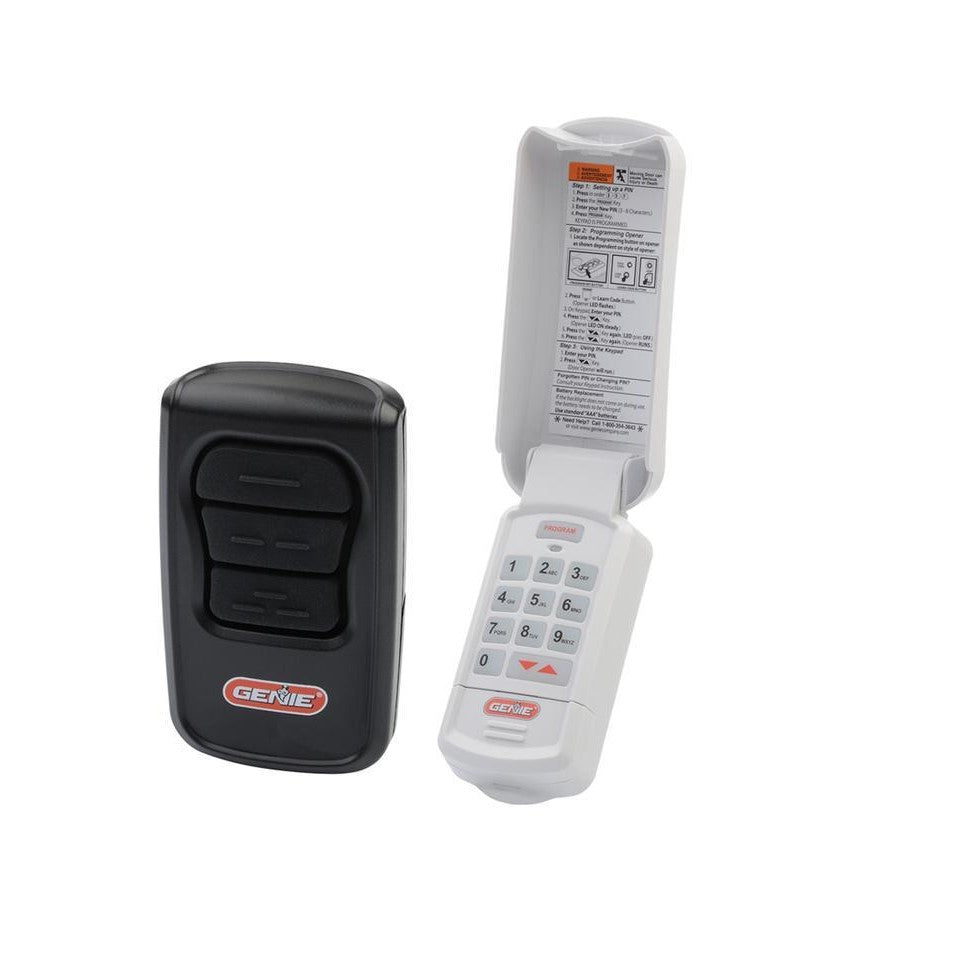
Preventing Future Keypad Problems
It’s easier to prevent problems than to fix them. Here are simple steps to keep your Genie garage door opener keypad working:
- Change batteries every 12 months, even if the keypad works fine. Mark your calendar.
- Keep the keypad clean. Wipe off dirt and cobwebs monthly.
- Check for moisture after storms. Dry any water immediately.
- Use a weather cover. Genie and other companies sell snap-on covers.
- Reprogram your PIN every 6–12 months for security and to refresh the system.
- Don’t use rechargeable batteries. They lose power faster in cold weather.
- Avoid spraying the keypad with water when cleaning the garage.
- Keep plants or decorations away from the keypad area.
Non-obvious insight: Cold climates can cause the battery to drain faster and plastic buttons to become brittle. Consider removing the keypad during long periods of non-use, such as vacations.
How To Replace A Genie Garage Door Opener Keypad
If your keypad is old, cracked, or won’t stop blinking even after new batteries and reprogramming, it’s time for a new one. Replacing a Genie keypad is straightforward.
Choosing The Right Replacement
- Check your Genie opener model number (on the opener unit in the garage).
- Buy a compatible keypad. Genie makes universal keypads for most of their openers.
Tip: Avoid cheap third-party keypads. They often have poor weather resistance and short range.
Installation Steps
- Remove the old keypad: Unscrew or slide it off the wall.
- Install the new keypad: Use the same holes if possible. Most keypads are wireless, so no wiring is needed.
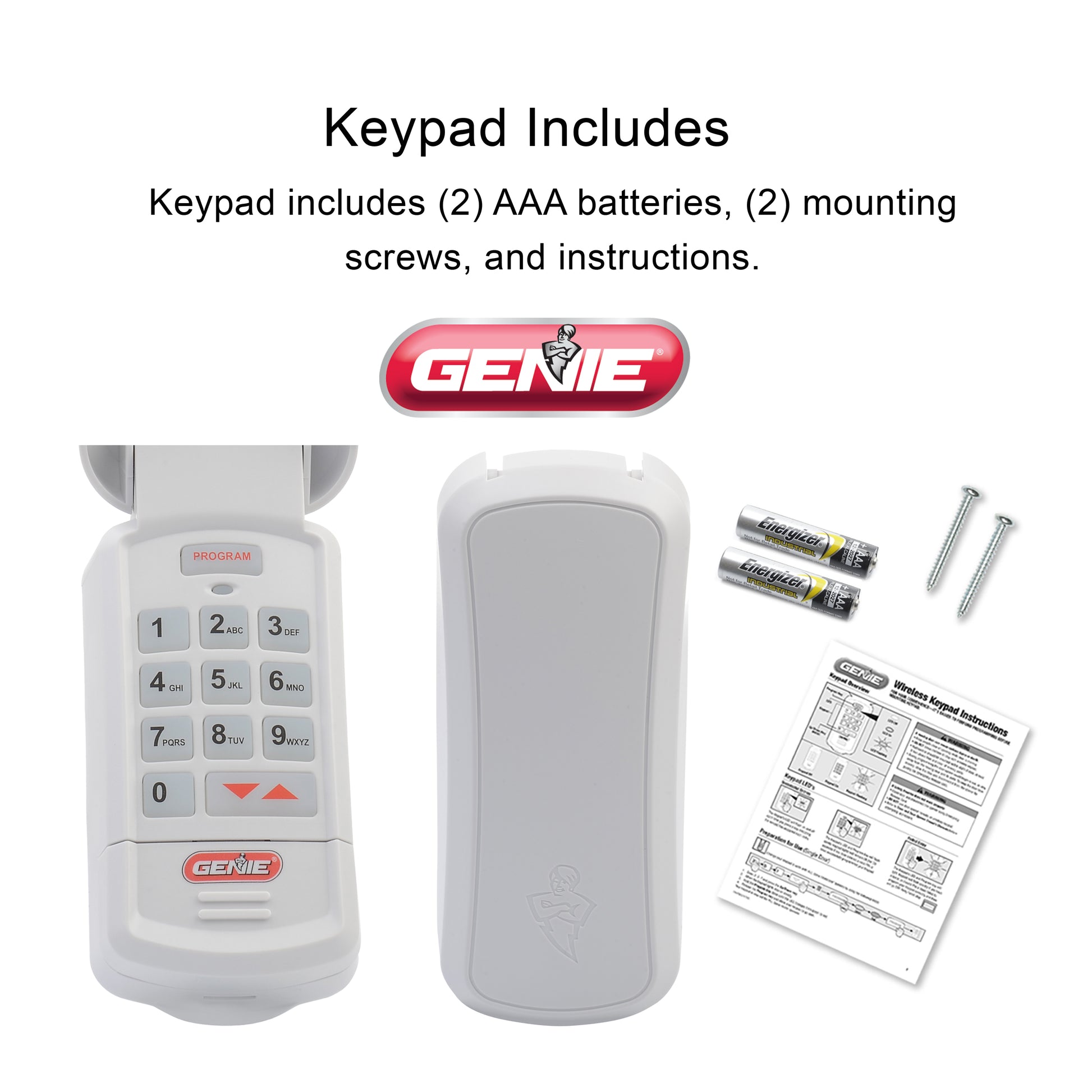
- Insert batteries (usually included).
- Program the keypad: Follow the included instructions. Most take less than 5 minutes.
Cost And Value
A genuine Genie keypad costs $35–$50. Third-party models may be less, but often fail sooner.
| Keypad Type | Average Cost | Expected Lifespan | Warranty |
|---|---|---|---|
| Genuine Genie | $40 | 5-8 years | 1-2 years |
| Third-Party Universal | $25 | 2-3 years | 90 days – 1 year |
Advice: Spending a little more on a genuine Genie keypad saves time and hassle.
Advanced Troubleshooting: When The Problem Is Not The Keypad
Sometimes, the keypad is working fine, but something else is wrong. Here’s how to check:
1. Wall Button Works, Keypad Does Not
If your wall-mounted garage button works but the keypad does not, the problem is usually with the keypad or the receiver.
- Try a handheld Genie remote. If it works, the receiver is fine.
- If only the keypad fails, replace it.
2. Neither Remote Nor Keypad Work
If both your keypad and remote don’t work, but the wall button does:
- Check the opener’s antenna. Make sure it’s hanging down and not broken.
- Inspect for spider webs, dust, or damage near the antenna.
- If the opener has a “smart” or Wi-Fi module, try resetting it.
3. Intermittent Problems
If the keypad works sometimes but not others, check:
- Weather (cold, heat, humidity)
- Battery age
- Wireless interference (try at different times of day)
4. Error Codes On The Opener
Some Genie openers flash error codes on the unit itself. If you see a blinking light or number on the opener, look up the code in your manual or on the Genie website.
5. Range Problems
If you have to stand very close to the keypad for it to work:
- Try a new battery.
- Move metal objects away from the opener.
- Check for interference as described earlier.
Real-world Examples
Many homeowners experience the blinking Genie keypad issue in different ways. Here are some examples:
- Case 1: Winter Blinking – In cold weather, a keypad starts blinking but works if you press hard. The cause was weak batteries and stiff buttons. Fix: new battery and gentle cleaning.
- Case 2: Water Damage – After a heavy rainstorm, the keypad blinks but won’t accept codes. Opening the compartment revealed moisture. Fix: drying and silica gel.
- Case 3: Lost Programming – After a power outage, the keypad blinks but doesn’t open the door. Reprogramming the code solved it.
Insight: Many problems are seasonal (cold, rain) or happen after a battery change or power outage.
Genie Keypad Model Differences
Genie has released many different keypads. Understanding model differences can help you troubleshoot.
| Model | Battery Type | Programming Steps | Blinking Pattern |
|---|---|---|---|
| GK-R (Blue Backlight) | 9V | Simple, 2 steps | Single blink = ready, rapid blink = error |
| WKP (White) | AAA x2 | Needs 4 steps | Slow blink = low battery |
| GWK (Older) | 9V | Needs full reset for new codes | No blink, just dead |
Always check your exact model for correct troubleshooting steps.
Safety Notes
Garage doors are heavy and use strong springs. Always be careful:
- Never try to open the opener unit itself unless you are trained.
- Keep children away from the keypad and moving door.
- If you smell burning or see smoke, disconnect power and call a professional.
- Use only approved Genie replacement parts.
For more details on garage door safety, visit the Garage Door Safety Authority.
Frequently Asked Questions
Why Does My Genie Keypad Blink But Not Open The Door?
A blinking keypad usually means a problem with the batteries, programming, or a lockout/security feature. Try new batteries and reprogramming. If that fails, check for physical damage or moisture.
How Often Should I Change My Genie Keypad Battery?
Change the battery every 12 months, even if the keypad still works. In cold climates, replace it every 6–8 months. Always use a high-quality alkaline battery.
Can Weather Cause My Genie Keypad To Stop Working?
Yes. Rain, snow, and extreme cold can damage the keypad or drain the battery quickly. Use a weather cover and check for moisture after storms.
How Do I Know If I Need A New Keypad?
Replace the keypad if:
- It’s more than 8–10 years old.
- New batteries and reprogramming don’t help.
- Buttons are cracked, sticky, or don’t press smoothly.
Can I Use A Third-party Keypad With My Genie Opener?
Some universal keypads work with Genie openers, but they may not be as reliable. Always check compatibility before buying, and consider an official Genie keypad for best results.
A blinking Genie garage door opener keypad can be frustrating, but most problems are easy to fix with the right steps. By understanding the causes, using careful troubleshooting, and keeping up with simple maintenance, you can keep your garage secure and convenient for years to come.
If you ever feel unsure, don’t hesitate to call a professional—safety always comes first.