Now Reading: How to Change the Code on My Garage Door Opener Easily
- 01
How to Change the Code on My Garage Door Opener Easily

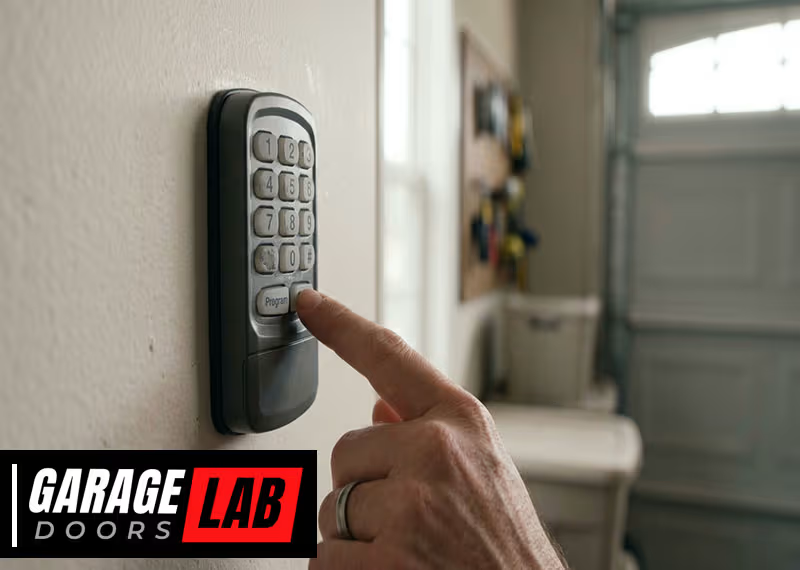
Changing the code on your garage door opener can seem like a small task, but it’s an important one. Whether you just moved into a new home, lost a remote, or want to boost your home security, updating your garage door code is a smart move.
Many homeowners don’t realize how simple—and necessary—this process can be. With the right steps, you can finish the job in less than an hour, often with just a ladder and your garage door remote. This guide will walk you through everything you need to know, from understanding your garage door opener’s type to troubleshooting common problems.
If you want to keep your home safer and your garage secure, you’re in the right place.
Why Change Your Garage Door Opener Code?
Many people use the same garage door code for years. But there are real risks to leaving the code unchanged. First, old codes may be known by previous homeowners, neighbors, or service people. If you’ve lost a remote or given out a temporary code, someone might still have access. Even if you trust everyone, codes can sometimes be guessed or stolen by thieves using code grabbers. Changing your code makes it harder for anyone to get unauthorized access.
Another reason is technology upgrades. Most modern garage door openers use rolling codes, which change every time you use the remote. If your unit is older, it may use a fixed code, which is less secure. Updating your code or upgrading your opener improves safety.
Finally, sometimes you just want peace of mind. Maybe you heard about break-ins in your area, or you want to be sure you’re the only one with access. Changing your code is a quick, effective way to take control of your home’s security.
Types Of Garage Door Openers
Before you start, it’s important to know what kind of garage door opener you have. This affects how you change the code and which steps you need to follow.
| Opener Type | How Code Works | Common Brands |
|---|---|---|
| Fixed Code (Dip Switch) | Manual switches inside opener and remote | Older Genie, LiftMaster, Craftsman |
| Rolling Code (Learn Button) | Code changes automatically; uses “Learn” button | Chamberlain, Modern Genie, LiftMaster |
| Smart Openers | Wi-Fi/Bluetooth controls, app-based codes | MyQ, Aladdin Connect |
Fixed code openers use a row of small switches (called dip switches) inside both the main unit and the remote. You match the switches to set or change the code. Rolling code openers are more secure. They have a “Learn” button that connects remotes to the opener. Smart openers let you control everything with your phone and set temporary or permanent codes in an app.
When Should You Change The Code?
Changing your garage door code isn’t just for emergencies. Here are some good times to update it:
- After moving into a new home: You never know who still has the old code.
- If you lose a remote: Someone could find it and use it to enter your garage.
- After a break-in: Even an attempted break-in is a sign to update your security.
- If you give out temporary access: For example, to a house cleaner or contractor.
- If your garage door opener is old: It’s good to update codes regularly if you have an older system.
Many experts recommend changing your code at least once a year, even if there’s no obvious risk. This simple step helps keep your home safe.
Tools And Materials Needed
Changing the code on most garage door openers requires just a few tools. Here’s what you’ll usually need:
- Step ladder: Most openers are mounted on the ceiling.
- Screwdriver: Needed for dip switch units.
- Flashlight: Useful if your garage is dim.
- Owner’s manual: Helpful for finding the “Learn” button or understanding your model.
- New batteries: For remotes, if needed.
- Smartphone: Only for smart openers.
You don’t need many tools, but having them ready can save time.
How To Change The Code: Step-by-step Guide
The process depends on your opener type. Let’s break it down by category.
For Fixed Code (dip Switch) Openers
These are mostly found in older garage door systems, often made before 1995.
- Unplug the opener for safety. You don’t want it to activate while you work.
- Locate the dip switches inside the main garage door opener. You’ll usually find a panel you can slide or unscrew.
- Find the dip switches inside your remote. Open the battery compartment to see the switches.
- Set a new code. Move the tiny switches to a new pattern. Each switch can be up or down (sometimes “+” or “–”). Make sure both the opener and the remote have the exact same switch pattern.
- Close all panels and plug the opener back in.
- Test the remote to make sure the door opens and closes.
Example:
Suppose your dip switch panel has 9 switches. If your old code was UP-DOWN-UP-DOWN-UP-DOWN-UP-DOWN-UP, you could change it to DOWN-DOWN-UP-UP-DOWN-UP-UP-DOWN-UP for better security.
Non-obvious insight: Make a note of your new code pattern and store it somewhere safe. If you forget it, you’ll have to open the unit again to check.
For Rolling Code (learn Button) Openers
Most openers made after 1995 use this method. It’s more secure and easier to change.
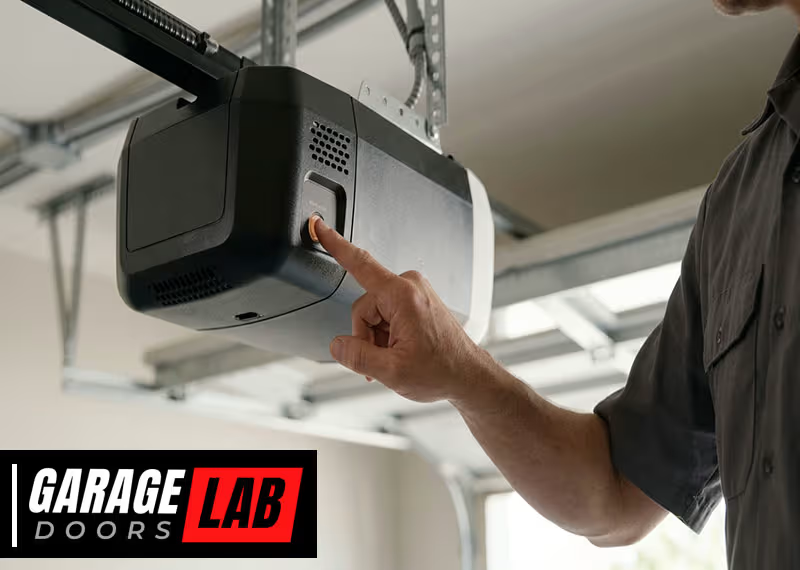
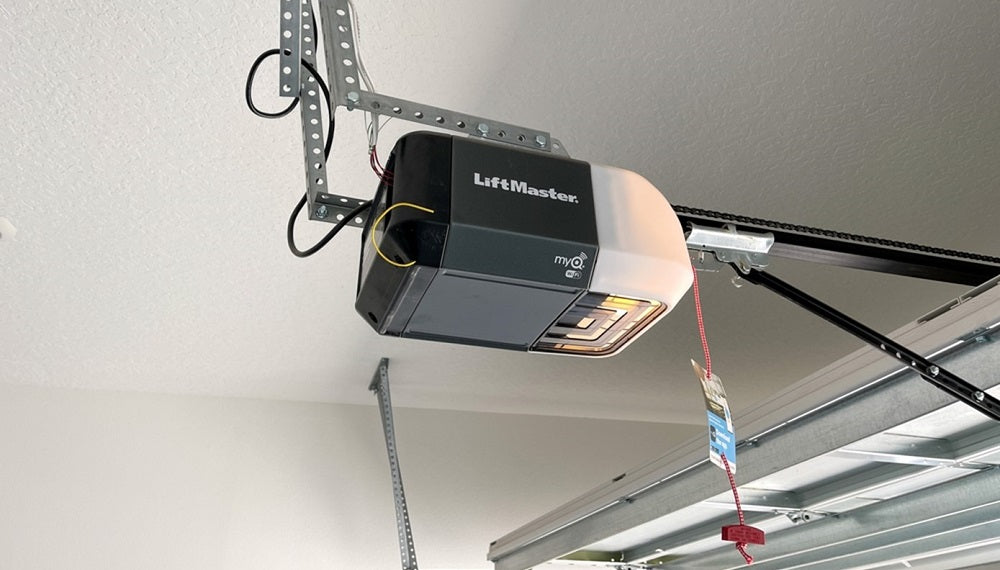
- Find the “Learn” button on your opener. It’s usually near the antenna wire. The button may be yellow, red, purple, or green.
- Press and release the “Learn” button. An indicator light will come on.
- Within 30 seconds, press the button on your remote. You may need to hold it until the garage light blinks or you hear a click.
- Test the remote to see if it works.
- Repeat for all remotes you want to connect. Each needs to be programmed separately.
Example:
If your opener is a LiftMaster with a yellow “Learn” button, press it until the light turns on. Then, press your remote button. The opener light will blink, confirming the new code.
Non-obvious insight: When you press the “Learn” button, you erase all existing remote codes. Make sure you have all remotes handy, or you’ll need to reprogram them all.
For Keypad Entry Systems
Many garages have a wall-mounted keypad for keyless entry. These usually work with rolling code openers.
- Press the “Learn” button on your opener.
- Within 30 seconds, enter a new 4-digit code on the keypad.
- Press the “Enter” key. The opener light will blink, confirming the code is set.
- Test the keypad to make sure it opens the door.
If your keypad is older, check the manual. Some require you to enter your old code first.
For Smart Garage Door Openers
If you have a smart opener, you can usually change codes from your phone.
- Open the manufacturer’s app (like MyQ or Aladdin Connect).
- Go to Access Settings and select “Change PIN” or “Add User.”
- Follow the prompts to enter a new code or set a temporary code.
- Test the system by entering the code at the keypad or using the app.
Pro tip: Many smart systems let you see who’s accessed your garage and when. Use this to monitor for any suspicious activity.
How To Reset All Remotes And Keypads
If you think someone else has access to your garage, it’s best to wipe all codes and start fresh. Here’s how:
- Hold the “Learn” button for about 6–10 seconds until the indicator light turns off. This deletes all paired remotes and keypads.
- Reprogram each remote by pressing the “Learn” button and then the remote button.
- Reset your keypad by entering a new code as described above.
- Re-add any smart devices using the app.
This step is especially important after a break-in or if you lose a remote.
Tips For Choosing A Secure Code
Not all codes are equally safe. Here are some tips for setting a stronger code:
- Avoid simple patterns: Don’t use “1234” or “0000” for keypads.
- Don’t use birth years or addresses: These are easy to guess.
- Change codes regularly: Every 6–12 months is best.
- Use all available switches: If your dip switch opener has 9 switches, use a mix of up and down, not just one or two changes.
- Limit who knows the code: Only share with trusted family or friends.
A good code is both hard to guess and easy for you to remember.
How To Change The Code On Popular Brands
Every brand has a slightly different system. Here’s what you need to know about the most common brands.
Chamberlain And Liftmaster
Most units have a colored “Learn” button near the light cover. The steps are:
- Press and release the “Learn” button.
- Within 30 seconds, press the remote or keypad code.
- Look for the opener light to blink.
These brands use rolling codes and are among the most secure.
Genie
Older Genie models use dip switches. Newer ones have a “Learn Code” button.
- Press and hold the “Learn Code” button.
- Press the remote button within 30 seconds.
- The opener will flash to confirm.
Genie also makes smart openers you can control with their Aladdin Connect app.
Craftsman
Craftsman openers are often made by Chamberlain, so they use the same process: find the “Learn” button, press it, and then press your remote.
Linear, Overhead Door, And Others
These brands may use dip switches (older models) or a “Learn” button (newer models). Always check the manual for your specific model.
How To Change The Code On Your Remote
If you want to change the code just on your remote, the process depends on the opener type.
- Dip switch remotes: Open the remote, change the switches, and match them on the main unit.
- Rolling code remotes: Erase all remotes by holding the “Learn” button, then reprogram the remote as a new device.
- Universal remotes: Follow the instructions in the universal remote manual. Usually, you’ll press a button on the remote and the “Learn” button on the opener.
Important: Universal remotes may not support every brand. Always check compatibility.
How To Change The Keypad Code
If your garage door keypad is giving you trouble, here’s how to reset it:
- Find the “Learn” button on the opener.
- Press and release it.
- Within 30 seconds, enter your new code on the keypad, then press the “Enter” or “Send” button.
- Wait for the opener light to blink to confirm.
If you forget your old code, you’ll need to reset the keypad using the master process in the manual.
Comparing Security: Fixed Vs Rolling Vs Smart Codes
It’s useful to see how different systems stack up for security.
| System Type | Security Level | Risk of Hacking | Convenience |
|---|---|---|---|
| Fixed Code (Dip Switch) | Low | High (easy to copy) | Simple, but outdated |
| Rolling Code | Medium-High | Low (changes every use) | Modern and easy |
| Smart Opener | High | Very low (app-based, can monitor usage) | Very convenient |
Expert advice: If your opener is still using dip switches, consider upgrading. Rolling code and smart systems are much safer.
Common Mistakes To Avoid
Changing your garage door code isn’t hard, but people make mistakes. Here’s what to watch out for:
- Not reprogramming all remotes: If you have more than one remote, you need to update them all.
- Forgetting keypads: Many people change remotes but forget the wall keypad.
- Picking easy-to-guess codes: “1234” or your house number are not safe choices.
- Not testing before finishing: Always test every remote and keypad before you put your tools away.
- Not clearing old codes: If you don’t erase old remotes, someone with an old device could still enter.
- Skipping the manual: Every brand is different. The manual can save you time and trouble.
Troubleshooting: When The Code Won’t Change
Sometimes, things don’t work as planned. Here’s what you can do if the code isn’t updating:
- Check the batteries in your remotes and keypad. Weak batteries can cause problems.
- Make sure you’re within range. Most remotes need to be near the opener.
- Double-check the “Learn” button process. Some brands require you to hold it, others just press and release.
- Look for interference. Other wireless devices can cause problems.
- Reset the opener. Unplug it for 30 seconds, then try again.
- Read the manual. Look for brand-specific steps or troubleshooting guides.
- Call support. If nothing works, contact the manufacturer.
Insider tip: If your opener is very old (pre-1990s), parts may be worn out. Sometimes, replacing the opener is safer and easier than fixing old code issues.
Upgrading Your Garage Door Opener For Better Security
If your opener is more than 20 years old, it’s a good idea to consider an upgrade. Newer models offer more features and better security, such as:
- Rolling code technology
- Battery backup in case of power failure
- Smartphone control
- Better lighting and safety sensors
While older openers can still work, they are more vulnerable to break-ins. Replacing your unit can also add value to your home.
Data point: According to the FBI, over 1 million burglaries happen in the US each year. Garages are a common entry point. Upgrading to a rolling code or smart opener reduces your risk.
How To Safely Dispose Of Old Remotes
When you change your garage door code, don’t just throw old remotes in the trash. Here’s what to do:
- Remove batteries and recycle them properly.
- Erase the remote’s memory if possible, by holding the remote button for 10 seconds (check the manual).
- Break the remote if you’re worried about someone reusing it.
- Recycle electronics at a local center.
This helps keep your home and the environment safe.
Keeping Track Of Your Codes
It’s smart to keep a record of your new codes, but don’t store them in obvious places like the garage. Instead:
- Write them in a password manager app.
- Store them in a locked file cabinet.
- Share them only with trusted adults.
If you have a smart opener, use the app’s code management feature to track changes.

Adding Or Removing Users
If you want to give access to a new family member or remove an old one, you can:
- Program a new remote: Follow the “Learn” button process for each remote.
- Add a user in the app: For smart openers, invite new users with limited access.
- Erase old remotes: Hold the “Learn” button to remove all devices, then re-add only the ones you want.
This keeps your garage secure as your needs change.
The Role Of Garage Door Sensors
Modern openers use safety sensors to prevent the door from closing if something is in the way. These sensors have no code but are often affected when you upgrade or change your opener. After changing codes, always check that your sensors still work:
- Place a box or object under the door.
- Try to close the door with the remote.
- The door should reverse or stop.
If the door closes on the object, adjust or clean your sensors.
Garage Door Opener Code Change: At-a-glance
Here’s a quick summary of the main steps for each opener type:
| Opener Type | Main Step | Common Mistake |
|---|---|---|
| Fixed Code | Change dip switch positions on both opener and remote | Not matching both sets exactly |
| Rolling Code | Press “Learn” button, then remote button | Not reprogramming all devices |
| Keypad | Press “Learn” button, then enter new code | Forgetting to test code |
| Smart Opener | Change code or user in app | Not updating app permissions |
This table can help you quickly find the right process for your situation.
Security Tips After Changing Your Code
Changing your garage door code is just one step to a safer home. Here are a few more tips:
- Lock the door from garage to house. Don’t rely only on your garage door for security.
- Don’t leave remotes in cars parked outside. Thieves can break in and use the remote.
- Install a motion sensor light near your garage.
- Check your opener’s settings for auto-close features.
- Update the code if you suspect anyone else knows it.
For more details on home security, the Federal Trade Commission has helpful advice.
Frequently Asked Questions
How Often Should I Change My Garage Door Opener Code?
It’s smart to change your code at least once a year, or anytime you lose a remote, move into a new home, or give out the code for temporary access. Regular updates keep your garage safer.
What If My Garage Door Opener Doesn’t Have A “learn” Button?
If your opener uses dip switches (small toggle switches), you can change the code by setting a new switch pattern on both the opener and all remotes. If there’s no “Learn” button and no dip switches, check the manual—some very old or unique models may need a different process.
Can Someone Hack My Garage Door Code?
Older fixed code systems are easy to hack with code grabbers. Rolling code and smart openers are much safer, as the code changes every time you use the remote. For best security, use a rolling code or smart system and change your codes regularly.
What Should I Do If I Lose My Garage Door Remote?
Erase all stored remotes by holding the “Learn” button for 6–10 seconds, then reprogram only the remotes you still have. This prevents anyone who finds your lost remote from using it to enter your garage.
How Do I Program A Universal Garage Door Remote?
Universal remotes have their own instructions, but usually you press a button on the remote, then the “Learn” button on your opener. Always check the manual for both your opener and the universal remote to match the process.
Changing your garage door opener code is one of the fastest, easiest ways to improve your home’s security. By following the right steps for your opener type, using strong codes, and keeping your system up to date, you can protect your family and property with confidence.
If you run into problems, don’t hesitate to consult your owner’s manual or call the manufacturer—your peace of mind is worth it.