Now Reading: How to Connect Garage Door Opener to Car: Step-by-Step Guide
- 01
How to Connect Garage Door Opener to Car: Step-by-Step Guide

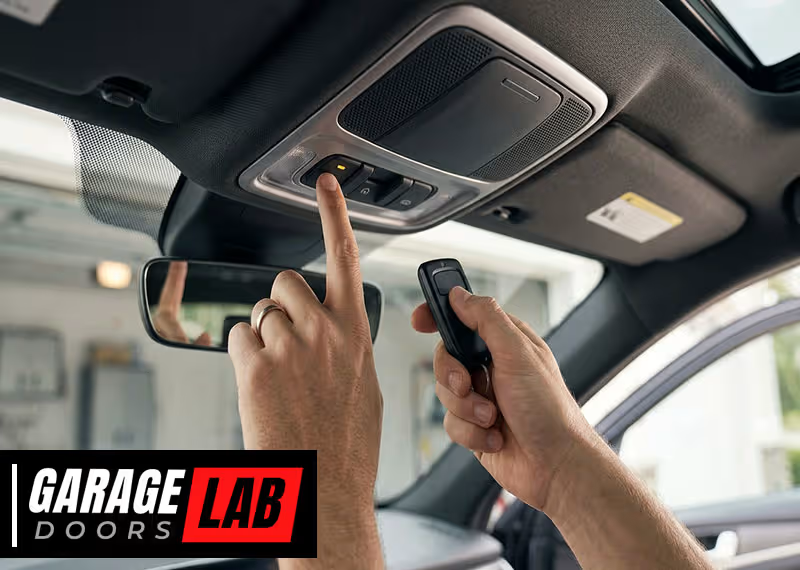
Connecting your garage door opener to your car can make your daily routine much smoother. Imagine driving home and opening your garage door with a button inside your car—no more searching for a remote or getting out in the rain.
Today, most modern vehicles offer built-in systems that let you pair your garage door opener with just a few steps. But the process can be confusing, especially with different car brands and garage door opener models. This guide will walk you through everything you need to know, from understanding the technology to solving common problems, so you can connect your garage door opener to your car with confidence.
Understanding Garage Door Opener Technology
Before you start connecting anything, it helps to know how garage door openers work. Most modern systems use a technology called rolling code. This means that every time you use the remote or car button, the code changes. This prevents thieves from capturing your code and breaking into your garage. Older openers, from the 1990s or earlier, might use a fixed code, which is less secure.
Your car’s built-in garage door opener system is often called HomeLink or Car2U. These systems are found in many vehicles from brands like Toyota, Ford, Honda, BMW, and more. They let you program your garage door opener into buttons usually found on your car’s sun visor, ceiling, or mirror.
Not all garage door openers are compatible with all cars. Most openers made after 1996 use rolling codes, while older cars may not support this. Always check your car’s manual and your garage door opener’s manual before starting.
What You Need Before You Start
To connect your garage door opener to your car, gather these items:
- Your car’s owner’s manual (for specific instructions)
- Garage door opener remote (the handheld remote that comes with your opener)
- Access to the garage door opener motor unit (usually on the ceiling of your garage)
- A ladder (to safely reach the opener’s “Learn” button)
- Pen and paper (for writing down steps or codes, if needed)
Some cars will also require the vehicle to be in “programming mode” or have the ignition on. Make sure your car is parked safely in the driveway—not inside the garage—so you won’t get locked in or out during the process.
Step-by-step Guide: How To Connect Garage Door Opener To Car
Step 1: Clear Existing Codes (if Needed)
If you’ve tried to program your garage door opener before, or if you bought your car used, it’s a good idea to clear any old codes. This prevents accidental activation.
- Locate the three HomeLink or garage door opener buttons in your car.
- Press and hold the two outer buttons at the same time.
- Keep holding until the indicator light starts flashing quickly (usually after 20 seconds).
- Release both buttons. Now the system is cleared and ready for new programming.
Step 2: Train Your Car With The Garage Door Remote
This is where you “teach” your car the signal from your garage remote.
- Hold your garage door remote close (1–3 inches) to the in-car buttons.
- Press and hold both the remote button and the car’s button you want to program.
- Watch the indicator light. It should change from slow to rapid blinking (or just stay solid, depending on your car). This means the signal has been learned.
- Release both buttons.
Tip: If the light does not change, try using a fresh battery in your remote, or try a different button in your car.
Step 3: Pair With The Garage Door Opener Motor (learn Button)
For rolling code systems (most after 1996), you need to sync your car with the garage door opener itself.
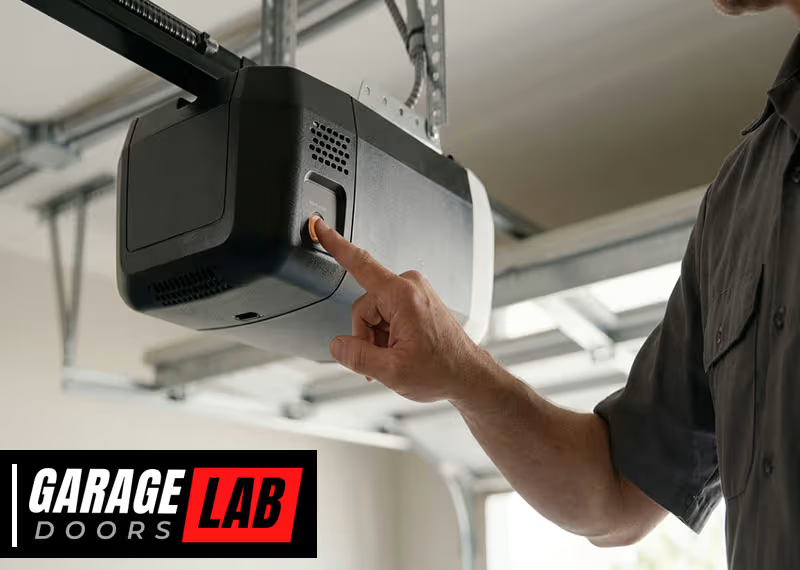
- Climb the ladder and locate the “Learn” button on the garage door opener motor. This is usually near the antenna wire. It might be labeled “Learn,” “Smart,” or be a small, colored button (red, yellow, purple, or green).
- Press the “Learn” button briefly (do not hold).
- You now have about 30 seconds to return to your car.
- Press and hold the in-car button you programmed in step 2 for two seconds, then release. Repeat this up to three times (hold-release-hold-release) until the garage door moves.
If the garage door opens or closes, the programming was successful.
Step 4: Test The System
Park your car outside the garage. Press the programmed button. If the door opens or closes, you’re done. If not, repeat the steps above, making sure each part is done correctly.
Step 5: Repeat For Additional Doors Or Cars
If you have more than one garage door or another vehicle, repeat the steps for each opener or car.
Compatibility: Car Brands And Garage Door Openers
Compatibility can be confusing. Here’s a quick look at popular car and garage door opener brands and how they usually work together.
| Car Brand | System Name | Typical Compatibility |
|---|---|---|
| Honda, Toyota, Lexus, Acura | HomeLink | Works with most openers after 1996 |
| Ford, Lincoln, GM, Chevrolet | HomeLink, Car2U | Rolling code compatible (may need extra steps) |
| BMW, Mercedes-Benz, VW, Audi | HomeLink | Supports rolling code; some require dealer programming |
| Subaru, Nissan, Mazda | HomeLink (select models) | Most after 2015 fully compatible |
| Chamberlain, LiftMaster, Craftsman | N/A (garage opener brands) | Work with HomeLink; some need HomeLink repeater for very new openers |
Non-obvious insight: If your opener is from 2017 or newer (especially Chamberlain/LiftMaster), you might need a HomeLink Repeater Kit to make it work with your car, even if your car is new. This is because some openers use a newer encryption.
Special Instructions By Vehicle Type
Homelink Systems
Most cars with HomeLink use the same basic steps, but some have extra requirements:
- Some vehicles require you to turn the ignition to “on” or even start the engine while programming.
- In certain cars (like some BMWs and Mercedes), you may need to enter a PIN or use the infotainment screen to program HomeLink.
- Tesla vehicles often have HomeLink as a paid upgrade, and you program it through the car’s touchscreen.
Car2u Systems
This system is less common but found in some Fords, Lincolns, and GM cars.
- The steps are similar, but the lights on Car2U may behave differently. Instead of flashing, the light may stay solid.
- For some Car2U systems, you have to press the “Learn” button on the garage opener before programming the car’s button.
Universal Garage Door Remotes
If your car doesn’t have built-in buttons, you can buy a universal remote that clips to your visor. These work much like the original remote and use the same programming steps.
Common Problems And Solutions
Connecting your garage door opener to your car isn’t always smooth. Here’s how to handle common issues:
- The garage door doesn’t move after programming.
- Check if the opener uses rolling code. You may have missed the “Learn” button step.
- Make sure you pressed the “Learn” button on the opener, not just the remote.
- Indicator light never flashes or stays solid.
- Try a fresh battery in your remote.
- Move the remote closer to the in-car button.
- Clear the HomeLink/Car2U system and try again.
- Door only works from inside the garage.
- Range issues can be caused by interference (LED bulbs in the opener can cause this).
- Try replacing bulbs with standard incandescent bulbs.
- Opener is too new for the car.
- You may need a HomeLink Repeater Kit (costs about $30–$50). This is common for Chamberlain and LiftMaster openers made after 2017.
- Multiple cars or users.
- Each car must be programmed separately. The opener can remember several remotes/cars, usually up to five.
Non-obvious insight: If your opener “forgets” the car programming when you add another vehicle, you may have reached the opener’s memory limit. Check the opener manual to see how many remotes it supports.
Advanced Features And Smart Garage Door Openers
Modern garage door openers offer more than just up-and-down movement. Many now work with smart home systems and apps, allowing you to control your garage from your phone or with voice assistants like Alexa and Google Home.
Connecting Smart Garage Door Openers
If you have a Wi-Fi-enabled opener (like MyQ from Chamberlain), you can often link your car through an app instead of a physical button.
Steps usually include:
- Download the manufacturer’s app (e.g., MyQ).
- Connect the opener to your Wi-Fi following the app’s instructions.
- Link the app to your car’s infotainment system if supported (some newer vehicles allow this).
- Test the system.
Example: Some Toyota and Ford models offer direct integration with MyQ, so you can open or close your garage from the car’s dashboard screen.
Security Features
Modern systems offer features like:
- Vacation lock: Disables remote access while you’re away.
- Auto-close timers: Automatically shuts the garage after a set time.
- Notifications: Alert you if the garage is left open.
These can be set from the garage opener unit or through a mobile app.
Safety Tips When Connecting Your Garage Door Opener
Connecting your garage door opener to your car is usually safe, but keep these points in mind:
- Never let children play with garage remotes or car opener buttons.
- When programming, keep clear of the garage door’s movement path.
- Always program the system with the car parked outside the garage.
- If your garage door opener is very old (pre-1993), consider upgrading for better safety and compatibility.
Troubleshooting Table: Quick Reference
Below is a quick guide for fixing common connection issues.
| Problem | Likely Cause | Solution |
|---|---|---|
| Door doesn’t move | Missed “Learn” step | Repeat programming, use “Learn” button |
| Short range | LED bulb interference | Switch to incandescent bulbs |
| No indicator light | Dead remote battery | Replace battery and retry |
| Programming erased | Too many devices stored | Remove old remotes, reprogram |
| Works only with remote, not car | Incompatible system | Use HomeLink Repeater Kit |
What To Do If Your Car Or Opener Is Not Compatible
Some combinations simply don’t work due to different technologies or security standards.
Options:
- Upgrade your garage door opener. Newer openers (after 1996) are more secure and compatible.
- Use a HomeLink Repeater Kit. This small device translates signals so older cars can work with newer openers.
- Install a universal remote. If your car lacks built-in buttons, use a universal remote that clips to your visor.
- Contact your dealer or manufacturer. Sometimes, software updates or small changes can solve compatibility issues.
Programming More Than One Garage Door
If you have a three-car garage or multiple doors, you can program a button for each one. Here’s how:
- Assign each door to a different in-car button.
- Repeat the full programming sequence for each door.
- Always test each button separately.
Some openers have a limit on how many remotes or cars can be connected. Check your opener’s manual for the maximum.
Garage Door Opener Security And Your Car
Pairing your garage door opener with your car adds convenience, but also some security risks:
- Stolen cars: If a thief steals your car, they may access your home through the opener.
- Lost remotes: If you lose a remote, clear all codes from the opener and reprogram trusted devices only.
- Rolling code: Always use rolling code technology for better security.
Tip: When selling your car, clear all programmed garage door codes before handing over the keys.

Garage Door Opener Types And Their Features
Here’s a look at common garage door opener types and what you can expect when connecting to your car.
| Opener Type | Common Brands | Car Connection | Special Features |
|---|---|---|---|
| Chain Drive | Chamberlain, Craftsman | Works with most car systems | Durable, noisy |
| Belt Drive | LiftMaster, Genie | Compatible with HomeLink | Quieter, more expensive |
| Screw Drive | Genie, Overhead Door | Works with universal remotes | Less maintenance, moderate noise |
| Smart/Wi-Fi Enabled | Chamberlain MyQ, LiftMaster | App or car dashboard integration | Remote access, notifications |
Real-world Example: Connecting A 2022 Toyota Camry To A Chamberlain Opener
Let’s go through a practical case:
- Clear codes in the Camry’s HomeLink by holding the two outer buttons until the light flashes.
- Hold the original Chamberlain remote close to the HomeLink button and press both until the car’s indicator light flashes quickly.
- Press the “Learn” button on the Chamberlain opener motor.
- Within 30 seconds, press and hold the programmed HomeLink button in the Camry for two seconds, then release. Repeat this up to three times.
- The garage door should move—success!
Tip: If the Chamberlain opener is from 2018 or later, you might need a HomeLink Repeater Kit. Check the opener model and visit the manufacturer’s site for details.
Tips For Long-term Success
- Write down which button controls which door. You may forget after a few months.
- Keep your car’s manual and garage opener manual in a safe spot for future reference.
- Test the system monthly. This keeps everything working and alerts you to battery or range issues.
- Update your system every 10–15 years for better safety and features.
When To Call A Professional
Most people can connect a garage door opener to their car in under 30 minutes. But if you run into problems you can’t solve, or if you’re not comfortable using a ladder or handling electrical devices, it’s smart to call a garage door professional.
They can handle compatibility issues, install a HomeLink repeater, or upgrade your opener for you.

Frequently Asked Questions
Can I Connect Any Garage Door Opener To My Car?
Not all garage door openers are compatible with all vehicles. Most openers made after 1996 with rolling code technology work with built-in car systems like HomeLink. Some very new openers (from 2017 and later) may require a HomeLink Repeater Kit.
Always check your car and opener manuals.
What Should I Do If My Garage Door Opener Won’t Pair With My Car?
If pairing fails, check the remote battery, ensure you’re following the steps correctly, and confirm your system uses rolling code technology. For some openers, you might need a HomeLink Repeater. If your system still won’t pair, contact the opener or car manufacturer for advice.
How Many Garage Doors Can I Program To My Car?
Most vehicles with built-in systems like HomeLink allow you to program up to three garage doors (one per button). Some garage door opener motors can store up to five or more devices, but check your owner’s manual for exact numbers.
Is It Safe To Connect My Garage Door Opener To My Car?
Yes, if you use rolling code systems and secure your car. Always clear codes if you sell your car and never let children play with the opener buttons. Using a modern opener adds extra security, such as vacation lock and automatic closing.
Where Can I Find More Detailed Instructions For My Specific Car Or Garage Door Opener?
The best source is your vehicle and garage door opener owner’s manuals. You can also find step-by-step guides on the manufacturer’s websites. For HomeLink, visit HomeLink Official Site for videos and compatibility tools.
Connecting your garage door opener to your car is one of those small upgrades that makes life easier every day. With the right steps and a bit of patience, you’ll have a seamless entry to your home, rain or shine.
If you encounter problems, don’t get discouraged—most issues can be solved with a fresh look at the instructions or a quick call to a professional. Enjoy the convenience and extra security of your newly connected system!