Now Reading: Why is My Liftmaster Garage Door Opener Beeping? Troubleshoot Now
- 01
Why is My Liftmaster Garage Door Opener Beeping? Troubleshoot Now
Why is My Liftmaster Garage Door Opener Beeping? Troubleshoot Now

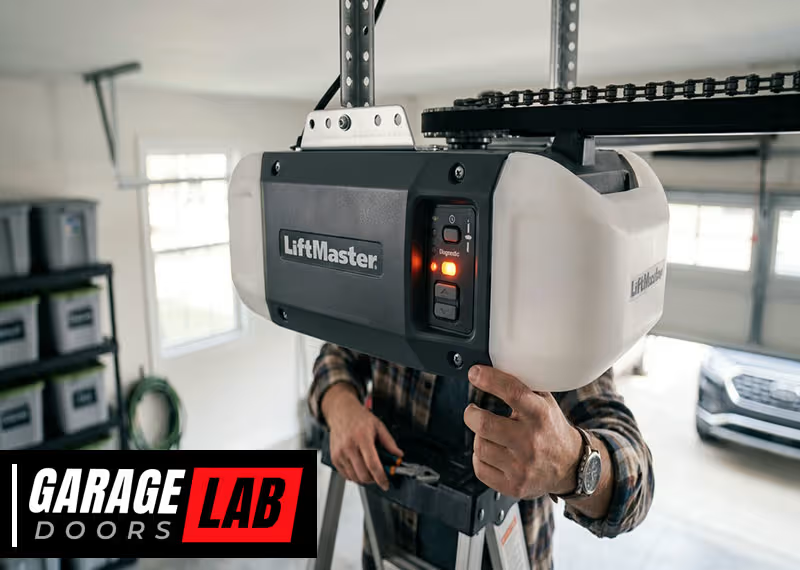
If your LiftMaster garage door opener is beeping, it can be frustrating and even a little worrying. That repetitive sound is a message from your opener, and understanding what it means can save you time, money, and stress. While many homeowners assume a beeping garage door is simply a minor annoyance, it often signals something that needs your attention. Ignoring it could leave you stuck outside your garage—or worse, compromise your home’s security. Let’s explore the reasons why your LiftMaster opener might beep, how to diagnose the problem, and what steps you should take to fix it.
Common Reasons Your Liftmaster Garage Door Opener Is Beeping
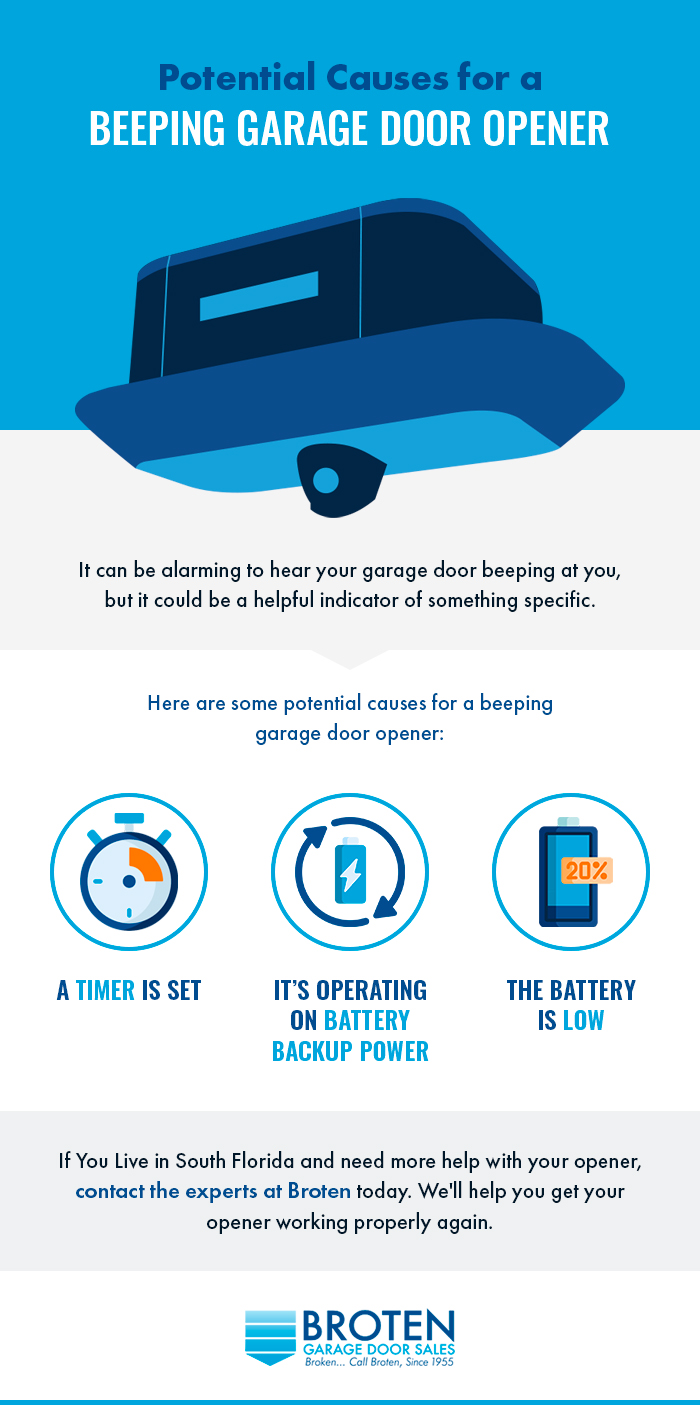
LiftMaster openers use beeps as warning signals. Each beep pattern has a meaning. Here are the most common reasons:
1. Low Backup Battery
Many modern LiftMaster openers include a battery backup system. If the backup battery is low or failing, the opener will beep. Usually, you’ll hear a short beep every 2 to 30 seconds. This is the opener’s way of telling you the battery needs to be replaced or recharged.
Signs of low battery:
- Steady, short beeps every few seconds
- Red indicator light on the opener unit
- Garage door only works when power is on
Why this matters: If the battery dies, the opener won’t work during a power outage. For homes in areas with storms or unreliable power, this can be a big problem.
2. Battery Backup System Is Activated
If the power goes out, your opener switches to battery backup. While using battery power, the opener will beep every 2-30 seconds. This is normal and lets you know it’s running on backup.
You’ll notice:
- Beeps continue until power is restored
- Garage door may move slower than normal
- Some features like lights may not work
Tip: If the beeping stops when the power returns, there’s no problem. But if it continues, check the battery.
3. Obstruction Or Safety Sensor Issue
LiftMaster openers use photo-eye sensors to prevent accidents. If something blocks the sensor, or if the sensors are misaligned or dirty, you may hear beeping along with flashing lights.
How to spot this:
- Door starts to close, then reverses
- Opener beeps and lights flash
- Red or yellow light on one sensor
Action: Clean the sensors and check alignment. Remove anything blocking the path. If beeping continues, there may be a wiring issue.
4. Programming Or System Alerts
Some models beep during programming or system changes. For example:
- Activating “lock” mode (vacation mode)
- Pairing a new remote
- Setting up Wi-Fi or MyQ connectivity
You might hear a series of beeps to confirm a setting, or a single beep for each step. This is normal and temporary.
5. Maintenance Reminders
Certain LiftMaster openers provide maintenance alerts. For example, after a set number of cycles, the opener may beep to remind you to lubricate the door, check springs, or schedule service.
Why this matters: Regular maintenance keeps your opener working longer and helps avoid bigger problems.
6. Error Codes And Malfunctions
Some beeping patterns indicate internal errors or faults. The opener may combine beeps with blinking lights, and the pattern can help you find the problem in the owner’s manual.
Common error causes:
- Motor overheating
- Circuit board problems
- Overloaded opener
If you hear unusual beep patterns, check the manual for diagnostics.
7. Power Loss And Recovery
After a power outage, some openers beep when power returns to signal the system is resetting. This is usually one or two beeps and nothing to worry about.
8. Myq App Notifications
If you use the LiftMaster MyQ app, you may hear beeping when you open or close the door remotely. This is a safety feature to warn anyone nearby that the door is moving automatically.
Example: When you tap “close” in your app, the opener beeps several times before the door moves.
Tip: You can’t disable these warning beeps—they’re required by law for safety.
9. End-of-life Battery Warning
When the backup battery is at the end of its useful life, the opener will beep and may show a “Replace Battery” message. This is different from a simple low battery and means the battery can no longer hold a charge.
How to check: Look for a steady red indicator light and persistent beeping, even after charging.
10. Accidental Activation Of Features
Sometimes, features like the timer-to-close or “Lock” function are activated by accident. These can cause beeping, especially if the system is counting down to close the door.
What to do: Review your opener’s manual to reset features.
How To Diagnose The Beeping
Before you fix the problem, you need to know what’s causing it. Here’s how to troubleshoot:
Listen To The Beep Pattern
Each LiftMaster beep pattern tells you something different. Count the beeps, note their speed, and when they occur.
- Single short beep: Confirmation of a setting
- Repeating beeps every 2-30 seconds: Battery or power issue
- Beeping with lights flashing: Sensor or error issue
- Long series of beeps before door moves: Remote or MyQ activation
Check The Opener’s Indicator Lights
LiftMaster openers have LED lights on the unit. Their color and blinking pattern often match the beep code.
- Red solid or blinking: Battery issue
- Yellow or green: Sensor status
- Flashing patterns: Error codes
Match the lights with the beep for clues.
Inspect The Backup Battery
Open the battery compartment. Most batteries are 12V and easy to replace. If the battery looks swollen or corroded, replace it.
Test The Sensors
Look at the safety sensors near the floor. Both should show a solid light. If not, clean and align them.
Try The Door
Operate the door with the wall button and remote. Note if the beeping only happens with one, or with both.
Review The Manual
Check the owner’s manual for beep codes and troubleshooting tips. Many manuals are available online if you’ve lost yours.
How To Stop The Beeping: Step-by-step Solutions
Once you know the cause, here’s how to fix each problem:
Replacing The Backup Battery
- Unplug the opener
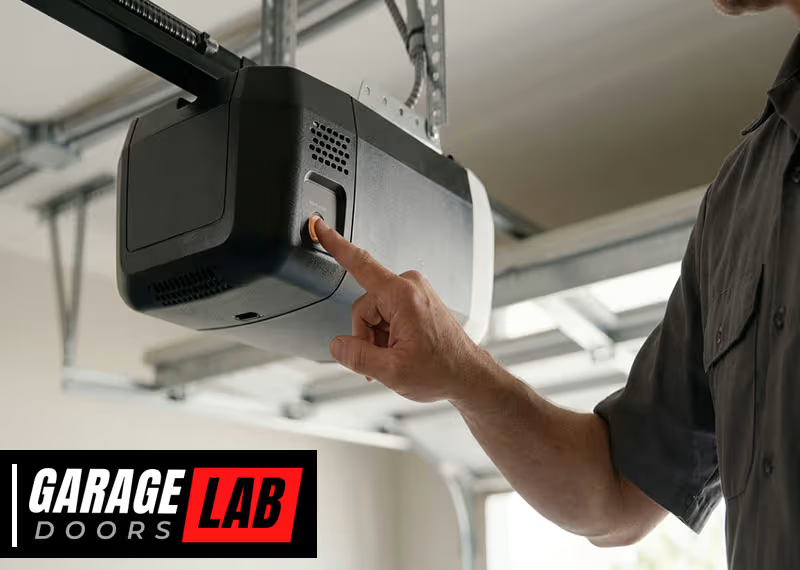
- Open the battery compartment (usually a small door on the unit)
- Remove the old battery
- Insert a new battery of the same type
- Close the compartment and plug the opener back in
The beeping should stop. If it doesn’t, check the battery contacts for corrosion.
Restoring Power
If your opener is beeping due to a power outage, restore power to the garage. The opener should switch back to AC power and stop beeping. If not, check your circuit breaker.
Cleaning And Aligning The Safety Sensors
- Wipe both sensors with a soft cloth
- Make sure both lights are on (not blinking or off)
- Adjust the sensors until both show a solid light
- Test the door
Beeping and flashing should stop if sensors are working.
Resetting Error Codes
Most error codes can be cleared by unplugging the opener for 30 seconds, then plugging it back in. If the error returns, contact LiftMaster support or a professional.
Disabling Unwanted Features
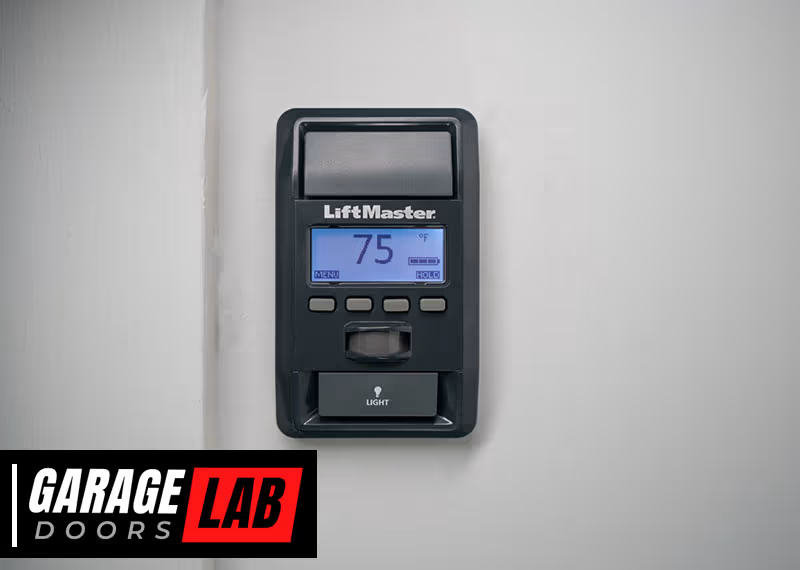
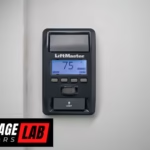
If you accidentally turned on a feature, review your opener’s control panel. Hold the “Lock” button for several seconds to turn off vacation mode. For timer-to-close, check the settings menu.
Replacing An End-of-life Battery
If your opener says “Replace Battery,” you need a new battery. Old batteries may not work even after charging.
Tip: Always use a genuine LiftMaster battery. Generic batteries may not fit or could cause more issues.
Comparison: Beeping Patterns And Their Meanings
Understanding beep patterns is key. Here’s a quick reference:
| Beep Pattern | Meaning | Action Needed |
|---|---|---|
| Short beep every 2-30 sec | Low or dead battery | Replace battery |
| Beeping with door motion via MyQ | Remote close warning | Normal (no action) |
| Continuous beeping, red light | End-of-life battery | Replace battery |
| Beeping + flashing lights | Sensor or error | Check sensors |
| One or two beeps at reset | Power restored | None |
Common Mistakes When Dealing With Beeping Openers
Many homeowners make simple mistakes that can make the problem worse or delay a fix:
- Ignoring the beeping: Hoping it will go away can lead to a dead battery or security risks.
- Using the wrong replacement battery: Not all 12V batteries are the same. Use the model recommended by LiftMaster.
- Forgetting about power outages: If you’re away during a storm, check your opener when you return.
- Cleaning only one sensor: Both sensors need to be clean and aligned.
- Disabling safety beeps: Trying to silence safety warnings (like MyQ closing alerts) is not possible and not safe.
- Not checking the manual: Every model is a little different. The manual has beep codes and troubleshooting steps.
When You Should Call A Professional
Some problems are best left to experts. Call a LiftMaster service technician if:
- Beeping continues after you change the battery
- The opener shows error codes you can’t clear
- There’s a burning smell or visible damage
- The door moves erratically or not at all
Tip: Don’t try to repair circuit boards or wiring yourself unless you have experience.
How To Prevent Future Beeping Issues
Preventing problems is easier and cheaper than fixing them later. Here’s how to keep your opener quiet and reliable:
Regular Battery Checks
Test your backup battery every six months. Replace it every 1-2 years, or as soon as you hear warning beeps.
Clean And Align Sensors
Dust and realign the safety sensors regularly. Even a cobweb or leaf can cause problems.
Schedule Professional Maintenance
Have a pro check your opener once a year. They’ll inspect springs, lubricate parts, and catch problems early.
Update Your Opener’s Firmware
Some Wi-Fi connected LiftMaster models get updates. Check the app or manual for instructions.
Watch For Power Surges
Install a surge protector on your opener to prevent damage during storms.
Know Your Model
Different models have different features and beep codes. Write down your opener’s model number and keep the manual handy.
Comparison: Battery Backup Vs Non-backup Openers
Not all LiftMaster openers have a battery backup. Here’s how they compare:
| Feature | With Battery Backup | Without Battery Backup |
|---|---|---|
| Works during power outage | Yes | No |
| Beeping for battery issues | Yes | No |
| Extra cost | Higher | Lower |
| Maintenance needed | Battery checks | Basic checks |
| Required in some states (CA law) | Yes | No |
Insight: If you live in California, battery backup is required on all new openers. Beeping is part of the safety system.
Real-world Example
Imagine you come home after a storm and your garage door opener is beeping every few seconds. The red light is on, and the door only opens halfway. You check the manual and see this means the battery is dead, and the sensors might be dirty.
By following the steps above—replacing the battery and cleaning the sensors—you quickly fix the problem. This saves you from a costly service call and keeps your home secure.
Extra Tips Most Homeowners Miss
- Backup batteries don’t last forever. Even if you rarely use the backup, it will lose capacity with age. Replace it every 1-2 years, not just when it fails.
- MyQ beeping is a legal requirement. You cannot silence the warning beep when closing your garage door remotely. This is to protect people or pets from being trapped.
- Not all batteries are created equal. Cheap batteries may not deliver the same performance or lifespan. Always use the recommended brand and model.
- Beeping can signal more than just battery issues. Sometimes, beeping is your first warning of a bigger mechanical or electronic problem.
- Firmware updates can fix annoying beeps. For smart openers, update the firmware to solve glitches.

How To Find The Right Replacement Battery
Most LiftMaster batteries are 12V, but check your model. Here’s a quick guide for common models:
| Model | Battery Type | Average Replacement Cost |
|---|---|---|
| 8500W | 12V 4.5Ah | $25–$40 |
| WLED | 485LM | $30–$50 |
| 8550W | 485LM | $30–$50 |
| 8360W | 485LM | $30–$50 |
Tip: Buy from an authorized dealer or directly from LiftMaster for best results.
What The Owner’s Manual Doesn’t Tell You
Some information is not obvious:
- Battery “charge” time: After you install a new battery, it may take up to 24 hours to fully charge. Beeping may continue until then.
- Battery shelf life: If you keep a spare battery, use it within 2 years for best performance.
- Sensor wiring: Rodents or vibrations can loosen or damage sensor wires, causing random beeping.
- Power surges: A strong surge can damage the opener’s logic board, leading to persistent beeping.
The Role Of Safety In Beeping Alerts
Beeping isn’t just about batteries or errors—it’s a key part of LiftMaster’s safety design. The warning sounds help prevent accidents, inform you about problems, and protect your investment.
Fact: According to the U.S. Consumer Product Safety Commission, garage doors cause thousands of injuries each year. Safety features like beeping alerts help reduce these risks.
Pro Insight: If you hear a new beep you don’t recognize, never ignore it. It may be a new warning added by a firmware update or a sign of a rare problem.
Where To Find More Information
For more detailed information on beep patterns, model differences, and safety requirements, visit the official LiftMaster Support page.

Frequently Asked Questions
Why Does My Liftmaster Opener Beep When I Use The Myq App?
When you use MyQ to close your garage door remotely, the opener beeps as a safety warning. This alerts anyone nearby that the door is about to move automatically. The beeping is required by law and cannot be disabled.
How Long Does A Liftmaster Backup Battery Last?
A typical LiftMaster backup battery lasts 1-2 years, depending on use and temperature. If you hear beeping or see a red indicator, it’s time to replace the battery. Store-bought batteries may not last as long as original parts.
Can I Silence The Beeping On My Opener?
You can stop the beeping by fixing the cause (like replacing the battery or fixing sensors). However, you cannot silence safety beeps, such as those when using MyQ or during certain error conditions, as they are built-in for safety.
What If My Opener Keeps Beeping After I Change The Battery?
If beeping continues, check that the new battery is installed correctly, has a full charge, and matches your opener’s model. Persistent beeping may signal a deeper problem with the circuit board or wiring. In this case, contact a professional.
Is It Safe To Keep Using My Opener If It’s Beeping?
If the beeping is for a low battery or power outage, it’s safe for short-term use. However, if you hear beeping with error codes, flashing lights, or if the door operates strangely, stop using the opener and get it checked.
Safety should always come first.
A beeping LiftMaster garage door opener is not just an annoyance—it’s a smart system’s way of protecting your home and family. With the right knowledge, you can diagnose, fix, and prevent the most common causes. Keep your garage door opener in top shape with regular checks, quick responses to warnings, and professional help when needed.
That way, the only thing you’ll hear when you come home is the quiet hum of a well-running door.