Now Reading: Liftmaster Garage Door Remote Control Not Working? Fix It Fast
- 01
Liftmaster Garage Door Remote Control Not Working? Fix It Fast

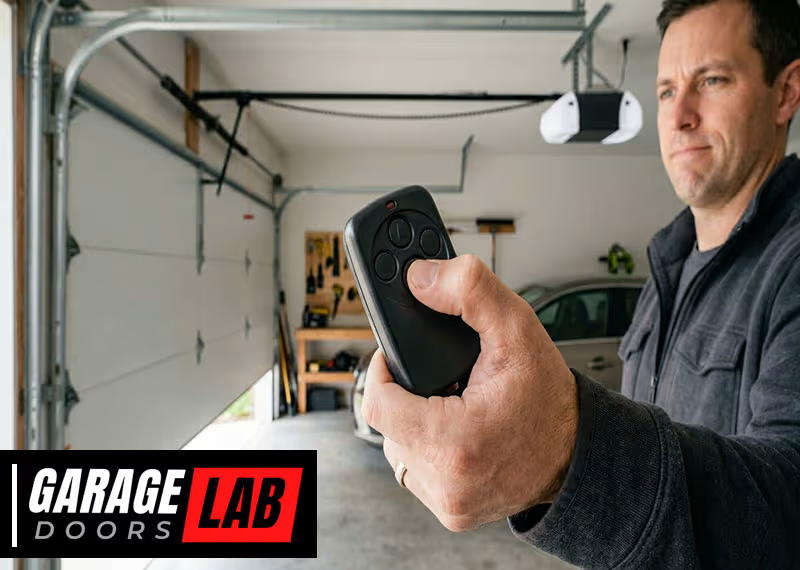
A garage door remote control is a small device, but when it stops working, life gets complicated fast. You may find yourself locked out, late for work, or worried about security. Many homeowners use Liftmaster garage door remotes because they’re reliable and easy to use. But what happens when your Liftmaster remote suddenly doesn’t work? Before you call a technician, there’s a lot you can check and fix yourself. This guide will walk you through all the reasons why your Liftmaster garage door remote control is not working, how to troubleshoot every possible issue, and when it’s time to get professional help.
You’ll learn the common causes, how to fix them, and discover practical advice most people miss. Whether you’re new to garage door systems or have used them for years, this in-depth guide will help you get your remote working again—and keep it that way.
How A Liftmaster Garage Door Remote Works
To fix a problem, it helps to know how things work. The Liftmaster garage door remote sends a coded signal by radio frequency (RF) to the garage door opener’s receiver. When the opener receives the right code, it activates the motor to open or close the door. This process depends on a few key parts:
- Remote control unit (the handheld device)
- Batteries inside the remote
- Receiver inside the garage (usually in the opener box)
- Wiring connecting the receiver to the opener
- Garage door opener motor
If any of these parts fail or lose connection, the remote won’t work.
Common Reasons Your Liftmaster Remote Stops Working
There are several reasons why your Liftmaster garage door remote control might not be working. Some are easy to solve, while others need careful troubleshooting. Here are the top causes:
- Dead or weak batteries
- Remote not programmed
- Blocked signal or interference
- Receiver issues
- Physical damage
- Worn-out buttons
- Opener in lock mode
- Wiring problems
- Power issues
- Outdated remote or opener
- Security code mismatch
- Other electronics interfering
Let’s look at each cause in detail and how to fix it.
Dead Or Weak Batteries
The most common reason a remote fails is simple: the batteries are dead or too weak to send a signal. Most Liftmaster remotes use small coin batteries, like CR2032 or CR2016. When these run out, the remote can’t work.
How To Check And Replace Batteries
- Open the battery compartment (usually on the back or by sliding open the cover).
- Remove the old battery and check the type printed on it.
- Insert a new battery, making sure the positive (+) and negative (-) sides match the markings.
- Close the compartment and test the remote.
Tip: Even if the remote light comes on, the battery may be too weak to send a strong signal. Always use a fresh, good-quality battery.
Beginner insight: Some people forget that new remotes may come with a plastic tab blocking the battery. Remove any tab before use.
Remote Not Programmed
If you just got a new remote or reset your garage opener, the remote may not be programmed to the opener. Liftmaster remotes need to be paired with your opener to work.
How To Program Your Liftmaster Remote
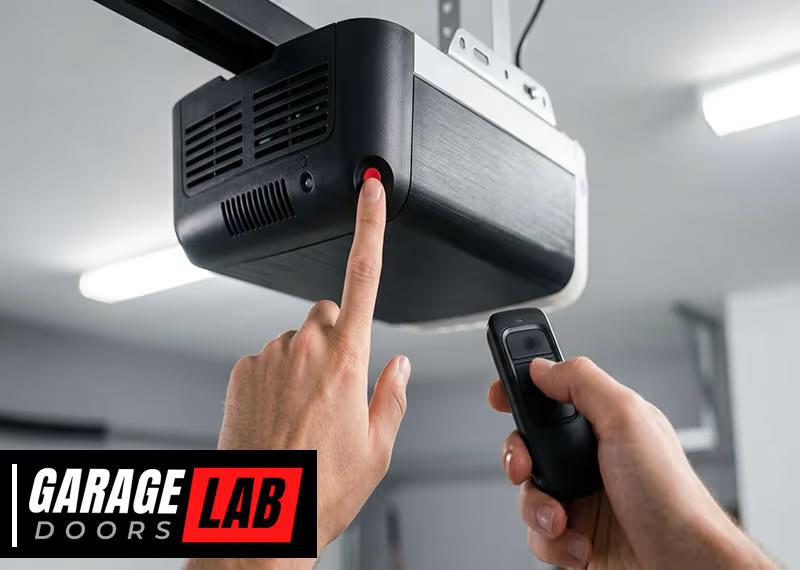
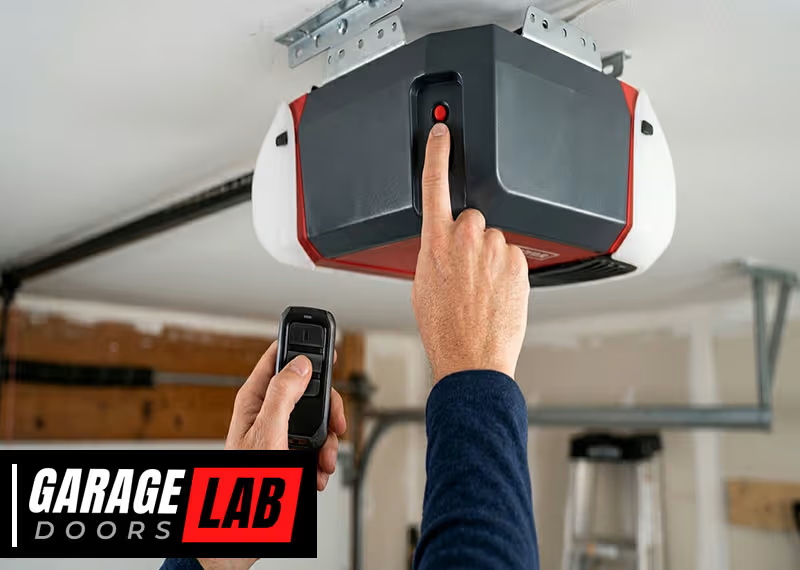
- Locate the “Learn” button on your garage door opener (usually on the back or side of the motor unit).
- Press and release the “Learn” button. A light should turn on.
- Within 30 seconds, press and hold the button on your remote you want to program.
- The opener’s lights may blink or you’ll hear a click—this means it’s programmed.
Try pressing the remote button to see if the door moves.
Non-obvious tip: Many people program the wrong button (like the “lock” button) by mistake. Always use the main open/close button for programming.
Blocked Signal Or Interference
Liftmaster remotes use radio frequency signals (usually 315 MHz or 390 MHz). These can be blocked or disturbed by:
- Metal doors, walls, or vehicles
- Wireless routers, baby monitors, or home security systems
- LED light bulbs near the opener
If the remote only works close to the opener or not at all, interference could be the problem.
How To Reduce Interference
- Remove or move any new electronics near the opener.
- Avoid using certain LED bulbs in the opener; some create RF noise.
- Try the remote at different distances and angles.
- Make sure your car is not blocking the signal.
Practical insight: If your neighbor installed a new wireless device recently, it could be interfering with your remote.
Receiver Issues
The receiver is the part inside the opener that listens for the remote’s code. If it fails, the opener won’t “hear” the remote, even if the remote is fine.
Signs Of Receiver Problems
- Remote doesn’t work, but the wall button does
- Multiple remotes fail at the same time
- The opener ignores all wireless signals
What To Do
- Unplug the opener for 30 seconds, then plug it back in (resets the receiver).
- Check for loose wires or visible damage near the receiver.
- If possible, test with a different remote.
If the receiver is faulty, you may need a repair or replacement.
Physical Damage
Remotes get dropped, stepped on, or exposed to rain. Even small cracks or water inside can stop them from working.
How To Inspect For Damage
- Look for cracks, broken buttons, or loose parts.
- Open the remote and check for moisture or corrosion.
- Clean any battery contacts with a dry cloth.
If the remote is damaged, it’s best to get a new one.
Expert tip: If you see green or white powder on the battery contacts, it’s corrosion. Clean with a bit of rubbing alcohol and a cotton swab.
Worn-out Buttons
Over time, the buttons on the remote can wear out or get stuck. This happens more often on the main button, which gets the most use.
How To Check
- Press the button and see if it feels loose or stuck.
- If the remote works when you press very hard, the button is wearing out.
Some remotes let you open them and clean or adjust the contacts. Otherwise, a new remote is needed.
Beginner mistake: Some people press the remote too hard, thinking more pressure will help. This can actually damage the button faster.

Opener In Lock Mode
Liftmaster openers often have a lock mode for security. When this is turned on (sometimes called “vacation mode”), remotes will not work, but the wall button inside the garage will.
How To Disable Lock Mode
- On your wall control panel, look for a button labeled “Lock” or a small switch.
- Press and hold the “Lock” button for 3 seconds.
- The light on the panel should turn off. Test your remote again.
Non-obvious insight: Some panels have a tiny lock icon. If it’s lit, remotes are blocked.
Wiring Problems
The opener’s wiring connects the receiver to the motor and the wall button. If wires are loose or broken, remotes might not work while the wall button still does.
How To Check
- Unplug the opener before inspecting any wires.
- Look for loose connections, especially near the opener’s terminals.
- Tighten any loose screws and check for frayed wires.
If you’re not comfortable with wiring, call a technician.
Power Issues
If there’s a problem with the power supply to your garage door opener, remotes won’t work. Sometimes, the outlet is dead, a fuse blows, or a surge protector trips.
What To Check
- Make sure the opener is plugged in.
- Test the outlet with another device (like a lamp).
- Reset any tripped circuit breaker or GFCI outlet.
If the opener has no power, remotes cannot function.
Practical tip: Some openers have a backup battery. If the main power is off, the wall button may still work, but not the remote.
Outdated Remote Or Opener
Liftmaster remotes and openers use specific radio frequencies. Old remotes may not work with newer openers, and vice versa.
How To Check Compatibility
- Check the remote’s model number (usually inside the battery cover).
- Look up your opener’s model and frequency in the manual or on the manufacturer’s website.
- Many newer openers use Security+ 2.0 technology, which is not compatible with older remotes.
If you have an old remote, you may need to buy a new one made for your opener’s frequency and technology.
Security Code Mismatch
Liftmaster uses rolling code technology to keep your garage secure. If the remote and opener codes get out of sync, the remote won’t work.
How To Resync
- Reprogram your remote using the “Learn” button (see earlier section).
- If you have multiple remotes, program them all again, one at a time.
Important: If you clear the memory on your opener (by holding the “Learn” button for 10 seconds), all remotes must be reprogrammed.
Other Electronics Interfering
Some home electronics can block or scramble the signal from your Liftmaster remote. Common culprits:
- Wi-Fi routers
- Cordless phones
- Wireless security systems
- LED and fluorescent lights
How To Identify Interference
- Turn off nearby devices one at a time and test the remote.
- Move the opener’s antenna down and away from metal parts.
- Replace bulbs near the opener with standard incandescent bulbs.
Sometimes, just moving a device a few feet can solve the problem.
Expert insight: Some newer LED bulbs are designed to reduce interference. Check the packaging for “garage door opener safe” or “low RF emission.”
Step-by-step Troubleshooting Process
Here’s a simple process to follow if your Liftmaster garage door remote control is not working. Start with the easiest solutions and move to the more complex ones.
- Replace the batteries with new, correct ones.
- Check for physical damage on the remote.
- Test the wall button to see if the opener itself works.
- Make sure the opener has power.
- Reprogram the remote using the “Learn” button.
- Disable lock mode on the wall panel.
- Move other electronics away from the opener.
- Inspect the opener antenna (it should hang down freely).
- Try a second remote if you have one.
- Reset the opener by unplugging and plugging it back in.
- Check wiring if comfortable (or call a technician).
- Replace the remote if nothing else works.
Comparing Common Liftmaster Remote Problems
To help you identify your issue, here’s a comparison of common symptoms and likely causes.
| Symptom | Possible Cause | Quick Fix |
|---|---|---|
| Remote light works, door doesn’t move | Not programmed, lock mode, interference | Reprogram remote, disable lock mode |
| No light on remote, door doesn’t move | Dead battery, physical damage | Replace battery, check for damage |
| Wall button works, remote doesn’t | Receiver issue, interference | Reset opener, check for electronics nearby |
| Remote only works close to door | Weak battery, signal interference | Replace battery, move interfering devices |
| All remotes stopped at once | Power issue, receiver fault | Check power, reset opener, call technician |
Liftmaster Remote Vs. Other Brands
How does Liftmaster compare with other garage door remote brands when it comes to common issues?
| Brand | Most Common Remote Issue | Average Remote Battery Life | Programming Difficulty |
|---|---|---|---|
| Liftmaster | Battery, interference | 1-2 years | Easy |
| Chamberlain | Programming, battery | 1-2 years | Easy |
| Genie | Button wear, programming | 6 months-1 year | Medium |
| Craftsman | Compatibility, battery | 1 year | Medium |
When To Call A Professional
Sometimes, a problem is too complex or risky to fix yourself. Call a garage door technician if:
- You see burnt wires or smell burning plastic
- The opener is making loud noises or not moving the door
- You have tried all troubleshooting steps with no success
- The remote and wall button both do not work
- You need to replace the receiver or main circuit board
Beginner warning: Don’t try to open the opener’s motor housing if you’re not trained. There are high-voltage parts inside.
How To Prevent Remote Problems In The Future
A little maintenance can keep your Liftmaster remote and opener working smoothly.
- Replace remote batteries every year or at the first sign of weakness.
- Keep the remote clean and dry.
- Avoid dropping or crushing the remote.
- Check the opener’s antenna regularly—ensure it hangs down and is not bent.
- Use high-quality, compatible LED bulbs if needed.
- Reprogram remotes after any electrical storm or power surge.
- Test all remotes monthly to catch issues early.
Practical tip: Keep a spare battery and backup remote in your car or home.
Upgrading To A New Liftmaster Remote
If your old remote keeps failing or is not compatible with newer openers, consider buying a new Liftmaster remote. Modern remotes offer:
- Better range and security
- Rolling code technology to prevent hacking
- Sleek designs and easy programming
- Compatibility with smart home systems
Fact: Some Liftmaster models now work with smartphone apps, letting you open your garage from anywhere.
Before buying, check your opener’s model and frequency. Not all remotes work with all openers. For details, visit the official Liftmaster support page.
Diy Fixes Vs. Professional Help
Many Liftmaster remote problems are easy to fix at home. But how do you know when to try DIY or hire a pro?
| Problem | DIY Possible? | When to Call a Pro |
|---|---|---|
| Replace batteries | Yes | Never |
| Reprogram remote | Yes | Rarely |
| Fix wiring | Maybe, if experienced | If unsure or uncomfortable |
| Replace receiver | No | Yes |
| Diagnose opener motor | No | Yes |
Beginner insight: If your opener is under warranty, opening the case or making repairs yourself can void the coverage.
What Most People Forget
There are a few things homeowners often forget when dealing with garage door remotes:
- Remotes have a limited lifespan (usually 5–7 years). If yours is old, replacement may be the easiest fix.
- Weather can affect the opener. Extreme cold or heat can make electronics fail temporarily.
- Multiple remotes can interfere. If too many remotes are programmed, some may get “kicked out.” Most openers have a limit (usually 5–8 remotes).
Real-world Example
Sarah noticed her Liftmaster remote was not working from her car, but worked inside the garage. She changed the batteries, but nothing improved. After some research, she found her new LED garage bulb was causing interference. Replacing the bulb with an “opener-safe” LED fixed the problem instantly.
Lesson: Not all remote issues are caused by the remote itself. Consider your whole garage environment.
Frequently Asked Questions
What Battery Does A Liftmaster Garage Door Remote Use?
Most Liftmaster remotes use CR2032 or CR2016 coin batteries. The exact type is printed inside the battery compartment. Always use the recommended battery for best results.
Why Does My Remote Only Work Close To The Garage Door?
If your remote only works when you’re near the opener, possible causes include a weak battery, signal interference from other electronics, or a problem with the opener’s antenna. Try changing the battery and moving other electronics away from the opener.
How Do I Know If My Liftmaster Remote Is Compatible With My Opener?
Check your opener’s model number and frequency (found on the opener or in the manual). Match this with the remote’s model. Newer Liftmaster openers use Security+ 2.0 remotes, which are not compatible with older models.
Can I Reset My Liftmaster Remote?
You can’t “reset” the remote itself, but you can reprogram it. Press the opener’s “Learn” button, then press the remote button. This will sync the remote to the opener again.
What If None Of My Remotes Work, But The Wall Button Does?
This usually means a receiver problem or signal interference. Try unplugging the opener for 30 seconds to reset it. If that doesn’t work, check for new electronics nearby or call a technician.
A working garage door remote is about convenience, safety, and peace of mind. By understanding how your Liftmaster remote works and knowing how to troubleshoot, you can fix most problems yourself and avoid costly service calls. With these tips, you’ll be ready to solve issues quickly—and keep your garage secure and accessible for years to come.