Now Reading: How To Program A Chamberlain Garage Door Opener 953Ev Evc
- 01
How To Program A Chamberlain Garage Door Opener 953Ev Evc

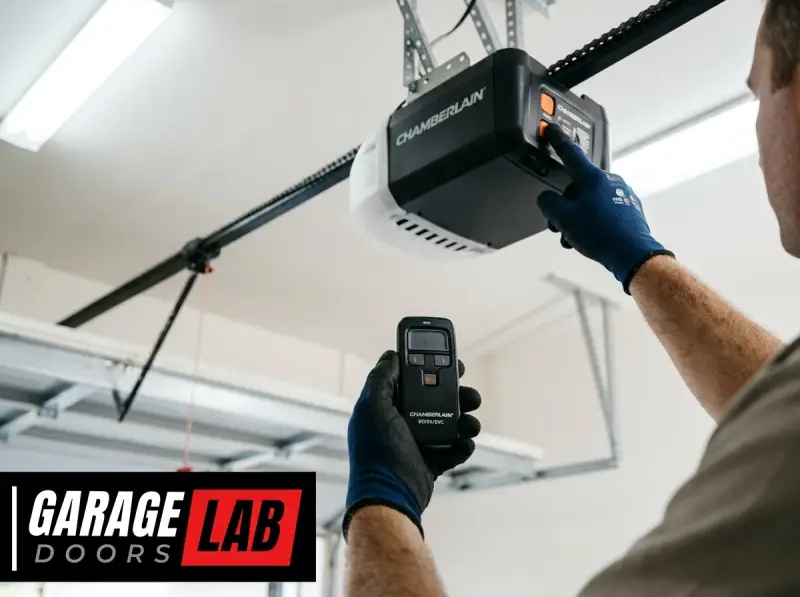
Programming a Chamberlain garage door opener, particularly the 953EV EVC model, is a straightforward process that can significantly enhance your garage security and convenience. This remote, often referred to as a “Clicker” or “Universal Remote,” is designed to work with a wide range of garage door opener brands, making it a versatile solution for households with multiple garage doors or for replacing lost or damaged remotes.
Understanding the steps involved ensures you can quickly and efficiently set up your new remote to control your garage door.
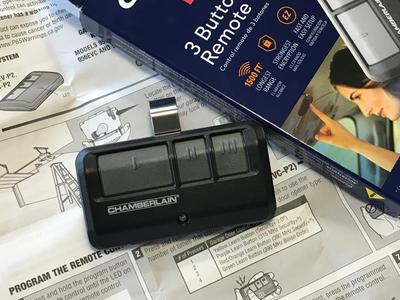
The Chamberlain 953EV EVC is a popular choice due to its compatibility and ease of use. It typically features three buttons, allowing you to control up to three different garage doors or gates, or even turn on/off lights associated with your opener.
The programming process generally involves syncing the remote with your existing garage door opener unit, ensuring that only authorized remotes can operate your door. This guide will walk you through the necessary steps, from preparing your opener to testing the remote, ensuring a secure and functional setup.
Key Takeaways
- The Chamberlain 953EV EVC is a universal remote compatible with many garage door opener brands.
- Programming involves syncing the remote with your garage door opener motor unit.
- Ensure you have the opener’s remote and a ladder to access the motor unit.
- The process typically requires pressing a “Learn” or “Program” button on the motor unit.
- Always test the programmed remote to confirm it operates the garage door correctly.
- If experiencing issues, consult the opener’s manual or Chamberlain’s support.

Credit: www.amazon.sg
Understanding Your Chamberlain 953ev Evc Remote
The Chamberlain 953EV EVC is a powerful tool for managing access to your garage. Before diving into the programming steps, it’s essential to familiarize yourself with its features and what makes it work. This remote utilizes rolling code technology (also known as Security+ or similar proprietary systems), which means that each time you press the button, the remote sends a unique code to the opener. The opener recognizes this code, and then the remote generates a new, different code for the next use. This significantly enhances security compared to older fixed-code systems, as a stolen remote code cannot be used repeatedly.
The 953EV EVC model is designed for simplicity. It typically has three buttons, each capable of being programmed to a different opener or function. This is incredibly useful if you have multiple garage doors or want to control a gate opener as well.
The remote itself is compact and designed to be easily carried on a keychain. Its internal battery is usually a standard coin cell, like a CR2032, which is easily replaceable when it eventually runs out of power.
Components Of The 953ev Evc System
The system involves two primary components:
- The Chamberlain 953EV EVC Remote: This is the handheld device you’ll be using to open and close your garage door. It contains the transmitter that sends the radio signals.
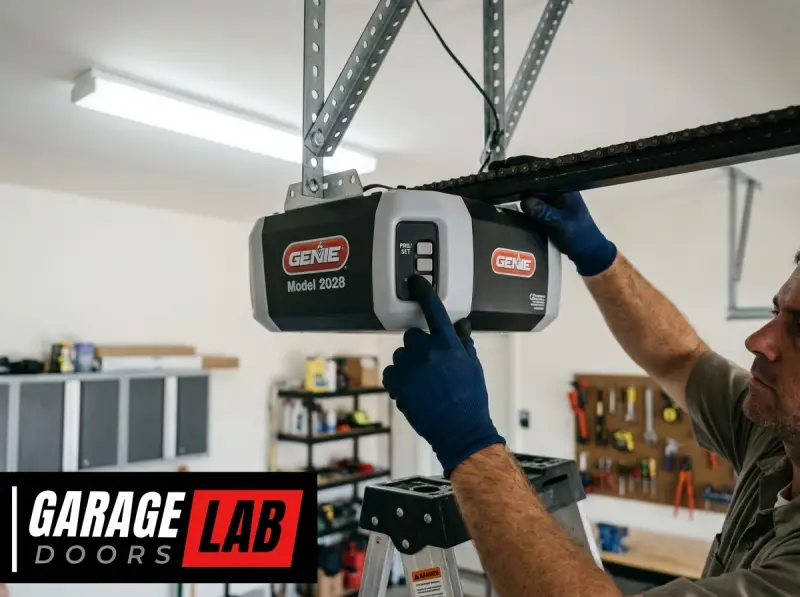
- The Garage Door Opener Motor Unit: This is the unit mounted on the ceiling of your garage. It houses the receiver that listens for signals from the remote and the motor that physically moves the garage door. It also contains the crucial “Learn” button that initiates the programming process.
Why Program Your Remote?
Programming is essential for several reasons:
- Security: It ensures that only your specific remote can operate your garage door, preventing unauthorized access.
- Functionality: A programmed remote is the primary way to conveniently open and close your garage door without manual intervention.
- Replacement/Addition: If you lose your remote, or if you want to add another remote for a family member, programming is the necessary step.

Credit: www.amazon.com
Preparation Before Programming
Successful programming hinges on having the right tools and information ready. Rushing through this stage can lead to frustration and errors. Taking a few moments to prepare will make the actual programming process smoother and quicker.
Essential Items And Information
Before you begin, ensure you have the following:
- The Chamberlain 953EV EVC Remote: Make sure it’s the remote you intend to program.
- Your Garage Door Opener Motor Unit: You’ll need to access a specific button on this unit.
- A Sturdy Ladder: Most garage door opener motor units are mounted on the ceiling, so a ladder is necessary to reach it safely. Ensure the ladder is stable and placed on a level surface.
- The Opener’s Manual (Recommended): While this guide provides general steps, your specific garage door opener model might have unique nuances. Having the manual can be a lifesaver if you encounter unexpected issues. You can often find manuals online on the manufacturer’s website if you don’t have a physical copy.
- A Helper (Optional but Recommended): Having someone to press the remote button while you’re near the motor unit can make the process more efficient, especially if the opener is far from the garage door.
Locating The “learn” Button
The most critical step in preparation is finding the “Learn” button on your garage door opener motor unit. This button is usually located on the back panel of the motor unit, often near the antenna wire. It might be a colored button (red, orange, purple, green, or yellow, depending on the opener’s vintage and manufacturer) or a small, recessed button labeled “Learn,” “Program,” or “Set.”
- Example: For many Chamberlain and LiftMaster openers, this button is typically red or orange and quite prominent. For older models, it might be a smaller button.
- Tip: If you have trouble locating it, consult your garage door opener’s manual or search online for your specific opener model number.
Understanding The Opener’s Indicator Lights
The motor unit also has indicator lights that provide feedback during the programming process. There’s usually a power light and often a “Learn” indicator light or a “Status” light. These lights will blink or illuminate in specific patterns to confirm that the opener has registered the remote’s signal. Pay attention to these lights as they are your primary feedback mechanism.
Safety Precautions
Safety is paramount when working with garage door openers.
- Ladder Safety: Ensure your ladder is secure and you maintain three points of contact when ascending or descending. Do not overreach.
- Power Disconnection (Rarely Needed for Remote Programming): For routine remote programming, you typically do not need to disconnect power. However, if you are performing any maintenance or adjustments on the opener unit itself, always unplug it from the electrical outlet first.
- Clearance: Ensure there’s enough space around the motor unit to work comfortably and safely.
- Door Movement: Be aware that the garage door might move unexpectedly if accidentally triggered during the process. Keep yourself and others clear of the door’s path.
Programming The Chamberlain 953ev Evc Remote: Step-by-step
Once you’ve gathered your supplies and located the necessary buttons, you’re ready to program your Chamberlain 953EV EVC remote. This process is designed to be user-friendly, but following the steps precisely is crucial for success. The core of the process involves establishing a communication link between the remote and the opener.
Step 1: Clear Existing Remotes (optional But Recommended)
Before programming a new remote, it’s often a good practice to clear any previously programmed remotes. This ensures that old, lost, or unauthorized remotes can no longer operate your garage door, enhancing security.
- Locate the “Learn” button on your garage door opener motor unit.
- Press and hold the “Learn” button for about 30 seconds.
- The indicator light on the motor unit will typically turn off or change color, indicating that all previous codes have been erased.
- Release the “Learn” button.
- Note: This step will erase *all* programmed remotes, keypads, and even wired wall buttons that use the same rolling code technology. You will need to re-program any other remotes or keypads you wish to use after clearing.
Step 2: Program The Remote Button
Now, you’ll program a specific button on your 953EV EVC remote to your opener.
- Choose which button on your 953EV EVC remote you want to use for your garage door. For a three-button remote, you might use button 1 for your primary garage door, button 2 for a secondary door or gate, and button 3 for lights or another opener.
- Press and hold the chosen button on the 953EV EVC remote.
- While still holding the remote button, press and immediately release the “Learn” button on the motor unit.
- Release the remote button after you press and release the “Learn” button.
- The indicator light on the motor unit should blink or turn on, indicating it’s in programming mode. You typically have about 30 seconds to complete the next step.
- Press and hold the same button on the 953EV EVC remote again.
- Watch the motor unit’s indicator light. It will typically blink or turn off after a few seconds, signaling that the remote has been successfully programmed.
- Release the remote button.
- Pro Tip: If your opener has multiple colors for its “Learn” button, the color often corresponds to the Security+ version. The 953EV EVC is designed to work with most of these, but if you have issues, check your opener’s manual for specific color codes.
Step 3: Test The Remote
This is the moment of truth. You need to verify that the programming was successful.
- Step away from the motor unit and out of the garage door’s path.
- Press the programmed button on your 953EV EVC remote.
- Your garage door should open or close.
If the door operates, congratulations! You have successfully programmed your remote. If the door does not respond, or if it only moves slightly, don’t worry. There are troubleshooting steps you can take.
Credit: www.graines-voltz.com
Troubleshooting Common Programming Issues
Encountering problems during the programming process is not uncommon. Several factors can prevent a successful sync between your remote and opener. Addressing these issues systematically will help you get your remote working.
Remote Not Responding
If pressing the remote button does not activate the garage door opener after programming, consider the following:
- Incorrect “Learn” Button Procedure: Double-check that you pressed and released the “Learn” button on the motor unit correctly. Some openers require a quick press, while others might need a slightly longer hold.
- Battery Issues: The battery in your 953EV EVC remote might be weak or dead. Try replacing it with a fresh CR2032 coin cell battery. Ensure it’s inserted with the correct polarity.
- Interference: Other wireless devices operating on similar frequencies could be interfering. Try programming at a different time or temporarily turning off other wireless devices in the vicinity.
- Remote Not Matched to Opener: While the 953EV EVC is universal, there might be rare instances of incompatibility, especially with very old or very new opener models. Verify the compatibility of your opener with the 953EV EVC. You can usually find this information on Chamberlain’s website or in the remote’s product description.
- Range Issues: The remote might be too far from the motor unit during the programming process. Ensure you are within a reasonable distance (e.g., 10-15 feet) of the opener.
Opener Light Not Flashing During Programming
If the indicator light on the motor unit doesn’t flash or illuminate when you press the “Learn” button, it suggests the opener isn’t entering programming mode.
- Incorrect Button Press: Ensure you are pressing the correct button on the motor unit and holding the remote button simultaneously as per the instructions.
- Faulty “Learn” Button: The “Learn” button on the motor unit itself might be damaged or malfunctioning. This is less common but possible.
- Opener Power Issue: Check if the garage door opener is receiving power. Is the main unit plugged in, and is the light bulb (if it’s acting as an indicator) working?
Opener Only Opens/closes Partially
If the garage door only moves a little or stops unexpectedly, it might indicate an issue with the opener’s travel limits or force settings, rather than the remote programming itself.
- Travel Limits: These settings tell the opener how far to open and close the door. If they are misadjusted, the door might stop prematurely. Consult your opener’s manual for instructions on how to adjust travel limits. This is a separate adjustment from remote programming.
- Force Settings: The force setting determines how much force the opener will exert before stopping or reversing. If set too low, it might interpret an obstruction where there is none. Again, refer to your opener’s manual for adjustment procedures.
- Obstructions: Check the garage door tracks and the door itself for any physical obstructions that might be preventing smooth movement. You may need to lubricate door parts; see how to lube garage door rollers for guidance.
Clearing Codes Was Unsuccessful
If you attempted to clear existing codes and the opener still responds to old remotes, the clearing process may not have been completed correctly.
- Hold Duration: Ensure you held the “Learn” button for the full 30 seconds. The indicator light should have clearly shown it was resetting.
- Power Interruption: Some older models might require the opener to be unplugged for a short period after holding the “Learn” button to fully clear memory. Check your manual.
If you’ve exhausted these troubleshooting steps, it might be time to consult the specific manual for your garage door opener model or contact Chamberlain’s customer support for further assistance. You might also find general guidance on how to reset garage door openers at this comprehensive guide.
Advanced Programming And Features
While the primary function of the 953EV EVC is to open and close your garage door, it offers flexibility for managing multiple access points and understanding its underlying technology.
Programming Multiple Buttons Or Openers
The 953EV EVC typically has three buttons. Each button can be programmed independently to a different garage door opener or gate receiver. The process for each button is the same as described above:
- Press and hold the desired button on the 953EV EVC remote.
- Press and release the “Learn” button on the specific garage door opener you want to control with that button.
- Release the remote button.
- Press and hold the same remote button again.
- Wait for the motor unit’s indicator light to confirm programming.
Example Scenario:
- Button 1: Program to your primary garage door opener (e.g., Chamberlain).
- Button 2: Program to your neighbor’s garage door opener (if they’ve given you permission and the remote is compatible).
- Button 3: Program to your gate opener.
This multi-functionality makes the 953EV EVC a convenient all-in-one solution.
Understanding Rolling Code Technology
The Security+ technology employed by Chamberlain and LiftMaster (which share technology) is a significant security feature. Older garage door openers used fixed codes, meaning the remote sent the same signal every time. This made them vulnerable to code-grabbing devices. Rolling code technology ensures that a new, unique code is generated each time the remote is used.
- How it Works: The remote and the opener share a common algorithm. When you press the remote, it generates a code based on its internal counter. The opener, also knowing the current position of the counter, recognizes the code. After the door operates, both the remote and the opener advance their internal counters, so the next time the remote is pressed, a new code is sent and expected.
- Benefits: This makes it virtually impossible for someone to “capture” your code and use it later to open your garage door.
Compatibility Considerations
While the 953EV EVC is a “universal” remote, its compatibility is primarily with Chamberlain, LiftMaster, and Sears Craftsman openers manufactured within a certain timeframe, especially those using Security+ technology.
- Security+ Versions: Chamberlain has released different versions of Security+ over the years (e.g., Security+ 315 MHz, Security+ 390 MHz, Security+ 2.0). The 953EV EVC is generally compatible with most Security+ systems. However, for the very latest Security+ 2.0 (often identified by a yellow “Learn” button and a circular antenna), you might need a specific remote like the 893MAX or similar. Always check the product specifications for the most accurate compatibility information.
- Other Brands: While it’s marketed as universal, its success with brands other than Chamberlain, LiftMaster, and Craftsman can be hit-or-miss and depends on whether those brands use compatible rolling code protocols.
When To Consider Professional Help
If you’ve followed all the steps and troubleshooting advice and still cannot program your remote, or if you’re uncomfortable working on a ladder or with the opener unit, it’s time to call a professional. Garage door technicians have specialized tools and extensive experience with various models. They can quickly diagnose the issue, whether it’s with the remote, the opener, or the opener’s settings. The cost of a service call is often worth the peace of mind and saved time. You can research local garage door service providers and compare pricing, much like understanding how much for a garage door installation or repair.
Maintaining Your Garage Door Opener System
Once your Chamberlain 953EV EVC remote is programmed and working, maintaining your entire garage door system will ensure longevity and continued smooth operation. This includes not just the remote but the opener unit and the door itself.
Remote Maintenance
- Battery Replacement: The coin cell battery in the remote will eventually need replacing. You’ll notice the remote’s range decreasing or it may stop working altogether. Replace it with the same type (usually CR2032) and ensure correct installation.
- Cleaning: Wipe the remote with a soft, dry cloth to keep it clean. Avoid using harsh chemicals.
- Avoid Extreme Temperatures: Do not leave the remote in direct sunlight or in extreme cold for extended periods, as this can affect the battery and internal components.
Garage Door Opener Unit Maintenance
- Regular Checks: Periodically inspect the motor unit for any signs of damage or wear. Ensure the wiring is secure and not frayed.
- Lubrication: While the motor unit itself usually doesn’t require lubrication, the garage door mechanism (rollers, hinges, springs) does. Properly lubricating these parts is crucial for smooth operation and reducing strain on the opener. Refer to guides on how to lubricate garage door rollers.
- Adjustments: Over time, the opener’s chain tension might need adjustment, or the travel limits and force settings might require recalibration. If you notice the door isn’t moving smoothly or stops unexpectedly, these might be the culprits. For chain adjustments, you can find detailed instructions on how to adjust the chain on a garage door opener. Chamberlain openers, in particular, often have specific adjustment procedures detailed in their manuals, similar to how you might adjust a Chamberlain garage door opener.
Garage Door Maintenance
- Visual Inspection: Regularly check the garage door panels, tracks, springs, and cables for any signs of damage, rust, or wear.
- Balance Test: Ensure the door is properly balanced. Disconnect the opener using the emergency release cord and try to lift the door manually. It should stay open at any height without falling or slamming shut. If it doesn’t, the springs may need adjustment by a professional.
- Cleaning: Keep the tracks clean to prevent debris from interfering with the door’s movement.
Emergency Preparedness
- Manual Operation: Familiarize yourself with how to operate your garage door manually in case of a power outage or opener malfunction. This typically involves pulling an emergency release cord that dangles from the opener’s trolley. You can learn more about this process in guides on how to open a garage door manually