
Resetting your garage door code can feel confusing, especially if you’ve never done it before. Maybe you lost your remote, moved into a new house, or want to keep your property safer. Whatever your reason, changing the garage code is one of the simplest ways to improve your home’s security.
But every garage door system is a bit different, and small mistakes can leave you locked out or with a door that won’t respond.
This guide will walk you through everything you need to know about how to reset code on garage door. You’ll learn how to identify your system, the step-by-step process for most openers and keypads, what to do if you get stuck, and tips that save time and avoid frustration. Whether you’re a first-timer or helping a friend, you’ll find practical advice and clear instructions. Let’s get started and make your garage as secure as possible.
Why Resetting Your Garage Door Code Is Important
Garage doors are one of the largest entry points to your home. If someone gets your old code, they can access your garage—and possibly your house. Many people forget to reset their codes after moving in, losing a remote, or lending a code to a neighbor or contractor.
This leaves your home open to risks.
Resetting the code stops old remotes or PINs from working. It’s like changing a password when you think someone else knows it. This simple step greatly increases your home’s safety, especially if you live in a busy neighborhood or have shared your code before.
Types Of Garage Door Openers And Keypads
Not all garage doors are the same. Before you start, it helps to know what type of opener and keypad you have. This affects the steps you’ll follow. Here are the most common types:
Chain Drive Openers
These use a metal chain to lift and lower the door. They’re common in older homes and are known for being reliable but noisy.
Belt Drive Openers
Instead of a chain, these use a rubber belt. They are much quieter and often found in newer homes.
Screw Drive Openers
A threaded steel rod moves the door. These are less common but need less maintenance and are quieter than chain drives.
Smart Garage Door Openers
These connect to Wi-Fi and let you control the door with your phone. Brands like Chamberlain, LiftMaster, and Genie offer smart features.
Keypad Entry Systems
Most homes have a keypad outside the garage. You enter a code to open the door. Some keypads are wireless, while others are wired to the opener.
Remote Controls
These small devices fit in your car or pocket. You press a button to open or close the door. Most remotes work with a code that matches your opener.
Wall Consoles
A wall-mounted button inside your garage. Some models have extra features like locking the door or turning on a light.
Non-obvious insight: Not every keypad or remote uses the same technology. Some use rolling codes, which change every time you use the door. Others use fixed codes, which are the same until you reset them. Rolling code systems are much safer, as they’re harder for thieves to copy.

How Garage Door Codes Work
Your garage door system uses a code to match the opener, keypad, and remote. When you press a button or enter a PIN, the device sends a signal to the opener. If the code matches, the door moves.
Older systems often use dip switches—small switches inside the remote and opener. You set these to match, creating a fixed code. Newer systems use rolling codes, which change automatically after each use.
Keypads usually have their own PIN. Some models let you set multiple codes or temporary codes for guests. When you reset the code, you erase old PINs and set a new one.
Non-obvious insight: If your garage door opener is very old (pre-1993), it may not support modern rolling codes. Upgrading can make your home much safer and let you use smart features.
What To Do Before Resetting Your Garage Code
Preparation saves time and prevents mistakes. Here’s what to do before you start:
- Find the opener brand and model. Look for a sticker or plate on the motor unit (usually on the ceiling). Write down the model number.
- Get your remotes and keypad. You may need to reprogram these after resetting the code.
- Locate the “Learn” or “Program” button. Most modern openers have this button on the motor unit. It may be under a light cover.
- Read the manual if you have it. Some systems are unique. If you don’t have a manual, you can often find one online by searching the brand and model.
- Make sure the door is closed. It’s safer to work when the door is down.
Step-by-step: How To Reset Code On Garage Door Opener
The main process depends on your system type. Here are step-by-step guides for the most common garage door openers.
For Openers With A “learn” Or “program” Button
Most brands like Chamberlain, LiftMaster, and Genie use this system.
- Find the Learn button on the motor unit. It may be yellow, red, orange, or purple.
- Press and hold the Learn button for 6-10 seconds. The LED light next to it will turn off or blink. This erases all remote and keypad codes from the memory.
- Release the button. Wait a few seconds.
- Reprogram your remotes. Press the Learn button again (don’t hold it). Within 30 seconds, press the button on your remote. The opener light will blink or you’ll hear a click—this means it’s paired.
- Reprogram your keypad. Enter your new PIN and press the Enter button (steps may vary by brand).
This process resets the opener and lets you set new codes. If you skip step 2, old remotes or PINs may still work.
For Keypad-only Resets
If you only want to change the keypad code and not erase all remotes:
- Enter your current PIN.
- Press the Program or Learn button (usually on the keypad or opener).
- Enter your new PIN, then press Enter.
Some keypads have a “#” or “*” button to help reset. Check your manual for exact steps.
For Systems With Dip Switches
Older openers use dip switches inside the motor and remote.
- Open the cover on the opener and remote.
- Move the dip switches to a new, matching pattern. For example, up-down-up-up-down.
- Replace the covers.
- Test the remote.
This sets a new fixed code. Make sure all remotes and the opener match.
For Smart Garage Door Openers
Smart openers often use an app.
- Open the app and go to settings.
- Look for an option like “Reset PIN” or “Change Access Code.”
- Follow the instructions. You may need to be near the opener.
- Test the new code.
Some smart systems let you create temporary codes for guests. Delete any codes you don’t use.
How To Reset Garage Door Keypad Code
The keypad lets you open your garage without a remote. Here’s how to reset the code:
- Clear the old code. Some keypads have a Reset button. Others need you to enter the old PIN and press a special key.
- Enter the new code. Usually 4 digits, but check your manual.
- Save the code. Press Enter or a Program key.
- Test the new code. Make sure the door opens and closes.
If the keypad is wireless, you may also need to press the Learn button on the opener to sync the new code.
Tip: Always pick a code that’s hard to guess. Avoid birthdays, “1234,” or other easy numbers.
Resetting Codes For Popular Garage Door Brands
Each brand has its own steps. Here’s a quick guide for the most common ones:
Chamberlain And Liftmaster
- Find the Learn button (usually yellow or purple).
- Press and hold until the LED turns off.
- Release and wait.
- Press Learn again, then program remotes and keypad as above.
Genie
- Press and hold the Program button until the LED blinks.
- Press the button on your remote.
- Enter a new keypad code if needed.
Craftsman
- Similar to Chamberlain. Find the Learn button, hold to reset, then reprogram.
Overhead Door
- Press and hold the Learn button until the LED goes out.
- Release, wait a few seconds, then reprogram remotes.
Note: If your brand is not listed, check the user manual or search online with your model number.
What If You Lost Your Old Code?
If you forgot your old code or PIN, don’t worry. Most systems let you reset without knowing it, as long as you have access to the opener’s Learn button.
- Press and hold the Learn button for 6-10 seconds to erase all codes.
- Reprogram remotes and keypad with new codes.
If you don’t have access to the opener (for example, you’re locked out), you may need to enter the garage another way or call a professional.
Common Problems And How To Fix Them
Even simple jobs can go wrong. Here are some problems you might see and what to do:
Remotes Not Working After Reset
- Make sure you reprogrammed every remote.
- Try new batteries.
- Stand close to the opener when pairing.
Keypad Won’t Accept New Code
- Check for a stuck button or dirt.
- Make sure you’re entering the right steps.
- Try resetting again from the beginning.
Opener Light Doesn’t Blink
- Some models don’t blink but make a click sound.
- Wait a few seconds and test the remote.
Garage Door Opens On Its Own
- Someone nearby may have the same code (possible with older dip switch systems).
- Switch to a rolling code system or reset codes often.
Can’t Find The Learn Button
- Look under the light cover of the opener.
- Check your manual or search online for your model.
Pro tip: Always reprogram every remote and keypad after a reset. If you skip one, someone could still use the old code.
How To Reset A Garage Door Remote
If your remote stops working or you want to erase old remotes, follow these steps:
- Erase all remote codes. Press and hold the Learn button for 6-10 seconds.
- Pair your remote. Press the Learn button, then press the button on your remote.
- Test the remote. The door should move.
If the remote still doesn’t work, try new batteries or check if it’s the right type for your opener.
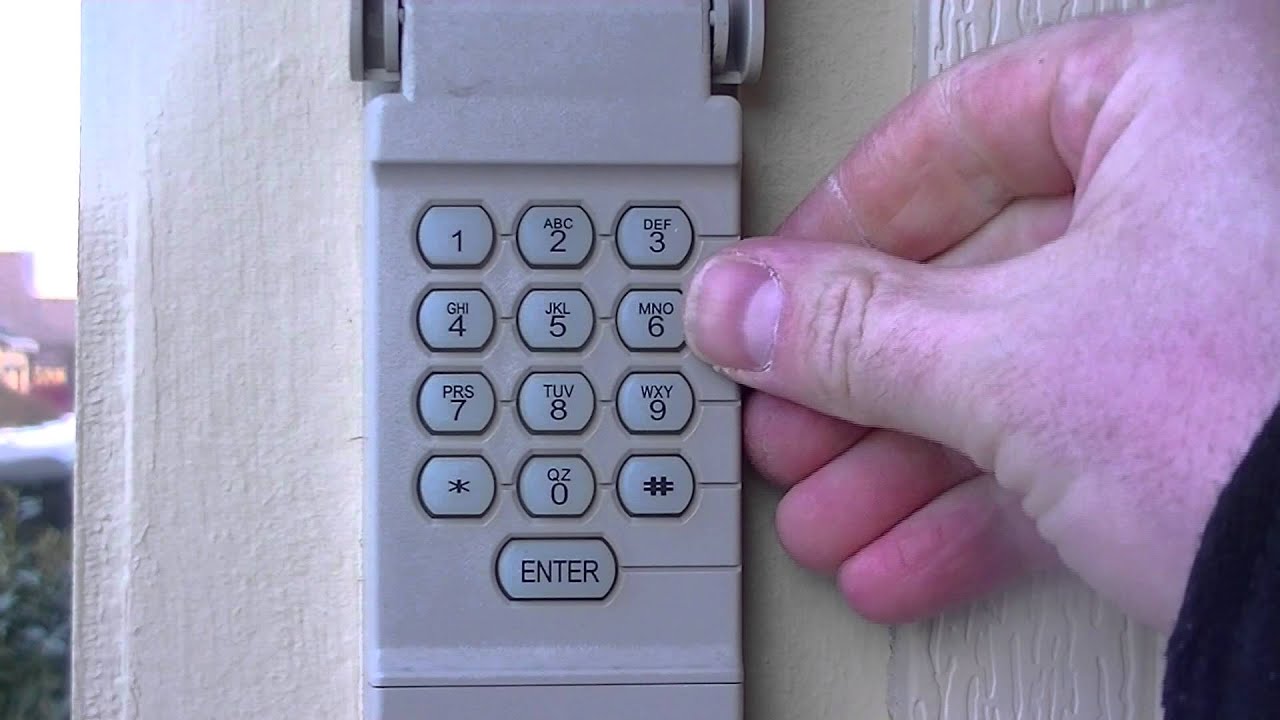
How To Reset Garage Door Code Without The Learn Button
Some older openers don’t have a Learn button. Here’s what to do:
- Look for dip switches. Inside the opener and remote, change the switch positions to a new pattern.
- Check for a Program button. Some models have a different button for programming.
- Consult the manual. Brands and models vary—look for the reset steps for your unit.
If you can’t find any buttons or switches, it may be time to upgrade your opener for better security.
How To Reset Garage Door Code After Moving In
Moving into a new home? Always reset the garage code, even if the previous owner says they did.
- Find the opener and keypad.
- Erase all codes using the Learn button or dip switches.
- Set new codes for remotes and keypads.
- Test every device.
This ensures only you and your family have access.

How To Reset A Garage Door Code For Security
If you think someone else knows your code, change it right away.
- Erase all codes. Hold the Learn button until the LED goes out.
- Set new codes. Program your remotes and keypad.
- Check for extra remotes. If you find extras, erase them.
Changing your code every year keeps your home safer.
Data Table: Key Differences Between Garage Door Opener Types
Here’s a quick look at how different openers compare:
| Type | Noise Level | Security | Reset Method |
|---|---|---|---|
| Chain Drive | Loud | Medium | Learn Button or Dip Switch |
| Belt Drive | Quiet | High | Learn Button |
| Screw Drive | Medium | Medium | Learn Button or Dip Switch |
| Smart Opener | Quiet | Very High | App/Manual Reset |
What To Do After Resetting Your Garage Door Code
Resetting the code is not the last step. Here are a few things you should always do next:
- Test every device. Make sure the keypad, every remote, and the wall console work.
- Write down the new code. Keep it in a safe place, not on the keypad.
- Update your family. Make sure everyone knows the new code.
- Erase old guest codes. Many systems let you add temporary codes—clear any you no longer use.
- Check the batteries. Weak batteries can cause remotes or keypads to fail.
Tip: If you have a smart opener, update your phone app and delete old users.
How Often Should You Reset Your Garage Door Code?
Changing your code every year is a good habit, especially if you give out guest codes or lose a remote. If you move in, lose your remote, or suspect someone else knows your code, change it right away.
For business garages or rental properties, consider changing codes every few months.
Data Table: When To Reset Your Garage Door Code
This summary can help you decide when to change your code:
| Situation | Should You Reset? | Reason |
|---|---|---|
| Moving into a new home | Yes | Old owners may have remotes or codes |
| Losing a remote | Yes | Anyone who finds it can enter |
| After contractors or guests use your code | Yes | They may remember or write down your code |
| Yearly for safety | Recommended | Prevent old codes from being used |
| Buying a new remote | Optional | Only if you want to erase old remotes |
Upgrading To A More Secure Garage Door System
Older openers with dip switches are easy for thieves to hack. Modern systems use rolling codes, which are much safer. If your opener is more than 20 years old, consider upgrading. New openers are quieter, have better lights, and can connect to your phone for remote access.
Example: A 1990s opener can be opened with a cheap code scanner from the internet. New openers change codes every time you use them, so hackers can’t break in.
Upgrading also lets you set temporary codes for guests, deliveries, or cleaners. You can erase these codes without changing your main one.
Safety Tips When Resetting Garage Door Codes
- Unplug the opener if you’re working inside the motor unit.
- Keep ladders steady and ask someone to hold them.
- Don’t share your code with people you don’t trust.
- Change codes often if you use guest access.
- Test the safety sensors (photo eyes) after resetting, to be sure the door reverses if something is in the way.
How To Find Your Garage Door Manual Online
If you lost your manual, you can find most manuals online:
- Look for the brand and model number on the opener.
- Search the brand’s website or enter “Brand Model User Manual” into a search engine.
- Download the PDF and follow the instructions for resetting codes.
Manuals often have troubleshooting tips for your exact model.
For more detailed info about garage door security and technology, see this Wikipedia page.
Data Table: Common Garage Door Opener Brands And Their Reset Features
This shows the main brands and how they handle resets.
| Brand | Reset Button Name | Typical Reset Time | Rolling Code Support |
|---|---|---|---|
| Chamberlain | Learn | 6 seconds | Yes |
| LiftMaster | Learn | 6 seconds | Yes |
| Genie | Program | 8 seconds | Yes |
| Craftsman | Learn | 6 seconds | Yes |
| Overhead Door | Learn | 10 seconds | Yes |
| Older Models | Dip Switch | Manual | No |
Frequently Asked Questions
How Do I Reset My Garage Door Code If I Don’t Know The Old Code?
Most modern systems let you erase all codes by holding the Learn button on the opener for 6–10 seconds. After that, you can set a new code and pair your remotes and keypad.
Can Someone Hack My Garage Door Code?
Older openers with fixed codes can be hacked with code scanners. Rolling code systems are much safer. Always reset your code if you think someone else has it, and upgrade old systems for better protection.
How Do I Reset My Garage Door Keypad Without The Learn Button?
Some keypads have their own reset or program button. If not, you may need to open the keypad and check for dip switches. If you’re unsure, check the manual or call a professional.
Why Won’t My Garage Door Remote Work After Resetting The Code?
You may have missed reprogramming the remote, or the batteries might be dead. Try pairing the remote again and stand close to the opener. If the problem continues, check if the remote is compatible with your opener.
How Often Should I Change My Garage Door Code?
Change your code at least once a year or whenever you lose a remote, move in, or give your code to someone else. Regular updates keep your home safer.
Resetting your garage door code is a smart, simple way to protect your home and family. With these steps and tips, you can handle almost any garage system confidently. If you ever feel stuck, remember that most manufacturers offer customer support, and professional installers can help with unique or stubborn systems.
Stay safe and enjoy the peace of mind that comes with a secure garage.